
VSD Mini Macro Pad
4.1Editor score
6 Custom LCD Keys
Dual Side RGB Light Bars
Compact Portable Size
This guide compares the top 10 macro pads for streaming to help creators find the right programmable keypad for OBS, shortcuts, and workflow efficiency in 2026.
Streaming has become a major career path for many creators who need efficient tools to manage complex workflows during live broadcasts. A macro pad for streaming allows users to trigger multiple actions with a single press, reducing clutter and improving response times. These devices are essential for managing scenes, audio, chat, and media without switching between windows constantly.
To compile this list, we evaluated ten leading macro pads based on key performance metrics including customization options, build quality, and software ecosystem. Each product was analyzed for its ability to integrate with popular streaming platforms like OBS and Streamlabs. We focused on features that genuinely enhance productivity for streamers, gamers, and content producers.
Each review in this guide highlights specific strengths and trade-offs to help you make an informed decision based on your setup and budget. Prices and availability may change frequently, so always verify the latest details on the product pages. Our goal is to provide clear insights into which deck fits your unique streaming needs best.
4.1Editor score

4.8Editor score

4.4Editor score
This side-by-side comparison highlights the core specifications and unique features of each macro pad to help you identify the best fit for your streaming setup and workflow requirements.




The VSD M18 Macro Pad stands out as a top contender for streamers seeking a balance between functionality and cost. With a 4.4 rating, users appreciate the extensive customization options and the clear visual feedback provided by the LCD keys. It effectively reduces the need to switch between multiple windows during live broadcasts.
We may earn a commission when you buy through this link, at no additional cost to you.
Its 18 programmable keys allow for intricate macro sequences, making it ideal for managing OBS scenes, media playback, and chat commands simultaneously. The single tap control feature ensures quick execution of tasks without hesitation. The RGB light ring adds a customizable aesthetic touch that complements most streaming setups.
While the device offers robust features, users should note that Linux support requires SDK development rather than plug-and-play usage. Additionally, some RGB customizations depend on firmware upgrades which might require patience. These limitations are minor compared to the overall utility offered at this price range.
This macro pad is highly recommended for creators who need reliable performance without investing in premium hardware. It suits gamers, streamers, and office workers who need to automate repetitive tasks efficiently. The built-in plugins further enhance daily productivity by providing useful widgets like weather and calendars.
The ability to program multi-step sequences ensures that complex tasks like scene switching and file launching happen instantly with one tap.
Users can upload JPG, PNG, and GIF images to each LCD key, making it easy to recognize functions at a glance during intense streaming sessions.
We may earn a commission when you buy through this link, at no additional cost to you.
The Streaming Deck N1 distinguishes itself with a unique vertical space-saving design that appeals to users with limited desk space. Its 4.7 rating reflects high user satisfaction with its ergonomic layout and versatile operation modes. This device is particularly useful for left-handed users who need accessible shortcuts without reaching across the keyboard.
We may earn a commission when you buy through this link, at no additional cost to you.
With three switchable modes including left-hand shortcuts, calculator, and numeric keypad, this deck offers more than standard macro pads. The 15 LCD keys allow for drag-and-drop customization of apps and files, significantly boosting efficiency. The plugin market provides hundreds of additional functions to tailor the device to specific workflows.
The vertical design may not suit every desk setup as traditional horizontal layouts are more common. Users must download the SPACE STATION plugin market to unlock all features, which adds a step to the setup process. However, the comprehensive support and warranty period mitigate these initial hurdles.
Streamers who value desk organization and multifunctionality will find this deck an excellent companion. It serves well for both content creation and daily office tasks. The inclusion of a calculator mode adds unexpected utility that sets it apart from competitors focused solely on streaming functions.
The ability to switch between modes allows users to adapt the device instantly for different tasks without needing multiple hardware peripherals.
Access to hundreds of plugins means the deck can integrate with almost any workflow tool or software commonly used by creators.
We may earn a commission when you buy through this link, at no additional cost to you.
This VSD M18 deck offers a high-performance alternative with a 4.5 rating and features similar to its sibling model. It focuses on efficiency with one-touch operation that executes complex macro sequences instantly. The sturdy construction ensures long-lasting performance even during rigorous daily use by streamers and editors.
We may earn a commission when you buy through this link, at no additional cost to you.
The RGB light ring adds visual appeal and can be customized to match gaming or streaming aesthetics. Compatibility with Windows and macOS allows it to integrate seamlessly into mixed environments. Built-in plugins like weather and calendar modules provide utility beyond just streaming controls.
Linux users will need to rely on SDK files for customization which might deter those wanting plug-and-play simplicity. Firmware updates are occasionally necessary to unlock the full RGB potential which can be a minor inconvenience. These factors do not significantly impact the overall value proposition for most users.
Content creators who prioritize speed and reliability should consider this device for their setup. It effectively handles multi-step workflows without lag. The visual feedback provided by the LCD keys ensures that users know exactly which functions they are triggering at any moment.
The Operation Follow feature allows multiple macro steps to run in sequence automatically simplifying complex editing or production tasks.
Built-in functional plugins assist with daily desktop operations making this deck a versatile tool for both work and play.
We may earn a commission when you buy through this link, at no additional cost to you.
The VSD Mini Macro Pad is an excellent choice for those seeking a compact and budget-friendly entry into macro streaming. With a 4.1 rating, it offers essential functionality without overwhelming the user with unnecessary features. Its small size makes it perfect for portable setups or limited desk real estate.
We may earn a commission when you buy through this link, at no additional cost to you.
Six custom LCD keys provide enough room for the most critical streaming shortcuts while maintaining a clean look. The dual side RGB light bars add a touch of style without needing a full ring. It connects via USB-C and is powered directly by the computer ensuring continuous operation.
The limited number of keys might be restrictive for users needing extensive macro control across multiple apps. Software installation is required for full functionality which might slightly delay setup for beginners. However, these constraints are acceptable given the low price point and portable design.
This pad is ideal for beginners or casual streamers who want to automate basic tasks like scene switching. It also works well as a secondary device for quick shortcuts. The minimalist design ensures it fits into various aesthetics without dominating the workspace.
Users get essential macro capabilities at a fraction of the cost of larger controllers making it accessible to everyone.
The compact design allows easy transport between locations which is beneficial for mobile content creators or hybrid workers.
We may earn a commission when you buy through this link, at no additional cost to you.
The VSD N4 Pro positions itself as a premium studio controller with unique features like audio knobs and haptic feedback. Rated 4.4 by users, it appeals to professionals who need precise control over both visual and audio elements. The ergonomic stand ensures comfortable viewing angles during long editing or streaming sessions.
We may earn a commission when you buy through this link, at no additional cost to you.
With 10 LCD keys and 4 RGB knobs, this device offers a tactile interface that traditional keypads lack. The USB sound deck allows users to trigger sound effects and manage audio levels without touching the software. Dynamic RGB visuals can sync with media files for an immersive experience.
The price reflects the advanced hardware and software capabilities which may not be necessary for casual users. Some features rely on downloading plugins which requires internet access and account setup. Despite this, the quality of construction and versatility justify the investment for serious creators.
Streamers who need granular control over their audio and scene transitions will appreciate the added knobs. It functions well as a central hub for various creative tasks. The unlimited scene presets enable quick switching between different production environments.
The programmable rotary knobs provide precise adjustments for volume and effects reducing the need for mouse clicks or keyboard shortcuts.
Built-in USB dock adds extra ports making it easier to connect peripherals without cluttering the motherboard connections.
We may earn a commission when you buy through this link, at no additional cost to you.
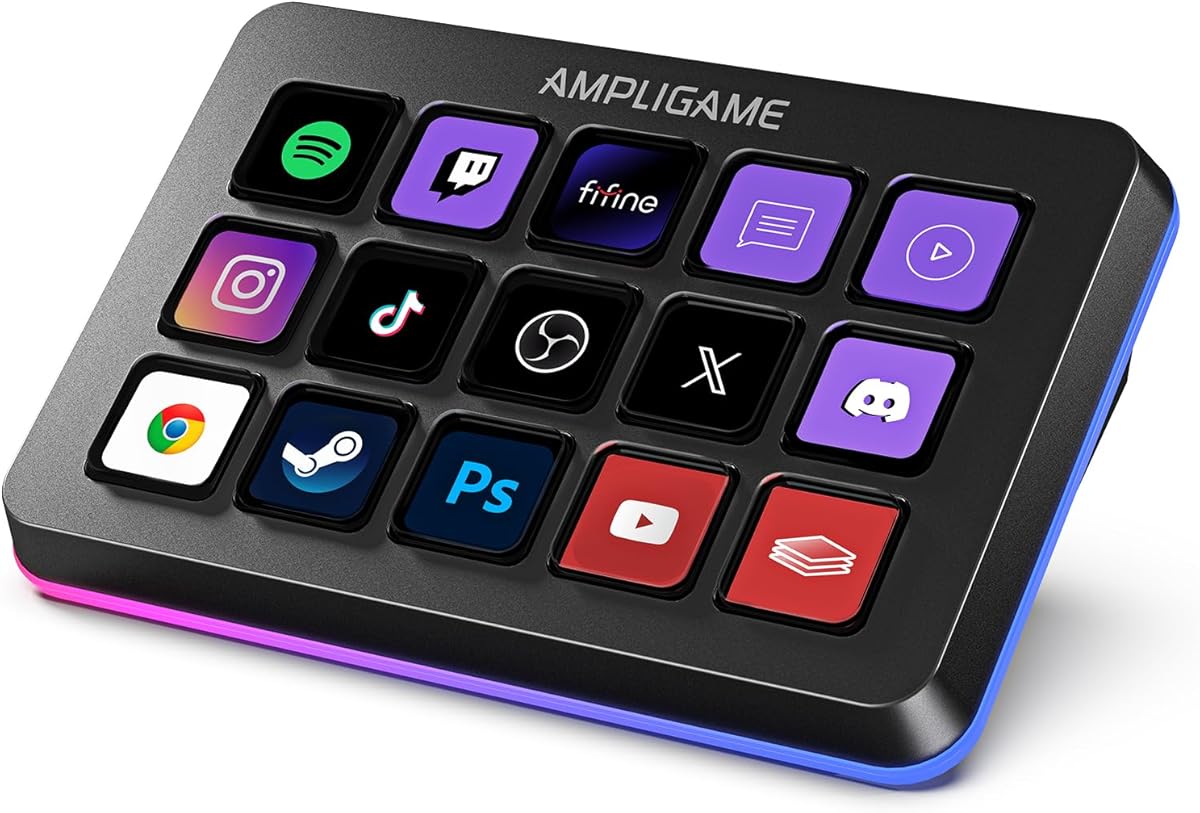
The Fifine D6 Macro Keyboard delivers strong visual efficiency with 15 customizable buttons and vivid RGB lighting. Rated 4.6, it is praised for how smoothly it integrates with popular streaming tools. The visual operation keypad allows users to see apps directly on the controller reducing the need to scan the desktop screen.
We may earn a commission when you buy through this link, at no additional cost to you.
Multi-tasking scenes enable the creation of folders for different projects which keeps workflows organized. Drag-and-drop functionality simplifies customization even for those less tech-savvy. The bright RGB ring enhances the gaming atmosphere and allows for matching colors to personal preferences.
Users must ensure firmware and software are updated to the latest versions before use which can sometimes lead to initial connectivity confusion. Third-party plugins might require active subscriptions which adds to the ongoing commitment. These factors are manageable with the provided tutorial support.
This deck is particularly well-suited for users who value a clean visual interface for their shortcuts. It balances performance with ease of use effectively. The dedicated folders for scenes or apps make switching between different tasks seamless and fast.
Creating folders for different apps or scenes allows users to categorize commands logically without cluttering the main key layout.
Seeing the app icon on the touchscreen confirms the function before pressing which reduces accidental triggers during live streams.
We may earn a commission when you buy through this link, at no additional cost to you.
The TreasLin VSDinside N1 offers versatile modes that include calculator and numeric keypad functions alongside standard macro keys. With a 4.4 rating, it provides a comprehensive solution for streamers who also use the device for work tasks. The 18 macro keys ensure there is plenty of room for custom shortcuts.
We may earn a commission when you buy through this link, at no additional cost to you.
Support for dynamic icon animations allows users to bring their interface to life with moving graphics. The extensive plugin marketplace includes thousands of free and premium options to expand functionality significantly. This flexibility ensures the device grows with the user's needs over time.
Spotify integration requires an active premium account which might be a barrier for casual listeners. The software setup may have a slight learning curve for users new to macro controllers. Despite these minor points, the build quality and feature set are highly regarded.
This device is perfect for multi-role creators who need a single solution for streaming and productivity. The numeric mode is especially useful for accounting or data entry tasks. The rotary knob offers additional control that enhances the tactile experience of using the deck.
Animated icons allow for visual cues that change based on context making it easier to track status or state at a glance.
Access to over 200 plugins means users can tailor the device to almost any specific software requirement they have.
We may earn a commission when you buy through this link, at no additional cost to you.
The Streonor S15 stands out with its three non-touch status display panels that show real-time system data like CPU and GPU usage. With a 4.6 rating, users appreciate the added layer of monitoring alongside standard macro functions. This ensures streamers can track performance without opening task managers.
We may earn a commission when you buy through this link, at no additional cost to you.
Action flows allow multiple commands to be triggered by a single key press simplifying complex workflows. Preset control pages help organize layouts by scenario such as gaming or editing. The 15 customizable LCD keys provide ample space for all essential actions.
Linux users are currently unable to use this device which limits its universality for cross-platform setups. Uninstalling similar software is required to avoid conflicts which can be a stumbling block for those using multiple tools. These constraints are manageable with careful setup.
This deck is highly recommended for gamers and streamers who rely on hardware stability during live sessions. The status panels provide crucial insights that help prevent crashes. The customization options ensure the device can adapt to any content creation style.
Seeing CPU and memory usage on the device helps users make informed decisions during stressful production or streaming moments.
Grouping multiple steps into one action reduces latency and ensures complex tasks are completed consistently without errors.
We may earn a commission when you buy through this link, at no additional cost to you.
The Streonor S10 boasts an impressive 4.9 rating and combines LCD keys with a dedicated touchscreen and knobs. This hybrid approach offers versatile control that is rare in standard macro pads. It is designed for demanding workflows where precision and speed are equally critical.
We may earn a commission when you buy through this link, at no additional cost to you.
Users can assign knobs to volume and scrolling for tactile control over media playback. The integrated touchscreen provides quick access to additional settings without clicking away. With over 100 plugins, the software ecosystem supports extensive customization and workflow automation.
The price point reflects the high-end hardware which might be steep for beginners. Plugin setup requires attention to ensure all third-party services work smoothly. However, the performance reliability justifies the cost for professional environments.
This device is perfect for audio-focused streamers or editors who need more than just buttons. The combination of touch and knobs allows for fluid interaction with software. It acts as a central console for all production tasks keeping everything within reach.
The touchscreen allows for dynamic content display that updates instantly providing context specific controls right on the device.
Rotary knobs allow for minute adjustments to audio levels making it easier to fine tune sound without relying on software sliders.
We may earn a commission when you buy through this link, at no additional cost to you.
The Elgato Stream Deck MK.2 remains the industry standard for stream control with a 4.8 rating and widespread adoption. It offers 15 customizable LCD keys that provide instant visual feedback for every command. This reliability makes it a safe choice for professional environments.
We may earn a commission when you buy through this link, at no additional cost to you.
One-touch operation simplifies complex tasks like social media posting or audio adjustment. The powerful plugin ecosystem integrates with nearly every major platform including OBS Twitch and Spotify. This ensures users can find a solution for almost any automation need.
The price is higher than many budget alternatives which might be a factor for new creators. Customization options are more straightforward than some niche brands limiting deep scripting for advanced users. These limitations are outweighed by the stability and support.
This deck is ideal for users who want a no-fuss solution that just works reliably. It serves as a robust tool for daily streaming and production. The hotkey actions allow for seamless integration with existing keyboard workflows.
With plugins for almost every major service the device ensures consistent performance across different software environments.
Knowing a command has been executed instantly through visual feedback prevents errors during live broadcasts or recordings.
We may earn a commission when you buy through this link, at no additional cost to you.
Choosing the right macro pad requires balancing budget features and workflow needs. This guide outlines key factors to consider before making a purchase to ensure compatibility with your current setup.
The number of available keys determines how many shortcuts you can map simultaneously. Streamers with complex setups often prefer pads with 15 or 18 keys to avoid managing too many layers. Smaller devices with fewer keys are sufficient for simple scene switching tasks.
LCD keys allow you to see the function of each button at a glance which reduces errors during live streams. Look for devices that support images and GIFs so you can create intuitive icons for every action. Static labels can become confusing over time as workflows change.
The software provided with the device is critical for usability and future updates. Check if the manufacturer offers a robust plugin store that supports your favorite applications like OBS or Discord. Regular software updates ensure compatibility with new operating system versions.
A sturdy build ensures the device withstands frequent use without key failure. Look for descriptions indicating high-quality materials and rigorous testing standards. Premium models often include features like haptic feedback or ergonomic stands that enhance durability.
Ensure the macro pad works seamlessly with your operating system whether it is Windows or macOS. Some devices offer limited functionality on Linux or require SDK development for full access. Verify the software requirements before purchasing to avoid setup issues.
Customizable RGB lighting adds aesthetic value to your streaming setup. Devices with multiple lighting modes allow you to match the deck to your theme. However prioritize functionality over lighting if you are on a tight budget.
Consider the physical layout and size of the deck to ensure it fits comfortably on your desk. Vertical layouts save space while horizontal ones may feel more natural. Built-in stands can improve the viewing angle and accessibility during long sessions.
Budget-friendly options offer essential features but may lack advanced capabilities like audio knobs. Premium models provide more control and build quality but cost significantly more. Determine which features are essential for your specific workflow to find the best value.
Start by connecting the device to your computer via USB or USB-C and install the required software immediately. Ensure the drivers are up to date to prevent connectivity issues during live broadcasts. Most devices are recognized automatically but manual updates may be needed for full features.
Many macro pads support macOS but always check compatibility before buying. Some brands require specific software versions that align with your system. Verify system requirements on the product page to avoid incompatibility issues with your specific Mac model.
Yes most macro pads allow you to upload custom images or GIFs for each key. Look for drag-and-drop support to easily personalize the interface. This helps in identifying functions quickly without memorizing layouts during high pressure moments.
Yes nearly all macro pads require dedicated software to program keys and manage macros. This software acts as the bridge between the hardware and your computer. Ensure you have internet access to download updates and plugins for full functionality.
If a device does not support Linux natively you might need to use SDK development tools. Check the manufacturer documentation for open-source files that allow custom programming. Community support can also offer workarounds for unsupported systems.
Absolutely macro pads are great for office automation like opening apps or copying text. They can speed up repetitive tasks in Excel or Word significantly. Many devices include plugins specifically designed for productivity beyond streaming.
Most macro pads are built to withstand heavy use with durable materials. Look for models that mention quality inspection and long-lasting performance. Regular cleaning and proper cable management can further extend the lifespan of the device.
We hope this guide has helped you understand the key features and differences among the top macro pads. Selecting the right deck depends on your specific needs whether you prioritize budget features or aesthetic customization.