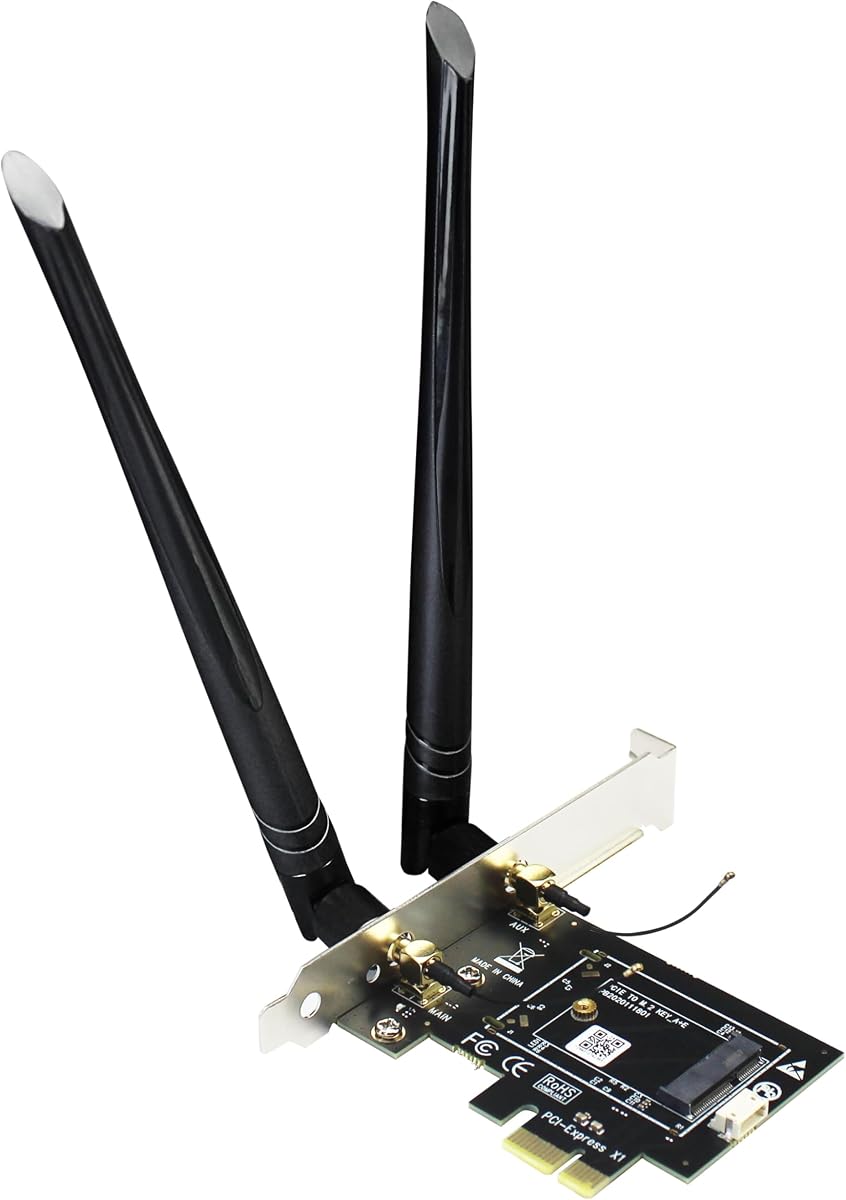
GLOTRENDS WA01 Adapter
4.1Editor score
M.2 Key E to PCIe X1
Supports WiFi 4/5/6/7
Includes SMA Antenna Kits
This guide compares the top M2 Key E WiFi cards for laptops and desktops, evaluating speed, compatibility, and features to help you choose the right wireless
Selecting the right M2 Key E WiFi card is essential for modern computing needs. These compact modules enable high-speed wireless connectivity and Bluetooth integration directly within your laptop or desktop motherboard slot.
We analyzed ten leading models based on chipset performance, band support, and compatibility. Our review covers everything from budget-friendly AX210 options to cutting-edge Wi-Fi 7 solutions for demanding users.
Each pick highlights key specs, pros, and cons to simplify your decision. Remember that availability and pricing can shift frequently, so verify current details before finalizing your purchase online.
4.1Editor score

4.5Editor score

4.6Editor score
The following table provides a side-by-side comparison of all ten products. It highlights essential specifications like supported standards, maximum speeds, and included accessories to help you differentiate quickly.


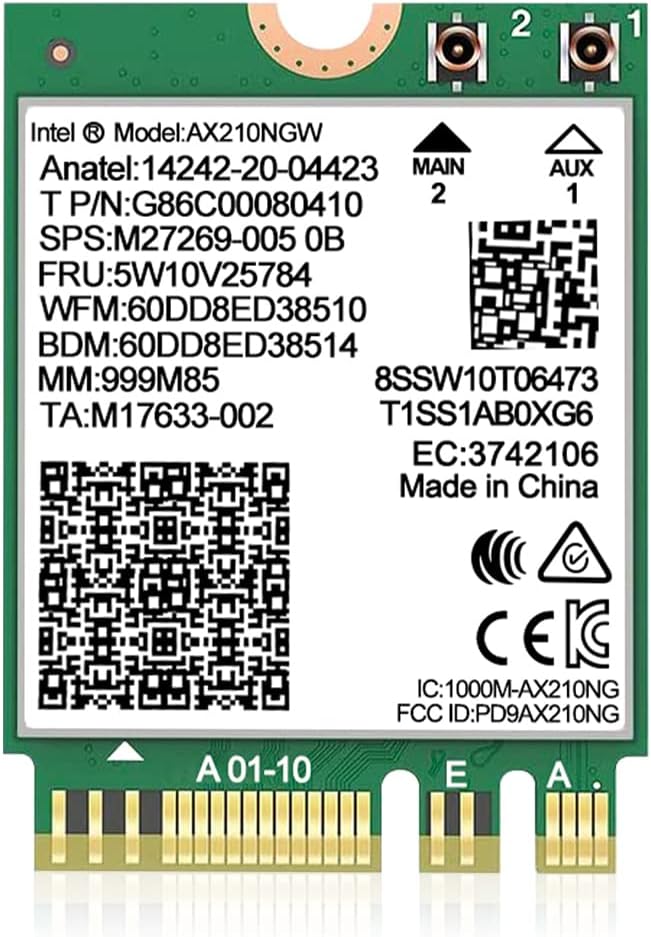




This AX210NGW DTK card ranks first due to its comprehensive package and strong performance. It supports the latest WiFi 6E standard with tri-band capability for faster speeds.
We may earn a commission when you buy through this link, at no additional cost to you.
The Intel AX210 chipset ensures reliable connectivity across 2.4GHz, 5GHz, and 6GHz bands. Users benefit from Bluetooth 5.3 for low-latency audio and peripheral connections.
While it is a great choice, you must ensure your laptop has an M.2 Key E slot. Also, installing drivers from Intel is necessary for full functionality.
It is perfect for gamers and streamers needing stable internet. We recommend this for anyone upgrading older laptops to modern standards.
The kit includes everything needed for a smooth upgrade including cables and brackets for easy setup.
Target Wake Time technology helps save battery while maintaining responsive real-time gaming experiences.
We may earn a commission when you buy through this link, at no additional cost to you.
This adapter offers a cost-effective way to add WiFi to desktops. It bridges M.2 E Key modules to PCIe x1 slots for standard desktop PCs.
We may earn a commission when you buy through this link, at no additional cost to you.
It supports a wide range of modules including WiFi 7. The included SMA antennas ensure strong signal reception for wireless connectivity.
However, Bluetooth needs a separate USB connection which can be inconvenient. Ensure you buy a compatible module separately for full function.
Ideal for desktop builders needing WiFi upgrades. It is a smart budget choice for flexible networking setups.
Compatible with various NGFF M.2 modules and Coral TPU accelerators for broader application.
6 dBi RP-SMA antennas provide excellent range and stability for wireless networks.
We may earn a commission when you buy through this link, at no additional cost to you.
This 10Gtek adapter helps transfer M.2 WiFi cards to desktop PCs. It supports A+E Key modules for broad compatibility with common cards.
We may earn a commission when you buy through this link, at no additional cost to you.
The dual-band 2.4 and 5GHz support ensures reliable wireless speeds. Antennas are included for better signal reception in desktop cases.
Bluetooth connectivity requires a header cable to the motherboard which adds a small step. It does not support hot swapping for module changes.
Perfect for upgrading old desktops with laptop WiFi cards. It is a simple and affordable solution for wireless needs.
Converts notebook M.2 wireless network cards into desktop usable adapters easily.
Comes with a full height baffle for secure mounting in standard PC cases.
We may earn a commission when you buy through this link, at no additional cost to you.
This card is a top choice for those seeking the fastest wireless speeds. It brings WiFi 7 technology with 5.8Gbps potential to your laptop.
We may earn a commission when you buy through this link, at no additional cost to you.
The QCNCM865 module uses Multi-Link Operation to reduce latency significantly. It supports Bluetooth 5.3 for smoother peripheral connections.
You must have a compatible WiFi 7 router to realize these speeds. Also, it works best with Windows 11 24H2 for full drivers.
Ideal for power users and gaming setups. This future-proofs your system for high-bandwidth tasks.
320MHz channel bandwidth allows for massive theoretical peak data rates.
Designed for Intel and AMD platforms with M.2 Key E slots.
We may earn a commission when you buy through this link, at no additional cost to you.
This WiFi 6E card offers excellent performance for a low price. It uses the Intel AX210 chip for stable tri-band wireless connections.
We may earn a commission when you buy through this link, at no additional cost to you.
With up to 5400Mbps speeds it handles streaming and gaming well. Bluetooth 5.3 ensures low latency for wireless headphones and mice.
Note that it is not supported on CNVio2 slots which limits some laptops. Ensure your system supports standard NGFF M.2 slots.
Best for general users upgrading laptops. It delivers modern speeds without the high cost of premium cards.
Tri-band signal provides 6GHz 5GHz and 2.4GHz options.
Power saving features help improve overall laptop service life.
We may earn a commission when you buy through this link, at no additional cost to you.
The OKN AX210 module provides solid WiFi 6E performance for many laptops. It includes Bluetooth 5.3 for modern peripheral support.
We may earn a commission when you buy through this link, at no additional cost to you.
MU-MIMO and WPA3 security help improve network efficiency and safety. Users benefit from ultra-low latency for real-time applications.
It does not include antennas so ensure your laptop has internal ones. Drivers must be downloaded from the Intel website.
Great for standard laptop upgrades. It brings modern networking to older hardware easily.
Supports WPA WPA2 and WPA3 security protocols for safer connections.
Includes MU-MIMO and OFDMA for greater network flexibility.
We may earn a commission when you buy through this link, at no additional cost to you.
This version offers high gain 8dBi antennas for better range. It is ideal for systems that need stronger external signal reception.
We may earn a commission when you buy through this link, at no additional cost to you.
The IPex cable and brackets make installation straightforward for desktops. Tri-band support ensures you can use the new 6GHz band.
Ensure the brackets fit your case before buying. It is a powerful kit for wireless performance upgrades.
Perfect for users needing better range. It stands out with its superior antenna gain included in the box.
8dBi antennas provide stronger signal for better coverage.
Includes brackets and cable to simplify the setup process.
We may earn a commission when you buy through this link, at no additional cost to you.
This is another top-tier option for WiFi 7 performance on laptops. It delivers 5800Mbps potential for massive data transfers.
We may earn a commission when you buy through this link, at no additional cost to you.
Bluetooth 5.3 improves battery life for connected peripherals. Multi-link operation ensures stable connections even in crowded networks.
You must disable old drivers to avoid conflicts during setup. Only works with Windows 11 so check OS compatibility.
Ideal for tech enthusiasts and gaming rigs. It is one of the fastest cards available for the key.
Advanced Bluetooth reduces latency for headsets and mice.
MLO allows routers to use multiple bands simultaneously for speed.
We may earn a commission when you buy through this link, at no additional cost to you.
This card is great for users needing standard WiFi 6 speeds. It offers 1800Mbps dual-band speeds for reliable browsing.
We may earn a commission when you buy through this link, at no additional cost to you.
Support for Linux kernel 6.5 makes it a versatile choice for developers. The form factor fits standard A and E slots easily.
Bluetooth 5.2 is slightly older than 5.3 but still efficient. It lacks the 6GHz band of WiFi 6E cards.
Best for general home or office use. It is a solid entry-level upgrade for wireless performance.
Compatible with Windows 10 and 11 systems.
MU-MIMO and OFDMA enable uninterrupted streaming and gaming.
We may earn a commission when you buy through this link, at no additional cost to you.
The Killer BE200 is the official Intel choice for WiFi 7. It provides maximum speeds up to 5.8Gbps for high performance.
We may earn a commission when you buy through this link, at no additional cost to you.
Bluetooth 5.4 ensures the latest peripheral standards. Ultra-low latency makes this ideal for competitive gaming.
It only works with Intel processors so AMD users should look elsewhere. You need a WiFi 7 router for full speed.
Best for Intel gamers wanting top tier performance. It delivers the fastest possible wireless experience.
Designed specifically to minimize latency for online play.
Manufactured by Intel for high reliability and standards.
We may earn a commission when you buy through this link, at no additional cost to you.
Choosing the right M2 Key E WiFi card depends on your system requirements and budget. This guide covers the most important factors to consider.
Current standards range from WiFi 6 to WiFi 7. WiFi 6E adds 6GHz support for less interference while WiFi 7 offers multi-link operation and higher speeds for future-proofing.
Choose WiFi 6E for balanced performance or WiFi 7 if you need maximum speed and have a compatible router.
Bluetooth integration is essential for peripherals. Newer versions like 5.3 and 5.4 offer lower latency and better battery efficiency for wireless devices.
Ensure the card supports the latest Bluetooth version to avoid connectivity issues with modern headphones or mice.
Confirm your motherboard has an M.2 Key E slot. Some laptops use CNVio2 which are not compatible with standard AX210 cards.
Always check your laptop documentation to verify slot type before purchasing any module.
Most cards support Windows 10 and 11 but some WiFi 7 models may require specific updates. Linux compatibility varies by chipset.
Verify driver availability on the manufacturer website to ensure your OS is fully supported.
Some cards come with antennas and brackets for desktops which saves extra costs. Others require you to buy these separately for external connections.
Look for kits that include all necessary cables to simplify installation.
Consider your internet plan and local network traffic. WiFi 7 offers up to 5.8Gbps while WiFi 6E caps around 2.4Gbps.
Choose based on your actual usage needs like gaming or video streaming.
Some high-performance cards may generate heat especially under load. Ensure your laptop has adequate airflow or consider models with better thermal design.
Check reviews for thermal throttling issues in your specific device.
Reliable vendors offer warranties and technical support. Look for products with clear return policies for defective units.
Prioritize brands with a reputation for quality control and customer service.
To install the card safely power down your device and remove the battery if possible. Insert the module into the M.2 slot at an angle and secure it with the screw.
After installation update your drivers from the manufacturer website for best performance. Configure your network settings to prioritize the new connection.
Keep the card and connectors clean to avoid dust buildup which can cause signal issues. Ensure your device stays cool to maintain long term reliability.
M.2 Key E slots are designed for WiFi cards while Key A is used for storage. Some slots support both but verify your motherboard specs.
Yes but you need an adapter to convert M.2 to PCIe. Desktops often require external antennas for better signal reception.
You need a WiFi 6E router to access the 6GHz band. The card will still work with older routers but speeds may be lower.
Yes most cards need specific drivers. The latest Linux kernels often include support for the Intel AX210 chipset.
If you lack an M.2 slot you may need a USB or ExpressCard adapter. However these often offer slower speeds than internal cards.
Installation is straightforward for most laptops. You typically only need a screwdriver to secure the module into the slot.
We reviewed ten top models ranging from budget-friendly options to premium WiFi 7 cards. The AX210NGW DTK leads for its complete kit and solid performance.
Prioritize your specific needs such as gaming speed or router compatibility. Check your motherboard slot type carefully before buying to ensure a smooth upgrade.
Prices and availability change often so verify current listings before finalizing your purchase. We hope this guide helps you connect faster today.