
Fancyleds 2.1 Fancy Sync Box
4.1Editor score
HDMI 2.1 Support
4K 144Hz Ready
96 RGBW LEDs Per Meter
Transform your viewing experience with the right LED Sync Box for TV Backlighting. These devices extend screen colors to walls for depth. A good box offers low latency and accurate color matching to enhance movies and games without lag.
We evaluated ten top models based on HDMI compatibility, sync speed, and ease of setup. Our list includes options for various TV sizes and budgets. Each product was assessed for real-time performance and smart home integration features.
Every pick highlights key strengths like RGBIC technology or AI color mapping. Note that prices fluctuate frequently on retail sites. Check current deals before buying to ensure you get the best value for your specific entertainment setup needs.
4.1Editor score

4.3Editor score

4.3Editor score
As an Amazon Associate we earn from qualifying purchases.
This side-by-side comparison highlights key differences across all ten models. Look closely at HDMI versions and LED types to find the right match for your TV size and content sources. Note that camera-based and box-based systems differ significantly.




The PHILIPS Smart Lighting HDMI Sync Box delivers accurate color matching via direct HDMI signal reading. It supports 4K at 60Hz and works with WiZ apps for easy control. While it needs an external source, the low latency makes it great for movies.
We may earn a commission when you buy through this link, at no additional cost to you.
Its ability to sync directly with HDMI devices ensures the lighting matches the screen perfectly without delay. The WiZ app allows you to adjust saturation and intensity for presets. This setup enhances the immersion of films and music seamlessly.
Note that you cannot sync with apps running directly on your smart TV. You must connect a cable box or streaming stick. This limitation simplifies the setup but may require extra hardware. However, the color accuracy is worth the trade-off.
This box is ideal for users invested in the WiZ ecosystem. It expands well with other connected lights. If you prioritize real-time accuracy and voice control, this model is a strong choice for 55 to 65 inch TVs.
Direct HDMI signal reading eliminates lag between screen and light for seamless viewing.
Link any WiZ compatible lights to scale your setup beyond just the TV.
We may earn a commission when you buy through this link, at no additional cost to you.
This Fancyleds model stands out with HDMI 2.1 support and 96 RGBW LEDs per meter. It handles 8K 60Hz and 4K 120Hz signals effortlessly. The high LED density ensures bright uniform lighting with no dark gaps visible.
We may earn a commission when you buy through this link, at no additional cost to you.
The box supports advanced features like VRR and ALLM for gaming. It comes with a universal adapter for global use. This makes it a robust choice for large TVs from 70 to 95 inches where brightness matters.
As with most sync boxes, apps on smart TVs are not synced directly. You need an external HDMI source like a console. PC use is discouraged to avoid compatibility issues. This keeps the focus on media consumption.
If you have a large TV and want premium specs, this is a top choice. The included strip saves extra costs. It offers future proof connectivity for next gen consoles and streaming devices.
96 LEDs per meter create a smoother more uniform glow without visible gaps.
HDMI 2.1 ensures compatibility with the latest gaming and streaming standards.
We may earn a commission when you buy through this link, at no additional cost to you.
This budget friendly option covers large TVs from 75 to 85 inches. It uses an HDMI sync box to capture color data accurately. The 16.4 foot strip fits most standard large frame sizes easily.
We may earn a commission when you buy through this link, at no additional cost to you.
The box supports WiFi control for app adjustments. You can sync lights to music using the built-in microphone. Alexa and Google Assistant support adds convenience for hands-free operation at home.
Be aware that smart TV apps need an external box to sync. You must connect a cable box or stick. This limits direct TV integration but ensures stable signal processing for content.
For owners of large TVs on a budget, this is a great start. It offers RGBIC lighting and sound sync features. It balances cost with essential features well for casual movie nights.
The 16.4ft strip ensures full edge coverage for 75 to 85 inch screens.
Works with Alexa and Google Assistant for easy smart home integration.
We may earn a commission when you buy through this link, at no additional cost to you.
This Govee Sync Box uses AI to recognize images and text for lighting. It supports HDMI 2.1 with 8K 60Hz and 4K 144Hz. The AI generative bot creates personalized effects from text or voice commands.
We may earn a commission when you buy through this link, at no additional cost to you.
RGBWIC mixing delivers purer white tones and accurate color blends. It integrates seamlessly with Matter ecosystems. The DreamView feature links multiple lights for a whole home show effect.
Note that auto switching is not supported with multiple devices. You may need to switch manually. HDR can reduce color saturation but this is adjustable in the app.
For tech savvy users wanting advanced AI features, this is top tier. It combines speed with intelligence. If you value customization and smart home links this box is perfect.
Create custom effects by speaking or snapping photos with the lighting bot.
AI recognizes images and text to trigger specific lighting effects automatically.
We may earn a commission when you buy through this link, at no additional cost to you.
The WiZ Connected Box reads video signals directly for precise color. It requires an external HDMI source to work. This ensures low latency and accurate matching for movies and games.
We may earn a commission when you buy through this link, at no additional cost to you.
You can link multiple WiZ lights for a bigger effect. The app lets you adjust saturation and intensity. A built-in mic allows the lights to pulse to music rhythms.
There are no cameras to hang over your screen. This keeps the setup clean and simple. Just connect your streaming device and start syncing.
This is a reliable entry point for WiZ users. It balances cost with performance. If you already own WiZ bulbs this box integrates easily into your system.
No cameras or complex calibration needed for quick and tidy setup.
Add any WiZ color changing lights to expand your ambient lighting.
We may earn a commission when you buy through this link, at no additional cost to you.
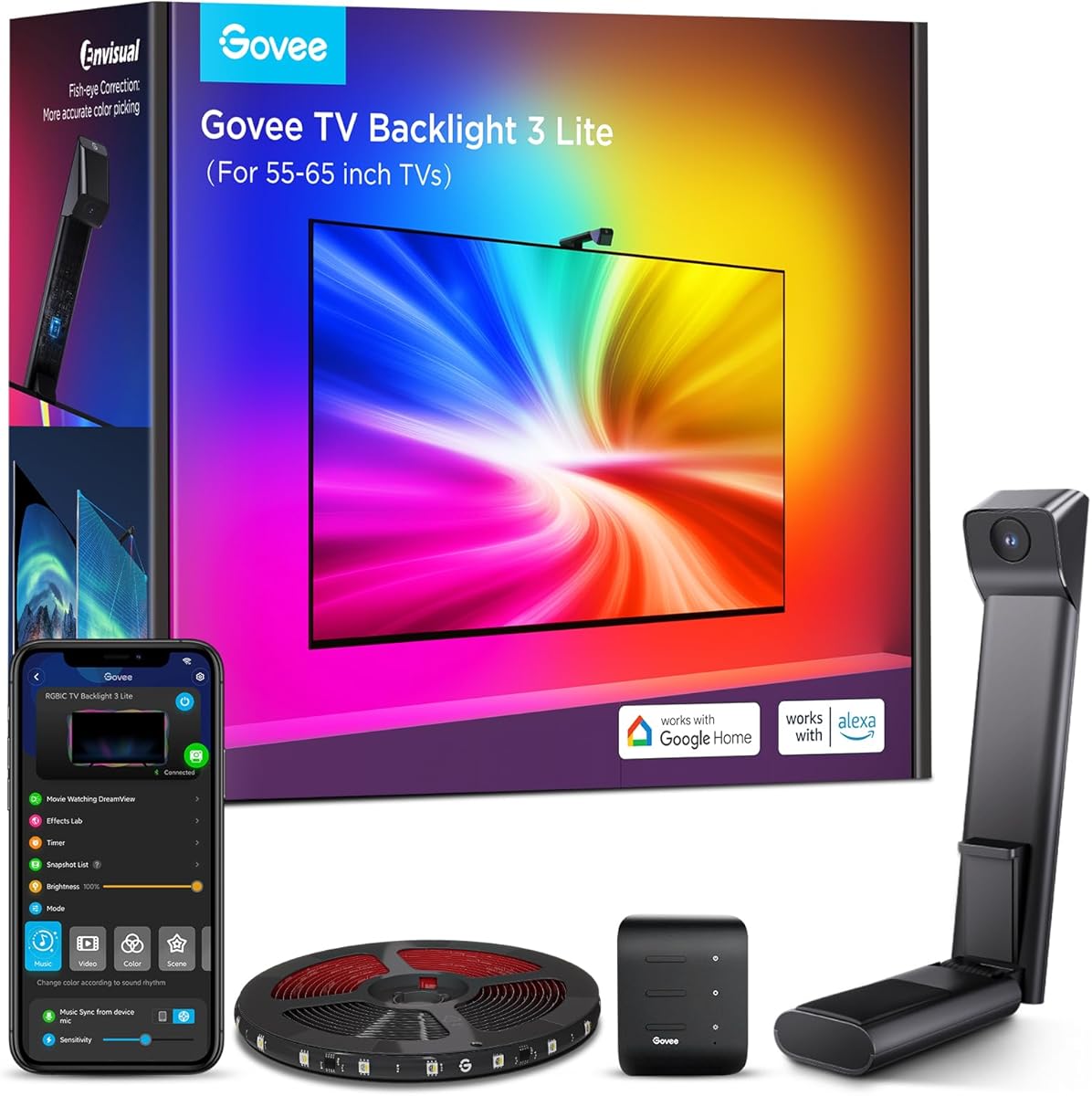
The Govee Backlight 3 uses dual 4MP lenses to capture screen colors. It divides the screen into 24 zones for precise mapping. This allows detailed color replication without needing HDMI cables.
We may earn a commission when you buy through this link, at no additional cost to you.
Its algorithm detects film style to adjust themes. The camera is slim and fits ultra thin TVs easily. Gravity fit design keeps it secure. Without wobble.
It captures colors from any content source like streaming. This bypasses HDMI limitations. However, it needs a clear view of the screen.
This is ideal for smart TVs with internal apps. It offers rich detail and depth. If you want a plug and play camera solution this is excellent.
Industry leading lenses capture sharp edges and reduce color dispersion.
Divides screen into zones to match lighting to content accurately.
We may earn a commission when you buy through this link, at no additional cost to you.
This model brings HDMI 2.1 to smaller 56 to 65 inch TVs. It handles 4K 144Hz and 8K 60Hz signals well. The strip includes 96 RGBW LEDs per meter for brightness.
We may earn a commission when you buy through this link, at no additional cost to you.
Universal power adapter makes it easy to use worldwide. It syncs fast with no visible lag. Streaming services play without errors due to HDCP compliance.
You must connect an HDMI device for syncing. Smart TV apps are not supported directly. This simplifies connections but limits direct TV app syncing.
For mid size TVs needing top specs this is solid. The included strip fits right. It is a great choice for serious gamers.
Ensure playback works on all streaming services without black screens.
No lag between TV and lights for smooth gaming and movie action.
We may earn a commission when you buy through this link, at no additional cost to you.
The Lite version offers strong performance at a lower price. It uses an upgraded chip for better range and accuracy. The 4-in-1 bead adds a warm white chip for richer tones.
We may earn a commission when you buy through this link, at no additional cost to you.
Installation is simplified with a gravity hanging design. It fits ultra thin TVs easily. The strip captures colors from any content on the screen.
It includes DreamView for syncing with other lights. Voice control via Alexa is available. It is a great entry to Govee lighting.
For those wanting a camera system simply this is top rated. It handles movies and gaming well. The high user rating confirms reliability.
Fish-eye correction improves color matching along screen edges.
Extra warm white chip delivers purer tones and improved pixel density.
We may earn a commission when you buy through this link, at no additional cost to you.
This kit includes a long 20 foot strip for up to 90 inch TVs. It captures colors directly from your HDMI source. This ensures sync without needing calibration.
We may earn a commission when you buy through this link, at no additional cost to you.
It supports 4K HDR at 60Hz for good quality. The app offers many effects and scenes. Music sync modes help create different atmospheres.
You need an external HDMI source like a Roku or console. It is not compatible with built-in TV apps. This focuses on high fidelity signal input.
For very large screens this is a great option. The long strip covers extra sides. It delivers solid performance for the price.
Captures colors directly from HDMI for accurate synchronization.
The 20ft strip fits 55 to 90 inch TVs effectively.
We may earn a commission when you buy through this link, at no additional cost to you.
This sync box analyzes HDMI signals in real time. It fits 75 to 85 inch TVs with a trimmable strip. This avoids dark corners and creates continuous glow.
We may earn a commission when you buy through this link, at no additional cost to you.
It supports multi-zone lighting for smooth transitions. You can control via Smart Life app. Voice commands with Alexa work easily.
Requires an external HDMI source like Xbox or Fire TV. It does not support smart TV apps directly. This keeps focus on external media inputs.
For large TVs needing full coverage this is strong. It works with most HDMI devices. If you want uniform lighting this box is reliable.
Independent color control across zones for smooth transitions.
Eliminates dark corners with integrated trimmable LED strip.
We may earn a commission when you buy through this link, at no additional cost to you.
Choosing the right sync box involves considering connectivity type, LED quality, and smart features. This guide helps you weigh key factors to find a unit that suits your TV size and entertainment needs.
HDMI sync boxes require an external source like a console or streaming stick. They offer low latency and precise signal reading but miss TV apps. Camera units like Govee TV Backlight 3 capture the screen directly and work with any content but need line of sight.
Choose HDMI if you game on consoles or use a cable box. Choose camera for smart TVs with apps. Both offer great immersion depending on your setup.
HDMI 2.0 supports 4K at 60Hz which is standard for most movies. HDMI 2.1 supports 4K at 120Hz or 8K for next gen consoles. If you own a PS5 or Xbox Series X check the HDMI 2.1 support.
For general viewing HDMI 2.0 is sufficient. For high refresh gaming HDMI 2.1 is worth the extra cost for future proofing.
Higher LED density like 96 per meter avoids dark spots and creates smooth gradients. RGBW strips include a white LED for better whites than standard RGB. RGBIC allows multi color effects on one strip.
Look for RGBW or RGBIC for best whites. Higher density means better quality for large TVs.
Ensure the strip length matches your TV size. A 65 inch TV needs longer lights than a 55 inch. Some kits include specific sizes while others are trimmable.
Check the product specs for inch range. Buy extra if your TV is at the top end of the range.
Most units support Alexa or Google Assistant. Some also support Matter for wide compatibility. Check if it works with your existing smart bulbs.
Pick a system compatible with your other devices for seamless control across your home.
The app allows color tuning and preset scenes. Look for music sync modes and timers. AI features can add personalized effects based on voice commands.
Test the app interface if possible. A good app improves the usability of your lighting system.
Some units include universal adapters for travel. Others need specific plugs. Adhesive quality matters for mounting the strip behind the TV.
A strong adhesive and universal plug add convenience. Ensure the strip has good backing for clean installation.
Some brands like WiZ or Govee offer expandable ecosystems. You can add lights to other rooms to sync with your TV. This enhances the overall ambiance.
If you plan to expand lighting later stick to the same brand for better integration.
Connect your HDMI device to the sync box and run the box to the TV. Plug the LED strip into the box and mount it on the back of your TV. Ensure the strip fits securely.
Download the associated app to pair your device. Select sync modes like movie or music. Adjust saturation to avoid distracting glare in dark rooms.
Keep the sync box ventilated and clean. Use a soft cloth to wipe the surface. Avoid bending the strip too much to prevent wire breakage.
Most HDMI sync boxes do not work with built-in apps because the TV does not output the video signal. You need an external device like a Roku or console. Camera based systems like Govee TV Backlight 3 work with any content on the screen directly.
HDMI 2.0 supports up to 4K at 60Hz which is fine for streaming. HDMI 2.1 supports higher refresh rates like 4K at 120Hz and 8K. Choose HDMI 2.1 for next gen gaming consoles.
No. Each kit is designed for specific size ranges. A 55 inch kit might not cover a 75 inch TV. Check the product page for the range to ensure full coverage.
This can be due to high saturation settings or ambient light. Adjust the brightness and saturation in the app. Also ensure the strip is mounted at equal distances from the edges.
Yes. Both the sync box and LED strip need power via USB or AC adapter. Some units provide a universal adapter while others require you to plug into the TV's USB port.
Many models include a built-in microphone for music sync. The lights pulse to the rhythm of music playing in your room. This works best when volume is audible to the box.
Peel off the adhesive backing and stick it along the edges of the TV. Leave the corners clean and ensure the strip is centered. Use the included clips if provided for extra stability.
We found that HDMI sync boxes like Govee HDMI 2.1 AI Sync Box 2 offer top features. Camera units like Govee TV Backlight 3 work with any app easily.
Prioritize compatibility with your content sources and TV size. Check LED density and smart home support for best value.
Prices can change quickly on Amazon. Always verify current costs before buying your new lighting setup.