
Brother HL-L2405W
4.1Editor score
Compact wireless design
Manual feed slot for envelopes
30 ppm print speed
This guide compares the top laser printers with envelope feeders for home and office use, evaluating print speed, connectivity, and paper handling for reliable
Finding a laser printer with an envelope feeder simplifies mailings and professional correspondence. These machines handle various paper sizes while delivering sharp text for documents and labels.
We evaluated ten top models based on print quality, connectivity options, and manual feed capabilities. Each selection supports envelope printing through dedicated slots or flexible tray adjustments.
Each pick highlights specific strengths like speed, compact design, or all-in-one features. Please note that product availability and pricing may change frequently on retailer platforms.
4.1Editor score

4.3Editor score

4.4Editor score
The following table provides a side-by-side comparison of the top ten laser printers evaluated for envelope handling and overall performance capabilities.




The Brother HL-L2405W delivers sharp black and white prints at an affordable price. It features a manual feed slot ideal for printing envelopes and specialty paper types.
We may earn a commission when you buy through this link, at no additional cost to you.
This model connects via dual-band wireless or USB and offers speeds up to 30 pages per minute. The Brother Mobile Connect app helps you manage supplies and print remotely.
While it lacks automatic duplex printing, the manual feed slot ensures versatility for envelopes. Its compact size fits easily in home offices with limited desk space.
Home users needing reliable monochrome output and envelope support will find this model excellent. It balances cost and functionality well for daily document printing tasks.
The manual feed slot allows you to insert envelopes directly for professional addressing without adjusting the main tray.
Dual-band Wi-Fi ensures stable connections for wireless printing from multiple devices across your home network.
We may earn a commission when you buy through this link, at no additional cost to you.
The Brother MFC-L5915DW is a powerhouse for busy offices requiring high-speed monochrome printing and scanning. It supports envelope printing through a dedicated manual feed slot.
We may earn a commission when you buy through this link, at no additional cost to you.
Print speeds reach 50 pages per minute and scanning handles up to 56 images per minute. Dual-band Wi-Fi and Gigabit Ethernet provide seamless network integration for large teams.
Its large physical size may not suit small desks, but the output volume justifies it for enterprises. The high-yield toner reduces ongoing costs significantly over time.
Businesses needing rapid document processing and reliable envelope handling should consider this model. It delivers professional results consistently for high-volume office environments.
At 50 pages per minute, this printer keeps up with demanding office workloads efficiently without slowing down workflow.
Gigabit Ethernet and dual-band wireless ensure stable, fast network access for multiple users in an office setting.
We may earn a commission when you buy through this link, at no additional cost to you.
The Brother HL-L2460DW combines compact design with fast duplex printing for efficient document handling. It uses a manual feed slot for envelopes to ensure precise placement.
We may earn a commission when you buy through this link, at no additional cost to you.
Print speeds reach 36 pages per minute with automatic two-sided printing to save paper. Dual-band Wi-Fi connectivity allows seamless wireless printing from computers and mobile devices.
While it lacks scanning features, the manual feed slot provides flexibility for various paper types including envelopes. This makes it ideal for home offices needing just printing.
Users prioritizing speed and paper savings will appreciate the duplex capability and reliable output. It fits well in tight spaces while delivering professional-quality monochrome prints.
Automatic two-sided printing reduces paper usage and helps you save on supplies over time effortlessly.
The manual feed slot supports envelopes and card stock without jamming or misalignment issues.
We may earn a commission when you buy through this link, at no additional cost to you.
The HP LaserJet MFP M234sdw is designed for small teams needing professional black and white printing and scanning. It supports envelopes via a manual feed slot for direct insertion.
We may earn a commission when you buy through this link, at no additional cost to you.
Copy and scan hands-free using the auto document feeder. It connects via dual-band Wi-Fi and works seamlessly with the HP Smart app for mobile printing and management tasks.
While the paper tray capacity is moderate, the automatic duplex printing helps reduce paper waste. Security features protect the printer from potential network attacks effectively.
Small businesses looking for an affordable all-in-one solution will find this model practical. It balances essential scanning and printing functions with easy wireless connectivity options.
The HP Smart app streamlines printing tasks and lets you manage the printer directly from your smartphone.
The auto document feeder allows quick scanning of multi-page documents without manual feeding effort.
We may earn a commission when you buy through this link, at no additional cost to you.
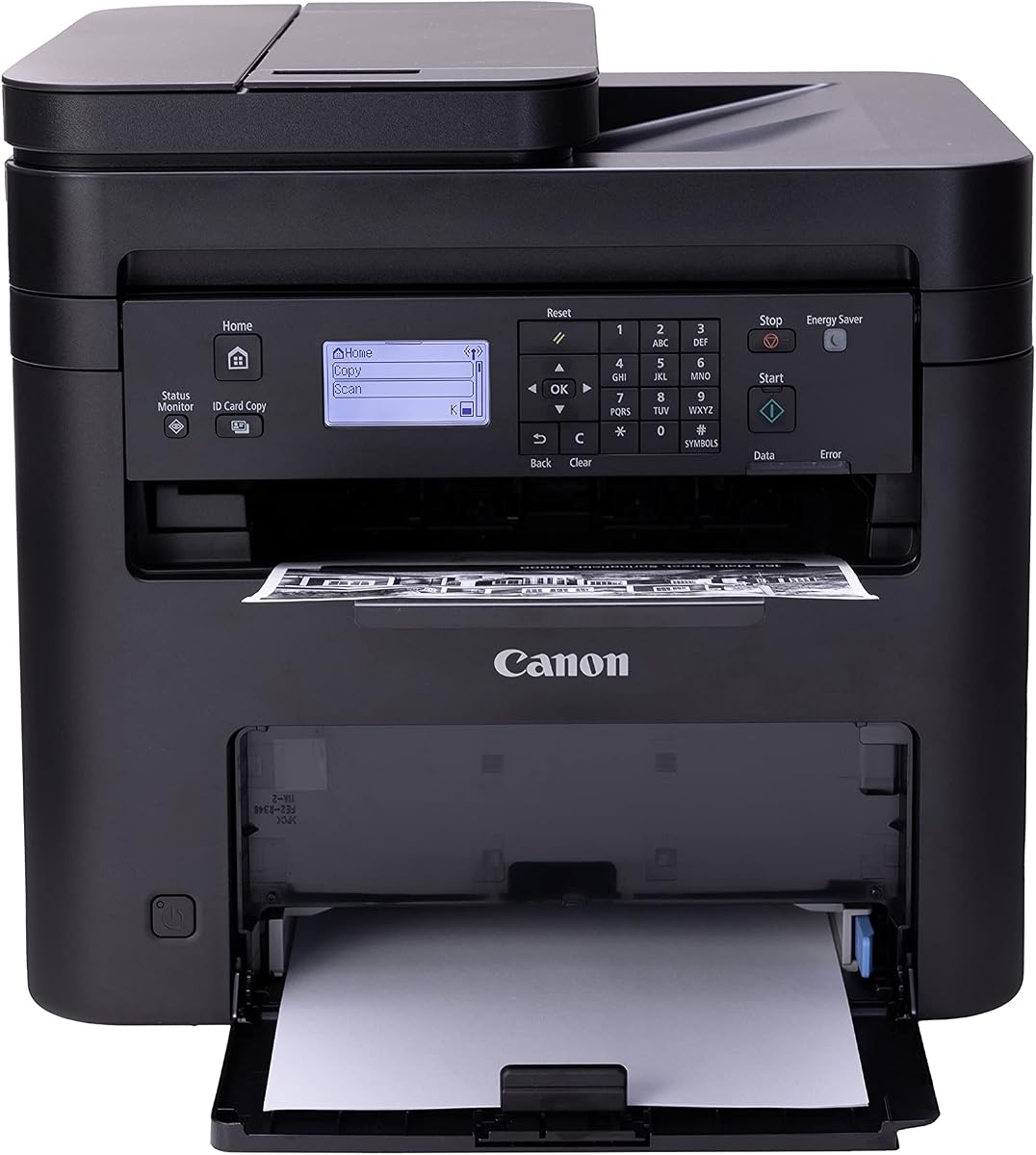
The Canon imageCLASS MF273dw offers fast 30 pages per minute printing with automatic duplex and wireless connectivity. It handles envelopes via the manual feed slot for custom jobs.
We may earn a commission when you buy through this link, at no additional cost to you.
This 3-in-1 printer prints, copies, and scans efficiently using the auto document feeder. The first print arrives in approximately 5.3 seconds for quick task completion.
While it lacks fax capabilities, the core functions cover most small office needs reliably. Its compact footprint ensures it fits well in workspaces with limited surface area available.
Users needing a compact all-in-one laser printer will appreciate its speed and simplicity. It delivers crisp monochrome output while saving paper through automatic two-sided printing features.
Print jobs start quickly with a first print time of around 5 seconds reducing wait time.
Easy wireless setup lets you connect the printer to your network quickly without complex configuration steps.
We may earn a commission when you buy through this link, at no additional cost to you.
The Brother MFC-L2820DW combines speed and versatility with print, copy, scan, and fax functions. A manual feed slot ensures reliable envelope printing without needing complex setup.
We may earn a commission when you buy through this link, at no additional cost to you.
Print speeds reach 36 pages per minute and the 50-page auto document feeder speeds up scanning. The 2.7-inch touchscreen makes navigation easy for daily printing and fax tasks.
While it does not support color, the monochrome output is sharp and consistent for business documents. The manual feed slot allows you to handle various media types effectively.
This model is perfect for small offices needing reliable multifunction performance. It balances speed with ease of use through its touchscreen interface and wireless connectivity features.
All-in-one capabilities reduce desk clutter by replacing multiple devices with a single reliable machine.
The intuitive touchscreen simplifies tasks like setting fax options and scanning to email effortlessly.
We may earn a commission when you buy through this link, at no additional cost to you.
The Canon imageCLASS MF462dw II delivers high speeds and large touchscreen controls for efficient operation. A manual feed slot supports envelopes and specialty paper for custom printing jobs.
We may earn a commission when you buy through this link, at no additional cost to you.
Prints up to 37 pages per minute and features a 50-sheet ADF for fast scanning and copying. The 5-inch color touchscreen provides customizable access to frequent features easily.
Paper capacity can be expanded with optional cassettes making it suitable for growing teams. It supports mobile printing and high-capacity toner to limit replacement needs over time.
Offices needing fast printing and expandable paper capacity will find this model robust. The intuitive interface and wireless connectivity make daily management simple for multiple users.
Optional paper cassettes let you increase capacity up to 800 sheets to handle larger volume needs.
Use the Canon PRINT app or AirPrint to print securely from mobile devices and tablets.
We may earn a commission when you buy through this link, at no additional cost to you.
The Brother MFC-L8930CDW delivers professional color output with high-speed printing and advanced security features. It includes a multipurpose tray for manual envelope and specialty paper handling.
We may earn a commission when you buy through this link, at no additional cost to you.
Print and copy speeds reach 33 pages per minute and the 80-page ADF speeds up two-sided scanning. The 7-inch touchscreen provides up to 64 customized shortcuts for common tasks.
Advanced security safeguards your network and documents and NFC authentication adds a layer of protection. The multipurpose tray allows you to print on various media without affecting main trays.
Businesses requiring color and top-tier security will find this model a solid investment. It balances productivity with safety through its comprehensive feature set and durable design.
Advanced security features protect devices and documents in transit to and from print devices effectively.
Up to 64 customized shortcuts let you access frequent tasks like scan to email faster.
We may earn a commission when you buy through this link, at no additional cost to you.
The HP LaserJet Pro MFP 3101sdw offers dependable printing and scanning speeds ideal for small teams. Envelope printing works via the manual feed slot which ensures proper alignment for output.
We may earn a commission when you buy through this link, at no additional cost to you.
Print speeds reach 35 pages per minute and scanning uses a 50-sheet auto document feeder efficiently. It connects through dependable Wi-Fi and works seamlessly with various mobile devices and PCs.
While the input tray is moderate, it handles standard and legal sizes well for daily tasks. The printer stays online reliably and prints professional quality documents quickly every time.
Teams needing consistent performance will appreciate the reliability and compact footprint. It balances essential office functions with wireless convenience and ease of use for small settings.
The printer seeks the best connection to stay online so you can print without interruption often.
Designed for small teams this model saves space while delivering professional results daily.
We may earn a commission when you buy through this link, at no additional cost to you.
The Brother MFC-L2690DW is a sturdy compact all-in-one printer for reliable office use. It features a manual feed slot that supports envelopes for professional mailings and labels.
We may earn a commission when you buy through this link, at no additional cost to you.
Print speeds are at 26 pages per minute but the 250-sheet tray reduces refills for standard jobs. Wireless and USB connectivity allow flexible use for single computers or multiple users.
Its compact footprint saves space on small desks while maintaining robust construction quality. The manual feed slot offers professional prints on a variety of paper types efficiently.
Home offices prioritizing reliability and space efficiency will find this model a solid choice. It balances core features with easy connectivity options for seamless document management tasks.
Sturdy build ensures the printer handles daily tasks without breaking down or jamming often.
Compact design saves desk space while still offering essential print and scan functions reliably.
We may earn a commission when you buy through this link, at no additional cost to you.
Selecting the right laser printer for envelopes requires balancing speed, paper handling, and budget while ensuring reliable connectivity for your workspace.
A dedicated manual feed slot is essential for feeding envelopes without jamming. Look for printers that specify envelope support in the manual feed section.
Verify the printer supports standard envelope sizes and offers adjustments to ensure proper alignment during printing.
Print speed measured in pages per minute impacts how quickly you can produce documents and envelopes. Higher speeds suit busy offices while home users may prefer moderate rates.
Fast printers reduce wait times significantly. Consider duplex options to save paper and improve overall efficiency in high-volume settings.
Larger paper trays reduce the frequency of refilling standard paper. This feature keeps workflow smooth when managing both envelopes and regular documents simultaneously.
Check standard and optional tray sizes. Adjustable trays help accommodate different paper formats including card stock and legal-sized documents.
Wireless connectivity like dual-band Wi-Fi allows multiple devices to print and scan without cables. Ethernet ensures stable network access for office environments.
Mobile printing apps simplify sending print jobs from smartphones and tablets. Ensure compatibility with your devices before purchasing.
Multifunction printers combine printing with scanning and copying which saves space and costs. This is ideal for offices needing to digitize documents efficiently.
Auto document feeders speed up multi-page scanning. Ensure the scanner supports the sizes you use most often.
Toner cartridges vary in cost and yield. High-yield options often provide better value over time despite higher initial costs.
Subscription services might lower toner expenses. Check if the printer supports genuine brand replacements for optimal performance.
Secure printing prevents unauthorized access to sensitive documents. Look for password protection or encrypted transmission support in business models.
Security features help protect your network from cyber threats. Essential for environments handling confidential information regularly.
A compact printer fits better in limited desk spaces without sacrificing essential features. Sturdy construction ensures longevity in frequent use.
Check dimensions before buying. Durable units handle heavy workloads better than lightweight alternatives over time.
To print envelopes, load them into the manual feed slot with the flap facing down and aligned correctly. Use the printer driver settings to select envelope size before starting the job.
Regular cleaning of the feed rollers prevents jams. Use a lint-free cloth to wipe rollers and remove dust or paper debris regularly.
Avoid using damaged or wrinkled envelopes to prevent jams. Store paper in a dry area and keep it in the tray for at least one printer before printing.
Most models support standard sizes like DL and C6 but check the manual for specific limits. Adjust printer settings to match the loaded paper size accurately.
Ensure the manual feed slot is not overfilled and rollers are clean. Flatten envelopes before loading and avoid humid or humid environments.
Some models offer duplex printing but manual feed usually supports one side. Verify if your specific printer supports two-sided envelope printing.
Yes if the printer supports encryption and secure protocols. Use strong passwords and update firmware regularly to maintain security levels.
Use genuine toner cartridges recommended by the manufacturer. High-yield options offer better value for high volume printing needs.
Routine cleaning takes minutes while full maintenance might take longer. Check the manual for recommended intervals and procedures for specific models.
Most modern models support Mac via AirPrint or drivers. Ensure your operating system version is compatible with the chosen printer.
Yes many support specialty labels via manual feed. Ensure labels are compatible with laser printing and do not peel during processing.
We reviewed ten top models including the Brother HL-L2405W and MFC-L2820DW for their balance of speed and envelope handling. Each offers distinct advantages for different office needs and sizes.
Prioritize speed and connectivity based on your daily tasks and workflow. Consider if you need scanning features or just reliable printing for mailings.
Check current product availability and pricing before purchasing. Prices vary by retailer so compare to find the best deal for your specific requirements.