
Canon imageCLASS LBP6030w
3.8Editor score
Compact design saves space
Fast nineteen page per minute speed
Affordable genuine toner option
Find the best laser printer with cheap toner for your needs. We compare ten top models for speed, connectivity, and long-term supply costs.
Selecting a laser printer with cheap toner ensures your home or office stays productive without breaking the bank on supplies. These machines deliver sharp black and white output while keeping ongoing costs low through efficient cartridges or subscription services.
We evaluated ten highly rated models based on print quality, connectivity options, and the availability of affordable toner alternatives. Each device was assessed for its suitability in small offices and home environments where efficiency and budget matter most.
Every recommendation highlights specific strengths like duplex printing or wireless capabilities alongside realistic trade-offs. Prices fluctuate frequently so check current listings before purchasing to secure the best deal for your specific printing requirements today.
3.8Editor score

4.1Editor score

4.3Editor score
This side-by-side comparison highlights key specifications for each model to help you choose the right device. We focus on print speed, paper handling, and connectivity to show how each machine meets different workflow demands.





The Brother HL-L2405W stands out as a reliable choice for home offices needing consistent black and white output. Its 30 pages per minute speed ensures you do not wait long for documents while maintaining crisp text quality for professional reports.
We may earn a commission when you buy through this link, at no additional cost to you.
This model features dual band wireless allowing connections to 2.4GHz and 5GHz networks for stable performance. The Brother Mobile Connect app lets you manage supplies and track toner usage remotely which is crucial for budget conscious users.
While it lacks automatic duplex printing the manual feed slot handles specialty paper well. The absence of a scanner means you may need a separate device if you require digital copies of physical documents regularly.
Ideal for individuals or small teams focused on high volume printing this printer balances speed and affordability effectively. The included subscription trial helps mitigate ongoing supply costs making it a smart long term investment.
The Refresh EZ Print Subscription offers savings up to fifty percent on genuine toner which lowers long term ownership costs significantly.
Dual band wireless ensures your printer stays connected even in busy home networks with multiple devices streaming or browsing.
We may earn a commission when you buy through this link, at no additional cost to you.
The Canon imageCLASS LBP6030w is designed for users who prioritize low initial cost and minimal space usage. It delivers up to 19 pages per minute which suits light duty printing tasks like school assignments or occasional home documents.
We may earn a commission when you buy through this link, at no additional cost to you.
Its compact footprint allows placement on shelves or desks where larger units would not fit. The Energy Saver mode consumes less than two watts helping reduce electricity usage during idle times throughout the work day.
The 150 sheet paper capacity requires more frequent refills compared to higher capacity trays. While wireless connectivity is available some users report occasional pairing delays during initial setup with mobile devices.
Best for individuals with occasional needs this printer offers a straightforward solution without unnecessary features. The genuine toner is reasonably priced making it a viable option for those monitoring monthly supply expenses carefully.
The small size makes it perfect for dorm rooms or shared workspaces where desk real estate is extremely limited.
Toner replacement is intuitive and requires minimal technical knowledge allowing users to get back to work quickly.
We may earn a commission when you buy through this link, at no additional cost to you.
The Brother MFC-L2820DW combines speed and functionality to serve small offices with demanding document workflows. Its 36 pages per minute print speed keeps up with busy days while the auto document feeder handles multi page scanning efficiently.
We may earn a commission when you buy through this link, at no additional cost to you.
A 2.7 inch touchscreen provides intuitive navigation for cloud apps like Google Drive and Dropbox. This integration allows seamless sending of scans directly to your preferred storage services without needing a computer connection.
While the upfront cost is higher than basic models the all-in-one capability replaces separate fax and scanner devices. The larger physical size may require a dedicated desk space but offers greater paper handling versatility.
Ideal for small businesses needing comprehensive features this printer delivers robust performance. The toner subscription trial helps manage supply expenses ensuring you maintain productivity without interruption.
The touchscreen enables quick access to custom scan settings and cloud storage saving time on repetitive tasks.
With a large tray and fast speeds this model handles bulk printing jobs faster than single function alternatives.
We may earn a commission when you buy through this link, at no additional cost to you.
The Canon imageCLASS MF3010 VP offers essential multifunction capabilities in a straightforward design. It provides scanning and copying alongside printing which is convenient for users who need to digitize documents without extra hardware.
We may earn a commission when you buy through this link, at no additional cost to you.
ID Card Copy simplifies reproducing identification cards or small documents accurately. The energy saver mode uses minimal power during sleep ensuring low operational costs even when the device is not actively printing.
Lacking wireless connectivity means it must connect via USB to a single computer. This limitation can be a drawback for shared office environments where multiple users need remote access to the printer.
Suitable for single user setups this model balances functionality with cost effectiveness. The included toner yields up to 2300 pages providing immediate value right out of the box.
With no network configuration needed you can start printing immediately after connecting the included USB cable to your PC.
The scanner feature adds value by allowing quick digitization of receipts or contracts for digital storage.
We may earn a commission when you buy through this link, at no additional cost to you.
The Brother HL-L2460DW brings high speed automatic duplex printing to home offices and small teams. Its ability to print up to 36 pages per minute ensures quick turnaround for urgent documents while duplexing reduces paper usage.
We may earn a commission when you buy through this link, at no additional cost to you.
The 250 sheet paper tray accommodates high volume jobs without frequent refills. This capacity combined with mobile printing apps makes it easy to manage tasks from anywhere in your workspace.
While it lacks scanning features the print quality and speed are excellent for text heavy documents. The absence of a touchscreen means settings must be adjusted via computer software or the mobile app.
Best for users needing speed and efficiency this model is a strong contender. The toner subscription trial ensures you never run out of supplies unexpectedly during critical work periods.
Automatic duplex printing saves paper by printing on both sides reducing waste and monthly supply costs.
The large tray means fewer interruptions for refilling allowing you to focus on your tasks without delay.
We may earn a commission when you buy through this link, at no additional cost to you.
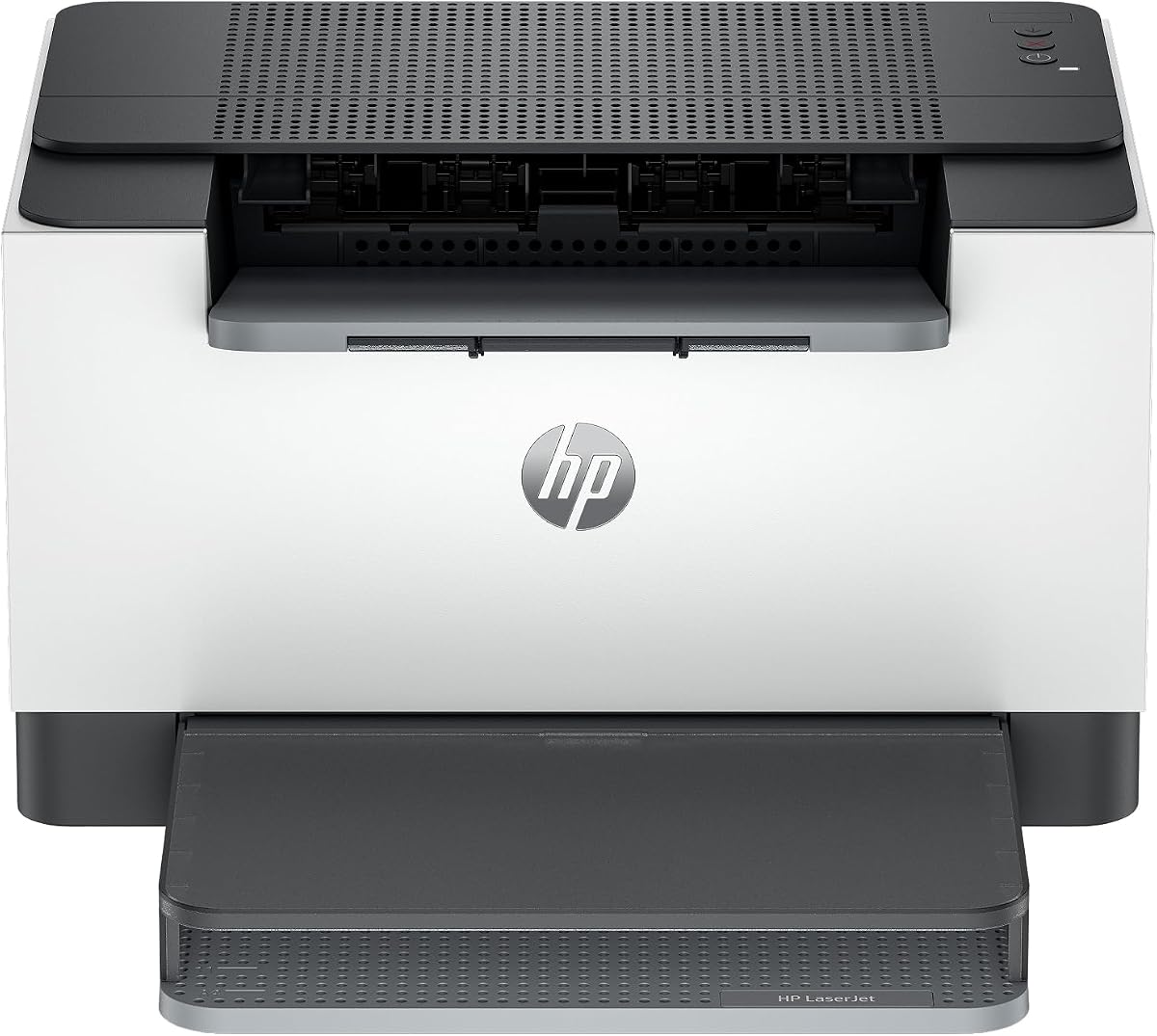
The HP LaserJet M110w is designed for small teams needing a compact and easy to manage solution. It prints up to 21 pages per minute which is adequate for light daily workflows and small business reports.
We may earn a commission when you buy through this link, at no additional cost to you.
Wireless self reset helps maintain connectivity by automatically resolving network issues. The HP Smart app streamlines tasks like scanning to cloud and printing from mobile devices enhancing overall usability.
Lacking automatic duplex means you must manually reinsert paper for double sided printing. While the compact size is a benefit it may limit paper capacity for larger batch printing needs.
Ideal for casual home users this printer offers a balance of convenience and reliability. The security features protect your device from unauthorized access keeping your data safe.
The HP Smart app simplifies mobile printing and scanning reducing the need for complex driver installations.
Network issues are resolved automatically ensuring your printer remains accessible without manual troubleshooting.
We may earn a commission when you buy through this link, at no additional cost to you.
The HP LaserJet M209dw offers the fastest two sided printing in its class making it ideal for busy workspaces. With up to 30 pages per minute single sided and 19 pages double sided efficiency is a priority.
We may earn a commission when you buy through this link, at no additional cost to you.
Dual band Wi-Fi with self reset ensures a stable connection even in environments with many devices. Built-in security features protect your printer from potential attacks safeguarding your network integrity.
Instant Ink eligibility allows for automatic toner delivery based on usage which can reduce long term costs. However the lack of scanning features limits its versatility compared to all-in-one models.
Best for those needing speed and reliability this model delivers consistent results. The compact design fits well in home offices where space is a premium constraint.
Subscription services monitor usage and deliver supplies automatically so you never worry about running out unexpectedly.
Built-in protection helps shield your data from unauthorized access ensuring your printed documents remain private.
We may earn a commission when you buy through this link, at no additional cost to you.
The Canon imageCLASS LBP122dw delivers fast wireless duplex printing for users needing efficient document handling. With speeds up to 30 pages per minute it handles standard office tasks quickly without sacrificing quality.
We may earn a commission when you buy through this link, at no additional cost to you.
Using Canon GENUINE Toner 071 ensures consistent print quality and high capacity yields. The Canon PRINT app provides an intuitive interface for managing prints from smartphones or tablets directly.
While it lacks scanning features the compact design fits almost anywhere in your home office. The wireless duplex capability helps save paper which is beneficial for eco friendly printing goals.
Ideal for small offices focused on printing this model offers speed and efficiency. Its simple setup makes it accessible for users with minimal technical expertise.
The Canon PRINT app allows you to send jobs from your phone quickly enhancing productivity on the go.
Duplex printing automatically uses both sides of the sheet reducing waste and monthly supply costs.
We may earn a commission when you buy through this link, at no additional cost to you.
The HP LaserJet MFP M235sdw combines printing scanning and copying for offices needing comprehensive document management. Its 28 pages per minute speed ensures that multi page projects are completed quickly without delays.
We may earn a commission when you buy through this link, at no additional cost to you.
Built-in security features protect your printer from potential attacks which is vital for shared network environments. The inclusion of Ethernet provides a reliable wired option alongside wireless connectivity for stable connections.
While it is efficient the lack of a touchscreen means settings may require software adjustment. The fast duplex speed remains a key advantage for reducing paper consumption in daily operations.
Best for small businesses this model provides a balanced feature set. The speed and security features make it a reliable choice for professional environments.
Security features protect your device from attacks ensuring your office network remains safe during printing tasks.
Quick two sided printing reduces paper usage and speeds up large document workflows significantly.
We may earn a commission when you buy through this link, at no additional cost to you.
The Brother HL-L2480DW brings powerful features to home offices with its 36 pages per minute speed. The 2.7 inch touchscreen allows easy navigation for tasks like scanning to cloud apps such as Google Drive.
We may earn a commission when you buy through this link, at no additional cost to you.
A flatbed scan glass enhances versatility by allowing scanning of non-standard documents. The 250 sheet paper tray supports high volume printing needs without constant refilling interruptions.
While faxing is not included the scan and copy functions cover most daily workflow needs. The compact design fits well on desks while providing professional grade output quality.
Best for those needing a touchscreen interface this model combines speed and usability. The toner subscription trial ensures you maintain supply levels effortlessly throughout the year.
The intuitive interface simplifies complex tasks like sending scans to email or cloud storage.
Flatbed scanning handles thick or fragile documents that a document feeder cannot process safely.
We may earn a commission when you buy through this link, at no additional cost to you.
Choosing a printer requires balancing initial cost with long term supply expenses. These factors help you identify a model that meets your workflow while keeping costs manageable.
Check the page yield of standard and high capacity cartridges. A higher yield means fewer replacements over time which lowers your average cost per page significantly.
Choose models offering genuine toner subscriptions if you want predictable supply costs and discounts.
Higher pages per minute ratings reduce wait times especially for long documents. This speed is crucial if you need to print reports quickly during busy work hours.
Ensure the speed matches your volume needs so you do not pay for features you do not use.
Wireless connectivity allows multiple devices to print without cables. Look for dual band support to ensure stability on modern home networks.
Ethernet is an option for offices needing a hard wired reliable connection.
Larger paper trays reduce the need for frequent refills during high volume jobs. This efficiency saves time and keeps your workflow uninterrupted.
Check for manual feed slots if you print on specialty paper or envelopes often.
Automatic duplex printing prints on both sides of the paper saving resources. This feature reduces paper usage and lowers costs for large document projects.
Manual duplex is an alternative but requires more user intervention and effort.
Scanning and copying capabilities eliminate the need for separate machines. This consolidation saves space and reduces overall equipment costs for small offices.
Ensure the scanner supports the resolution and volume you need for digitizing documents.
Mobile apps let you manage settings and print from smartphones easily. This convenience helps you monitor toner levels and troubleshoot issues remotely.
Look for apps that support cloud storage integration for direct sending of scans.
A solid warranty provides peace of mind against hardware failures during early use. Free support options like live chat or phone help resolve issues quickly.
Choose brands known for reliable customer service to minimize downtime if problems arise.
Place your printer on a stable surface away from direct sunlight to prevent overheating. Ensure there is enough clearance around the unit for proper ventilation and paper loading.
Use high quality paper to prevent jams and ensure crisp print results. Always store paper in a dry environment to avoid moisture damage which affects feed reliability.
Keep the printer clean by wiping the exterior and checking for dust in the paper tray. Regularly install firmware updates to maintain security and optimize performance for future tasks.
Yes generally laser printers offer lower cost per page for black and white text. Toner cartridges last longer than ink cartridges and do not dry out over time when idle.
While third party toner exists it may void warranties or cause performance issues. Check if your model supports compatible supplies before switching to ensure reliability.
Enable automatic duplex printing to use both sides of the sheet. This cuts paper usage by half and is often supported on modern laser models.
Install the manufacturer's app from your app store and connect to the same Wi-Fi network as your printer. Follow the on-screen instructions to pair and print documents remotely.
Many models support envelopes through a manual feed slot. Check the specifications to ensure the printer accepts the size envelopes you need to mail.
It depends on if you need to digitize documents regularly. If you scan often an all-in-one model saves space and replaces a separate scanner.
We reviewed ten top laser printers ranging from budget single function models to advanced all-in-one units. Each offers unique strengths in speed connectivity and supply management for different needs.
Prioritize features like duplex printing and large paper trays to maximize efficiency. A printer with subscription services helps keep toner costs predictable and manageable for your budget.
Remember to verify current prices and availability as deals change frequently. Checking listings before purchase ensures you secure the best value for your specific office requirements today.