
HP Everyday Business Paper
4.5Editor score
Works with HP Smart app
Crisp black text output
Minimal show-through on backs
This guide compares the best laser printer photo paper options for vibrant prints, durability, and compatibility with your office or home laser printing needs.
Finding the right laser printer photo paper can transform ordinary documents into professional marketing materials. Not all papers handle heat and toner well, so selecting the correct type ensures your prints look sharp and last longer without jamming.
We evaluated ten top-rated options based on finish quality, weight, brightness, and compatibility with major laser printer brands. Our analysis focuses on real-world performance for brochures, flyers, and photo-quality outputs in office environments.
Each pick highlights specific strengths like double-sided printing or smudge resistance to help you choose quickly. Note that stock levels and pricing fluctuate frequently, so verify current availability before placing your order for these essential supplies.
4.5Editor score

4.4Editor score

3.4Editor score
The table below presents a side-by-side comparison of all ten selected products, highlighting key specifications like weight, sheet count, and finish type to help you decide which option fits your specific printing volume and quality requirements best.


This HP Professional Business Paper ranks first for its ability to deliver print-shop quality output directly from office lasers. With a 4.4 rating, it stands out for providing rich color and sharp graphics that elevate branded materials significantly.
We may earn a commission when you buy through this link, at no additional cost to you.
The 52 lb weight ensures stiffness suitable for covers or reports requiring a substantial feel. Its glossy finish brings professional quality to every page, making it ideal for high-impact results in marketing campaigns or executive summaries.
Trade-offs include a higher price compared to standard copy papers, but the durability justifies the cost. The material is recyclable, which aligns with modern office sustainability goals without compromising on visual appeal.
Businesses prioritizing brand image should choose this paper for proposals or brochures. It consistently produces two-sided materials with a brilliant finish that holds up well over time.
The glossy finish and rich colors ensure every document reflects a polished corporate image suitable for client presentations.
Sourced from sustainably managed forests, this paper allows eco-conscious companies to meet green printing standards effortlessly.
We may earn a commission when you buy through this link, at no additional cost to you.
HP Everyday Business Paper offers excellent value with a 4.5 rating for routine professional printing. It creates documents with a glossy finish that look great without breaking the budget for large print runs.
We may earn a commission when you buy through this link, at no additional cost to you.
This paper handles financial documents and business plans efficiently thanks to its reliable feeding mechanism. The high-performance nature ensures compelling brochures with little to no show-through from the opposite side of the page.
While lighter than some premium options, it balances quality and cost effectively. Integration with the HP Smart app makes scanning and printing seamless for remote workers or small offices.
Choose this for daily tasks like reports or flyers where consistent results matter most. It delivers crisp text and sharp graphics that maintain a professional appearance across various document types.
Integration with the HP Smart app allows users to print and scan documents easily from mobile devices anywhere.
Ideal for business plans and reports, this paper ensures high-quality scans and prints from virtually any location.
We may earn a commission when you buy through this link, at no additional cost to you.
This 200-sheet bulk pack delivers professional-grade printing with a semi-gloss finish for high-impact results. Although the rating is 3.4, the high GSM weight offers durability suitable for covers and flyers requiring substantial thickness.
We may earn a commission when you buy through this link, at no additional cost to you.
The high-heat resistant coating is engineered specifically for laser fusers, preventing bubbling or peeling during the intense printing process. This ensures your documents emerge crisp, clean, and ready for immediate handling without smearing.
The 200 GSM texture provides a premium feel that standard copy papers lack, making it perfect for postcards and presentation materials. While the price reflects this premium weight, the quantity helps spread costs over many projects.
Select this for DIY projects or small businesses needing bulk materials for branding. Its smudge-proof technology locks toner instantly, ensuring clean edges on text-heavy reports or detailed graphical brochures.
The heavy-duty 200 GSM stock stands up to frequent handling, making it ideal for menus and business covers.
With 200 sheets per pack, you gain versatile possibilities for home, office, or school projects without constant reordering.
We may earn a commission when you buy through this link, at no additional cost to you.
This 50-pack focuses on double-sided color printing, offering C2S gloss coating on both sides for vibrant brochures. With a 3.9 rating, it delivers sharp results for flyers and marketing materials without premium pricing.
We may earn a commission when you buy through this link, at no additional cost to you.
The 80lb Text weight provides a smooth finish optimized for reliable feeding through laser printers. Acid-free construction ensures prints stay vivid over time, preventing yellowing for professional-looking documents.
While thinner than cardstock, its design prioritizes smoothness for high-volume professional printing. The 96 brightness ensures true-to-screen colors every time, making it a great value for everyday documents.
It works well for school projects or business proposals where two-sided color matters. Each pack is securely boxed to protect sheets from moisture, ensuring consistent quality straight out of the box.
C2S gloss coating on both sides delivers sharp color reproduction for brochures and posters easily.
Optimized for smooth feeding, this paper ensures reliable printing without jams or misfeeds during runs.
We may earn a commission when you buy through this link, at no additional cost to you.
This 100-sheet pack offers industry-standard 200 gsm weight suitable for various printing needs. While rated 4.6, it is marketed for both laser and inkjet, though inkjet is suggested for actual photo printing quality.
We may earn a commission when you buy through this link, at no additional cost to you.
The smooth finish ensures even ink absorption and fast drying, which is beneficial for high-volume office tasks. Its versatility allows it to serve as a general-purpose glossy paper for documents requiring a shiny surface.
Users should note that while it works with laser jets, specific laser paper yields better toner results. The bulk pack provides excellent value for organizations needing large quantities of standard glossy stock.
Ideal for those looking to print impactful photos on an inkjet, this paper delivers lasting impressions. Ensure you check compatibility before using it for critical laser outputs to avoid potential smearing.
Works with both inkjet and laser jet printers, though specific photo quality is better with inkjet.
The smooth finish ensures fast drying and even ink absorption for professional-looking documents.
We may earn a commission when you buy through this link, at no additional cost to you.
Koala offers a double-sided semi-gloss finish that balances between glossy and matte aesthetics. With a 4.2 rating, it provides high resolution and true color reproduction suitable for various creative DIY photo albums.
We may earn a commission when you buy through this link, at no additional cost to you.
The paper is flat with good stiffness, enabling smooth printing without jams. Its semi-glossy nature reduces glare compared to ordinary glossy paper while maintaining excellent ink absorption for beautiful images.
Users should verify compatibility as it works with dye ink and laser printers specifically. This makes it ideal for reports, greeting cards, and party favors where a moderate shine is preferred over high gloss.
The 100-sheet count offers ample material for personal projects and small business tasks. Its fast-drying properties prevent smearing, ensuring clean results for every print run.
The semi-gloss finish has less gloss than ordinary paper, reducing eye strain on printed documents.
Perfect for DIY photo albums and greeting cards, allowing versatile use across multiple project types.
We may earn a commission when you buy through this link, at no additional cost to you.
This 30-sheet value pack allows users to test glossy paper quality before committing to bulk orders. With a 4.5 rating, it matches industry-standard 200 gsm weight, ensuring professional-looking results for immediate needs.
We may earn a commission when you buy through this link, at no additional cost to you.
The smooth finish promotes fast drying and even ink absorption, critical for maintaining print quality. It serves as an excellent entry point for those needing a few high-quality glossy sheets for small documents.
While versatile for both inkjet and laser, photo printing results are best with inkjet. The pack size is limited, making it suitable for urgent projects rather than long-term supply planning.
Choose this to verify if the finish meets your visual standards. It ensures you can print those images that matter with confidence and quality.
Ideal for testing print quality, this small pack lets you verify results before larger purchases.
Matches industry standards for weight and finish, ensuring every sheet meets professional expectations.
We may earn a commission when you buy through this link, at no additional cost to you.
This paper is engineered specifically for color laser printing with a double-sided glossy surface. With a 3.9 rating, it offers superior image quality and excellent opacity without the cost of premium photo paper.
We may earn a commission when you buy through this link, at no additional cost to you.
The 96 brightness ensures full-color photographs and design proposals look vibrant. Acid-free and lignin-free properties preserve the paper, preventing it from becoming faded and brittle over time.
While it guarantees near-perfect jam-free performance, the bulk box storage requires care. It is optimal for both black and white and color laser printers, ensuring consistent results across projects.
Designers should use this for proposals and flyers where high-quality reproduction is key. The secure packaging ensures you have handy papers ready whenever the occasion arises.
Acid-free construction helps preserve the paper and prevents fading, ensuring long-lasting quality.
Delivers consistent results on color and black and white laser printers for superior printed pieces.
We may earn a commission when you buy through this link, at no additional cost to you.
Koala provides a thin semi-glossy option at 30LB, suitable for high-volume printing tasks. With a 4.2 rating, it offers good stiffness to prevent jams while maintaining excellent ink absorption.
We may earn a commission when you buy through this link, at no additional cost to you.
The absence of watermarks on the back allows users to write or record on non-printed sides if needed. It is ideal for printing menus, reports, invitations, and brochure flyers where lightweight stock suffices.
While the thinness limits use for rigid cards, it excels in cost-effective high runs. The semi-glossy finish reproduces images beautifully with less gloss than ordinary glossy paper.
Choose this for events requiring many printed items like party favors. Its fast-drying properties ensure quick handling without smearing.
No watermarks on the back leave you free to write and record details on printed pages.
Ideal for DIY party favors and invitations, providing affordable solutions for large gatherings.
We may earn a commission when you buy through this link, at no additional cost to you.
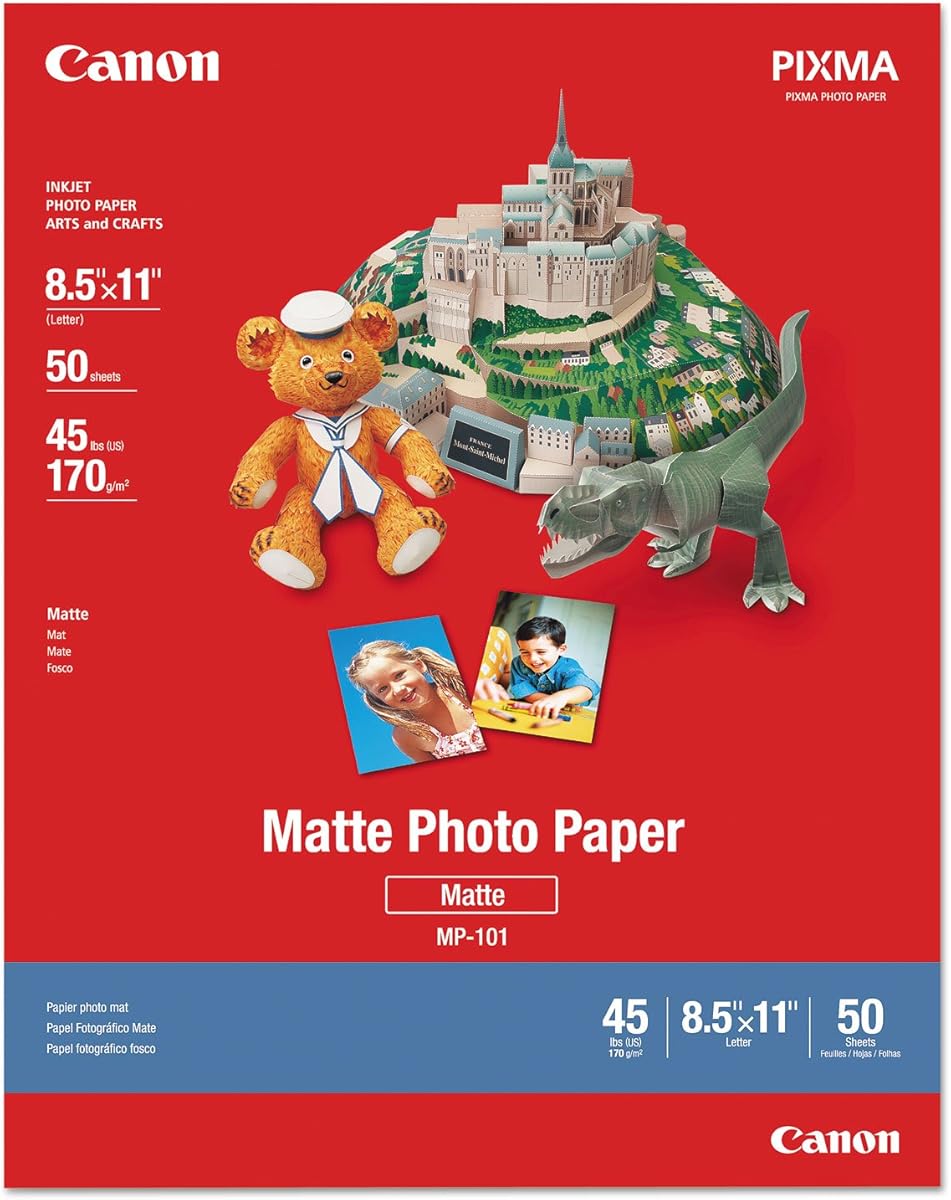
This Canon matte paper is designed for excellent photo results with vibrant colors. While rated 4.4, it is best suited for inkjet printers rather than laser models, making it an alternative for photo-heavy tasks.
We may earn a commission when you buy through this link, at no additional cost to you.
The 50-sheet pack ensures you have enough stock for standard presentation or archival photo needs. Its matte finish is ideal for reducing glare in bright office environments where glossy surfaces might cause issues.
Users should verify printer compatibility as this product focuses on inkjet performance. For pure laser photo needs, other options in this list would be more appropriate for consistent results.
Select this for inkjet users wanting professional photo quality. The matte surface ensures colors pop without harsh reflections.
The matte finish reduces harsh glare, making it ideal for viewing photos in bright environments.
Excellent photo results ensure that every image printed maintains vibrant and true-to-life colors.
We may earn a commission when you buy through this link, at no additional cost to you.
Choosing the right laser printer photo paper requires understanding weight, finish, and compatibility to ensure optimal performance.
Paper weight measured in GSM or pounds determines how stiff and durable your printed sheets will feel. Higher weights like 200 GSM are ideal for covers and postcards while lighter weights work well for flyers.
Always check the GSM rating to ensure the paper matches your expected stiffness for business cards or brochures.
Glossy finishes provide vibrant colors and sharp text but can show fingerprints easily. Matte finishes reduce glare but may not reproduce bright colors as vividly as glossy options.
Select semi-gloss if you want a balance between shine and readability for professional documents.
Ensure the paper is explicitly labeled for laser printers as inkjet paper cannot withstand high heat fusers. Using the wrong type can lead to bubbling or paper jams inside your machine.
Always read product descriptions to confirm laser compatibility before purchase.
Bulk packs offer better value for high-volume printing while smaller packs are useful for testing or occasional use. Consider your monthly output needs to decide whether a 50-sheet or 200-sheet pack makes sense.
Buying in bulk often reduces the cost per sheet significantly over time.
Brightness ratings like 96 brightness ensure rich, true-to-screen colors that look professional. Higher brightness levels make whites appear cleaner and improve overall color contrast.
Look for brightness levels above 90 to ensure high-quality color reproduction.
Laser photo paper should feature smudge-proof coatings to lock toner in place immediately after printing. This prevents blurs when handling documents before they are fully cooled.
Prioritize papers mentioning instant dry or smudge-proof technology for clean results.
Acid-free and lignin-free construction helps prevent yellowing and fading over time for archival purposes. This ensures your printed materials stay professional-looking for years.
Choose acid-free options for any long-term storage needs.
Properly engineered paper ensures smooth feeding through your printer without jams or misfeeds. This is critical for maintaining productivity during high-volume print runs.
Check reviews for jam-free performance before committing to a specific brand.
Always load paper in the correct tray settings to prevent jams and ensure toner application is even. Check that the guides are snug against the sheet edges to avoid skewing.
Store unused paper in a dry place away from humidity to prevent moisture absorption which can cause clumping or jams. Keep the package sealed until ready for use to maintain quality.
After printing, allow sheets to cool before stacking them to prevent toner smudging. Use smooth surfaces for drying to maintain a glossy finish without imperfections.
No, inkjet photo paper cannot withstand the high heat of laser printers fusers which may cause melting or damaging the printer. Always choose paper specifically labeled as laser-compatible to ensure safety and print quality.
For business cards, look for paper around 200 GSM or higher to provide a sturdy feel. Lighter papers may bend too easily and lack the professional thickness clients expect.
Jamming often occurs due to humidity moisture or incorrect tray settings. Ensure the paper is stored properly and guides are adjusted correctly to match the sheet size.
Glossy paper enhances color vibrancy for marketing materials while matte reduces glare for reading text. Choose based on whether visual impact or readability is your priority.
Quality laser photo paper with acid-free construction resists yellowing and fading over time. However, avoiding direct sunlight exposure will help maintain color longevity.
Not all laser photo paper supports double-sided printing effectively due to coating thickness. Check product specs to confirm if two-sided printing is supported for your chosen brand.
HP Professional Business Paper leads for premium quality while HP Everyday Business Paper offers excellent budget value. Laser Photo Paper 200 Sheets provides the best option for high-density bulk needs.
Prioritize GSM weight and finish type based on your specific project requirements whether it be flyers or cards. Ensure the paper is explicitly compatible with laser printers to avoid equipment issues.
Always check current prices and availability as stock levels fluctuate frequently. Verify compatibility with your specific printer model before ordering to ensure optimal performance.