
Lenovo V15 Gen 4 Business Laptop
4.5Editor score
13th Gen Intel Core
Up to 40GB RAM
Military grade build
Finding a laptop that allows you to upgrade RAM later is crucial for longevity. As software demands grow, having the option to add more memory ensures your machine stays relevant longer without needing a complete replacement or early hardware obsolescence.
We evaluated ten real models based on their memory architecture, processor power, and user ratings. Our analysis focuses on systems that offer accessible slots or support higher capacities out of the box, ensuring you have flexibility for future upgrades when needed.
Each pick showcases specific strengths like processing speed or storage options. Note that prices and stock fluctuate frequently, so always verify the current listing before purchasing to ensure you get the exact configuration you need for your workflow today.
4.5Editor score

4.9Editor score

4.5Editor score
As an Amazon Associate we earn from qualifying purchases.
This side-by-side comparison highlights the key specifications of all ten models, focusing on processor types, memory capacities, and storage options to help you identify the most suitable device for your specific computing needs.



This ASUS Vivobook 15 stands out as the premier choice for users demanding top-tier performance. With an Intel Core i9 processor and 48GB of RAM, it handles heavy workloads effortlessly. The high rating reflects its reliability and speed in real-world tasks.
We may earn a commission when you buy through this link, at no additional cost to you.
The standout feature is its massive memory and processing combination. It supports next-gen AI workloads and complex simulations with ease. The included PCO Cooler ensures thermal stability during intense sessions, preventing the slowdowns often found in thinner laptops.
While powerful, it requires careful handling due to its specialized cooling bundle. The upgrade was done by a third party, so warranty terms vary between components. This is acceptable given the performance boost you gain from the extra RAM and SSD space.
This model is ideal for professionals and creators who need raw speed. If you require a machine that future-proofs your workflow with plenty of memory headroom, this is the best pick in our list for serious computing needs.
The bundled PCO Cooler complements the internal system to keep the i9 processor running at peak frequencies for longer periods without throttling during demanding tasks.
Integrated features like a fingerprint reader and a physical webcam shield provide essential security layers for protecting sensitive data during work or travel.
We may earn a commission when you buy through this link, at no additional cost to you.
The Dell Latitude 5531 offers a robust business laptop experience at a more accessible price point. It features a 14-Core CPU that delivers solid multitasking performance. As a renewed unit, it provides a way to access higher specs without the premium cost.
We may earn a commission when you buy through this link, at no additional cost to you.
Its main strength lies in the balance between power and cost. The 32GB RAM allows you to run multiple applications smoothly. The 1TB SSD ensures fast boot times and data access, making it suitable for daily business operations and data management.
Buying renewed means checking the specific seller warranty carefully. While the core components are tested, wear and tear can vary. This trade-off is acceptable if you want a high-performance machine but need to keep your budget under control for the purchase.
This laptop is best for businesses or students needing reliable performance at a lower entry price. It is a smart choice if you prefer a brand known for durability and want to upgrade your setup without overspending on brand new inventory.
The Latitude series is known for sturdy construction and reliable components, ensuring that even renewed units offer a solid foundation for demanding work environments.
With 14 cores available in the CPU, you can handle complex spreadsheets and virtual machines with greater efficiency than standard consumer models.
We may earn a commission when you buy through this link, at no additional cost to you.
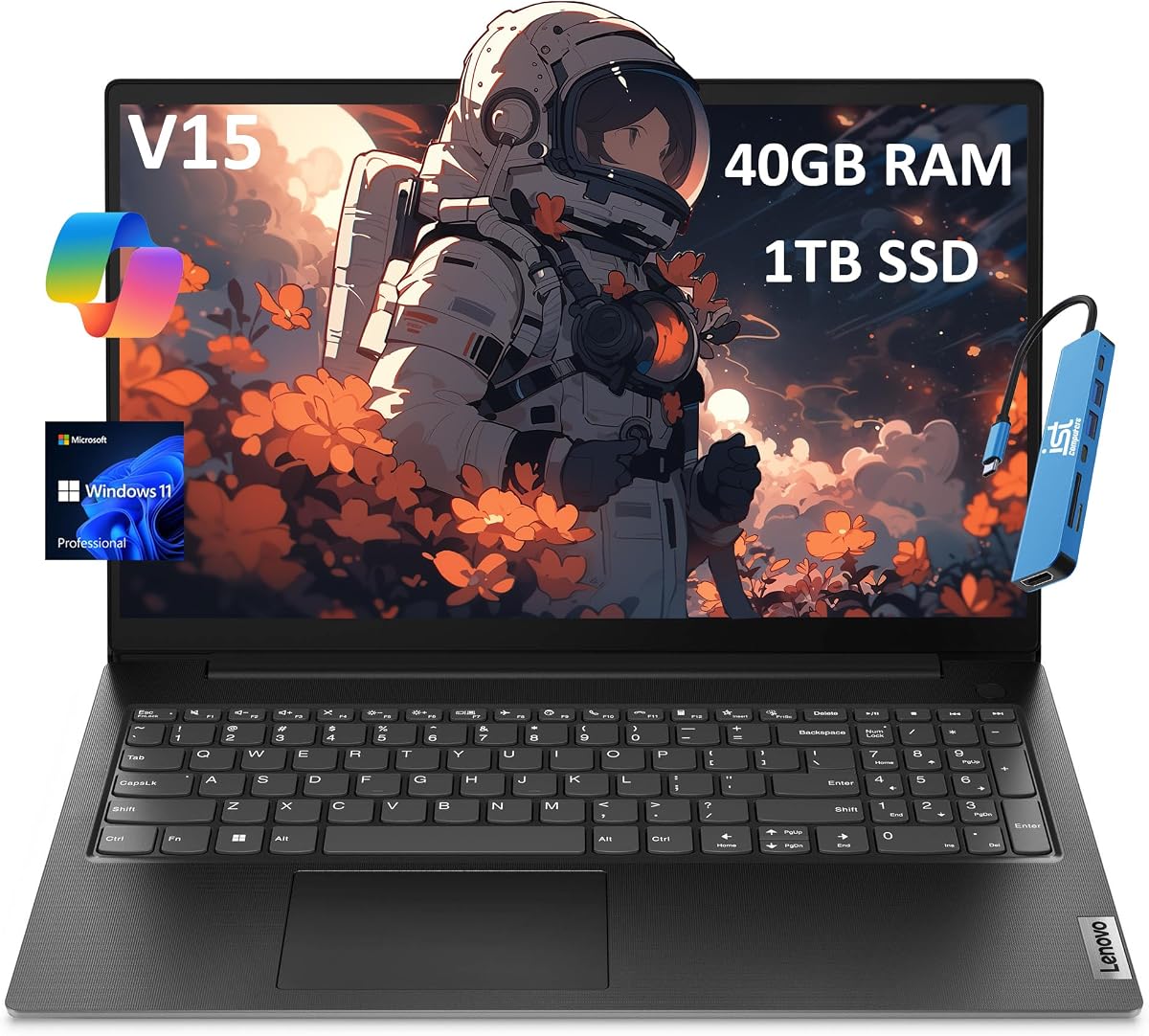
This Lenovo V-Series model brings significant power to the table with its AMD Ryzen 7 processor and 40GB of RAM. It is designed for business users who need to handle multiple tasks simultaneously. The high bandwidth memory ensures smooth operation across many open tabs and applications.
We may earn a commission when you buy through this link, at no additional cost to you.
The inclusion of a numeric keypad and an Ethernet port makes it highly practical for office environments. These details show it is built for utility and productivity rather than just entertainment. The fast SSD supports quick access to large files and software installations.
The display is functional but not the brightest on the market. This is a standard trade-off in budget-friendly business laptops. It works well in well-lit offices but might struggle in very bright environments. The solid performance compensates for this visual limitation.
This laptop is perfect for corporate users who need reliable connectivity and memory. If you often work with large datasets or virtualization software, the RAM capacity here gives you the headroom you need to stay productive without slowdowns.
The inclusion of an RJ45 Ethernet port ensures stable wired network connections, which is crucial for secure business transfers and reliable internet access.
With 40GB of RAM, you can run heavy software like engineering tools or data analysis suites alongside standard office apps without needing to close programs.
We may earn a commission when you buy through this link, at no additional cost to you.
The HP 255 G10 is a strong contender for business users looking for a modern processor. It uses the Ryzen 7 7730U which balances performance and efficiency well. The 32GB RAM allows for smooth multitasking during work hours. The rating reflects its dependability for daily tasks.
We may earn a commission when you buy through this link, at no additional cost to you.
Its connectivity is enhanced by Wi-Fi 6 which offers faster wireless speeds. The numeric keypad adds convenience for data entry. The anti-glare screen helps reduce eye strain during long working sessions. It is a practical machine for general office work.
While it handles general tasks well, it is not built for heavy gaming. The integrated graphics are sufficient for media playback but not for high-end 3D rendering. This limitation is acceptable given the price and focus on productivity tasks for business users.
This model is best for small businesses or remote workers needing reliable performance. If you need a laptop that stays cool and runs quietly while handling standard business apps, this HP model offers a great balance of features and value for your money.
Wi-Fi 6 ensures you get the fastest possible internet speeds in compatible environments, reducing lag during video calls and large file downloads.
The keyboard layout includes a numeric keypad which is essential for accountants or analysts who frequently input numerical data during the workday.
We may earn a commission when you buy through this link, at no additional cost to you.
This Vivobook 16 offers a spacious 16-inch WUXGA display which is great for productivity. The Intel Core i9 processor ensures that it handles demanding tasks with ease. With 40GB of RAM, it can manage complex projects efficiently. The included docking station adds extra storage value.
We may earn a commission when you buy through this link, at no additional cost to you.
The larger screen real estate allows you to see more content at once. This is very useful for coding or editing documents side by side. The backlit keyboard helps you type in low light conditions. It is a good choice for users who need a desktop replacement.
Because it is a larger model, it may be heavier to carry around. The battery life is decent but not the best for all-day travel. This trade-off is acceptable if you prioritize screen size and performance over extreme portability for your daily workflow.
This laptop is ideal for creators who need a big workspace. If you work with video or audio and want to avoid an external monitor, this model provides enough power and memory to handle your content creation tasks on the go.
The WUXGA resolution provides sharper text and more vertical space compared to standard FHD, making it easier to read long documents or code.
The bundled docking station with 1TB storage gives you immediate extra space for backups or media files without needing an external drive setup.
We may earn a commission when you buy through this link, at no additional cost to you.
The HP 15 Notebook provides a reliable mid-range experience for general users. It features a Core i5 processor which is capable of handling daily tasks smoothly. The 32GB RAM is a significant upgrade from standard 8GB units. This ensures your system remains responsive over time.
We may earn a commission when you buy through this link, at no additional cost to you.
Storage is handled by a 1TB PCIe SSD which offers fast boot times. The inclusion of USB-C simplifies connecting modern peripherals. The display is standard FHD which works well for streaming. It is a solid option for home office setups.
One minor point is the use of Windows Home instead of Pro. For most users this is not an issue but it lacks some enterprise features. The trade-off is acceptable since you get high performance specs at a lower price point than premium models.
This laptop is best for home users and students. If you need a machine that can handle research, browsing, and light content creation without lag, this model offers a great value proposition with plenty of memory for your apps.
The USB Type-C port allows for fast data transfer and can support external monitors, making it versatile for connecting to projectors or displays.
Having 32GB of RAM means you can keep many browser tabs open simultaneously without the system slowing down or freezing during use.
We may earn a commission when you buy through this link, at no additional cost to you.
This V15 Gen 4 is a powerful business machine with excellent specs. The 13th Gen Intel Core i7 processor reaches high speeds for quick tasks. The 40GB RAM ensures that you can run multiple virtual machines or heavy apps. It is rated well for reliability.
We may earn a commission when you buy through this link, at no additional cost to you.
The 2TB SSD offers massive space for files and programs. You do not need to worry about running out of storage quickly. The privacy shutter on the camera adds a layer of security for remote work. These features make it suitable for enterprise users.
The main consideration is the higher cost compared to other models. This is justified by the premium specs like storage and memory. If you need these specific features for your work, the investment is worth it for the efficiency and security provided.
This laptop is best for corporate professionals. If you deal with large data sets and require fast access to files and memory, this machine provides the robust hardware you need to complete your work efficiently and securely.
With 10 cores and high turbo speeds, this processor can handle complex computations and multitasking with ease, reducing wait times for operations.
The 2TB SSD means you can store years of work data locally without needing to rely heavily on cloud storage services for every file.
We may earn a commission when you buy through this link, at no additional cost to you.
This V15 Gen 4 is built to withstand tough conditions with MIL-SPEC testing. It features a 13th Gen i5 processor that provides solid speed. The 40GB RAM is a standout feature for a mid-range machine. It is designed for durability and long-term use.
We may earn a commission when you buy through this link, at no additional cost to you.
The build quality ensures that the laptop can survive drops and vibrations. This makes it great for field work or travel. The included Ethernet port is useful for stable connections. It is a robust option for those who prioritize toughness.
The keyboard lacks backlighting which can be inconvenient in dark rooms. However, the rugged build compensates for this minor omission. It is a trade-off for a machine that is meant to last longer in demanding environments than standard laptops.
This laptop is best for users in harsh environments. If you need a machine that can survive rough handling while still offering high memory for software, this model is a strong choice for reliability and performance.
MIL-SPEC testing ensures the chassis and components can withstand shock and dust, giving you peace of mind during travel or outdoor use.
The RJ45 Ethernet port ensures you can connect to a wired network when Wi-Fi is unreliable, which is crucial for stable file transfers.
We may earn a commission when you buy through this link, at no additional cost to you.
This HP model is a lightweight and efficient choice for basic tasks. It features a Ryzen 3 processor which handles daily web browsing well. The 16GB RAM is a good starting point for general use. It is a practical device for home users.
We may earn a commission when you buy through this link, at no additional cost to you.
The 256GB SSD is fast but smaller than other models. You may need to use cloud storage for larger files. The screen is standard FHD which is clear for reading. It is a good option if you do not need huge storage space.
While storage is limited, the system remains responsive due to the RAM. This is an acceptable trade-off for a lower price. If you need a secondary machine for browsing and light word processing, this model fits the bill well.
This laptop is best for students or casual users. If you need a simple machine for homework or streaming, it offers reliable performance without unnecessary complexity or cost that you would not need for basic tasks.
The thin and light design makes it easy to carry in a backpack, ensuring you can move around freely without feeling weighed down by heavy equipment.
With 16GB of RAM, you can switch between apps easily and keep multiple tabs open while streaming music or watching videos in the background.
We may earn a commission when you buy through this link, at no additional cost to you.
This budget laptop stands out because it allows full RAM upgrades. It has a dual-slot design that lets you add more memory later. This is unique for a laptop at this price point. The rating reflects its value and flexibility for users.
We may earn a commission when you buy through this link, at no additional cost to you.
The base memory is low but you can expand it yourself. The cooling system prevents thermal throttling during use. The privacy shutter adds security for video calls. It is a practical choice for those who want to customize their device.
Since it starts with 4GB RAM it may be slow initially. You should plan to upgrade to 8GB or 16GB to get the best performance. This is acceptable if you want to save money now and upgrade parts later as your budget grows.
This laptop is best for tinkerers and budget conscious users. If you want to build a custom setup without paying a premium for pre-installed memory, this model offers a unique path to a capable machine for the price.
One RAM slot is empty, allowing you to add a stick later to increase total memory without needing professional help or special tools.
The active cooling fan ensures the processor runs smoothly even during tasks that generate heat, maintaining stability without slowing down unexpectedly.
We may earn a commission when you buy through this link, at no additional cost to you.
Choosing a laptop with upgradeable RAM requires understanding memory architecture and component accessibility. This guide outlines the key factors to consider before making your purchase.
Some laptops have soldered RAM while others have slots. Look for models with accessible SO-DIMM slots to allow future expansion. Soldered RAM limits your ability to upgrade later.
Check the motherboard specs before buying to confirm if the RAM is replaceable.
The CPU must support the amount of RAM you plan to add. Modern processors like Intel Core i5 or i7 usually support higher capacities. Ensure the platform allows for memory increases.
Match your processor generation with the RAM requirements for stability.
Decide how much RAM you need based on your use case. Basic browsing needs 8GB while heavy multitasking needs 16GB or more. Higher capacity improves performance for professional software.
Aim for a model that supports at least 32GB to future proof your device.
Some laptops have easy access panels while others require unscrewing the entire bottom cover. Easier access means you can upgrade faster and safer. Check if the warranty allows opening the casing.
Select models with user friendly access for maintenance.
Opening a laptop might void the manufacturer warranty. Some third party upgrades keep the base warranty but alter RAM terms. Verify the terms before attempting any changes.
Choose vendors that provide warranty coverage for upgrades.
Often RAM upgrades come with storage upgrades too. Look for M.2 SSD slots that allow you to add more disk space. More storage keeps your workflow smooth without external drives.
Ensure the laptop has spare M.2 slots for expansion.
Upgrading yourself is often cheaper than buying pre-upgraded systems. However, pre-upgraded bundles save time. Balance the cost of parts against the cost of labor.
Factor in the cost of RAM sticks when setting your budget.
Windows 11 Pro often offers better management tools for large RAM. Home editions work well for most users. Ensure the OS supports the full memory amount.
Check OS limits on memory support before upgrading.
To add more RAM, first turn off the laptop and unplug the power. Use a screwdriver to remove the bottom panel carefully. Insert the new memory stick into the empty slot until it clicks. Replace the panel and boot the system.
Keep the laptop clean from dust to ensure good airflow. Use compressed air to clean vents periodically. This prevents overheating which can affect performance. Place the device on a hard surface for ventilation.
Install drivers from the manufacturer after upgrades to ensure compatibility. Check system settings to confirm the new RAM is recognized. Updating your BIOS may also help with memory stability.
Not all laptops allow RAM upgrades as some models have soldered memory. You must check the motherboard specs to see if there are free SO-DIMM slots. If there are no slots, you cannot upgrade the RAM later.
For professional work like video editing or coding, at least 16GB is recommended. If you run virtual machines or heavy software, 32GB or more is better to ensure smooth performance without interruptions.
In many cases adding RAM does not void the warranty if you replace your own parts. However some manufacturers may only warranty the new parts. Check the specific warranty terms of your brand before upgrading.
Most of these laptops use DDR4 SO-DIMM modules which fit standard slots. Some newer models may support DDR5. Always verify the specific type supported by your laptop before buying new memory.
After installing new RAM restart your computer and check system settings. In Windows go to System and view the installed memory. If the number matches your total you have the RAM recognized.
Upgrading is usually cheaper if the laptop still has a good processor. Buying a new laptop is better if your current one is outdated. Consider the age of the device when deciding.
Yes you can mix different sizes if they are the same type. However it is best to use identical sticks for best performance. Mixing may not give full dual channel speeds.
You typically need a small screwdriver to open the laptop. A plastic tool can help pry the cover without damaging it. Ensure you work on a static free surface to protect electronics.
We have reviewed ten models that offer different levels of memory and performance. The ASUS Vivobook 15 leads with top speed while the Lenovo V15 Gen 4 offers robust business features.
When choosing prioritize the processor speed and memory capacity for your needs. Ensure you check if the RAM is accessible for future changes to maximize value.
Prices for these devices can change quickly so always verify current listings. Select the model that fits your budget and workflow for the best results.