
HP 14 Laptop Computer
4.6Editor score
Intel N150 Quad Core Processor
4GB DDR5 RAM Memory
Windows 11 Pro Included
Nursing students require reliable devices capable of handling complex software, virtual labs, and long study sessions. The ideal laptop balances performance with portability to support rigorous academic demands.
We evaluated ten top-rated models based on processor speed, memory capacity, display quality, and battery endurance. Our analysis focuses on value, durability, and suitability for healthcare education environments.
Each selection highlights specific strengths for different needs and budgets. Prices and availability change frequently, so verify current details before purchasing to ensure you get the best deal available today.
4.6Editor score

4.3Editor score

4.0Editor score
As an Amazon Associate we earn from qualifying purchases.
This side-by-side comparison highlights key specifications across all ten selected models to help you quickly identify the right fit for your academic workflow and budget constraints.


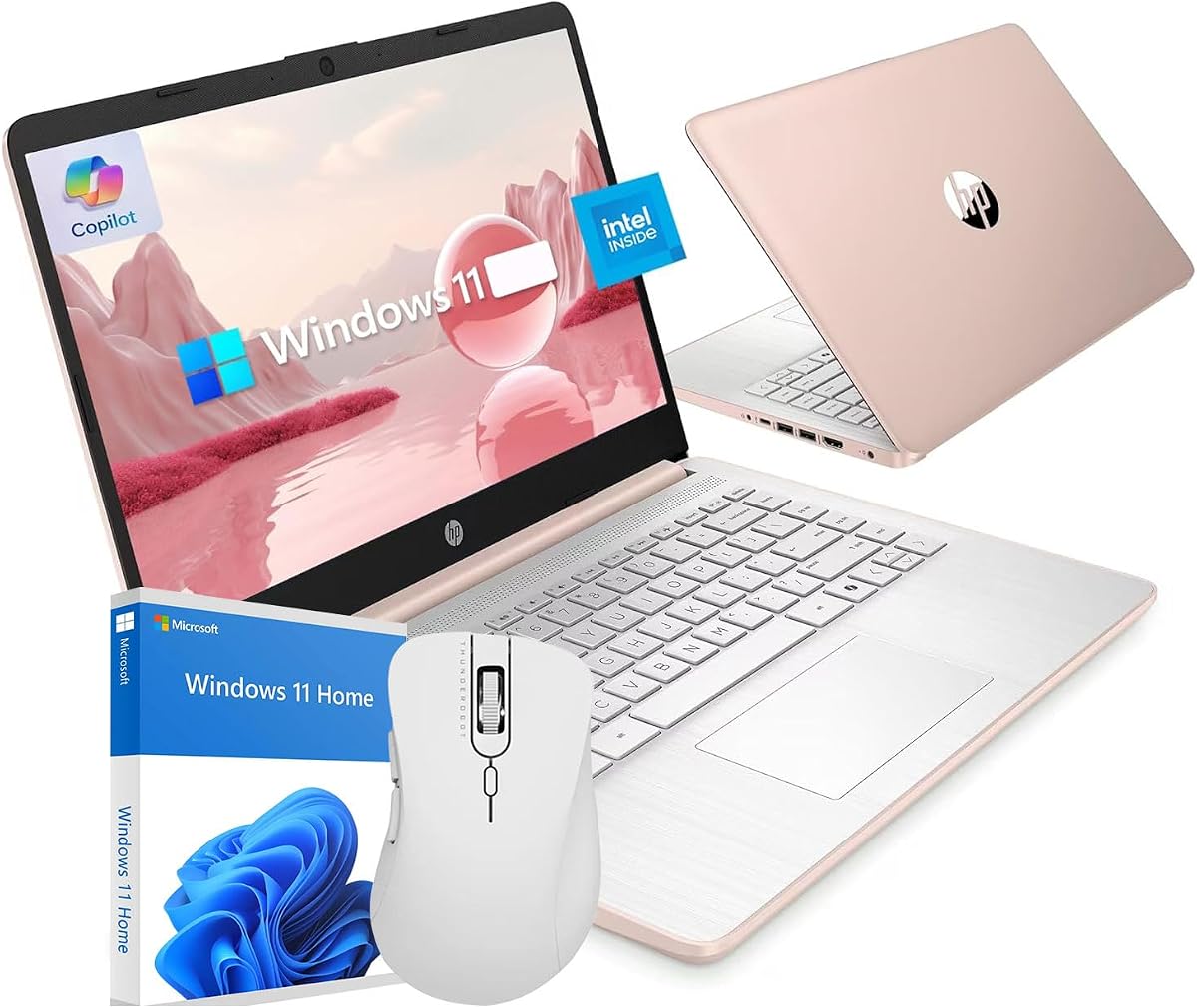


This model stands out as the most affordable option without sacrificing essential features for nursing students. With a 4.6 star rating it delivers solid performance for document editing and virtual classes.
We may earn a commission when you buy through this link, at no additional cost to you.
The included Microsoft Office 365 and Windows 11 Pro provide professional tools immediately. The 500GB external drive expansion ensures ample space for clinical rotation logs and study materials.
While 4GB RAM may struggle with heavy multitasking it handles typical nursing school workflows well. The trade-off is acceptable given the significant cost savings compared to premium competitors.
Students on a tight budget should consider this first. It offers the best entry point for those needing reliable access to educational platforms and administrative software.
The Intel N150 processor ensures smooth web browsing and video streaming during lectures.
The bundle includes a 500GB external drive for expanded file management.
We may earn a commission when you buy through this link, at no additional cost to you.
With 8GB RAM this model improves multitasking capabilities significantly. It handles multiple browser tabs and learning management systems without lagging.
We may earn a commission when you buy through this link, at no additional cost to you.
The 11-hour battery life supports full day classes without needing a charger. Portability is excellent due to the lightweight frame design.
Storage is limited but cloud services can supplement local needs. The 128GB UFS drive offers fast boot times though file storage may require external solutions.
Ideal for students prioritizing mobility and moderate performance. It strikes a balance between cost and usability for daily academic tasks.
Up to 11 hours of battery life ensures all-day productivity.
Weighs only 3.24 pounds making it easy to carry.
We may earn a commission when you buy through this link, at no additional cost to you.
This laptop emphasizes modern connectivity and AI-enhanced productivity features. The dedicated Copilot key streamlines access to helpful tools instantly.
We may earn a commission when you buy through this link, at no additional cost to you.
AI noise reduction filters background sounds during calls which is vital for telehealth simulations. The micro-edge bezel improves screen visibility in dim study rooms.
Despite lower RAM it remains responsive for basic academic tasks. It suits students who rely heavily on cloud-based applications rather than local software.
Recommended for those valuing connectivity and AI assistance. It provides a contemporary experience at a competitive price point.
Copilot key provides instant assistance for productivity tasks.
Wi-Fi 6 ensures fast wireless speeds for online classes.
We may earn a commission when you buy through this link, at no additional cost to you.
The HP Ultrabook 14 offers a sleek aesthetic that appeals to style-conscious students. Its Rose Gold finish makes it a standout choice among basic models.
We may earn a commission when you buy through this link, at no additional cost to you.
Featuring Wi-Fi 6 and SSD storage it ensures reliable connections and quick data access. It supports seamless integration with academic portals and research databases.
Users note slightly lower ratings compared to peers suggesting minor hardware compromises. However it remains a viable option for those prioritizing design.
Best for students wanting a professional look on a budget. It delivers core functionality with an attractive exterior design.
Rose Gold finish offers a professional and unique appearance.
128GB SSD ensures faster boot times than traditional drives.
We may earn a commission when you buy through this link, at no additional cost to you.
This Chromebook is designed for simplicity and speed. With only 2.86 pounds it is incredibly light for carrying between clinical rotations.
We may earn a commission when you buy through this link, at no additional cost to you.
The FHD Touchscreen adds versatility for note-taking and interactive learning modules. Google Classroom integration is seamless for school workflows.
Storage is minimal so external drives are necessary. Chrome OS supports web apps well but limits offline software compatibility.
Suitable for students focused on web-based coursework. It provides essential tools in a highly portable package.
At 2.86 lbs it is one of the lightest models available.
FHD Touchscreen allows for intuitive navigation and note-taking.
We may earn a commission when you buy through this link, at no additional cost to you.
The HP 17.3 Inch Laptop offers superior performance for demanding nursing tasks. Its Intel Core i5 processor and 16GB RAM handle complex simulations smoothly.
We may earn a commission when you buy through this link, at no additional cost to you.
The large display provides ample screen real estate for reading research papers and viewing medical charts. 512GB SSD offers generous storage for personal files.
It is heavier and less portable than smaller models making daily carry more challenging. The higher price reflects the substantial performance gains.
Best for students prioritizing raw power over portability. It excels in virtual lab environments and research-heavy coursework.
Intel Core i5 ensures smooth performance during complex tasks.
512GB SSD provides plenty of room for academic files.
We may earn a commission when you buy through this link, at no additional cost to you.
This premium model combines ample RAM with a lightweight design. It offers 16GB of memory which supports heavy multitasking without slowdowns.
We may earn a commission when you buy through this link, at no additional cost to you.
The inclusion of wireless earbuds adds value for telehealth training and listening to lectures. 11.5 hours of battery life ensures reliability during long clinical days.
Storage remains limited despite the premium price tag so external drives may be needed. The AI features and Copilot support streamline daily workflows.
Ideal for students needing maximum RAM in a portable device. It balances professional features with academic readiness effectively.
16GB RAM ensures seamless multitasking across multiple applications.
Wireless earbuds included for enhanced audio experiences.
We may earn a commission when you buy through this link, at no additional cost to you.
Dell offers reliable build quality with this 15.6 model. The ComfortView display reduces blue light which protects eyes during long study sessions.
We may earn a commission when you buy through this link, at no additional cost to you.
Ergonomic hinges lift the keyboard for comfortable typing angles. Express Charge helps get back to 80% quickly between classes.
Performance is adequate but not exceptional for intensive tasks. It serves well for general coursework and online exams.
Recommended for users prioritizing brand trust and comfort. It balances usability with standard academic requirements.
ComfortView software reduces harmful blue light emissions.
Lifted hinges provide a comfortable typing angle.
We may earn a commission when you buy through this link, at no additional cost to you.
This model delivers a balanced experience for daily student needs. The anti-glare screen helps maintain visibility during late-night study sessions.
We may earn a commission when you buy through this link, at no additional cost to you.
Office 365 inclusion provides immediate utility for assignments and research projects. The full-size keyboard supports comfortable typing for long documents.
Performance matches other entry-level models but remains reliable for web apps. It is a solid choice for standard academic usage.
Suitable for students needing a reliable daily driver. It covers essentials effectively without unnecessary complexity.
Anti-glare screen reduces eye strain during long hours.
One year Office 365 subscription included for productivity.
We may earn a commission when you buy through this link, at no additional cost to you.
This model focuses on providing a comprehensive bundle for students. It includes a docking station and external drive ensuring connectivity and storage needs are met.
We may earn a commission when you buy through this link, at no additional cost to you.
Windows 11 Pro offers enhanced security and management features beneficial for institutional use. Office 2024 support helps with document creation needs.
The accessory bundle adds significant value though it depends on external devices. It reduces immediate costs for additional peripherals.
Best for students needing an all-in-one solution. It prioritizes connectivity and storage over raw processing power.
Includes docking station and external drive for connectivity.
Windows 11 Pro provides enterprise-grade security features.
We may earn a commission when you buy through this link, at no additional cost to you.
Selecting the right laptop requires balancing several factors to meet the diverse demands of nursing education and clinical work.
A reliable processor ensures smooth performance during video lectures and virtual labs. Look for recent generations of Core i5 or equivalent N-series chips to avoid lag.
Prioritize multi-core CPUs to handle multitasking across multiple educational applications efficiently.
8GB of RAM is the minimum recommended for comfortable multitasking with browser tabs and research tools open. 16GB allows for smoother transitions between heavy software.
Ensure you have enough RAM to run multiple programs simultaneously without performance drops during critical study times.
Aim for at least 256GB SSD storage to keep files organized and boot times fast. External drives can supplement local storage for large video files.
SSDs are essential for speed and reliability ensuring quick access to patient case studies and course materials.
Long battery life is crucial for days spent in classrooms or clinical rotations without easy outlet access. Look for 8 to 10 hours of real-world usage.
A robust battery ensures you stay productive throughout the day without worrying about finding a power source.
A clear anti-glare display reduces eye strain during long reading sessions. High resolution ensures details in charts and diagrams are easy to see.
Choose a screen size that balances portability with readability for your specific needs.
Lightweight models under 4 pounds are easier to carry between different learning sites. A slim profile fits comfortably in backpacks alongside textbooks.
Consider how much you will carry daily to avoid physical fatigue during your commute.
Windows 11 Home or Pro provides compatibility with most academic software and tools. Chrome OS is suitable only if your coursework is web-based.
Ensure the OS supports necessary applications like electronic health record simulations used in your program.
Wi-Fi 6 and Bluetooth support ensure stable connections for video conferencing and peripheral pairing. Multiple USB ports allow for easy connection of external drives.
Adequate connectivity options prevent frustration when accessing online resources or connecting to hospital systems.
Organize your files into clear folders for lectures, clinical notes, and research to keep your workspace tidy. Use cloud services to back up important documents regularly.
Protect your device with a sturdy case during transport to prevent scratches and accidental drops. Avoid using the laptop on soft surfaces like beds to ensure proper airflow.
Update your software frequently to benefit from the latest security patches and features. Regularly clean the screen and keyboard to maintain hygiene in clinical environments.
Prioritize at least 8GB of RAM and an SSD for fast performance. A reliable processor and long battery life are essential for virtual labs and all-day classes.
Chromebooks work well if your coursework is web-based and you rely on Google Classroom. However, they may not support specialized Windows-only medical software used in some programs.
A 15-inch or larger screen helps with multitasking and reading detailed charts. However, 14-inch models offer better portability if you commute frequently.
128GB is often insufficient for large videos or offline files. Consider models with external drive bundles or cloud storage solutions to manage your data effectively.
Windows is generally the safest choice as it supports the widest range of educational and clinical applications. Ensure your school requires specific OS features before deciding.
Look for a battery life of 8 hours or more to handle full days without charging. This ensures you remain productive during long clinical shifts or study sessions.
The HP 17.3 Inch Laptop stands out for performance while the HP 14 Laptop Computer offers excellent value for budget-conscious students. Each option provides unique benefits depending on your priorities.
Focus on memory and battery life to ensure smooth workflows across your academic journey. Choosing a device that meets your specific daily needs will save time and stress.
Always check the latest prices and availability before purchasing to secure the best deal. Investing in the right tool sets a strong foundation for your nursing career success.