
MOSDART 64GB Metal
4.5Editor score
Waterproof metal design
Built-in key ring
Broad system compatibility
This guide compares the top keychain USB flash drives for 2026 evaluating durability, speed, and storage capacity to help you choose the right portable storage
Finding reliable portable storage is essential for modern digital life. A keychain USB flash drive offers the perfect blend of security and accessibility for your most important files. Whether you need to transfer documents or backup media, these compact devices fit easily into your daily carry.
We evaluated ten top-rated models based on build quality, transfer speeds, and compatibility. Our analysis focuses on real-world usability for professionals, students, and casual users. Each product was selected for its ability to withstand daily wear while delivering consistent performance across devices.
Every pick highlights specific strengths like waterproofing, dual connectivity, or massive capacity. Note that prices fluctuate frequently so always verify current offers before buying. This guide ensures you invest in a drive that matches your unique storage requirements without unnecessary expense.
4.5Editor score

4.7Editor score

4.4Editor score
This side-by-side comparison highlights the core specifications of each selected drive. We focus on capacity, interface type, and durability features to help you quickly identify the model that fits your specific workflow and budget constraints.


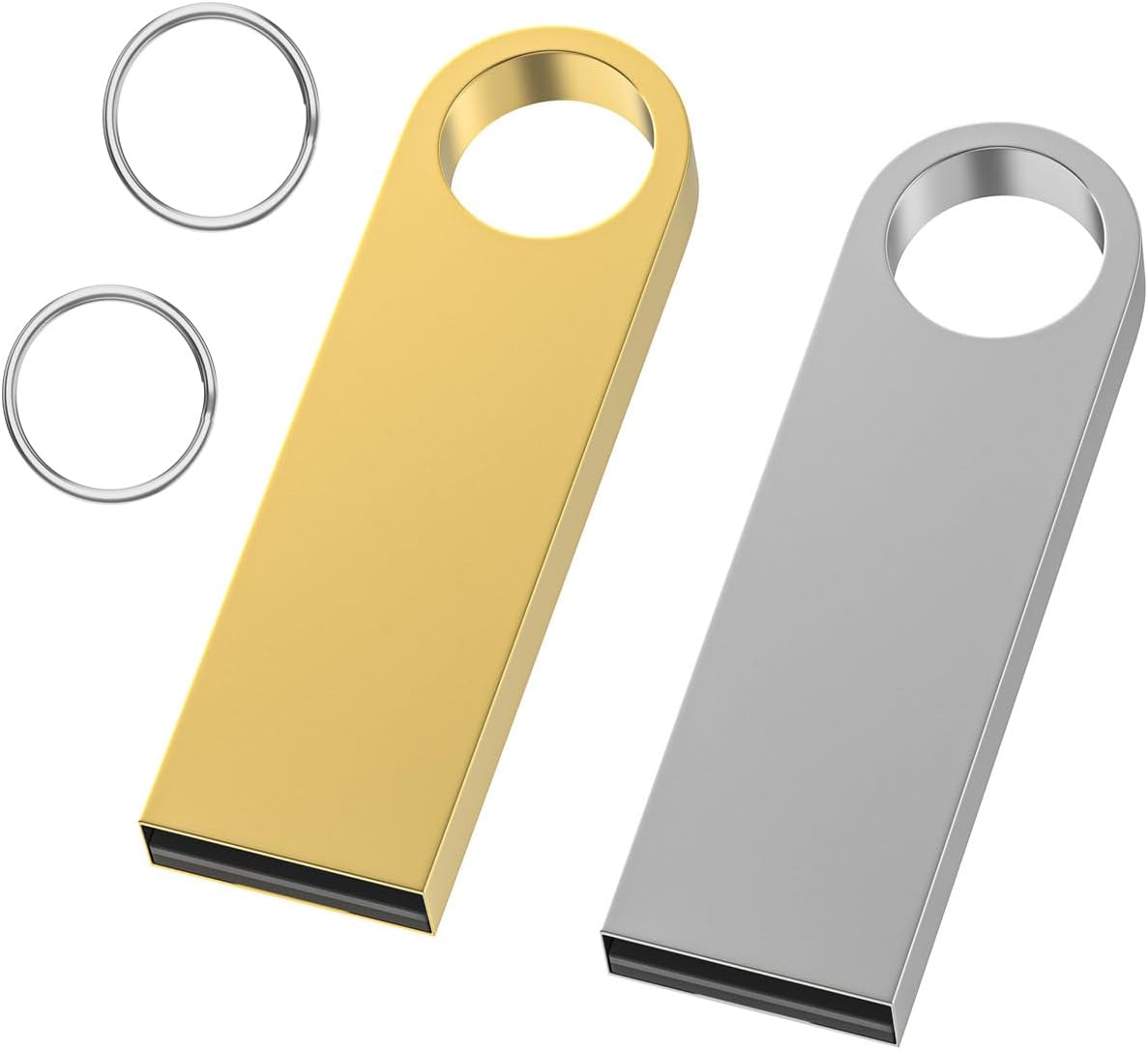

This drive stands out for its massive 230GB capacity which is rare at this price point. With a 4.1 rating it delivers reliable performance for storing large media files and critical documents without compromise. The metal shell ensures durability while the keychain design prevents loss.
We may earn a commission when you buy through this link, at no additional cost to you.
Users appreciate the plug-and-play functionality that works seamlessly across Windows and Mac systems. The waterproof construction offers peace of mind for outdoor or travel use where spills or rain might occur. Transfer speeds are optimized for daily tasks like photo backups.
While the drive is robust it can get slightly warm during large file transfers which is normal for high-capacity metal drives. The size is marginally larger than standard models but necessary to accommodate the extensive storage needs of power users.
Choose this drive if you need to carry hundreds of photos or videos without relying on cloud storage. It is ideal for photographers and professionals who require immediate access to large datasets without worrying about battery life or internet connectivity.
The 230GB capacity allows you to store thousands of high-resolution images and lengthy video files without running out of space.
Waterproof and dustproof features ensure your data remains safe even if the drive is exposed to harsh environmental conditions.
We may earn a commission when you buy through this link, at no additional cost to you.
This MOSDART model offers an excellent balance of affordability and reliability for everyday storage needs. With a 4.5 rating it is a trusted choice for users seeking a basic yet robust USB drive. The metal casing provides superior protection compared to plastic alternatives.
We may earn a commission when you buy through this link, at no additional cost to you.
The waterproof feature ensures that accidental spills will not ruin your data making it suitable for use in offices or cars. Its compact size allows it to slide easily into pockets or attach to keyrings for instant access whenever needed.
Transfer speeds are limited by USB 2.0 standards which means larger files take longer to move compared to modern USB 3 models. The cap is separate and could potentially be lost if not secured properly to the drive body.
Pick this drive if you need a simple backup solution for documents and media without spending too much. It is perfect for students or casual users who prioritize durability and convenience over blistering transfer speeds.
At a very accessible price point this drive provides 64GB of storage without compromising on essential build quality features.
The metal shell protects internal components from physical shock ensuring your files remain intact even during rough handling.
We may earn a commission when you buy through this link, at no additional cost to you.
Buying this pack gives you two reliable drives for backup or sharing without the hassle of single purchases. With a 4.4 rating the drives are solid performers for general file storage and transfer tasks. The metal build ensures longevity for frequent daily use.
We may earn a commission when you buy through this link, at no additional cost to you.
The capless sliding design eliminates the risk of losing protective caps which is a common pain point with traditional drives. Each drive comes with a dedicated keychain allowing you to attach them securely to bags or keyrings for safe transport.
While the capacity is generous the USB 2.0 interface limits maximum transfer speeds for very large video files. Some users might prefer faster USB 3.0 models if they move massive datasets regularly across different computers.
This option is ideal for families or small offices needing multiple drives for redundancy. Keep one at work and one at home to ensure critical files are always accessible regardless of your location.
Receiving two drives in one package allows for easy data sharing between devices or creating physical backups.
The capless mechanism protects the connector while removing the hassle of managing separate plastic caps.
We may earn a commission when you buy through this link, at no additional cost to you.
This dual connector drive solves the compatibility headache between modern mobile devices and older laptops. With a 4.4 rating it offers smooth transitions between Android phones and Windows computers without needing extra adapters. The USB 3.2 interface ensures quick file transfers.
We may earn a commission when you buy through this link, at no additional cost to you.
The rotating metal shell protects the USB A and C ports from dust and damage while maintaining a sleek profile. The longer USB C port design ensures it fits easily even if your phone is in a protective case preventing connection issues.
The rotating mechanism adds durability but may require gentle handling to avoid loosening over time with extensive use. The weight is slightly higher than single connector drives due to the dual connector housing which is a minor tradeoff.
Select this drive if you frequently move data between smartphones and computers. It is perfect for travelers who want to back up phone photos directly without relying on cloud services.
The USB C connector allows direct transfer from modern smartphones and tablets without the need for dongles.
With speeds up to 150MB/s you can move large videos or high-resolution photos in just seconds.
We may earn a commission when you buy through this link, at no additional cost to you.
This drive focuses on simplicity and portability for users who need basic storage without extra features. With a 4.1 rating it performs well for storing documents and small media files across compatible systems. The metal casing adds a premium look and feel.
We may earn a commission when you buy through this link, at no additional cost to you.
Its lightweight design makes it easy to carry in a pocket or attach to a keyring without adding bulk. The plug and play functionality means no software installation is required to access files on any supported operating system.
It lacks waterproofing which is a consideration if you plan to use it in wet environments or carry it loosely in a bag. Transfer speeds are standard for USB 2.0 which is fine for small files but slower for large videos.
Choose this if you want a no-fuss storage solution for daily documents or presentations. It is well-suited for office workers who need a reliable place to keep project files.
The slim profile ensures it takes up minimal space in your bag or pocket for easy carrying.
Constructed from metal this drive resists scratches and dents better than standard plastic models.
We may earn a commission when you buy through this link, at no additional cost to you.
This SAMSUNG drive is widely regarded as one of the most reliable options on the market today. With a 4.7 rating it combines high-speed performance with exceptional build quality. The rugged metal casing is designed to withstand drops and spills without affecting performance.
We may earn a commission when you buy through this link, at no additional cost to you.
Its 300MB/s transfer speed is significantly faster than standard USB 2.0 drives making it ideal for large file backups. The waterproof and shockproof construction ensures your data remains safe even in challenging environments like construction sites or travel.
The drive is slightly more expensive than generic brands but the performance and durability justify the investment for professionals. It does not include a cap but the integrated key ring helps secure it to prevent loss during use.
Invest in this drive if you need top-tier performance and reliability for critical work. It is perfect for professionals who transfer large data sets daily and need consistent speed.
With speeds up to 300MB/s you can transfer gigabytes of data in minutes rather than hours.
The metal casing and waterproof design protect your files from physical damage and liquid exposure.
We may earn a commission when you buy through this link, at no additional cost to you.
This is a budget-friendly solution for users who need to bridge the gap between mobile and desktop devices. With a 4.5 rating it offers excellent functionality for transferring photos and documents without requiring extra hardware. The swivel design keeps ports protected.
We may earn a commission when you buy through this link, at no additional cost to you.
The inclusion of a protective cap for the USB C port ensures the connector stays clean and scratch-free. Its longer USB C port allows you to use it even when your phone is inside a protective case for better usability.
Sixteen gigabytes is limited for modern storage needs but works well for quick file transfers or emergency backups. The USB 2.0 standard means speeds are not optimized for heavy video work or large database backups.
Buy this if you want an inexpensive way to move small files between phones and computers. It is ideal for students needing to transfer assignments or notes quickly.
One drive works for both USB C phones and standard USB A computers eliminating the need for adapters.
The swivel design and protective cap shield the connectors from dust and damage when not in use.
We may earn a commission when you buy through this link, at no additional cost to you.
This two-pack offers a practical and economical solution for users needing multiple small drives for various tasks. With a 4.5 rating the drives are reliable for storing small documents and media backups. The sleek metal body adds a touch of style to the functional design.
We may earn a commission when you buy through this link, at no additional cost to you.
Both drives come with dedicated keychain holes making it easy to attach them to keyrings or lanyards. This feature significantly reduces the risk of losing the drives during commutes or busy travel days.
Sixteen gigabytes is enough for basic documents but insufficient for large media collections. Transfer speeds are decent for this category but limited by USB 2.0 standards for large file operations.
Choose this set for sharing data between family members or keeping backups separate. It is a great value for keeping essential files accessible without significant cost.
Having two drives allows you to separate personal and work files easily without cross-contamination.
The compact size and keychain hole make it easy to carry the drives anywhere securely.
We may earn a commission when you buy through this link, at no additional cost to you.
This Lexar drive combines high capacity with stylish design for professionals who value performance and aesthetics. With a 4.4 rating it delivers consistent speeds and reliable storage for demanding workflows. The DataShield software adds an extra layer of security.
We may earn a commission when you buy through this link, at no additional cost to you.
With 150MB/s read speeds it significantly outperforms standard drives for retrieving large files. The USB 3.2 Gen 1 interface ensures compatibility with modern high-speed ports while remaining backward compatible with older systems.
The price is higher than basic drives but you get better performance and software features in return. Some users prefer the metal keyrings found on other models rather than the standard loop on this one.
Pick this if you need a premium drive with extra capacity for creative work. It suits designers or videographers who need fast access to raw files regularly.
Lexar DataShield software adds encryption options to protect your sensitive files from unauthorized access.
128GB of space allows you to store hundreds of high-resolution photos or hours of video content.
We may earn a commission when you buy through this link, at no additional cost to you.
This drive features a clever capless design that eliminates the risk of losing protective caps. With a 4.6 rating it is highly praised for its convenience and storage capacity. The slide-out connector makes it incredibly easy to use quickly without fumbling for parts.
We may earn a commission when you buy through this link, at no additional cost to you.
Transcend Elite software provides useful data management tools that help organize files on the drive. The USB 3.0 interface offers fast transfer speeds ensuring you spend less time waiting for files to move.
The slide mechanism is durable but may require gentle handling to prevent wear over years of frequent use. It lacks a metal shell which makes it lighter but potentially less protective against heavy impacts than metal drives.
Choose this if you want a convenient drive with large capacity for daily backups. It is great for students or office staff who need reliable storage for projects and presentations.
The sliding connector protects the port without needing a removable cap to attach to the drive.
Included software helps organize your files efficiently ensuring quick access to important documents.
We may earn a commission when you buy through this link, at no additional cost to you.
Selecting the right USB flash drive involves balancing capacity, speed, and durability based on your specific needs. This guide breaks down the critical factors to help you make an informed decision.
Capacity determines how many files you can store. Options range from 16GB for simple documents to 230GB for large media libraries. Consider your typical file sizes and frequency of data transfer.
Choose higher capacity if you store photos or videos; lower capacity works for text documents and small files.
USB 2.0 is slower and cheaper while USB 3.0 and 3.2 offer significantly faster transfer rates. Faster speeds are essential if you regularly move large video files or databases.
Look for USB 3.0 or higher speeds to reduce wait times during large file transfers on modern computers.
Metal shells provide better protection against physical impact and heat dissipation compared to plastic. Waterproof and dustproof ratings add reliability for outdoor or travel use in harsh conditions.
Prioritize metal waterproof models if you work in environments where the drive might be exposed to elements.
Standard USB-A works with most computers but USB-C drives are essential for modern smartphones and tablets. Dual connector drives offer the most flexibility across different devices without needing adapters.
Select dual or USB-C drives if you need to transfer data between mobile devices and PCs frequently.
Some drives include software for password protection or encryption to safeguard sensitive data. Hardware encryption provides an extra layer of security against unauthorized access or theft.
Check for DataShield or software options if you plan to store confidential business or personal information.
Keychains and lanyards prevent loss and make the drive easy to carry. Capless or swivel designs eliminate the annoyance of losing separate protective caps during daily use.
Ensure the drive has a reliable attachment point or capless mechanism to avoid misplacing the drive.
Well-known brands often offer better warranty support and reliable performance standards. Established manufacturers invest more in quality control and testing for consistent results.
Opt for recognized brands if you need reliable long-term performance for critical data storage needs.
Prices vary based on capacity and features. Budget options cover basic needs while premium models offer speed and durability. Balance your needs with what you can afford.
Invest in a higher tier model if you rely on the drive daily for work or professional tasks.
Always eject the drive safely from your operating system before removing it to prevent data corruption. This ensures all file operations are complete and your data remains intact.
Keep the drive in a dry and cool place when not in use to extend its lifespan. Avoid exposing it to extreme temperatures or direct sunlight which can damage internal components.
Regularly back up important files to a secondary location to prevent data loss. Using multiple drives or cloud storage provides redundancy in case of drive failure.
Many models feature waterproof and dustproof designs but not all are submersible. Check the specific rating on the product description before using it in wet environments.
Use a dual connector drive with a USB C port to plug directly into modern phones. Older phones may require a specific OTG adapter for connection.
Yes you can install portable versions of software or applications directly on the drive. Always ensure compatibility with your operating system before installation.
USB 3.0 offers significantly faster data transfer speeds than USB 2.0. It is backward compatible with USB 2.0 ports but runs at slower speeds there.
Use encryption software or password protection features included with the drive. Always keep a backup of your files on a separate device or cloud storage.
Most standard USB drives are compatible with Windows Mac and Linux systems. Some may require reformatting to work optimally with all operating systems.
We highlighted ten top models including the SAMSUNG BAR Plus for speed and MOSDART for value. Each drive offers unique benefits suited to different storage requirements and budgets.
Prioritize durability and capacity if you need reliable backups. Speed and connectivity matter most for frequent data transfer tasks across devices.
Always check current prices and availability before buying to get the best deal. Storage prices change often and sales can offer significant savings.