
Redragon K617 HE Wired Hall-Effect Rapid Trigger Magnetic Gaming Keyboard
4.3Editor score
Hall Effect switches
Rapid trigger support
Software actuation tuning
Explore the best keyboard for CS2 in October 2026. We compare top Hall Effect and optical models for rapid trigger speed and precise movement control.
Finding the right keyboard for CS2 can drastically improve your aim and movement. Competitive players need fast actuation and reliable switches to execute precise strafes and counters without delay.
We evaluated ten top keyboards based on switch technology, polling rates, and layout. Each model offers unique features tailored for fast-paced shooters where milliseconds matter during intense firefights.
Each pick highlights key strengths like rapid trigger or adjustable actuation. Prices and availability change often, so check current listings before deciding on your next gaming peripheral upgrade.
4.3Editor score
4.4Editor score
4.5Editor score
This side-by-side comparison highlights the key specifications and unique features of each keyboard. We focus on switch types, polling rates, and form factors to help you find the perfect match for your CS2 setup.



The Redragon K617 HE offers an entry point into Hall Effect technology. With a 4.3 rating, it delivers rapid trigger capabilities essential for CS2 at a budget-friendly price point.
We may earn a commission when you buy through this link, at no additional cost to you.
Its main strength is software-adjustable actuation. You can fine-tune keys between 0.1mm and 3.4mm. This allows for customized sensitivity without breaking the bank.
The main trade-off is a simpler software interface compared to premium brands. However, this is acceptable given the significant cost savings and reliable performance.
Budget gamers should buy this if they prioritize speed over premium features. It is the best budget keyboard for CS2 that balances cost and competitive performance.
This keyboard brings magnetic switch tech to lower price tiers, allowing more players to access rapid trigger benefits.
The 60% form factor maximizes mouse space, crucial for low sensitivity aiming in tactical shooters like CS2.
We may earn a commission when you buy through this link, at no additional cost to you.
The Redragon K686 HE improves on the 617 with better build quality. It features a dual-module floating structure that gives a soft, silky bounce instead of a harsh clack.
We may earn a commission when you buy through this link, at no additional cost to you.
Its standout feature is the single control knob. You can adjust backlight and media playback easily. This adds convenience for managing streams or games without complex combos.
While it costs more than basic membrane boards, the upgrade in feel and durability is worth it. The noise dampening layers reduce distractions during intense matches.
Players seeking a balance of features and cost should buy this model. It offers near premium switch performance at a more accessible price point.
Independent switch plates paired with dampening layers create a unique typing feel that reduces wrist fatigue over long sessions.
Physical knobs are faster and more tactile than software menus for adjusting volume or brightness during gameplay.
We may earn a commission when you buy through this link, at no additional cost to you.
The Redragon K673 HE targets users wanting high polling rates without high costs. It supports 8,000Hz hyper-polling to ensure inputs transmit faster than standard keyboards.
We may earn a commission when you buy through this link, at no additional cost to you.
It includes similar features to the 686, like the media knob and noise dampening. This makes it versatile for both gaming and media consumption.
The lower rating may indicate some variability in quality control or software. Users should ensure they download the latest drivers for optimal performance.
Buy this if you need high polling speeds but prefer a budget brand. It is a solid contender for entry-level competitive setups needing speed.
8,000Hz polling helps reduce input lag, providing a more immediate connection between your keystrokes and in-game actions.
We may earn a commission when you buy through this link, at no additional cost to you.
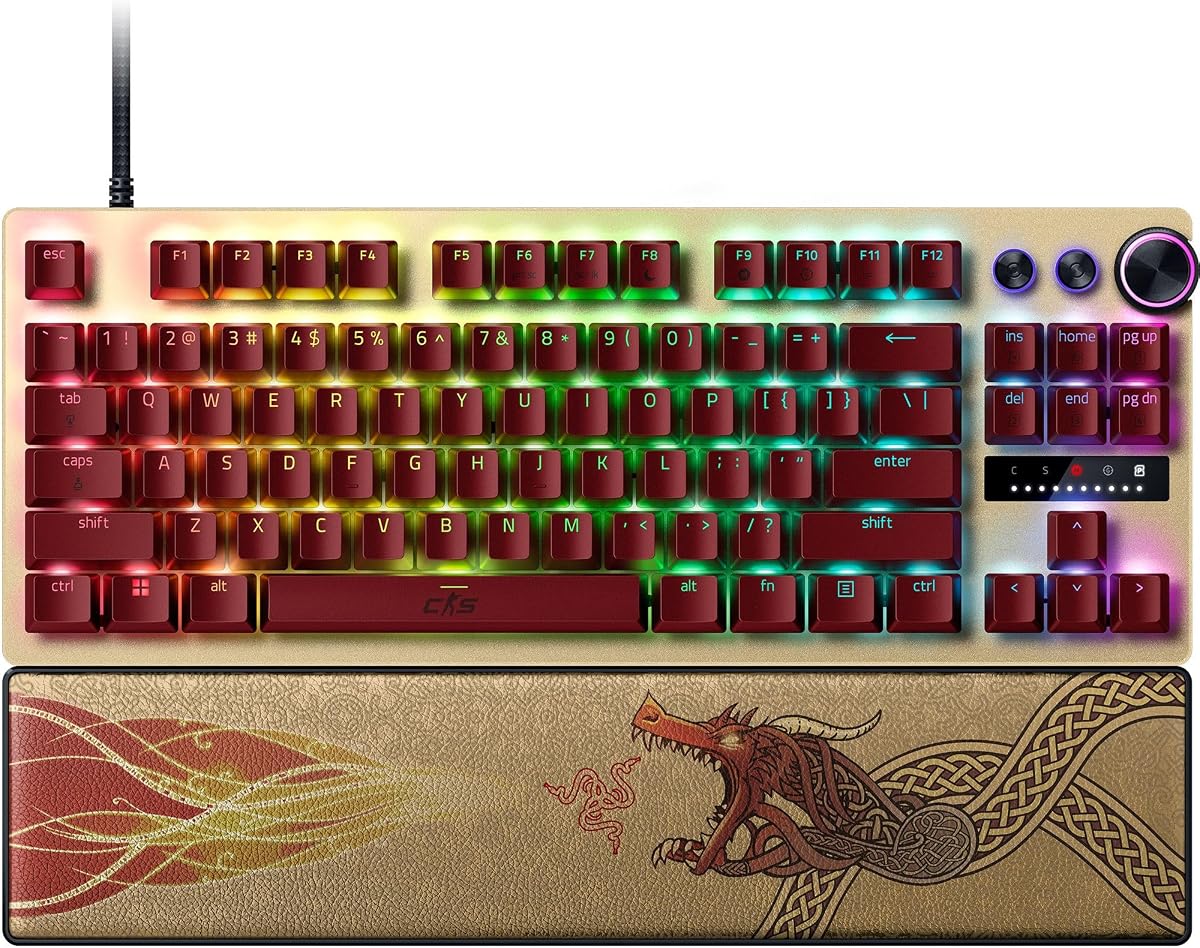
The Razer Huntsman V3 Pro TKL CS2 Edition is built for elite players. It features Snap Tap, which prioritizes the latest input for near-instant directional changes.
We may earn a commission when you buy through this link, at no additional cost to you.
Its main strength is analog optical switches with adjustable actuation. You can fine-tune keys without software using onboard LED arrays. This ensures precision and speed.
The premium price is justified for serious competitors. The durable PBT keycaps and ergonomic wrist rest support long training sessions effectively.
Professional players should buy this for its advanced movement tools. It provides the best edge for high-level CS2 performance and consistency.
Snap Tap allows you to switch directions instantly without releasing the first key, simplifying complex movement patterns.
Adjusting actuation without software means you can tweak settings on the fly during matches or LAN events.
We may earn a commission when you buy through this link, at no additional cost to you.
The Corsair Clipper PRO MINI brings advanced Hall Effect control to a tiny 60% layout. It features MGX Hyperdrive core switches that are fast and linear.
We may earn a commission when you buy through this link, at no additional cost to you.
Its key strength is Multi-Action and Smart Tap features. These help reduce finger fatigue and streamline play. It ensures consistent execution during fast-paced sequences.
IP57 resistance adds durability, allowing cleaning after spills. However, the compact layout means you lose a number pad and function row.
Minimalists and FPS gamers should buy this. It maximizes mouse space while offering robust anti-ghosting and rapid reset capabilities.
Instant 0.1mm reset allows for rapid taps without holding keys down, essential for counter-strafing.
We may earn a commission when you buy through this link, at no additional cost to you.
The Redragon K745 HE is another strong option for budget-conscious buyers. It features 5-layer noise dampening to reduce unwanted vibrations and harsh clacks.
We may earn a commission when you buy through this link, at no additional cost to you.
It includes software-powered precision tuning similar to other Redragon models. This allows you to save multiple actuation profiles for different games or playstyles.
The lower rating might reflect build quality inconsistencies. Users should expect minor variance compared to higher-end options but still gain rapid trigger benefits.
Buy this if you want reliable performance at a low price. It offers good value for gamers on a strict budget needing speed.
Multiple dampening layers help create a quieter typing experience, which is great for shared spaces or streaming setups.
We may earn a commission when you buy through this link, at no additional cost to you.
The Keychron C0 HE is a specialized one-handed keypad designed for FPS control. It supports Rapid Trigger magnetic switches and 8K polling rates.
We may earn a commission when you buy through this link, at no additional cost to you.
Its strength lies in its 35 programmable keys. You can map complex commands or macros to one hand. It allows faster execution than standard layouts.
Using a browser-based configurator makes setup easy across devices. However, it is not a replacement for a main keyboard unless used as a secondary device.
Streamers and pro players should buy this as a supplement. It provides extra control options for advanced movement or stream management.
Full compatibility with Windows and macOS ensures flexibility for users switching between operating systems.
We may earn a commission when you buy through this link, at no additional cost to you.
This renewed version of the Razer Huntsman V3 Pro TKL offers premium features at a lower cost. It retains key capabilities like Analog Optical Gen-2 switches.
We may earn a commission when you buy through this link, at no additional cost to you.
Snap Tap mode allows prioritizing inputs without releasing keys. This is critical for fast directional changes in competitive shooters.
The rating reflects potential used condition risks. Buyers should inspect the item upon arrival to ensure all switches function correctly.
Budget-focused pros should buy this if they accept refurbished gear. It is the most affordable way to get high-end optical switch tech.
Renewed items offer a chance to own top-tier gear that might otherwise be out of reach for many gamers.
We may earn a commission when you buy through this link, at no additional cost to you.
The Corsair K55 RGB PRO is a solid membrane option for basic needs. It offers dynamic RGB backlighting and dedicated volume keys for easy media control.
We may earn a commission when you buy through this link, at no additional cost to you.
It features six dedicated macro keys to activate functions with one stroke. The IP42-resistant design guards against dust and spills.
The lack of rapid trigger or hall effect switches limits speed. It is not ideal for high-level competitive play but good for casual use.
Casual gamers should buy this for comfort and durability. It provides excellent value for those not needing top-tier response times.
IP42 rating protects against accidental spills and dust, extending the lifespan of the keyboard in messy environments.
We may earn a commission when you buy through this link, at no additional cost to you.
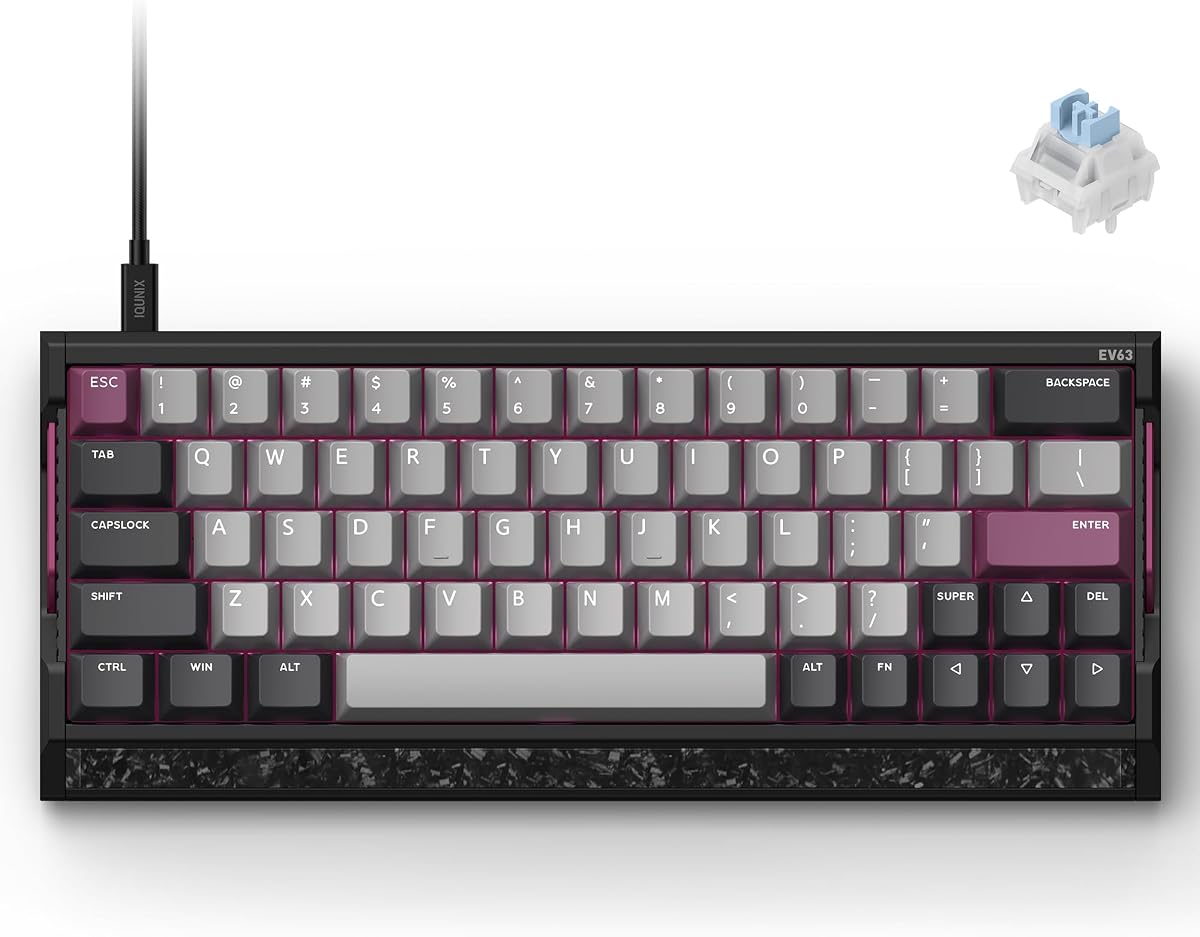
The IQUNIX EV63 is a premium choice for enthusiasts. It features an aircraft-grade CNC aluminum case and real forged carbon for stability.
We may earn a commission when you buy through this link, at no additional cost to you.
Its M.A.T. 2.0 algorithm reduces missed inputs. This helps maintain consistent magnetic sensing even during high-speed movement sequences.
The high price is justified by its build quality. It feels solid and custom-made compared to standard plastic gaming boards.
Enthusiasts should buy this for the ultimate hardware experience. It combines top-tier materials with precise switch tuning for pure performance.
M.A.T. 2.0 checks keys in real-time, ensuring consistent sensing and reducing sticky inputs during play.
We may earn a commission when you buy through this link, at no additional cost to you.
Choosing the right keyboard involves balancing speed, build, and layout. This guide breaks down the critical factors to consider before buying.
Hall Effect switches use magnets to detect keystrokes without physical contact. This allows for adjustable actuation and rapid reset, which are critical for fast-paced movement in CS2. Optical switches offer similar benefits with high durability and speed. Traditional mechanical switches lack rapid reset features unless they have specific firmware support.
Polling rate determines how often the keyboard reports input to the PC. Higher rates like 8,000Hz reduce latency. Low latency ensures your actions register immediately. For competitive play, aim for keyboards with high polling and low response time claims.
Compact layouts like 60% or TKL free up desk space for mouse movement. This is vital for low-sensitivity aiming. However, smaller boards remove function keys and numpads. Decide if you prioritize space saving or extra utility keys for daily tasks.
Adjustable actuation lets you set where a key presses down. Shallow actuation helps with rapid tapping. Deeper actuation prevents accidental presses. Look for keyboards with software or onboard controls to change these settings easily.
Rapid Trigger allows keys to reset instantly when lifted. This is useful for counter-strafing and movement tricks. Ensure the keyboard explicitly supports this feature in its specs. Not all Hall Effect boards enable this by default.
Premium boards use aluminum or carbon plates for stability. This reduces vibration and case wobble. Durability is key for long sessions. Check for PBT keycaps which resist shine and wear over time.
Good software allows saving profiles and changing lighting. Some keyboards offer on-device storage for settings. Look for web-based configurators if you use multiple computers. This ensures settings stay consistent across systems.
Budget options provide rapid trigger but lack premium build. Premium models offer better durability and ergonomics. Determine if extra features justify the price. A mid-range option often balances cost and performance best.
To get the most from your keyboard, install the latest drivers first. Use the software to set actuation points that match your playstyle. Save these settings to onboard profiles if available.
Regularly clean the keyboard to remove dust and debris. Use compressed air to blow between keycaps. For spills, disconnect immediately and let it dry completely before use.
Periodically recalibrate magnetic switches if your model supports it. This maintains consistent sensing over time. Keep firmware updated to access new features like Snap Tap or Rapid Trigger improvements.
Rapid trigger resets keys instantly when lifted. This allows faster counter-strafing and movement. It prevents missed inputs during quick direction changes, giving a competitive edge.
Hall Effect switches allow adjustable actuation and rapid reset. These features are critical for speed in shooters. Mechanical switches lack this flexibility unless they have specialized firmware.
Yes, high polling rates reduce input lag. 8,000Hz is standard for modern esports keyboards. This ensures inputs register faster, improving responsiveness in fast-paced matches.
Some keyboards offer onboard adjustments using key combinations. Others require software. Check the product specs to confirm if you can tune actuation directly on the device.
Compact layouts like 60% or TKL are best. They free up desk space for wide mouse swipes. This allows consistent tracking and aiming without hitting desk edges.
No, Snap Tap is specific to Razer keyboards. It prioritizes inputs for fast direction changes. Look for keyboards with similar features if you want this functionality.
The top picks highlight Hall Effect technology for speed. Models like the Redragon K617 and Razer Huntsman V3 Pro offer rapid trigger features essential for competitive play.
Prioritize adjustable actuation and compact layouts for the best performance. These features ensure you have control and space for precise movements during matches.
Prices and availability change often, so verify current listings. Check reviews and compatibility with your operating system before purchasing your next keyboard.