
CallToU Caregiver Pager
4.6Editor score
Affordable entry-level pricing
500 plus feet range
55 ringtones available
This guide compares the top hospital pager systems for 2026, evaluating range, clarity, and expandability to help you choose the right communication solution.
Hospital pager systems are essential for maintaining clear communication in busy medical environments. Reliable alerts ensure that staff respond quickly to patient needs, reducing wait times and improving care quality across various facilities.
We have analyzed ten leading hospital pager systems based on range, expandability, waterproofing, and ease of use. Each product offers unique features designed to meet the specific demands of clinics, nursing homes, and assisted living centers.
Each pick below highlights key strengths and trade-offs to help you find the right fit. Prices may vary due to market fluctuations and retailer discounts, so check current listings before making your final purchase decision.
4.6Editor score
4.6Editor score

4.4Editor score
The table below provides a side-by-side comparison of all ten selected hospital pager systems. Review the specifications to understand how each model performs in terms of range, button count, and special features for your facility.



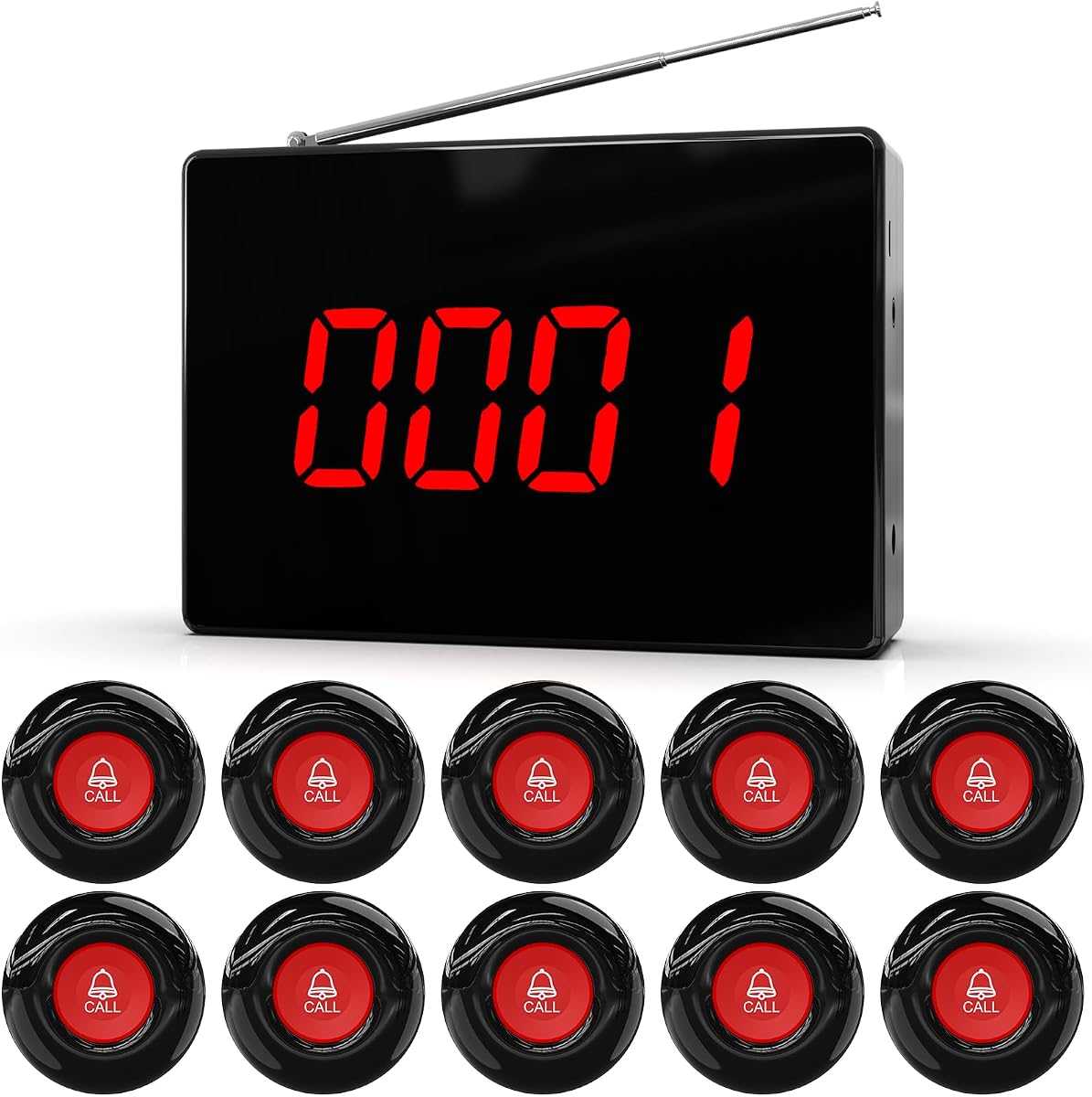
This system stands out as a top choice for facilities needing reliable long-range communication. It has a solid rating of 4.4 stars and includes 10 waterproof buttons to start your network immediately.
We may earn a commission when you buy through this link, at no additional cost to you.
The 1000-foot range in open areas ensures you can cover large facilities without signal loss. The repeat mode prevents missed calls by alerting staff until the issue is resolved, which is crucial in busy medical settings.
While the range is impressive, walls and metal surfaces can reduce the actual distance. This is a common trade-off with wireless technology, so testing placement is recommended for optimal performance.
Facilities seeking an expandable and reliable system should consider this model. It balances cost with essential features like voice alerts and centralized management, making it ideal for clinics and nursing homes.
You can grow the system to support up to 255 call points as your facility needs change.
Choose from 7 languages and 8 alert tones to ensure clear communication across diverse staff teams.
We may earn a commission when you buy through this link, at no additional cost to you.
This premium system offers extensive range and capacity for larger facilities. With a 1312-foot range and support for 200 buttons, it is designed to handle complex communication needs efficiently.
We may earn a commission when you buy through this link, at no additional cost to you.
The IPX67 waterproof rating ensures durability in wet environments like bathrooms or cleaning stations. The display supports letters and numbers, allowing for easy room identification and quick response from staff.
While the price is higher than basic models, the expanded features justify the investment for larger operations. External audio support ensures alerts are heard even in noisy medical environments.
Choose this system if you need maximum range and customization. It is well-suited for large hospitals or multi-story facilities where signal strength and clarity are paramount.
Support for 200 call buttons allows you to cover every room in a large facility without gaps.
Combined number and letter display helps staff identify exactly which room needs assistance at a glance.
We may earn a commission when you buy through this link, at no additional cost to you.
This model is perfect for teams that move frequently between patient rooms. The included portable QM003 pager ensures staff receive alerts even when away from the main monitoring station.
We may earn a commission when you buy through this link, at no additional cost to you.
With a 1000-foot range, the system maintains connectivity across large facilities. The flexible alert modes let you choose between single notifications or repeating alerts until care is provided.
The main trade-off is managing the portable pager, which may require periodic charging. However, this adds flexibility that stationary systems cannot offer for mobile caregiving staff.
Staff who need to stay on the move will appreciate this setup. It combines the reliability of a full nurse call system with the mobility required for responsive patient care.
The included pager allows caregivers to stay mobile without missing critical alerts from patients.
Select repeat alerts for ongoing issues or one-off alerts for quick check-ins as needed.
We may earn a commission when you buy through this link, at no additional cost to you.
This system is designed for quick deployment without technical hurdles. It is pre-paired and ready to use out of the box, making it ideal for smaller facilities or home care settings.
We may earn a commission when you buy through this link, at no additional cost to you.
The high volume alert up to 110dB ensures that staff do not miss calls even in noisy environments. Waterproof buttons allow installation in bathrooms or other wet areas without damage.
While the range is lower than larger models, it is sufficient for smaller clinics or multi-story homes. It provides a cost-effective solution for basic communication needs.
Smaller operations looking for ease of use should consider this pager. It delivers reliable performance with minimal setup time, allowing staff to focus on care rather than installation.
Plug in the receiver and stick buttons on surfaces to start using the system immediately.
The waterproof design allows safe use in bathrooms and other wet areas within your facility.
We may earn a commission when you buy through this link, at no additional cost to you.
This system offers impressive scalability, supporting up to 1000 call buttons for growing facilities. It includes 10 waterproof buttons to start, making it suitable for various sizes from small clinics to large homes.
We may earn a commission when you buy through this link, at no additional cost to you.
Voice announcements of call numbers ensure staff know exactly which room needs attention. The repeat alert mode is particularly useful for patients who might not be able to press the button multiple times.
While the display requires a power source, the wireless nature of the buttons keeps installation simple. The high rating reflects its reliability and user-friendly design for daily operations.
Facilities planning to expand should consider this scalable option. It balances features like voice alerts with a robust range and high button capacity for long-term use.
Expand the system to support up to 1000 call buttons as your facility grows.
The system announces the call number verbally to ensure quick identification by staff.
We may earn a commission when you buy through this link, at no additional cost to you.
This kit includes three receivers, allowing multiple caregivers to monitor alerts from different locations. The 6 waterproof buttons provide immediate coverage for patients or residents needing assistance.
We may earn a commission when you buy through this link, at no additional cost to you.
The LED number display helps staff quickly identify which room is calling without looking closely at a screen. With volume adjustable up to 110dB, alerts are hard to miss in busy areas.
While the 500-foot range is shorter than some models, it is sufficient for small clinics or homes. The inclusion of multiple receivers adds flexibility for distributed caregiving teams.
Small teams needing to share alerts will find this useful. The combination of multiple receivers and clear displays makes it easy to coordinate responses across different areas.
Receive alerts on multiple units so you can monitor calls from various locations in the facility.
The LED display shows the number of the caller for quick identification by staff members.
We may earn a commission when you buy through this link, at no additional cost to you.
This is an excellent budget-friendly option for basic caregiving needs. With a 4.6 rating, it offers reliable performance without a high price tag for smaller setups.
We may earn a commission when you buy through this link, at no additional cost to you.
The waterproof and dustproof design ensures durability even in less ideal environments. It includes 55 ringing tones, allowing for customization of alerts to suit different user preferences.
While it is limited to one button and receiver per unit, you can buy multiple sets for larger needs. This makes it a flexible choice for specific high-need areas.
If you are on a tight budget but need reliable alerts, this is a solid choice. It is simple to install and provides the core functionality needed for patient monitoring.
This system provides essential alert functionality at a very competitive price point for small setups.
The waterproof and dustproof construction protects the units from common environmental hazards.
We may earn a commission when you buy through this link, at no additional cost to you.
This upgraded system features number voice announcements to ensure alerts are clear and distinct. The 6 waterproof buttons allow for quick setup in multiple rooms or care areas.
We may earn a commission when you buy through this link, at no additional cost to you.
The lifetime warranty adds significant value, showing confidence in the product durability. With 44 ringtones and adjustable volume, you can customize alerts to avoid disturbing patients or staff.
The range is moderate, so it is best suited for smaller facilities or homes. The digital display time is extended, ensuring you have time to read the alert clearly.
Facilities needing assurance and clear alerts should choose this model. The combination of voice announcements and warranty support makes it a reliable choice for daily use.
The system speaks the number of the caller to ensure alerts are understood immediately.
Enjoy peace of mind with a lifetime warranty that covers the device against defects.
We may earn a commission when you buy through this link, at no additional cost to you.
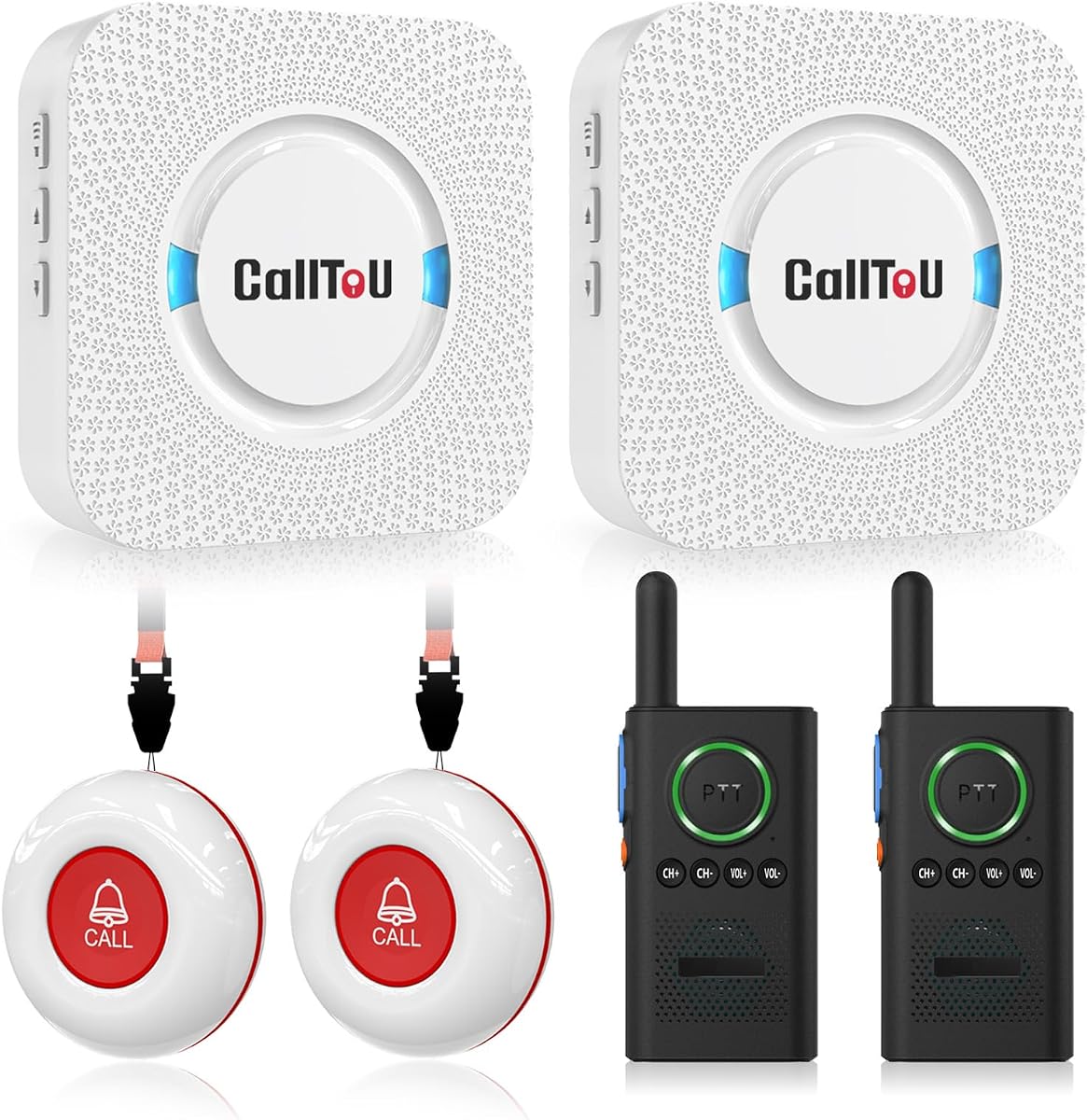
This unique system includes walkie talkies to enable two-way communication between caregiver and patient. This helps clarify needs before staff arrive, improving efficiency in care delivery.
We may earn a commission when you buy through this link, at no additional cost to you.
The waterproof design ensures the buttons can be used safely in bathrooms or showers. It includes 55 ringing tones, allowing you to select sounds that are appropriate for your setting.
Note that the intercom and pager systems are separate and cannot be paired. This means you may need to manage them independently, but both serve daily caretaking needs effectively.
For environments where verbal confirmation is needed, this is a great choice. The combination of paging and radio communication adds a layer of coordination to your workflow.
Use the included walkie talkies to communicate directly with patients before responding to an alert.
The waterproof buttons ensure safe use in wet areas like showers without risking damage.
We may earn a commission when you buy through this link, at no additional cost to you.
This pager is designed for stability with anti-interference technology to ensure signals are clear. It supports up to 999 call bells, making it a versatile choice for any facility size.
We may earn a commission when you buy through this link, at no additional cost to you.
The signal can pass through multiple floors and walls, though metal walls may reduce distance. The volume has 15 adjustable levels, allowing for precise control over alert loudness.
With settings that are saved automatically, you do not need to reprogram after a restart. This reliability is essential for medical clinics where communication is critical.
Clinics needing a stable and high-capacity system will find this model appealing. The anti-interference design helps ensure alerts are not missed due to external electronic noise.
The system resists external signals to ensure alerts are received clearly and consistently.
Transmit through multiple floors and walls to cover multi-story buildings effectively.
We may earn a commission when you buy through this link, at no additional cost to you.
Selecting the right hospital pager system involves balancing range, capacity, and usability to fit your facility needs.
Signal range determines how far the alert can travel before it weakens. Open areas offer the best performance, while walls and floors can reduce effective distance. Always consider the size of your facility when choosing range.
For multi-story buildings, look for systems rated for at least 1000 feet to ensure coverage across all levels.
Expandability refers to how many call points a system can support. Basic units might start with 10 buttons but can be expanded to support hundreds. This is vital for growing facilities.
Check the maximum button capacity to ensure the system can grow with your patient volume over time.
Waterproofing is critical if buttons will be installed in bathrooms or wet areas. Look for ratings like IPX67 or IP65 to ensure durability against moisture and splashes.
Non-waterproof units may fail in humid environments, so always choose waterproof options for patient care areas.
Alert modes dictate how the system notifies staff. Repeat modes ensure that alerts are not ignored by sounding again until cleared. One-off modes are quieter but may be missed.
Repeat alert modes are essential for patient safety to ensure no call is overlooked during busy shifts.
Displays help identify which room is calling. LED number displays are clear in low light, while letter and number combinations allow for more detailed identification.
Ensure the display is large enough for staff to read quickly from a distance.
Power options include AC and battery backup. Systems with battery backup will continue working during outages, which is crucial for 24-hour facilities.
Prioritize systems with both AC and battery options for uninterrupted operation.
Voice alerts announce room numbers verbally, reducing reliance on reading displays. This is helpful for staff with vision issues or when wearing protective eyewear.
Choose systems with multiple language options to support diverse teams.
Volume control ensures alerts are heard in noisy areas without being too loud for patients. Look for units with adjustable volume levels to customize alert loudness.
Adjustable volume is key to balancing patient comfort with staff awareness.
Start by placing the main receiver on a stable surface at the nursing station. Ensure it is plugged into a reliable power source so the system remains active at all times.
Press the test button on the receiver to confirm that the sound and display are working correctly. This simple check should be done weekly to verify signal integrity.
Clean the call buttons with a soft, damp cloth to remove dust and debris. Avoid harsh chemicals that might damage the waterproof coating or labels.
Most wireless pager systems are one-time purchases with no monthly subscription fees. You only pay for the initial hardware and any optional signal boosters if needed.
Yes, many systems allow you to add extra call buttons up to a maximum capacity. Check the product specs to see how many buttons you can expand to.
Most models in this guide feature waterproof buttons rated for wet environments. Always verify the IP rating for each specific model before installation in bathrooms.
Battery life varies by usage, but most wireless buttons last months on standard batteries. Some units will flash an indicator when battery replacement is needed.
Many systems have battery backup for the receiver to keep alerts active during outages. Check if the model you choose includes battery support for continuous operation.
Yes, some models include or support portable pagers that staff can wear. This ensures alerts are received even when staff are not at the main station.
Signals can pass through walls, but the range may be reduced. Metal walls or thick concrete can significantly lower performance compared to drywall or open areas.
Most units are pre-paired and require no complex programming. Simply plug in the receiver and place buttons to start receiving alerts immediately.
We reviewed ten top hospital pager systems suitable for various facility sizes. The CallToU Wireless Calling System stands out for its scalability and voice alerts, while the CallToU Caregiver Pager offers a budget-friendly entry.
Prioritize range and waterproofing when making your decision to ensure reliability across your entire facility. Consider the number of patients you need to monitor to select the right capacity.
Remember to check current pricing and availability as these figures can change. Verify the final specs with the manufacturer before purchase to ensure the system meets your specific needs.