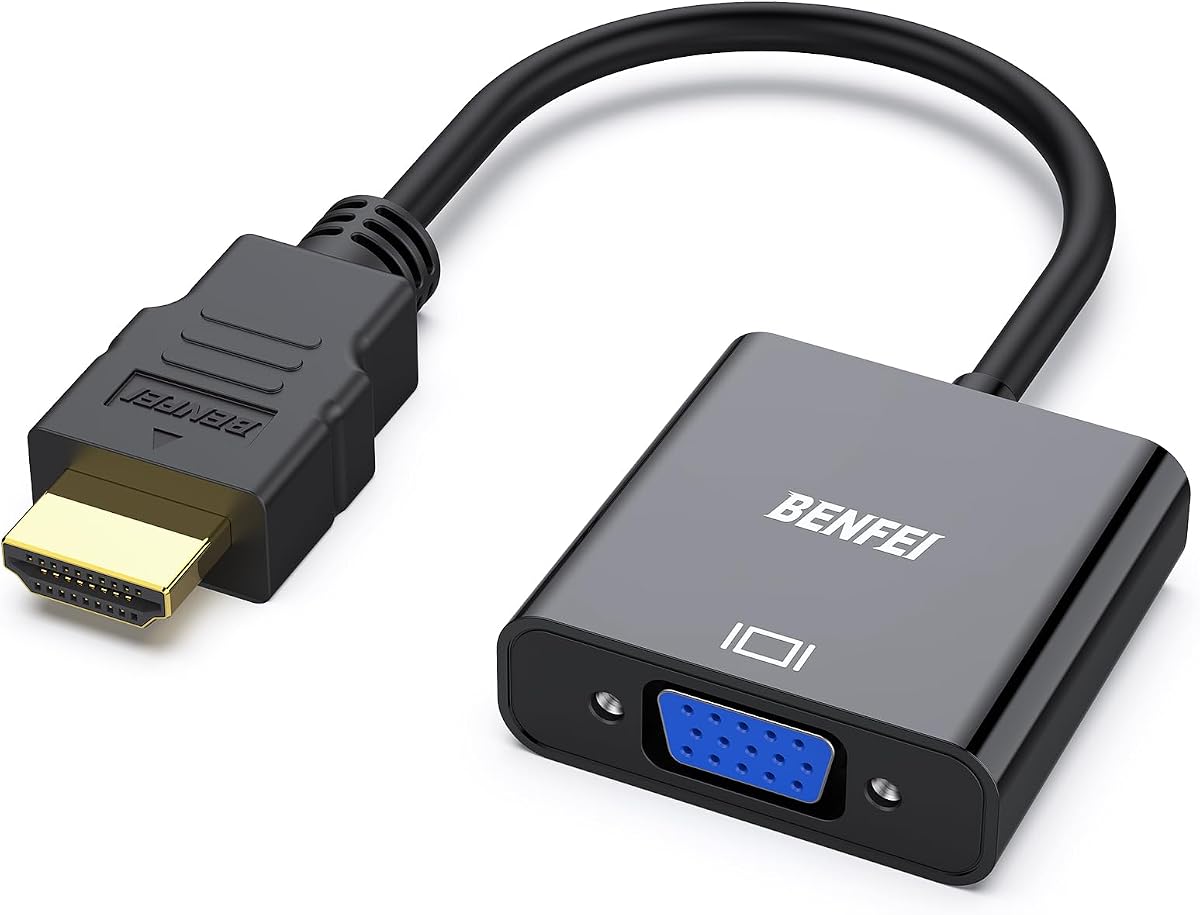
BENFEI HDMI to VGA Adapter
4.6Editor score
Gold-plated HDMI connector
Supports 1080p Full HD
Compact and portable design
This guide compares the top HDMI to VGA converter adapters for 2026, evaluating performance, compatibility, audio support, and reliability to help you choose
Finding the right HDMI to VGA converter adapter is essential for connecting modern devices to older displays. A good adapter ensures stable signal conversion without lag or quality loss during presentations or media playback.
We evaluated ten leading models based on build quality, resolution support, audio capabilities, and user feedback. Each product was analyzed for compatibility with common devices like laptops, consoles, and streaming sticks to ensure reliable performance.
Every pick highlights key strengths and potential limitations to help you decide based on your specific needs. Keep in mind that availability and pricing may change, so verify details before purchasing your preferred adapter.
4.6Editor score

4.6Editor score

4.5Editor score
This side-by-side comparison breaks down the key specifications and capabilities of each adapter to help you identify the best fit for your setup without guessing.


The BENFEI HDMI to VGA adapter stands out as a top choice for users seeking reliable connectivity between modern HDMI sources and legacy VGA displays. With a high user rating and consistent performance feedback, it delivers stable Full HD output for presentations, media playback, and extended desktop setups.
We may earn a commission when you buy through this link, at no additional cost to you.
Its built-in advanced IC chip ensures smooth conversion from digital HDMI signals to analog VGA without requiring additional drivers or software. The gold-plated connector resists corrosion and maintains signal integrity over time, while the compact design makes it easy to carry in a laptop bag for travel.
While it lacks an audio jack, which is common for basic HDMI to VGA converters, this trade-off is acceptable for most video-focused use cases. The included 18-month warranty provides peace of mind and reflects the brand's confidence in product longevity and customer service responsiveness.
This adapter is ideal for students, professionals, and home users who need a simple, plug-and-play solution to connect laptops or consoles to older monitors or projectors. It balances performance, durability, and cost effectively for everyday digital connectivity needs.
The advanced IC chip inside handles signal translation efficiently, ensuring minimal lag or quality loss during use for both static content and dynamic video playback.
Weighing almost nothing and measuring just inches in length, this adapter fits easily into pockets or slim tech pouches for on-the-go presentations or home entertainment setups.
We may earn a commission when you buy through this link, at no additional cost to you.
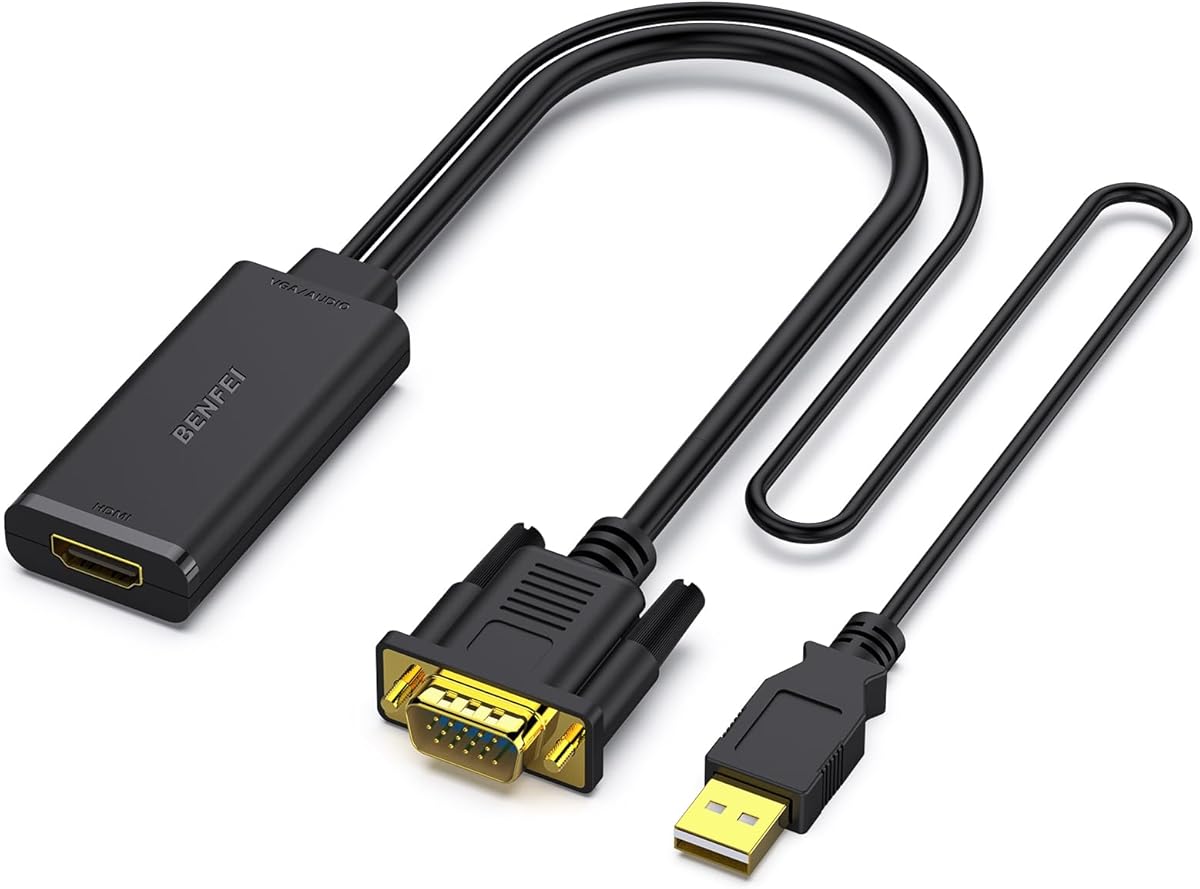
This BENFEI adapter flips the typical conversion direction by taking VGA analog signals from older computers and converting them to digital HDMI output for modern monitors or televisions. It is a practical tool for offices or homes with legacy hardware that still need to connect to contemporary display equipment.
We may earn a commission when you buy through this link, at no additional cost to you.
An integrated USB cable allows digital audio transmission alongside video, which solves a common pain point when using VGA sources. The built-in IC chip ensures stable conversion without requiring additional drivers, making setup straightforward for Windows users who configure audio through system sound settings.
Compatibility spans most computers and laptops with VGA outputs and HDMI input monitors, but it does not work for HDMI-to-VGA setups. The 18-month warranty and responsive customer service provide added reliability for users investing in this specialized reverse-direction connectivity solution.
Ideal for users upgrading displays without replacing old workstations, this adapter extends the life of existing equipment. It offers a cost-effective way to maintain productivity or entertainment capabilities while transitioning to newer hardware infrastructure.
Designed specifically for older computers, this adapter enables connection to modern HDTVs or monitors, bridging the gap between legacy and current display technologies seamlessly.
The USB audio feature allows simultaneous sound transmission, ensuring you do not lose audio when connecting legacy systems to HDMI displays that require digital audio input.
We may earn a commission when you buy through this link, at no additional cost to you.
The Moread HDMI to VGA adapter delivers solid performance at an entry-level price point, making it accessible for anyone needing to connect modern HDMI devices to older VGA displays. Its consistent high ratings reflect reliable functionality for both everyday and professional applications.
We may earn a commission when you buy through this link, at no additional cost to you.
A standout feature is the exclusive unconditional five-year warranty, which far exceeds the industry standard and demonstrates strong manufacturer confidence. The adapter supports Full HD 1080p resolution and uses gold-plated connectors to resist wear, while the molded strain relief enhances cable durability over repeated use.
Like many budget options, it does not include audio output, so you may need separate speakers if your VGA display lacks built-in sound. However, for video-centric tasks like presentations or movie watching, this limitation is minor and the cost savings are substantial.
Best suited for students, home users, or businesses managing multiple setups, this adapter combines affordability with long-term reliability. It is a practical choice when you need a no-fuss connection solution without compromising on core video quality or compatibility.
The five-year unconditional warranty provides exceptional peace of mind, ensuring you are covered against defects or failures long after purchase compared to typical competitors.
Supporting resolutions up to 1080p at 60Hz, this adapter ensures crisp video output suitable for monitors, projectors, and HDTVs without noticeable quality degradation.
We may earn a commission when you buy through this link, at no additional cost to you.
StarTech is known for professional-grade connectivity solutions, and this active adapter meets that reputation with robust performance and broad compatibility. It handles HDMI to VGA conversion smoothly for laptops, desktops, and Chromebooks across Windows, macOS, Linux, and ChromeOS platforms without requiring any extra software.
We may earn a commission when you buy through this link, at no additional cost to you.
Unlike many passive adapters, this model supports up to 1920×1200 resolution and utilizes the system's GPU for minimal CPU usage. The design also includes support for VGA screw-locking cables, which prevents accidental disconnection during important presentations or critical use cases where stability matters.
The lack of external power requirements keeps setup clean and portable, while the compact form factor makes it easy to store in carrying cases. Users may find the price higher than generic alternatives, but the build quality and universal OS support justify the investment for professional environments.
This adapter is perfect for IT professionals, educators, and business travelers who need guaranteed compatibility and reliability. It ensures seamless connectivity across diverse hardware ecosystems while delivering crisp high-definition output for any VGA-enabled display or projector.
Compatible with virtually any modern OS, this adapter removes guesswork for IT admins and users mixing Windows, Mac, Linux, or ChromeOS devices in their setup.
Support for VGA screw-locking cables ensures your connection stays secure during motion or transport, preventing disruptions that can occur with standard non-locked connectors.
We may earn a commission when you buy through this link, at no additional cost to you.
This BENFEI cable integrates the active HDMI to VGA converter into a six-foot connector, providing extra reach for placing your device farther from the display. It is a practical solution for conference rooms, classrooms, or home theater setups where the source laptop or PC cannot be right next to the screen.
We may earn a commission when you buy through this link, at no additional cost to you.
The cable supports Full HD 1080p resolution at 60Hz and uses gold-plated connectors to resist corrosion and ensure stable signal transmission over its length. Its uni-directional design ensures HDMI-to-VGA conversion, and it requires no drivers or software for immediate plug-and-play functionality on most systems.
While it does not carry audio, the extended length and built-in converter simplify setup by combining two components into one cable. The molded strain relief adds durability to the cable, protecting it from damage during regular bending or movement in dynamic environments.
Ideal for scenarios where distance matters, this cable bridges the gap between short adapter plugs and longer display needs. It offers a cost-effective way to maintain video quality and connection stability without needing separate extenders or complex cabling arrangements.
The six-foot design gives you flexibility to position your computer or console away from the monitor, reducing cable clutter and improving ergonomic setup options.
By embedding the active chip into the cable, this product eliminates the need for a separate adapter, streamlining connections while maintaining reliable signal conversion performance.
We may earn a commission when you buy through this link, at no additional cost to you.
This BENFEI adapter addresses a common limitation by including a dedicated 3.5mm audio jack, allowing you to connect external speakers alongside the video display. It is specifically designed for TV sticks and low-power HDMI devices, making it versatile for streaming setups and portable presentations.
We may earn a commission when you buy through this link, at no additional cost to you.
The Micro USB port provides optional power input, ensuring stable performance when connecting to devices that may not supply enough power through HDMI alone. This feature expands compatibility beyond standard laptops to include streaming sticks, Raspberry Pi, and other compact sources that benefit from supplemental power.
Video performance supports up to 1080p Full HD, and the gold-plated HDMI connector improves signal transmission resistance to corrosion and abrasion. The uni-directional design ensures HDMI-to-VGA conversion while delivering both video and audio signals to compatible legacy displays.
Best for users who need both video and sound from HDMI sources on VGA monitors, this adapter solves the audio gap found in basic models. It is a practical choice for streaming, gaming, or multimedia use where simultaneous audio playback is essential for full experience.
With an independent 3.5mm audio output, you can connect external speakers for simultaneous audio and video, creating a complete multimedia experience on older displays.
The Micro USB power port ensures stable operation with low-power HDMI sources like TV sticks or Raspberry Pi, preventing connection drops due to insufficient power.
We may earn a commission when you buy through this link, at no additional cost to you.
The UGREEN active adapter converts HDMI signals to VGA with support for video up to 1080p and an additional 3.5mm audio output for speakers or headphones. It is a reliable choice for connecting new laptops and Chromebooks to legacy displays while maintaining audio capabilities.
We may earn a commission when you buy through this link, at no additional cost to you.
An included micro USB cable offers optional power input, improving compatibility with devices like Apple TV or Raspberry Pi that may require supplemental power for stable operation. The active chipset ensures smooth digital to analog conversion without needing any drivers or additional software installation.
While the audio output requires a separate audio cable to connect speakers, this setup provides flexibility for sound routing without relying on VGA monitor speakers. The adapter works with most HDMI devices and delivers crisp video quality for business presentations or home entertainment setups.
This adapter is ideal for users who need both reliable video and audio output from HDMI sources on older displays. It balances portability, feature set, and performance, making it suitable for travel or office use where complete multimedia support is required.
The included micro USB power cable improves compatibility with low-power devices, ensuring consistent performance across various sources without connection instability.
A 3.5mm line-out jack allows you to route audio to external speakers or headphones, ensuring sound accompanies video even when the display lacks built-in audio.
We may earn a commission when you buy through this link, at no additional cost to you.
This JideTech converter is designed for stable performance with an external 5V DC power input, making it suitable for longer transmission distances and demanding environments. It converts HDMI signals to VGA with dedicated audio output, supporting Full HD 1080p for crisp video on legacy monitors and projectors.
We may earn a commission when you buy through this link, at no additional cost to you.
The built-in active chipset ensures reliable signal conversion, while the 3.5mm audio port lets you connect external speakers for synchronized sound. This setup is ideal for conference rooms, educational systems, and commercial AV installations where consistent performance and audio capabilities are critical.
While the external power requirement adds a step to setup, it enhances compatibility with a wide range of HDMI source devices and ensures stable operation over time. The one-way HDMI-to-VGA function prevents confusion, ensuring users install it correctly for intended display connections.
Best for professional or industrial use, this adapter delivers dependable performance where passive models may struggle. It offers a robust solution for organizations needing reliable video and audio output from modern HDMI sources to legacy VGA displays in critical applications.
Powered by an external 5V supply, the active chipset ensures consistent signal quality and compatibility, especially over longer cable runs or with diverse HDMI devices.
A dedicated 3.5mm audio output separates sound from video, enabling connection to amplifiers or headphones for a complete viewing experience on older VGA displays.
We may earn a commission when you buy through this link, at no additional cost to you.
This StarTech adapter combines portability with integrated audio support, making it suitable for travelers who need both video and sound from HDMI sources on VGA displays. It supports resolutions up to 1080p and 1200p, delivering crisp picture quality for presentations or media viewing.
We may earn a commission when you buy through this link, at no additional cost to you.
The integrated audio port allows you to connect speakers for optimal sound quality, solving a common limitation of many HDMI to VGA converters. Setup is plug-and-play without any installation software, ensuring you can start using it immediately on Apple TVs, projectors, or other HDMI sources.
While priced higher than basic options, the build quality and included audio features provide added value for professional or frequent travel use. Its compact design fits easily in laptop cases, making it a reliable companion for business presentations or remote work setups.
Ideal for users who prioritize convenience and audio capability, this adapter balances portability with functionality. It is a solid choice for anyone needing a trustworthy HDMI to VGA solution that delivers both video and sound without extra accessories or complex configuration.
The built-in audio port enables connection to external speakers, ensuring complete multimedia support without relying on VGA monitor speakers that may lack quality.
Designed to be compact and lightweight, this adapter fits perfectly in laptop carrying cases for effortless transport to meetings, classrooms, or client sites.
We may earn a commission when you buy through this link, at no additional cost to you.
Dell offers this straightforward HDMI to VGA adapter as a reliable connectivity solution for its own systems and other HDMI sources. It provides basic conversion functionality with a compact dongle design that fits easily in carrying cases for portable use across different work environments.
We may earn a commission when you buy through this link, at no additional cost to you.
As an official brand adapter, it ensures compatibility with Dell laptops and workstations, reducing potential connection issues users might experience with generic models. The plug-and-play setup requires no additional drivers, allowing immediate use for presentations or extending displays to VGA-enabled monitors.
While it lacks audio output and advanced features, its simplicity and brand assurance make it suitable for users who prioritize reliable video transmission over extra capabilities. The compact design ensures it does not add bulk to your tech gear during daily commuting or travel.
Best for Dell ecosystem users or those seeking brand-matched accessories, this adapter delivers dependable HDMI to VGA conversion. It is a practical choice for professionals who need a trusted solution for connecting modern devices to legacy displays without compatibility concerns.
Designed by Dell, this adapter ensures seamless integration with Dell hardware, reducing potential connection issues and enhancing reliability for business users.
The small, lightweight dongle design makes it easy to carry and store without adding bulk to your tech bag, ideal for frequent travelers and mobile workers.
We may earn a commission when you buy through this link, at no additional cost to you.
Selecting the right adapter requires understanding your specific device, display, and connectivity needs to ensure reliable video and audio performance.
HDMI to VGA adapters are unidirectional, meaning they convert digital HDMI signals to analog VGA only. Ensure you are connecting an HDMI source to a VGA display, not the reverse, as bi-directional converters are rare and require different hardware.
Check whether you need HDMI-to-VGA or VGA-to-HDMI conversion before purchasing, as using the wrong direction will not work at all and may result in no signal output.
Most modern adapters support up to 1920x1080p at 60Hz, which is Full HD quality suitable for monitors, projectors, and TVs. Higher-end models may support 1920×1200 resolution for professional displays with wider aspect ratios.
Verify that the adapter's resolution rating matches or exceeds your display's native resolution to avoid scaling issues, blurry images, or unsupported resolution errors during use.
Many basic HDMI to VGA adapters do not include audio output, as VGA does not carry sound. If you need sound, choose a model with a 3.5mm audio jack or USB audio support to connect external speakers.
Ensure your VGA display lacks built-in audio before assuming you do not need an audio solution, otherwise your videos or presentations will play without sound unexpectedly.
Some adapters require supplemental power via USB or DC input, especially for devices with low-power HDMI ports like streaming sticks or Raspberry Pi. Others draw sufficient power directly from the HDMI source.
Check product specifications to confirm if external power is optional or required, and ensure you have the necessary cable or adapter available to avoid connection instability.
Gold-plated HDMI connectors resist corrosion and oxidation, maintaining stable signal transmission over time. Look for adapters with molded strain relief to prevent cable fatigue and internal damage from frequent bending.
Durability matters for travel or frequent use, as flimsy connectors can loosen or fail, leading to intermittent video or complete connection loss during critical presentations.
Confirm the adapter works with your specific source device, as some older consoles or Macs with low-power HDMI ports may need active adapters with external power. Also verify compatibility with your operating system for plug-and-play functionality.
Most adapters support Windows, macOS, Linux, and ChromeOS without drivers, but checking compatibility lists prevents issues with niche or older hardware setups you may already own.
Warranties vary from 18 months to five years, offering protection against defects or failures. Longer warranties indicate manufacturer confidence and provide peace of mind for long-term use.
Prioritize brands with responsive customer service and clear warranty terms, as you may need assistance troubleshooting connection issues or replacing a faulty adapter.
Basic adapters are affordable and sufficient for simple video-only needs, while models with audio, power support, or higher resolution cost more. Determine your requirements to avoid overpaying for features you do not need.
Balancing budget with essential features ensures you get reliable performance without unnecessary extras, making your purchase cost-effective for both home and professional scenarios.
Connect the adapter to your HDMI source first, then plug the VGA cable into the adapter and your display. If your adapter includes a USB or DC power input, connect it to a power source before turning on your devices to ensure stable signal output.
Power on your source device and display, allowing the system to detect the new video connection automatically. If the display shows no signal, try swapping the cable or checking that your adapter is not plugged into a low-power HDMI port that requires external power.
Store the adapter in a protective case or pouch to prevent bending or connector damage when traveling. Clean gold-plated connectors occasionally with a dry cloth to remove dust or oxidation, and avoid exposing the adapter to moisture or extreme temperatures.
It depends on your console model and HDMI port power. Most newer consoles work, but low-power HDMI ports may require an adapter with external USB power. Check compatibility lists to ensure your specific console model is supported before purchasing.
VGA cables transmit video only and do not carry audio. If your adapter lacks a 3.5mm audio jack or USB audio feature, you must connect speakers to your laptop or use a different adapter that supports audio output.
Yes, most adapters are compatible with macOS without drivers, but some older Macs or devices with low-power HDMI ports may need an active adapter with external power to ensure stable signal transmission.
Most support up to 1920x1080p at 60Hz Full HD, and some high-end models support 1920×1200. Verify your display's native resolution and confirm the adapter supports it to avoid scaling issues or picture quality problems.
No, these adapters are plug-and-play and work without additional software on Windows, macOS, Linux, and ChromeOS. Simply connect the adapter and cable, and your system should recognize the display automatically.
HDMI to VGA adapters are unidirectional and only convert HDMI signals to VGA. You cannot use them to connect a VGA source to an HDMI display, so ensure your signal flow matches the adapter's direction.
Use a VGA extension cable between the adapter and display, or choose a cable model with built-in active conversion for up to six feet. Avoid exceeding recommended lengths to maintain signal quality and stability.
Check that the adapter is not plugged into a low-power HDMI port and consider using an adapter with external power. Ensure cables are fully seated and inspect for physical damage or loose connectors that may cause intermittent signal loss.
The top picks offer reliable solutions for connecting HDMI sources to VGA displays, balancing performance, audio support, and build quality for various use cases and budgets.
Prioritize adapters with compatible resolution support, audio outputs if needed, and external power options to match your specific devices and ensure stable, long-term performance.
Prices and availability may change, so verify current product details and customer reviews before purchasing to confirm it meets your requirements for connectivity and value.