
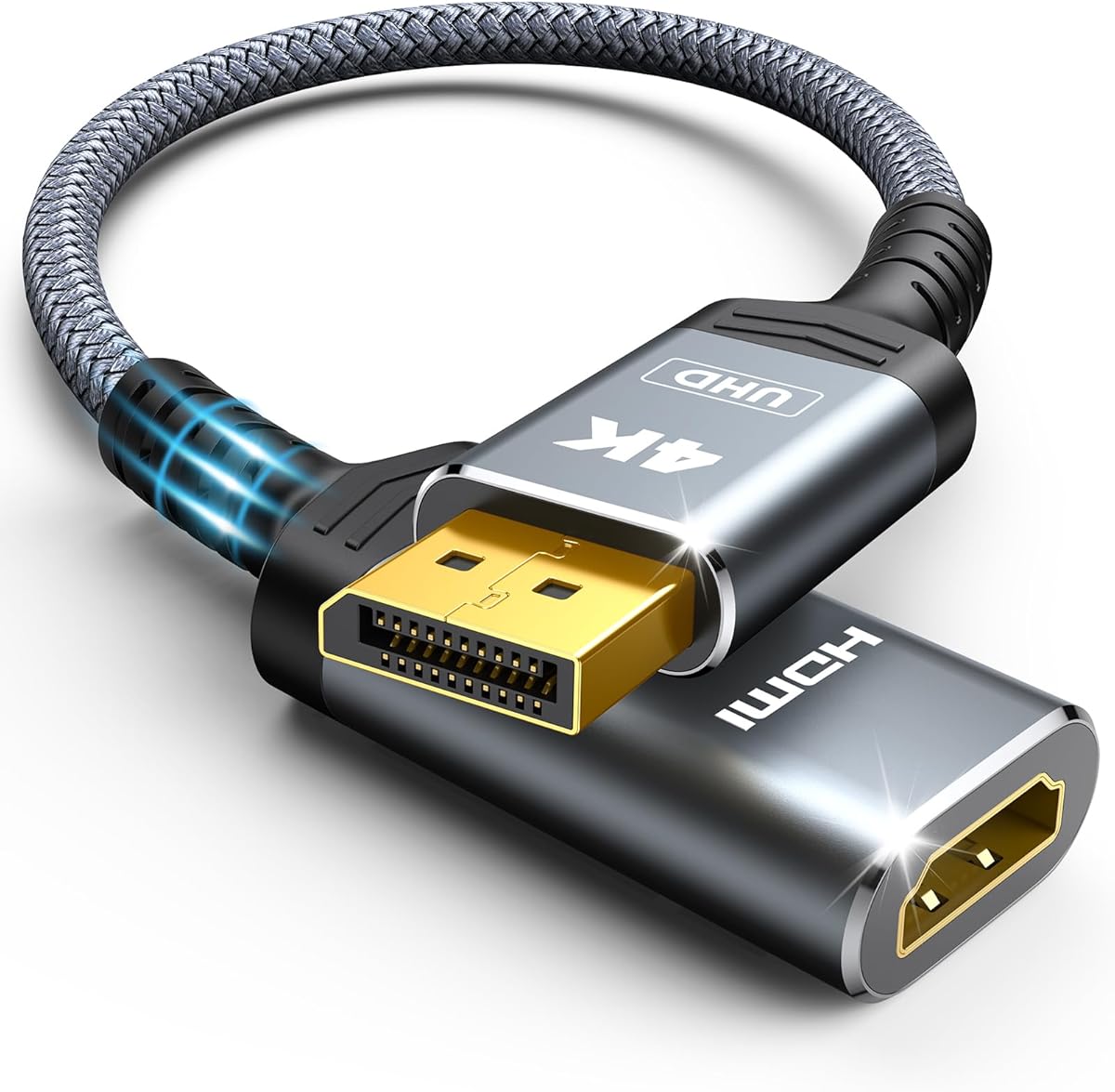
Moread 4K DisplayPort to HDMI Adapter
4.6Editor score
Compact and lightweight design
Passive DP to HDMI signal
Durable gold-plated connectors
This guide compares the top HDMI to Displayport converters for 2026, evaluating performance, compatibility, build quality, and value to help you choose the
Choosing the right HDMI to Displayport converter can significantly enhance your multimedia setup. Whether you are connecting a gaming console to a high-end monitor or extending your laptop display, these adapters bridge the gap between different video standards effectively.
We have evaluated a wide range of models based on resolution support, build durability, and compatibility with various devices. Our analysis ensures that you find an adapter that meets your specific needs without compromising on signal quality or ease of use.
Each pick highlights unique strengths such as passive simplicity or active power support for higher refresh rates. Please note that availability and pricing may change over time, so verify current details before making your final purchase decision today.
4.6Editor score

4.4Editor score

4.3Editor score
The following table provides a side-by-side comparison of all ten reviewed models to help you quickly identify the adapter that best fits your specific connectivity requirements and budget constraints.



The Highwings adapter stands out as an exceptional budget choice for those needing reliable DP to HDMI connectivity. It holds a strong rating from users who appreciate its straightforward functionality and robust build quality for everyday use.
We may earn a commission when you buy through this link, at no additional cost to you.
Its passive design ensures easy plug-and-play setup without requiring external power sources for most standard applications. The military-grade tensile nylon housing provides significant resistance against wear and tear during frequent transport or daily desktop usage.
While it lacks support for bidirectional signals or docking stations, these limitations are acceptable for users strictly converting DP output to HDMI input. The heat generated during high-resolution transmission is normal and does not impact long-term performance or reliability.
This adapter is ideal for students or home office workers needing to connect laptops to monitors or projectors. It delivers high definition visuals and audio without complexity making it a smart choice for basic multimedia needs.
The passive nature eliminates the need for USB power cables making setup faster and cable management cleaner for users.
Military-grade nylon and gold-plated ports ensure this adapter withstands frequent plugging and bending over extended periods of use.
We may earn a commission when you buy through this link, at no additional cost to you.
The BENFEI adapter is known for its compact design making it perfect for presentations or travel scenarios where portability is key. Users consistently praise its ability to maintain stable connections even in dynamic environments like conference rooms or classrooms.
We may earn a commission when you buy through this link, at no additional cost to you.
Its built-in advanced IC chip converts signals efficiently ensuring that you get smooth video output up to 4K resolution. The locking latches on the DisplayPort connector provide a secure fit that prevents signal loss due to accidental bumps or tugs.
Although it is limited to uni-directional conversion the adapter performs reliably for standard office and home entertainment setups. The 18-month warranty offers peace of mind knowing that the manufacturer stands behind the quality of this compact device.
This model is excellent for professionals who need a dependable adapter to connect laptops to projectors on the go. Its combination of performance and portability makes it a top contender for business users and students alike.
Its lightweight form factor allows users to tuck it into bags or pockets effortlessly without adding bulk to their tech gear.
Latches on the DisplayPort connector ensure the adapter stays firmly in place reducing the risk of intermittent signal drops.
We may earn a commission when you buy through this link, at no additional cost to you.
This Cable Matters adapter is our editor's choice because it solves the challenging task of converting HDMI output to DisplayPort input. Unlike passive adapters this active model includes necessary components to handle signal conversion effectively for various display needs.
We may earn a commission when you buy through this link, at no additional cost to you.
It supports up to 4K resolution at 30Hz which is sufficient for most office work and media consumption scenarios. The included USB power cable ensures stable performance even when connecting to lower-power HDMI sources that might struggle without extra power.
While it may not be the best choice for high-refresh-rate gaming due to bandwidth limitations it excels in professional environments. Its sturdy housing and gold-plated connectors reflect a build quality designed for daily use in workstations and home offices.
We recommend this adapter for users needing to connect HDMI laptops to DP monitors or extend their workspace effectively. It bridges a critical gap in compatibility making it an invaluable tool for modern multi-monitor setups and presentations.
Active technology allows signals to flow from HDMI sources to DP displays which passive adapters cannot achieve due to hardware constraints.
The USB power input ensures that the adapter has enough energy to process signals reliably without flickering or disconnecting.
We may earn a commission when you buy through this link, at no additional cost to you.
This Answin adapter delivers impressive performance by supporting 4K at 60Hz and high refresh rates like 144Hz at 2K resolution. Gamers and power users will appreciate its ability to handle dynamic content smoothly without the lag often seen in lower-end converters.
We may earn a commission when you buy through this link, at no additional cost to you.
It features an active design that connects HDMI sources like Xbox or PlayStation to DisplayPort monitors. The included USB power cable ensures stable signal transmission which is crucial for maintaining consistent refresh rates during intense gaming sessions or streaming.
While it is not compatible with VR headsets or docking hubs its broad device compatibility covers most gaming and PC scenarios. The plug-and-play nature means no drivers are needed allowing you to start using it immediately upon connecting all cables.
This adapter is highly recommended for gamers who need to connect consoles to high-end monitors with DisplayPort inputs. Its support for high refresh rates and 4K resolution makes it a versatile tool for enhancing visual clarity and responsiveness in gameplay.
High refresh rate support ensures smoother motion and reduced input lag which is critical for competitive and immersive gaming experiences.
It works seamlessly with popular consoles like Xbox and PlayStation allowing users to utilize DisplayPort monitors for better display options.
We may earn a commission when you buy through this link, at no additional cost to you.
Moread offers a robust solution with its 4K DisplayPort to HDMI adapter featuring a durable reinforced ABS housing. This adapter is designed for longevity ensuring that it withstands the rigors of daily travel and frequent plugging without failing.
We may earn a commission when you buy through this link, at no additional cost to you.
It supports high-quality audio output including uncompressed digital 7.1 and 5.1 surround sound channels. This makes it suitable for home theater setups where audio fidelity is as important as visual clarity for an immersive entertainment experience.
The five-year warranty provided by Moread is among the best in the industry offering significant confidence in the product's reliability. This long-term coverage reflects the manufacturer's commitment to quality and customer satisfaction across their product line.
This adapter is ideal for users who need a reliable passive converter for laptop to monitor connections. Its combination of build quality audio support and extensive warranty makes it a safe and smart choice for general multimedia use.
Support for multi-channel surround sound enhances the viewing experience making this adapter suitable for home entertainment and streaming setups.
The five-year warranty provides long-term protection against defects giving users peace of mind regarding their investment in this adapter.
We may earn a commission when you buy through this link, at no additional cost to you.
This adapter delivers a high-speed connection capable of handling 4K video at 60Hz for smooth motion and clear details. The slim aluminum housing helps with heat dissipation ensuring that the device remains cool during extended usage sessions.
We may earn a commission when you buy through this link, at no additional cost to you.
It features multi-layer copper shielding which minimizes signal loss and provides smooth sound without interference. This engineering detail is crucial for maintaining high-quality audio and video transmission especially in environments with significant electromagnetic interference.
While it does not support 1440P at 144Hz it covers most standard high-resolution needs for work and entertainment. The plug and play design means you can connect devices instantly without needing any software installation or driver updates.
This adapter is best suited for users needing a compact solution for HDMI to DP conversion with high refresh rate support. Its durable build and shielding make it a reliable choice for connecting PCs or consoles to DisplayPort displays regularly.
Multi-layer copper shielding effectively blocks interference ensuring that the video and audio signals remain stable and clear during use.
The aluminum housing aids in dissipating heat which helps maintain consistent performance during long periods of high-resolution video streaming.
We may earn a commission when you buy through this link, at no additional cost to you.
UGREEN offers a practical value pack with two adapters allowing you to equip multiple devices or have a spare ready. This is an excellent option for households or offices with multiple workstations needing DP to HDMI connectivity without buying separate units.
We may earn a commission when you buy through this link, at no additional cost to you.
The aluminum case is designed to improve heat dissipation which helps protect the internal components during use. The no-buckle design prevents damage to the adapter itself and ensures it does not block adjacent ports on your device when plugged in.
Supporting up to 4K at 30Hz and high-quality audio channels it meets standard multimedia needs effectively. While it is limited to uni-directional conversion it covers the most common scenario of connecting computers to monitors or projectors.
This pack is ideal for users managing multiple displays or those needing backup adapters for travel. The durable build and cost-effective pricing make it a sensible choice for expanding your connectivity options across several devices easily.
Having two adapters allows you to connect different computers to HDMI displays simultaneously or keep one as a reliable backup option.
The slim design ensures the adapter does not block other ports allowing for easier access to USB or power ports on your devices.
We may earn a commission when you buy through this link, at no additional cost to you.
This UGREEN model features a braided sheath cable that offers superior flexibility and durability compared to standard plastic designs. Users appreciate the added durability that helps prevent tangling and damage during storage or travel in various environments.
We may earn a commission when you buy through this link, at no additional cost to you.
Both ends of the cable feature strain relief to protect the connection points from breaking due to repeated bending. This design detail ensures long-term reliability and consistent signal transmission even with frequent plugging and unplugging in dynamic setups.
The 0.66-foot length is compact making it ideal for close-range connections where excess cable would be cluttered. It supports 4K at 30Hz which is sufficient for most productivity and entertainment needs requiring high-definition visual output.
This adapter is perfect for users seeking a durable and compact solution for DP to HDMI conversions. Its high rating reflects user satisfaction with its build quality and performance making it a trustworthy choice for everyday connectivity.
The braided sheath provides extra protection against fraying and bending damage ensuring the cable remains intact over long periods.
Strain relief at both ends prevents the internal wires from breaking due to stress at the connection points.
We may earn a commission when you buy through this link, at no additional cost to you.
BENFEI provides a powerful solution for converting HDMI sources to DisplayPort monitors with support for high refresh rates. Its compatibility with consoles like PS5 and Xbox makes it a valuable tool for gamers connecting to specific monitor setups.
We may earn a commission when you buy through this link, at no additional cost to you.
This adapter supports 8-channel digital audio with high sampling rates delivering rich sound that complements the visual experience. This audio capability is often overlooked but is critical for home theater setups where immersive sound is a priority.
The braided nylon cable adds a layer of durability while the aluminum casing helps insulate heat during operation. This combination ensures that the device remains stable even during long gaming sessions or video playback periods.
It is recommended for users needing active conversion with high video and audio fidelity requirements. While it requires a power connection the enhanced performance and audio support justify the slight complexity for demanding multimedia use cases.
Support for 8-channel digital audio ensures rich and immersive sound delivery suitable for home theaters and gaming setups.
The aluminum alloy casing effectively manages heat allowing the adapter to maintain stable performance during prolonged usage.
We may earn a commission when you buy through this link, at no additional cost to you.
This BENFEI model combines compact design with active conversion capabilities for HDMI sources needing to connect to DP displays. It is ideal for business travelers who need a reliable tool for presentations without sacrificing video quality or connectivity options.
We may earn a commission when you buy through this link, at no additional cost to you.
The active IC chip ensures that signals are converted accurately allowing for smooth video transmission up to 4K resolution. This technology is essential for maintaining image integrity when converting between different video signal types effectively.
It is compatible with a wide range of devices including laptops and gaming consoles making it versatile for multiple use cases. The compact design ensures it fits easily into laptop bags or pockets for effortless transport between different locations.
We recommend this adapter for professionals needing high-quality portable solutions for HDMI to DP connectivity. Its balance of performance and size makes it a strong candidate for users who value both functionality and portability in their tech gear.
Active chip technology ensures accurate signal conversion allowing for high-quality video output even with complex display requirements.
Its compact and lightweight design makes it ideal for professionals who need to carry adapters regularly for meetings and presentations.
We may earn a commission when you buy through this link, at no additional cost to you.
Selecting the right adapter involves considering several technical factors to ensure compatibility and performance for your specific setup requirements.
Determine whether you need to convert HDMI to DisplayPort or vice versa as most adapters are uni-directional. HDMI to DP requires an active adapter with external power while DP to HDMI often works passively without extra cables.
Check the source and display ports carefully to confirm the direction of conversion required for your setup.
Verify the maximum resolution and refresh rate supported by the adapter to match your monitor capabilities. Ensure the converter supports 4K at 60Hz if you need smooth video playback and gaming performance.
Higher refresh rates often require active conversion which may need USB power for stable signal transmission.
Passive adapters do not need external power making them easier to use but limited to DP to HDMI conversion. Active adapters require a USB power source to convert signals properly which ensures stable performance for HDMI to DP setups.
Always check if the package includes a USB power cable before purchasing an active converter for your needs.
Look for adapters made with durable materials like aluminum or braided nylon to withstand daily use and travel. Gold-plated connectors help prevent corrosion and ensure reliable electrical contact over time.
Investing in a well-constructed adapter reduces the risk of connection issues and extends the product lifespan significantly.
Ensure the adapter is compatible with your specific devices such as gaming consoles laptops or graphics cards. Some adapters do not work with certain low-power HDMI sources or docking stations requiring careful verification before purchase.
Review the product specifications to confirm it supports your hardware model and operating system for seamless integration.
Many adapters support audio pass-through but check if it handles surround sound formats like 5.1 or 7.1 channels. This is crucial for home theater setups where audio fidelity is as important as video quality.
Select an adapter that explicitly lists multi-channel audio support to avoid audio sync issues during media playback.
Check the warranty period offered by the manufacturer as longer coverage indicates confidence in product quality. Reliable customer support can help resolve connection issues or provide replacement units if defects occur.
Prioritize brands that offer substantial warranty periods and accessible support channels for peace of mind.
If you travel frequently choose a compact adapter that fits easily into a bag or pocket without adding bulk. Lightweight designs reduce the risk of damaging your laptop ports or carrying heavy accessories.
Consider the overall size and weight of the adapter to ensure it suits your mobility needs effectively.
Begin by identifying the source and display ports on your devices to confirm the direction of conversion needed. If connecting an HDMI source to a DisplayPort monitor ensure the adapter supports active conversion and has power available.
Plug the adapter into the source port securely and attach the HDMI or DisplayPort cable to the corresponding ends. If an active adapter is used connect the USB power cable to a USB port or power bank for stable operation.
After connecting all cables adjust your display settings to mirror or extend the screen and install any required drivers. To care for the adapter store it in a dry place and avoid bending the cable excessively to prevent internal wire damage.
Active HDMI to Displayport adapters generally work with consoles like PlayStation and Xbox as they support HDMI outputs. However some models may require USB power for stable high-resolution performance so verify compatibility before buying.
Passive adapters do not need external power and are simpler but usually only work from DisplayPort to HDMI. Active adapters require USB power and can convert HDMI to DisplayPort making them versatile for more complex setups.
The limitation might be due to the adapter supporting only 4K at 30Hz or the source device not outputting higher rates. Ensure both the adapter and your monitor support 4K at 60Hz before troubleshooting signal issues.
Most adapters are not designed to work with VR headsets due to specific bandwidth and signal requirements. Always check the product description to confirm VR compatibility before purchasing for immersive applications.
Most modern adapters support plug-and-play functionality so drivers are rarely required. If you encounter issues check your operating system settings to ensure the display is recognized correctly.
Flickering often results from insufficient power to an active adapter or loose connections. Ensure the USB power cable is connected and all cables are firmly seated in their respective ports.
Mac laptops with Thunderbolt 3 or 4 ports can work with DisplayPort adapters but compatibility depends on the specific model. Check that your Mac supports DisplayPort Alternate Mode for successful conversion.
Choose a 4K adapter if your monitor supports high resolution for sharper visuals and future-proofing. If you only use 1080p displays a cheaper 1080p adapter may suffice but ensure it supports your refresh rate needs.
We have reviewed ten top options ranging from affordable passive adapters to powerful active models supporting high refresh rates. The Cable Matters and BENFEI models stand out for their active conversion capabilities and support for high resolutions respectively.
When selecting an adapter prioritize directional compatibility and power needs to ensure your setup functions smoothly. Consider your specific use case such as gaming or presentations to determine if passive or active technology suits you better.
Prices and availability change so check current listings before finalizing your purchase to get the best value. We hope this guide helps you find the perfect converter to enhance your display connectivity experience today.