
Highwings 8K HDMI 2.1 Cable
4.7Editor score
Backward compatible with HDMI 1.4
Reinforced anti-bending design
Supports 4K at 120Hz
This guide compares the top HDMI leads for 4K TV to help you choose the right high-speed cable for gaming and streaming needs.
Choosing the right HDMI lead for your 4K TV is essential for unlocking crisp visuals and immersive sound. Modern cables must support high bandwidths like 48Gbps to handle 4K at 120Hz or 8K content without signal loss or flickering.
We evaluated ten leading HDMI cables based on certification, build quality, and performance features. Our analysis covers key specs like VRR, eARC, and dynamic HDR support to ensure compatibility with next-gen consoles and smart TVs.
Each pick highlights specific strengths for gaming, home theater, or budget-conscious setups. While prices fluctuate, these models offer reliable performance. Always check current listings for the best deals on certified high-speed HDMI leads today.
4.7Editor score

4.8Editor score
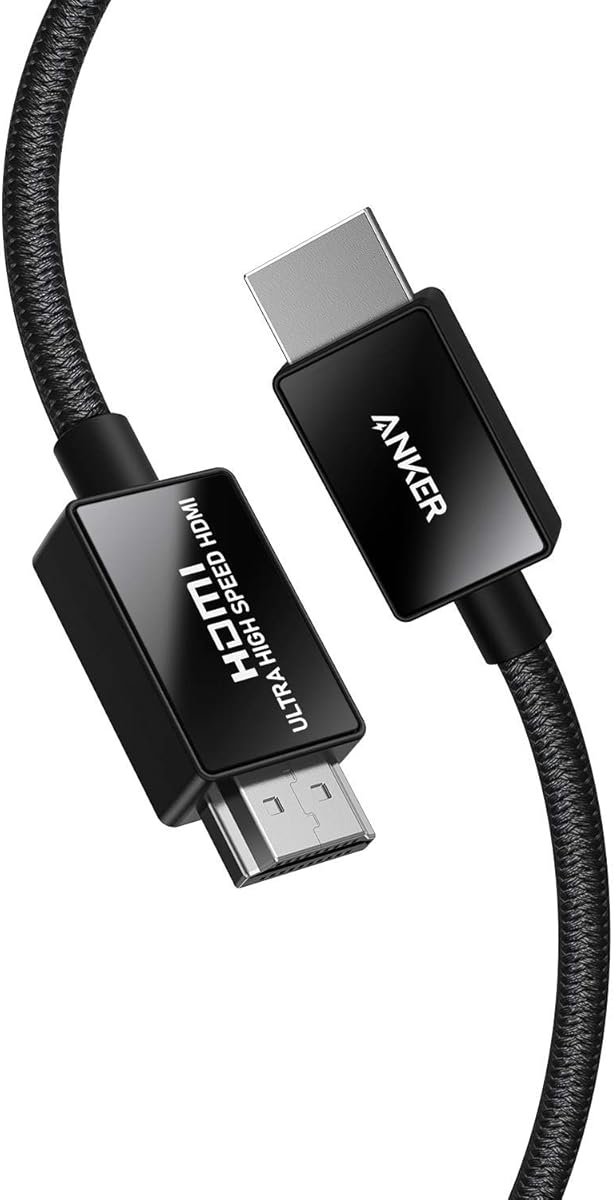
4.8Editor score
This side-by-side comparison helps you quickly identify which HDMI lead matches your specific display and console requirements.
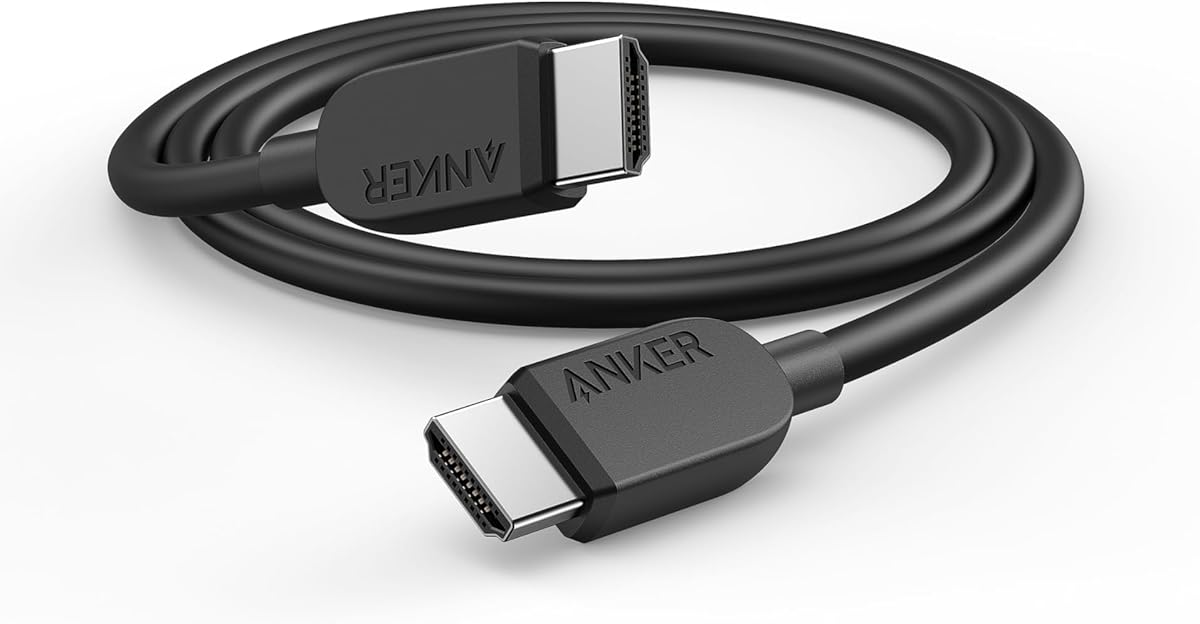






This UGREEN cable stands out with its official HDMI 2.1 certification and 48Gbps bandwidth, ensuring crisp 8K visuals without compromise. It ranks highest for reliability and feature completeness.
We may earn a commission when you buy through this link, at no additional cost to you.
Its aluminum alloy case and nickel-plated connectors resist wear while supporting eARC for full-resolution audio like Dolby Atmos. The nylon jacket withstands frequent bending without signal loss.
Some users may find the length slightly fixed for large setups, but the flexible design aids routing. The price reflects premium components that justify the investment for serious home theaters.
Buy this if you demand certified 8K performance for your PS5, Xbox, or premium TV. It delivers the smoothest experience for gaming and streaming combined.
Official certification guarantees compatibility with 8K@60Hz and 4K@240Hz standards for flawless visual output.
Robust materials ensure long-term reliability even with daily plugging and unplugging in active gaming setups.
We may earn a commission when you buy through this link, at no additional cost to you.
The Highwings cable offers exceptional value with full 48Gbps Ultra High Speed certification. It is ideal for gamers wanting 4K@120Hz without paying premium brand prices.
We may earn a commission when you buy through this link, at no additional cost to you.
Its anti-bending design and military-grade tensile nylon ensure durability even with frequent handling. The cable handles dynamic HDR and variable refresh rates smoothly on supported devices.
While it lacks the aluminum shielding of more expensive models, real-world performance remains stable. Some users note minor interference near heavy electronics, though rare in typical setups.
Choose this for budget-friendly upgrades that still meet modern HDMI 2.1 requirements. It balances cost and performance effectively for most 4K TV owners.
Variable refresh rate and auto low latency modes deliver lag-free gameplay on consoles and PCs.
Military-grade tensile nylon material extends the cable lifespan even with daily use and bending.
We may earn a commission when you buy through this link, at no additional cost to you.
Anker leads with certified Ultra High Speed HDMI technology and carbon steel connectors for maximum durability. This cable ensures decades of reliable use in demanding home theater environments.
We may earn a commission when you buy through this link, at no additional cost to you.
Its shielding prevents electromagnetic interference perfectly keeping wireless networks and signals clear. The 10000 plug cycles rating means connectors won't degrade from daily swapping.
The main trade-off is cost compared to generic brands, but Anker's build quality justifies the expense. Some users prefer lighter connectors for portability though this is rare.
Invest in this if you value premium materials and long-term reliability. It remains the top choice for high-end AV setups requiring absolute signal integrity.
Carbon steel connectors resist corrosion and maintain conductivity over thousands of connection cycles.
Advanced shielding blocks radio and electromagnetic interference for uninterrupted audio and video streams.
We may earn a commission when you buy through this link, at no additional cost to you.
Silkland offers unique QR verification to prove true HDMI 2.1 certification, rare in the market. The E-Braid technology adds strength against daily wear without restricting flexibility.
We may earn a commission when you buy through this link, at no additional cost to you.
Support for 4K at 144Hz makes it ideal for PC gamers alongside PS5 and Xbox. Dynamic HDR and HDCP 2.3 ensure content protection and high-quality visuals.
Some users find the verification app a bit tedious, but it adds trust. The braided style may attract pet hair though it cleans easily.
Pick this if you want verified specs and gaming-focused performance. It suits tech-savvy users who value transparency and high refresh rates.
Supports up to 4K@144Hz for smooth gameplay on high-end PCs and consoles.
Scan the QR code to confirm HDMI 2.1 certification authenticity before using.
We may earn a commission when you buy through this link, at no additional cost to you.
Ubluker targets forward compatibility with support for 10K resolution beyond current 8K standards. QMS and QFT reduce switching time for seamless media and game transitions.
We may earn a commission when you buy through this link, at no additional cost to you.
Its official HDMI certification label confirms strict compliance with all speed and bandwidth requirements. The cable delivers deep color and HDR10+ for high dynamic range visuals.
Few displays support 10K yet, so this future-proofing might seem unnecessary. Still, the robust build and certified speed offer peace of mind.
Choose this if you plan long-term upgrades or work with professional displays. It ensures your setup won't need cable changes as tech evolves.
QMS technology eliminates blackouts when switching between different video modes instantly.
Official label confirms adherence to strict HDMI Forum requirements for reliability.
We may earn a commission when you buy through this link, at no additional cost to you.
This Amazon Basics cable is perfect for viewers who only need standard 4K at 60Hz performance. It includes an Ethernet channel to share internet across devices without extra wires.
We may earn a commission when you buy through this link, at no additional cost to you.
Its 18Gbps bandwidth handles most HDR content and audio return channels well. The basic build ensures consistent performance without complex settings.
The limitation is no support for 120Hz gaming which may frustrate console owners. However, for streaming and movies, it delivers clear images.
Buy this if you want simplicity and low cost for standard TVs. It remains a practical choice for basic entertainment setups.
Built-in Ethernet allows sharing internet connection between compatible devices directly.
Delivers reliable 4K at 60Hz suitable for most current TV content.
We may earn a commission when you buy through this link, at no additional cost to you.
Buying two Highwings cables saves time and cost if you need to connect a console and media player. Both maintain full 48Gbps Ultra High Speed performance with certified speeds.
We may earn a commission when you buy through this link, at no additional cost to you.
Each cable features the same durable nylon jacket and anti-bending tail for long use. This ensures consistency across your entertainment system.
If you only have one HDMI port to upgrade, one cable may suffice. But for multi-device setups, this bundle offers practical convenience.
Select this for families or offices needing multiple reliable connections. It provides excellent value by covering more devices without extra research.
Ideal for households connecting several consoles and streaming boxes simultaneously.
Buying two ensures lower per-unit cost and simplifies purchasing decisions.
We may earn a commission when you buy through this link, at no additional cost to you.
Acer uses a high-purity copper core with braided jacket for better flexibility and signal purity. This supports immersive Dolby Atmos audio and smooth VRR gameplay.
We may earn a commission when you buy through this link, at no additional cost to you.
Its 48Gbps bandwidth handles 8K content while the braided style resists tangles during routing. The aluminum shell protects against physical wear.
Braided cables can fray over years but this one remains sturdy. Some find the texture less smooth for tight cable channels.
Pick this for setups needing flexible routing and strong audio support. It works well with modern consoles and soundbars.
Braided jacket resists daily wear and keeps cable manageable in tight spaces.
eARC support ensures full-resolution audio formats like Atmos reach your receiver.
We may earn a commission when you buy through this link, at no additional cost to you.
This 2.2 model targets upcoming display tech with 96Gbps bandwidth for 16K at 120Hz. It ensures your hardware stays compatible with next-generation standards.
We may earn a commission when you buy through this link, at no additional cost to you.
Dynamic HDR and VRR provide immediate benefits for current 4K gaming. The built-in Ethernet reduces network clutter for connected devices.
Current devices cannot use 480Hz or 16K yet, making it premature. However, it is a solid investment for enthusiasts.
Choose this if you want to stay ahead of display upgrades. It is best for those who plan frequent hardware updates.
96Gbps bandwidth supports massive data rates needed for 16K resolutions.
Supports upcoming HDMI 2.2 features ensuring long-term utility.
We may earn a commission when you buy through this link, at no additional cost to you.
Anker supports up to 4K at 240Hz for high refresh gaming on compatible displays. It delivers quick video transfers and smooth VRR to prevent screen tearing.
We may earn a commission when you buy through this link, at no additional cost to you.
The connectors are built to handle 1000 bends without damage ensuring lasting use. The 18-month warranty adds confidence to the purchase.
You need a monitor or TV that supports 240Hz at 4K to see the full benefit. Otherwise it works well at 120Hz.
Buy this for competitive gaming on high-end monitors. It offers excellent performance for fast-paced gameplay.
Supports 4K at 240Hz for ultra-smooth gaming on compatible screens.
18-month warranty provides additional assurance for long-term usage.
We may earn a commission when you buy through this link, at no additional cost to you.
Selecting the right HDMI lead involves understanding bandwidth and certification.
Look for Certified Ultra High Speed HDMI labels which guarantee 48Gbps bandwidth. This ensures compatibility with 4K at 120Hz and 8K at 60Hz without signal issues.
Avoid uncertified cables that may claim specs but fail under real-world testing conditions.
Bandwidth determines how much data the cable can carry. A true 48Gbps cable is needed for uncompressed 8K video or 4K at 240Hz.
Standard 18Gbps cables are sufficient for 4K at 60Hz but limit future upgrades.
Check if the cable supports 4K at 120Hz or higher for smooth gaming. Features like variable refresh rate (VRR) and auto low latency mode (ALLM) enhance gameplay.
Higher refresh rates reduce motion blur and screen tearing in fast-paced games.
eARC (Enhanced Audio Return Channel) allows full-resolution audio like Dolby Atmos through a single cable. Dynamic HDR ensures better contrast and color depth.
Ensure your sound system supports eARC to utilize these advanced audio features properly.
Build quality affects lifespan. Look for braided nylon jackets, reinforced connectors, and aluminum shells to resist wear and bending.
Gold-plated or nickel-plated connectors reduce corrosion and maintain signal quality over time.
Type-A connectors fit most devices. Shielding is critical to prevent interference from Wi-Fi or power lines especially in crowded rooms.
Ferrite cores help reduce noise and ensure clean signals for audio and video.
Measure your distance accurately to avoid stretching. Longer cables may need active repeaters to maintain signal integrity at high speeds.
Choose lengths that allow easy routing without tight bends or strain on the connectors.
Compare prices based on verified specs rather than marketing terms. Reputable brands often offer warranties that protect against early failure.
Investing slightly more for certified cables prevents frequent replacements and ensures performance.
Connect one end of the HDMI lead firmly to your console or player and the other to the HDMI input on your TV. Ensure both connections click into place to secure the signal.
Avoid bending or pinching the cable behind furniture. Use cable ties or clips to route it neatly along baseboards or desks.
Unplug by holding the connector head not the cable itself. This protects the internal wires and prevents damage over time.
Six feet is the standard length that fits most living room distances. Longer cables may require active signal boosters for 4K at 120Hz performance.
Yes, HDMI 2.1 cables are fully backward compatible with older HDMI versions. They will function normally with HDMI 2.0 or 1.4 ports.
Certified cables with good build quality offer better reliability. Cheap non-certified cables can cause flicker or dropouts especially at higher speeds.
120Hz refresh rates reduce motion blur and provide smoother gameplay. 60Hz is fine for movies but 120Hz is better for fast-paced games.
Ethernet channels in HDMI cables allow internet sharing between devices. They are useful for TVs without Wi-Fi or networked home theaters.
Yes, eARC supports full-resolution audio formats like Dolby Atmos. This allows soundbars to receive high-quality audio directly from your TV.
Replace cables if you notice signal dropouts or damage to connectors. High-quality cables typically last years without needing replacement.
Yes, 8K cables are backward compatible. Your TV will downscale the content but still benefit from improved bandwidth and color accuracy.
Our top pick UGREEN offers certified performance ideal for most buyers. Anker leads in durability while Highwings provides great budget options.
Prioritize 48Gbps bandwidth and HDMI 2.1 certification for 4K at 120Hz compatibility. Check build quality to ensure long-term reliability in active homes.
Always verify current prices and listings before buying. Deals change often and these guides help you choose the right cable for your needs.