
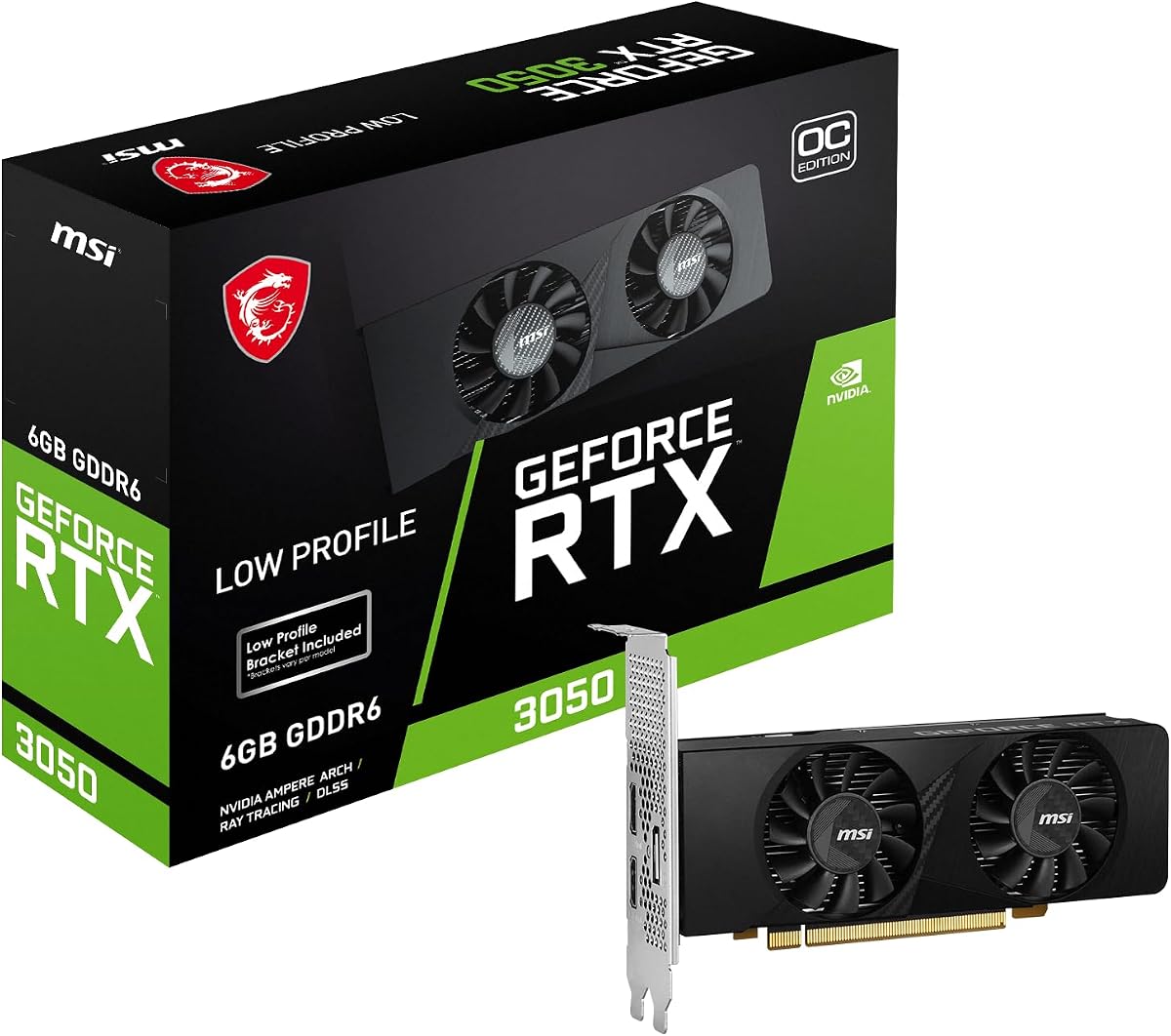
msi Gaming RTX 3050 LP 6G OC
4.5Editor score
Low profile design saves space
Dual fans for quiet cooling
HDMI 2.1a outputs
Discover the top GPU for Small Form Factor Sff PC builds. We compare ten reliable graphics cards designed for compact cases, efficiency, and powerful performanc
Finding a powerful GPU for Small Form Factor Sff PC builds can be challenging. Compact cases demand low-profile or slim designs without sacrificing performance. This guide explores the best options available.
We compared ten top-rated graphics cards based on dimensions, cooling, and compatibility. Our analysis covers gaming, professional work, and general use cases. Each pick balances size constraints with raw power needs.
Every selection includes key specs and real-world benefits. Note that availability and costs fluctuate frequently. Always verify dimensions against your chassis before purchasing to ensure a perfect fit.
4.5Editor score

4.7Editor score

4.8Editor score
The following table provides a side-by-side comparison of all ten graphics cards. Review core specifications like memory, interface, and form factor to find the right fit for your system.




This card stands out as a top choice for high-end small builds. It features the Blackwell architecture and DLSS 4 for advanced performance. Users appreciate its SFF-Ready design which fits compact cases well.
We may earn a commission when you buy through this link, at no additional cost to you.
The Axial-tech fans facilitate longer blades and better air pressure. A phase-change thermal pad ensures optimal heat transfer. This keeps temperatures low during demanding tasks like gaming or rendering.
While powerful, the 2.5-slot design needs case clearance. It requires a robust power supply. However, the performance gain justifies the extra space and power needs for most users.
Enthusiasts seeking maximum power in small builds will love this. It balances size and performance better than competitors. We recommend verifying case dimensions before purchase.
The axial-tech fan design with barrier rings increases downward air pressure for better thermal management.
With PCIe 5.0 support, this card is ready for the latest bandwidth requirements in future systems.
We may earn a commission when you buy through this link, at no additional cost to you.
This GIGABYTE model excels in SFF environments. It uses the Blackwell architecture and DLSS 4. The WINDFORCE cooling system maintains performance in tight spaces effectively.
We may earn a commission when you buy through this link, at no additional cost to you.
The 12GB GDDR7 memory interface provides 192-bit bandwidth. PCIe 5.0 connectivity ensures fast data transfer. This makes it ideal for complex creative tasks or modern games.
Build quality is top-notch. However, users must ensure their case supports the specific dimensions. Compatibility is key for these high-end SFF cards.
We recommend this for users prioritizing raw power in a small chassis. It delivers exceptional reliability and performance. Verify your case specs for a seamless build experience.
The 12GB GDDR7 memory offers significant speed advantages over previous generation GDDR6 models.
NVIDIA SFF ready status confirms optimized design for small form factor enthusiasts and builds.
We may earn a commission when you buy through this link, at no additional cost to you.
This MSI card is perfect for entry-level SFF gaming. It features the Ampere architecture with solid performance. The low profile design fits most small cases easily.
We may earn a commission when you buy through this link, at no additional cost to you.
With 6GB GDDR6 memory and 1492 MHz boost clock, it handles many modern titles well. The dual fan setup ensures quiet operation. MSI Center software allows easy real-time tuning.
It is not designed for ultra settings. Budget buyers will find it delivers great value. Ensure your case has enough clearance for the fans.
We recommend this for casual gamers on a tight budget. It offers balanced power for small systems. Verify case depth and height before buying.
Dual fans and a huge heatsink keep temperatures low in a small form factor package.
Exclusive MSI Center software helps users monitor and tweak products efficiently.
We may earn a commission when you buy through this link, at no additional cost to you.
The maxsun GeForce RTX 3050 offers solid gaming performance. Its slim low profile design is ideal for mini cases. The NV Ampere architecture delivers a good speed boost.
We may earn a commission when you buy through this link, at no additional cost to you.
Featuring 6GB GDDR6 memory and PCI-E X8 4.0, it supports 8K output. The boost clock helps meet demands of modern titles. This makes it versatile for entertainment use.
The design is compact but functional. Some users note limited fan noise in high heat. Verify dimensions to ensure it fits your chassis exactly.
We suggest this for users needing a slim card for light gaming. It provides reliable performance for small systems. Check your case clearance before purchase.
Slim low profile design is perfect for Mini Small Form Factor computer cases.
HDMI 2.1 and DisplayPort 1.4a interfaces offer versatile connection choices.
We may earn a commission when you buy through this link, at no additional cost to you.
This MSI card focuses on reliability in a slim build. The low profile design saves space effectively. Two fans and a huge heatsink ensure a cool and quiet experience.
We may earn a commission when you buy through this link, at no additional cost to you.
Custom PCB features hardened circuits for durability. The software allows real-time monitoring and tweaking. It supports 4K output with 6GB GDDR6 memory.
It fits many small cases but check clearance. Users praise the quiet operation. Ensure your case can accommodate the fan height.
We recommend this for those needing a silent small PC. It balances performance and noise well. Verify dimensions to avoid fit issues.
Custom PCB features hardened circuits for optimized trace routing and reliability.
Two fans and a huge heatsink ensure a cool and quiet experience.
We may earn a commission when you buy through this link, at no additional cost to you.
This MSI model is a powerful enthusiast option. It uses the Blackwell architecture and DLSS 4. TORX Fan 5.0 stabilizes high-pressure airflow effectively.
We may earn a commission when you buy through this link, at no additional cost to you.
A nickel-plated copper baseplate captures heat swiftly. Core Pipes maximize contact for optimal thermal management. The 8GB GDDR7 memory supports demanding workloads.
It requires proper case depth for airflow. Users appreciate the SFF-Ready label. Ensure your chassis meets the specific clearance needs.
We suggest this for performance-focused builders. It delivers high-end power in a compact size. Verify your build space for a perfect fit.
Fan blades linked by ring arcs stabilize and maintain high-pressure airflow.
Nickel-plated Copper Baseplate swiftly captures heat from GPU and memory.
We may earn a commission when you buy through this link, at no additional cost to you.
The ASRock card fits ITX builds well. It features Intel Xe architecture with 6GB GDDR6 memory. The 2250MHz clock delivers solid esports performance.
We may earn a commission when you buy through this link, at no additional cost to you.
A single fan with 0dB Silent mode ensures quiet operation. Super Alloy components offer durability. AV1 hardware encode accelerates video creation workflows efficiently.
Check chassis clearance before buying. It needs 2-slot clearance for the fan. Verify PSU requirements for stability.
We recommend this for media builds on a budget. It supports multi-display connectivity well. Ensure your system meets the recommended specs.
Striped axial fan optimizes airflow with 0dB Silent stops at low temps.
Industry-first AV1 encode accelerates creation workflows for content creators.
We may earn a commission when you buy through this link, at no additional cost to you.
This card is designed for professional workflows. It features a single-slot low-profile design optimized for business systems. Ampere architecture delivers exceptional compute power.
We may earn a commission when you buy through this link, at no additional cost to you.
Equipped with 4GB GDDR6 memory for high-speed multitasking. Supports PCI Express 4.0 for next-gen connectivity. Four Mini DisplayPort outputs enable multi-monitor setups.
Energy-efficient operation ensures reliability. It uses only 50W power. Users appreciate the seamless productivity across apps.
We suggest this for business systems needing efficiency. It handles modeling and rendering tasks well. Verify your case fits single-slot cards.
Energy-efficient operation with low 50W power consumption ensures reliability.
Four Mini DisplayPort 1.4a outputs allow connecting multiple high-resolution displays.
We may earn a commission when you buy through this link, at no additional cost to you.
This AMD card targets professional visualization. It features a low-profile design with 4GB GDDR5 memory. Users can drive a single 5K display easily.
We may earn a commission when you buy through this link, at no additional cost to you.
It uses AMD PowerTune technology to optimize power dynamically. ZeroCore Power technology helps efficiency. Supports up to four 4K displays simultaneously.
Not designed for gaming. Ideal for rendering and signal processing. Verify your case dimensions for a secure fit.
We recommend this for business workstations. It handles large models in real time. Ensure your case allows for the profile height.
Drives a single 5K display or up to four 4K displays effectively.
AMD ZeroCore Power technology ensures dynamic optimization of power usage.
We may earn a commission when you buy through this link, at no additional cost to you.
The ASUS card offers significant memory capacity. It features Axial-tech fans with smaller hubs for better pressure. Dual ball bearings last twice as long as sleeves.
We may earn a commission when you buy through this link, at no additional cost to you.
0dB technology allows light gaming in relative silence. Dual BIOS lets you toggle between Quiet and Performance modes. It reaches up to 3250 MHz boost clock.
Ensure your case supports the size. Users praise the durability and performance. Verify dimensions before buying.
We suggest this for users needing high VRAM. It handles heavy workloads well. Check your chassis specs for clearance.
Dual ball fan bearings last up to twice as long as sleeve bearing designs.
Lets you toggle between Quiet and Performance BIOS profiles easily.
We may earn a commission when you buy through this link, at no additional cost to you.
Selecting a graphics card for a compact build requires careful planning. We review key factors to ensure compatibility and optimal performance for your system.
Measure your case length and slot width carefully. SFF cases vary greatly in available space. Always check the card height including fans or cooling systems.
Ensure your power supply unit supports the card. Some high-performance GPUs need extra connectors. Check wattage and available PCIe power cables in advance.
Small cases need efficient airflow. Look for cards with low-noise fans. Dual fan or single fan designs vary based on thermal needs.
Verify HDMI or DisplayPort versions match your monitor. Some cards offer multiple outputs for multi-monitor setups. Ensure the ports fit your setup.
Decide if you need gaming or workstation power. Entry-level GPUs save space and money. High-end options offer more features but require larger cases.
Check VRAM for modern applications. 6GB is common for entry-level. Higher memory helps in rendering or 4K gaming tasks.
Choose a brand with reliable warranties. Good support helps with driver updates. Check user reviews for build quality issues.
Balance performance with your financial limits. SFF cards can be expensive. Look for sales or bundles to save money.
Install drivers carefully to ensure compatibility. Visit the manufacturer site for the latest updates. Restart the system after installation for best results.
Monitor temperatures during use to avoid overheating. Use built-in software tools for real-time stats. Adjust fan speeds if needed to balance noise and cooling.
Keep the case dust-free to maintain airflow. Clean fans and vents regularly. Ensure cables do not block air paths in your small chassis.
The main challenge is physical clearance. Small cases often have limited depth. Measure your case before buying to avoid fit issues. Ensure your power supply fits too.
Yes, many SFF cards perform well. Modern low-profile models offer good speeds. Check benchmark reviews for real-world comparisons. Choose based on your needs.
Requirements vary by model. Low-profile cards often use standard power. High-end options may need extra cables. Check the recommended wattage on the card.
Yes, many SFF cards support gaming. Look for cards with good cooling. Some models fit 4K displays. Choose based on your target game settings.
Check the dimensions in the product specs. Compare length and width to your case. Look for slot width requirements. If possible, measure before buying.
No, they use standard drivers. Download the latest software from the maker. Some offer tuning tools for SFF cards. Always keep drivers updated.
Yes, many SFF cards support multiple outputs. Check for HDMI or DisplayPort slots. Some models fit up to four displays. Verify your monitor connections.
Many are quiet. Look for 0dB Silent features. Check user reviews for noise levels. Some models include noise reduction tech.
We reviewed ten top graphics cards for compact builds. Each offers unique strengths in performance or size. Our top picks balance power and fit well.
Prioritize dimensions and power needs when buying. Check case clearance to avoid fit issues. Ensure your system meets recommended specs.
Prices change frequently so check current listings. Availability may vary by region. Verify your needs before purchasing for the best value.