
ChaoQ Stylus Pen for Touchscreen
4.6Editor score
Lightweight aluminum body
Dual rubber tip flexibility
Affordable multi-pack value
This guide compares the top ten fine tip stylus options for iPad and tablets helping you find the best precision tool for drawing writing and navigation needs.
Finding the right fine tip stylus can transform how you interact with your touchscreen devices. Whether you are sketching ideas taking notes or simply navigating apps a quality stylus offers precision that fingers cannot match. The market is filled with options ranging from simple capacitive pens to more advanced active tools designed for professionals and casual users alike.
To compile this list we evaluated ten distinct products based on their tip precision compatibility with modern devices and overall build quality. We considered factors such as battery life if applicable tip material durability and the ease of switching between different writing modes. Our goal was to highlight tools that offer genuine value across various use cases and device ecosystems without unnecessary complexity.
Each pick in this guide showcases a specific strength such as affordability versatility or specialized features like magnetic attachment or ultra-fine tips. You will find detailed breakdowns of what makes each option stand out along with honest notes on potential limitations. Please keep in mind that product availability and pricing can fluctuate so verify current details before making your final purchase decision.
4.6Editor score

4.6Editor score
4.0Editor score
This side-by-side comparison highlights the key specifications and unique attributes of each fine tip stylus option selected for this guide. By reviewing these details you can quickly identify which tool aligns best with your specific device type writing style and budget requirements.


The MEKO Stylus Pen stands out as a top choice for users seeking versatility without complexity. It carries a strong 4.6 rating from many satisfied customers who appreciate its adaptability. This model offers three distinct tips in one pen allowing you to switch between modes for different tasks effortlessly.
We may earn a commission when you buy through this link, at no additional cost to you.
Its standout feature is the transparent disc tip which provides exceptional accuracy by showing the exact contact point on the screen. This design minimizes guesswork during drawing or note-taking. The inclusion of two rubber tip sizes ensures comfortable use across various screen types and user preferences.
While it lacks active features like palm rejection the simplicity ensures reliable performance across nearly all capacitive screens. The replaceable tips extend the lifespan of the pen significantly reducing long-term costs. Users find it particularly useful for gaming or browsing where finger precision is limited.
This stylus is ideal for students professionals or casual users who need a dependable tool for daily digital interaction. It balances cost and functionality well making it a smart starting point for anyone new to stylus usage. The universal compatibility means you can use it on iPads phones or tablets without needing specific drivers.
The transparent disc tip allows users to see exactly where the pen touches the screen improving accuracy for detailed tasks.
Multiple replacement tips are included in the package ensuring you can maintain optimal performance without buying a new pen soon.
We may earn a commission when you buy through this link, at no additional cost to you.
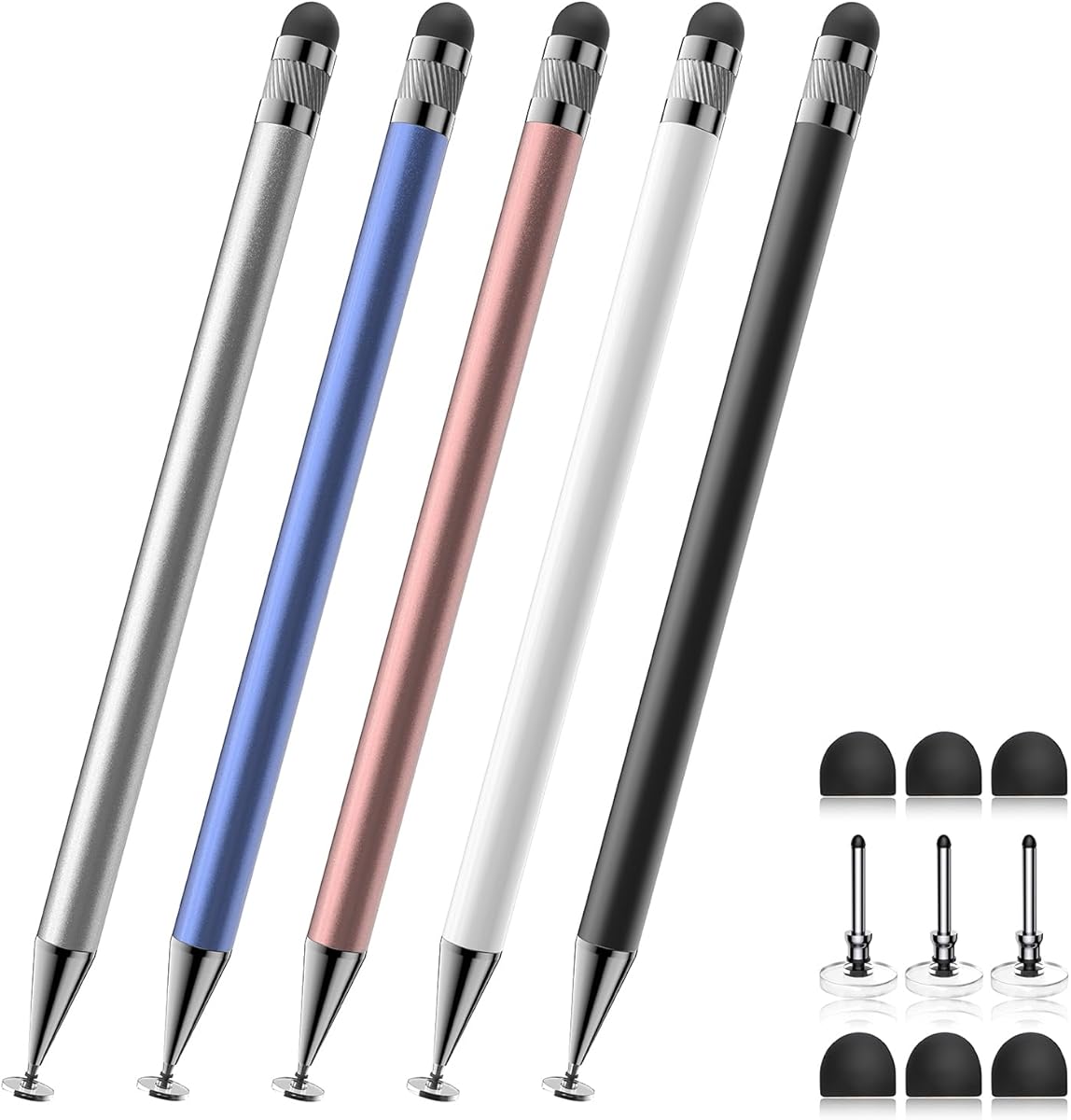
The Bopomofo Stylus offers exceptional value by providing five pens in a single purchase. This makes it perfect for families classrooms or offices where multiple users need reliable tools. The set maintains a high 4.6 rating reflecting consistent satisfaction with performance and durability.
We may earn a commission when you buy through this link, at no additional cost to you.
Each pen features a flexible transparent disc tip and a rubber tip catering to different touch needs. The design is patented ensuring a unique aesthetic that appeals to users who appreciate style alongside function. The bright colors help differentiate pens easily when shared among colleagues or students.
Although it does not support pressure sensitivity the smooth operation ensures comfortable writing and drawing experiences. The rubber tip provides stable contact especially when screen protectors are in place. This versatility makes it a practical choice for everyday navigation and creative sketching tasks.
This bundle is an excellent option for those wanting to equip several people without spending much. It serves well as a gift for birthdays or holidays due to its thoughtful design and utility. Users can rely on these pens for basic touch tasks without worrying about charging or connectivity issues.
Having five pens allows multiple users to have their own stylus reducing confusion and ensuring everyone has a tool ready.
The patented design adds a refined look making these pens feel like premium tools despite their affordable price point.
We may earn a commission when you buy through this link, at no additional cost to you.
This updated 2026 model from Stylus Pen offers an advanced take on the classic capacitive design. It carries a 4.5 rating indicating solid performance for note-taking and study tasks. The three-tip system allows students to switch between browsing writing and gaming modes effortlessly.
We may earn a commission when you buy through this link, at no additional cost to you.
The transparent disc tip enhances accuracy by revealing the contact point which is vital for precise writing on smaller screens. The rubber tips come in two sizes providing flexibility for different hand sizes and grip preferences. This adaptability helps reduce hand fatigue during long study sessions.
The ease of replacing tips ensures the pen lasts through a full school year without needing replacement. It is particularly helpful for users with limited hand mobility as it reduces the need for fine finger control. The broad compatibility means it works across various tablets and phones used in educational settings.
Students looking for a reliable tool to organize digital notes or annotate PDFs will find this model practical and efficient. Its simplicity removes technical hurdles allowing focus on learning rather than device management. This makes it a strong recommendation for educational use where durability and ease matter most.
The combination of sensitive tips and easy replacement makes it ideal for daily academic use across multiple devices.
The design supports users with arthritis or restricted hand movement by offering a more controlled writing interface.
We may earn a commission when you buy through this link, at no additional cost to you.
The Stylus Pens Universal set provides a straightforward solution for basic touch interactions across different screen technologies. It holds a 3.6 rating reflecting its utility for simple tasks rather than high-precision work. The dual-head design addresses both modern capacitive and older resistive screens.
We may earn a commission when you buy through this link, at no additional cost to you.
The silicone round head ensures safe contact with delicate modern displays while the plastic tip handles older GPS or navigation units. This dual capability makes it a versatile emergency tool for various electronic devices. It is lightweight and easy to carry in a bag or pocket.
While it lacks the sensitivity of premium models it serves well for scrolling or tapping when fingers are impractical. Users report it works adequately for basic navigation tasks where exact cursor placement is not critical. The low cost makes it an attractive option for backup or occasional use.
This option is best suited for users who need a basic tool for older devices or general browsing without investing much. It fulfills the essential function of separating touch input from fingers without unnecessary features. For most modern touch needs however more refined options may offer a better experience.
The plastic tip ensures compatibility with older resistive screens found on legacy devices like older GPS units.
For simple scrolling and tapping this pen provides a functional alternative to fingers at a minimal cost.
We may earn a commission when you buy through this link, at no additional cost to you.
This seven-piece set offers a generous quantity of styluses for environments needing multiple units. With a 4.6 rating users appreciate the durability and consistent performance across the bundle. The alloy body adds a premium feel compared to standard plastic alternatives available in similar price ranges.
We may earn a commission when you buy through this link, at no additional cost to you.
Each pen includes dual tips allowing for varied input methods without needing separate tools. The multicolor design helps users identify their own stylus quickly when shared among team members or in educational settings. This visual distinction prevents loss and confusion during group work.
Since no charging or pairing is required these pens are ready to use immediately upon opening. This convenience ensures they are always available when needed for urgent tasks or quick notes. The compatibility with major operating systems means they work seamlessly across Android and iOS devices.
For offices or classrooms needing reliable backup tools this bulk pack provides a cost-effective solution. It ensures everyone has access to a writing instrument without technical setup delays. While not specialized for art it serves general navigation and note-taking purposes very well.
The seven-piece count ensures sufficient supply for small teams or classrooms without requiring individual purchases.
The lightweight alloy construction provides resistance against wear and tear compared to fragile plastic options.
We may earn a commission when you buy through this link, at no additional cost to you.
The ChaoQ Stylus Pen delivers excellent value with a three-piece aluminum set that prioritizes quality over quantity. Its 4.6 rating reflects high satisfaction regarding build and performance. The lightweight design reduces strain during extended use making it comfortable for daily tasks.
We may earn a commission when you buy through this link, at no additional cost to you.
Users can switch between two rubber nib sizes to suit different writing styles or screen requirements. The aluminum body feels robust yet remains easy to carry in a pocket or bag. Vibrant colors make it appealing for personal use or gifting to friends and family.
The replaceable tips extend the utility of the set ensuring you can replace worn parts easily. This attention to detail increases the overall lifespan of the product compared to disposable options. The compatibility with major devices ensures broad utility across phones and tablets.
This set is ideal for those seeking a balance between price and build quality without needing advanced features. It offers a professional feel at a budget-friendly price point. For casual users and students alike it provides a reliable tool for navigating digital interfaces.
The aluminum construction provides a balanced weight that reduces hand fatigue during long writing sessions.
Replaceable tips reduce waste by allowing you to keep the pen body while changing only the worn parts.
We may earn a commission when you buy through this link, at no additional cost to you.
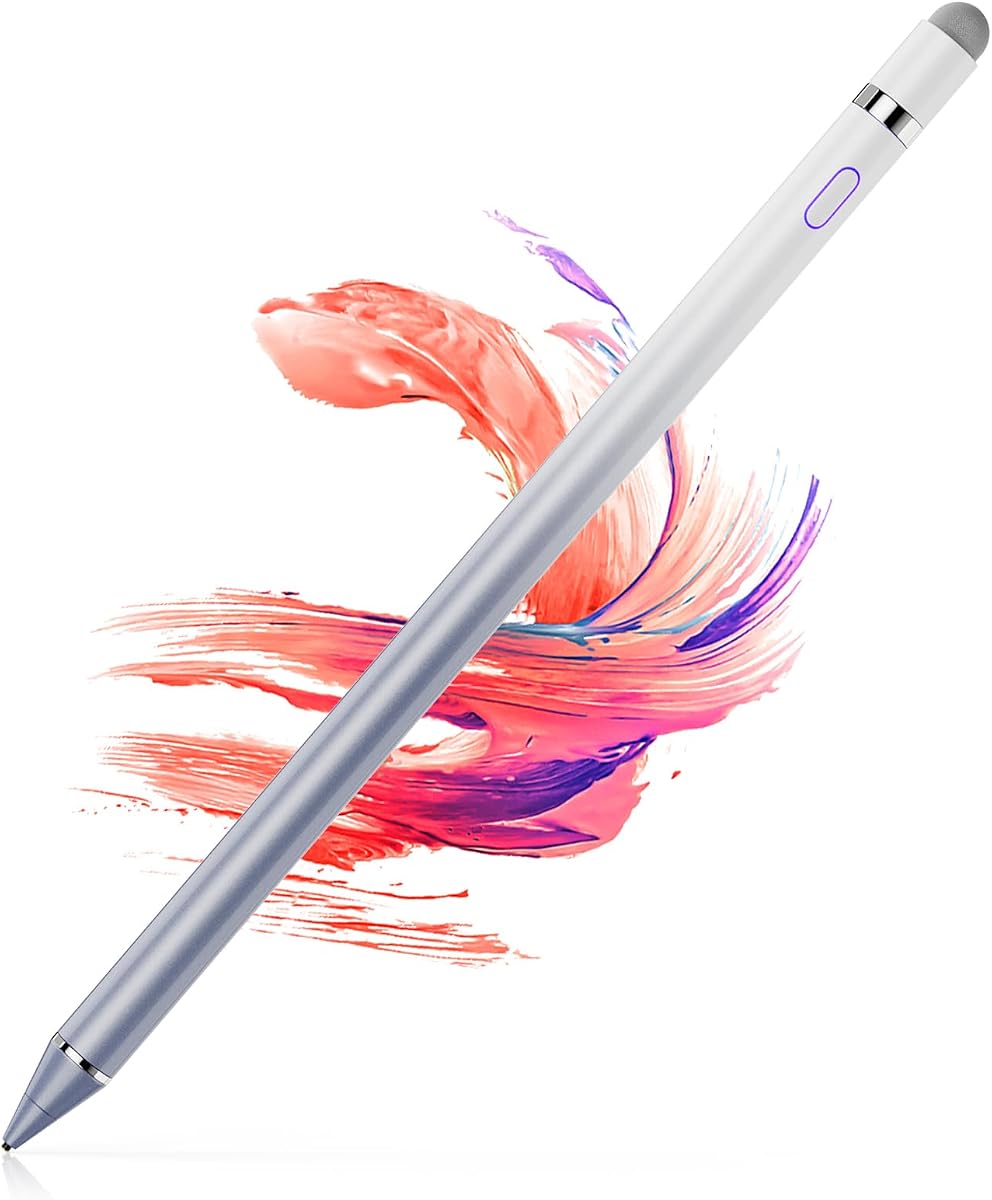
This white stylus pen introduces features closer to active pens without the complexity of full Bluetooth integration. With a 4.4 rating it offers a middle ground between basic capacitive pens and full Apple Pencil functionality. The magnetic design keeps it securely attached to compatible iPad models.
We may earn a commission when you buy through this link, at no additional cost to you.
The one-touch switch allows quick activation without needing to pair or set up anything. Charging is fast ensuring you can get hours of use from a short charge cycle. This convenience supports users who need immediate access for quick annotations or signatures.
While it does not support palm rejection the accuracy is sufficient for general tasks and light sketching. The inclusion of extra nibs shows attention to user longevity and maintenance needs. It works across a broad range of devices though best on specific iPad Pro models.
For iPad users wanting convenience and quick access this model offers a compelling option at a lower cost than official accessories. It bridges the gap between simple touch and advanced writing tools. Just ensure device compatibility before purchasing to maximize the magnetic benefit.
Magnetic adsorption ensures the stylus stays attached to your device reducing the risk of misplacement.
Fast charging capabilities mean minimal downtime and ready usage whenever you need to write or draw.
We may earn a commission when you buy through this link, at no additional cost to you.
The OASO Stylus Pen focuses on convenience and storage features that protect the tip and pen body. It holds a 4.3 rating reflecting solid performance for users who value organization. The magnetic cap keeps the disc tip safe and ready for use without risk of damage.
We may earn a commission when you buy through this link, at no additional cost to you.
Inside the pen end you will find an extra disc tip ensuring you have a spare ready for replacement. The included leather case adds a layer of portability and protection for travel or commuting. This thoughtful packaging makes it a ready-to-use solution right out of the box.
The disc tip mimics human finger contact providing smooth scrolling and writing on all capacitive screens. It requires no setup or charging so it is always available when needed. Users appreciate the simplicity and the added protection for the sensitive tip components.
This model is excellent for users who often lose parts or need a secure place to store their stylus. The combination of case extra tip and magnetic storage addresses common pain points for daily users. It serves well for casual note-taking and navigation tasks across multiple devices.
The magnetic cap not only secures the pen but also protects the disc tip from scratches during storage.
The included leather case allows for safe transport in bags without worrying about damage to the pen.
We may earn a commission when you buy through this link, at no additional cost to you.
This stylus targets professionals and creators needing higher precision with a 1.5mm copper tip. With a 4.0 rating it offers a distinct experience focused on accuracy and build quality. The copper tip glides smoothly making it ideal for detailed art or precise signatures.
We may earn a commission when you buy through this link, at no additional cost to you.
The magnetic security cap keeps the pen attached to your device preventing loss and keeping the tip protected. It features a 12-hour battery life ensuring it lasts through a full day of use without needing a charge. This reliability is essential for on-the-go professionals.
Although it lacks palm rejection the fine tip allows for controlled strokes that minimize accidental marks. The no-Bluetooth setup ensures it works instantly across iOS Android and Chromebook environments. This universality makes it a versatile tool for multi-device workflows.
Creators and professionals who need a reliable stylus for detailed work will appreciate the copper tip and battery life. It bridges the gap between standard pens and high-end active styluses effectively. For those needing precision without the full Apple Pencil ecosystem this is a strong contender.
The copper tip material ensures durability and smoothness for detailed artwork and precise input tasks.
With a 12-hour battery this pen supports extended work sessions without frequent interruptions for charging.
We may earn a commission when you buy through this link, at no additional cost to you.
The Stylus Digital Pen offers active-like features without Bluetooth pairing providing a balanced approach for modern devices. It holds a 4.0 rating indicating solid reliability for drawing and handwriting. The fine point tip ensures clear strokes on various screen sizes and resolutions.
We may earn a commission when you buy through this link, at no additional cost to you.
Powering on within a second ensures you can start writing immediately without waiting for connection processes. The auto-off feature saves battery life when the pen is not in use extending its readiness for future tasks. Charging is straightforward allowing for continuous use during work sessions.
While it lacks pressure sensitivity the fine point provides a realistic feel for creating consistent lines. This makes it suitable for sketching ideas or annotating documents without complex configuration. Users find it particularly useful for those transitioning from traditional pens to digital tools.
This pen is best for users who want active capabilities but prefer simplicity over complex pairing. It serves well for digital note-taking and light creative work across compatible tablets and phones. For many daily tasks it offers a reliable bridge between analog and digital experiences.
Quick power-on ensures minimal delay between picking up the pen and starting your digital writing tasks.
The automatic power-off function extends battery life by shutting down the pen when not in use.
We may earn a commission when you buy through this link, at no additional cost to you.
Selecting the right fine tip stylus involves considering several key factors that impact usability and value. This section breaks down the most important features to evaluate before making your decision.
Tip precision determines how accurately you can write or draw on your screen. For detailed work look for fine tips like the 1.5mm or disc designs that allow visibility of contact points. These provide better control than standard rubber tips.
Prioritize precision tips if you need accuracy for art or signatures.
Ensure the stylus works with your specific device type such as iPad Android tablets or phones. Most options are universal but check for specific limitations like resistive vs capacitive screens. Some models support magnetic attachment for specific iPad Pro versions.
Verify device compatibility to avoid functional issues after purchase.
Decide between battery-free capacitive pens and rechargeable active ones. Capacitive pens never need charging but active pens offer longer battery life and extra features. Consider how often you want to plug in your tool based on your usage habits.
Choose battery-free for simplicity or rechargeable for longer continuous use.
Materials like aluminum alloy provide durability and a premium feel compared to basic plastic. A sturdy body resists wear and tear during daily use and travel. Look for features like replaceable tips to extend the product's lifespan significantly.
Invest in durable materials if you plan to use the pen frequently.
Comfort during extended use is vital for writing or sketching. Features like ergonomic grips and lightweight designs reduce wrist strain over time. Adjustable or multiple tip sizes can also help accommodate different hand sizes and grip styles.
Select ergonomic designs to prevent fatigue during long sessions.
Advanced features like magnetic caps or palm rejection add convenience and control. Magnetic caps keep the pen secure on devices while palm rejection prevents accidental marks. Decide which features matter most based on your specific workflow needs.
Focus on features that directly improve your daily usage experience.
Consider the total value including replacement tips and bundle quantities. A higher upfront cost might be worth it if it includes extras that reduce future spending. Compare price against the expected lifespan and utility of the stylus.
Balance upfront cost with long-term value and included accessories.
Check customer reviews to gauge real-world performance and reliability. High ratings often indicate consistent quality and fewer defects. Look for feedback from users with similar devices and needs to ensure suitability.
Use ratings as a guide to confirm consistent quality and satisfaction.
Start by ensuring your screen is clean and free of dust to avoid scratches or interference. Remove any caps or protective covers before first use. For pens with multiple tips ensure you are using the correct one for your task.
When writing hold the stylus naturally like a pen and apply moderate pressure for best results. Avoid resting your hand on the screen if your pen lacks palm rejection to prevent accidental marks. Practice basic gestures like tapping and swiping to build confidence.
To care for your stylus keep the tips clean by wiping them with a soft cloth. Store it in a dry place or use a protective case to prevent damage to the tips. Replace worn rubber or disc tips promptly to maintain optimal performance and comfort.
Most fine tip styluses work on any capacitive touchscreen including iPad Android tablets and phones. However resistive screens found on older devices may require specific tips. Always check the product compatibility list before purchasing to ensure it suits your device.
It depends on the model. Capacitive pens do not need charging while active pens require periodic recharging. Check the product specifications to see if it is battery-free or rechargeable before deciding.
Yes most styluses work well with screen protectors. Some flexible tips adjust better to the added thickness. Ensure your stylus is designed to glide smoothly over tempered glass or plastic films.
Disc tips offer higher precision by showing the contact point on screen. Rubber tips are more generic and work broadly across devices. Disc tips are often better for detailed writing while rubber tips are great for general navigation.
Most replaceable tips are designed to be unscrewed or popped off easily. Check the product instructions for specific steps. Keep spare tips handy to extend the life of your pen significantly.
Palm rejection is not standard on all styluses. It is usually found on active or higher-end models. Basic capacitive pens may not support this feature so avoid resting your hand on the screen if unsure.
For drawing look for models with fine tips like 1.5mm or disc designs that offer high precision. Active styluses with pressure sensitivity are ideal but basic fine tips work well for sketching.
Quality varies by brand but aluminum bodies and replaceable tips generally increase durability. Avoid dropping the pen and store it properly to maintain its longevity and performance over time.
The MEKO Stylus Pen stands out as the top choice for its versatility and precision across daily tasks. It balances features and ease of use making it suitable for most users seeking a reliable digital tool. The broad compatibility ensures it works across many devices without setup issues.
If you need a budget option the ChaoQ Stylus offers great value with durable build quality. For those wanting advanced precision the Ultra-Fine Tip Stylus provides professional-grade control. Evaluate your primary needs such as battery or tip style to find the perfect fit.
Remember that prices and availability can change so check current listings before buying. Investing in a quality stylus enhances your digital experience and ensures long-term satisfaction with your device. Choose wisely based on your specific workflow and usage patterns.