
MINISFORUM DEG1 Docking Station
4.5Editor score
Compact Portable Design for Travel
OCuLink 4i Interface Support
ATX and SFX Power Supply Compatible
This guide compares the top ten egpu docks for laptops and mini pcs based on performance connectivity and compatibility to help you choose the right dock.
Finding the right egpu dock can transform your portable device into a powerful workstation. You need reliable connections and broad compatibility to get the most out of your investment.
We compared ten leading models using real world specs and user feedback. Our analysis covers speed ports power support and overall value to ensure you find the best fit.
Each pick highlights unique strengths and trade-offs for different needs. Prices fluctuate frequently so check current listings before making your final decision today.
4.5Editor score

4.4Editor score

4.8Editor score
This side by side comparison evaluates the top ten egpu docks available this month based on interface speed power flexibility and overall user satisfaction ratings.


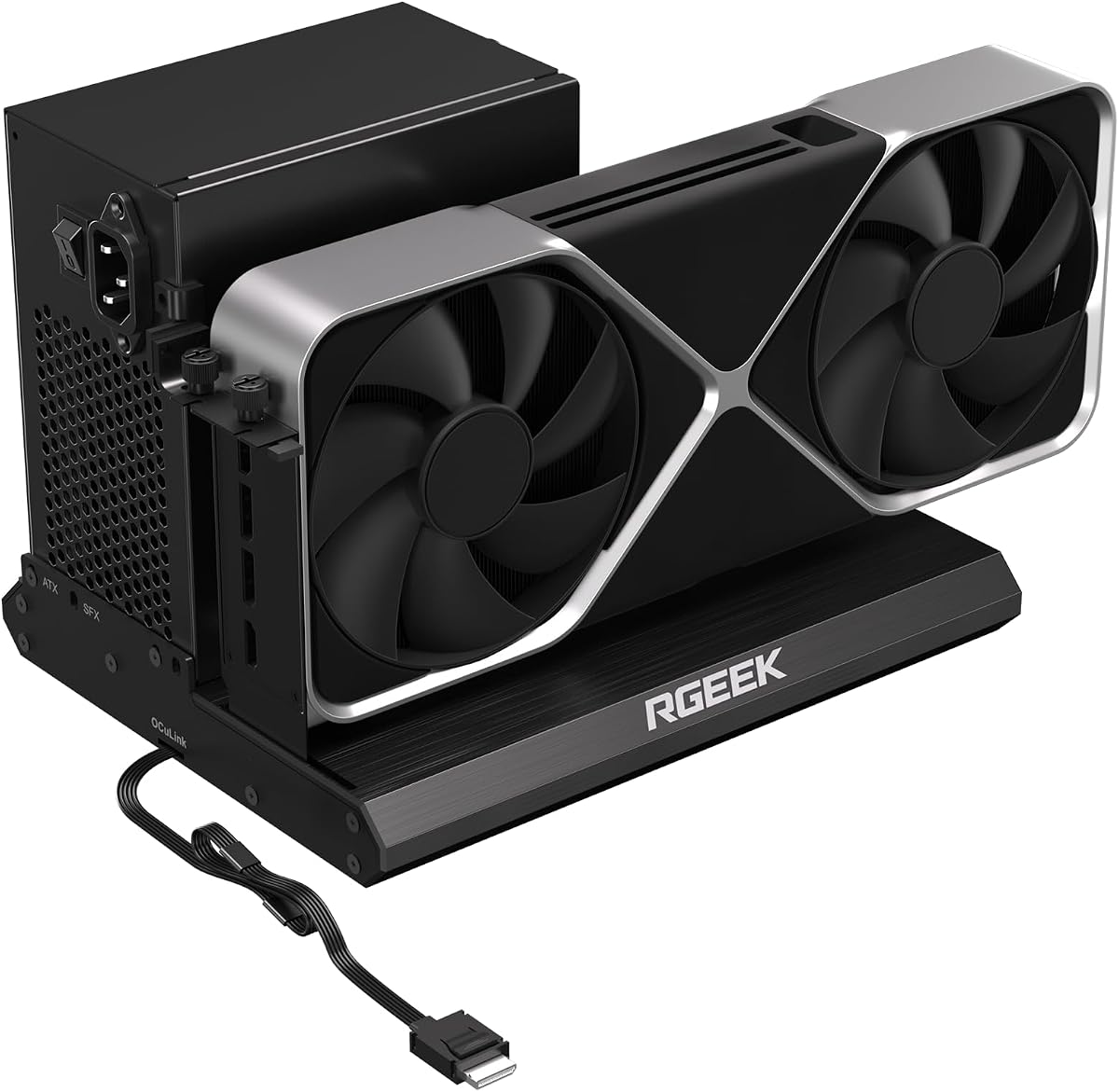
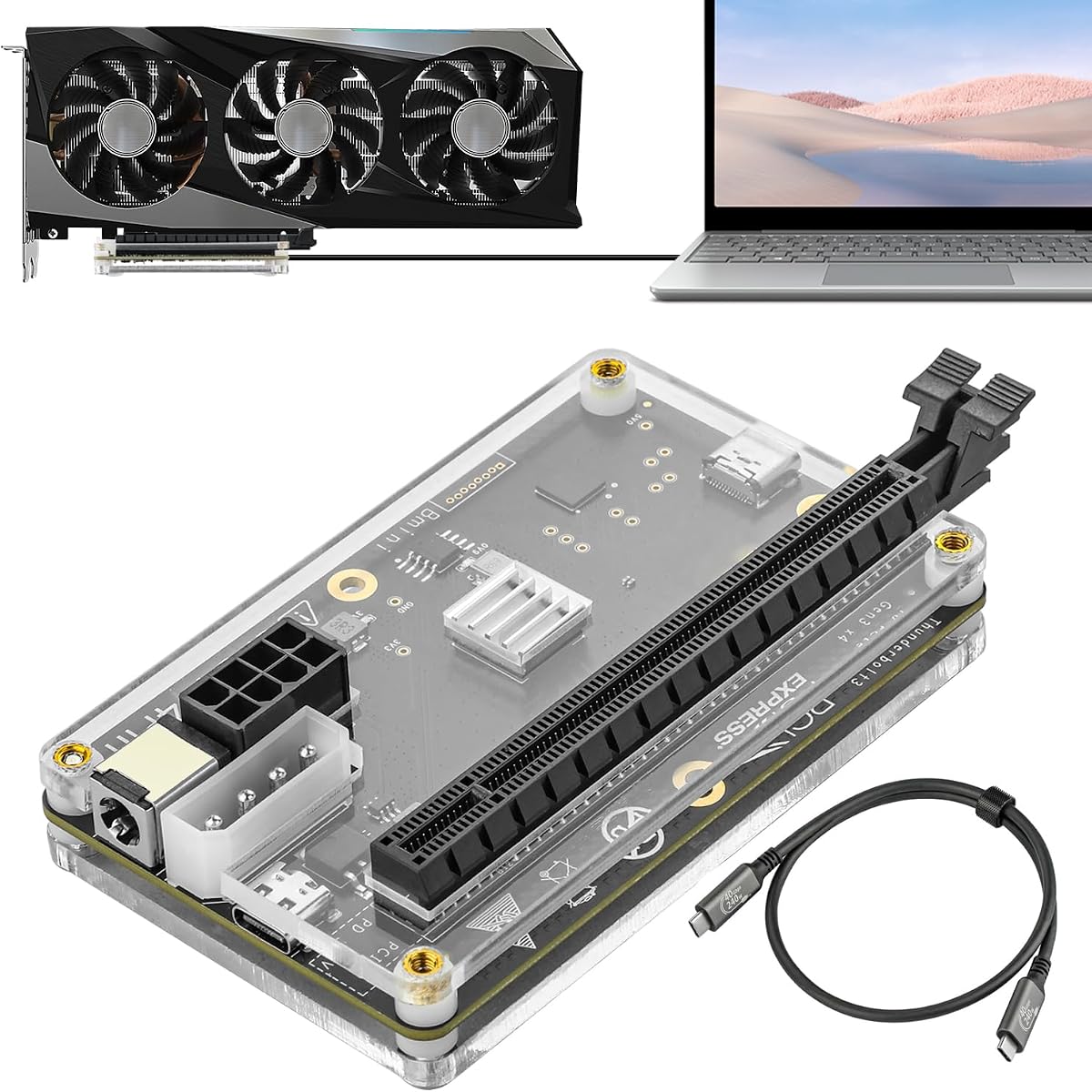


The MINISFORUM DEG2 stands out with its dual mode support for both USB4 V2 and OCuLink. It delivers top tier speeds up to 80Gbps making it ideal for heavy workloads.
We may earn a commission when you buy through this link, at no additional cost to you.
This dock includes a built in M.2 NVMe slot which allows you to store project files directly on the dock. This streamlines your workflow by keeping assets close to the GPU.
While the unit offers excellent performance it does not include a GPU or power supply. You must source these separately to complete your setup which adds to the initial cost.
If you want maximum flexibility and speed this dock is the best choice. It works with universal power supplies and offers a seamless plug and play experience for laptops.
Switch between Thunderbolt 5 and OCuLink instantly using a hardware toggle without swapping cables or configuring software settings.
Store AI models and project files directly on the dock M.2 slot to reduce transfer times and keep your workspace synchronized.
We may earn a commission when you buy through this link, at no additional cost to you.
This variant of the DEG2 series focuses heavily on connectivity with a 2.5G LAN port and multiple USB options. It maintains the high performance of the original DEG2 design.
We may earn a commission when you buy through this link, at no additional cost to you.
The physical toggle switch makes changing between TB5 and OCuLink modes incredibly easy. This reduces confusion and ensures you can adapt quickly to different host devices.
Users must note that it does not work with the MINISFORUM MS-02 workstation. Also remember that the GPU and power supply must be purchased separately to use this dock.
Choose this model if you need robust external connectivity alongside raw GPU power. The high rating suggests it delivers consistent performance for most users.
The included 2.5G LAN port provides reliable wired internet access for your desktop setup without needing a separate adapter.
Power syncs automatically with your host device to deliver a smooth desktop like experience without manual startup steps.
We may earn a commission when you buy through this link, at no additional cost to you.
The Razer Core X V2 brings a trusted brand to the eGPU market with support for Thunderbolt 5. It offers robust build quality and active cooling to maintain performance.
We may earn a commission when you buy through this link, at no additional cost to you.
Designed to fit up to four slot wide graphics cards it supports a wide range of GPUs. The 140W PD charging ensures your laptop stays powered while gaming or working.
One limitation is the lack of support for Mac devices with M1 or later chipsets. Additionally the unit may carry a higher price tag compared to generic alternatives.
This is a solid pick for Windows users who value reliability and build quality. It provides a stable environment for high end graphics cards.
Tool free installation using thumbscrews lets you swap out graphics cards and power supplies easily without special tools.
A built in 120mm fan automatically ramps up during heavy loads to sustain maximum performance without thermal throttling.
We may earn a commission when you buy through this link, at no additional cost to you.
This dock is perfect for users needing a portable and affordable upgrade. It is only 14cm long so it fits easily in a backpack. any travel.
We may earn a commission when you buy through this link, at no additional cost to you.
It uses the OCuLink 4i interface to deliver transfer speeds up to 64Gbps. The force power on feature ensures stable system operation without manual adjustments.
Hot plugging is not supported meaning you must turn off the computer before unplugging the cable. This protects the port but reduces convenience during active sessions.
For budget conscious users who need portability this is the top choice. It balances cost and performance effectively without sacrificing key features.
Measuring just 14cm long and 2cm high it is designed to be carried everywhere for on the go performance boosts.
A fixed locking interface prevents forced plugging and unplugging which helps prevent damage to the OCuLink port.
We may earn a commission when you buy through this link, at no additional cost to you.
This package includes both the dock and a flat OCuLink cable ready for immediate use. The gold plated contacts ensure superior conductivity to reduce resistance over time.
We may earn a commission when you buy through this link, at no additional cost to you.
Multi-status LED indicators give clear visual feedback for real-time device monitoring so you can spot issues quickly. The cable architecture minimizes interference and performance degradation.
It is compatible with standard ATX power supplies only and does not support SFX. You must turn off the computer before unplugging as hot plugging is not supported.
Ideal for DIY enthusiasts this kit provides all the cabling you need. It ensures stable transmission for smooth graphics processing.
The package includes a female to PCIe x16 enclosure dock and a 50cm male to male cable for immediate setup.
The ultra-thin flexible flat cable architecture eliminates port damage risks from rigid traditional OCuLink cables.
We may earn a commission when you buy through this link, at no additional cost to you.
This dock supports the latest PCIe 5.0 x4 standard offering up to 128Gbps bandwidth. It is fully backward compatible with 4.0 and 3.0 devices for broad support.
We may earn a commission when you buy through this link, at no additional cost to you.
The full aluminum material provides great heat dissipation and sturdy durability. It fits both gaming and professional GPUs perfectly for a wide range of use cases.
To reach full PCIe 5.0 speed you need an M.2 slot or a separate adapter. This adds a step to setup but ensures you get the maximum potential performance.
Choose this model if you want to future proof your setup. It supports a wide range of power supplies and GPUs.
With up to 128Gbps bandwidth it surpasses standard OCuLink ports and prepares your system for next gen graphics cards.
Factory soldered cables avoid extra adapters and reduce signal loss while the aluminum chassis dissipates heat effectively.
We may earn a commission when you buy through this link, at no additional cost to you.
The UGREEN LinkStation stands out with a near perfect user rating and premium build quality. It offers dual channel performance for maximum flexibility and speed.
We may earn a commission when you buy through this link, at no additional cost to you.
It supports oversized GPUs up to 370mm long and uses a semi-open aluminum chassis for quiet library like operation. The integrated cable storage keeps your desk organized.
The removable top cover extends compatibility allowing you to install virtually any modern high-end graphics card. This future proofing justifies the higher cost.
This is the top pick for creators who want reliability and quiet performance. It works across Windows Linux and Intel based macOS systems.
Choose between OCuLink for near-zero latency or USB4 for universal compatibility all in one single dock design.
The semi-open all aluminum chassis combined with a large low-RPM fan delivers efficient cooling and true library-quiet operation.
We may earn a commission when you buy through this link, at no additional cost to you.
This dock supports Thunderbolt 3 and 4 which makes it compatible with older devices. It includes a high-quality cable and offers flexible power input options.
We may earn a commission when you buy through this link, at no additional cost to you.
It uses a JHL6340 controller delivering speeds around 22Gbps suitable for general tasks. It works with Windows and consoles like the Lenovo Legion Go.
The power input options allow you to choose CPU Molex or PD 3.0. This flexibility makes it useful in varied setups where standard PSU might not fit.
Consider this if you have legacy devices or need versatile power connections. It is a solid option for those not needing the highest bandwidth.
Compatible with consoles like the Lenovo Legion Go with a Thunderbolt port and an Intel or AMD processor.
Choose between CPU Molex or PD 3.0 power inputs to adapt the dock to your specific workspace requirements.
We may earn a commission when you buy through this link, at no additional cost to you.
This model brings OCuLink and TBT5 support with a built-in 2.5G LAN port for stable networking. It is engineered to minimize signal degradation across cables.
We may earn a commission when you buy through this link, at no additional cost to you.
You can store project files on its internal M.2 slot to streamline workflows and keep assets close. The dock supports ATX and SFX power supplies flexibly.
Some users note it does not work with MINISFORUM MS-02 workstation. Also the lower rating suggests potential variability in user experience.
Pick this if you need a LAN port without extra adapters. It provides a seamless desktop-like operation via a single connection.
The 2.5G LAN port offers reliable wired internet access reducing reliance on wireless connections.
Storing assets on the internal M.2 slot minimizes file transfers and streamlines rendering editing and AI workflows.
We may earn a commission when you buy through this link, at no additional cost to you.
This dock serves as both an eGPU station and a hub with a USB A port and daisy chain. It supports the local deployment of Deepseek-R1 for AI tasks.
We may earn a commission when you buy through this link, at no additional cost to you.
It provides 85W PD charging through its Thunderbolt 4 port to keep your laptop powered. It works with NUCs laptops and gaming machines featuring USB4.
Ensure your device has a Thunderbolt 4 or 3 port as it will not work otherwise. Note that inserting CPU cable to PCIe-8PIN port causes power-off protection.
Choose this if you need a hub with GPU capabilities. It is versatile for users who want extra ports alongside graphics performance.
Built with a USB A port and daisy chain port it doubles as a hub for attaching external devices.
The JHL7440 controller supports the local deployment of Deepseek-R1 for AI training and inference tasks.
We may earn a commission when you buy through this link, at no additional cost to you.
Choosing the right egpu dock requires balancing performance connectivity and physical constraints.
Look for interfaces like USB4 V2 or OCuLink to ensure high bandwidth. Faster speeds reduce latency and improve performance during intensive tasks.
Prioritize docks with at least 40Gbps support for a balanced experience.
Check if the dock supports ATX SFX or other standard power supplies. This determines which GPUs you can install.
Ensure the dock can handle the wattage requirements of your chosen graphics card.
Measure your workspace to ensure the dock fits comfortably. Consider length and height constraints if space is limited.
Compact docks are better for travel while larger ones may offer better cooling.
Evaluate the included ports such as LAN USB and DisplayPort. These affect how many peripherals you can connect.
Docks with LAN ports save the need for external network adapters.
Active cooling with fans helps maintain stable performance under load. Passive cooling is quieter but may throttle under heavy use.
Choose a chassis design that matches your noise tolerance.
Select brands with a history of reliability and customer support. Established names often provide better software and driver compatibility.
Read reviews to gauge long-term performance and build quality.
Look for features like internal storage slots or auto power on. These can simplify your workflow and reduce cable clutter.
Consider if the dock includes a cable or if you must buy one separately.
Remember that GPU and PSU are usually sold separately. Factor these costs into your total budget.
Compare dock prices against the performance gains they offer to ensure value.
Always turn off your computer before plugging in or unplugging OCuLink cables to prevent port damage.
Secure your power supply cables tightly to ensure stable operation and prevent accidental disconnection.
Keep the cooling vents free of dust to maintain optimal thermal performance and fan longevity.
Most OCuLink docks do not support hot plugging so you must turn off your computer before connecting or disconnecting the cable. Thunderbolt docks generally support hot plugging for more convenience.
No most egpu docks do not include a GPU or power supply. You must purchase these separately based on your performance needs and available budget.
OCuLink offers higher bandwidth and lower latency but requires a direct connector. Thunderbolt provides better universal compatibility and supports charging and display in one cable.
Compatibility varies by model and Mac chip. Most newer M1 or later chips do not support egpus so check specific dock details before buying.
Yes many docks are designed to work with mini PCs that have OCuLink or Thunderbolt ports. Ensure your mini PC has the correct interface before purchasing.
Support varies by chassis size but many docks accept GPUs up to 370mm in length. Check the physical dimensions of the dock before selecting a graphics card.
The MINISFORUM DEG2 and UGREEN LinkStation offer the best performance and features for most users seeking top tier power.
Prioritize interface speed and power compatibility to ensure your dock meets your workload demands without bottlenecks.
Prices change frequently so check current listings and verify specs before finalizing your purchase decision today.