
TP-Link ER605
4.4Editor score
Five Gigabit Ports
Advanced Security Features
Secure VPN Support
Discover the top Dual Wan Router options for 2026. We compare features, performance, and reliability to help you choose the right network solution.
Finding a reliable Dual Wan Router is crucial for businesses and power users who need uninterrupted internet access. These devices manage multiple connections seamlessly, ensuring you stay online even if one line fails. With various options available, selecting the right model requires careful consideration of your specific needs and budget constraints.
We evaluated ten top-rated models based on performance, security features, ease of use, and overall reliability. Each product offers unique capabilities, from basic load balancing to advanced enterprise-grade VPN support. Our analysis highlights the strengths and weaknesses of each router to help you make an informed decision.
Each pick in this guide showcases a specific strength, whether it is budget-friendly performance or premium enterprise features. Prices and availability change frequently, so always verify current details before purchasing. Read on to discover which Dual Wan Router best fits your network architecture and connectivity requirements today.
4.4Editor score

4.2Editor score

4.3Editor score
This side-by-side comparison highlights the key specifications of each router to help you evaluate performance and features quickly. Review the table to see which model offers the best value for your specific network environment.



The TP-Link ER605 stands out as a reliable and affordable solution for users seeking robust Dual WAN functionality without breaking the bank. With a solid 4.4 rating, it offers essential features like multiple WAN ports and comprehensive security tools. This router is ideal for small offices or home labs that need consistent internet access through wired connections.
We may earn a commission when you buy through this link, at no additional cost to you.
Its five gigabit ports allow flexible connection options, including a dedicated WAN port and versatile WAN/LAN ports. The support for USB WAN adds another layer of redundancy by enabling mobile broadband backups. Advanced firewall policies and DoS defense ensure your network remains protected against common threats while maintaining high performance.
While it lacks built-in Wi-Fi, which limits wireless connectivity options, this trade-off makes it cost-effective for wired setups. The web interface is straightforward but may lack advanced customization compared to higher-end models. However, for those prioritizing stability and cost over wireless features, these compromises are generally acceptable.
This router is best suited for businesses or tech-savvy users who already have separate access points or prefer wired networking. It provides excellent value for money, delivering enterprise-grade features at a consumer-friendly price. If you need a dependable Dual WAN backbone, the ER605 is a strong candidate to consider today.
The versatile port layout allows you to connect multiple internet sources seamlessly for better bandwidth utilization.
Built-in firewall and VPN features protect your data without requiring additional hardware or software costs.
We may earn a commission when you buy through this link, at no additional cost to you.
The Peplink B-One is designed specifically for enterprise branch offices that require blistering speeds and resilient connectivity. With a 4.4 rating, it delivers 1Gbps throughput and features SpeedFusion technology to ensure smooth video calls even during internet outages. This router integrates seamlessly with Starlink, making it a versatile choice for hybrid internet setups.
We may earn a commission when you buy through this link, at no additional cost to you.
Its dual-WAN architecture creates a robust network by automatically failing over to backup connections when the primary line drops. The inclusion of dual-band Wi-Fi 6 with 2X2 MIMO provides reliable wireless coverage for connected devices. Automatic firmware updates keep the system secure and performing at peak levels without manual intervention.
While the price is higher than entry-level models, the stability and enterprise features justify the cost for business environments. The interface can be complex for beginners, requiring some technical knowledge to optimize all settings properly. However, the reliability and seamless integration with various internet sources make it a worthwhile investment.
This model is perfect for remote offices or businesses using Starlink alongside cable or fiber connections. It reduces the need for frequent resets and ensures uninterrupted productivity. If you prioritize stability and advanced WAN management features, the B-One offers unparalleled performance in its class.
This feature ensures smooth video calls by intelligently managing traffic across multiple internet connections.
Effortlessly connect multiple Starlinks or backup your fiber connection for enhanced redundancy.
We may earn a commission when you buy through this link, at no additional cost to you.
The NETGEAR PR60X is a high-performance cloud-managed pro router designed for businesses needing future-proof connectivity. Rated at 4.2, it features a 10G/Multi-Gig configurable port and robust dual-WAN capabilities for reliable internet access. This device integrates well with other NETGEAR enterprise solutions, offering seamless remote network management.
We may earn a commission when you buy through this link, at no additional cost to you.
Its dual-WAN ports support failover and load balancing, optimizing performance and ensuring seamless connectivity during outages. Security is a priority with up to 32 VLANs and various VPN options like IPSec and WireGuard for secure remote access. The Insight cloud management tool allows you to monitor and control your network from anywhere effortlessly.
While the price is substantial, the hardware capabilities and cloud management features justify it for professional environments. The router does not include built-in Wi-Fi, so pairing it with access points is necessary for wireless coverage. Despite this limitation, its routing power and flexibility make it a top choice for SMEs.
This router is ideal for businesses that require high-speed wired connections and centralized cloud management. It provides a scalable solution that grows with your network needs. If you need reliable, high-throughput routing with easy remote oversight, the PR60X is a standout option to consider.
NETGEAR Insight provides remote access anytime, from anywhere for easy network control.
Up to 32 VLANs and multiple VPN protocols protect your data and network integrity.
We may earn a commission when you buy through this link, at no additional cost to you.
The Cudy R700 is a powerful multi-WAN router that unlocks advanced network control with full OpenWRT support. Rated 4.4, it allows you to connect up to five ISPs with automatic failover and load balancing for business continuity. This router is a favorite among tech enthusiasts and professionals who need customized network management.
We may earn a commission when you buy through this link, at no additional cost to you.
Its complete VPN gateway suite includes WireGuard, OpenVPN, and IPsec, enabling site-to-site tunnels and remote access easily. Professional security features like SPI firewall and DoS prevention protect your perimeter while keeping services accessible. Flexible deployment options include web GUI or cloud management with TR-069 support for monitoring.
While the OpenWRT support is a major advantage, it requires technical knowledge to set up and maintain effectively. The brand has limited presence compared to giants like TP-Link, which might affect community support or firmware updates. However, the performance and customization options make it a strong contender for advanced users.
This router is perfect for remote offices, home labs, or businesses needing custom QoS policies and segmentation. It offers excellent value for those willing to invest time in configuration. If you need a flexible and powerful WAN solution, the R700 delivers professional-grade capabilities at a reasonable price.
Full OpenWRT support unlocks advanced firewall rules and community packages.
Built-in server and client for multiple VPN types ensures versatile connectivity.
We may earn a commission when you buy through this link, at no additional cost to you.
The Omada ER707-M2 is a multi-gigabit VPN router designed for centralized cloud management and high-performance networking. With a 4.4 rating, it supports up to 500,000 concurrent sessions and handles over 1000 clients efficiently. This router integrates seamlessly with Omada Access Points for a unified network solution.
We may earn a commission when you buy through this link, at no additional cost to you.
Flexible port configuration includes 2.5Gigabit WAN/LAN ports and an SFP port for high-bandwidth aggregation. Cloud access via the Omada app allows you to manage the whole network from any site, ensuring control anywhere, anytime. It supports a highly secure VPN suite with multiple connection types for versatile remote access needs.
While the 5-year warranty is a significant benefit, the router often works best within the Omada ecosystem for optimal functionality. Setting it up outside of Omada hardware may limit some management features and require additional planning. However, for those invested in the ecosystem, it offers a robust and reliable routing backbone.
This router is ideal for businesses with multiple sites needing centralized management and high-speed connectivity. The USB port supports storage and LTE backup, adding to its versatility. If you prioritize scalability and cloud control, the ER707-M2 is a strong choice for modern networks.
Remote Cloud access brings centralized control of the whole network from different sites.
Maximum 500,000 sessions ensure performance even with many connected clients.
We may earn a commission when you buy through this link, at no additional cost to you.
The ASUS RT-BE88U is a premium router that brings blazing-fast WiFi 7 technology and versatile wired capacity to your network. Rated 4.3, it boosts throughput up to 7200Mbps and features two 10G ports for modern high-speed needs. This device is designed for demanding applications and future-proofing your home or office.
We may earn a commission when you buy through this link, at no additional cost to you.
Its AI WAN detection and versatile configuration options ensure always-on internet with automatic failover or load balancing. The powerful quad-core CPU handles demanding applications effortlessly, while AiProtection Pro powered by Trend Micro keeps your network secure. Mesh compatibility allows you to build a seamless whole-home network with additional nodes.
While the premium price is high, the advanced features and raw power justify it for enthusiasts and businesses needing maximum speed. The power consumption is significant due to the advanced hardware, which may impact energy budgets. However, the performance benefits and security features offer substantial value for heavy users.
This router is perfect for users with fiber internet exceeding 2Gbps or those needing extensive wired connections. It supports Guest Network Pro for easy IoT setup and instant VPN connections. If you need the fastest available tech with comprehensive management, the RT-BE88U is an exceptional option.
Multi-Link Operation and 4096-QAM boost throughput significantly for better performance.
AI WAN detection ensures stable connectivity even when primary lines face issues.
We may earn a commission when you buy through this link, at no additional cost to you.
The ASUS ExpertWiFi EBG15 is a robust wired router designed for small businesses requiring commercial-grade network security. Rated 3.8, it features up to three WAN ports and USB WAN backup to maintain stable connectivity. This router emphasizes ease of setup and management through its mobile app or web browser.
We may earn a commission when you buy through this link, at no additional cost to you.
It includes IPS intrusion prevention and deep packet inspection to block malicious traffic effectively. Each Ethernet port can be assigned to VLAN IDs for added security and segmentation of business networks. Remote management via the ASUS ExpertWiFi app allows quick access and configuration without direct console access.
While the rating is slightly lower than competitors, it offers strong features like a free subscription to AiProtection Pro. The setup is easier than ever, which benefits users with limited networking expertise. However, it may lack some advanced features found in more expensive models, making it a trade-off for simplicity.
This router is ideal for small businesses or home offices that need reliable security without complexity. The backup WAN feature ensures you stay online even if your main line fails. If you prioritize safety and ease of use, the EBG15 is a solid and affordable choice.
Intrusion Prevention System protects against threats like deep packet inspection.
Each port can be assigned VLAN IDs to separate business traffic securely.
We may earn a commission when you buy through this link, at no additional cost to you.
The D-Link DSR-250V2 is a reliable VPN router perfect for organizations requiring government-compliant security standards. Rated 2.9, it follows TAA/NDAA guidelines and offers enterprise-grade encryption to protect sensitive data effectively. This device is well-suited for agencies or businesses under strict regulatory requirements.
We may earn a commission when you buy through this link, at no additional cost to you.
It features dual-WAN failover to automatically switch to a backup source if the primary connection drops. Enterprise-grade encryption helps protect against external threats with strong protocols like AES and SSL. Web-based management tools offer clear visibility and control, reducing complex troubleshooting for IT teams.
While the low rating suggests potential performance or reliability issues, the compliance features make it critical for specific sectors. The lifetime warranty provides long-term confidence, but performance may not match modern high-speed internet demands. It is a niche product that serves specific trust and security needs over general speed.
This router is best for government agencies, contractors, or businesses prioritizing compliance above all else. The flexibility to deploy as hardware VPN or client-based VPN meets unique team needs. If you need guaranteed adherence to security standards, the DSR-250V2 is a necessary consideration.
Follows government standards to ensure trusted data protection for regulated industries.
Strong encryption reduces risk from external threats in an increasingly digital landscape.
We may earn a commission when you buy through this link, at no additional cost to you.
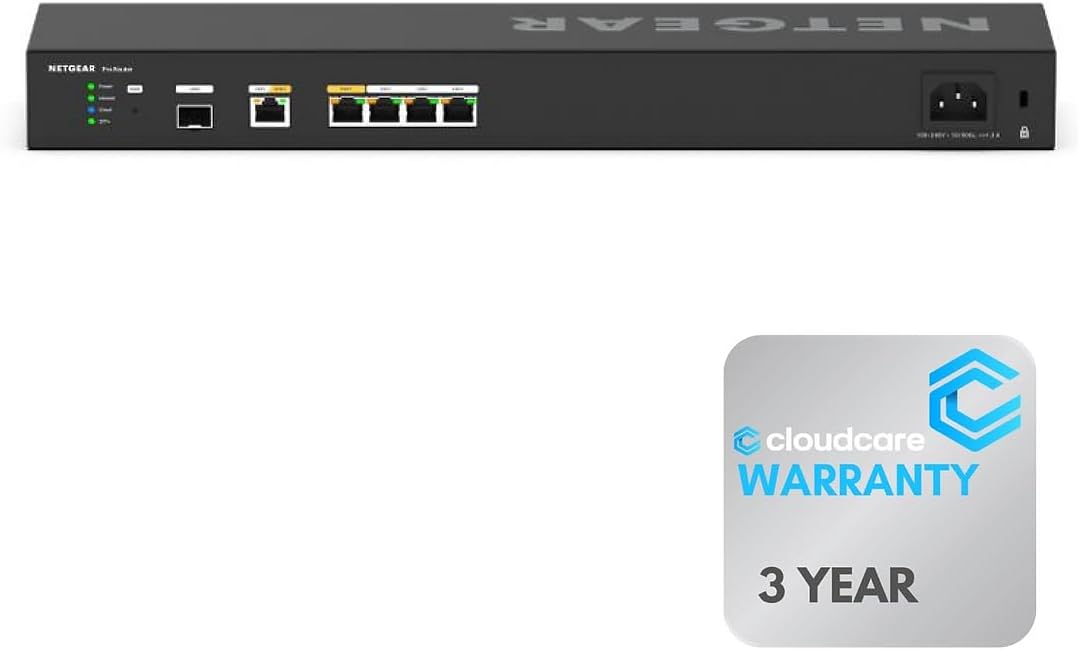
The Cloud Care NETGEAR PR60X offers a desktop and wall-mountable solution with six 10G ports for maximum network speed. Rated 4.6, it ensures uninterrupted connectivity with dual WAN ports for load balancing and failover support. This version includes Cloud Care warranty support for added peace of mind on purchases.
We may earn a commission when you buy through this link, at no additional cost to you.
Its rack-mountable design saves space and organizes equipment efficiently in professional environments. Insight Cloud Management lets you monitor and control your network remotely with easy setup and maintenance. The robust hardware supports high-performance applications that require consistent and fast connectivity across multiple devices.
While the price reflects its enterprise capabilities, the included warranty adds significant value for businesses seeking long-term protection. The lack of built-in Wi-Fi means it must be paired with access points for wireless coverage. However, for wired-focused setups, it delivers top-tier performance and reliability for demanding networks.
This router is ideal for professional environments needing organized, high-speed networking and cloud oversight. It provides continuous internet access even during primary line failures. If you need a reliable and scalable backbone for your network, the Cloud Care PR60X is a strong choice.
Save space and organize equipment efficiently with professional mounting options.
Monitor your network remotely for easy setup and maintenance anytime.
We may earn a commission when you buy through this link, at no additional cost to you.
The Linksys LRT224 is a reliable business router designed to meet a wide range of network requirements. Rated 4.0, it supports up to 50 IPsec tunnels and load balancing for highly reliable Internet connectivity. This model offers essential features for small businesses needing consistent performance without complexity.
We may earn a commission when you buy through this link, at no additional cost to you.
It features load balancing and WAN failover to ensure your team stays online during network disruptions. The firewall throughput supports secure file sharing and video calls efficiently. Its simple interface makes management easy for users without advanced networking expertise or dedicated IT staff.
While it is an older model compared to modern high-gigabit options, it remains stable and functional for basic needs. The feature set may lack advanced customization or cloud management capabilities found in newer routers. However, its reliability and straightforward operation make it a good fit for small offices.
This router is perfect for small businesses or remote offices needing secure and stable connections. The client-based VPN options enable secure access for traveling users effectively. If you need a dependable router for standard business operations, the LRT224 is a practical and affordable choice.
Ensures optimized bandwidth usage for smoother and more reliable performance.
Up to 50 tunnels support secure site-to-site and client-to-site connectivity.
We may earn a commission when you buy through this link, at no additional cost to you.
Choosing the right Dual Wan Router requires understanding your specific connectivity needs, budget, and technical expertise. We outline key factors to help you make an informed decision for your network.
Look for a router with enough WAN and LAN ports to match your current setup. Some models offer multiple WAN/LAN hybrid ports for flexibility. Ensure you have enough connections for all your devices without needing extra switches.
Verify the number and type of ports before buying to avoid compatibility issues.
Failover ensures automatic switching to a backup connection if the primary line fails. Load balancing distributes traffic across multiple connections to maximize bandwidth efficiency. Check if the router supports both features based on your redundancy needs.
Prioritize routers that support both failover and load balancing for optimal performance.
Enterprise-grade security includes firewalls, intrusion prevention, and VPN support. Look for models with advanced encryption to protect sensitive business data. Some routers offer AI-based protection to block emerging threats effectively.
Ensure the router has robust security tools like firewalls and VPNs to protect your network.
Some routers include built-in Wi-Fi while others focus purely on routing. Decide if you need integrated wireless access or separate access points. Modern routers often support Wi-Fi 6 or 7 for faster speeds.
Choose between integrated Wi-Fi or separate access points based on your coverage needs.
Cloud management allows you to monitor and control your network remotely. This is useful for businesses with multiple locations or remote IT teams. Look for intuitive interfaces and mobile app support for ease of use.
Opt for cloud management features if you need remote control and easy monitoring.
A strong warranty indicates manufacturer confidence and protects your investment. Look for models with at least one to five years of coverage. Technical support availability is crucial for troubleshooting complex network issues.
Select a router with a solid warranty and responsive technical support for peace of mind.
Balance the router's features against your budget to find the best value. Higher-end models offer advanced features but may be overkill for simple setups. Entry-level options provide essential functions at a more affordable price.
Assess your budget against required features to find a cost-effective solution.
Consider future growth when choosing a router to avoid replacing it soon. Look for models with high throughput and modular options. A scalable router saves money in the long run as your needs expand.
Choose a scalable router that can grow with your business to avoid premature upgrades.
Connect your primary internet source to the main WAN port and any backup connections to secondary ports. Configure the failover settings in the admin panel to define priority and thresholds. Ensure all cables are secure and the device has proper ventilation.
Regularly update the firmware to patch security vulnerabilities and improve performance. Access the admin interface using a web browser and check for updates under the system settings. Enable automatic updates if available to keep the router secure without manual intervention.
Monitor traffic and performance through the dashboard to identify bottlenecks or issues. Use diagnostic tools like ping and traceroute to troubleshoot connectivity problems quickly. Keep the device in a cool, dry place to extend its lifespan and reliability.
A Dual WAN router allows you to connect two internet connections to one device. This setup provides redundancy, automatic failover, and load balancing to keep you online. It is essential for businesses needing reliable uptime and continuous operations.
Yes, you typically need a modem for each internet service provider. The router connects to the modems to receive internet signals. Some routers have built-in modems but separate units offer better flexibility.
Most routers support USB WAN ports to connect 4G or 5G modems. This allows mobile data to act as a backup connection if wired lines fail. Check the compatibility list before purchasing a specific modem.
Load balancing combines speeds from multiple connections for aggregate throughput. It does not increase the speed of a single line but distributes traffic efficiently. This helps prevent one connection from getting overwhelmed during peak usage.
Yes, many models offer enterprise-grade security features like VPNs and firewalls. They protect your data with encryption and intrusion prevention systems. Always keep firmware updated to maintain strong security standards.
Most modern models include cloud management tools for remote access. You can monitor traffic and change settings from anywhere using an app. This is helpful for managing multiple offices or remote setups easily.
The router automatically switches to the backup connection without user intervention. This failover process usually takes seconds to minimize downtime. You may experience a brief interruption during the switch but connectivity restores quickly.
Basic setup is often simple with web interfaces or mobile apps. Advanced features like VLANs may require some networking knowledge. Many vendors offer support or documentation to help with configuration.
The top picks cover a range of needs from budget-friendly options to premium enterprise solutions. The TP-Link ER605 offers affordability while the NETGEAR PR60X brings advanced features. Each model provides unique benefits depending on your connectivity priorities.
Prioritize reliability, security, and ease of management when making your final decision. Consider how your network will grow over time to choose a scalable router. The right choice ensures you stay connected and productive without interruptions.
Remember that prices and availability can change so check current listings before purchasing. Verify all specs match your needs and budget for the best value. With the right router, your network can handle any challenge efficiently.