
Frameo Digital Picture Frame 10.1 inch
4.6Editor score
32GB internal storage
WiFi and non-WiFi sharing
HD touch screen display
Finding the right digital picture frame for grandparents can be challenging with so many options available today. You need a device that is easy to set up and use while offering high quality displays for cherished memories.
We compared ten leading models based on screen size, storage capacity, ease of use, and connectivity features. Our analysis focuses on devices that simplify sharing photos without requiring complex technical knowledge or frequent updates.
Each pick below highlights specific strengths and weaknesses to help you make an informed decision. Keep in mind that prices and availability change frequently so check current listings before purchasing your perfect frame.
4.6Editor score
4.7Editor score

4.7Editor score
As an Amazon Associate we earn from qualifying purchases.
The following table provides a side by side comparison of all ten models to help you quickly identify key specifications and features.


The 64GB 15.6 Frameo Digital Picture Frame stands out for its large display and generous storage capacity. With a 4.5 rating from users it offers a robust solution for families wanting to share memories securely.
We may earn a commission when you buy through this link, at no additional cost to you.
Its 15.6 inch IPS Full HD touch screen delivers vivid colors and clear images from any angle. The 64GB internal memory can hold up to 100,000 photos while supporting SD card expansion for additional storage needs.
While the touchscreen interface is user-friendly the device only supports 2.4GHz WiFi networks which may limit connectivity in some homes. Additionally the USB port has specific limitations that prevent direct photo transfers from computers.
This frame is ideal for grandparents who appreciate a large screen and easy touch controls. The secure Frameo app ensures private sharing with family members making it a warm choice for staying connected.
The 15.6 inch screen provides ample space for viewing photos clearly even from across the room.
The Frameo app allows unlimited family members to send photos privately without social media accounts.
We may earn a commission when you buy through this link, at no additional cost to you.
The Frameo Digital Picture Frame 10.1 offers excellent value with a 4.6 rating and affordable pricing. It is designed to simplify photo sharing while maintaining quality performance for everyday use.
We may earn a commission when you buy through this link, at no additional cost to you.
Its 10.1 inch HD touch screen delivers clear images and the 32GB storage holds over 50,000 photos. The magnetic stand allows easy switching between portrait and landscape modes without extra tools.
While the resolution is lower than larger models it remains sharp enough for most viewing distances. Seniors may find the initial app setup challenging though non-WiFi USB options provide an alternative.
This frame is perfect for families seeking a cost-effective way to share memories without sacrificing core features. The embossed design adds a touch of elegance to any shelf or table.
Priced competitively this frame delivers premium features like WiFi sharing and large storage at a lower cost.
The magnetic stand and wall mount options allow flexible placement in any room of the home.
We may earn a commission when you buy through this link, at no additional cost to you.
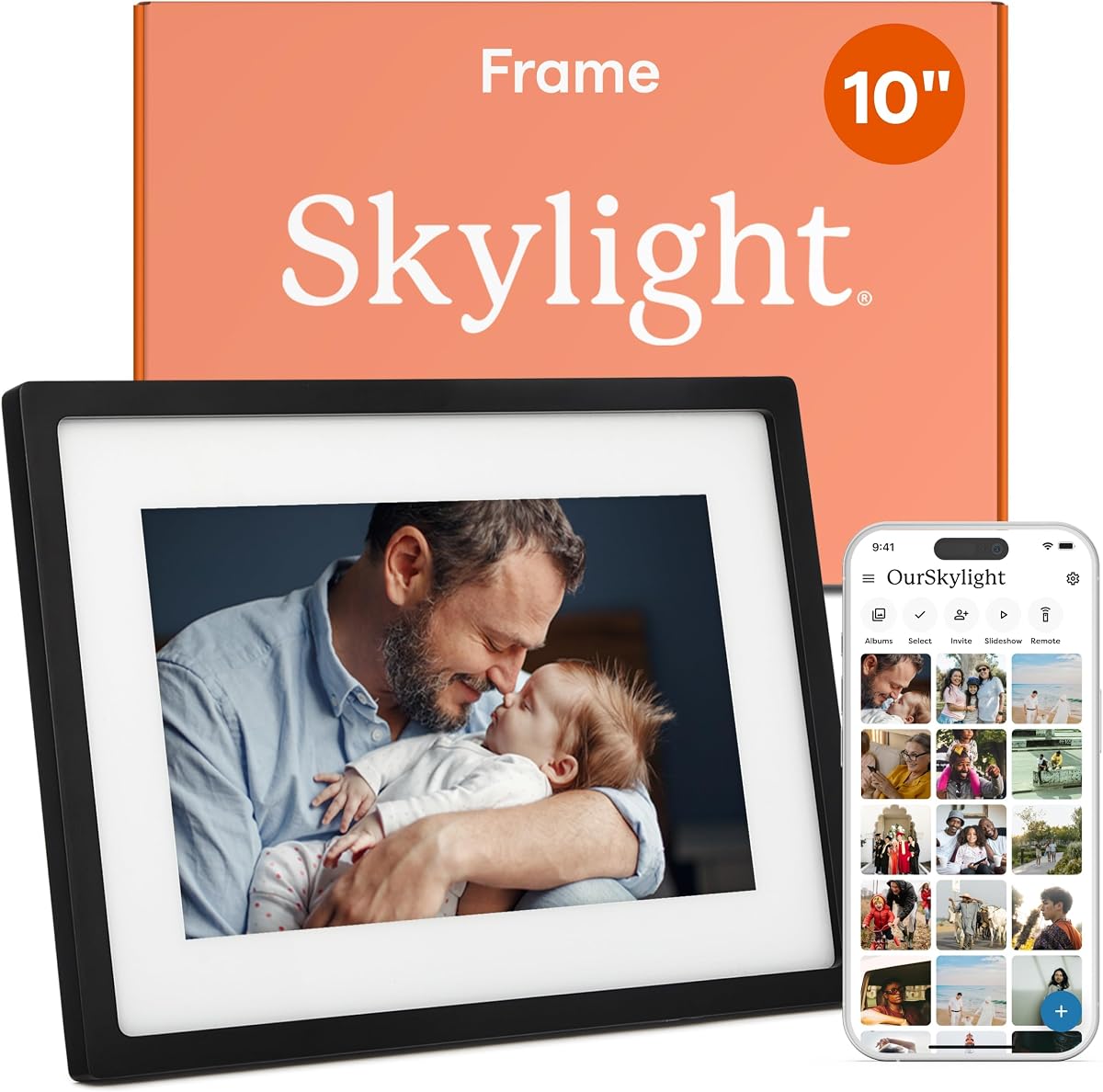
The Skylight Digital Picture Frame is a top rated choice with a 4.7 rating known for its plug and play simplicity. It removes technical barriers by allowing photo sharing via email without requiring apps.
We may earn a commission when you buy through this link, at no additional cost to you.
Its 10 inch color touch screen offers a resolution of 1280×800 ensuring crisp visuals for family photos. The device arrives preloaded with content in Gift Mode making it ready to enjoy out of the box.
Cloud storage eliminates the need for physical cards but means you cannot add photos offline without internet connection. Email sharing is straightforward but requires family members to know the unique frame address.
This frame is ideal for tech hesitant grandparents who want minimal fuss and maximum ease of use. The elegant design and thoughtful packaging make it a perfect gift for any occasion.
Sending photos via email means anyone can share memories without downloading new software or accounts.
The premium packaging and preload option allow immediate enjoyment upon unboxing without complex setup.
We may earn a commission when you buy through this link, at no additional cost to you.
The Aura Digital HD Picture Frame earns a 4.7 rating for its sleek design and unlimited storage without subscription fees. It integrates seamlessly with Apple and Google photos for effortless sharing from existing libraries.
We may earn a commission when you buy through this link, at no additional cost to you.
Its HD display is calibrated for exceptional color clarity and adjusts brightness automatically based on room lighting. Setup takes just one minute connecting to WiFi and adding photos through the free app.
Without physical buttons users must rely on the app for all controls which some may find limiting. The reliance on cloud connectivity means offline viewing is limited compared to models with local storage options.
This frame suits families already using major cloud services who want a seamless experience. The premium finish and automatic features make it a stylish addition to any modern home.
Connecting directly to existing photo libraries allows instant syncing without extra uploads or transfers.
The cool white finish and slim profile blend effortlessly into home decor without looking like a gadget.
We may earn a commission when you buy through this link, at no additional cost to you.
The Frameo 15.6 Pastigio receives a 4.5 rating for its large display and interactive features that enhance family communication. It supports both WiFi and non-WiFi sharing methods for flexibility.
We may earn a commission when you buy through this link, at no additional cost to you.
Its 15.6 inch FHD touch screen provides vivid colors and clear details for viewing photos. The React feature allows grandparents to send emoji replies directly from the frame to let family know they appreciate the photos.
Video uploads via the app are limited to 15 seconds which may restrict longer memories. Additionally USB transfers from computers only work on Windows systems limiting cross-platform compatibility.
This frame is a great choice for those who want a large screen and interactive feedback options. The touch interface and sleep settings make it practical for everyday use.
Sending emojis back to family members creates a two-way connection that enhances engagement and joy.
Support for both WiFi and physical storage ensures memories can be shared even without internet.
We may earn a commission when you buy through this link, at no additional cost to you.
The AEEZO Digital Picture Frame holds a 4.6 rating with smart sensors that adjust orientation and brightness automatically. It is designed to minimize manual adjustments for a seamless viewing experience.
We may earn a commission when you buy through this link, at no additional cost to you.
Its 10.1 inch HD IPS touch screen shows clear images while the auto rotate function ensures photos display correctly. The light sensor adjusts brightness based on ambient light to protect eyes and save energy.
Photos cannot play directly from SD cards and must be imported first which adds a step to setup. The app interface may require a brief learning period for seniors unfamiliar with digital apps.
This frame suits users who prefer automated adjustments for lighting and orientation. The warranty and support options provide peace of mind for long-term use in the home.
Built-in sensors ensure the frame always looks perfect without any manual intervention from the user.
Showing weather and time on the frame adds daily utility beyond just viewing photos.
We may earn a commission when you buy through this link, at no additional cost to you.
The FRAMEO 10.1 Akimart frame achieves a 4.6 rating by combining photo viewing with calendar and scheduling tools. It helps grandparents stay organized while enjoying family memories daily.
We may earn a commission when you buy through this link, at no additional cost to you.
Its 10.1 inch IPS LCD touch screen provides clear images and the collage mode allows multiple photos on one screen. Calendar sync with providers like iCloud and Google keeps schedules visible alongside photos.
The LCD screen is vibrant but may not match IPS quality for color accuracy. Offline USB transfers are not supported which limits sharing options when internet is unavailable.
This frame is best for those who want a functional display for both photos and daily plans. The custom album feature helps organize memories by events or dates easily.
Syncing calendars provides a dual purpose display for memories and important dates without extra devices.
Collage mode enables creative displays of multiple cherished moments on one screen.
We may earn a commission when you buy through this link, at no additional cost to you.
The Frameo 15.6 Flyruit frame is rated 4.7 for its large screen and thoughtful features like themed greetings for special occasions. It balances premium features with affordable pricing.
We may earn a commission when you buy through this link, at no additional cost to you.
Its 15.6 inch Full HD touch screen offers vibrant colors and clear details for memories. The greeting feature allows sending themed pictures on birthdays which adds a personal touch to the experience.
The app requires 2.4GHz WiFi and external cards need specific formatting which may confuse some users. Setup can be slightly complex for those who have never used a smart frame before.
This frame is a top choice for large displays with unique personalization features. The manufacturer support ensures help is available if setup issues arise during initial use.
Sending themed cards adds an extra layer of warmth to special days and family celebrations.
The big screen allows photos to be seen clearly from across the room comfortably.
We may earn a commission when you buy through this link, at no additional cost to you.
This product currently lacks available data regarding its specifications or performance ratings. We cannot provide detailed insights or comparisons for this frame at this time.
We may earn a commission when you buy through this link, at no additional cost to you.
Without verified product information we recommend exploring other fully documented models that offer better transparency and support options.
Future updates may provide more details about this model if information becomes available from the manufacturer or retailer.
We may earn a commission when you buy through this link, at no additional cost to you.
This product listing does not provide sufficient details to evaluate its features or usability for grandparents. We encourage checking other listed options that have been fully verified.
We may earn a commission when you buy through this link, at no additional cost to you.
Product availability and specifications may change so always check the latest information on the retail site before purchasing.
We aim to update this guide as more data becomes available for all listed models.
We may earn a commission when you buy through this link, at no additional cost to you.
Selecting the right digital frame involves evaluating screen size, connectivity, and ease of use to ensure it meets your needs.
Larger screens like 15.6 inches offer better visibility for those with vision issues while smaller 10 inch screens save space. Look for at least 1080p resolution to ensure photos appear sharp and colorful.
Choose a size that fits the intended display space and ensures text and images remain clear for easy viewing.
WiFi connectivity allows remote photo sharing but ensure the device supports common 2.4GHz networks found in most homes. Non-WiFi options via USB or SD cards provide alternatives for tech hesitant seniors.
A mix of connectivity options ensures you can share photos regardless of internet availability at your grandparents home.
Internal storage should be at least 32GB to hold thousands of photos without needing cloud accounts. Expandable storage via SD cards allows even more memory if you have many memories to share.
Opt for larger storage to avoid constant management of files and ensure plenty of space for new photos.
Touchscreens should be responsive and menus intuitive for seniors unfamiliar with technology. Look for features like auto-rotate and simple setup wizards that reduce initial configuration time.
Prioritize frames that minimize setup steps and provide clear instructions to avoid frustration during initial use.
Consider how family members will send photos such as email apps or direct uploads. Email based sharing is often easiest for those avoiding apps while apps offer richer interaction features.
Select a sharing method that matches the tech comfort level of both your grandparents and family members.
Automatic brightness sensors help prevent glare and eye strain during night viewing. Physical stands or wall mount options give flexibility for placement in living rooms or bedrooms.
Adjustable brightness and mounting options ensure the frame looks good and is comfortable to view in any lighting.
Frames with password protection or private sharing apps ensure photos are not publicly accessible. Check that the sharing method keeps family memories secure from public exposure.
Ensure the device offers secure sharing options to protect family privacy and personal memories.
Reliable customer support and warranties protect against defects and setup issues. Look for companies offering prompt responses and clear troubleshooting guides for common problems.
Choose a brand with strong support to ensure help is available if the frame encounters issues.
Start by connecting the frame to a stable WiFi network and follow the setup wizard to create an account or assign an email address. Ensure the network is 2.4GHz compatible if required by the device for consistent connection.
Teach family members how to upload photos through the designated app or email system. Show your grandparents how to use touch controls to browse or favorite photos for personal organization.
Regularly dust the screen with a microfiber cloth and avoid using harsh chemicals that might damage the surface. Check for firmware updates through the app to keep features secure and performing optimally.
Most modern frames do not charge subscription fees for basic photo storage and sharing. Some premium services offer cloud backups or advanced features but core functionality typically remains free.
Many frames support SD cards for additional storage or offline viewing. However some models restrict playback to imported photos so check compatibility before relying solely on cards.
Yes frames are designed with large touch interfaces and simple controls suited for seniors. Ensure initial setup is done carefully to minimize confusion during daily use.
Most frames continue to display stored photos even without WiFi. New photos require internet to load so ensure stable connectivity for fresh updates.
Yes most apps allow multiple invitees to send photos to a single frame. This makes it easy for the whole family to participate in keeping memories fresh.
Many models support short video clips but length may be limited. Check the device specifications for video duration limits if you plan to share moving memories.
We have reviewed ten options ranging from budget friendly to premium models to help you find the best fit. The Skylight and Aura frames stand out for simplicity while larger options offer impressive visuals.
Prioritize ease of use and reliable connectivity to ensure your grandparents enjoy the device without frustration. Features like large screens and simple sharing apps make a significant difference in daily happiness.
Remember to check current prices and availability before purchasing since models may go on sale or change specs. Investing in the right frame will help keep memories alive and family connected.