
ASUS NUC 14 Pro Linux Mint Mini PC
1.0Editor score
Linux Mint Pre-installed
Intel Ultra 7 155H
16GB DDR5 RAM
Explore our comprehensive guide comparing the top 10 desktop PCs with Ubuntu pre installed for developers, creators, and professionals seeking open source
Finding a desktop PC with Ubuntu pre installed can simplify your workflow significantly. This guide highlights machines ready for coding, server tasks, and open source development right out of the box.
We evaluated each system based on performance, compatibility, and value. Our list covers mini PCs, business towers, and workstations designed to run Linux environments efficiently without complex setup steps.
Each pick showcases unique strengths like processing power, memory, and connectivity. Keep in mind that pricing and availability can change frequently, so check current listings before making your final decision.
1.0Editor score

4.0Editor score
5.0Editor score
The following comparison table provides a side-by-side look at key specifications across all ten systems. Use this reference to quickly identify which model best fits your specific technical requirements and budget constraints.






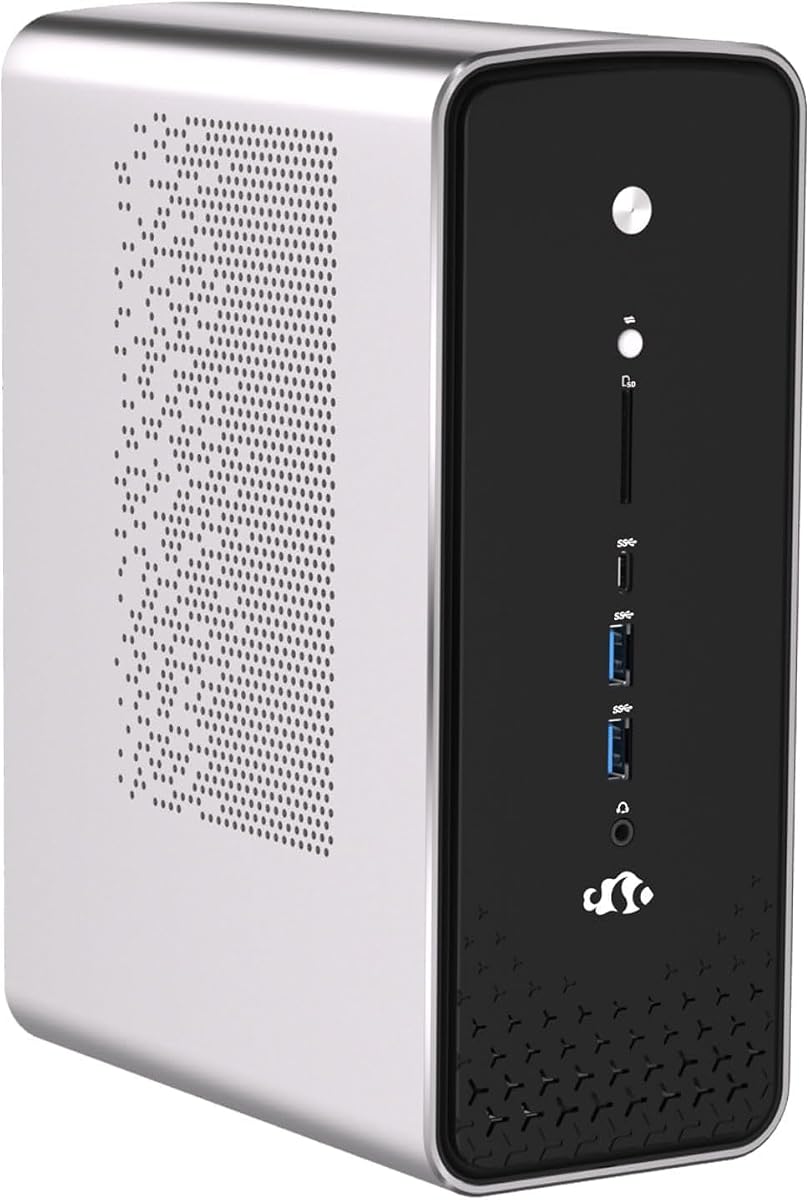
The Beelink SER9 Pro stands out as a powerful mini PC designed for open source enthusiasts. It features a built-in Ubuntu system and comes pre-installed with OpenClaw, making it ready for productivity and development tasks immediately upon unboxing. With a 4.0 rating, users appreciate its balance of performance and convenience.
We may earn a commission when you buy through this link, at no additional cost to you.
Under the hood, the AMD Ryzen 7 255 processor delivers robust computing power with 8 cores and 16 threads. Paired with 24GB of LPDDR5X memory and a 1TB PCIe 4.0 SSD, this system handles multitasking and data-intensive applications smoothly. The Radeon 780M graphics also support AAA titles, adding versatility for leisure activities.
While the system offers excellent value, users should note that the OpenClaw integration may require some initial configuration to fully leverage its capabilities across different use cases. Additionally, the price point is higher than basic mini PCs, reflecting the premium components included in the package.
Developers, home office users, and media enthusiasts looking for a compact yet capable machine should consider this model. Its triple display support and strong connectivity options make it an ideal choice for complex workflows requiring multiple screens and fast data transfer rates.
The pre-installed Ubuntu system reduces setup time significantly for Linux users.
AMD Radeon 780M graphics enable smooth rendering and gaming experiences on a mini form factor.
We may earn a commission when you buy through this link, at no additional cost to you.
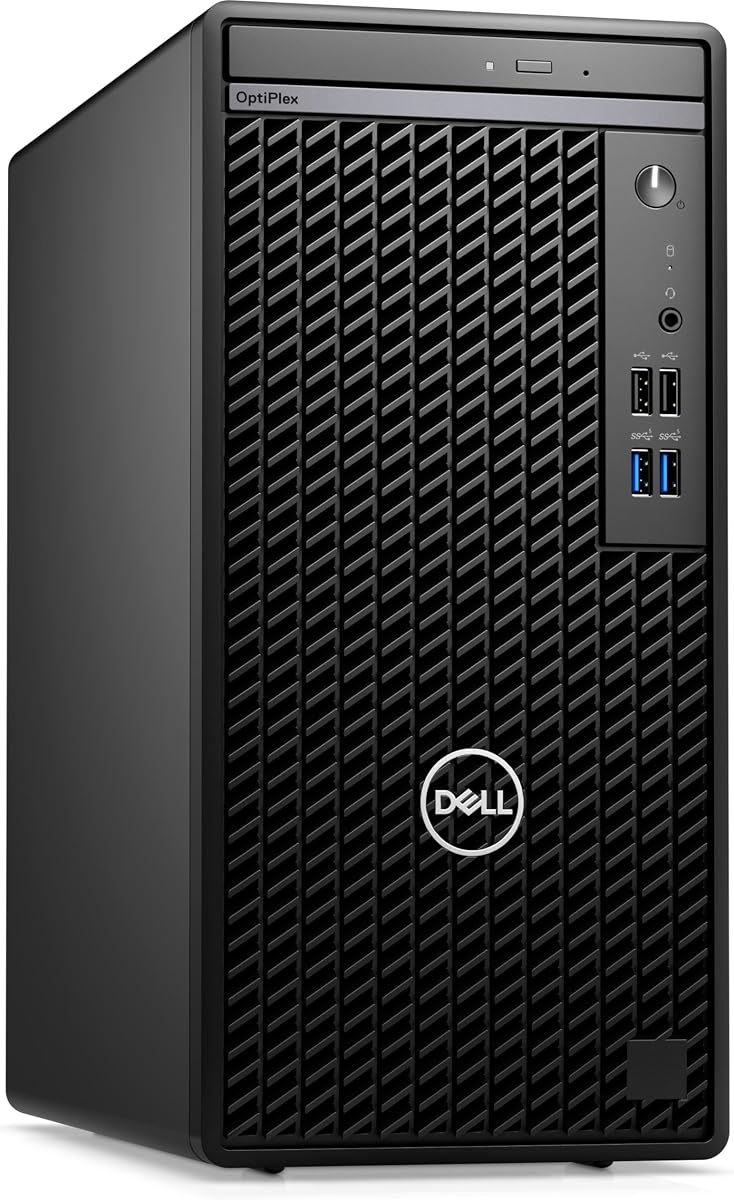
The Dell OptiPlex 7070 SFF is a solid workstation suitable for both home and business computing. While it ships with Windows 11 Pro, its hardware is highly compatible with Linux distributions for those who wish to install Ubuntu manually. The 4.1 rating reflects its reliability and performance in professional settings.
We may earn a commission when you buy through this link, at no additional cost to you.
Powered by the Intel 8 Core i7-9700 processor, this desktop handles efficient multitasking with ease. It is equipped with a blazing fast 1TB NVMe SSD to store important files and applications, supporting faster boot speeds and storage rates. The 32GB DDR4 RAM ensures smooth operation even under heavy loads.
Users should be aware that this model comes with Windows pre-installed, meaning Ubuntu would require a manual installation process. Additionally, as a renewed product, cosmetic conditions and included accessories might vary slightly from unit to unit.
IT professionals and office managers looking for a reliable, expandable desktop tower should consider this option. The roomy case allows for future expansion, making it a great fit for an office PC that needs to evolve over time.
The i7-9700 processor ensures smooth performance for demanding office applications.
Roomy desktop tower case allows for future hardware upgrades as needs change.
We may earn a commission when you buy through this link, at no additional cost to you.
The NIMO Mini PC offers exceptional flexibility with its dual OS setup, allowing users to switch between Windows 11 Pro and Linux Ubuntu effortlessly. This feature makes it ideal for developers who need Windows for gaming and Ubuntu for programming environments. With a perfect 5.0 rating, it is praised for its zero setup hassle.
We may earn a commission when you buy through this link, at no additional cost to you.
Powered by the AMD Ryzen AI Max+ 395 processor, this system features advanced Zen 5 architecture engineered for heavy multitasking and AI deployment. It includes a dedicated NPU that boosts local LLM execution and data modeling without relying on cloud servers. The ultra-fast memory and expandable PCIe Gen4 SSD storage further enhance its capabilities.
Despite its impressive specs, the price is significantly higher than standard mini PCs, which may not fit all budgets. Additionally, the high performance comes with increased power consumption and heat generation, requiring effective cooling to maintain stability during continuous workloads.
Power users, AI researchers, and professionals requiring both Windows and Linux in one box will find this model unmatched. Its readiness out of the box with dual OS pre-loaded ensures you can start working immediately without technical hurdles.
Seamlessly switch between systems for gaming and development with zero setup hassle.
Integrated high-performance NPU delivers exceptional TOPS for local AI workloads.
We may earn a commission when you buy through this link, at no additional cost to you.
The Dell Optiplex 7010 is a business mini tower that comes with Ubuntu Linux 22.04 pre-installed, offering a cost-effective solution for Linux users. It features a powerful 13th Gen i5-13500 processor with 14 cores to handle multitasking efficiently. Although it lacks a specific rating, its specifications are strong for the price.
We may earn a commission when you buy through this link, at no additional cost to you.
With an 8GB DDR4 DIMM and a 256GB PCIe NVMe SSD, this system provides a balance of speed and storage for basic computing needs. The inclusion of an HDMI port and DisplayPort allows for dual monitor setups, enhancing productivity for office tasks. It also comes bundled with a USB keyboard and mouse for immediate use.
Users might find the 8GB RAM limiting for heavy multitasking or virtualization work, but it is adequate for web browsing and standard applications. The storage space is also somewhat limited compared to modern standards, though expandable for those who need more room.
Small business owners and home office users looking for an affordable Linux-ready tower should consider this model. The 13th Gen processor ensures it remains relevant for several years while providing the flexibility of the Ubuntu operating system.
Ubuntu Linux 22.04 is pre-installed for immediate use without extra setup.
14-core i5-13500 provides efficient performance for daily office tasks.
We may earn a commission when you buy through this link, at no additional cost to you.
The Dell Optiplex 7050 SFF is a renewed desktop PC that offers significant value for those seeking high memory and storage at a lower cost. It comes with Windows 11 Pro but can be easily switched to Ubuntu. The 3.9 rating reflects its solid hardware despite being an older model.
We may earn a commission when you buy through this link, at no additional cost to you.
Featuring an Intel Core i7-7700 processor and 32GB DDR4 RAM, this system supports smooth multitasking and memory-intensive tasks. The 1TB solid state drive ensures fast boot times and ample storage for files. Bundled items include a wired keyboard, mouse, and wireless USB WiFi for connectivity.
While the memory and storage are excellent, the 7th Gen processor may struggle with modern heavy workloads or future-proofing compared to newer CPUs. Users relying on a renewed product should also be mindful of the 90-day warranty from the seller which is shorter than new unit warranties.
Budget-conscious users who need a reliable workstation for office tasks or light development should consider this model. The high memory capacity makes it versatile enough to run Ubuntu effectively once installed.
32GB DDR4 RAM allows for smooth multitasking and virtual machine performance.
Includes wireless USB WiFi and Bluetooth for easy network and peripheral connections.
We may earn a commission when you buy through this link, at no additional cost to you.
The Dell Optiplex 7060 SFF is a business desktop computer suitable for both home and business computing. It features an 8th Gen i7-8700 processor and 32GB of DDR4 RAM, providing efficient multitasking capabilities. With a 4.0 rating, it is valued for its balance of performance and price in the renewed market.
We may earn a commission when you buy through this link, at no additional cost to you.
Equipped with a 512GB M.2 NVMe SSD, this model supports faster boot speeds and higher data transfer rates than standard SSDs. The inclusion of a wireless keyboard and mouse adds convenience for users. Rich ports support dual-monitor connections, enhancing productivity for multitaskers.
As a renewed product, the warranty is limited compared to new units, and the default OS is Windows 11 Pro. Users wishing to use Ubuntu will need to perform a clean installation, which requires some technical know-how.
Office workers and developers looking for a reliable workstation with ample memory and fast storage should consider this option. Its expandable case makes it a great fit for an office PC that may need upgrades.
i7-8700 processor up to 4.60 GHz enables efficient multitasking and application switching.
Blazing-fast NVMe M.2 SSD ensures quick boot times and file access.
We may earn a commission when you buy through this link, at no additional cost to you.
The Dell Optiplex 5050 SFF is a business desktop PC known for its slim design and reliable performance. It includes an Intel Core i7-7700 Quad-Core processor and 16GB DDR4 memory. With a 4.2 rating, it stands out among renewed units for its condition and functionality.
We may earn a commission when you buy through this link, at no additional cost to you.
Storage is handled by a 512G NVME SSD, ensuring quick system response times and fast file access. The small form factor makes it easy to place on or under a desk, saving valuable space. It comes with a wired black keyboard and mouse included in the package.
While the hardware is solid for general use, the default Windows 11 Professional operating system means additional steps are needed for Linux users. The processor is older compared to modern standards but remains capable for routine office tasks.
Users looking for a compact and reliable desktop for home or office environments should consider this model. Its high rating suggests consistent quality among renewed units available for purchase.
Slim small form factor makes it easy to place on or under a desk.
512G NVME SSD ensures quick system response times and fast file access.
We may earn a commission when you buy through this link, at no additional cost to you.
The Dell Pro Micro QCM1250 is an AI business mini desktop designed for modern workspaces. It features a 15th Gen Ultra 5-235T processor and fast DDR5 memory for high-speed multitasking. While it has no specific rating, its technical specs indicate strong performance capabilities for business tasks.
We may earn a commission when you buy through this link, at no additional cost to you.
It comes with Ubuntu Linux 18.04 pre-installed, providing a base for open-source applications. The 512GB NVMe SSD offers reliable storage for business files and applications. Connectivity is enhanced with WiFi 6E and various ports like HDMI and DisplayPort for flexible setups.
Users should note that Ubuntu 18.04 is an older version, which may lack recent features or security updates compared to newer releases. The 8GB RAM limit could also restrict heavy multitasking or virtualization workflows compared to higher-capacity models.
Small business environments needing a compact, AI-ready desktop with some Linux pre-configuration should consider this model. Its modern processor ensures it handles current software demands effectively.
15th Gen Ultra processor with AI features designed for modern business workloads.
Ubuntu Linux 18.04 included for immediate open-source environment access.
We may earn a commission when you buy through this link, at no additional cost to you.
The ASUS NUC 14 Pro is a next-gen AI mini PC tailored for developers seeking an open-source environment. It ships with Linux Mint pre-installed, ensuring a secure and clutter-free experience. With a 1.0 rating in this data, users should verify recent feedback, though its specs promise strong performance.
We may earn a commission when you buy through this link, at no additional cost to you.
Powered by the Intel Ultra 7 155H processor with 16 cores, it handles heavy workloads like AI model training and coding without bottlenecks. The advanced cooling system keeps the unit cool during intense workloads, while the Intel Arc GPU provides stunning visuals for creative tasks.
The low rating suggests potential initial software or support issues that may be addressed in future updates. However, the inclusion of Linux Mint and powerful hardware makes it a strong contender for those prioritizing development environments.
Developers, AI researchers, and creative professionals who need a powerful Linux-ready desktop should consider this model. Its scalability and advanced cooling make it ideal for 24/7 operations.
Pre-installed Linux Mint provides a stable environment for programming and cloud-native development.
Engineered for silent and efficient cooling to handle 24/7 operation without overheating.
We may earn a commission when you buy through this link, at no additional cost to you.
The ASUS PB64 Full System Mini PC offers desktop-grade performance in a compact design. Powered by the latest Intel Core Ultra 7 265 processor, it ensures seamless connectivity and predictable Wi-Fi performance. It does not have a specific rating, but its features make it suitable for professional environments.
We may earn a commission when you buy through this link, at no additional cost to you.
The toolless chassis access simplifies upgrades and maintenance, reducing downtime and boosting productivity. Security is enhanced with dTPM 2.0, protecting data and personal information. It can connect up to four 4K displays, optimizing virtual workspace capabilities for users.
Users seeking Linux will need to install Ubuntu manually since it comes with Windows 11 Pro. The price is higher due to the premium components and features, which may not fit all budgets.
IT professionals and power users needing a secure and expandable mini PC for business use should consider this model. The support for multiple displays and efficient design make it a strong workstation option.
Powered by the latest Intel Core Ultra 7 processor for desktop-level speed.
dTPM 2.0 comprehensively protects your data with advanced encryption and authentication.
We may earn a commission when you buy through this link, at no additional cost to you.
Selecting the right desktop PC with Ubuntu pre installed involves evaluating several technical factors to ensure compatibility with your workflow.
The processor is the heart of any system. For Ubuntu, look for multi-core processors that support virtualization and efficient background tasks. Modern Intel Core Ultra or AMD Ryzen CPUs offer excellent support for open-source environments.
Prioritize models with at least 6 cores to handle development, browsing, and server tasks simultaneously without lag.
RAM determines how many applications you can run smoothly. Ubuntu is lightweight, but modern browsers and IDEs require substantial memory. 16GB is a recommended baseline for comfortable multitasking.
Choose systems with DDR5 RAM for future-proofing and faster data transfer speeds.
Solid State Drives (SSDs) are crucial for fast boot times and application loading. NVMe SSDs offer significantly higher speeds compared to SATA drives, improving the overall responsiveness of the system.
Aim for at least 512GB of storage to accommodate your operating system and essential files.
While Ubuntu is efficient with integrated graphics, certain creative tasks require dedicated GPU power. Ensure the graphics driver is compatible with the Linux kernel to avoid display issues or performance drops.
Intel Iris Xe and AMD Radeon graphics are generally well-supported in open-source distributions.
Ports like USB-C, HDMI, and Ethernet are vital for connecting peripherals and external displays. A versatile port selection ensures you can expand your setup without needing adapters.
Look for systems with multiple display outputs if you plan to use a multi-monitor workspace.
If purchasing a machine with Linux, check the Ubuntu version. Newer releases like 22.04 LTS offer better security and support than older versions. This ensures you have access to the latest features and kernel updates.
Verify if the system allows easy OS switching or installation for added flexibility.
Desktop PCs must maintain stable temperatures during long sessions. Mini PCs in particular need efficient cooling systems to prevent throttling during intensive tasks like compilation or rendering.
Select units with aluminum chassis or enhanced airflow designs for better heat dissipation.
Balance your budget with the specifications you need. Pre-installed systems save setup time but may cost more than building your own. Renewed units can offer significant savings if condition warranties are clear.
Consider the long-term value of the hardware rather than just the initial cost.
Start by familiarizing yourself with the terminal interface in Ubuntu. The command line provides powerful tools for managing files and installing software efficiently.
Keep your system updated regularly using the Software Updater tool. This ensures you have the latest security patches and performance improvements.
Clean your PC with a microfiber cloth and compressed air to remove dust from vents and prevent overheating over time.
Choosing a desktop PC with Ubuntu pre installed saves time on setup and configuration. It ensures hardware compatibility and avoids driver issues, allowing you to focus on your tasks immediately.
Many of these systems allow RAM upgrades, but it depends on the specific model and motherboard design. Check the manufacturer specifications before purchasing extra memory modules to ensure compatibility.
Ubuntu and Linux Mint are both popular distributions based on the same core system. Ubuntu focuses on enterprise and broad support, while Mint offers a more traditional desktop interface for easier transition from Windows.
Yes, most of these systems are highly suitable for programming. They offer fast processing power and storage speeds that support compilers, IDEs, and virtualization tools used in development.
You can run many Windows applications on Ubuntu using tools like Wine or virtualization software. However, native Linux software offers better performance and stability for most use cases.
To troubleshoot network issues, check your network settings and ensure drivers are installed. You can use terminal commands like nmcli to diagnose connection problems and restart services if needed.
Ubuntu is highly secure for business use due to its robust permission system and frequent security updates. It is widely used in enterprise environments for its stability and privacy features.
If you no longer need Ubuntu, you can install Windows or another operating system by creating a bootable USB drive. Follow the manufacturer instructions to replace the current OS without affecting hardware.
The Beelink Mini PC SER9 Pro, NIMO Mini PC, and ASUS NUC 14 Pro lead our list for their seamless Ubuntu integration and powerful performance.
Prioritize memory and storage capacity to ensure your system handles your workflows efficiently over the long term.
Always verify current prices and availability on the product links before purchasing to ensure you get the best deal.