
Wireless Alarm System for Home Security
4.6Editor score
WiFi and 4G Dual Network
No Monthly Fees Required
48 Hour Battery Backup
This guide compares the top cellular alarm systems for home security, evaluating connectivity, reliability, and features to help you choose the right protection
Securing your home requires reliable technology that works even when internet connections fail. A cellular alarm system provides independent communication channels to ensure alerts reach monitoring centers or your phone instantly.
We evaluated ten leading models based on connectivity options, sensor compatibility, and ease of installation. Our analysis focuses on systems that offer robust cellular backups without compromising on smart home integration features.
Each pick highlights specific strengths for different property sizes and budgets. Prices and availability change frequently, so verify current details on the retailer pages before making your final purchase decision.
4.6Editor score

4.7Editor score

4.5Editor score
The following table provides a side by side look at key specifications and features across all ten products reviewed in this guide.





The Alula BAT-Connect-V stands out as a top-tier cellular communicator for existing alarm systems. With a high user rating, it delivers reliable transmission using Verizon cellular networks alongside Ethernet and WiFi backups.
We may earn a commission when you buy through this link, at no additional cost to you.
Its universal design allows it to integrate with nearly any control panel. This makes it ideal for upgrading older systems to modern cellular monitoring without replacing all sensors or wiring.
While it requires a compatible panel, this limitation ensures it serves as a robust upgrade path rather than a standalone system. The sunset-proof feature guarantees longevity as networks evolve over time.
Homeowners with professional-grade setups should consider this unit. It bridges the gap between legacy hardware and modern connectivity needs effectively.
Built-in Ethernet and WiFi alongside cellular ensure alerts send even if one path fails.
Keyswitch arming allows for interactive remote management of your security status.
We may earn a commission when you buy through this link, at no additional cost to you.
This GSM module is designed for users who need flexible connectivity for various property types. It supports 4G, 3G, and GSM networks globally. This ensures you receive alerts regardless of location.
We may earn a commission when you buy through this link, at no additional cost to you.
The eight independent detection channels allow specific notifications for different monitoring points. Each port supports normally closed or open configurations for diverse sensor types.
Although it lacks a pre-packaged sensor kit, its flexibility suits warehouses and large properties. The durable ABS plastic housing ensures stability over time with low power consumption.
DIY enthusiasts and commercial property owners will find this module versatile. It allows you to build a custom monitoring solution without relying on proprietary ecosystems.
Built-in cellular modules work anywhere with coverage for consistent alert delivery.
Adaptable ports fit various sensors to meet specific security monitoring needs.
We may earn a commission when you buy through this link, at no additional cost to you.
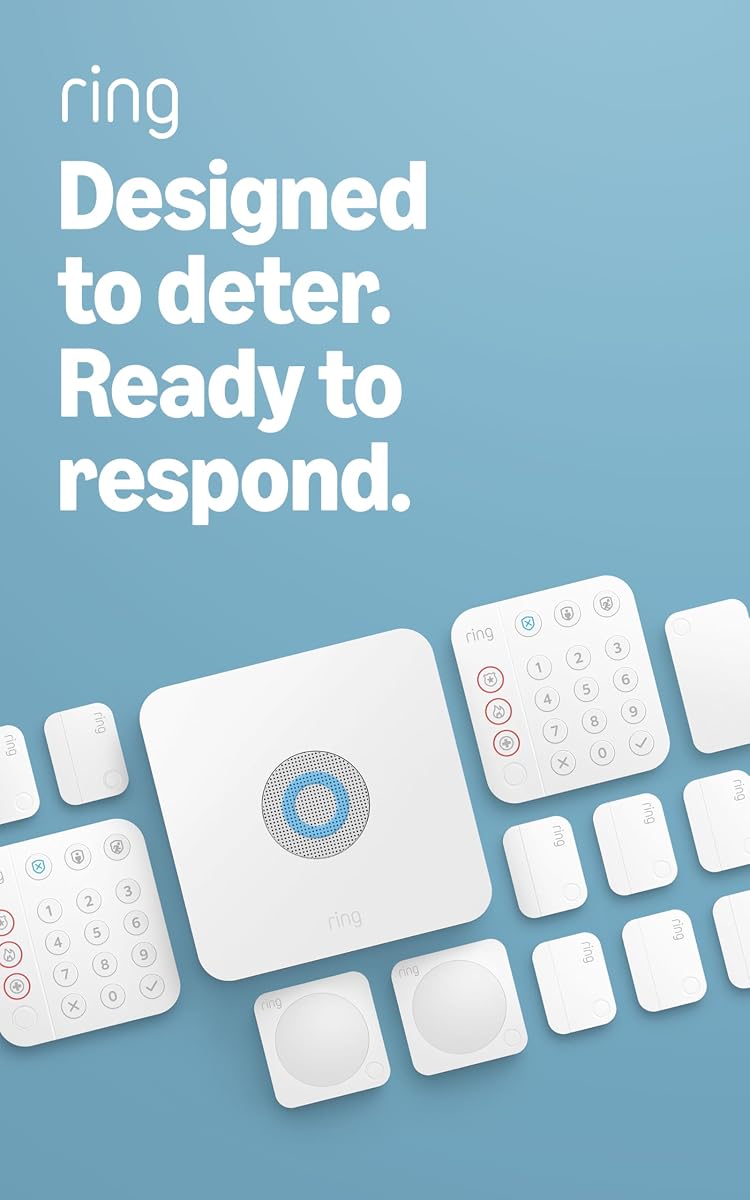
The Ring Alarm 8-Piece Kit is a perfect fit for 1-2 bedroom homes. It includes a base station, keypad, sensors, and a range extender for comprehensive coverage. A rating of 4.7 reflects high customer satisfaction.
We may earn a commission when you buy through this link, at no additional cost to you.
You can arm and disarm the system easily via the keypad or app. Contact sensors detect when doors or windows open. The system sends mobile notifications whenever it is triggered.
While basic protection is free, full features like professional monitoring need a subscription. This ensures your system stays online even if Wi-Fi fails. Alexa voice control adds convenience to daily use.
Homeowners looking for a balanced DIY solution should choose this kit. It offers robust security features while keeping installation simple and manageable.
Arm or disarm your alarm using voice commands with Alexa and a subscription.
Add more sensors and accessories anytime to enhance your security coverage.
We may earn a commission when you buy through this link, at no additional cost to you.
This kit is designed for larger spaces ranging from 2 to 4 bedrooms. It provides two keypads and eight contact sensors to cover multiple entry points effectively. The system is expandable for future needs.
We may earn a commission when you buy through this link, at no additional cost to you.
It uses the same intuitive app as the smaller kit. You receive notifications when sensors are triggered. Alexa compatibility allows for hands-free arming and disarming during daily routines.
Professional monitoring requires a subscription plan to activate. This ensures emergency services can be contacted automatically. The range extender helps maintain signal strength across larger properties.
Families with bigger homes will appreciate the extra sensors and keypads. It simplifies security management for households with more entry points and people.
More sensors and keypads ensure every room and entrance is secured.
Add accessories anytime to customize protection as your needs change.
We may earn a commission when you buy through this link, at no additional cost to you.
The TG7LA001 TG-7 LTE-A offers a straightforward cellular communication solution. It is designed to work with existing alarm panels to ensure signals are sent reliably. This model uses LTE-A technology for speed.
We may earn a commission when you buy through this link, at no additional cost to you.
Its focus is on basic connectivity without extra smart home features. This makes it suitable for commercial settings or homes where simplicity is preferred. It handles the core task of alarm transmission well.
There are limited details available on specific features beyond LTE-A. However, Telular is known for consistent performance in security applications. Users expect stable operation over long periods.
If you need a dedicated communicator for a standard alarm panel, this is a strong choice. It delivers essential cellular protection without complex setups or unnecessary add-ons.
LTE-A technology ensures faster data transmission for critical security alerts.
A trusted brand in security communications for consistent system operation.
We may earn a commission when you buy through this link, at no additional cost to you.
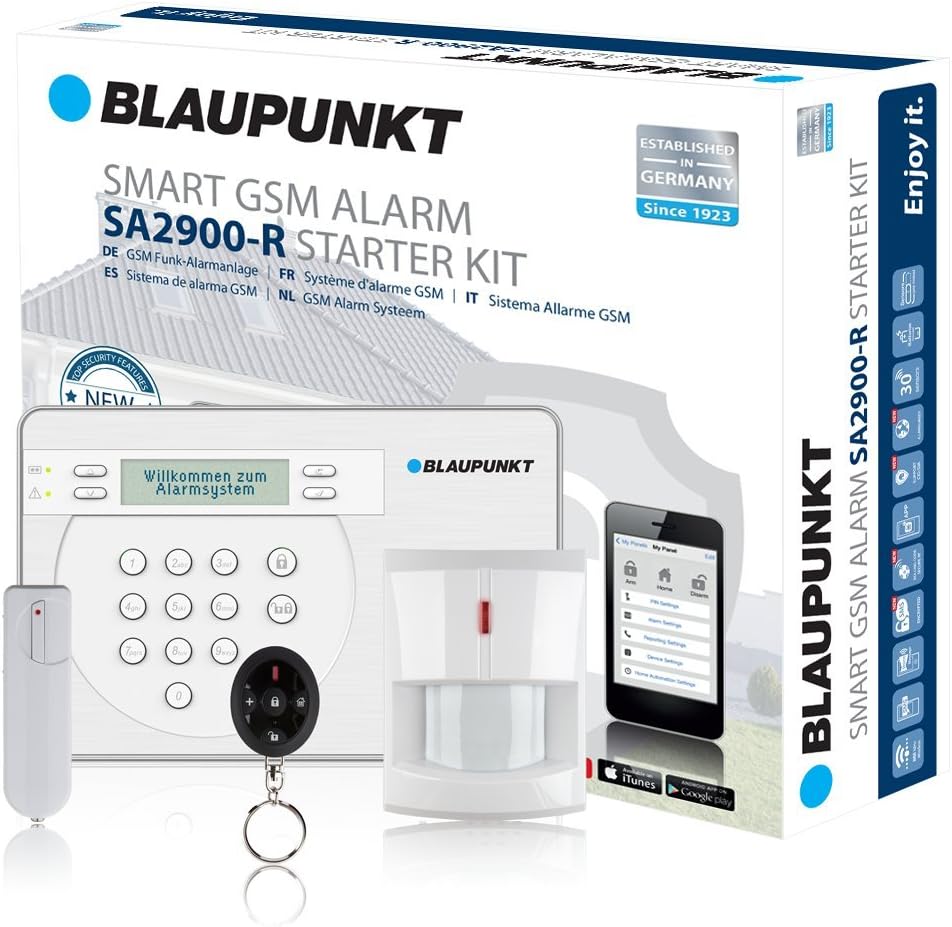
This GSM wireless system is excellent for homes or offices needing independent monitoring. It uses loud sirens integrated into the alarm center. You can also listen in via the built-in microphone for status checks.
We may earn a commission when you buy through this link, at no additional cost to you.
The system is protected from sabotage and reports breakdowns via SMS. It offers an 18-hour emergency power supply if the main power fails. This ensures continuous operation during outages.
You must provide a SIM card for it to work. The app is free and easy to use for remote control. It is a strong option for users who want robust standalone hardware.
Those who prioritize hardware reliability over smart integrations should consider this model. It delivers solid security features without relying on external cloud services.
System is protected from damage and automatically reports errors via SMS.
Built-in backup provides 18 hours of power during electricity failures.
We may earn a commission when you buy through this link, at no additional cost to you.
This system comes with 24 pieces for extensive home protection. It features a color screen that displays weather and system status. You can control it via Smart Life or Tuya apps.
We may earn a commission when you buy through this link, at no additional cost to you.
It supports voice control for convenient hands-free operation. There is no monthly fee required to use the features. An SOS device allows you to trigger an alarm instantly when needed.
The main unit can connect to 2.4GHz WiFi and a 4G SIM. This dual connectivity ensures alerts get through even if Wi-Fi goes down. The loud siren reaches over 110dB to deter intruders.
Families wanting maximum coverage and emergency options should look here. It combines a large sensor kit with essential features for safety and convenience.
WiFi and 4G SIM support keep your system online at all times.
A dedicated SOS device on the remote triggers immediate alerts when pressed.
We may earn a commission when you buy through this link, at no additional cost to you.
This kit is ideal for condos and apartments needing quick setup. It includes one base station, keypad, contact sensor, and motion detector. The system is wireless and easy to install.
We may earn a commission when you buy through this link, at no additional cost to you.
You can monitor your home through the Ring app easily. Professional monitoring is available for emergency responses. Alexa support allows for voice control of your security status.
While it has fewer sensors than larger kits, it covers essential areas. The range extender ensures connectivity throughout the apartment. It is perfect for renters who cannot modify walls.
Urban dwellers needing a portable solution will find this kit valuable. It offers brand reliability without the commitment of wired installation.
No tools required to install the base station and sensors quickly.
Arm or disarm your system using voice commands via Alexa.
We may earn a commission when you buy through this link, at no additional cost to you.
SimpliSafe offers a secure experience with no long-term contracts. You get 1 month of free monitoring to test the service. It includes entry sensors, motion sensors, and a keypad.
We may earn a commission when you buy through this link, at no additional cost to you.
Secret alerts allow you to be notified silently if someone enters private areas. The panic button dispatches police fast for emergencies. Motion sensors are tuned to ignore pets under 60lbs.
Smash-safe keypad ensures control remains in your hands during crises. It is fully compatible with Alexa and Google Assistant for smart integration. Setup is simple with no drilling required.
Homeowners valuing flexibility and smart features should choose this system. It balances high-quality hardware with customer-friendly service terms.
Get quietly notified if private areas are accessed without sounding a siren.
Optional monitoring comes with no hidden fees or long-term agreements.
We may earn a commission when you buy through this link, at no additional cost to you.
This kit provides exceptional value with a 16-piece package. It includes 6 door sensors and 3 motion detectors for broad coverage. You will never pay monthly fees for the app or alerts.
We may earn a commission when you buy through this link, at no additional cost to you.
The hub has a physical anti-tamper design. If pried loose, it triggers a local alarm and phone alert. The battery backup keeps the system running for up to 48 hours during blackouts.
WiFi and 4G dual network support means it switches automatically if Wi-Fi fails. The 120dB siren is loud enough to deter intruders effectively. It supports voice control via Alexa.
Budget-conscious shoppers needing reliable security should look at this option. It offers advanced redundancy features at a very competitive price point.
Physical anti-removal device triggers alerts if hub is pried loose.
Switches to cellular network automatically if WiFi connection drops.
We may earn a commission when you buy through this link, at no additional cost to you.
Selecting the right cellular alarm system depends on your property size, existing hardware, and monitoring preferences.
Look for systems that combine cellular with Wi-Fi or Ethernet. Dual connectivity ensures you receive alerts even if one network is disrupted.
Prioritize models with dual-network capabilities for uninterrupted security protection.
Many systems offer optional 24/7 professional monitoring. This service connects directly to emergency dispatch when your alarm is triggered.
Decide if you need professional monitoring based on your safety needs.
Check how many sensors the system supports. Larger homes need more door and motion detectors to cover all entry points.
Ensure the system has enough capacity for your full property layout.
A reliable backup battery keeps the system running during power outages. Look for models that last at least 18 to 48 hours.
Choose a system with a long-lasting battery for power reliability.
Some cellular systems charge monthly fees for monitoring or app access. Others offer zero-cost options for basic alerts.
Compare subscription models to avoid unexpected recurring costs.
Integration with Alexa or Google Assistant adds convenience. This lets you arm or disarm your system using voice commands.
Pick a system compatible with your existing smart home ecosystem.
Wireless systems make DIY installation simple. You should not need drilling or wiring to set up most modern kits.
Choose wireless options to minimize installation effort and disruption.
Your security needs might change over time. Ensure the system allows you to add sensors or accessories later.
Select a modular system that grows with your security requirements.
Start by placing the main hub near a central point in your home. This helps maintain strong cellular and Wi-Fi signal strength throughout the property.
Test your system regularly to ensure sensors and alerts function properly. Many apps allow you to trigger a test mode that simulates an alarm event.
Keep your battery backup in good condition by checking connections periodically. Replace batteries as needed to prevent system failure during power outages.
Yes, most cellular alarm systems function independently of Wi-Fi. They use cellular networks to send alerts directly to monitoring centers or your phone.
Some systems charge monthly fees for professional monitoring. However, many allow basic app use and alerts without a subscription.
Backup batteries typically last between 18 and 48 hours during a power outage. The exact duration depends on the specific model you use.
Yes, most modern systems are designed for DIY installation. You simply place sensors and connect the hub without drilling or wiring.
If the SIM card is damaged, the system cannot send cellular alerts. You may need to replace it with a new one to restore full functionality.
Yes, most cellular systems are expandable. You can add extra door sensors, motion detectors, or keypads to your existing network.
We reviewed ten top models ranging from basic communicators to comprehensive kits. Each offers unique features suited for different security requirements and budgets.
Prioritize reliable connectivity and battery backup to ensure your system works when needed most. Also consider professional monitoring if you need emergency dispatch services.
Prices and availability fluctuate, so verify current details on retailer pages. Take time to match features with your home layout before purchasing.