
Corded Landline Phone for Seniors
4.2Editor score
Large picture buttons for dialing
110dB loud ringer alert
No battery or Wi-Fi needed
This guide compares the top captioned telephone models for seniors with hearing loss, focusing on clarity, ease of use, and advanced captioning features
Captioned telephones provide real-time text displays for phone calls, helping those with hearing loss stay connected. These devices combine amplified sound with visual captions to ensure every word is understood clearly during conversations with loved ones.
We evaluated ten top models based on caption accuracy, volume control, button size, and ease of setup. Our comparison includes both specialized captioning units and amplified landline phones designed for seniors with various degrees of hearing and vision impairment.
Each pick highlights key features, pros, cons, and ideal use cases to help you choose the right device. Note that product availability and pricing can change over time, so please verify details before making your final purchase decision online.
4.2Editor score

4.3Editor score

5.0Editor score
The following table offers a side-by-side view of all ten models, highlighting their primary specifications and capabilities. This comparison helps you quickly identify which device matches your specific needs for hearing support, visual clarity, and connection type.




The Hamilton CapTel 2400iSPNBT stands out as the premier captioned telephone for seniors seeking clarity. With a 4.3 rating, it combines real-time text captions on a large touchscreen with amplified sound for confident conversations.
We may earn a commission when you buy through this link, at no additional cost to you.
This model shines by offering both auto and assisted captions, ensuring every word is captured accurately. The built-in answering machine displays voicemail text, so you never miss important messages from family members or doctors.
While it requires internet and FCC registration, these steps ensure reliable service. The customizable caption size and tone controls make it adaptable to individual hearing preferences and comfort levels.
Ideal for those prioritizing conversation clarity, this phone transforms calls into confident interactions. Its large screen and intuitive navigation make it the top choice for users needing robust captioning support at home.
The service transcribes calls instantly so you can read what is being said while listening to the speaker.
Adjust volume and tone to suit your hearing needs ensuring every call is clear and comfortable.
We may earn a commission when you buy through this link, at no additional cost to you.
This corded landline offers a budget-friendly solution for seniors needing simplicity. With a 4.2 rating, it focuses on visual cues and loud alerts rather than complex captioning, making it great for memory support.
We may earn a commission when you buy through this link, at no additional cost to you.
Features like photo dialing and one-click speed dial reduce cognitive load. The 110dB loud ringer ensures you never miss a call even with significant hearing loss or background noise.
While it lacks text captions, the hands-free mode and large buttons aid usability. Power comes directly from the phone line, so it works during outages without needing batteries or internet.
Perfect for users needing reliable connectivity without tech complexity, this phone bridges the gap effectively. It provides peace of mind through easy access to family and emergency contacts.
Photo buttons allow callers to recognize family members visually reducing the need to remember numbers.
Powered by the phone line alone it continues working even when the electricity goes out at home.
We may earn a commission when you buy through this link, at no additional cost to you.
The FLYINGVOICE FIP12WP earns top marks for its innovative image keys and robust amplification. With a 5.0 rating, it blends modern VoIP tech with senior-friendly design elements like photo slots and help buttons.
We may earn a commission when you buy through this link, at no additional cost to you.
Image keys help users with dementia connect with family easily by inserting photos. The 110dB speakerphone ensures loud clear audio even in noisy rooms or for those with severe hearing loss.
A visual red light alerts you to incoming calls or messages. While it needs VoIP service, the flexibility offers a secure and cost-effective calling solution compared to traditional lines.
Ideal for modern households with internet phone service, this model prioritizes safety and simplicity. Its high ratings reflect strong performance in clarity and user-friendly accessibility features.
Slots allow family photos to be inserted for instant recognition reducing dialing frustration.
A dedicated button provides instant access to pre-programmed emergency contacts or help services.
We may earn a commission when you buy through this link, at no additional cost to you.
This VTech hybrid phone offers mobility with a corded base for reliability. Rating at 4.0, it combines amplified sound and large buttons for seniors needing flexibility to move around while talking.
We may earn a commission when you buy through this link, at no additional cost to you.
The cordless handset allows conversations in any room. Visual indicators and loud ringers ensure no calls are missed even if you are not near the base station.
Photo dial slots simplify contact access for family members. Call blocking features protect from robocalls. The answering machine offers message playback with remote access.
Suitable for active seniors who want freedom during calls, this set balances function and ease. Its expandable design supports larger homes where multiple handsets might be useful.
Cordless handsets allow you to move freely during conversations without being tethered to a base.
Smart call blocker filters unwanted numbers ensuring only known contacts reach you.
We may earn a commission when you buy through this link, at no additional cost to you.
This unique home telephone relies entirely on voice commands for dialing and answering. While rated N/A, its hands-free functionality appeals to those with mobility or vision challenges.
We may earn a commission when you buy through this link, at no additional cost to you.
Commands like dial answer and end allow full control without pressing buttons. The phone is always listening ensuring rapid response to verbal requests.
The lack of physical buttons reduces complexity for users with dexterity issues. However it lacks visual captions which might limit clarity for some hearing-impaired callers.
Best for users prioritizing voice simplicity over text feedback this device offers a distinct approach to accessibility. It suits those comfortable with voice technology for daily communication.
Three voice words manage all call functions making operation straightforward.
Always on ready mode lets you respond without touching any controls.
We may earn a commission when you buy through this link, at no additional cost to you.
This corded phone combines amplification with visual photo cues for ease of use. Rated 4.2, it offers a compact solution for homes with limited space or wall mounting needs.
We may earn a commission when you buy through this link, at no additional cost to you.
Three picture buttons store favorite contacts for quick dialing. Amplified volume up to 40dB supports hearing needs while the wall mount design keeps countertops clear.
Stored numbers remain protected even if the line unplugs. This reliability ensures contacts are safe. The buttons are large enough to reduce dialing errors.
Ideal for small spaces or specific mounting setups this phone delivers essential features efficiently. It suits those needing physical accessibility aids rather than text captions.
Mounting kits allow secure installation to save surface space.
Stored numbers are retained even if power or line is temporarily disconnected.
We may earn a commission when you buy through this link, at no additional cost to you.
This model emphasizes audio clarity with high definition sound technology. Rated 3.5, it aims to deliver performance-oriented features for hearing-impaired users seeking improved call quality.
We may earn a commission when you buy through this link, at no additional cost to you.
The amplified sound supports standard landline connections. Users benefit from enhanced audio fidelity. However details about specific captioning or button features remain limited.
Performance focus suggests a priority on clear voice transmission. It may suit those needing pure sound boost over digital captioning tools.
A niche choice for audio quality seekers this phone fits specific needs. It is best for users who prioritize sound performance over digital interface elements.
Technology enhances voice clarity for more natural conversations.
We may earn a commission when you buy through this link, at no additional cost to you.
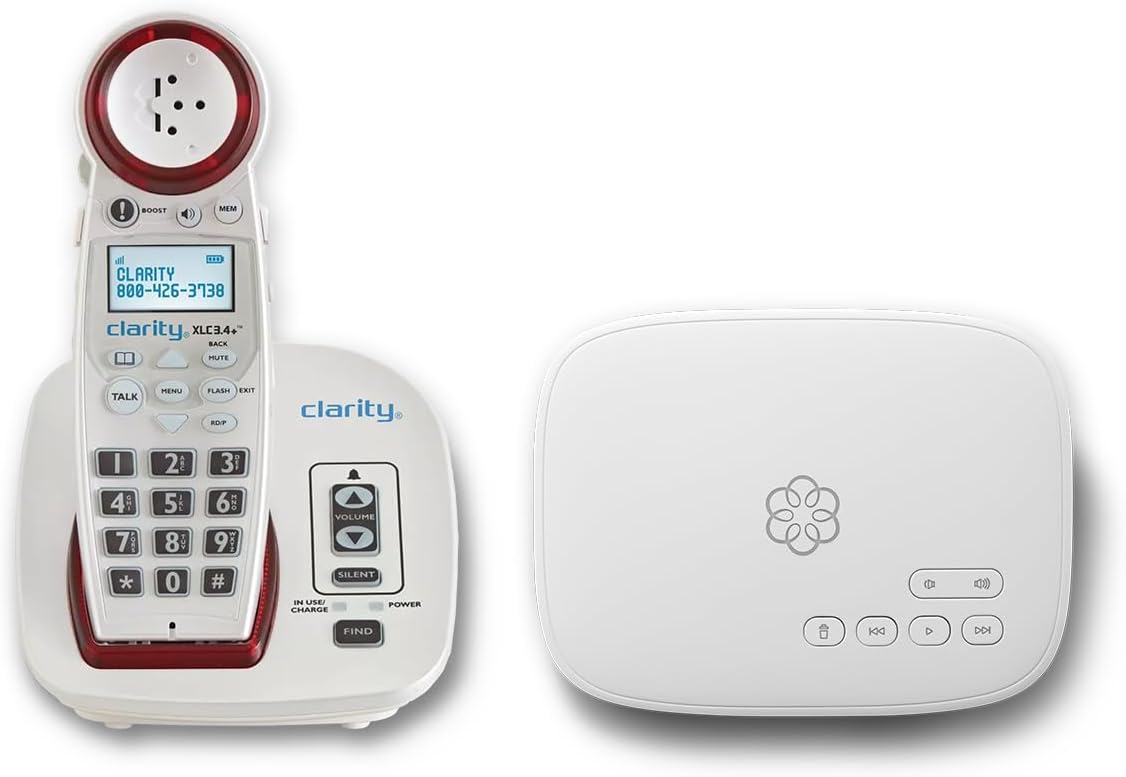
This bundle integrates phone service with an amplified cordless handset. Rated 4.5, it offers convenience through unlimited calling and robust safety features like address-based 911 alerts.
We may earn a commission when you buy through this link, at no additional cost to you.
Visual ringer and talking keypad assist hearing and vision needs. Call blocking and concierge support simplify management. Setup assistance ensures proper configuration.
Service integration means fewer devices to manage. The talking keypad enhances accessibility. However subscription fees apply and captions are not included.
Suitable for those wanting service simplicity and safety features this bundle delivers. It serves users needing comprehensive support beyond just hardware functions.
Visual and text alerts keep you informed of incoming calls.
Personal assistance helps ensure the system is set up correctly.
We may earn a commission when you buy through this link, at no additional cost to you.
This voice dialer phone combines audio commands with visual alerts. Rated 2.1, it aims to assist seniors using voice prompts but feedback suggests mixed performance.
We may earn a commission when you buy through this link, at no additional cost to you.
Visual ringer and talking caller ID offer accessibility cues. 40dB earbud options support hearing needs. Memory backup retains contacts without loss.
Voice prompts help users operate without touching keys. However low ratings suggest reliability issues for some. It may suit those testing voice features.
A budget option for voice control this phone offers basic accessibility tools. It fits users who prioritize voice commands despite potential reliability trade-offs.
Programmed names and numbers are spoken to confirm calls.
LED indicators provide call notifications for hearing-impaired users.
We may earn a commission when you buy through this link, at no additional cost to you.
This model features nine photo memory keys for fast one-touch dialing. Rated 4.2, it supports seniors with memory loss through visual cues and loud alerts.
We may earn a commission when you buy through this link, at no additional cost to you.
Hands-free calling and 110dB ringer ensure accessibility. LED flash alerts notify you of incoming calls. The simple four-step programming reduces setup frustration.
Visual cues help recall contacts easily without memorizing numbers. While no captions are included, the memory and volume features address key needs.
Ideal for dementia support or memory challenges this phone simplifies calling. It delivers peace of mind for families needing reliable easy access.
Photo keys allow instant dialing by visual recognition.
Program contacts in four steps for quick start.
We may earn a commission when you buy through this link, at no additional cost to you.
Selecting the right telephone depends on specific hearing needs, memory support, and connection preferences. Consider these factors to find a device that ensures reliable communication at home.
True captioned phones display text in real-time alongside audio. If your primary need is reading what is said, prioritize models with real-time caption services and clear screen displays.
Ensure the service is available in your region and understand registration requirements for free access.
Amplified sound helps users hear clearly. Look for volume gain above 40dB for those with moderate hearing loss. Higher dB levels may be needed for severe impairments.
Check if the device offers separate controls for ringers and handset volume.
Flashing lights or LEDs notify users of incoming calls. These alerts are crucial for those with hearing loss or noisy environments where audio alone might be missed.
Ensure the alert brightness is sufficient for your specific lighting conditions.
Photo speed dial buttons or memory keys simplify contact access for seniors with memory loss. One-touch dialing reduces cognitive load and makes calling easier.
Verify how many contacts can be stored and how easily they can be programmed.
A speakerphone mode allows calls without holding the receiver. This is useful for users with mobility issues or arthritis who cannot grip a handset easily.
Check if the speaker is loud and clear enough for both participants.
Traditional phones use phone lines while VoIP models use internet services. Ensure your home connection matches the device requirement before purchase.
Analog devices work during power outages while VoIP may need backup power.
Large screens help users read caller IDs and captions clearly. High contrast and adjustable font sizes improve usability for those with low vision.
Check screen size and readability in different lighting settings.
Dedicated help keys or 911 features enhance safety. These allow quick access to emergency services or caregivers during unexpected situations.
Ensure the device supports reliable address transmission for emergency dispatch.
Start by connecting the phone to a compatible phone line or internet service. For captioning models, complete the FCC registration process to unlock free services.
Set up photo keys or speed dial numbers for frequent contacts. Adjust volume and ringer levels to match your hearing needs and environment.
Keep the screen clean and avoid placing the device near water or heat. Check settings regularly to ensure caption services remain active and functioning correctly.
Most captioning services are free for US residents with hearing loss after FCC registration. Some models require a monthly subscription for VoIP services. Verify fees before purchasing.
Traditional captioned phones use standard phone lines but may still require internet for caption transcription. VoIP models need active internet. Check connection needs.
Look for models with large text and high contrast displays. Some offer talking menus or voice prompts for navigation. Adjustable font sizes help.
Insert photos into slots or assign contacts via the setup menu. Follow the device manual for specific steps. Most support multiple photo keys.
Yes as long as the phone supports your calling plan. Check your provider for rates. VoIP bundles often include unlimited calling.
Yes for captioning services to verify hearing loss eligibility. Registration is free and done online. Once approved access is unlimited.
Our top picks include the Hamilton CapTel 2400iSPNBT for clarity, a budget corded landline for memory support, and the FLYINGVOICE FIP12WP for VoIP needs.
Prioritize devices that offer real-time captions and large displays if reading is essential. For those needing memory aid photo speed dial options are vital.
Verify connection requirements and check current prices before buying. Regularly review settings to keep your device optimized for daily use.