
ASUS Pro WS W890E-SAGE SE
5.0Editor score
Intel Xeon 600 processor readiness
NitroPath DRAM technology for speed
Dual 10Gb LAN ports integrated
This comprehensive guide compares the top ten ASUS server motherboards for workstations and data centers, highlighting performance features and reliability.
ASUS server motherboards are engineered for demanding professional environments where stability and performance are critical. These boards support high-core CPUs, ECC memory, and extensive connectivity options for enterprise workloads.
We evaluated ten models based on socket compatibility, power delivery design, expansion capabilities, and remote management features. Each selection meets rigorous standards for continuous operation and hardware validation in server contexts.
Every pick details core specifications, standout strengths, and potential trade-offs to help you choose the right platform. Prices fluctuate frequently so verify current listings before finalizing your purchase decision today.
5.0Editor score

3.7Editor score
4.3Editor score
The following table provides a side-by-side overview of all ten selected ASUS server motherboards. It highlights key specifications like socket type, memory support, and connectivity options to simplify your selection process.


This flagship workstation board delivers unmatched scalability for compute-heavy tasks. It supports AMD Ryzen Threadripper PRO 7000 WX-Series processors with robust power stages and extensive memory capacity. The inclusion of seven PCIe 5.0 x16 slots makes it ideal for multi-GPU configurations and high-speed storage arrays.
We may earn a commission when you buy through this link, at no additional cost to you.
Its server-grade IPMI remote management ensures administrators can monitor and control systems remotely without physical access. The dedicated LAN port links directly to the AST2600 BMC controller for reliable out-of-band management. ASUS Control Center Express software further enhances real-time monitoring capabilities for IT teams.
While the price reflects its premium positioning, the thermal design with active cooling fans ensures sustained performance under heavy loads. The PCIe Q-release Slim feature is a practical innovation that removes the frustration of latching graphics cards in tight server cases. Trade-offs are acceptable given the sheer capability offered.
This board is best suited for engineering workstations, AI research labs, and virtualization hosts needing maximum I/O throughput. If your workload demands multi-GPU support and extensive expansion, this platform provides the foundation you need. We recommend verifying compatibility with your specific CPU and RAM modules before ordering.
With seven PCIe 5.0 x16 slots, this board supports multiple GPUs and accelerators without bandwidth bottlenecks, essential for deep learning and rendering tasks.
The AST2600 BMC controller and dedicated IPMI LAN port allow for secure, out-of-band monitoring and configuration, critical for unattended server deployments.
We may earn a commission when you buy through this link, at no additional cost to you.
Designed for the future of AI computing, this Intel-based workstation board pairs with Xeon 600 processors to deliver immense power. The exclusive NitroPath DRAM technology boosts memory performance significantly, ensuring fast data access for demanding applications. Its seven PCIe 5.0 x16 slots offer unparalleled expansion for accelerators and storage.
We may earn a commission when you buy through this link, at no additional cost to you.
Server-grade IPMI remote management ensures operational continuity through hardware and software integration. The AST2600 BMC controller connects via a dedicated LAN port, while ASUS Control Center Express provides intuitive monitoring interfaces. This level of control is vital for maintaining uptime in critical infrastructure.
The robust power design features 16+(2+2)+1+2 stages with multiple power connectors supporting dual PSU operation for redundancy. Innovative active cooling keeps VRM and M.2 components within safe thermal limits during intensive workloads. While the investment is substantial, the reliability and scalability justify the cost for professionals.
Ideal for advanced AI development, data science teams, and high-end rendering farms, this board bridges consumer workstation and server capabilities. Prioritize this if you need Intel architecture with top-tier connectivity and manageability. Always check the QVL list to confirm component compatibility before deployment.
Built specifically for advanced AI PCs, this board provides the necessary power and connectivity to handle next-generation artificial intelligence applications seamlessly.
NitroPath DRAM technology optimizes signal integrity and reduces interference, resulting in more stable and faster DDR5 memory operation under load.
We may earn a commission when you buy through this link, at no additional cost to you.
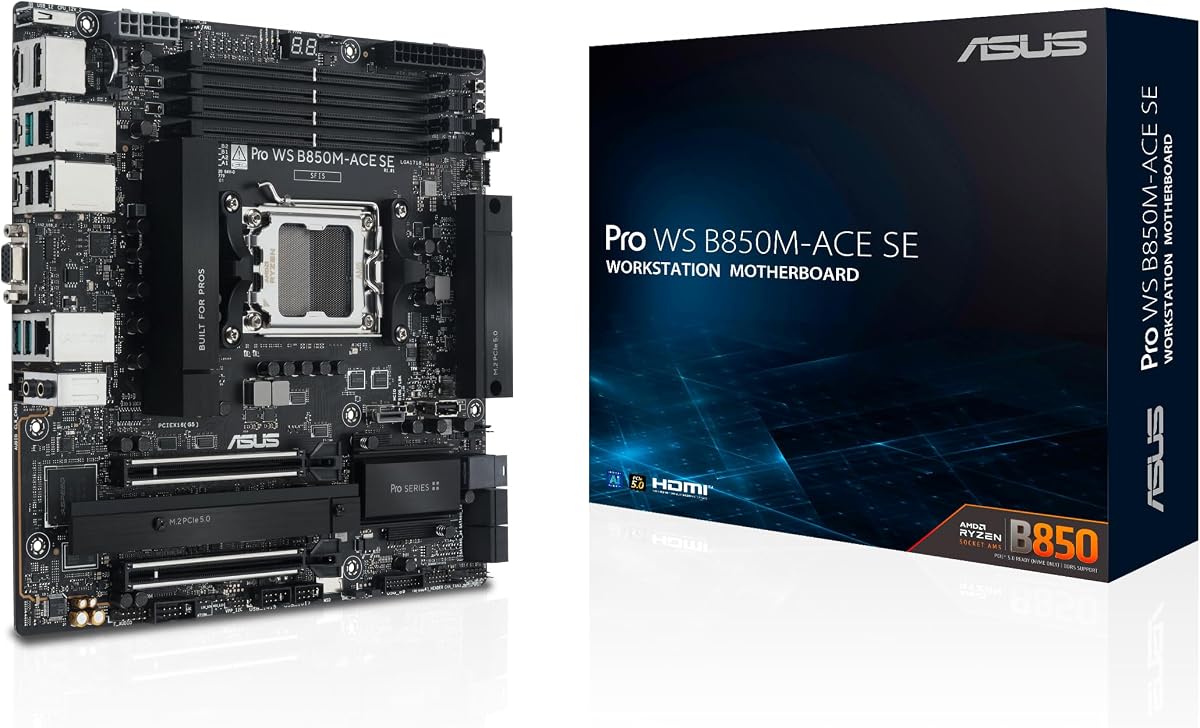
This MicroATX board brings essential server features to budget-conscious businesses without sacrificing core performance. It supports AMD Ryzen 9000 and EPYC 4005 series processors with reliable power delivery. The inclusion of 10Gb and 2.5Gb LAN ports ensures fast network connectivity for small to medium workloads efficiently.
We may earn a commission when you buy through this link, at no additional cost to you.
Server-grade IPMI remote management is a standout feature at this price point. The onboard BMC AST2600 works with ASUS Control Center Express for real-time monitoring, reducing the need for separate management hardware. This integration simplifies IT administration for smaller teams managing multiple endpoints.
While it lacks the expansion scale of larger boards, its two PCIe 5.0 M.2 slots and U.2 support offer sufficient storage options for most office servers. The compact design fits into smaller chassis, lowering overall system costs. Trade-offs in expansion are reasonable given the significant savings on hardware.
Choose this board for entry-level file servers, development machines, or edge computing nodes where space and budget are constraints. It balances cost and capability effectively for organizations starting their server infrastructure journey. Always verify your specific workload needs against its limited PCIe slot count before purchase.
Delivering IPMI remote management and robust connectivity at a lower price point, this board makes server-grade reliability accessible to smaller businesses.
The MicroATX form factor reduces system size and power consumption, ideal for deployments where rack space or physical footprint is limited.
We may earn a commission when you buy through this link, at no additional cost to you.
This CEB board offers flexibility for workstation builds needing Intel Xeon 600 power. It features robust power stages and comprehensive cooling to sustain high-performance tasks. The IPMI expansion card readiness allows you to add remote management based on your budget and specific IT needs rather than requiring it upfront.
We may earn a commission when you buy through this link, at no additional cost to you.
Connectivity includes Realtek 10Gb LAN alongside Intel 2.5Gb LAN for versatile networking options. SlimSAS slots support NVMe storage in compact configurations, enhancing data throughput significantly. USB4 and USB 20Gbps Type-C ports ensure fast peripheral connections for high-speed external drives and displays.
The lack of a customer rating suggests this model is newer or less common in the marketplace. However, ASUS reliability usually ensures quality build standards consistent with the Pro WS series. The trade-off of buying an expansion card separately means you pay only for the management features you actually require.
Best for engineers needing a versatile Intel workstation that can scale later with IPMI capabilities. If you want to customize your server features gradually, this board provides an excellent foundation. Confirm expansion card availability and compatibility before finalizing your build configuration.
Readiness for IPMI expansion cards gives users the choice to add enterprise management features only when needed, optimizing initial hardware costs.
SlimSAS connectors allow for modern NVMe storage integration in server-like configurations, boosting read and write speeds for data-intensive applications.
We may earn a commission when you buy through this link, at no additional cost to you.
This board stands out with WiFi 7 support, providing ultra-low latency wireless connectivity for creative workstations. It supports AMD Ryzen Threadripper PRO 7000 WX-Series with 36 power stages ensuring stability. The CEB form factor fits standard server chassis, making it versatile for both rack and tower setups.
We may earn a commission when you buy through this link, at no additional cost to you.
Connectivity includes dual 10Gb and 2.5Gb LAN alongside SlimSAS NVMe support for high-speed data handling. IPMI remote management is supported via expansion cards, offering flexibility for system admins who need remote access. Three PCIe 5.0 x16 slots enable robust multi-GPU configurations for rendering and AI tasks.
While IPMI isn't onboard, the expansion option allows you to tailor the board to your management needs. The inclusion of WiFi 7 future-proofs the system against emerging wireless standards. Trade-offs in remote management complexity are acceptable for users who prioritize wireless speed.
Ideal for content creators and architects needing high-speed wireless alongside heavy compute capabilities. If you value wireless flexibility without sacrificing workstation power, this board is a strong contender. Verify WiFi 7 router compatibility and IPMI card requirements before ordering.
With WiFi 7 support, this motherboard delivers the fastest possible wireless speeds and lowest latency for modern wireless networking environments.
IPMI expansion card support allows you to add enterprise management capabilities as your infrastructure needs grow over time.
We may earn a commission when you buy through this link, at no additional cost to you.
Designed for advanced AI computing, this board features four M.2 slots and USB4 ports for high-speed data transfer. Its 20 power-stage design ensures stable performance for AMD Ryzen Threadripper PRO and regular Threadripper processors. The active cooling system protects VRM and M.2 heatsinks effectively under load.
We may earn a commission when you buy through this link, at no additional cost to you.
IPMI remote management support via expansion cards makes this board flexible for enterprise deployment. It supports up to 1TB ECC R-DIMM DDR5 memory, ideal for virtualization and database tasks. The robust power and thermal design maintains stability during continuous operation without throttling performance unnecessarily.
Although WiFi 7 is absent, the wired connectivity remains exceptional with 10Gb and 2.5Gb LAN options. Users can prioritize storage and GPU expansion over wireless features. Trade-offs in storage slots are acceptable given the board's focus on wired reliability and raw throughput.
This model is best for workstations prioritizing wired performance and expandability. If you need multiple NVMe drives and high-speed USB connections, this board delivers. Confirm expansion card options for remote management before finalizing your purchase decision today.
Two USB4 ports providing 40Gbps speeds enable rapid data transfers and support for high-performance external displays and storage devices.
Active cooling for VRM and M.2 heatsinks ensures that the motherboard maintains optimal temperatures during prolonged periods of heavy usage.
We may earn a commission when you buy through this link, at no additional cost to you.
This ATX workstation delivers Intel 13th Gen support with bundled IPMI expansion for instant remote management. It features dual PCIe 5.0 SafeSlots and Thunderbolt 4 headers for high-speed peripherals. ECC memory support ensures data integrity for professional tasks and virtualization environments effectively.
We may earn a commission when you buy through this link, at no additional cost to you.
Network connectivity includes dual 2.5Gb LAN ports, offering reliable bandwidth for file transfers and backups. The BMC header enables seamless integration with enterprise management tools. ASUS Control Center Express software provides additional software-level security like USB port management and blacklisting capabilities.
The bundled IPMI card removes the guesswork and extra cost of adding management later. However, support is limited to newer Intel Core CPUs, which may restrict legacy compatibility. The ATX size requires a larger chassis but standardizes building for many users.
Perfect for IT professionals needing immediate remote capabilities without extra hardware purchases. If you require Thunderbolt 4 and solid management features, this board fits well. Check CPU compatibility carefully to ensure your build meets these specific generation requirements.
With an IPMI expansion card included, this board offers immediate remote management capabilities, saving time and reducing procurement complexity.
The Thunderbolt 4 header allows for ultra-fast data transfer and connection to high-resolution displays, ideal for content creation workflows.
We may earn a commission when you buy through this link, at no additional cost to you.
This board serves legacy infrastructure needing reliable Intel Xeon E-2300 support. The Micro ATX form factor fits standard server cases with ease. While less modern than current workstation boards, it maintains essential server capabilities for specific business requirements effectively.
We may earn a commission when you buy through this link, at no additional cost to you.
Its Intel C252 chipset ensures stability for small business environments or specialized hardware integrations. The design prioritizes compatibility and reliability over cutting-edge features. This focus makes it suitable for maintenance or replacement tasks where existing software depends on specific CPU generations.
While limited to older architectures, it remains relevant for users who cannot migrate to new platforms immediately. The Micro ATX standard simplifies maintenance compared to proprietary server systems. Trade-offs in speed are acceptable given its target niche of legacy support.
Choose this for maintaining existing setups or low-power dedicated servers. If your software or OS requires Xeon E-2300 compatibility, this board delivers. Verify your current environment constraints before investing in this specific legacy platform model.
Designed for specific legacy server environments, this board ensures stability and support for older Xeon processors where newer models are not viable.
The Micro ATX design keeps the system footprint small, making it easy to fit into standard server racks and enclosures.
We may earn a commission when you buy through this link, at no additional cost to you.
This E-ATX board supports dual Intel Xeon processors for extreme compute power. It allows up to 4TB of DDR5 RAM, ideal for virtualization and database servers. Dual Intel 10Gbps LAN ports with teaming support ensure robust network throughput for data center environments.
We may earn a commission when you buy through this link, at no additional cost to you.
The design focuses on high-density data throughput with dual M.2 slots providing PCIe 5.0 x4 bandwidth. Comprehensive IT infrastructure management via ASUS Control Center helps monitor system health continuously. This board is built for workloads requiring maximum memory capacity and processing power.
Its E-ATX size requires significant space in server racks, which may impact physical deployment. New models often lack immediate user ratings until broader adoption occurs. Trade-offs in size are justified for the massive memory and CPU capacity offered here.
Best for high-performance data centers and virtualization hosts. If you need to host multiple VMs or massive datasets locally, this board delivers. Verify chassis compatibility and cooling requirements before installing this large form factor.
With support for up to 4TB of DDR5 RAM, this board enables extreme virtualization and in-memory database applications without bottlenecks.
Dual 10Gbps Ethernet ports with teaming support provide redundant, high-throughput network connections essential for data center operations.
We may earn a commission when you buy through this link, at no additional cost to you.
This ATX workstation combines Intel 13th Gen support with a bundled IPMI card for remote management. It features HDMI, DisplayPort, and VGA outputs for versatile display connectivity. The IPMI expansion card bundle provides dedicated BMC chip intelligence for server architectures.
We may earn a commission when you buy through this link, at no additional cost to you.
Connectivity includes SlimSAS and SATA ports alongside PCIe 5.0 SafeSlot slots. While PCIe 5.0 slots are limited compared to higher-end models, the balance supports most workstation needs. DDR5 support ensures modern memory performance for applications requiring high speed.
User ratings suggest mixed experiences possibly due to setup complexity or early adoption factors. However, ASUS Control Center Express software aids in maintaining system security and health. Trade-offs in PCIe slots are reasonable given the broad video and storage options.
Choose this for general-purpose workstations needing remote management and multiple display outputs. If you require IPMI without buying separate hardware, this bundle works well. Confirm all specific expansion needs before finalizing your selection.
The bundled IPMI expansion card provides immediate server-grade management capabilities, streamlining maintenance and remote access for IT teams.
Support for HDMI, DisplayPort, and VGA allows easy connection to various monitor types without needing additional graphics adapters.
We may earn a commission when you buy through this link, at no additional cost to you.
Selecting the right server motherboard depends on understanding your specific workload, budget, and long-term infrastructure plans. This guide outlines key factors to consider before making a purchase.
Ensure the motherboard supports your intended CPU generation and core count. AMD sTR5 and Intel LGA sockets vary significantly in features and memory support so check your processor model carefully.
Verify processor compatibility to avoid hardware mismatches that could prevent system boot or stability.
Choose between EEB, CEB, ATX, or MicroATX based on available physical space. Larger boards offer more expansion but need bigger cases, while MicroATX saves space but limits slots.
Match the form factor to your case size to ensure physical fit and airflow.
Decide if you need out-of-band management for remote administration. Some boards include IPMI onboard while others require expansion cards. Dedicated LAN ports improve management reliability.
Select built-in or bundled IPMI options to streamline system administration tasks efficiently.
Consider how much ECC memory you need. Some models support up to 4TB while others cap lower. Ensure DDR5 compatibility for performance and future-proofing.
Choose memory capacity that meets current and projected workload requirements.
Count required PCIe slots for GPUs and network cards. High-end boards offer seven x16 slots while others fewer. Check generation versions like PCIe 5.0 for bandwidth.
Verify slot counts and generations to match your expansion needs.
Look for 10Gb or 2.5Gb LAN ports depending on your network speed. Dual ports support teaming for redundancy. Some models include USB4 or WiFi for flexible peripheral connections.
Prioritize network speed and redundancy to avoid bottlenecks.
Evaluate M.2 and SlimSAS support for NVMe storage. PCIe 5.0 M.2 slots provide higher speeds. Ensure you have enough slots for OS and data drives.
Select storage interfaces that align with your speed and capacity requirements.
Check power stages and cooling solutions to maintain CPU stability. High-power CPUs need robust VRMs and active cooling. Thermal design affects reliability under load.
Ensure power and cooling match your CPU TDP and usage patterns.
Install the motherboard carefully ensuring all standoffs align correctly. Connect power connectors firmly and route cables to maximize airflow inside the chassis.
Update BIOS and firmware immediately to ensure compatibility and security patches. Use ASUS Control Center Express software to monitor system health and temperature regularly.
Keep the system in a well-ventilated environment. Clean dust from heatsinks and fans periodically to prevent overheating and maintain long-term reliability.
IPMI stands for Intelligent Platform Management Interface and enables remote management of the server. It allows you to monitor hardware health, reboot systems, and manage BIOS settings without physical access. This is vital for maintaining uptime in critical infrastructure.
Most ASUS server boards support ECC R-DIMM modules for data integrity. While non-ECC RAM might work on some models, using ECC ensures data reliability crucial for server environments. Always check the specific board manual for supported memory types.
Not all support dual CPUs. Models like Z13PE-D16 support dual processors while others like B850M-ACE support single CPUs. Check socket and board specifications to confirm multi-processor capabilities before purchasing.
PCIe 5.0 M.2 slots offer double the bandwidth of PCIe 4.0 allowing faster boot times and data access. This is beneficial for high-speed storage arrays or OS drives where throughput matters significantly for performance.
Most support hardware RAID via onboard controllers or expansion cards. Always verify specific RAID levels supported in product specs as RAID capabilities can vary significantly between models and chipsets.
Use ASUS Control Center Express or IPMI tools to monitor temperatures. These platforms provide real-time data on CPU and VRM temperatures allowing proactive cooling adjustments if needed.
Yes most support Windows Server operating systems. Check driver availability on ASUS support sites to ensure compatibility for your specific board model before deploying a server OS.
MicroATX saves rack space and reduces power consumption. Ideal for smaller deployments where physical footprint matters. However ATX offers more expansion slots if you need extensive hardware connectivity.
We highlighted ten models ranging from the powerful Pro WS WRX90E-SAGE SE to the budget-friendly Pro WS B850M-ACE SE. Each offers unique strengths in expansion, management, and processor support.
Prioritize IPMI management, power delivery, and PCIe slot counts based on your workload. Workstations need different features than rack-based servers so align specs with your actual use case.
Prices fluctuate frequently so verify current listings and stock availability before purchasing. Check user ratings and recent reviews to ensure you receive the latest hardware revisions.