
ASUS ExpertBook B3
AI-powered performance boost
Military-grade durability
Thunderbolt 4 connectivity
Finding the right business laptop requires balancing power, portability, and security. ASUS offers a wide range of devices tailored for professionals who need reliability and efficiency in their daily workflows.
We have analyzed ten top models based on processor speed, memory capacity, display quality, and build durability. Each option brings unique strengths to meet different business requirements and budget constraints effectively.
Every review highlights key features, pros, cons, and real-world use cases. Prices and availability can change quickly, so verify current details before making your final purchase decision online.

5.0Editor score

4.1Editor score
As an Amazon Associate we earn from qualifying purchases.
This side-by-side comparison highlights the core specifications of each model to help you quickly identify the device that best fits your professional demands and mobility needs.

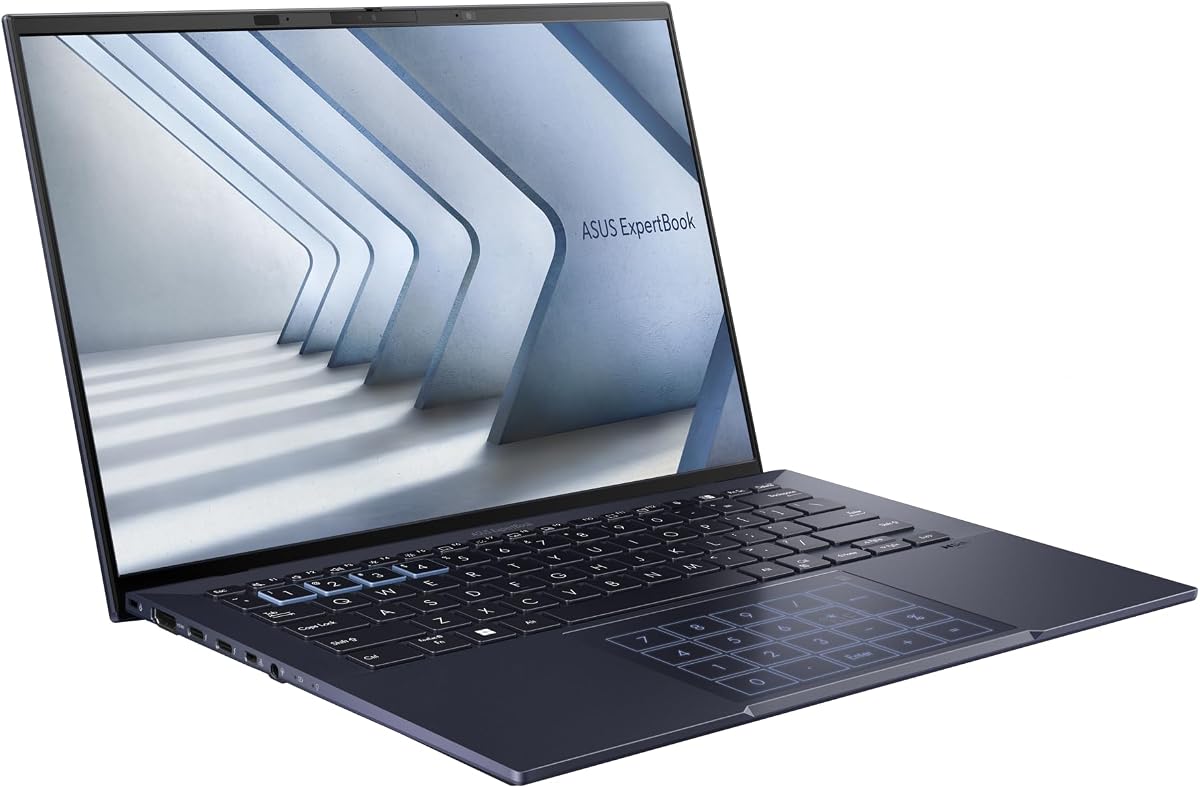


This is the lightest 14-inch OLED business laptop available, weighing just 2.18 pounds. It holds a perfect 5.0 rating for its exceptional build quality and performance reliability.
We may earn a commission when you buy through this link, at no additional cost to you.
The Intel Core 7 processor handles daily tasks efficiently while the OLED display provides stunning visuals for presentations. It includes a dedicated Copilot key for AI assistance and runs Windows 11 Pro.
While expensive, the portability and screen quality justify the cost for frequent travelers. The sustainable design meets modern eco-friendly business standards effectively.
Ideal for executives who prioritize mobility and screen fidelity. If you need a premium device for high-stakes meetings, this model stands out strongly.
The 2.18-pound weight makes it effortless to carry through airports and offices without added strain.
Deep blacks and vibrant colors on the OLED panel enhance document reading and media consumption significantly.
We may earn a commission when you buy through this link, at no additional cost to you.
This laptop features the new Intel Core Ultra 5 processor with built-in AI Boost for optimizing workloads. It combines power with enterprise-level security tools effectively.
We may earn a commission when you buy through this link, at no additional cost to you.
The 32GB RAM and 2TB SSD ensure smooth multitasking for heavy users. It also meets MIL-STD-810H standards for physical resilience in tough environments.
The weight might be higher than ultrabooks but offers better thermal management. Security features like TPM 2.0 and fingerprint readers keep data safe from unauthorized access.
Best for power users needing high performance and durability. If your work involves heavy data or travel in rough conditions, this model excels.
Intel AI Boost NPU accelerates AI tasks like transcription and conferencing for faster results.
TPM 2.0 and BIOS protection ensure sensitive business data remains secure against cyber threats.
We may earn a commission when you buy through this link, at no additional cost to you.
A great entry-level option offering 24GB RAM and a 1TB storage solution for a low cost. It includes lifetime Microsoft Office making it ready for business use.
We may earn a commission when you buy through this link, at no additional cost to you.
The 10-Core i5 processor handles multitasking well for general office tasks. The privacy shield on the webcam adds physical security for remote meetings.
The external drive and USB hub bundle provide added convenience but may vary in quality. The display is standard FHD which suits document work well.
Perfect for small businesses or students needing affordability. If budget is a concern but you need Windows 11 Pro and office tools, this is a strong choice.
Lifetime Microsoft Office license saves recurring subscription costs for Word and Excel users.
24GB RAM allows running multiple applications and browser tabs without slowdowns.
We may earn a commission when you buy through this link, at no additional cost to you.
This model focuses on reliability with ExpertCool thermal management to prevent overheating. It ships with Windows 11 Pro for enterprise management and security needs.
We may earn a commission when you buy through this link, at no additional cost to you.
The 32GB RAM and 1TB SSD provide substantial resources for demanding tasks. Enterprise security configurations like hard drive password protection are included out of the box.
Without a fingerprint reader it relies on password authentication which may be less convenient. The 15.6-inch screen offers a good balance of work area and portability.
Suited for office environments needing stability and security. If you require a robust machine for long work hours without thermal throttling, this model fits.
ExpertCool technology keeps temperatures stable even during prolonged high-performance computing sessions.
TPM 2.0 and BIOS protection offer layered defenses against unauthorized system access.
We may earn a commission when you buy through this link, at no additional cost to you.
A sleek black chassis houses a stunning 2.8K OLED display with narrow bezels. It weighs only 2.18 pounds making it highly portable for daily commutes.
We may earn a commission when you buy through this link, at no additional cost to you.
The Intel i7 processor with smart cooling ensures efficient performance during multitasking. The 180-degree hinge allows flexible viewing angles for sharing content with colleagues.
The high-resolution screen consumes more power than standard panels which may affect battery life. However the visual quality is worth it for creative professional tasks.
Best for professionals who value display quality and portability. If you often present on the go, this model offers the clarity you need.
The OLED HDR display delivers deep contrast and accurate colors for media and design work.
Magnesium-lithium alloy keeps weight low while protecting against drops and shock.
We may earn a commission when you buy through this link, at no additional cost to you.
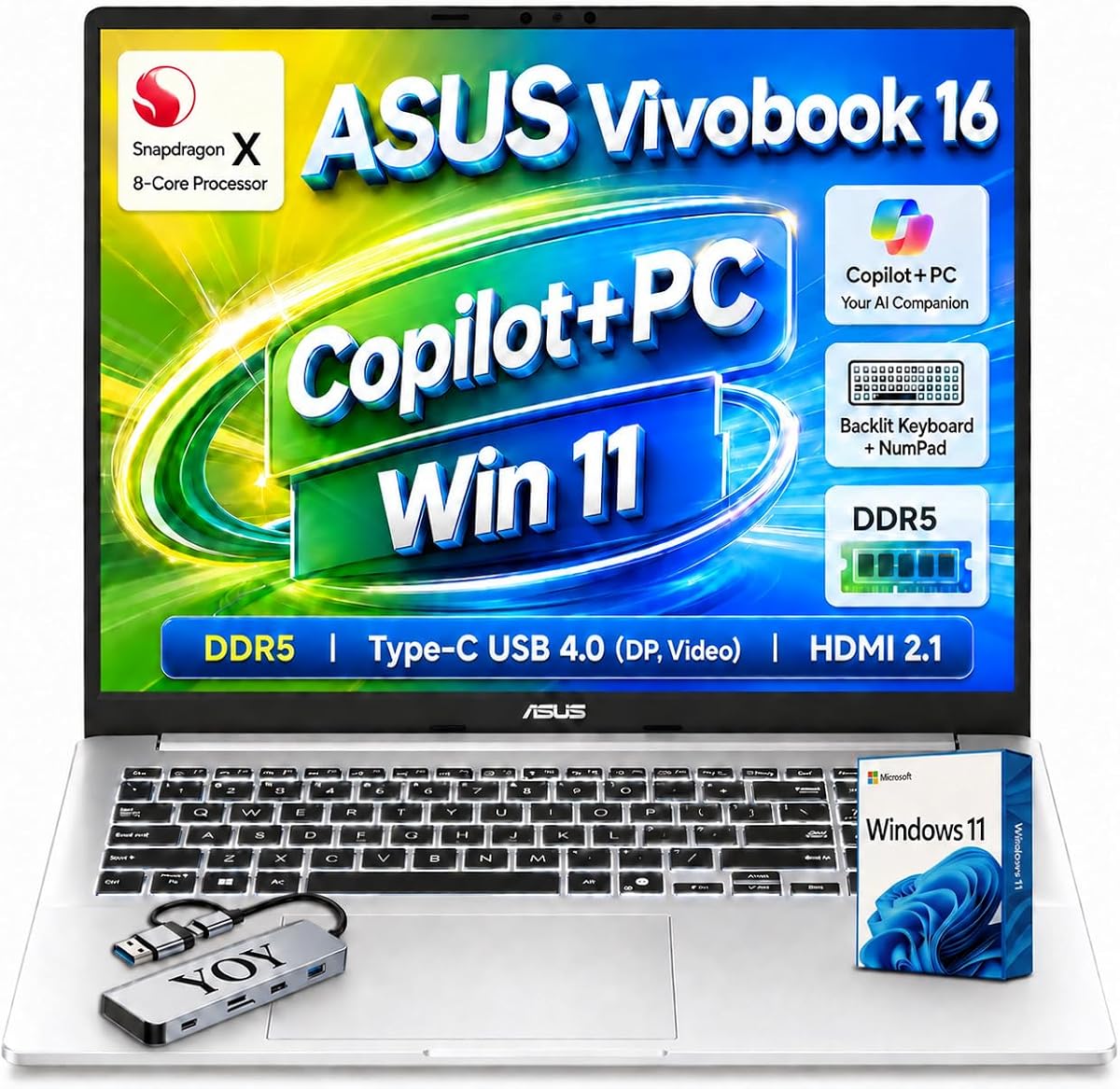
Powered by the Snapdragon X X1 processor this is a Copilot+ PC optimized for AI workloads. It offers up to 50% faster performance than older 13th Gen i7s in multicore tasks.
We may earn a commission when you buy through this link, at no additional cost to you.
The 16-inch WUXGA display provides a spacious workspace with anti-glare finish. USB4 ports allow fast data transfer and multi-monitor setups for productivity.
Being an ARM-based chip some legacy apps may require emulation. But it offers excellent battery life and connectivity for modern cloud-based workflows.
Ideal for users adopting next-gen AI features. If you prioritize battery life and future-proof connectivity this model is worth exploring.
The Hexagon NPU delivers 45 TOPS for local AI tasks without taxing the CPU.
USB4 supports display and power delivery enabling versatile docking station options.
We may earn a commission when you buy through this link, at no additional cost to you.
This 2026 model features a large 16-inch display perfect for spreadsheets and multitasking. It is rated 4.8 for its solid performance and included accessories.
We may earn a commission when you buy through this link, at no additional cost to you.
The 10-Core i7 processor reaches up to 5.0 GHz for quick responsiveness. Bundled accessories like a wireless mouse and external drive add immediate value.
The larger screen makes it less ideal for travel but great for stationary work. Battery life may be average due to the power requirements of the larger panel.
Best for users who want screen real estate at home. If you need to view multiple windows simultaneously this model delivers effectively.
The 16:10 aspect ratio gives more vertical space for documents and web pages.
SonicMaster tuned speakers provide clear sound for calls and media entertainment.
We may earn a commission when you buy through this link, at no additional cost to you.
Equipped with the Ryzen 7 7730U this laptop offers strong multitasking capabilities. It holds a perfect 5.0 rating for its balanced hardware and feature set.
We may earn a commission when you buy through this link, at no additional cost to you.
The AMD Radeon graphics handle casual creative tasks efficiently. Backlit keyboard and fingerprint scanner improve usability and security in low light.
Warranty comes from a third-party tech upgrade service which may limit support. Battery life is moderate due to the larger chassis and 16-inch panel.
Great for users seeking AMD performance at a budget. If you need a reliable workhorse for office tasks this model is a strong contender.
Zen 3 architecture balances power consumption with performance for steady workloads.
Fingerprint scanner provides quick and secure login without typing complex passwords.
We may earn a commission when you buy through this link, at no additional cost to you.
An upgraded version of the Ryzen model offering similar specs at a lower cost. It includes a portable USB hub for expanded connectivity options.
We may earn a commission when you buy through this link, at no additional cost to you.
The 16-inch display provides a comfortable workspace for long sessions. It supports Bluetooth 5.3 for stable connections to peripherals and headsets.
It comes with Windows 11 Home which lacks some enterprise management tools. The lower rating suggests potential issues with build quality or support.
Best for personal business use where enterprise features aren't critical. If cost is your main driver this model offers reasonable performance.
Competitive pricing makes it accessible for freelancers or small startups.
Included USB hub adds ports without needing extra purchases for accessories.
We may earn a commission when you buy through this link, at no additional cost to you.
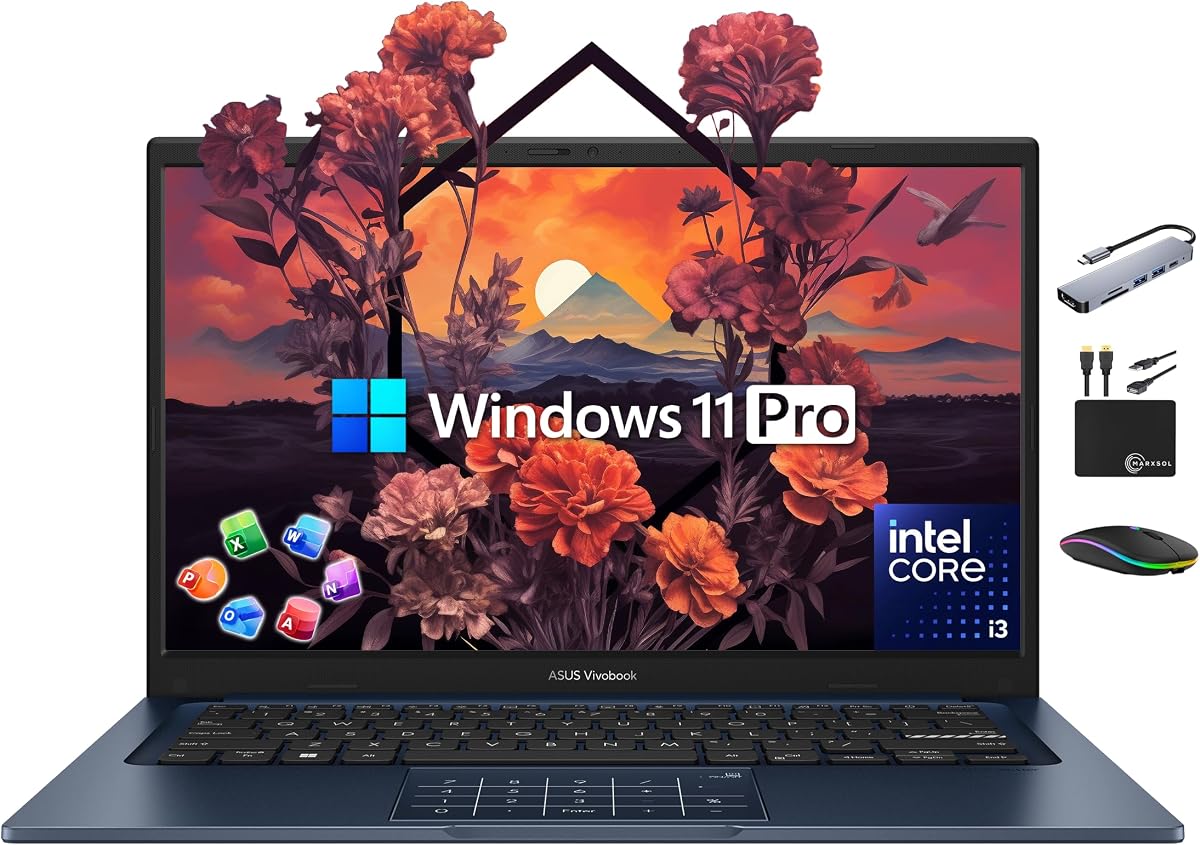
An ultra-portable option designed for general business tasks on a budget. It features a lightweight chassis and includes essential accessories for immediate productivity.
We may earn a commission when you buy through this link, at no additional cost to you.
The 24GB RAM helps with multitasking despite the i3 processor. Windows 11 Pro and lifetime Office 2024 make it ready for professional environments out of the box.
The i3 processor limits heavy compute tasks but suffices for standard office work. The display is standard FHD which is adequate for text-based applications.
Ideal for light users needing Windows 11 Pro. If you prioritize portability and bundled software over raw speed this model fits.
Lightweight build allows easy transport in backpacks or briefcases daily.
Pre-installed Office tools reduce setup time for new users immediately.
We may earn a commission when you buy through this link, at no additional cost to you.
Choosing a business laptop requires evaluating several factors to ensure the device matches your workflow and budget constraints.
Look for at least an Intel i5 or AMD Ryzen 5 for smooth multitasking. Newer generations like Core Ultra offer better AI capabilities and power efficiency.
Prioritize the latest processor generation to ensure longevity and support for modern applications.
16GB RAM is the standard for professional work to handle multiple tabs and apps. For heavy data, 32GB provides extra headroom for efficiency.
Choose SSD storage over HDD for faster boot times and system responsiveness.
A high-resolution screen reduces eye strain during long sessions. OLED panels offer better contrast but consume more power than IPS.
Opt for at least 1080p resolution with anti-glare coatings for office use.
Business laptops often face travel and accidental bumps. Models with military-grade certification withstand harsher conditions better.
Check for spill-resistant keyboards and sturdy hinges to protect your investment.
Enterprise security like TPM 2.0 and fingerprint readers protects sensitive data. Physical camera shutters add another layer of privacy.
Ensure the device supports Windows 11 Pro for better network management.
Verify you have enough USB ports including Type-C for peripherals. HDMI or Thunderbolt ports support external monitors for dual-screen setups.
Wi-Fi 6E ensures stable connections in crowded networks like conferences.
Aim for a minimum of 8 hours for daily commuting. Lower power CPUs often contribute to longer battery endurance.
Consider models with fast charging to minimize downtime during busy days.
Some models include lifetime Office licenses or dock hubs which add value. Check if Windows Home or Pro is installed for your needs.
Confirm warranty coverage as third-party upgrades may affect official support.
Start by connecting to a secure Wi-Fi network and updating Windows to the latest version. This ensures all security patches and driver updates are installed.
Avoid placing the laptop on soft surfaces like beds which can block vents and cause overheating. Use a hard desk or lap tray to maintain airflow.
Regularly clean the keyboard and screen with microfiber cloths to prevent dust buildup. Close applications properly to extend battery life and system health.
Yes, many models like the ExpertBook series include Windows 11 Pro and TPM 2.0 security. These features meet standard enterprise requirements for data protection and management.
It depends on the specific model. Some Vivobook laptops have soldered RAM while others allow upgrades via slots. Check the specs before purchasing to confirm.
Most come with a standard manufacturer warranty. If a model mentions third-party upgrades, verify if that impacts the official support terms directly.
OLED offers superior contrast and color accuracy which helps design work. For basic text editing, IPS is often sufficient and saves power.
Battery life varies from 6 to 12 hours depending on usage. Light office tasks yield longer runtimes compared to video streaming or heavy multitasking.
Most models support at least one external monitor via HDMI or USB-C. Some ExpertBooks support dual displays via Thunderbolt 4 for productivity.
Yes, features like privacy shutters and good webcams make them suitable for video calls. The durability ensures they handle travel between offices easily.
Pro includes advanced networking tools like BitLocker encryption and remote desktop. Home is simpler but lacks some enterprise management features.
We highlighted top options ranging from the lightweight B9 OLED to the powerful ExpertBook B3. Each model offers a unique blend of features for professional needs.
If you prioritize portability, the 14-inch models are best. For heavy multitasking, the B3 with 32GB RAM provides the most headroom.
Always check current availability and prices before buying. Deals change frequently, so verify the latest offer to get the best value today.