
ProElife Ergonomics Grip Holder
4.5Editor score
Ergonomic silicone design
Fits most iPad models
Anti-slip internal grooves
Compare the top 10 Apple Pencil Grips for 2026. Our guide reviews comfort, compatibility, and design to help you find the perfect grip for your stylus.
Finding the right Apple Pencil Grip can transform your digital art or note-taking experience. These accessories add comfort and control, reducing strain during long sessions. Whether you sketch professionally or take class notes, the perfect grip makes a significant difference in your workflow.
We compared ten leading Apple Pencil Grips based on comfort, durability, and compatibility with various iPad models. Our analysis considers material quality, ergonomic design, and how well each grip preserves full Pencil functionality like wireless charging and double-tap gestures.
Each pick below highlights key features and real-world performance to help you decide. Keep in mind that prices and availability change frequently, so check the latest deals before purchasing. Your ideal grip depends on your specific hand size and usage patterns.
4.5Editor score

4.3Editor score

4.6Editor score
This side-by-side comparison highlights the key specifications and unique features of each top-rated Apple Pencil Grip to help you make an informed decision.




The Paperlike Pencil Grips stand out as a top contender in the market. With a solid 4.3 rating, users appreciate the ergonomic design that reduces fatigue during long drawing sessions.
We may earn a commission when you buy through this link, at no additional cost to you.
Its ultra-thin silicone zones ensure full Apple Pencil functionality including magnetic charging and gestures. The angled sidewalls are a standout feature, allowing the pencil to fit securely in most iPad cases without interference.
While the price point is higher than budget options, the durability and comfort justify the cost. Some users may find the limited color selection restrictive but the quality remains consistent across both colors included.
Ideal for professionals who need reliable comfort and full functionality. If you prioritize a natural hold that doesn't hinder your workflow, this grip is a strong recommendation for daily use.
The ergonomic shape is inspired by traditional pens, ensuring a natural hold that reduces strain.
Angled sidewalls prevent interference with iPad cases, keeping the pencil secure while charging.
We may earn a commission when you buy through this link, at no additional cost to you.
This ProElife grip is highly rated at 4.5 stars, offering excellent value for money. Its ergonomic design focuses on reducing hand pain through a unique curvature that fits the hand comfortably.
We may earn a commission when you buy through this link, at no additional cost to you.
The anti-slip grooves inside ensure the grip stays firmly on the pencil without slipping during use. Users find it easy to install and adjust to their preferred position along the barrel.
While it lacks premium aesthetics, its functional design performs well for daily tasks. The silicone material is soft but durable though some users may notice stretching after extended heavy use.
Best for students or casual users needing a budget-friendly option. If comfort and affordability are your main priorities, this grip provides a practical solution for everyday writing.
The bottom is bigger than the top to align with hand curvature, reducing strain during use.
Move the sleeve to any position for a custom fit that works for your specific grip style.
We may earn a commission when you buy through this link, at no additional cost to you.
This grip offers a unique split-back design that makes attachment and removal surprisingly easy. With a 4.4 rating, it provides better control for users who struggle with standard cylindrical grips.
We may earn a commission when you buy through this link, at no additional cost to you.
The wrap-around fit is more secure than many competitors, offering stability during intense drawing sessions. It works well with both Gen 1 and Gen 2 pencils ensuring versatility across iPad generations.
The twist-on method may require a learning curve compared to slide-on sleeves. However, once installed, the comfort and control benefits are noticeable. It is especially useful for those who need precise control.
Ideal for artists seeking stability and comfort. If you want a grip that feels secure and improves your drawing experience, this option delivers strong performance for creative work.
Twist the pencil to widen the split for easy installation without removing the case.
The edges wrap around the iPad for a more secure fit than ever before.
We may earn a commission when you buy through this link, at no additional cost to you.
UPPERCASE NimbleGrip leads with a 4.6 rating, praised for its premium silicone and dual-sided grip options. It focuses heavily on health and comfort, making it a top choice for long sessions.
We may earn a commission when you buy through this link, at no additional cost to you.
The dust-free coating prevents lint attraction, keeping your stylus clean. The ribbed interior ensures the grip stays in place while the exterior allows you to choose between round or hexagonal shapes.
Removing it for charging on Pro models is straightforward though it requires grabbing the top edge. The higher cost is justified by the build quality and thoughtful design features.
Best for users prioritizing premium build and ergonomics. If you want a grip that looks and feels exceptional while reducing aches, this is a reliable investment for daily use.
Choose between round and hexagonal grip shapes to suit your personal preference.
Soft yet supportive silicone nestles comfortably in hands for extended periods.
We may earn a commission when you buy through this link, at no additional cost to you.
This 3-pack offers great value with three color options including white, pink, and purple. With a 4.4 rating, users appreciate the thin 0.35mm profile that does not interfere with wireless charging.
We may earn a commission when you buy through this link, at no additional cost to you.
The threaded design ensures non-slip grip even with sweaty hands. It is easy to install and remove without affecting the double-click function on compatible models.
Note that obstruction between the charging position and the grip must be avoided. The variety of colors makes it practical for personalizing your pencil or sharing with others.
Ideal for households or artists wanting variety. If you like to switch colors often or need backups, this set provides affordable comfort and reliability for daily tasks.
0.35mm thickness ensures magnetic charging works without obstruction when properly aligned.
Threaded design prevents slipping even when hands get sweaty during long drawing sessions.
We may earn a commission when you buy through this link, at no additional cost to you.
elago is known for design-first products. This grip has a 4.5 rating and is designed in-house to ensure perfect fit and enhanced grip. It helps reduce fatigue over continued use.
We may earn a commission when you buy through this link, at no additional cost to you.
The premium silicone prevents scratches on surfaces and the pencil itself. Users find it comfortable for long periods. The ergonomic shape sits naturally in the hand.
While the price is higher than budget options, the promise of lifetime durability makes it a strong investment. It is suitable for anyone wanting a reliable accessory that looks great.
Best for users who value design and durability. If you want a grip that is useful and stylish while protecting your pencil, this choice offers great long-term value.
Every aspect is created in-house to ensure perfect fit and enhanced grip.
Silicone prevents scratches on the surface it rests on protecting your desk and pencil.
We may earn a commission when you buy through this link, at no additional cost to you.
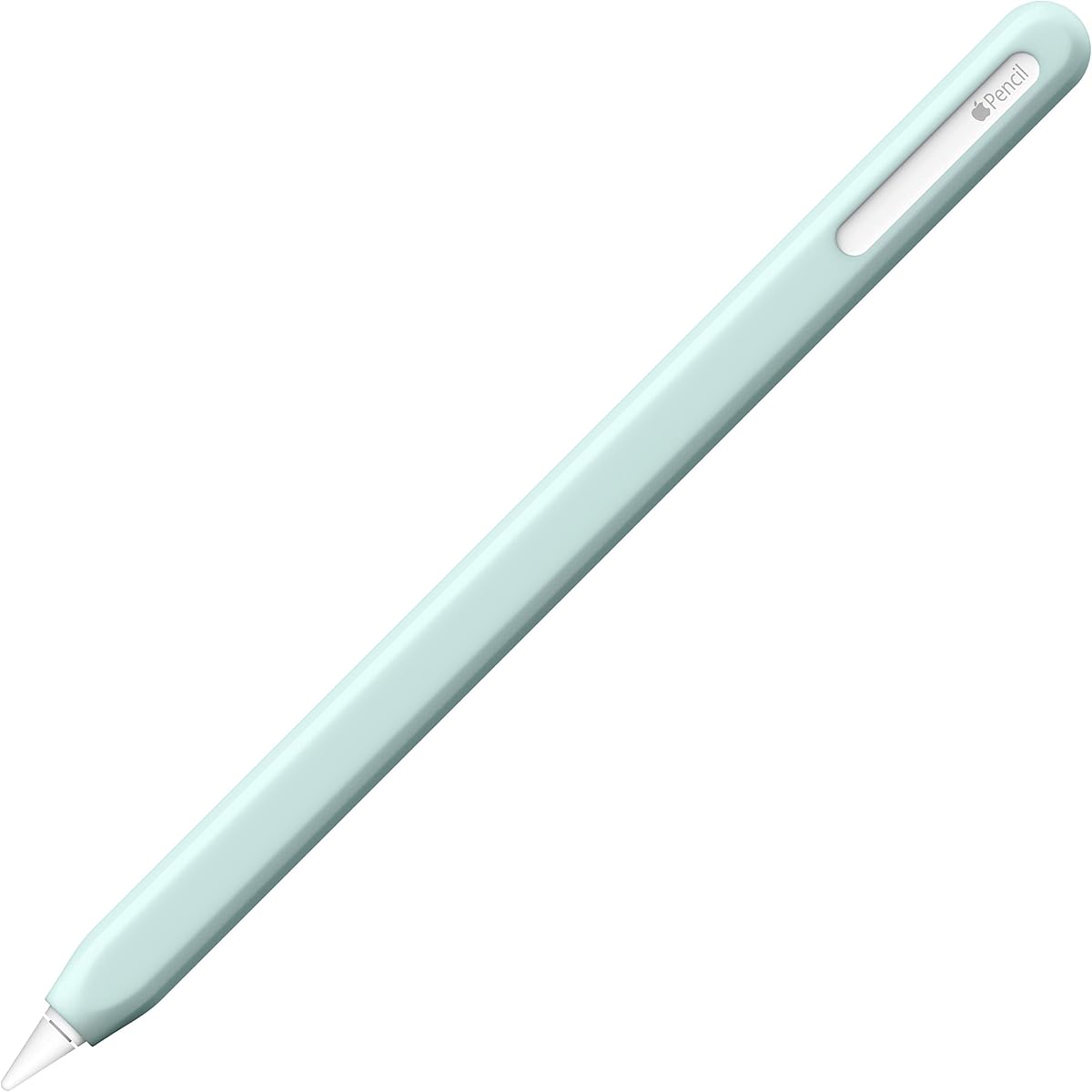
This sleeve provides full coverage to protect against drops and dirt. With a 4.3 rating, its faceted design prevents rolling when you set it down. It maintains wireless charging compatibility for Gen 2 models.
We may earn a commission when you buy through this link, at no additional cost to you.
The dust-free coating adds a premium feel while keeping the sleeve clean. Users appreciate the stylish look that enhances the pencil's aesthetic. It is designed to stay secured without slipping.
Note that your iPad case needs a cutout for wireless charging to work. The full coverage offers peace of mind against accidental scratches and dust accumulation during transport.
Ideal for those wanting maximum protection and style. If you need a sleeve that resists rolling and keeps your pencil clean, this is a practical and elegant solution.
The faceted design resists rolling after you’ve set it down on flat surfaces.
Complete coverage makes it easier to grip while protecting against dust and dirt.
We may earn a commission when you buy through this link, at no additional cost to you.
This SIXFU grip features an ultra-thin cross-section designed to support magnetic charging without removal. With a 4.2 rating, the square and circle design offers multiple comfortable holding styles for professionals.
We may earn a commission when you buy through this link, at no additional cost to you.
It includes a mini buckle storage box, adding convenience for travel. The anti-sweat material prevents slipping. It is compatible with Pro and USB-C models.
You must ensure the thin cross-section aligns with the charging port for wireless charging to work. It does not fit in compact pen slots. Despite this, it is a practical accessory for many users.
Best for users wanting style and thinness. If you need a grip that doesn't bulk up your pencil but still improves control, this option provides a sleek solution.
Ultra-thin design requires alignment with the charging port for wireless charging to work.
Non-slip anti-sweat material prevents your pencil from rolling or falling during use.
We may earn a commission when you buy through this link, at no additional cost to you.
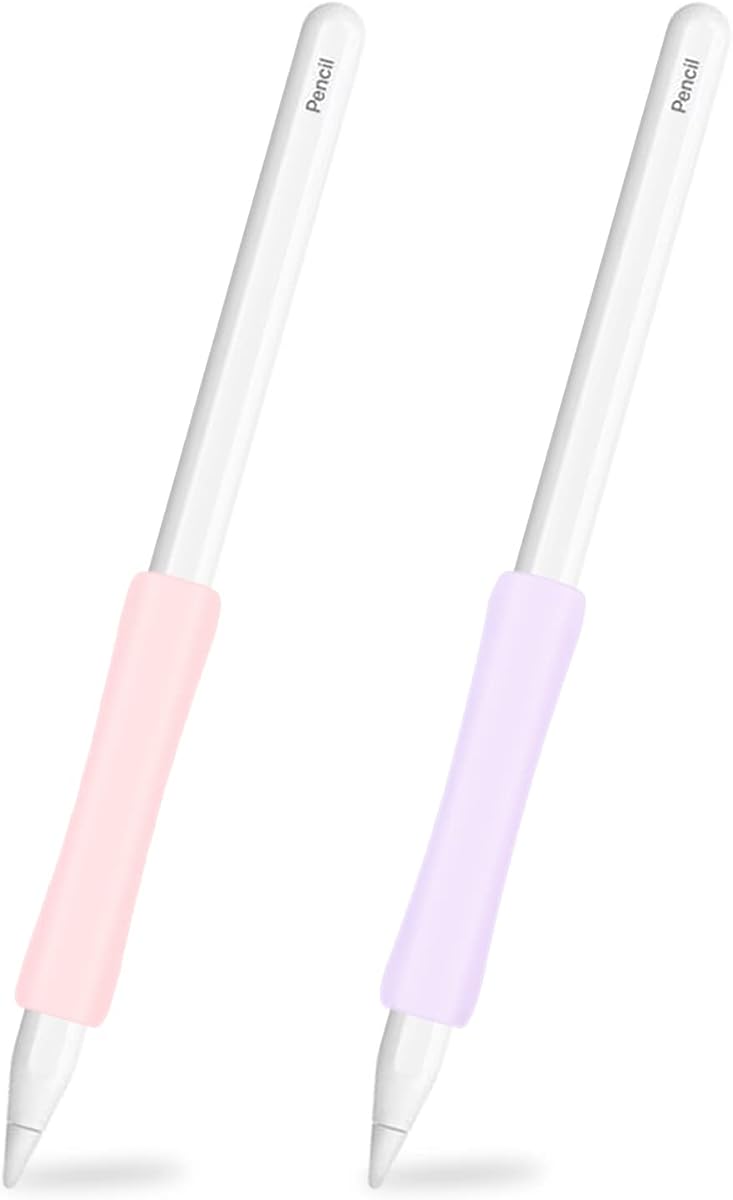
This 2-pack provides two colors for different moods. With a 4.4 rating, the concave middle design fits hand curvature well. Users appreciate the soft stretchy material that ensures a firm hold.
We may earn a commission when you buy through this link, at no additional cost to you.
The adjustable sleeve allows you to move to the most suitable position. It protects the pen from slipping easily. It works across many iPad models including 1st and 2nd Gen.
The stretchy nature ensures comfort but may loosen over time. Despite this, it is an excellent affordable choice for general use. The pink and purple options add a fun touch.
Ideal for users needing multiple grips or gift options. If you want comfort and color variety at a low price point, this set is a practical and reliable choice.
The middle of the sleeve is concave to align with the curvature of your hand.
Move the adjustable sleeve to any position for a custom fit along the barrel.
We may earn a commission when you buy through this link, at no additional cost to you.
This sleeve specifically targets Pro and USB-C models. With a 4.3 rating, the concave middle design reduces hand pain effectively. It ensures maximum grip for users with larger hands.
We may earn a commission when you buy through this link, at no additional cost to you.
The ultra-thin sleeve does not interfere with wireless charging. It is soft and stretchy, keeping the pencil firm without sliding. It protects from scratch and dirt efficiently.
Note it is not compatible with 1st Gen pencils. The installation is straightforward and it does not fall down quickly. It is ideal for newer iPad Pro users.
Best for owners of Pro or USB-C models. If you need a grip that fits your specific model and preserves charging, this set is a reliable and comfortable choice.
Designed specifically for Apple Pencil Pro, USB-C, and 2nd Gen models.
Ultra-thin sleeve skin ensures wireless charging remains functional without removal.
We may earn a commission when you buy through this link, at no additional cost to you.
Selecting the right grip involves balancing comfort, durability, and compatibility. Here are key factors to consider before you buy.
Ensure the grip fits your specific Pencil generation (1st, 2nd, Pro, or USB-C). Some designs are optimized for specific magnetic charging mechanisms.
Check product descriptions carefully to confirm fit and avoid returns.
Look for concave or tapered shapes that match the natural curvature of your hand. This reduces strain during long sessions.
A well-designed ergonomic grip prevents finger fatigue and cramping.
High-quality silicone offers a soft, non-slip feel. Dust-free coatings help keep your grip clean and professional looking.
Durable materials ensure the grip lasts through daily use without stretching.
Verify that the grip is thin enough to allow wireless charging without removal. Some grips require precise alignment for charging to work.
Ultra-thin profiles are essential for Gen 2 and Pro models.
If you use a case, choose a grip with angled sidewalls that won't block attachment. A secure fit keeps the pencil stable while charging.
Incompatible grips may cause charging issues or disconnection.
Opt for slide-on designs that are easy to put on and take off. Adjustable sleeves offer flexibility for different holding positions.
Easy installation saves time and encourages consistent use.
Choose grips that offer scratch protection for your pencil. Reinforced seams and high-quality silicone prevent wear and tear.
A durable grip adds value by extending the lifespan of your accessories.
To install your grip, clean the Pencil barrel first and slide the sleeve on from the tip or base depending on design. Ensure it sits securely before use.
For wireless charging, align the thin section of the grip with the iPad's charging area. Check the product instructions for specific alignment tips.
Clean your grip regularly with mild soap and water to maintain hygiene and grip performance. Avoid harsh chemicals that may damage silicone material.
Most modern grips are designed to be ultra-thin and allow wireless charging. However, you must align the thin section of the grip with the charging port. Check product specs to confirm compatibility with your Pencil model.
Grips attach to the Pencil, not the iPad. However, compatibility depends on your Pencil generation. Always verify that the grip supports your specific Pencil model like Gen 1, Gen 2, Pro, or USB-C.
Yes, most grips leave the sensitive area of the barrel exposed. Look for designs that do not cover the entire Pencil. If the grip covers the tap zone, it may disable gestures.
Most slide-on grips are easy to remove and reinstall. Some require twisting or sliding depending on the design. Always check the manufacturer's guide for removal instructions.
Some grips are too thick for compact pen slots in cases. Look for models with angled sidewalls or thin profiles. If your case has a tight fit, test the grip before buying.
Ensure the interior grooves match your Pencil diameter. Clean the Pencil barrel before installation to remove oils. If the grip stretches over time, consider replacing it with a new one.
Silicone is popular because it is soft, durable, and offers excellent grip. It also protects against scratches. High-quality silicone with dust-free coatings is ideal for long-term use.
Yes, many options come in 2 or 3 packs with different colors. This allows you to switch styles or share with others. Multi-packs often offer better value than single units.
The Paperlike Pencil Grips stand out for comfort and full functionality. For budget-conscious users, the ProElife Ergonomics Grip Holder offers exceptional value. Those seeking premium quality should consider the UPPERCASE NimbleGrip.
Prioritize ergonomic design and charging compatibility when making your choice. Ensure the grip matches your Pencil model to avoid issues with wireless charging or gestures.
Prices and availability change frequently, so check current deals before buying. Select the grip that best suits your hand size and daily usage for the best experience.