
UGREEN NAS DH4300 Plus
4.2Editor score
Entry-level home storage
Smart photo backup and AI
Cost-effective private cloud
This guide compares the top 4 Bay NAS units for home and office, evaluating performance, storage capacity, software features, and value to help you choose the
Network attached storage devices provide a centralized way to store and access your files across multiple devices without relying on public cloud services. A good 4 Bay NAS offers flexibility for expanding storage capacity as your data grows while maintaining essential features like RAID protection and remote access.
We have evaluated ten leading models based on processor power, memory capacity, network speed, and software ecosystems. Our analysis includes entry-level home units, powerful workstations for creators, and enterprise-ready systems designed for small businesses requiring high reliability.
Each product selection highlights specific strengths such as media transcoding, photo organization, or virtual machine support. Note that pricing and availability fluctuate frequently, so verify current details before making your final purchasing decision for your specific storage needs.
4.2Editor score

4.6Editor score

4.4Editor score
The following table provides a side-by-side view of all ten selected models highlighting their key specifications and ideal use cases for quick reference during your selection process.






The TERRAMASTER F4-425 delivers robust performance for home users seeking a powerful media and storage center. With a rating of 4.0 stars it balances cost and capability effectively for small households.
We may earn a commission when you buy through this link, at no additional cost to you.
Its Intel x86 quad-core processor handles 4K transcoding smoothly allowing multiple users to stream content without buffering. The 2.5GbE port ensures fast file transfers making large media libraries accessible instantly.
While the software interface is functional it lacks some of the polish found in competitors. However the TNAS Mobile app provides essential features like photo backup and remote synchronization for everyday tasks.
This unit is ideal for budget-conscious families wanting a dedicated private cloud. Its quiet design and easy drive installation make it a practical choice for living room or bedroom placement.
Hardware-level 4K decoding ensures smooth playback on supported devices without taxing the CPU during high-resolution content streaming.
TRAID arrays provide 30% more usable space than traditional RAID configurations while maintaining data redundancy for critical files.
We may earn a commission when you buy through this link, at no additional cost to you.
The UGREEN DXP4800 GT stands out for its raw processing power and high-speed connectivity options. With a 4.6 rating it targets creators who need local storage that rivals external drive performance.
We may earn a commission when you buy through this link, at no additional cost to you.
Dual 10GbE ports enable massive file transfers essential for video editing workflows. The AMD processor handles multitasking smoothly whether running Docker apps or virtual machines simultaneously.
Setup is guided by UGOS Pro which simplifies the user experience. However advanced users may find the Plex integration less streamlined compared to dedicated NAS brands.
This model excels for small teams needing centralized collaboration. Its privacy features and local storage options eliminate reliance on third-party cloud servers effectively.
Link Aggregation allows dual ports to deliver up to 20Gbps aggregate bandwidth for ultra-fast data movement across the network.
U.2 NVMe SSDs can be added via the drive bays to create high-speed storage pools for cache or active project files.
We may earn a commission when you buy through this link, at no additional cost to you.
The Synology DS425+ offers a mature ecosystem backed by industry-leading software. Its 4.6 rating reflects consistent performance and user satisfaction across diverse use cases from home to small business.
We may earn a commission when you buy through this link, at no additional cost to you.
Synology's operating system provides intuitive tools for file sharing and backup. The system supports up to ten concurrent users ensuring productivity remains high in collaborative environments.
Data protection is a core strength with multi-layered redundancy and automated backup strategies. This reduces the risk of loss from hardware failure or accidental deletion effectively.
Ideal for businesses prioritizing reliability this NAS delivers peace of mind. The three-year warranty further validates its build quality and long-term value proposition for owners.
Audit logs and granular permissions ensure that sensitive company documents remain accessible only to authorized personnel at any time.
Support for thirty IP cameras turns the unit into a comprehensive security storage and management platform for monitoring needs.
We may earn a commission when you buy through this link, at no additional cost to you.
The UGREEN DXP4800 Plus is tailored for content creators needing speed and flexibility. It holds a 4.6 rating for delivering professional-grade capabilities in a consumer-friendly package.
We may earn a commission when you buy through this link, at no additional cost to you.
AI-powered photo organization automatically catalogs your library based on faces and locations. This saves time managing large collections of visual media across multiple devices.
Transfers are blazing fast thanks to 10GbE networking and high-speed USB ports. You can back up gigabytes of data almost instantly keeping your workflow uninterrupted.
Perfect for small creative teams this model balances ease of use with advanced features. It provides a secure private cloud where you retain complete ownership of your data.
The photo album recognizes faces and scenes automatically organizing content into smart albums for quick retrieval and browsing.
With 10Gbps USB ports backing up external camera footage or drives happens in mere seconds rather than minutes.
We may earn a commission when you buy through this link, at no additional cost to you.
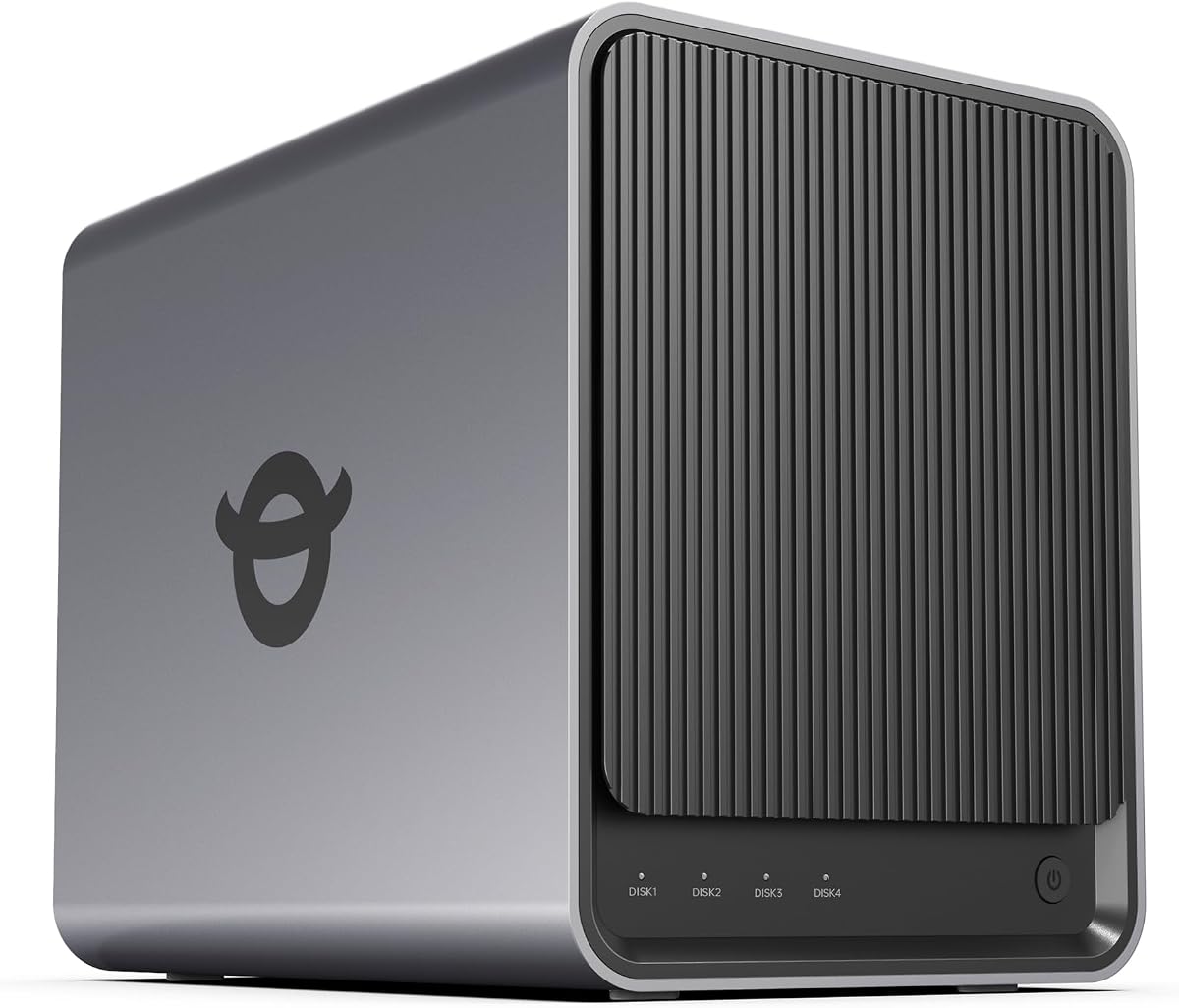
The UGREEN NAS DH4300 Plus offers an accessible entry into private cloud storage for beginners. With a 4.2 rating it simplifies the transition from public cloud services to local control.
We may earn a commission when you buy through this link, at no additional cost to you.
Setup is quick via NFC allowing phones to pair instantly with the device. This reduces the technical friction often associated with configuring network attached storage systems.
It delivers substantial value by eliminating monthly subscription fees over time. Your data stays locally encrypted ensuring privacy without hidden access or third-party surveillance.
This unit is perfect for households starting their journey into home servers. It covers essential backup and sharing needs without overwhelming users with advanced configuration requirements.
Replacing cloud subscriptions with a one-time purchase saves significant money over years offering a more sustainable long-term storage plan.
Certifications like TRUSTe and ETSI EN 303 645 validate the security measures protecting your sensitive personal files from unauthorized access.
We may earn a commission when you buy through this link, at no additional cost to you.
The Synology DS925+ provides a balanced combination of speed and reliability for expanding users. Its 4.2 rating indicates solid performance across standard home and small office tasks.
We may earn a commission when you buy through this link, at no additional cost to you.
Dual 2.5GbE ports allow for link aggregation to boost throughput significantly. This ensures smooth streaming and file transfers even when multiple devices access the data simultaneously.
Synology's reputation for reliability shines through its consistent software updates and support. Users benefit from a mature ecosystem that integrates seamlessly with existing home office setups.
This model suits those needing a reliable long-term storage solution. The focus on data protection and official compatibility reduces risks associated with third-party hardware failures.
Sequential read and write speeds around 522MB/s handle large media files quickly keeping workflow bottlenecks to a minimum.
Redundant dual ports offer network failover protection ensuring your connection remains stable even if one cable or port fails.
We may earn a commission when you buy through this link, at no additional cost to you.
The Yxk Zero1 Pro distinguishes itself with direct 4K HDMI output for media centers. With a 4.4 rating it appeals to users wanting a straightforward hardware media server setup.
We may earn a commission when you buy through this link, at no additional cost to you.
Its Intel N100 processor provides efficient performance for light tasks while maintaining low power consumption. The aluminum housing ensures effective cooling during extended operation periods.
Flexibility is a key advantage with support for third-party operating systems like TrueNAS. Advanced users can customize the environment to suit specific project or storage needs.
This model is ideal for living room entertainment setups. Direct connection to a TV simplifies hardware requirements and reduces cable clutter in your home theater space.
Direct HDMI output allows the NAS to function as a standalone media player connected to a TV without extra streaming devices.
Support for custom operating systems gives experienced users the freedom to tailor the system to exact requirements.
We may earn a commission when you buy through this link, at no additional cost to you.
The Asustor Drivestor 4 Gen 2 offers a cost-effective entry into network storage. Its 4.0 rating reflects its focus on basic reliability and straightforward operation for home users.
We may earn a commission when you buy through this link, at no additional cost to you.
Enterprise-grade protection features like Btrfs snapshots help guard against ransomware. This ensures critical documents can be restored quickly without external backup dependencies.
Efficient processing allows for smooth daily file management and backups. While not designed for heavy workloads it handles standard home office tasks with ease.
This unit is best for simple backup needs and personal cloud access. It provides a secure private storage environment without complex configuration requirements.
WORM technology prevents files from being modified or deleted for a set period protecting against accidental or malicious changes.
4K playback support ensures compatible media files stream smoothly to various devices without requiring constant transcoding resources.
We may earn a commission when you buy through this link, at no additional cost to you.
The Synology DS423 is designed for families needing secure backups and media sharing. Its 4.4 rating highlights user satisfaction with its ease of use and robust protection features.
We may earn a commission when you buy through this link, at no additional cost to you.
Immutable snapshots provide ransomware resistance ensuring files cannot be altered during an attack. This adds a critical layer of security for valuable photos and documents.
Team folders and permission controls allow safe collaboration without external services. You can maintain complete control over who accesses specific directories and files.
This model suits households prioritizing security and privacy. It effectively replaces multiple cloud subscriptions with a single private secure storage solution for everyone.
Multi-destination backup strategies ensure data is copied to multiple locations protecting against both drive failure and external threats.
Integrated monitoring tools simplify security management allowing up to thirty cameras to be managed from one central hub.
We may earn a commission when you buy through this link, at no additional cost to you.
The UGREEN DXP4800 Pro represents the top tier for performance and flexibility. With a 4.4 rating it serves developers and power users demanding workstation-class capabilities in a compact form.
We may earn a commission when you buy through this link, at no additional cost to you.
Intel Core i3 processing paired with DDR5 RAM delivers exceptional speed. This supports heavy workloads like virtualization and complex Docker environments without performance bottlenecks.
Security is enhanced with a dedicated Data Vault for sensitive files. Encryption and granular permissions ensure that confidential data remains strictly isolated from general storage.
This unit is best for IT professionals needing serious computing power. It functions as a versatile private server capable of handling complex technical projects reliably.
13th Gen Intel processors ensure rapid multitasking for demanding workflows like video editing and development environments simultaneously.
Support for over two thousand user accounts allows scalable access controls for larger teams requiring detailed permission management.
We may earn a commission when you buy through this link, at no additional cost to you.
Selecting the right 4 Bay NAS requires evaluating several key factors to ensure it meets your storage capacity performance and budget needs.
The CPU determines how well your NAS handles tasks like video transcoding virtualization and complex file operations. High-performance processors such as Intel Core or AMD Ryzen ensure smooth operation under load while entry-level models suffice for basic backup and file sharing.
Look for a processor that aligns with your workload intensity to avoid bottlenecks during data processing.
RAM influences system stability and multitasking capabilities especially when running multiple applications simultaneously. Sufficient memory ensures that background tasks like indexing or backups do not slow down active file access for users.
Ensure the unit supports RAM expansion if you anticipate needing more capacity for virtual machines or heavy workloads.
Network speed dictates how quickly data transfers between the NAS and other devices. Modern 2.5GbE or 10GbE ports provide significantly faster speeds than standard Gigabit Ethernet improving transfer rates for large files.
Choose a model with network options matching your router capabilities to maximize throughput and efficiency.
The operating system provides the interface for managing files settings and applications. Robust software includes intuitive photo management mobile apps and robust backup tools that enhance usability without technical complexity.
Select a platform offering regular updates and a wide app selection to keep your storage secure and versatile.
Security features like RAID configurations snapshots and encryption protect against drive failure and unauthorized access. Advanced solutions include WORM technology or immutable backups to defend against ransomware and accidental deletion.
Prioritize models with layered protection strategies to safeguard your valuable digital assets effectively.
A good NAS allows you to increase storage as your needs grow. Check for support for high-capacity drives and optional expansion units to avoid needing a complete system replacement later.
Ensure the unit supports your preferred RAID configurations for flexible growth without losing data redundancy.
Power consumption impacts both electricity costs and heat generation in your environment. Energy-efficient processors and cooling designs reduce operational costs and ensure stable performance without excessive noise.
Look for models designed for low power usage especially if the device will run twenty-four seven.
Manufacturer support and warranty terms provide peace of mind in case of hardware failure. Comprehensive warranties covering three years or more indicate confidence in product durability and quality.
Choose brands known for responsive customer support to resolve technical issues quickly.
Begin by installing your hard drives into the bays securely ensuring the locking mechanisms are engaged properly. Connect the NAS to your router using an Ethernet cable and power it on to initiate the setup process.
Access the web interface using the provided URL to configure your admin account and network settings. Follow guided setup tools to create storage pools and install essential apps like file sync or media servers.
Regularly update the firmware to patch security vulnerabilities and improve system performance. Monitor drive health through the admin dashboard to detect potential failures early and maintain your backup schedules consistently.
Most NAS units listed here are sold as diskless meaning you must purchase compatible hard drives or SSDs separately. Check the manufacturer's compatibility list before buying drives to ensure optimal performance and reliability for your chosen model.
NAS stores your data locally on your home network giving you full control and eliminating monthly subscription fees. Cloud storage keeps data on remote servers which offers convenience but often involves ongoing costs and reliance on internet speeds.
Yes all modern 4 Bay NAS devices support remote access via mobile apps or web browsers. You can configure secure connections to view your data from anywhere without exposing your network to unnecessary risks.
Use RAID configurations to store redundant copies of data across multiple drives. Additionally enable automated backups to external drives or another NAS to create multiple copies of critical files for ultimate safety.
Yes most models support software like Plex Emby or Jellyfin for streaming content to devices. Some units have hardware transcoding capabilities which ensure smooth video playback without requiring extra processing power.
Yes four-bay systems provide ample storage and redundancy for small office environments. Look for models with enterprise features like granular permissions and centralized management tools for secure team collaboration and file sharing.
The ten models reviewed offer diverse solutions ranging from budget-friendly entry-level units to high-performance workstations for professionals. Whether you need simple backup or complex virtualization there is a 4 Bay NAS tailored to your specific requirements.
Prioritize factors such as processor speed memory capacity and software quality when narrowing down your choices. Ensuring the unit matches your current workload while allowing room for future growth will deliver long-term satisfaction and reliability.
Always check current pricing and availability before purchasing as these values change frequently. Investing in a quality 4 Bay NAS today secures your digital assets with a private efficient and reliable storage solution.