
ACEMAX 4K@60Hz Offline Media Player
3.5Editor score
Includes 2.5-inch HDD enclosure
4K 60Hz video output
Affordable pricing point
This guide compares the top external hard drive media players for 4K playback, storage compatibility, and digital signage features to help you choose the right
Finding a reliable external hard drive media player can transform your home entertainment or business display setup. These devices allow you to play high-resolution videos and audio directly from portable storage without needing complex streaming subscriptions or internet connections.
We evaluated ten top-rated models based on video resolution support, file format compatibility, storage capacity limits, and ease of use. Our analysis focuses on devices that handle 4K content smoothly and offer robust connectivity options for various display types and storage media.
Each product review highlights key strengths, weaknesses, and ideal use cases to help you make an informed decision. Please note that availability and pricing can change frequently, so verify current details on the manufacturer or retailer website before purchasing your preferred model.
3.5Editor score

4.1Editor score
4.3Editor score
This comparison table provides a side-by-side overview of the key specifications and features for all ten selected external hard drive media players to help you quickly identify the model that fits your specific needs.


The Micca 4K Ultra-HD media player stands out as a top choice for users needing reliable local playback. With a rating of 4.1 stars, it delivers smooth 4K video performance directly from USB drives or microSD cards without requiring an internet connection.
We may earn a commission when you buy through this link, at no additional cost to you.
Its standout quality is the robust support for high-resolution formats up to 4096×2304. The dual USB ports allow flexibility for connecting large external hard drives up to 8TB, making it ideal for storing extensive media libraries. The device handles various file systems including NTFS and exFAT.
Trade-offs include the lack of wireless streaming capabilities and the requirement for line-of-sight remote control. However, these limitations are acceptable for users focused on offline digital signage or local home theater setups. The remote can be paired with air mouse options for hidden installations.
This player is best for home users or businesses needing automatic loop playback for menus or welcome videos. It offers excellent value for transforming any TV into a smart hub for local files.
The device supports 4K video playback at 60Hz ensuring sharp visuals on compatible displays without buffering issues.
Users can configure automatic video playback with endless loops and resume from stopping points for unattended displays.
We may earn a commission when you buy through this link, at no additional cost to you.
This Mini HDMI media player is designed for travelers and users with limited space. It rates 4.1 stars for its reliability in playing Full HD content from various storage devices. The compact size fits easily into a pocket or small drawer.
We may earn a commission when you buy through this link, at no additional cost to you.
Its aluminum alloy build ensures durability during travel, and the included composite AV cable allows connection to older TVs. It supports a broad range of video codecs and allows file management directly on the USB drive for basic operations.
The limitation to 1080p resolution means it may not satisfy users with 4K TVs. However, for 1080p displays or casual viewing, it provides sufficient quality. The lack of 4K decoding keeps the price low and performance stable.
Ideal for students, business travelers, or secondary room setups. It offers a no-fuss way to watch stored media without needing a complex setup or internet access.
The compact aluminum body fits in the palm of your hand and resists damage during carrying.
Composite AV output ensures compatibility with older analog displays alongside modern HDMI screens.
We may earn a commission when you buy through this link, at no additional cost to you.
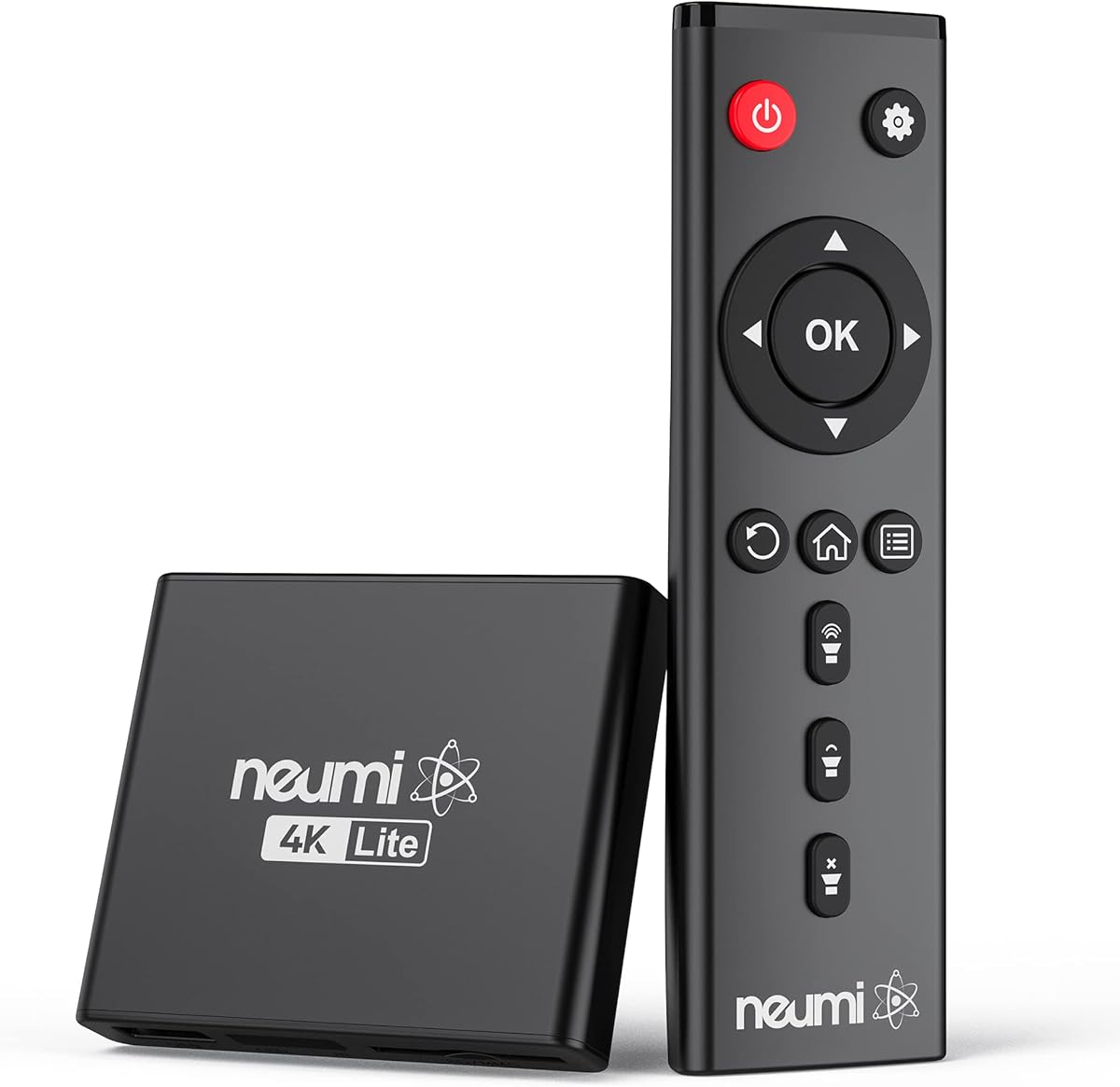
The NEUMI Atom 4K Lite is rated 4.3 stars for its ability to handle interactive digital signage and home theater use. It plays 4K videos smoothly and features a unique trigger input for motion or push-button activation.
We may earn a commission when you buy through this link, at no additional cost to you.
This unit excels at playing videos from USB and SD cards with support for high-bitrate H.265 files. The resume feature is particularly useful for digital signage where content must restart from a specific point after a power cycle or interruption.
The trigger sensors must be purchased separately which adds to the cost. Despite this, the ability to build interactive displays for museums or art galleries makes it a premium choice. The compact size allows discreet placement anywhere.
Best for specialized commercial installations or creative home projects. It delivers cinema-like quality while maintaining simplicity for general media playback needs.
Optional sensors allow videos to play automatically when motion is detected or a button is pushed.
Supports H.265 decoding up to 200mbps ensuring smooth playback of large high-quality files.
We may earn a commission when you buy through this link, at no additional cost to you.
The ACEMAX 4K Offline Player is a budget-friendly option rated 3.5 stars that combines a media player with a hard drive enclosure. It is designed for users who want to host media directly on an internal SATA drive.
We may earn a commission when you buy through this link, at no additional cost to you.
This device plays videos from an installed 2.5-inch HDD or SSD without needing external cables. It supports 4K 60Hz output via HDMI and features auto-loop capabilities for signage. The metal enclosure helps dissipate heat during long playback sessions.
Users may need to format the drive to specific file systems depending on the connected device. Compatibility can vary based on video bitrates and containers. However, the price and convenience make it a strong entry-level choice.
Suitable for home entertainment or small retail displays. It simplifies setup by reducing cable clutter and allows easy storage upgrades.
This unit works as both a media player and a SATA HDD enclosure reducing external hardware needs.
The aluminum housing actively dissipates heat to ensure stable performance during extended playback.
We may earn a commission when you buy through this link, at no additional cost to you.
This 4K Media Player rates 4.0 stars for its strong audio and video capabilities tailored for home theater systems. It supports HDMI up to 7.1 surround sound and includes an optical output for high-fidelity audio connections.
We may earn a commission when you buy through this link, at no additional cost to you.
The H.265 decoding allows efficient playback of high-quality files with reduced bandwidth usage. It can connect a keyboard or mouse for smarter navigation and supports vertical screen display for specific use cases like digital posters.
It is limited to 30Hz refresh rate for 4K and can only read one USB device at a time. These are minor constraints for most home users who prioritize audio quality over frame rate performance.
Best for movie enthusiasts who want to play high-bitrate MKV or ISO files from storage drives. The surround sound support makes it a great companion for receiver setups.
HDMI up to 7.1 surround sound and optical output deliver immersive audio experiences.
Connect a USB keyboard or mouse for easier navigation of menus and file selection.
We may earn a commission when you buy through this link, at no additional cost to you.
This HDMI Media Player is rated 4.2 stars and offers robust features for advertising and multimedia TV playback. It supports 4K output at 30Hz and includes VGA output for compatibility with older monitors or projectors.
We may earn a commission when you buy through this link, at no additional cost to you.
The device supports automatic playback for files placed in the root directory which simplifies signage setup. It also includes optical and AV outputs for flexible audio routing. The AV cable included aids quick setup on older displays.
It may require files to be placed in specific directories for full automatic playback. While 4K is limited to 30Hz this is sufficient for most promotional content. The variety of outputs makes it versatile for different screen types.
Best for small businesses needing flexible display options. It handles advertising content well with support for looped playback and multiple interface connections.
Includes HDMI, VGA, and AV outputs to connect to various display devices.
Automatic playback feature simplifies setup for looped promotional content.
We may earn a commission when you buy through this link, at no additional cost to you.
While not a media player itself, the WD 2TB Elements drive is a top-rated storage solution rated 4.7 stars that pairs perfectly with external media players. It offers reliable plug-and-play functionality for storing large media libraries.
We may earn a commission when you buy through this link, at no additional cost to you.
Its USB 3.2 Gen 1 interface provides fast data transfer speeds allowing quick access to video files on connected players. The compact design makes it easy to carry and store when not in use.
It lacks playback hardware and relies on external players to read content. However, its high compatibility with various file systems ensures it works seamlessly with most media player devices on the market.
Ideal for users expanding their storage needs for video projects or backups. It serves as an excellent companion to any of the players reviewed in this guide.
Holds up to 2TB of data for extensive photo and video libraries.
USB 3.2 interface ensures quick file access and minimal wait times.
We may earn a commission when you buy through this link, at no additional cost to you.
This 2-in-1 media player and HDD enclosure is rated 5.0 stars for combining two tools into one compact unit. It allows direct playback from internal SATA drives while offering a Type-C connection to transfer data to laptops.
We may earn a commission when you buy through this link, at no additional cost to you.
The unit supports 4K 60Hz playback and includes shuffle modes for music and continuous slideshows for photos. It is versatile for home theater and commercial signage scenarios requiring automated content loops.
The enclosure requires a separate drive purchase which might add to the initial cost. Despite this, the high rating suggests reliability and ease of use. The Type-C feature is useful for quick backups or transfers.
Best for users wanting an all-in-one storage and playback solution. It streamlines workflow by reducing the number of devices needed on a desk.
Included Type-C cable allows easy transfer of data to laptops or other devices.
Music and photo shuffle modes keep presentations fresh and engaging.
We may earn a commission when you buy through this link, at no additional cost to you.
This media player and enclosure unit is rated 3.8 stars and includes a one-year warranty which provides peace of mind. It supports internal SATA drives and includes a Type-C cable for data modification on laptops.
We may earn a commission when you buy through this link, at no additional cost to you.
It features H.265 decoding for smooth 4K playback at 60Hz. Auto-play and resume functions make it suitable for unattended signage in offices or shops. The device does not include batteries for the remote so they must be purchased separately.
The design is functional but basic compared to premium models. However, the warranty support is a significant advantage for commercial use where reliability matters. It handles most file systems including Mac-formatted drives.
Best for small businesses needing reliable signage solutions. The warranty ensures support if issues arise during daily operation.
The unit comes with a one-year warranty for added protection against defects.
Resumes playback from the last position ensuring continuous display without restart.
We may earn a commission when you buy through this link, at no additional cost to you.
This media player and HDD enclosure is rated 3.0 stars and serves as an affordable entry point for digital signage. It supports automatic playback with resume features and includes configurable video rotation for flexible mounting.
We may earn a commission when you buy through this link, at no additional cost to you.
It can accept a SATA HDD inside for direct playback or use USB and MicroSD cards. The 4K output is decent though limited by basic hardware. Its compact size makes it easy to hide behind displays.
The lower rating suggests potential inconsistency in performance or support. However, for simple looped content in restaurants or lobbies, it delivers basic functionality at a low cost.
Best for budget-conscious users needing simple playback features. It gets the job done for basic visual displays without requiring advanced networking.
Video output can be rotated 90, 180, or 270 degrees for flexible installation.
Supports MicroSD cards up to 1TB and USB drives up to 8TB.
We may earn a commission when you buy through this link, at no additional cost to you.
Choosing the right external hard drive media player requires understanding your specific needs for resolution, storage, and connectivity.
Modern media players support 4K resolution but vary in refresh rates like 30Hz versus 60Hz. 60Hz provides smoother motion for sports or gaming content while 30Hz is sufficient for static videos or movies.
Always check the supported resolution details to match your display's capabilities.
Players differ in how they connect to storage. Some include internal SATA enclosures while others rely on external USB ports. Ensure the device supports drives up to the capacity you plan to use such as 8TB.
Verify file system support for NTFS, exFAT, or FAT32 to avoid formatting issues.
Not all devices play every codec. H.265/HEVC support is critical for 4K files. Check if MKV, MP4, and ISO files are supported to ensure your library plays without errors.
Subtitle support like SRT or PGS is also important for foreign language content.
HDMI is standard but having AV, Optical, or VGA outputs increases versatility for older TVs or audio receivers. Some models include multiple audio outputs to separate sound from video.
Choose a unit with the specific outputs your display and audio system require.
Remotes range from basic infrared to wireless air mice. Line-of-sight is required for IR remotes which may limit where the player can be placed. Wireless options are better for hidden installations.
Consider if a mouse or keyboard connection is needed for easier navigation.
For commercial use, features like auto-play, looping, and resume from last stop are essential. Some models allow configurable video rotation to fit vertical screens or landscape setups.
Trigger sensors are optional but useful for interactive displays in public spaces.
Aluminum housing helps dissipate heat during long playback sessions which is vital for reliability. Compact designs are preferred for discreet placement behind TVs or in cabinets.
Check for metal vs plastic construction to gauge durability over time.
Plug-and-play functionality avoids complex software installations. Look for intuitive menu systems that do not require technical knowledge to configure.
Automatic recognition of connected storage simplifies daily use significantly.
Start by formatting your external drive to a compatible file system like exFAT or NTFS. Connect the drive to the USB port or install it in the internal enclosure if the unit supports SATA drives.
Plug the HDMI cable into your TV and power on the device. Use the remote to browse files via the menu interface. Select a video file to begin playback instantly.
Keep the player in a well-ventilated area to prevent overheating. Dust the exterior regularly with a soft cloth. Avoid moving the device while playback is active to prevent drive read errors.
Most players support drives up to 8TB. Ensure the file system is compatible like NTFS or exFAT. Some players have specific formatting requirements for internal HDD enclosures. Check the manual before connecting.
Yes most devices automatically scale 4K content down to 1080p. This ensures compatibility with older displays. The output quality adjusts to the connected TV's native resolution automatically.
The file might use a codec not supported by the player like AVCHD. Check the supported format list for video and audio codecs. Convert the file to MP4 or MKV with H.264 codec if needed.
Navigate to the settings menu and enable auto-repeat or loop mode. Some models allow looping specific folders. This ensures continuous playback for menus or promotional videos without user input.
Most standard media players do not support 3D video decoding. You need a dedicated 3D TV or player that specifically supports 3D file formats. Check the product specs for 3D claims before buying.
HDMI carries both video and audio signals while optical carries only audio. Optical is used to send sound to an external soundbar or receiver. HDMI is preferred for simple TV connections.
No these players are designed for offline local playback from USB or internal drives. They do not require streaming services or Wi-Fi. This makes them ideal for areas with limited internet access.
Some models support firmware updates via USB to improve performance. Check the manufacturer website for the latest firmware files. Follow instructions carefully to avoid damaging the device during updates.
Our top picks like the Micca 4K Ultra-HD and NEUMI Atom offer robust features for different user needs. The Micca model excels in general media playback while the NEUMI adds interactive signage capabilities.
Prioritize resolution support and storage capacity based on your content library size. For budget options the ACEMAX model provides essential 4K playback at a lower price point with integrated enclosure.
Always verify current availability and compatibility details on the retailer website. Prices and stock can change so checking the latest information ensures you get the right device for your setup.