
UGREEN USB Bluetooth 5.3 Adapter for PC
4.4Editor score
Supports up to 5 devices
Compact mini size
Windows 10 11 ready
This guide compares the top Bluetooth Transmitter for PC models available in 2026 based on connectivity speed audio quality range and compatibility with
Bluetooth technology has revolutionized how we connect peripherals to our computers. Whether you need to stream high-quality audio to wireless headphones or connect a keyboard without cables a reliable Bluetooth Transmitter for PC is essential. These small adapters add wireless functionality to desktops and laptops that lack built-in support.
We have analyzed the latest market offerings to find the most effective solutions for everyday users and professionals alike. Our comparison focuses on critical performance metrics including Bluetooth version compatibility data transfer speeds and range capabilities. We also consider ease of installation and system requirements for seamless integration.
Each selection below highlights specific strengths like low latency audio support multi-device pairing and broad OS compatibility. Please note that product availability and pricing can fluctuate frequently so verifying current details before purchase is always recommended for the best value.
4.4Editor score

4.4Editor score
4.5Editor score
The following table provides a side-by-side comparison of all ten selected products allowing you to quickly evaluate their key specifications and features.





The TP-Link USB Bluetooth Adapter stands out as a top choice for users seeking reliable wireless connectivity. With a rating of 4.4 stars it delivers consistent performance across various devices. Its use of the latest Bluetooth 5.3 ensures future-proof connectivity for your PC.
We may earn a commission when you buy through this link, at no additional cost to you.
Key strengths include its adjustable antenna which allows you to optimize signal strength based on your environment. The adapter supports both Enhanced Data Rate and Bluetooth Low Energy which means it handles audio streaming and file transfers efficiently. Backward compatibility ensures it works with older Bluetooth devices you may already own.
The main trade-off is that Windows 7 users must download a driver whereas newer systems enjoy plug and play convenience. This is a minor issue for most modern users. The requirement for an internet connection during initial setup ensures you get the latest drivers for optimal performance.
This adapter is ideal for desktop owners needing a simple upgrade to wireless capability. Whether you want to use wireless headphones or a Bluetooth mouse this model provides stable connectivity. We highly recommend it for anyone looking for a balance of performance and ease of use.
The adjustable antenna lets you position the receiver for the best possible signal reception in your specific setup.
Support for multiple Bluetooth versions means you can connect a wide range of peripherals from mice to headphones seamlessly.
We may earn a commission when you buy through this link, at no additional cost to you.
For budget-conscious buyers the UGREEN USB Bluetooth 5.3 Adapter offers exceptional value without compromising core functionality. It scores a solid 4.4 stars reflecting user satisfaction with its performance. This dongle is designed specifically for Windows systems ensuring optimized operation out of the box.
We may earn a commission when you buy through this link, at no additional cost to you.
Its standout feature is the ability to sync up to five different devices simultaneously. This is useful for users who want to switch between a keyboard mouse and headphones without constantly re-pairing. The mini size ensures it stays plugged in without blocking adjacent USB ports.
However compatibility is limited to Windows which excludes Mac users and console gamers. If you need broader system support this might not be the right choice. But for a dedicated PC setup this adapter handles daily tasks with ease and reliability.
This product is perfect for home office users needing an easy way to add Bluetooth to their desktop. It simplifies workflows by allowing wireless input devices and audio peripherals to connect instantly. We recommend it for those prioritizing cost-effectiveness and simplicity.
Connect multiple peripherals at once to streamline your workspace without needing to swap adapters.
No installation software is needed for Windows 10 and 11 users making setup incredibly straightforward.
We may earn a commission when you buy through this link, at no additional cost to you.
The UGREEN USB-C Bluetooth Adapter targets users seeking premium audio quality and low latency performance. With a rating of 4.1 stars it appeals to audiophiles and gamers who demand crisp sound synchronization. The inclusion of LE Audio marks it as a forward-looking device for modern audio standards.
We may earn a commission when you buy through this link, at no additional cost to you.
It features advanced Qualcomm Bluetooth 6.0 technology which enhances connection stability and pairing speed. Users can choose between Low Latency for gaming or High-Quality mode for music thanks to its codec support. This flexibility ensures that whether you are watching movies or playing games the audio matches the visuals.
A limitation is that it supports audio devices only meaning it cannot connect keyboards or mice. This narrows its use case to sound-focused applications. Additionally fully leveraging LE Audio requires compatible headphones which may not be available to all users yet.
This adapter is best suited for PS5 owners and desktop users with high-end wireless headphones. It delivers a superior listening experience with minimal lag. We recommend it for those who prioritize audio fidelity and gaming performance over general peripheral connectivity.
Low Latency mode ensures that sound effects and voice chat sync perfectly with in-game action.
Compatible with aptX Adaptive and HD to deliver rich detailed sound across various music genres.
We may earn a commission when you buy through this link, at no additional cost to you.
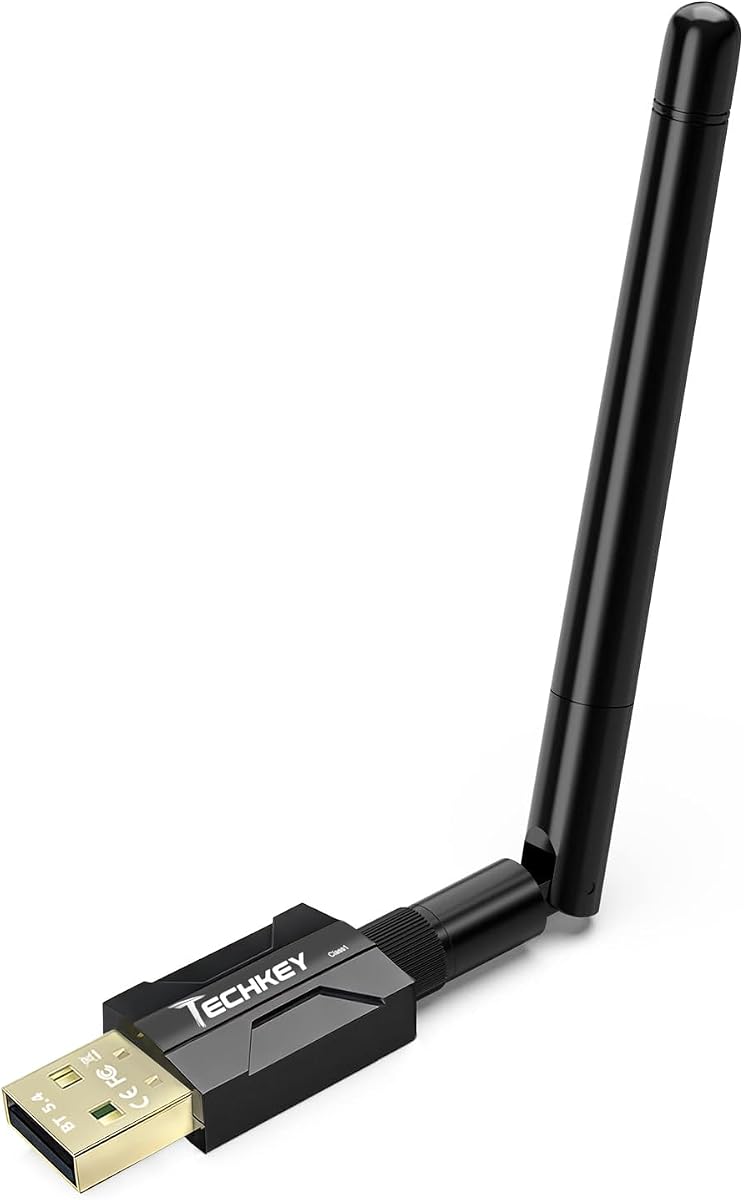
This USB Bluetooth 5.4 Adapter distinguishes itself with impressive range capabilities and high device capacity. Rated at 4.3 stars it is designed for users who need to connect peripherals from a distance. The dual antenna system significantly boosts signal reach compared to standard dongles.
We may earn a commission when you buy through this link, at no additional cost to you.
It leverages the latest Realtek Bluetooth 5.4 chipset to provide stable connections even in environments with interference. The ability to link up to seven devices simultaneously makes it ideal for complex setups with multiple input devices and speakers. This ensures smooth operation without signal drops.
However it is restricted to Windows systems and cannot be used directly on game consoles. If you are looking for a console-specific adapter this may not fit your needs. But for a versatile PC wireless solution it offers robust performance and flexibility.
This product is perfect for users in large offices or homes where the PC is far from the desk. It allows for freedom of movement without losing connection. We recommend it for those needing reliable long-range wireless access for various peripherals.
Connect to devices from another room thanks to the Class 1 Bluetooth technology and dual antennas.
Supports up to seven simultaneous connections ensuring you never run out of pairing slots.
We may earn a commission when you buy through this link, at no additional cost to you.
Boasting a perfect 5.0 rating this adapter is highly praised for its ease of use and strong performance. It combines the latest Bluetooth 5.4 technology with an extra-long antenna to maximize connectivity range. Users appreciate the plug and play functionality which minimizes setup time.
We may earn a commission when you buy through this link, at no additional cost to you.
The 3Mbps transmission rate ensures fast and responsive data transfer which is critical for gaming and media streaming. Its compact design allows it to stay hidden on your desktop while providing powerful signal coverage. This balance of size and strength makes it a practical daily driver.
While the range is impressive it can be affected by walls and other physical obstructions. Users should keep this in mind when placing the adapter. Additionally it does not support Linux which limits its appeal to open-source enthusiasts.
This adapter is ideal for home office users wanting a reliable and simple wireless upgrade. It supports multiple device connections which is great for multitasking. We recommend it for anyone needing a compact solution that delivers strong performance without hassle.
No software installation is required for Windows 10 and 11 users ensuring immediate functionality.
The extra long antenna pushes the connection boundary allowing devices to stay linked from further away.
We may earn a commission when you buy through this link, at no additional cost to you.
This adapter is engineered to bring high-quality wireless audio to gaming consoles and PCs seamlessly. With a 4.4 rating it is a reliable choice for console owners wanting to use their favorite Bluetooth headphones. The low latency certification ensures that game audio stays perfectly in sync with on-screen action.
We may earn a commission when you buy through this link, at no additional cost to you.
It supports a wide range of audio codecs including aptX HD and Adaptive which provides rich sound details. The Qualcomm chipset helps maintain a stable connection even during intense gaming sessions. LED lights provide clear visual feedback on the current codec status.
Users should note that enabling Bluetooth calling can slightly degrade audio quality so it is often better to keep it disabled. Also it is not compatible with the PS5 Portal which is a minor limitation. But for standard consoles it works exceptionally well.
This product is perfect for PS5 and Switch users looking to eliminate audio cables. It offers a straightforward setup process that does not require complex configuration. We recommend it for gamers who want immersive audio without the hassle of wires.
Achieve a fully synchronized experience where sound effects align perfectly with visual cues.
Switch between high quality and low latency modes depending on whether you are listening to music or gaming.
We may earn a commission when you buy through this link, at no additional cost to you.
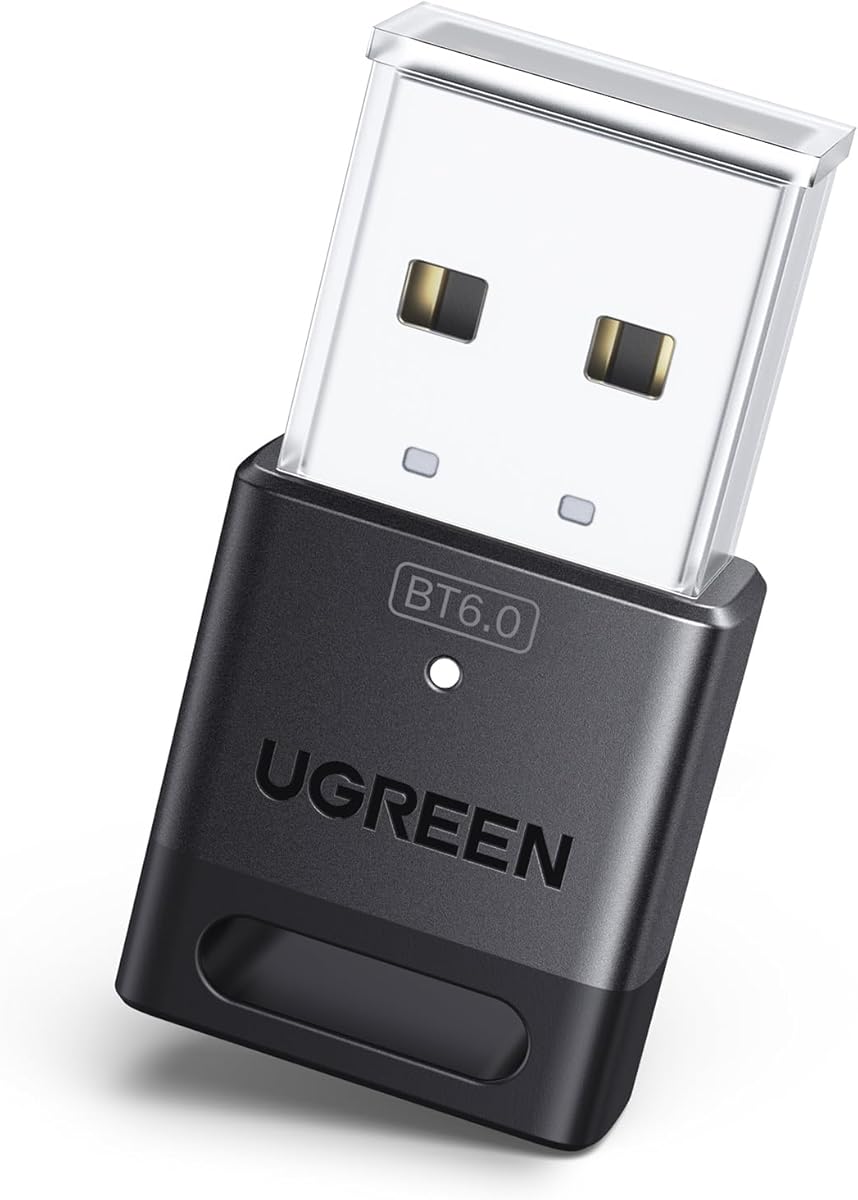
This adapter leverages the very latest Bluetooth 6.0 technology to provide ultra-fast data speeds and stable connections. It has earned a 4.2 rating for its ability to handle large file transfers and high-quality audio streaming. This makes it a forward-looking choice for power users.
We may earn a commission when you buy through this link, at no additional cost to you.
Its design supports five simultaneous device connections which keeps your workspace clutter-free. The enhanced data rate ensures that even high-bandwidth tasks like streaming 4K video audio are smooth. This level of performance is ideal for demanding professional environments.
However you must disable any existing Bluetooth modules on your PC before using this device to avoid conflicts. Also it is limited to Windows systems which restricts its use for cross-platform setups. If you use macOS or Linux you will need a different solution.
This product is recommended for users who want to future-proof their PC connectivity. It supports the latest standards ensuring compatibility with upcoming devices. We suggest it for Windows users needing high-speed reliable wireless access for multiple peripherals.
Move files between devices quickly without the lag typical of older Bluetooth versions.
Keep your phone mouse and headphones connected simultaneously to maintain workflow efficiency.
We may earn a commission when you buy through this link, at no additional cost to you.
This adapter is a versatile tool for streaming audio to wireless headphones with minimal delay. With a 4.3 rating it delivers a strong balance between performance and price. The inclusion of aptX AD ensures that audio lag is kept to an almost unnoticeable level for games.
We may earn a commission when you buy through this link, at no additional cost to you.
It supports a variety of codecs including aptX HD and SBC which means it works with most headphones on the market. The built-in microphone option allows for clear voice communication during calls or gaming sessions. This dual functionality makes it a practical choice for remote workers.
One thing to note is that it functions primarily as a transmitter for audio so file transfers are not supported. Also microphone functionality requires using the included 3.5mm jack or a specific headset setup. Despite this it remains a reliable option for daily audio needs.
This product is great for users wanting to use wireless headphones with their PS5 or PC. It offers a simple plug and play experience that gets you listening quickly. We recommend it for those seeking affordable low-latency audio streaming.
Enjoy gaming without audio delays so you can react instantly to in-game sounds.
Use the included microphone or your headset mic to join calls seamlessly on PC or console.
We may earn a commission when you buy through this link, at no additional cost to you.
This device offers a unique solution for shared audio experiences by allowing two listeners to connect simultaneously. It is designed for both PC use and home theater systems providing flexibility across different environments. With a 4.2 rating it is well-regarded for its reliability and convenience.
We may earn a commission when you buy through this link, at no additional cost to you.
The dual-pairing buttons simplify setup ensuring that each user gets their own independent volume control. It supports optical and RCA inputs which makes it easy to connect to TVs and older audio equipment. The included rechargeable battery means it can be used even when power outlets are far away.
However it is not a standard USB dongle for adding Bluetooth to a PC directly. If your primary goal is to enable Bluetooth on a desktop this might not be the right tool. But for audio streaming it offers unique value.
This adapter is perfect for households where multiple people want to listen to audio wirelessly. It also works well for travel or gym use due to its battery life. We recommend it for anyone needing shared wireless audio with minimal delay.
Allow a friend or family member to listen to the same content on their own pair of headphones.
Use optical or RCA inputs to integrate with a wide range of audio sources beyond just a PC.
We may earn a commission when you buy through this link, at no additional cost to you.
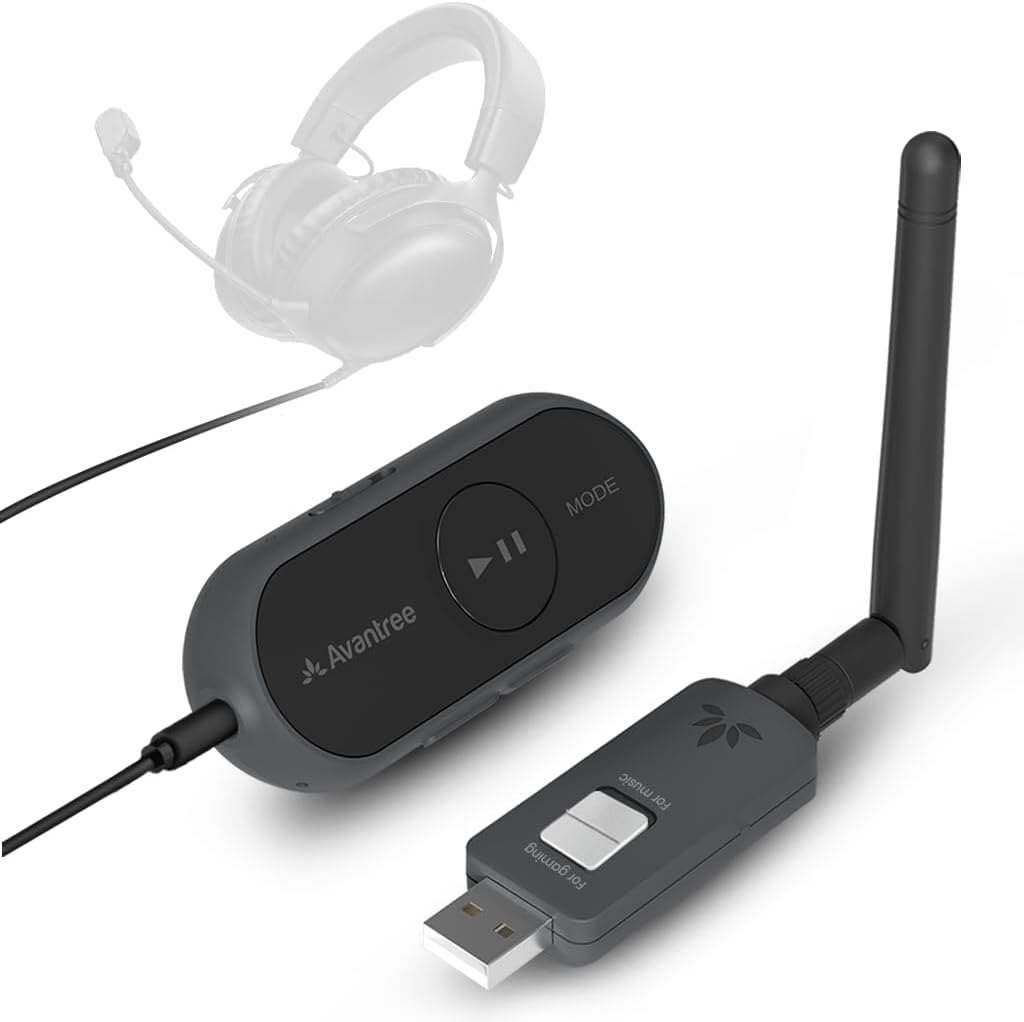
The Avantree ProLink represents the top tier of Bluetooth audio performance with an industry-leading 20ms latency. Rated at 4.5 stars it is built for professionals and gamers who cannot tolerate any audio delay. The LE Audio ready status ensures it is compatible with the latest wireless standards.
We may earn a commission when you buy through this link, at no additional cost to you.
Its aptX Lite codec delivers high-fidelity sound while keeping processing requirements low. The device works seamlessly across PC Mac and PS5 making it ideal for cross-platform users. Firmware upgradeable support means the hardware can improve over time with software updates.
The main drawback is its higher price compared to standard dongles. Also it works best with headsets that support TRRS connections for microphone input. These factors make it a premium choice rather than a budget option.
This product is perfect for those seeking the absolute best audio quality and responsiveness. It simplifies the workflow by supporting multiple platforms without needing different adapters. We recommend it for professionals and enthusiasts who value performance above all.
The 20ms latency ensures that voice chat and game audio are instantly synchronized for competitive play.
Firmware updates allow the device to adapt to future Bluetooth standards and improve performance over time.
We may earn a commission when you buy through this link, at no additional cost to you.
Selecting the right Bluetooth adapter requires understanding your specific needs and system compatibility. This section breaks down the key factors you should consider before purchasing.
The Bluetooth version determines the speed and efficiency of your connection. Newer versions like 5.3 and 5.4 offer faster data transfer and better range than older ones. Look for support for LE Audio if you want to future-proof your setup for upcoming headphones.
Always check that the adapter supports at least Bluetooth 5.0 to ensure reliable performance for modern peripherals.
Not all adapters work with every operating system. Many are optimized for Windows and may not support macOS or Linux. Ensure the product specifies support for your OS to avoid driver issues or complete incompatibility.
If you use multiple systems consider an adapter that explicitly lists support for all of them.
For music and gaming audio codecs are critical. Codecs like aptX or aptX Low Latency reduce the delay between your screen and your speakers. This is essential for gaming where even a few milliseconds of lag can impact your performance.
Check that your headphones support the same codecs as the adapter to get the full benefit.
The range of the adapter determines how far you can move from your PC without losing connection. Some models offer dual antennas or Class 1 radio technology to extend this range significantly. This is useful if your PC is in a different room than your desk.
Opt for adapters with external antennas or dual designs if you need consistent connectivity across a larger space.
Many users want to connect multiple devices like a mouse keyboard and headphones simultaneously. Some adapters support pairing up to five or even seven devices at once. This reduces the need to constantly re-pair devices when switching tasks.
Ensure the product states it can connect multiple device types without interference.
Plug and play functionality is a major convenience factor. Adapters that work without installing drivers on Windows 10 or 11 save you significant time. Check the product description to confirm whether drivers are required for your version of Windows.
Ideally choose an adapter that works immediately upon insertion to simplify your workflow.
Consider whether you need a USB-A or USB-C adapter based on your computer ports. Some mini dongles are so small they can stay plugged in without blocking other ports. Others have larger antennas which may need to be adjusted for best signal.
Select a physical design that fits your port availability and aesthetic preferences.
Start by plugging the adapter into an available USB port on your PC. Ensure your computer is connected to the internet so it can download the necessary drivers if required. Wait a few seconds for your operating system to recognize the device and install any drivers.
Once the adapter is recognized go to your system settings and search for Bluetooth devices. Put your headphones or other peripherals into pairing mode by holding the pairing button until the light flashes. Select the device from the list on your computer to complete the connection.
To maintain optimal performance keep the adapter free of dust and avoid bending the USB connector. If you notice connection drops check for interference from other wireless devices like Wi-Fi routers. You can also update the firmware through the manufacturer's website to ensure you have the latest software.
Most modern adapters support plug and play functionality on Windows 10 and 11 meaning no manual driver installation is needed. However older systems like Windows 7 may require a driver download from the manufacturer. Always check the product specifications for compatibility.
Many adapters are designed exclusively for Windows systems and do not support macOS or Linux. Some premium models do offer cross-platform support so check the product details before purchasing. If you need cross-platform use look for explicitly compatible options.
The range varies by model but standard adapters usually offer around 30 to 100 feet. Long-range models with Class 1 radio can reach up to 500 feet in open areas. Physical obstructions like walls can reduce this range significantly.
Audio lag often occurs due to older Bluetooth versions or lack of low-latency codec support. Using an adapter with aptX Low Latency or similar codecs can reduce delay to under 100ms. Gaming adapters are specifically optimized to minimize this issue.
Some specialized adapters support dual headphone streaming allowing two devices to connect simultaneously. This is common in audio-focused models but not available on all general-purpose USB dongles. Check if the product specifically lists multi-headphone support.
Many standard PC adapters are not designed to work directly with consoles. Some specialized models support PS5 audio output but Xbox consoles have stricter Bluetooth restrictions. Always verify console compatibility in the product description.
We have reviewed ten distinct Bluetooth Transmitter for PC options ranging from budget-friendly dongles to premium audio-focused adapters. Each model offers unique strengths whether it is range latency or compatibility with modern standards like LE Audio. Choosing the right one depends on your specific use case.
For most users the TP-Link USB Bluetooth Adapter offers a balanced performance with excellent features like an adjustable antenna. If you are on a tight budget the UGREEN USB Bluetooth 5.3 Adapter provides solid functionality without a high price tag. Gamers and audiophiles should consider the Avantree ProLink for its low latency.
Remember that product availability and pricing can change over time so verify the current status on the retailer site. Prioritize compatibility with your operating system and the devices you plan to connect. With the right adapter you can enjoy a fully wireless workflow.