
HP 14" HD Chromebook
4.4Editor score
Intel Quad-Core N4120 Processor
14 Inch HD Display
14 Hours Battery Life
Finding a reliable laptop on a budget can be challenging in today's market. Chromebooks offer an excellent balance of affordability and functionality for everyday tasks like browsing, streaming, and document editing. They are lightweight, secure, and designed to keep you productive without breaking the bank.
We have analyzed ten distinct models available in the current market to compile this comprehensive list. Our evaluation focuses on critical aspects such as processor speed, memory capacity, storage options, and overall build quality. We also consider user feedback to ensure each recommendation delivers real-world value.
Each pick in this guide highlights specific strengths tailored to different user needs and preferences. You will find options ranging from ultra-budget-friendly devices to those offering premium features at a reasonable cost. Please note that product prices and availability change frequently, so check the latest details before purchasing.
4.4Editor score

4.3Editor score
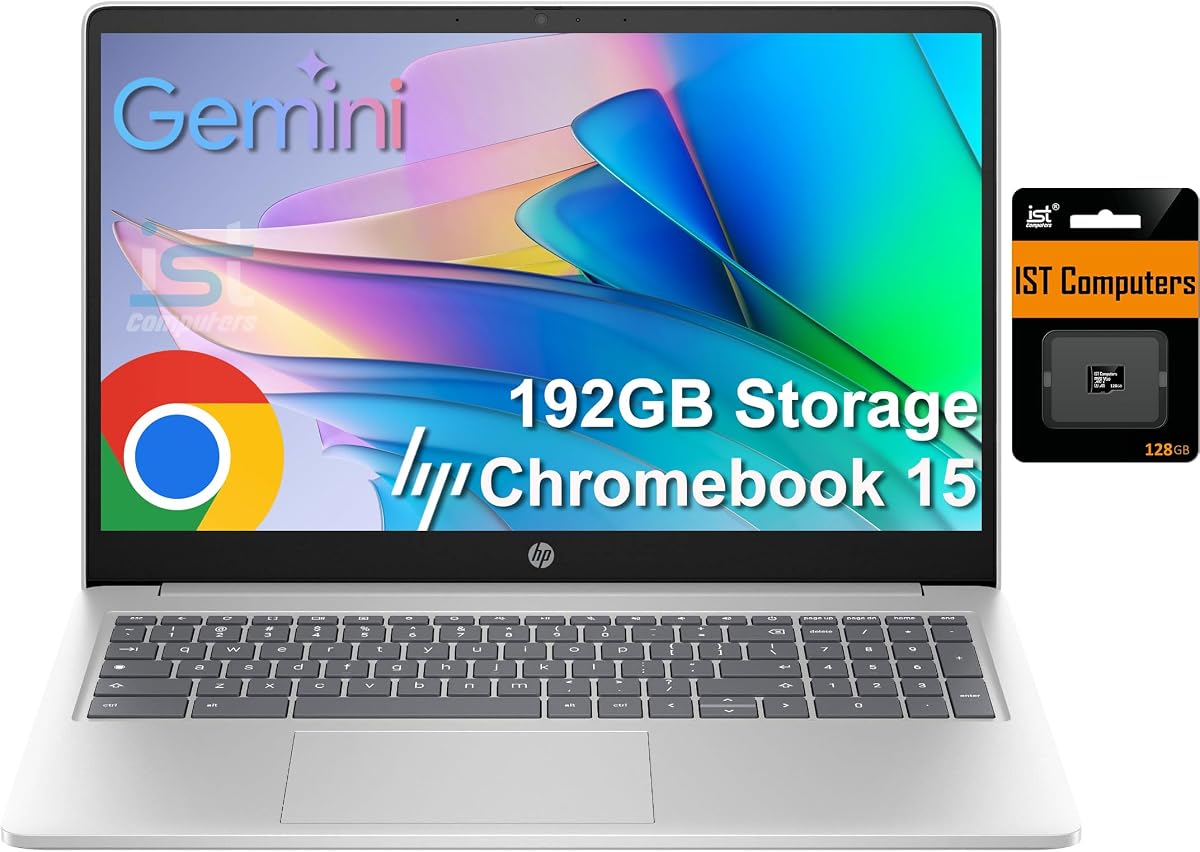
4.4Editor score
As an Amazon Associate we earn from qualifying purchases.
The following table provides a side-by-side comparison of all ten models featured in this guide. It highlights key specifications and unique attributes to help you quickly identify the device that best fits your specific requirements and budget constraints.



This HP Chromebook stands out as a top contender for those seeking a reliable and affordable laptop for everyday tasks. It holds a solid rating from users who appreciate its balance of performance and cost. The device is designed to handle web browsing, video streaming, and document editing with ease.
We may earn a commission when you buy through this link, at no additional cost to you.
The Intel Quad-Core N4120 processor provides a significant advantage over dual-core alternatives found in many budget models. This allows for smoother multitasking, meaning you can keep multiple browser tabs open without significant slowdowns. The 14-hour battery life ensures you can work or study throughout the day without needing to search for an outlet.
While the 64GB eMMC storage is limited, it is sufficient for cloud-based workflows common in Chrome OS. The 4GB RAM supports standard applications well, though heavy multitasking might push limits. The HD display offers adequate clarity for media consumption and reading, making it a practical choice for students and casual users.
Anyone looking for a dependable machine for school or home use will find this model highly suitable. It offers a complete package including necessary ports and accessories. It is recommended for those who prioritize battery life and processor performance over high-resolution screens or large local storage.
The quad-core architecture divides workloads effectively, ensuring smooth operation even when running multiple apps simultaneously.
With up to 14 hours of battery life, this laptop is ideal for students and professionals who are constantly on the move.
We may earn a commission when you buy through this link, at no additional cost to you.
This HP Chromebook is selected as our Editor's Choice for its excellent combination of portability and performance. It maintains a high user rating due to its robust build quality and thoughtful design features. It is particularly well-suited for users who value a sleek form factor without sacrificing essential functionality.
We may earn a commission when you buy through this link, at no additional cost to you.
The laptop features a thin design that makes it easy to carry in a backpack or bag. Despite its light weight, it supports 4K graphics, allowing for smooth streaming of high-resolution content. The Fast Charge technology is a significant benefit, enabling the battery to reach 50% charge in just 45 minutes.
Performance is handled by the Intel Celeron N4120, which provides reliable speed for daily tasks. The 4GB RAM ensures that common applications run smoothly. While storage is limited to 64GB, the system is optimized for cloud storage, which alleviates space concerns for most users.
This device is ideal for travelers, students, and professionals who need a reliable tool on the go. Its sustainability features and long battery life make it a responsible choice. We recommend it for those who need a balance of style and utility in a budget-friendly package.
ENERGY STAR certification and EPEAT Silver registration ensure that the device meets strict environmental standards for efficiency.
The multi-touch touchpad supports four-finger gestures, making navigation intuitive and efficient for everyday use.
We may earn a commission when you buy through this link, at no additional cost to you.
The Dell Chromebook 11 3100 offers a unique 2 in 1 design that adds versatility to a budget device. It has garnered a positive rating from users who value its interactive capabilities. This model is particularly appealing for educational settings or environments where touch input is preferred.
We may earn a commission when you buy through this link, at no additional cost to you.
The 11.6-inch touchscreen allows for direct interaction with apps and content, which enhances the user experience. The 2 in 1 form factor means it can be used as a tablet or a laptop, providing flexibility for different tasks. The Intel Celeron N4020 ensures basic performance is maintained.
However, the screen size is relatively small compared to standard 14-inch models. This may make extended typing or multitasking less comfortable for some users. The 32GB storage is quite limited, so reliance on cloud storage is necessary for file management.
This device is best suited for students or users who prioritize touch input and portability over screen real estate. Its compact design makes it easy to fit into tight spaces. We recommend it for those needing a budget-friendly option that offers more than just a traditional keyboard experience.
Switch between laptop and tablet modes effortlessly to match your current task and working environment.
The small footprint makes it ideal for cramped desks or frequent travel where space is at a premium.
We may earn a commission when you buy through this link, at no additional cost to you.
This Lenovo Flagship Chromebook brings premium features to a more accessible price point. It is rated highly for its impressive display and connectivity options. The device is designed to meet the needs of modern users who expect high-quality media and fast internet speeds.
We may earn a commission when you buy through this link, at no additional cost to you.
The 14-inch Full HD touchscreen delivers sharp visuals and accurate colors. Combined with the MediaTek Kompanio 520 processor, it offers a responsive experience for both work and entertainment. WiFi 6 support ensures that wireless connections are stable and fast, which is crucial for streaming and video calls.
The thin and light design adds to its portability, making it easy to carry around. While the 4GB RAM is standard, the octa-core processor helps manage tasks efficiently. The reliance on cloud storage and external drives is necessary due to the 64GB eMMC limit.
Users who prioritize display quality and modern connectivity will find this laptop rewarding. It is suitable for professionals and students who need a fast and visually appealing device. We recommend it for those looking for a step up in screen quality without a significant price hike.
IPS technology provides wide viewing angles and vibrant colors, enhancing your visual experience significantly.
WiFi 6 ensures you are prepared for faster internet speeds and better network performance in crowded areas.
We may earn a commission when you buy through this link, at no additional cost to you.
The Acer Chromebook 2023 stands out for its larger 15.6-inch display. It has received high ratings from users who need extra screen real estate. This model is perfect for those who find smaller screens restrictive for productivity or multitasking.
We may earn a commission when you buy through this link, at no additional cost to you.
The anti-glare coating on the display helps reduce eye strain during long sessions. The Intel Celeron N4020 processor can boost up to 2.80 GHz, providing bursts of speed when needed. The inclusion of accessories like earbuds and a mouse adds significant value to the package.
While the larger screen increases the weight slightly, it remains portable enough for most users. The availability of both USB-C and USB-A ports ensures compatibility with various peripherals. The battery life is designed to last through a full day of typical use.
This Chromebook is best for users who need a bigger workspace without moving to a desktop setup. It is ideal for home office users and students. We recommend it for those who value screen size and the convenience of bundled accessories.
The 15.6-inch screen provides more room for window management and split-screen workflows.
Accessories included in the box save you money and ensure you are ready to use the device immediately.
We may earn a commission when you buy through this link, at no additional cost to you.
This ASUS Chromebook offers a compelling choice for buyers interested in renewed products. It holds a strong rating for its hardware specifications relative to its price. The 128GB storage is a major selling point compared to standard budget models.
We may earn a commission when you buy through this link, at no additional cost to you.
The 15-inch FHD IPS display delivers crisp images and better color accuracy. The larger storage capacity allows for more local files and apps. As a renewed unit, it provides a way to access higher-end specs at a lower price point.
Buyers should be aware that renewed items may show minor signs of use. However, they typically undergo testing to ensure functionality. The pastel blue color adds a touch of personality to the design. The super-fast WiFi ensures reliable connectivity for daily tasks.
This laptop is recommended for those who want better specs without the new device price. It is a smart choice for students and families. We suggest checking return policies when buying renewed items to ensure satisfaction.
With 128GB of storage, you can store more movies and documents locally without relying solely on the cloud.
Choosing a renewed product helps reduce electronic waste while giving you a reliable device.
We may earn a commission when you buy through this link, at no additional cost to you.
The HP Chromebook 14-inch is noted for its reliable performance and aesthetic appeal. It has earned an impressive rating from satisfied customers. The ceramic white finish gives it a clean and professional look.
We may earn a commission when you buy through this link, at no additional cost to you.
The B&O tuned speakers offer superior audio quality for a laptop in this range. This makes it a great choice for media consumption. The dual-core processor handles basic tasks well, though heavy workloads may be slower.
Portability is key with this model, as it is thin and light. The multi-touch touchpad supports gestures for easy navigation. While storage is 32GB, the system is designed for cloud usage. The battery life is sufficient for daily use.
This Chromebook is perfect for users who value design and audio quality. It suits those who prioritize a compact form factor. We recommend it for light users who need a stylish and functional device.
B&O tuned speakers provide clearer sound for music and videos compared to standard laptop speakers.
The ceramic white finish stands out from typical plastic laptops, adding a touch of elegance.
We may earn a commission when you buy through this link, at no additional cost to you.
This HP Chromebook is designed for users who need more power than standard budget models. It features 8GB of DDR5 RAM which is a significant upgrade. It is highly rated for its ability to handle demanding tasks smoothly.
We may earn a commission when you buy through this link, at no additional cost to you.
The Intel N200 processor provides four cores for efficient multitasking. Combined with the large storage, it supports extensive workloads. The numeric keypad is a valuable addition for data entry or spreadsheets. External monitor support adds to its versatility.
The battery life is sufficient for long workdays, ensuring productivity. The privacy shutter on the webcam enhances security during calls. This model bridges the gap between budget and premium devices effectively.
It is ideal for professionals or students with heavier data needs. The additional memory ensures stability during complex workflows. We recommend it for those who need a robust machine for daily productivity.
With 8GB of DDR5 RAM, you can run multiple heavy applications simultaneously without performance drops.
The inclusion of a numeric keypad makes data entry and calculations significantly faster and easier.
We may earn a commission when you buy through this link, at no additional cost to you.
This Acer Chromebook combines modern hardware with a distinct design. It holds a solid rating for its connectivity features. The use of DDR5 RAM is rare in budget models, offering a performance boost.
We may earn a commission when you buy through this link, at no additional cost to you.
WiFi 6 ensures that internet speeds are maximized during downloads and calls. The Full HD IPS display provides clear visuals for all media. The unique Dale Purple color makes it stand out from typical laptops. As a renewed product, it offers value.
While the processor is standard, the memory technology compensates for speed. The 15-inch screen allows for comfortable viewing angles. It is suitable for users who want the latest tech in a budget-friendly package.
It is best for users who prioritize future-proof connectivity. The DDR5 RAM ensures longevity for software updates. We recommend it for those who want modern specs at a lower price.
DDR5 RAM provides faster data access and improved power efficiency compared to older memory types.
Ultra-Fast WiFi 6 ensures you can take advantage of the latest high-speed wireless networks.
We may earn a commission when you buy through this link, at no additional cost to you.
The Lenovo 100E Chromebook is one of the most affordable options available. It holds a decent rating given its low price point. It is designed for basic web tasks and educational use.
We may earn a commission when you buy through this link, at no additional cost to you.
The MediaTek processor handles basic web browsing and simple apps. The small form factor makes it easy to carry. Storage is extremely limited, so cloud usage is essential. It is a good entry point for those new to laptops.
This device is not suitable for heavy multitasking or media editing. It is designed for essential tasks only. The renewed condition helps keep costs low while providing functionality. It is an excellent choice for very tight budgets.
We recommend it for those who need a basic laptop for simple tasks. It is best for children or secondary users. It provides essential computing capabilities at the lowest possible cost.
Designed for basic tasks, it is an excellent option for those who need a simple computer.
An affordable way to provide a personal device for basic educational needs without high investment.
We may earn a commission when you buy through this link, at no additional cost to you.
Selecting the right Chromebook involves balancing several factors to ensure you get the most value for your money.
The processor is the heart of your laptop and dictates how fast it runs. For basic browsing and media, dual-core processors like the N4020 are sufficient. However, if you plan to multitask heavily or use Android apps, a quad-core or higher is recommended for smoother performance.
Always check the processor model and core count before buying to ensure it meets your daily workload needs.
RAM determines how many programs can run simultaneously. Most budget Chromebooks come with 4GB RAM which is adequate for web browsing and word processing. If you frequently keep many tabs open, consider models with more capacity or those optimized for memory management.
Higher RAM allows for better stability and faster switching between applications without slowing down the system.
Storage in Chromebooks is often limited to eMMC flash memory. Since most work is done in the cloud, 64GB is usually enough. If you need to store many local files, look for models with 128GB or expandable options. Renewed units sometimes offer higher storage at lower prices.
Ensure you have a plan for cloud storage or external drives if your local storage is limited.
A clear screen is essential for comfort during long usage. Full HD displays are sharper than HD models and reduce eye strain. IPS panels offer better viewing angles than TN panels. Touchscreen capabilities add a layer of interaction useful for specific tasks.
Prioritize a Full HD IPS display if you value visual quality and accuracy in your work or media consumption.
Since Chromebooks are portable, battery life is a critical factor. Look for models offering 10 hours or more to last a full day away from a charger. Fast charging features are a bonus for quick top-ups during the day.
A long-lasting battery ensures you remain productive throughout your day without interruption.
Check the number of USB ports available for peripherals like mice or drives. USB-C is becoming standard and supports charging and data transfer. HDMI ports are essential for connecting to external monitors or projectors. Wireless connectivity like WiFi 6 is a significant upgrade for speed.
Ensure the ports meet your peripheral needs to avoid the hassle of carrying extra adapters constantly.
The build quality affects durability and portability. Lightweight laptops are easier to carry for students and travelers. Look for sturdy hinges and well-spaced keyboards. Design aesthetics can also matter if you plan to use it in professional settings.
A durable build ensures your device withstands daily wear and tear over its lifespan.
Consider the overall value including any included accessories like bags or mouses. Warranty terms vary significantly between new and renewed units. New devices usually have standard manufacturer warranties while renewed may have limited or seller-specific ones.
Always review warranty details to understand what protection you have in case of hardware issues.
To maximize performance, keep your Chromebook updated with the latest Chrome OS updates which ensure security and stability. Close unused tabs and apps to free up memory and speed up the device. Use cloud storage services effectively to manage files without filling local storage.
Regularly clean the screen and keyboard with a soft cloth to prevent damage. Avoid eating or drinking over the device to prevent spills. Ensure the cooling vents are not blocked by surfaces like blankets when the laptop is in use to avoid overheating.
Take advantage of Google Assistant and voice commands for hands-free tasks. Learn keyboard shortcuts to navigate Chrome OS more efficiently. If you notice slow performance, try restarting the device or checking for battery saving settings that may be restricting speed.
Chromebooks are designed for casual gaming primarily through Android apps or web-based games. They do not support heavy AAA titles due to hardware limitations. However, light games and cloud gaming services can work well on models with better processors.
Most Chromebooks cannot install standard Windows software directly. They rely on Android apps and web extensions. Some models support Linux applications but standard Windows .exe files are not compatible. Always verify app availability before purchasing.
A typical Chromebook lasts between three to five years depending on usage and care. Google provides automatic updates for about five years after the initial release. Physical durability can extend the life further if you handle the device gently.
Most cheap Chromebooks do not include Microsoft Office. You can use web-based versions of Office or free alternatives like Google Docs. Some manufacturers may offer trial versions of apps but check the specifics before purchasing.
Renewed Chromebooks are often reliable if purchased from reputable sellers. They undergo testing to ensure functionality. Prices are lower than new models but warranties may be limited. Check return policies for peace of mind.
Yes, many apps like Google Docs and Sheets work offline. You must enable offline mode to sync changes once connected again. Some features like email and web browsing require a connection so plan accordingly.
We have explored ten excellent Chromebook options suitable for various needs and budgets. The HP 14" HD Chromebook offers strong value for basic users. The Lenovo Flagship provides premium features like a Full HD touchscreen for those needing quality.
When choosing your ideal device prioritize what matters most to your daily workflow. If you need speed consider models with more RAM or better processors. If portability is key look for lightweight designs with long battery life.
Remember to check current prices and availability before making your decision. Product prices fluctuate and stock may change frequently. We hope this guide helps you find the perfect affordable Chromebook for your needs.