
Alienware AW3425DWM
4.6Editor score
180Hz refresh rate
WQHD resolution
AMD FreeSync Premium
Gaming monitors have evolved significantly, with curved displays offering deeper immersion and wider fields of view. Choosing the right one requires balancing resolution, refresh rate, and panel technology to match your specific needs.
We evaluated ten top models based on performance metrics, color accuracy, and ergonomic features. Our analysis covers OLED and LCD options, ensuring you see how each display handles fast-paced action and detailed graphics.
Each pick highlights key strengths and potential trade-offs to guide your decision. Prices and availability fluctuate frequently, so verify current offers before purchasing to ensure you get the best value today.
4.6Editor score

4.3Editor score

4.5Editor score
As an Amazon Associate we earn from qualifying purchases.
This side-by-side comparison highlights the critical specifications and features across all ten models to help you quickly identify the display that best fits your gaming and creative workflow requirements.





The Alienware AW3423DW stands out as a top choice for enthusiasts seeking immersive visuals. With a 4.3 rating, it combines QD-OLED technology with a 175Hz refresh rate for stunning clarity.
We may earn a commission when you buy through this link, at no additional cost to you.
Its Quantum Dot OLED panel delivers vibrant colors and deep blacks that enhance gaming and creative work. The 1800R curve wraps around your field of vision for a more engaging experience.
While the price is higher, the performance justifies the cost for serious users. Potential burn-in risks are managed with built-in safeguards to maintain long-term display health.
This monitor is ideal for gamers and creators who prioritize color fidelity and speed. It remains a benchmark for curved ultrawide displays in its class.
The Quantum Dot OLED technology provides a wider color gamut and higher brightness compared to standard OLED panels.
With a 0.1ms response time and G-SYNC ULTIMATE certification, motion blur and screen tearing are effectively eliminated.
We may earn a commission when you buy through this link, at no additional cost to you.
The AW3425DWM offers exceptional value for budget-conscious gamers. Its 4.6 rating reflects strong performance with a 180Hz refresh rate and crisp WQHD resolution.
We may earn a commission when you buy through this link, at no additional cost to you.
The 1500R curve provides immersion without being too aggressive. AMD FreeSync Premium ensures smooth gameplay on compatible graphics cards.
Though it lacks OLED contrast, the color coverage and low blue light solution make it comfortable for long sessions. This balance of features makes it a top pick.
Ideal for those seeking high performance without the OLED price tag. It delivers a reliable experience for both gaming and daily tasks.
The 180Hz refresh rate combined with 1ms response time ensures fast-paced games feel smooth and responsive.
A hardware-based low blue light solution reduces eye strain during extended gaming marathons.
We may earn a commission when you buy through this link, at no additional cost to you.
The AW3425DW pushes the envelope with a 240Hz refresh rate and QD-OLED clarity. Rated 4.5, it appeals to competitive gamers needing top-tier speed and color.
We may earn a commission when you buy through this link, at no additional cost to you.
The 1800R curve and WQHD resolution create a sweeping visual field. TrueBlack 400 certification ensures deep blacks and vibrant HDR highlights.
While expensive, the infinite contrast and 0.03ms response are unmatched. It supports both NVIDIA and AMD sync technologies for broad compatibility.
Best for elite players and enthusiasts demanding the absolute fastest and most vivid display. It represents the cutting edge of curved monitor tech.
At 240Hz with 0.03ms response, input lag is minimized for competitive advantage in fast shooters.
With 99.3% DCI-P3 coverage and Delta E<2 accuracy, colors appear exactly as creators intended.
We may earn a commission when you buy through this link, at no additional cost to you.
The AW3420DW brings classic Alienware reliability with a 4.6 rating. Its 120Hz refresh rate and WQHD resolution suit those who prioritize stability over extreme speed.
We may earn a commission when you buy through this link, at no additional cost to you.
The 1900R curve offers a comfortable field of view without distortion. G-SYNC technology ensures tear-free gaming on NVIDIA GPUs.
Nano color technology delivers impressive accuracy and depth. Anti-glare coatings help reduce reflections in bright rooms.
Great for casual gamers and professionals needing consistent color. It balances performance with ergonomic comfort effectively.
IPS Nano color exceeds sRGB and DCI-P3 standards for accurate, vibrant imagery.
Four customizable AlienFX lighting zones allow personalization of the setup aesthetic.
We may earn a commission when you buy through this link, at no additional cost to you.
This bundle includes the AW3423DW monitor with essential accessories for immediate use. Though rated N/A, the monitor itself carries high praise for QD-OLED immersion.
We may earn a commission when you buy through this link, at no additional cost to you.
Included DisplayPort and HDMI cables ensure full connectivity. The cleaning kit helps maintain the screen’s pristine condition.
G-Sync Ultimate certification delivers fluid, tear-free gaming. True Black 400 HDR adds cinematic depth to dark scenes.
Best for buyers wanting a plug-and-play setup. It reduces setup time and ensures compatibility with included cables.
The bundle provides necessary cables and a cleaning kit to simplify initial setup and maintenance.
Infinite contrast ratio and 1000 nits peak brightness make HDR content pop.
We may earn a commission when you buy through this link, at no additional cost to you.
This bundle expands the previous kit with a headphone extender and extra cables. Rated 3.0, it shows mixed user feedback but retains strong performance specs.
We may earn a commission when you buy through this link, at no additional cost to you.
The 175Hz QD-OLED panel offers immersive visuals. Premium materials ensure durability and a futuristic look.
Ergonomic adjustments allow for comfortable viewing angles. High contrast ratio enhances image depth significantly.
Good for users who need extra audio connectivity. However, check recent reviews before purchasing due to variable satisfaction.
The included headphone extender simplifies connecting audio devices for a richer soundscape.
Tilt, swivel, and height adjustments help tailor the monitor to any desk setup.
We may earn a commission when you buy through this link, at no additional cost to you.
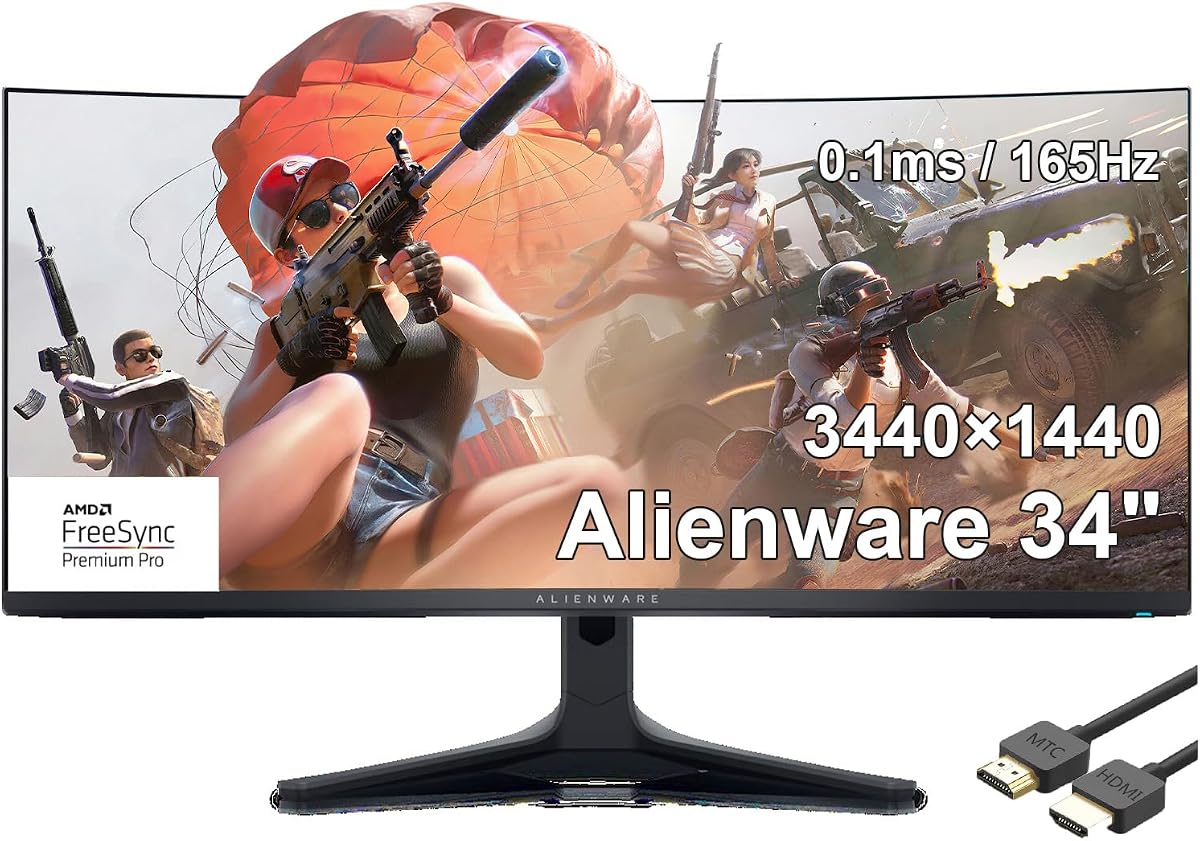
The AW3423DWF is a variant focusing on AMD users. Rated 1.0, it shows limited feedback but offers solid 165Hz performance.
We may earn a commission when you buy through this link, at no additional cost to you.
The QD-OLED panel ensures vibrant colors and deep blacks. AMD FreeSync Premium Pro supports high dynamic range gaming.
Included MTC HDMI cable adds value for specific setups. Response time remains fast for competitive play.
Best for AMD GPU users seeking QD-OLED benefits. Verify current stock and warranty terms before buying.
Designed to maximize performance with AMD Radeon GPUs via FreeSync Premium Pro.
The panel delivers over 1 billion colors for rich, lifelike images.
We may earn a commission when you buy through this link, at no additional cost to you.
The AW3225Qf combines 4K resolution with QD-OLED technology. Rated 4.3, it offers high detail for creative work and media consumption.
We may earn a commission when you buy through this link, at no additional cost to you.
The 32-inch panel fits well in compact spaces. QD-OLED ensures vibrant visuals and deep contrast.
Design elements like stand options add to usability. It supports various inputs for different setups.
Great for users needing high pixel density in a smaller footprint. Ideal for mixed use of gaming and design.
3840 x 2160 resolution provides sharp text and intricate game details.
Available in black and white to match different desk styles.
We may earn a commission when you buy through this link, at no additional cost to you.
This bundle offers a 27-inch monitor with a massive 280Hz refresh rate. Rated 5.0, it excels in speed and accessory completeness.
We may earn a commission when you buy through this link, at no additional cost to you.
IPS panel ensures accurate colors and wide viewing angles. Includes USB hub and cleaning kit for convenience.
Overclocking allows reaching 280Hz on DisplayPort. Custom overlays help with dark or complex game scenes.
Perfect for competitive FPS players prioritizing frame rates. Ensure your PC can support high frame rates.
The DisplayPort can be overclocked to reach 280Hz for smoother motion.
The integrated USB hub provides charging ports for devices directly on the monitor.
We may earn a commission when you buy through this link, at no additional cost to you.
The Samsung G7 offers a massive 40-inch display for ultimate immersion. Rated 4.5, its tight 1000R curve wraps around your view.
We may earn a commission when you buy through this link, at no additional cost to you.
180Hz refresh rate and 1ms response keep games smooth. HDR600 adds brightness and contrast for vivid visuals.
Its size demands more desk space. The curve enhances the feeling of being inside the game.
Best for users wanting a cinema-like experience. Check desk dimensions before purchasing.
The tight curve matches the human eye arc for maximum immersion.
DisplayHDR 600 certification ensures bright whites and deep blacks.
We may earn a commission when you buy through this link, at no additional cost to you.
Selecting the right monitor involves evaluating screen technology, refresh rates, and ergonomic features to suit your specific needs.
OLED and QD-OLED panels offer deep blacks and vibrant colors, making them ideal for immersive gaming. IPS panels provide wider viewing angles and color consistency, which is helpful for productivity and mixed use.
Choose QD-OLED for premium visuals or IPS for broader viewing flexibility.
Higher refresh rates like 240Hz deliver smoother motion for competitive gaming, while 120Hz is sufficient for casual play. The rate determines how many frames the screen displays per second.
Prioritize refresh rates that match your graphics card’s output for maximum performance.
Curved displays like 1800R or 1000R wrap around your field of view to enhance immersion. The stronger the curve, the more immersive it feels on ultrawide panels.
Select a curvature that fits your viewing distance for a comfortable experience.
Sync technologies like G-SYNC and FreeSync prevent screen tearing by matching refresh rates with your GPU. This ensures smooth gameplay without frame drops.
Confirm that your monitor supports the sync tech compatible with your graphics card.
High DCI-P3 and sRGB coverage ensures vibrant and true-to-life colors. Factory calibration reduces color errors out of the box, which is crucial for creatives.
Look for monitors with high color coverage and low Delta E for professional work.
Adjustable stands with height, tilt, and swivel features prevent neck strain during long sessions. Cable management helps keep your desk tidy and organized.
Opt for stands with full adjustability to maintain proper posture.
Ports like DisplayPort and HDMI determine your ability to run high resolutions and refresh rates. USB hubs add convenience for peripherals directly connected to the monitor.
Ensure the monitor has enough ports and bandwidth for your devices.
Burn-in protection features like screen shifts and pixel refreshing help preserve OLED panels. Check warranty terms to ensure long-term coverage against defects.
Choose monitors with robust protection to extend the display's lifespan.
Set up the monitor on a sturdy surface with enough clearance for the curve. Connect using the provided high-speed cables to ensure full bandwidth and feature support.
Calibrate display settings through the OSD menu to match your room lighting. Use presets for gaming and creative work to maintain accuracy and consistency.
Clean the screen gently with a microfiber cloth to avoid scratches. Use built-in care features like pixel refresh to protect OLED panels over time.
OLED monitors deliver superior contrast and color depth, which greatly enhances immersion in gaming. If you value visual fidelity and HDR performance, the investment is often justified.
A refresh rate of 144Hz or higher ensures smooth motion in fast-paced titles. Higher rates reduce motion blur and improve reaction times during competitive play.
Yes, many models offer high color accuracy and calibration modes for creative work. WQHD and 4K resolutions provide ample workspace for multitasking.
Curved ultrawide monitors expand your field of view, making multitasking easier. The curve reduces eye movement when switching between open windows and tools.
Use built-in screen shifting and pixel refreshing features to prevent static image retention. Avoid leaving static elements like taskbars visible for long periods.
DisplayPort 1.4 cables generally support higher refresh rates and resolutions than HDMI. Use certified high-speed cables to ensure full bandwidth and signal stability.
Most monitors are compatible with Windows, Mac, and Linux via standard DisplayPort and HDMI connections. Some may require specific drivers for advanced features.
Most monitors come with a standard one-year limited warranty covering defects. Premium models may offer extended support or replacement programs through the manufacturer.
The AW3423DW, AW3425DWM, and AW3425DW stand out as top choices for speed, value, and premium quality. Each model addresses different user needs from casual play to elite competition.
Focus on your preferred refresh rate and panel type to balance performance and immersion. Ergonomic design and connectivity options also play key roles in long-term satisfaction.
Prices and availability vary by region and stock levels. Verify current offers and specifications before purchasing to secure the best deal available.