
VisionOwl Portable Monitor 16 Inch 2.5K QHD 144Hz
4.8Editor score
2.5K QHD 144Hz Refresh Rate
16:10 Aspect Ratio Matches MacBook
Dual USB-C and HDMI Ports
Finding the right external monitor for your MacBook Neo can significantly boost your productivity and visual experience. A quality portable display offers sharp visuals, reliable connectivity, and a sleek design that matches your laptop perfectly.
We have carefully compared ten top-rated monitors based on screen quality, port compatibility, build durability, and user feedback. This guide highlights the best options for travelers, professionals, and creative workers seeking seamless integration.
Each pick includes detailed specs, real-world pros and cons, and specific use cases to match your needs. Keep in mind that product availability and pricing may change, so always verify current details before purchasing online today.
4.8Editor score

4.5Editor score

4.3Editor score
As an Amazon Associate we earn from qualifying purchases.
This side-by-side comparison highlights key features across all ten products to help you choose the right portable display for your MacBook Neo setup and specific workflow needs.




The ASUS ZenScreen offers a reliable Full HD experience with eye-care certifications making it ideal for long work sessions on your MacBook Neo.
We may earn a commission when you buy through this link, at no additional cost to you.
Its hybrid-signal USB-C connectivity simplifies setup while the kickstand design allows quick shifts between portrait and landscape orientations for flexible workflows.
While it lacks high refresh rates for gaming, the focus on viewing comfort and durability makes it a trustworthy choice for professional travel use.
Choose this monitor if you prioritize eye comfort and a sturdy warranty over high-end gaming features for your portable workstation setup.
The TÜV Rheinland certified flicker-free and low blue light features reduce eye strain during extended coding or writing tasks.
Hybrid USB-C support ensures power and video travel over a single cable for most modern laptops including MacBook Neo.
We may earn a commission when you buy through this link, at no additional cost to you.
MNN delivers a solid budget option with Full HD clarity and dual Type-C ports ensuring versatile power and video connections for your MacBook Neo.
We may earn a commission when you buy through this link, at no additional cost to you.
The included smart cover doubles as a stand and protector saving you extra accessories costs while adding a sleek finish to your travel gear.
Glossy panels can reflect light in bright environments but the price advantage and included stand make this a great starter portable screen choice.
Opt for this if you need an affordable secondary display with essential features without investing in premium build materials or high refresh rates.
Ultra slim and lightweight construction fits easily into backpacks or suitcases for stress-free commuting or business trips.
Single USB-C cable provides power and video when your laptop supports DP Alt Mode for instant setup without drivers.
We may earn a commission when you buy through this link, at no additional cost to you.
VisionOwl brings a premium 16-inch 2.5K display with a 16:10 ratio that perfectly matches the MacBook Neo screen for seamless mirroring without black bars.
We may earn a commission when you buy through this link, at no additional cost to you.
High brightness and a 144Hz refresh rate support both creative work and gaming making it a versatile all-rounder for professionals seeking top-tier visuals.
The higher cost and weight may be less ideal for backpack travel but the metal build and VESA mounting offer robust workstation flexibility at home.
Invest in this if you demand crisp text detail and smooth motion for photo editing or multitasking with a high-quality portable companion.
The 16:10 panel avoids wasted black space when mirroring or extending your MacBook Neo desktop for cleaner visual integration.
470 nits brightness ensures clear visibility even in well-lit environments like airport lounges or coffee shops.
We may earn a commission when you buy through this link, at no additional cost to you.
InnoView offers a balanced package with Full HD clarity built-in speakers and a protective case making it a hassle-free addition to your MacBook Neo setup.
We may earn a commission when you buy through this link, at no additional cost to you.
Multiple connectivity options including dual USB-C and HDMI ensure you can connect various devices easily without needing extra adapters for your mobile gear.
The speakers are functional for casual media playback but lack depth for serious audio work yet the case adds significant value for frequent travelers.
Choose this if you want an all-in-one solution with basic audio and protection included at a reasonable price point for remote work.
Integrated speakers let you join calls or watch videos without carrying separate external audio devices during meetings.
Plug and play support means you can connect instantly using a single cable without downloading extra software tools.
We may earn a commission when you buy through this link, at no additional cost to you.
Weighing just 1.5 pounds this InnoView monitor provides a slim portable experience with an integrated adjustable stand and protective sleeve for easy MacBook Neo travel.
We may earn a commission when you buy through this link, at no additional cost to you.
The upgraded contrast ratio enhances image depth while the four-button OSD menu simplifies brightness and mode adjustments during meetings or outdoor work.
Power pass-through requires a compatible adapter to avoid flickering issues but the overall design prioritizes comfort and portability for mobile users.
Pick this lightweight option if you want a dedicated second screen that barely adds weight to your daily commute or business trip bag.
The built-in stand adjusts up to 90 degrees allowing comfortable viewing angles for both typing and video conferencing sessions.
An exclusive sleeve keeps the screen scratch-free and protected inside backpacks ensuring long-term durability without extra cost.
We may earn a commission when you buy through this link, at no additional cost to you.
The cocopar monitor features a metal chassis and 110% sRGB coverage delivering vibrant accurate colors for creative work alongside a smooth 144Hz refresh for gaming.
We may earn a commission when you buy through this link, at no additional cost to you.
Its lightweight design and fabric sleeve make it easy to carry while the dual USB-C and HDMI ports ensure compatibility across laptops and consoles alike.
The built-in speakers provide balanced audio for calls but external headphones might be needed for immersive media due to their compact size.
Choose this if you need a durable colorful display for content creation with reliable connectivity that handles both work and entertainment seamlessly.
Wide color gamut support ensures photos and videos look true to life on this portable external screen.
The full metal body offers better scratch resistance and structural strength compared to standard plastic portable monitors.
We may earn a commission when you buy through this link, at no additional cost to you.
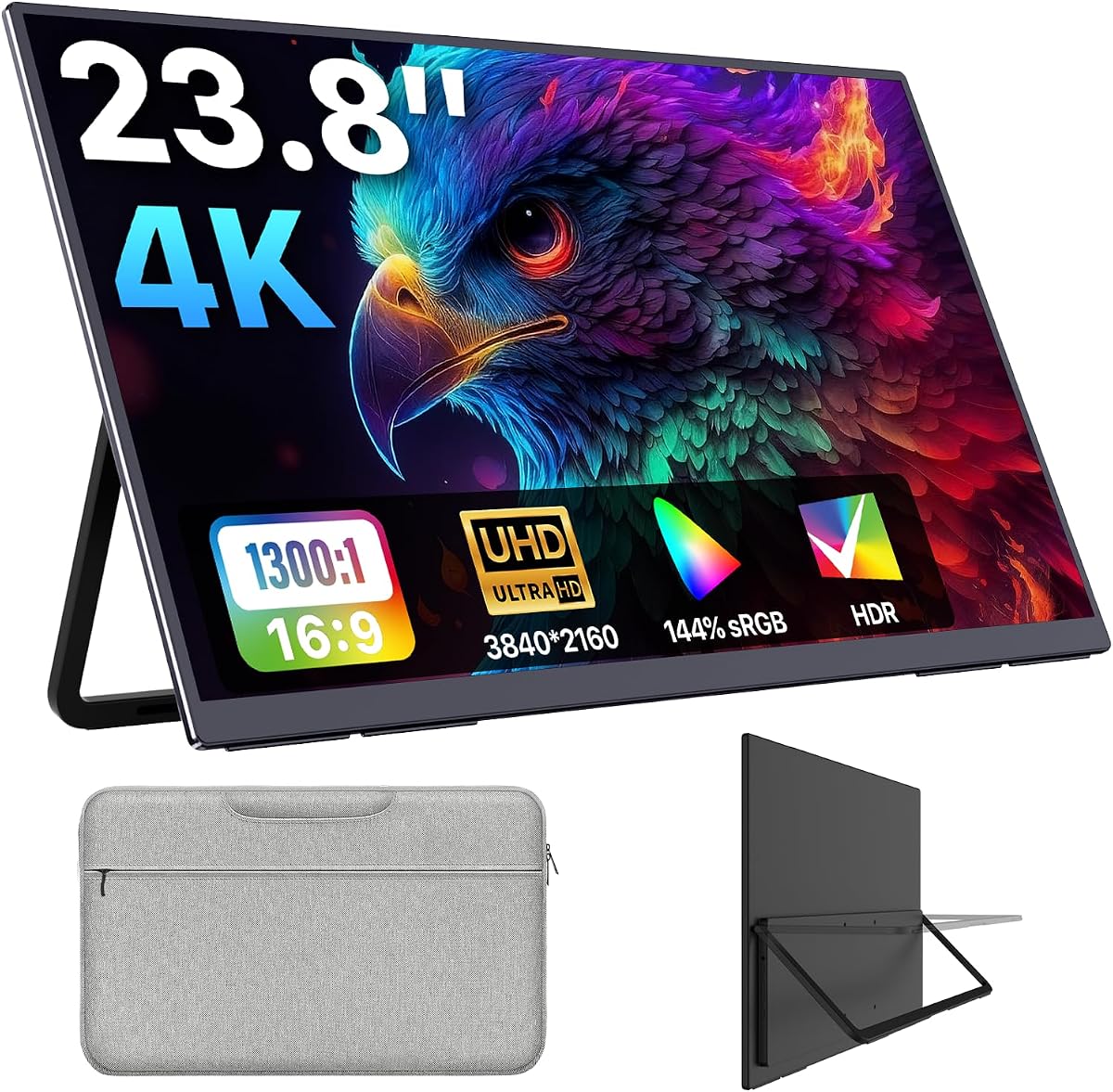
Upperizon delivers a massive 23.8 inch 4K display ideal for detailed tasks like video editing or multitasking with generous workspace on your MacBook Neo.
We may earn a commission when you buy through this link, at no additional cost to you.
The 144% sRGB color gamut and HDR support enhance visual fidelity while the anti-glare coating reduces reflections in brightly lit conference rooms.
Due to its size and weight this is more of a semi-portable setup for hotels or coworking spaces than daily backpack travel.
Opt for this large panel if you prioritize screen real estate and sharp detail over extreme portability for your mobile workstation.
A larger 23.8 inch screen accommodates multiple windows side by side for efficient multitasking without cluttering your laptop.
The ultra-slim bezels create a modern look and maximize viewing area for shared presentations during client meetings.
We may earn a commission when you buy through this link, at no additional cost to you.
KEFEYA offers a unique dual-screen solution designed to attach directly to your MacBook Neo providing instant screen expansion without complex mounting hardware.
We may earn a commission when you buy through this link, at no additional cost to you.
The 180-degree rotation allows flexible orientation while multiple display modes like mirror or extended help tailor your workflow for meetings or travel.
Cable requirements vary by connection type so HDMI might need extra power but the simplicity and compatibility make it attractive for quick setup.
Select this if you want a compact second screen that clamps directly to your laptop for maximum efficiency in small spaces.
Designed for laptops 13 to 17 inches this extender attaches securely to create a seamless dual monitor experience.
Rotate the screen to match your preferred layout or share content easily with colleagues across the table.
We may earn a commission when you buy through this link, at no additional cost to you.
The kksmart monitor sits in a sweet spot with an 18.5 inch display and 100Hz refresh rate balancing clarity and smooth performance for general work.
We may earn a commission when you buy through this link, at no additional cost to you.
Its thin profile keeps it easy to carry while the 128% sRGB coverage ensures decent color accuracy for casual creative tasks on your MacBook Neo.
The kickstand allows comfortable angles but may feel less sturdy than metal alternatives yet the price makes it a solid mid-range pick.
Buy this if you want more screen real estate than 15-inch models without jumping to a heavier larger 4K option for travel.
A 100Hz refresh rate reduces motion blur in videos and light gaming compared to standard 60Hz portable screens.
At 0.25 inches minimum thickness this monitor fits into tight laptop sleeves or bags without adding bulk.
We may earn a commission when you buy through this link, at no additional cost to you.
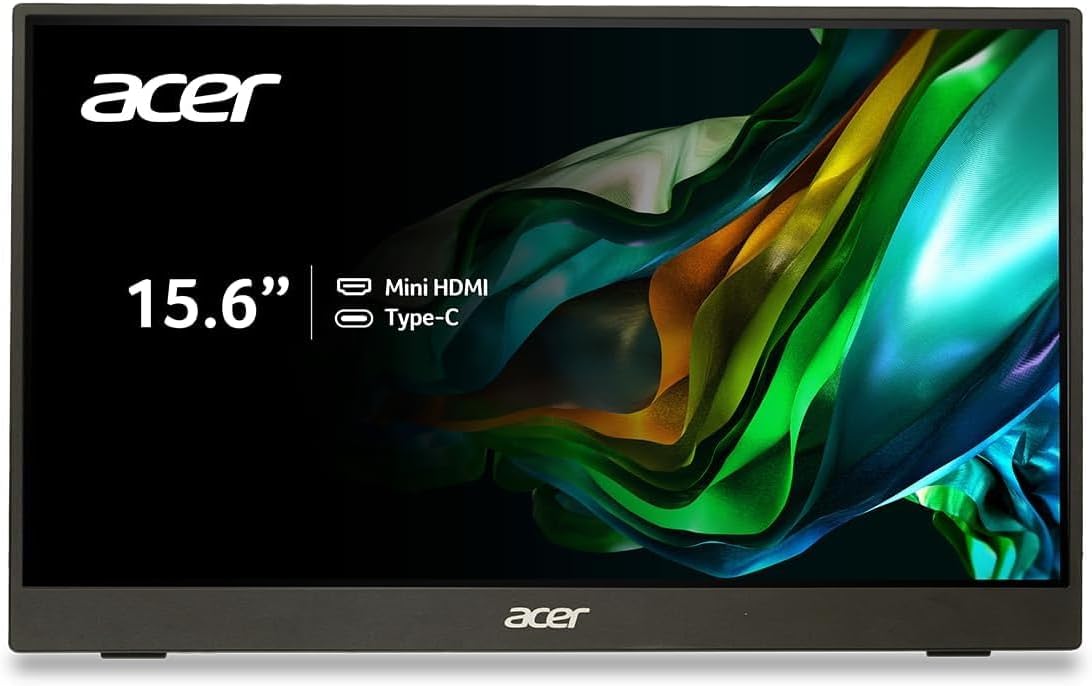
Acer brings a reliable classic option with Full HD IPS clarity and AMD FreeSync support for tear-free visuals ideal for casual gaming or smooth media.
We may earn a commission when you buy through this link, at no additional cost to you.
The slim build and ergonomic tilt range ensure comfortable viewing angles while VESA compatibility gives you flexibility for third-party mounting solutions.
Color and brightness performance are standard but the price and brand reputation make it a solid everyday pick for MacBook Neo users.
Choose this if you want a trusted brand monitor with basic gaming features and sturdy build quality for everyday work tasks.
Synchronizes the refresh rate with your graphics card to reduce screen tearing during gaming or fast video playback.
Tilt adjustment from 45 to 60 degrees helps you find a comfortable viewing angle for longer work sessions.
We may earn a commission when you buy through this link, at no additional cost to you.
Selecting the right external monitor involves balancing resolution, size, connectivity, and portability to match your workflow.
Resolution determines image clarity with 1080p serving basic needs while 2.5K and 4K offer sharper text for productivity. Size ranges from 14 inches for maximum portability to 23 inches for desktop-like workspace.
Choose higher resolution for design work and smaller sizes for frequent travel.
MacBook Neo uses a 16:10 aspect ratio which maximizes vertical space for coding and writing. Matching this ratio avoids black bars when mirroring the display.
Prioritize 16:10 panels if seamless mirroring is a priority.
USB-C with DP Alt Mode allows single-cable power and video which simplifies setup significantly. HDMI remains useful for older devices but often requires a separate power source.
Ensure the monitor supports your laptop's specific port standards.
Most productivity users find 60Hz sufficient but 100Hz to 144Hz refresh rates provide smoother scrolling and better gaming visuals. Higher rates may impact battery life during wireless use.
Select high refresh rates only if gaming or fast motion is a priority.
Look for panels with wide sRGB coverage like 110% or higher for accurate colors in photo and video editing. Brightness around 300 nits or more ensures visibility in well-lit rooms.
Creative professionals should prioritize color gamut and brightness specs.
Travelers need lightweight monitors under two pounds to avoid backpack strain. Slim designs and included cases protect the screen during transit.
Opt for ultra-slim builds if daily commuting is frequent.
Kickstands provide flexible viewing angles and built-in speakers add convenience for calls. VESA mounting holes enable use with monitor arms for desk setups.
Choose models with sturdy stands if you lack a monitor arm.
Anti-glare coatings reduce reflections while low blue light and flicker-free tech minimize eye strain during long sessions. These features are essential for writers and coders.
Look for TÜV certified eye care features for long use.
Connect your MacBook Neo using a USB-C cable that supports both power and video transmission for immediate plug-and-play functionality. Adjust display settings in System Preferences to enable extended or mirrored modes.
Clean the screen gently with a microfiber cloth to avoid scratches and use only approved cleaning solutions for anti-glare panels. Store the monitor in a protective sleeve or case when not in use.
Avoid leaving the display on for long periods to reduce power consumption and potential burn-in. Update your graphics drivers regularly to ensure optimal performance with portable displays.
Yes if your MacBook Neo supports Thunderbolt 3 or 4 with DP Alt Mode you can connect a compatible monitor via a single USB-C cable for both video and charging.
2.5K or 2560×1600 resolution is ideal as it matches the MacBook Neo's native pixel density for sharper text and images compared to standard 1080p.
Most support single-cable power via USB-C but some larger models need an external adapter. Always check the product specs if your laptop supports high-wattage pass-through.
Yes several modern portable monitors offer a 16:10 aspect ratio to match the MacBook Neo avoiding black bars during mirroring and extending screen real estate.
Use the Displays section in System Preferences on your MacBook Neo to toggle between mirroring and extending your desktop across both screens easily.
A padded sleeve or a protective case with a smart cover stand offers the best protection against scratches and impacts when packed in a backpack.
The VisionOwl 16-inch 2.5K monitor stands out as the premium choice for professionals needing sharp visuals while the MNN 15.6 option offers a budget-friendly alternative.
Prioritize connectivity compatibility and eye comfort features to ensure the monitor fits seamlessly into your MacBook Neo workflow for both work and travel scenarios.
Check current pricing and availability before purchasing since deals change often and models may update with new specs for future MacBook Neo users.