
LG 45GX950A-B
4.3Editor score
World's First 5K2K OLED
0.03ms Response Time
DisplayPort 2.1 Support
Edge to edge monitors redefine how we interact with digital content by minimizing bezels and maximizing screen real estate. These displays offer immersive viewing experiences ideal for gaming, creative work, and multitasking. Whether you need a curved ultrawide or a compact slim design, finding the right model ensures optimal visual clarity and workflow efficiency.
This guide evaluates ten leading edge to edge monitors based on resolution, refresh rate, panel technology, and connectivity options. We analyze real-world performance metrics and user feedback to highlight strengths and weaknesses. Each product was selected for its ability to deliver seamless visuals and robust features suitable for modern professional and entertainment setups.
Every recommendation includes detailed specs, pros, cons, and usage insights to help you make an informed decision. Note that product availability and pricing may fluctuate due to market demand and seasonal promotions. Always verify current stock and deals before purchasing to ensure you get the best value for your specific needs and budget.
4.3Editor score

4.2Editor score

4.6Editor score
As an Amazon Associate we earn from qualifying purchases.
This side-by-side comparison highlights key specifications across all ten selected edge to edge monitors to help you identify the best fit for your needs. From resolution and refresh rates to panel types and connectivity options, each entry provides essential details. Use this table to quickly compare features and decide which monitor aligns with your workflow and entertainment requirements.





The Dell S3425DW is a standout 34-inch monitor designed for both productivity and gaming. It holds a strong 4.4 rating for its balanced features including WQHD resolution and 120Hz refresh. The VA panel delivers vivid colors and deep contrasts making it great for immersive media consumption and detailed work tasks.
We may earn a commission when you buy through this link, at no additional cost to you.
Its ComfortView Plus technology reduces harmful blue light emissions without sacrificing color accuracy which benefits users during long sessions. The USB-C connectivity with 65W power delivery keeps your desk organized by powering laptops and transferring data through one cable. This simplifies setup while maintaining professional efficiency.
While the VA panel offers superior contrast it may lag slightly behind IPS in viewing angles and motion clarity. However the 0.03ms response time mitigates most ghosting issues for casual gaming. The built-in audio system is robust but external speakers may still be preferred by audiophiles seeking premium sound.
This monitor suits professionals needing reliable eye comfort and gamers wanting smooth performance without high cost. It delivers a clean clutter-free workspace with exceptional color fidelity. If you value connectivity and visual clarity over extreme refresh rates this model is a top choice for daily use.
ComfortView Plus filters blue light while preserving 99 sRGB coverage ensuring safe and accurate visuals for designers and writers.
A single USB-C cable supports up to 65W power delivery and data transfer reducing cable clutter and improving desk organization.
We may earn a commission when you buy through this link, at no additional cost to you.
The Z-Edge 49 inch ultrawide delivers cinematic immersion with a massive 49-inch curved screen and 32:9 aspect ratio. Rated at 4.5 stars it offers Dual QHD resolution equivalent to two QHD monitors side-by-side for seamless multitasking. The 1500R curvature wraps around your field of view enhancing gaming and movie experiences.
We may earn a commission when you buy through this link, at no additional cost to you.
Productivity is boosted via PIP and PBP modes allowing simultaneous content display from multiple sources. The KVM switch lets you control two devices with one keyboard and mouse streamlining workflows. Its 165Hz refresh rate and 1ms response ensure fluid motion and eliminate screen tearing during fast-paced activities.
This monitor demands significant desk space and may not fit smaller setups easily. The price point reflects its premium size and features making it less accessible for budget buyers. However the built-in speakers are well balanced reducing the need for external audio gear in most cases.
Ideal for power users and gamers seeking maximum screen real estate this monitor combines performance with convenience. Its wide aspect ratio supports efficient window management and immersive visuals. If space allows the Z-Edge 49 inch is an exceptional investment for professional and entertainment setups.
The 1500R curve and 49-inch span create a panoramic view that pulls you into games and movies for deeper engagement.
KVM switch and PIP/PBP modes enable seamless control over multiple devices and displays enhancing workflow efficiency and multitasking.
We may earn a commission when you buy through this link, at no additional cost to you.
The Dell UltraSharp U4924DW is a premium 49-inch edge to edge monitor tailored for professional productivity. With a 4.2 rating it features Dual Quad HD resolution and a 32:9 aspect ratio for expansive workspace. The Edge WLED backlight ensures clear and smooth display performance for consistent visuals.
We may earn a commission when you buy through this link, at no additional cost to you.
USB Type-C connectivity enables powerful and efficient data transfer which boosts workflow efficiency significantly. The 350 nit brightness provides exceptional visible display suitable for indoor office environments. VESA mount compatibility allows flexible wall mounting options to save desk space and improve ergonomics.
While the 5ms response time is adequate for general use it may show motion blur in fast-paced gaming. Brightness levels are moderate compared to HDR-capable models which could limit impact in bright rooms. However the reliable panel performance ensures steady output without flickering or color shifts.
This monitor fits professionals needing large screen real estate with dependable performance. It offers seamless connectivity and clear visuals for multitasking and detailed tasks. If you prioritize reliability and workspace over extreme gaming specs the UltraSharp U4924DW is a solid choice.
USB Type-C connectivity supports powerful data transfer enabling quick file access and streamlined workflows for professional tasks.
VESA mount compatibility and edge WLED technology allow flexible setup and consistent visual clarity across various environments.
We may earn a commission when you buy through this link, at no additional cost to you.
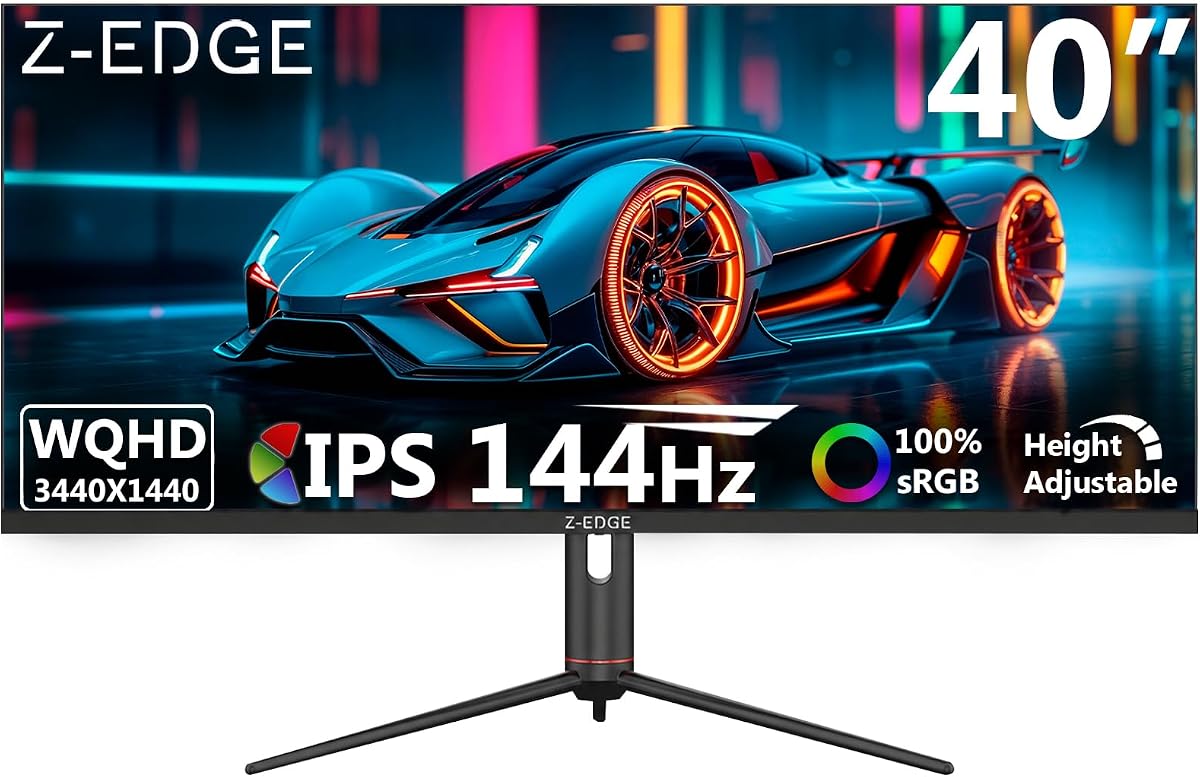
The Z-Edge 40 inch ultrawide monitor offers a 4.5 rating and WQHD resolution with an IPS panel for vibrant colors. Its 21:9 aspect ratio expands screen space ideal for multitasking and content creation. The 178-degree viewing angles ensure consistent brightness and color from almost any position.
We may earn a commission when you buy through this link, at no additional cost to you.
USB-C connectivity supports versatile data transmission enhancing usability across devices. The 144Hz refresh rate via DP ports delivers ultra-smooth visuals reducing lag and improving responsiveness for gaming. PIP/PBP modes allow multiple input sources to display simultaneously boosting productivity efficiently.
HDMI ports only reach 100Hz which may limit performance for high refresh rate gaming compared to DP. The stand offers full adjustability but may lack premium build quality of higher-end models. Built-in speakers help keep setups clean but lack depth for immersive audio needs.
This monitor balances performance and affordability for users needing wide IPS displays. It suits both casual gamers and creators with its flexible features. If consistent color and multitasking are key the Z-Edge 40 inch is a reliable option.
IPS panel technology ensures consistent colors and brightness across 178 degrees for reliable viewing from any angle.
The versatile Type-C port enables convenient connectivity and efficient data transmission for various devices and setups.
We may earn a commission when you buy through this link, at no additional cost to you.
The Corsair XENEON Edge is a unique 14.5-inch portable display rated at 4.1 stars. It features a native resolution of 2560×720 and supports five-point multi-touch for interactive use. This monitor can be installed inside a PC case or used as a standalone unit with included stand.
We may earn a commission when you buy through this link, at no additional cost to you.
Its standout feature is internal system integration allowing you to showcase metrics or chat channels directly. The HDMI and USB-C ports support connectivity for various external devices. Colors are vibrant and viewing angles are wide making it effective for secondary displays or gaming widgets.
The resolution is narrow which limits its utility for detailed professional work. It is designed primarily for PC builders seeking a sleek secondary display. Touch sensitivity works well but may lack precision for complex tasks requiring fine cursor control.
Ideal for enthusiasts wanting to enhance PC builds with an internal or secondary screen this monitor offers novelty and versatility. It suits gamers tracking stats or users needing quick access to apps. If portability and integration are priorities the XENEON Edge is a distinctive choice.
Installation inside a PC case allows showcasing system metrics and apps directly within your gaming or work setup.
Five-point multi-touch capacitive technology makes interacting with widgets and games intuitive and responsive for everyday use.
We may earn a commission when you buy through this link, at no additional cost to you.
The Sceptre 34-inch Prime Gaming Monitor earns a 4.4 rating for its high refresh rate performance and vibrant colors. It offers 240Hz refresh rate and 1ms response time ensuring buttery-smooth visuals for intense gaming. Blue-Light Shift technology protects eyes during long sessions by reducing harmful emissions.
We may earn a commission when you buy through this link, at no additional cost to you.
Its 100% sRGB color gamut delivers true-to-life visuals ideal for creative tasks and media. The curved design with 1500R curvature provides an immersive experience without bezels. Built-in speakers and audio out jack offer diverse audio options keeping setups clutter-free and simple.
Panel consistency can vary between production batches affecting quality control. Speakers are functional but lack depth for immersive sound. However the refresh rate and color accuracy at this price point are hard to beat for budget gamers.
Best for competitive gamers needing high speed on a budget this monitor delivers smooth motion and rich colors. It is a strong contender if you prioritize refresh rate over premium build. With careful setup the Sceptre 34-inch is a great entry into high-performance gaming.
240Hz refresh rate and 1ms response ensure buttery-smooth visuals free from tearing for competitive gaming and video.
Blue-Light Shift and 100% sRGB coverage provide vibrant visuals while reducing eye strain during long usage hours.
We may earn a commission when you buy through this link, at no additional cost to you.
The LG 45GX950A-B is a premium 45-inch OLED monitor rated at 4.3 stars with 5K2K WUHD resolution. Its updated subpixel layout delivers 125 PPI for sharp text clarity reducing color fringing. This makes it perfect for both work and play with crisp visuals.
We may earn a commission when you buy through this link, at no additional cost to you.
OLED technology provides deep blacks and brilliant colors with 1300 nits peak brightness. Dual Mode lets you choose 5K2K at 165Hz or WFHD at 330Hz for responsive gameplay. DisplayPort 2.1 and USB Type-C 90W ensure ultra-fast data speeds and connectivity.
The steep 800R curve enhances immersion but may feel overwhelming for non-gaming tasks. High cost limits accessibility for most casual users. Burn-in risk exists with static images though modern safeguards mitigate this risk significantly.
Ideal for enthusiasts wanting peak performance and visual fidelity this monitor delivers unparalleled clarity. It suits competitive gamers and content creators needing color precision. If budget allows the LG 45GX950A-B sets a new standard for OLED displays.
125 PPI and updated subpixel layout provide crisp text and bold visuals minimizing color fringing for professional work.
Switch between 5K2K at 165Hz and WFHD at 330Hz to optimize performance for story or competitive titles easily.
We may earn a commission when you buy through this link, at no additional cost to you.
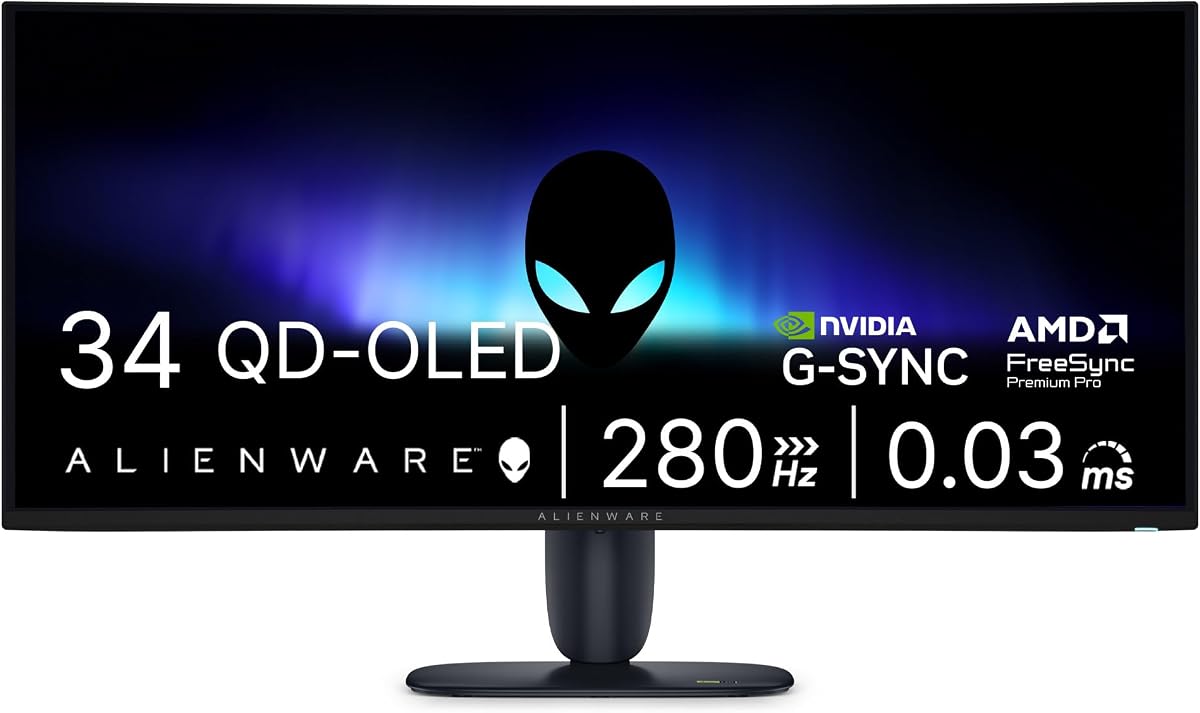
The Alienware AW3426DW is a high-performance 34-inch QD-OLED monitor with 4.2 rating. Its 280Hz refresh rate and 0.03ms response minimize ghosting for sharp visuals. Deep blacks and vivid colors come from QD-OLED technology enhancing media immersion significantly.
We may earn a commission when you buy through this link, at no additional cost to you.
G-SYNC compatibility ensures tear-free gaming across compatible systems and hardware. The UWQHD resolution offers balanced clarity and performance for most setups. Alienware's design adds sleek aesthetics but may lack extensive ergonomic adjustments for mounting.
Premium pricing reflects the advanced panel technology and refresh speed. Static image burn-in risk is low but still present. If you seek top-tier gaming specs this monitor delivers unmatched speed and color vibrancy.
Best for serious gamers prioritizing refresh rate and color this model sets a high bar. It suits those wanting immersive visuals without compromise. If budget permits the AW3426DW is a strong contender for elite performance.
280Hz refresh rate and 0.03ms response deliver near-instantaneous visuals minimizing ghosting for competitive gaming.
QD-OLED technology provides deep blacks and vivid colors for immersive media and gaming experiences.
We may earn a commission when you buy through this link, at no additional cost to you.
The Acer SB240Y G0bi is a 23.8-inch IPS monitor rated at 4.6 stars for its edge-to-edge design. It offers Full HD resolution with zero-frame visibility maximizing screen real estate. The 120Hz refresh rate delivers smooth 2D motion scenes ideal for office and casual gaming.
We may earn a commission when you buy through this link, at no additional cost to you.
1ms VRB response time reduces smearing and ghosting during fast action. Adaptive-Sync Support matches refresh rate to graphics card for tear-free playback. Tilt adjustment ensures ergonomic comfort while HDMI and VGA ports maintain legacy compatibility.
Limited stand adjustability may require external arm for optimal viewing. VGA input is outdated compared to USB-C or DisplayPort. Yet for budget buyers this monitor offers reliable IPS color and refresh speed.
Best for students and office users needing cost-effective performance this model is a smart buy. It balances smooth motion with accurate colors. If affordability and visibility are key the SB240Y G0bi is highly recommended.
Zero-frame design provides maximum visibility of the screen from edge-to-edge reducing distractions and improving workspace.
Up to 120Hz refresh and Adaptive-Sync support ensure smooth tear-free motion for gaming and multimedia tasks.
We may earn a commission when you buy through this link, at no additional cost to you.
The Samsung 57 Odyssey Neo G9 is a massive 57-inch Dual UHD monitor rated at 4.3 stars. It delivers dual 4K UHD resolution equivalent to two monitors side-by-side with incredible detail. The 1000R curve wraps around your field of view for intense heart-pounding immersion.
We may earn a commission when you buy through this link, at no additional cost to you.
Quantum Matrix Technology with Quantum Mini LEDs creates controlled brightness and improved contrast. 240Hz refresh rate and DisplayPort 2.1 support variable refresh rates for seamless gameplay. CoreSync and Core Lighting plus project game colors into the room enhancing setting immersion.
Requires a powerful GPU to drive Dual UHD resolution at full performance. High price and footprint limit accessibility for most users. Yet for competitive gamers this monitor offers unmatched visual fidelity and response speed.
Best for elite gaming setups needing ultimate screen space and speed this model is unrivaled. It suits enthusiasts wanting total immersion. If space and budget allow the Neo G9 sets a new gaming standard.
Dual UHD resolution provides a display as wide as 2 UHD monitors with pin-sharp detailed visuals for immersion.
Quantum Mini LEDs and 2392 zones create unmatched contrast and color depth for stunning picture quality.
We may earn a commission when you buy through this link, at no additional cost to you.
Selecting an edge to edge monitor involves balancing resolution, refresh rate, panel technology, and connectivity to meet your specific workflow and entertainment needs.
Panel type directly affects color vibrancy viewing angles and motion clarity. VA panels offer deep contrast ideal for media while IPS provides consistent color for design tasks. OLED delivers unmatched black levels and speed but at a higher cost and with burn-in risk.
Choose IPS for color-critical work and VA for contrast-heavy viewing. OLED is best if budget allows for premium fidelity and speed.
Resolution determines sharpness and pixel density on your screen. Dual Quad HD and Dual UHD options offer expansive workspace while Full HD suits budget setups. Aspect ratio impacts immersion with 32:9 and 21:9 formats providing wider fields of view.
Higher resolution is ideal for multitasking and creative work while wider aspect ratios enhance gaming and movie experiences.
Refresh rate controls how smoothly motion appears on screen. High rates like 240Hz benefit competitive gaming while 60Hz suffices for office tasks. Response time measures pixel transitions to reduce ghosting during fast action scenes.
Aim for at least 144Hz refresh and under 5ms response for smooth visuals and minimal motion blur across content.
Ports determine what devices you can connect and how efficiently data moves. USB-C with power delivery simplifies setup while DisplayPort 2.1 supports highest refresh rates. HDMI versions impact console and PC compatibility for gaming.
Prioritize USB-C and DisplayPort 2.1 for modern performance and streamlined desk management.
Adjustable stands help maintain healthy posture during long sessions. Look for tilt height and swivel options to find optimal viewing angles. VESA mounting allows using arms or wall mounts for flexible positioning.
Adjustability reduces neck strain and improves comfort for extended use or gaming marathons.
Eye comfort features protect vision during prolonged use. Blue light filters and flicker-free tech reduce strain without sacrificing color accuracy. Look for certifications like ComfortView Plus for reliable health benefits.
Choose monitors with proven eye protection to ensure safe and comfortable long-hour usage.
Advanced monitors offer Picture-in-Picture or Picture-by-Picture modes to run multiple inputs. KVM switches allow keyboard and mouse control across devices seamlessly. These tools maximize screen real estate and workflow efficiency.
Utilize PIP/PBP and KVM for enhanced productivity and easier device management on one display.
Reliable brands offer consistent quality and better after-sales support. Warranty terms vary widely so check coverage for panel defects and dead pixels. Strong reputation often correlates with better build quality and firmware updates.
Select brands with solid support policies to protect your investment and ensure long-term reliability.
Start by calibrating your monitor using built-in tools or software to ensure accurate color and brightness. Adjust stand tilt and height to align the screen with your eye level reducing strain. Use USB-C or DisplayPort for highest performance depending on your graphics card.
Clean the screen gently with a microfiber cloth and avoid harsh chemicals that damage coatings. Turn off the display when not in use to extend lifespan and save power. Update firmware regularly to fix bugs and improve compatibility with new devices.
Utilize multitasking features like PIP or KVM for efficient workflows without extra peripherals. Adjust refresh rates manually for specific apps needing high motion clarity. Keep cables organized to prevent strain on ports and maintain a tidy workspace for better ergonomics.
An edge to edge monitor minimizes bezels around the display for maximum screen visibility. This design provides immersive viewing and seamless multitasking by reducing visual distractions.
IPS offers wider viewing angles and color consistency while VA delivers higher contrast for media. Choose IPS for design and VA for gaming depending on priority needs.
Yes many edge monitors support Picture-in-Picture and KVM switches for connecting multiple sources. This allows simultaneous display and control without extra keyboards or mice.
High refresh rates like 120Hz improve motion smoothness reducing eye strain during scrolling and video playback. Even for office work it enhances comfort compared to standard 60Hz panels.
OLED provides superior contrast and speed but costs more and risks burn-in. They are worth it if you need top fidelity and accept higher maintenance considerations.
USB-C with power delivery simplifies setup while DisplayPort 2.1 supports high refresh rates. Prioritize these for best performance and fewer cables for your PC or console.
Use a microfiber cloth and distilled water for gentle cleaning. Avoid alcohol or ammonia cleaners that damage anti-glare coatings and screen surface.
Curved screens match natural vision reducing neck movement and strain during multitasking. They improve immersion for media but may skew straight lines for design work.
This guide has highlighted ten exceptional edge to edge monitors ranging from budget-friendly IPS panels to premium OLED giants. Each model offers unique strengths for gaming professional work or immersive entertainment. Your best pick depends on balancing refresh rate resolution and panel quality.
Prioritize features that align with your primary tasks whether that means high refresh for gaming or color accuracy for design. Consider connectivity options and ergonomics to ensure long-term comfort and efficiency. Investing in the right monitor enhances both performance and daily workflow.
Prices and stock fluctuate so always check current deals before purchasing. Verify availability and warranty terms to secure the best value for your specific needs. By weighing all factors you can find an edge to edge monitor that delivers lasting satisfaction.