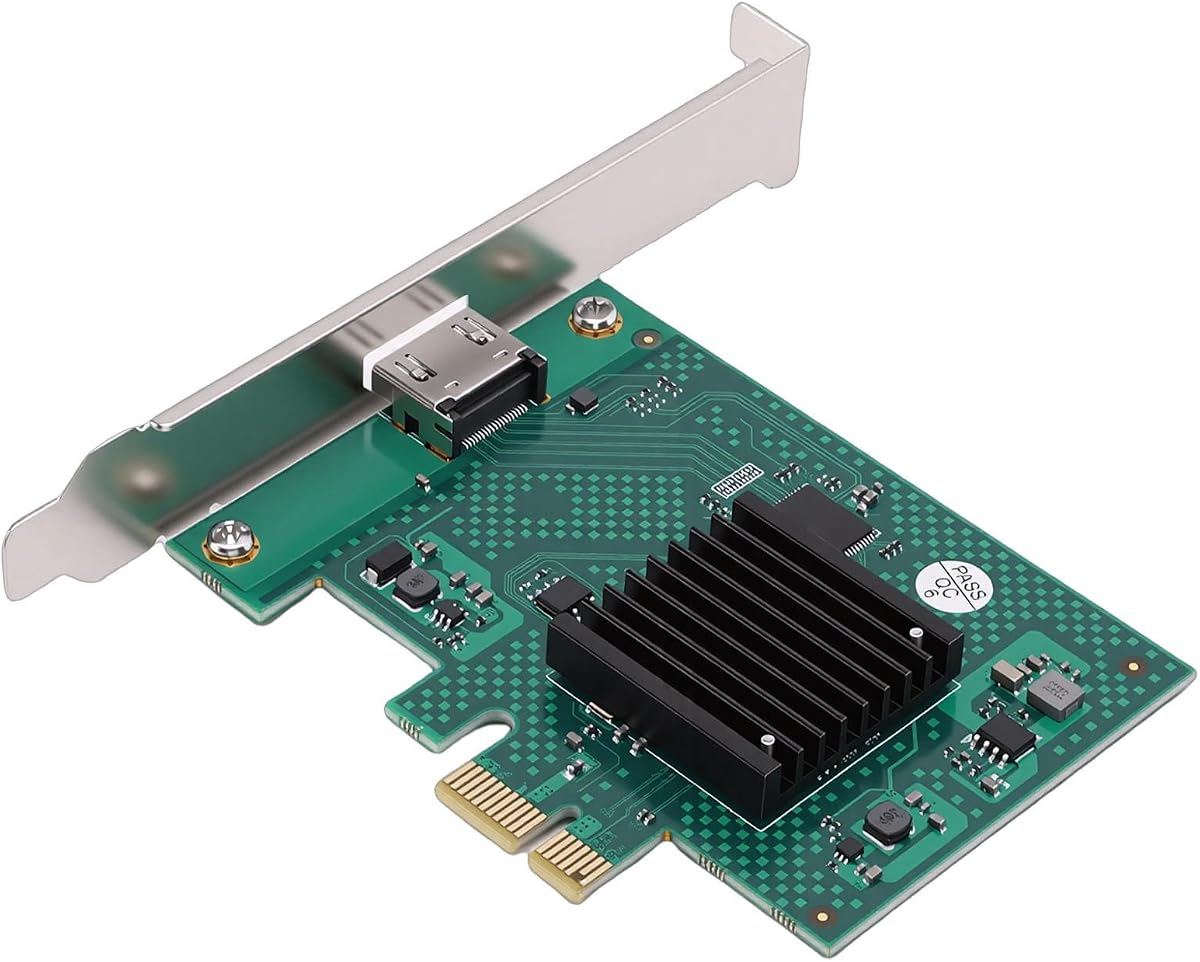
Gugxiom PCIe x1 SM750
Simple 2D Acceleration
Wide Temperature Range
Easy PCIe Installation
This guide compares the top Linux graphics cards for gaming and workstation use, evaluating performance, driver support, and compatibility for open source
Choosing the right graphics card for Linux requires careful consideration of driver support and hardware compatibility. Open source kernels handle many modern GPUs well, but some chips offer smoother out-of-box experiences than others. We focus on cards that balance performance with reliable community support.
Our team analyzed ten top models based on user feedback, technical specifications, and real-world Linux performance. We compared NVIDIA and AMD options across various price points. This list covers everything from budget office upgrades to high-end workstation solutions.
Each pick includes detailed insights into pros and cons specific to Linux users. Ratings reflect overall satisfaction including stability and feature sets. Note that prices fluctuate regularly, so check current listings before purchasing your ideal card today.

3.9Editor score

4.7Editor score
This side-by-side comparison highlights key specifications for all ten models to help you find the perfect fit for your Linux workstation or desktop setup.


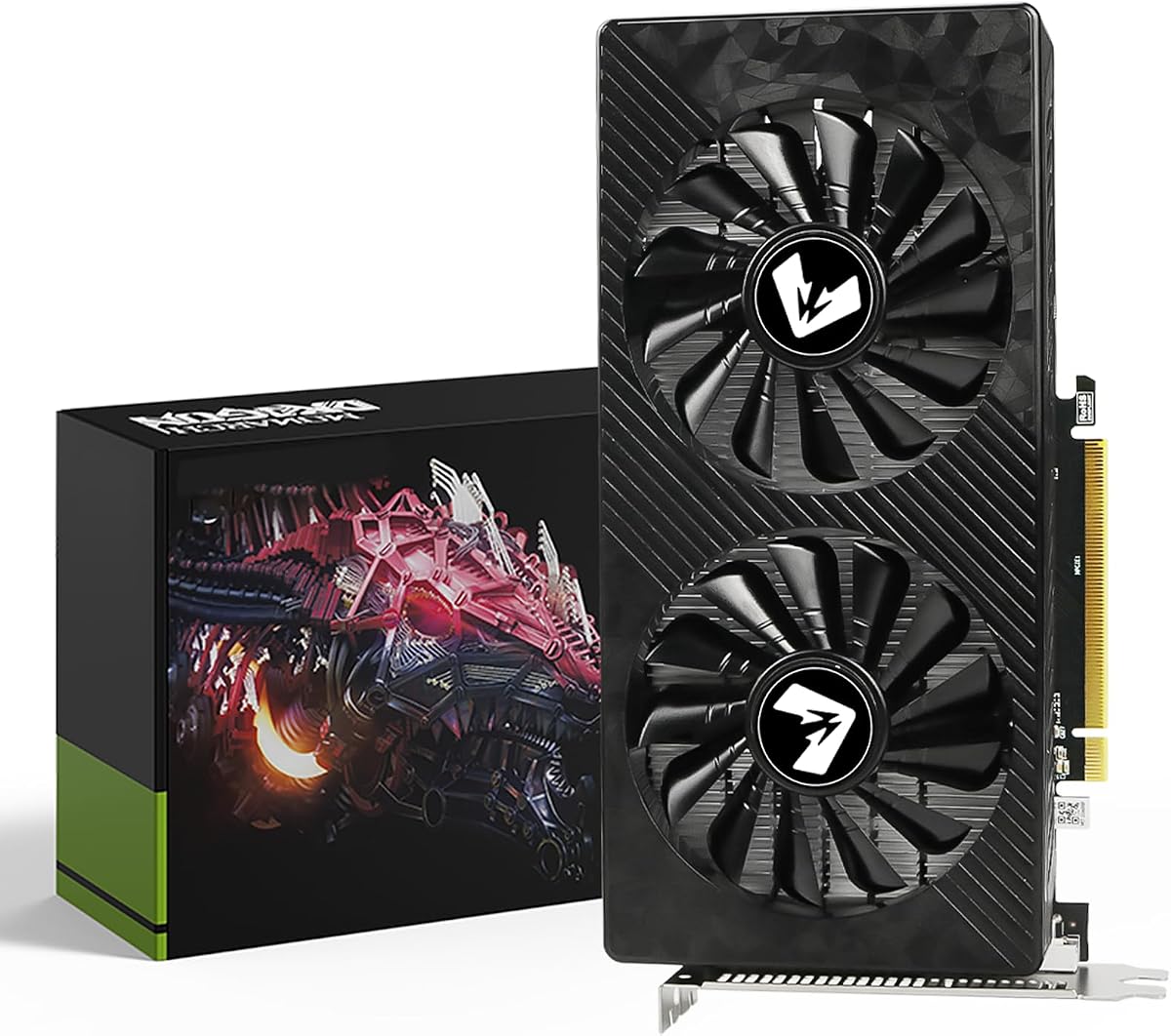
This card offers a strong balance of performance and Linux compatibility. With a high rating of 4.7 stars, users praise its reliability. The NVIDIA Ampere architecture ensures solid gaming and workstation capabilities.
We may earn a commission when you buy through this link, at no additional cost to you.
The 6GB GDDR6 memory interface handles most modern tasks efficiently. Its Axial-tech fan design keeps noise levels low during workloads. Linux users benefit from mature proprietary drivers that offer stable OpenGL and Vulkan support.
While memory bandwidth is limited compared to higher tier cards, this unit fits well in small chassis. The IP5X dust resistance adds longevity. For general Linux gaming or light creative work, this trade-off is acceptable.
We recommend this for users needing a reliable GPU that works well in Linux environments. It balances cost and performance effectively. This makes it a top choice for desktop upgrades.
The mature proprietary drivers ensure smooth operation across most Linux distributions without needing complex setups.
The 2-slot design and efficient cooling allow installation in smaller cases while maintaining quiet operation.
We may earn a commission when you buy through this link, at no additional cost to you.
This GIGABYTE model brings similar Ampere architecture to the table. A rating of 4.6 indicates strong user satisfaction. It pairs well with Linux systems needing dedicated graphics power without excessive costs.
We may earn a commission when you buy through this link, at no additional cost to you.
The WINDFORCE cooling system manages heat effectively. This ensures stable performance even during extended gaming sessions. Linux users find that standard NVIDIA drivers work seamlessly with this card.
While it shares the same memory constraints as the ASUS model, its cooling design often results in lower fan noise. The 96-bit bus is a bottleneck but common in this segment. It remains a strong contender.
Buy this if you want a reliable budget card with good thermal design. Its performance supports common Linux workflows well. It stands out as a practical choice for many builders.
The WINDFORCE technology offers better heat dissipation than many competitors in this price range.
While not the fastest, it provides enough power for 1080p gaming and light creative tasks on Linux.
We may earn a commission when you buy through this link, at no additional cost to you.
The T1000 is designed for professional Linux workstations. With a 4.7 rating, users confirm its stability. It excels in tasks requiring certified drivers for applications like CAD or video editing.
We may earn a commission when you buy through this link, at no additional cost to you.
Its Turing architecture supports up to four 5K displays. This makes it ideal for multi-monitor setups. Linux support is robust with optimized drivers ensuring no glitches in complex environments.
While gaming performance is secondary, the card delivers immense productivity value. The power efficiency is notable. Professional users find the cost justified by the stability and reliability it offers daily.
This is the pick for professionals needing certified Linux GPU support. It handles complex visual workflows flawlessly. It is worth the investment for serious Linux workstation builds.
ISV certification ensures the card works perfectly with critical software like SolidWorks or AutoCAD on Linux.
Driving multiple high-resolution screens simultaneously is seamless thanks to powerful DisplayPort 1.4 support.
We may earn a commission when you buy through this link, at no additional cost to you.
This workstation card features an impressive 24GB of GDDR6 memory. Designed for Linux AI inference and LLM deployments, it stands out. However, its lower rating suggests some driver maturity issues.
We may earn a commission when you buy through this link, at no additional cost to you.
The Intel Xe2-HPG architecture provides strong compute performance. Linux users interested in local AI find this card offers unique value. Its multi-GPU support allows scaling across multiple cards effectively.
The blower cooling style might be loud in quiet environments. While performance is high, software support lags behind NVIDIA. Consider this only if specific memory requirements justify the trade-off.
Ideal for AI researchers on Linux needing large VRAM budgets. It offers hardware capable of complex tasks. Verify compatibility with your specific Linux distro before buying.
With 24GB memory, this card handles large models locally without running out of VRAM quickly.
PCIe 5.0 support ensures maximum bandwidth for data transfer in high-end workstation setups.
We may earn a commission when you buy through this link, at no additional cost to you.
This card is perfect for multi-monitor office setups. The four HDMI ports simplify connections without adapters. Linux users appreciate the plug-and-play driver support for basic display tasks.
We may earn a commission when you buy through this link, at no additional cost to you.
Despite being older hardware, it handles video playback well. The low profile design fits small office PCs easily. Silent cooling keeps the workspace quiet during daily work.
Gaming performance is limited to very light titles. However, for productivity, it delivers solid value. The price point makes it accessible for budget-conscious Linux users.
Buy this for a silent multi-monitor workstation on a budget. It avoids adapter clutter and works well in Linux. Ideal for light office work or home theater PCs.
Four HDMI ports allow direct connection to multiple monitors without needing adapters or hubs.
The low profile design makes it suitable for small form factor cases found in office environments.
We may earn a commission when you buy through this link, at no additional cost to you.
This card stands out with a high 4.5 rating from users. It offers triple output options for flexible monitor setups. Linux support is consistent with standard NVIDIA drivers.
We may earn a commission when you buy through this link, at no additional cost to you.
Power efficiency is a key strength. It draws power solely from the PCIe slot. This simplifies installation in older systems with limited PSU capacity.
Performance is limited to basic tasks. DDR3 memory is slower than modern GDDR5. However, for office work, it remains a reliable and affordable upgrade path.
Ideal for upgrading old office PCs on a tight budget. It provides extra display headroom efficiently. A practical choice for Linux desktops needing extra monitors.
The card draws power directly from the PCIe slot, needing no extra cables for operation.
HDMI, DVI, and VGA ports allow connection to almost any monitor without extra adapters.
We may earn a commission when you buy through this link, at no additional cost to you.
This card is purely for basic display needs. It lacks modern 3D features but handles 2D graphics well. Linux support depends on legacy drivers which are available but not updated often.
We may earn a commission when you buy through this link, at no additional cost to you.
Its durability in harsh temperatures makes it useful for industrial setups. The simple design ensures it works in almost any PCIe slot. However, it offers minimal flexibility for modern tasks.
Users should expect limited performance. This is not for gaming or video editing. It serves a niche role for simple display output in older Linux hardware.
Buy this only if you need a cheap HDMI output on a legacy system. It fills a specific gap for basic Linux desktops. Not recommended for general desktop use.
The wide temperature range ensures operation in environments where standard cards might fail.
Provides just enough performance for text and web browsing on older Linux systems.
We may earn a commission when you buy through this link, at no additional cost to you.
AMD cards often enjoy excellent open source driver support on Linux. The RX 550 fits small cases well. A 4.4 rating indicates solid satisfaction among users seeking basic graphics.
We may earn a commission when you buy through this link, at no additional cost to you.
Video decoding performance is strong. It handles 4K playback smoothly. This makes it a great choice for Linux home theater PCs requiring silent operation.
Gaming performance is modest. Expect playable framerates in older titles. While not a gaming beast, its integration with Linux kernels makes it a smooth daily driver.
Ideal for users prioritizing open source drivers. It balances cost and utility. A reliable pick for Linux media centers or light office setups.
AMD GPUs benefit from mature Mesa drivers in Linux ensuring smooth out-of-box experiences.
With strong 4K decoding, this card handles video playback effortlessly on media-focused systems.
We may earn a commission when you buy through this link, at no additional cost to you.
This card offers a reliable compact solution for Linux users. With a 4.5 rating, users appreciate its stability. The DDR4 memory is slower but sufficient for basic display tasks.
We may earn a commission when you buy through this link, at no additional cost to you.
It supports HDMI 2.0b which enables modern audio and video standards. This ensures compatibility with 4K displays. Linux support is seamless with standard NVIDIA drivers.
Performance remains limited to entry-level tasks. However, its small size makes it perfect for Mini ITX builds. It adds display headroom without taking up space.
Buy this for small Linux builds needing extra ports. It balances size and function well. A great choice for compact workstation or media setups.
The low profile design allows fitting into the smallest PC cases easily.
HDMI 2.0b and DisplayPort ensure support for modern 4K monitors and audio standards.
We may earn a commission when you buy through this link, at no additional cost to you.
This card offers strong value for Linux gaming enthusiasts. A rating of 4.2 suggests solid real-world performance. Its 8GB memory allows decent frame rates in modern titles.
We may earn a commission when you buy through this link, at no additional cost to you.
AMD drivers on Linux have improved significantly. This card supports Vulkan and OpenGL well. It is a favorite for users seeking gaming capabilities without high costs.
Power consumption is high for modern standards. Ensure your PSU is adequate. The dual-fan cooling handles heat effectively. While not new, it remains a competitive budget pick.
Ideal for Linux users needing gaming power on a budget. It balances cost and performance. A practical choice for entry-level gaming rigs.
With 8GB VRAM, this card handles popular games at 1080p reasonably well.
The dual-fan design keeps temperatures stable during extended gaming sessions.
We may earn a commission when you buy through this link, at no additional cost to you.
Selecting the right GPU for Linux involves checking driver support and hardware specs to ensure smooth integration with your OS.
Linux kernels include drivers for many GPUs but NVIDIA requires proprietary drivers for full features. Check if your distribution supports open source Mesa drivers or needs manual setup for stability.
Always verify that your chosen card has confirmed support on your specific Linux version before purchasing to avoid headaches.
Workstation and gaming cards need sufficient VRAM to handle modern tasks efficiently. 4GB is minimum for basics while 8GB or higher benefits rendering and AI inference.
Prioritize cards with more memory if you plan on running complex software or multiple displays simultaneously.
Small office or home builds require low profile or compact designs to fit into tight spaces. Measure your case clearance to ensure the card fits properly.
Choose a card with dimensions that match your chassis to avoid physical installation issues.
Some cards need external power connectors which not all PSUs provide. Lower tier GPUs run efficiently from the PCIe slot and suit older systems.
Ensure your power supply capacity matches the card requirements to maintain system stability.
Check the number and type of ports like HDMI or DisplayPort to support your monitor setup. Multi-monitor users need cards with multiple outputs.
Match the card outputs to your monitor interfaces to avoid needing extra adapters.
Define if you need gaming, rendering, or basic display capabilities. High-end cards offer gaming power while workstation cards focus on stability and precision.
Select performance tiers that align with your daily tasks to get the best value.
Prices fluctuate so compare multiple listings to find the best deal. Budget cards suit simple tasks while premium ones invest in longevity.
Set a realistic budget based on your performance needs before shopping.
Quiet fans are important for office environments while heavy users need better thermal solutions. Check fan designs for noise and efficiency balance.
Choose cooling systems that fit your noise tolerance and usage intensity.
Install the card securely into the PCIe slot and connect power cables before booting. Ensure the card is recognized in the Linux device manager.
Update your Linux system and install any specific drivers required for full performance. Use terminal commands or package managers to fetch latest updates.
Monitor temperatures using tools like nvtop to ensure cooling fans work correctly. Clean dust from fans regularly to maintain airflow and longevity.
Not all GPUs have equal support. AMD cards generally work well with open source drivers while NVIDIA requires proprietary drivers. Some older cards have limited support on modern kernels.
Use your distribution package manager to install NVIDIA drivers or use the official .run files from NVIDIA. This ensures compatibility with your specific Linux version.
Yes, AMD cards benefit from Mesa drivers built into Linux kernels. This ensures smooth performance without manual setups for most users.
Yes, Linux supports multiple GPUs especially for rendering or compute tasks. Ensure your PSU and motherboard support multi-GPU setups.
Most games run well with 4GB but 6GB or higher is recommended for modern titles. Higher VRAM helps with textures and future-proofing.
Workstation cards offer ISV certification for professional apps. They provide stable drivers for CAD and rendering tasks essential on Linux.
We reviewed ten cards offering various performance levels for Linux users. The ASUS RTX 3050 stands out as a strong all-rounder while AMD options provide great open source support.
Prioritize driver compatibility and memory needs when selecting your card. Ensure your PSU and case fit requirements are met for a smooth upgrade.
Prices change often so verify current listings before purchasing your card. With the right choice, your Linux system will deliver reliable performance and stability.