
DIGSOM Gaming Mouse Pad
4.7Editor score
Water-resistant coating
Minimalist design
Anti-slip base
Stitched edges
Finding the right gaming mousepad for GTA 6 PC is essential for immersive gameplay and precision control. A large, smooth surface allows for sweeping movements without lifting the mouse, while a non-slip base ensures stability during intense action sequences.
We evaluated ten top-rated mousepads based on size, surface quality, durability, and additional features like RGB lighting. Each product offers unique benefits for gamers seeking a reliable foundation for their keyboard and mouse during extended gaming sessions.
Each pick highlights specific strengths such as waterproof coatings, stitched edges, or customizable lighting modes. Prices may vary over time, so check current listings before purchasing to ensure you get the best value for your gaming setup.
4.7Editor score

4.7Editor score

4.7Editor score
As an Amazon Associate we earn from qualifying purchases.
This side-by-side comparison evaluates all ten mousepads across key specifications to help you identify the best fit for your gaming setup and budget constraints.






The BladeHawks RGB Gaming Mouse Pad stands out with its extra-large size and vibrant lighting options, making it ideal for gamers who want a dynamic setup. Its micro-textured cloth surface ensures precise control, while the waterproof coating protects against spills.
We may earn a commission when you buy through this link, at no additional cost to you.
With 14 lighting modes and a power-off memory function, you can customize the aesthetic to match your mood or game atmosphere. The natural rubber base grips your desk firmly, preventing sliding during intense gameplay sessions.
While the RGB features require a USB connection, this is a minor trade-off for the added visual appeal. The smooth surface allows for quick movements without lifting the mouse, enhancing accuracy during fast-paced action.
This mousepad is perfect for gamers seeking both performance and style. Its large footprint accommodates keyboards and mice comfortably, making it a versatile choice for any PC gaming desk setup.
The RGB lighting adds a customizable element to your gaming station, creating an immersive environment that complements your visual setup.
Waterproof coating ensures liquid spills bead up and slide off, protecting your desk and maintaining pad performance over time.
We may earn a commission when you buy through this link, at no additional cost to you.
The SteelSeries QcK XXL is a legendary choice among esports professionals, offering a reliable surface for precision tracking. Its micro-woven cloth is optimized for both optical and laser sensors, ensuring consistent performance.
We may earn a commission when you buy through this link, at no additional cost to you.
The XXL size provides complete desktop coverage, protecting your desk while giving ample room for movement. The non-slip rubber base keeps the pad stable, eliminating unwanted movement during competitive play.
While it lacks RGB features, the focus is purely on functionality and durability. The cloth is designed to maintain its texture and glide even after extended use, making it a worthy investment.
If you prioritize performance and reliability over aesthetics, this mousepad is an excellent choice. Its reputation in the esports community speaks to its quality and consistency across various gaming scenarios.
Trusted by esports pros worldwide, this pad delivers the precision and consistency needed for competitive gaming environments.
The oversized design covers your entire keyboard and mouse area, keeping your desk clean and protected from wear.
We may earn a commission when you buy through this link, at no additional cost to you.
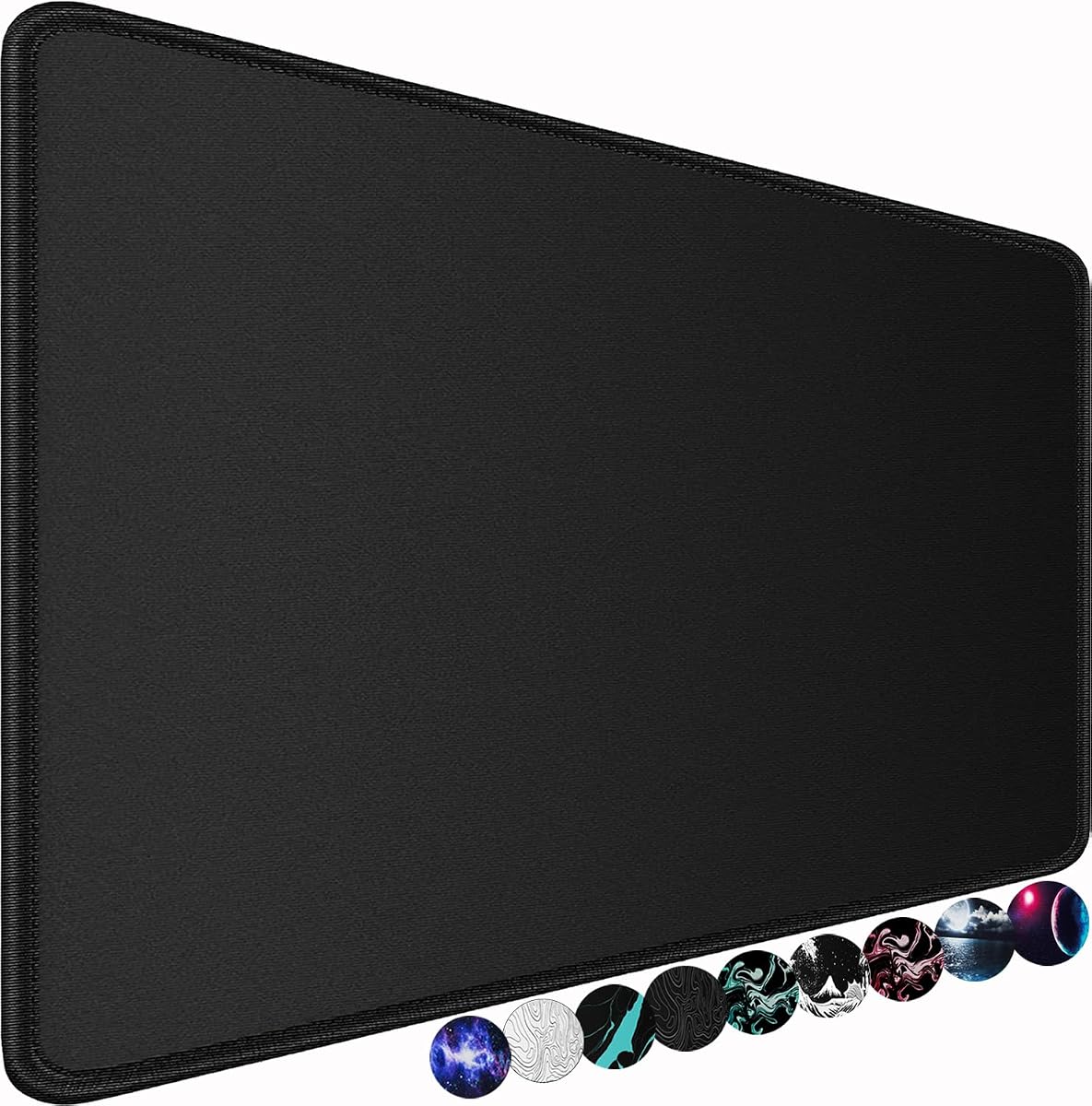
The DIGSOM Gaming Mouse Pad delivers excellent value with its minimalist topographic design and practical features. At 31.5 by 11.8 inches, it offers a wide area for your keyboard and mouse to move freely.
We may earn a commission when you buy through this link, at no additional cost to you.
Its water-resistant coating ensures that spills can be wiped clean with a damp cloth, protecting your desk. The smooth cloth surface allows the mouse to glide smoothly, offering accurate control for gaming and work.
The non-slip rubber bottom provides strong grip, ensuring stability during use. Stitched edges prevent fraying, adding to the longevity of the pad even with regular use.
This is an ideal choice for gamers on a budget who do not compromise on quality. Its clean look fits various desk setups, making it a practical option for both gaming and office environments.
Delivering premium features like water resistance and stitched edges at a fraction of the cost of high-end brands.
The topographic line pattern adds a subtle visual element that complements modern gaming and office desk arrangements.
We may earn a commission when you buy through this link, at no additional cost to you.
The Razer Gigantus V2 is engineered for precision, with calibration optimized for pixel-accurate accuracy across all mouse sensors. This ensures total tracking responsiveness, reducing the need to lift and reposition mice.
We may earn a commission when you buy through this link, at no additional cost to you.
The micro-weave surface allows for quick, fluid swipes suitable for both fast and controlled playstyles. At 4mm thick for the XXL size, it remains uniformly flat even over imperfect surfaces, providing a sturdy foundation.
The anti-slip base ensures stability during chaotic gaming moments, allowing for clutch plays without the pad shifting. Its simplicity focuses on performance rather than aesthetics, making it a reliable tool.
For gamers who prioritize accuracy and consistency, this mousepad is a top contender. It offers the essential qualities needed for competitive play, with a design that supports both work and gaming tasks.
Designed specifically to work with various sensor types, ensuring consistent tracking accuracy regardless of hardware.
The high-density rubber foam ensures the pad stays flat and stable, even on uneven desk surfaces.
We may earn a commission when you buy through this link, at no additional cost to you.
This large gaming mouse pad stands out with its extra width of 15.7 inches, providing plenty of room for gaming or office work. The waterproof coating ensures that accidental spills can be cleaned easily.
We may earn a commission when you buy through this link, at no additional cost to you.
The stitched edges prevent fraying and peeling over time, ensuring durability even with frequent use. The smooth cloth surface allows for consistent and accurate performance, making it ideal for both work and gaming needs.
The terrain line pattern adds a unique aesthetic touch, though it may not suit every visual preference. Its flexibility allows it to be rolled up for easy transport, making it portable for different locations.
Ideal for those needing extra space, this pad protects your desk while delivering reliable performance. It combines practical features with a distinctive design, making it a versatile addition to your setup.
The wider dimensions provide ample space for large mouse movements, enhancing comfort and accuracy during play.
Stitched edges protect against wear and tear, extending the pad's lifespan compared to standard cut edges.
We may earn a commission when you buy through this link, at no additional cost to you.
This RGB mousepad offers a cost-effective way to add lighting to your gaming setup with 14 modes including dynamic breathing and static options. The power-off memory function remembers your last selected mode for convenience.
We may earn a commission when you buy through this link, at no additional cost to you.
The microfiber material makes the mouse move more precise, while the smooth and waterproof surface prevents damage from spills. The rubber material base ensures stability, keeping the pad in place during use.
Control is straightforward with a single button to change colors and brightness. The plug-and-play USB connection requires no drivers, making it easy to set up instantly.
For gamers wanting an atmospheric setup without breaking the bank, this pad is a solid choice. It delivers essential gaming performance with the added benefit of customizable lighting.
The variety of lighting modes allows you to adjust the mood of your gaming station to fit your preference.
Intuitive button controls make switching modes effortless, ensuring you can focus on gameplay rather than settings.
We may earn a commission when you buy through this link, at no additional cost to you.
The Rinaze Extra Large Gaming Mouse Pad offers massive coverage at 35.4 by 15.7 inches, comfortably accommodating your keyboard, mouse, and other accessories. Its design is uniquely crafted to look beautiful and durable.
We may earn a commission when you buy through this link, at no additional cost to you.
Strong fibers are wrinkle and shrink-resistant, ensuring the pad remains flat and functional over time. The anti-fray edges and non-slip rubber base contribute to stability and longevity in any workspace.
Cleaning is effortless; simply wipe with a damp cloth or scrub in the sink. The product comes with a 180-day money-back guarantee, allowing you to purchase with confidence.
If you need maximum space and durability, this pad delivers. It serves as both a practical tool and a decorative piece, making it a perfect gift for yourself or others.
The XXL dimensions provide ample room for large keyboard layouts and unrestricted mouse movements during extended sessions.
Easy to wipe clean or wash, ensuring the pad remains fresh and free of stains over time.
We may earn a commission when you buy through this link, at no additional cost to you.
This large extended mouse pad features a natural rubber base that is non-toxic and safe for use, providing excellent grip on your desktop. Its waterproof coating ensures that spills slide off easily without damaging the surface.
We may earn a commission when you buy through this link, at no additional cost to you.
The nylon stitched edges enhance durability, preventing fraying and peeling over time. The pad can be easily rolled up without wrinkling, making it convenient for storage or transport.
Its smooth surface offers accurate tracking for all types of mice, ensuring excellent speed and control. The 3mm thickness adapts well to all surfaces, offering comfort during long typing or gaming sessions.
For those seeking a reliable, functional pad without unnecessary frills, this is a strong option. Its focus on stability and protection makes it a practical choice for daily gaming or work.
Made with natural rubber free of hazardous substances, ensuring safety for users of all ages.
The flexible design allows for easy rolling, making it suitable for gamers who travel or move their setup often.
We may earn a commission when you buy through this link, at no additional cost to you.
This gaming mouse pad offers a comfortable lycra surface that provides a smooth tracking path for accurate and controllable mouse movement. The material helps to muffle noise when typing heavily, adding comfort to your workflow.
We may earn a commission when you buy through this link, at no additional cost to you.
The anti-slip rubber base prevents sliding, ensuring the pad stays in place. Professional edge stitching combined with waterproof material prevents fraying and extends the lifespan significantly.
Water-resistant coating protects against spills, making cleaning easy. The material feels thick and soft, helping to provide maximum comfort during extended sessions of gaming or work.
Ideal for those valuing comfort and a smooth glide, this pad excels in daily use. Its practical features make it a reliable choice for both office and gaming setups.
The soft, thick material reduces strain on wrists and helps dampen keyboard noise for a quieter environment.
Helps to muffle noise when typing heavily, making it suitable for shared spaces or quiet home offices.
We may earn a commission when you buy through this link, at no additional cost to you.
This versatile desk mat features advanced dye-sublimation printing that delivers crisp, fade-resistant colors, making it a standout choice for themed spaces. The low-friction fabric surface ensures precise control for gaming and office work.
We may earn a commission when you buy through this link, at no additional cost to you.
The heavy-duty rubber base keeps the pad firmly in place during long typing or gaming sessions. Double-stitched edges ensure longevity, preventing fraying even with daily use in demanding environments.
Its design adapts smoothly to work-from-home and gaming setups, offering a clean look. The spacious desk pad helps keep your workspace tidy by accommodating both keyboard and mouse comfortably.
For gamers wanting a personalized aesthetic combined with reliability, this pad is ideal. It offers a balance of style and function, making it a great choice for diverse desktop setups.
Dye-sublimation printing ensures that colors remain vibrant and fade-resistant over time, keeping your setup looking fresh.
Combines a modern touch with practical features, making it suitable for both personal and professional environments.
We may earn a commission when you buy through this link, at no additional cost to you.
Selecting the right mousepad depends on factors like size, surface texture, and durability, all of which impact your experience in demanding games like GTA 6.
Large mousepads like XXL or Extended models offer enough space for both your keyboard and mouse, preventing clutter and allowing unrestricted movement. This is crucial for low-DPI setups or games requiring broad sweeps.
Look for dimensions at least 31 inches wide to ensure your peripherals fit comfortably without crowding the desk.
Micro-woven or cloth surfaces provide a balance of speed and control, ideal for varied playstyles. Smooth surfaces favor speed, while textured ones offer precision stopping power.
Choose a surface that matches your preferred mouse glide feel for consistent tracking performance.
A high-quality rubber base prevents the pad from sliding across your desk during intense gameplay. Non-slip properties are essential to maintain accuracy and avoid interruptions.
Ensure the base has a textured underside for maximum grip on various desk materials.
Stitched edges prevent fraying and peeling over time, extending the lifespan of the pad. High-density foam or thick rubber layers also add structural integrity.
Prioritize pads with reinforced stitching for long-term use without wear.
Waterproof or water-resistant coatings protect against spills, allowing easy cleanup with a damp cloth. This feature helps prevent damage to the pad and your desk.
Consider water-resistant options if you drink beverages near your gaming setup.
RGB lighting, patterns, or solid colors allow you to personalize your desk to match your gaming rig. Some users prefer minimalist looks while others want dynamic visual effects.
Choose a design that enhances your setup without distracting from gameplay.
Optimized surfaces work well with both optical and laser sensors, ensuring accurate tracking without jitter or skipping. Check for compatibility if you use specialized high-DPI mice.
Select a pad that guarantees consistent sensor performance for precision gameplay.
Affordable options often deliver excellent performance without premium features like RGB. Premium pads may offer superior durability and brand recognition but cost more.
Balance cost with essential features like size and base stability to fit your budget.
Place your mousepad on a flat, clean surface to ensure the non-slip base grips effectively. Make sure the pad is fully unrolled and lies flat before starting your gaming session.
Wipe the surface occasionally with a damp cloth to remove dust and debris that could hinder mouse tracking. Avoid harsh chemicals that might damage the coating or texture of the pad.
If your pad has RGB features, connect it to a USB port and use the control button to select your preferred lighting mode. Store the pad rolled up if not in use to prevent permanent creases.
An extended or XXL mousepad measuring at least 31 inches wide is recommended for GTA 6 on PC. This size accommodates both your keyboard and mouse, allowing free movement during gameplay without reaching desk edges.
RGB mousepads do not directly improve gaming performance but enhance the visual atmosphere of your setup. They are ideal for players who prioritize aesthetics alongside functionality in their gaming space.
Use a damp cloth to wipe the surface gently, avoiding harsh chemicals. For deeper cleaning, some pads can be washed with mild soap and water, but check the manufacturer's instructions first.
Smooth micro-woven surfaces are generally best for fast-paced games as they allow quick mouse movements without resistance. This texture supports rapid turns and precise aiming required in competitive play.
Yes, stitched edges prevent fraying and peeling, significantly extending the lifespan of the mousepad. They protect the surface from unraveling with regular use, ensuring consistent performance over time.
Yes, the surface texture influences sensor tracking. Pads optimized for optical or laser sensors ensure consistent accuracy and minimize jitter. Choosing a compatible surface is key for reliable mouse performance.
Large mousepads provide complete desktop coverage, protecting your desk and allowing room for both keyboard and mouse. They help keep your setup organized and reduce clutter during long gaming sessions.
Choose a mousepad with a non-slip rubber base that grips firmly to your desk. Ensure the desk surface is clean and dry to maximize friction and prevent unwanted movement.
These ten mousepads offer a range of sizes, features, and price points to suit any gaming setup. Whether you prioritize RGB lighting, maximum coverage, or budget-friendly options, there is a choice tailored to your needs.
When selecting a mousepad, focus on surface quality, base stability, and durability to ensure a reliable experience. These factors directly impact your comfort and performance during intense gaming sessions.
Prices and availability may change, so always check current listings before purchasing. Investing in the right mousepad enhances your desktop experience, making every gaming session more immersive and effective.