This guide compares the top laptop protection software options available in October 2026 to help you choose the right antivirus and security suite for your
As an Amazon Associate we earn from qualifying purchases. We may earn a commission when you buy through links on this page, at no additional cost to you. Read our affiliate disclosure.As an Amazon Associate we earn from qualifying purchases.Purchases through our links may earn us a commission, at no extra cost to you. Read our affiliate disclosure.
Laptop protection software is essential for safeguarding your device against viruses, malware, and online threats. A good suite offers real-time scanning, firewall protection, and tools to secure your personal data while you browse the web or work remotely.
We compared ten leading laptop protection solutions based on features, device support, privacy tools, and user ratings. Each product was evaluated for its ability to detect threats, manage passwords, secure connections, and provide customer support without slowing down your system.
Each pick highlights key strengths and ideal use cases to help you find the best fit for your needs. Please note that pricing and subscription terms can change frequently, so verify the latest details before making your final purchase decision online.
Top 3 Picks for Best Laptop Protection Software
Best Budget
K7 Total Security Antivirus Software 2026 for laptop/pc |1 User, 1 year |Antivirus,Internet security,Data security,Threat Protection| 2hr Email Delivery-No CD
Top 10 Best Laptop Protection Software in 2026 Compared
The following table provides a side-by-side comparison of all ten laptop protection software options to help you quickly identify which features match your specific security and device management needs.
ProductsSpecificationsEditor scorePrice
1
Editor's Choice
McAfee Total Protection 2027 Antivirus Software for 5 Devices | Auto-Renews
McAfee Total Protection | 3 Device | Antivirus Internet Security Software | VPN, Password Manager, Dark Web Monitoring | 1 Year Subscription | Download Code
K7 Total Security Antivirus Software 2026 for laptop/pc |1 User, 1 year |Antivirus,Internet security,Data security,Threat Protection| 2hr Email Delivery-No CD
McAfee Total Protection 2027 Antivirus Software for 5 Devices | Auto-Renews
5 devices supported
Identity monitoring active
VPN included standard
24/7 phone support
This suite offers robust protection for five devices with a strong focus on identity monitoring and threat detection. It earns its top spot by balancing advanced security features with user-friendly alerts that guide you through actions.
Pros
Comprehensive threat detection
Easy identity monitoring
Strong public Wi-Fi security
Clear guided alerts
Reliable customer service
Cons
Auto-renewal must be managed
Higher renewal prices
We may earn a commission when you buy through this link, at no additional cost to you.
McAfee Total Protection scans for suspicious links and risky sites automatically. Its identity monitoring watches for exposed info and notifies you quickly. The VPN secures connections on public Wi-Fi seamlessly without manual intervention.
While renewal rates can increase, the initial price offers significant value for families or multi-device households. The auto-renewal ensures continuous protection but requires attention if you plan to cancel or switch plans.
Buyers seeking all-in-one security with identity tools and reliable support should choose this option. It delivers peace of mind through automated safeguards that keep your digital life secure across Windows Mac iOS and Android.
Identity Monitoring
Watches for exposed personal information online and provides clear guidance on next steps when risks are detected.
Secure Connections
Automatically protects your data when connecting to public Wi-Fi networks with minimal user interaction required.
McAfee Total Protection | 3 Device | Antivirus Internet Security Software | VPN, Password Manager, Dark Web Monitoring | 1 Year Subscription | Download Code
3 devices supported
Unlimited VPN access
Password manager included
Dark web monitoring
Designed for smaller households, this version protects three devices with essential tools like a password manager and VPN. It provides solid baseline protection against common online threats and identity risks.
Pros
Affordable entry price
Includes unlimited VPN
Dark web scanning
Award winning antivirus
Quick digital download
Cons
Limited to 3 devices
Basic identity features
We may earn a commission when you buy through this link, at no additional cost to you.
The unlimited VPN ensures privacy when browsing public networks while shopping or banking online. It also monitors email addresses and phone numbers for signs of breaches so you can respond quickly.
Users on a budget will appreciate the low entry cost without sacrificing critical security layers. Just note that this plan covers fewer devices than other options so check your household count carefully.
Ideal for individuals or couples managing a few key devices this suite delivers reliable antivirus and privacy features. It keeps your accounts secure through strong password tools and real-time website protection.
VPN Privacy
Protects your online activity automatically when connecting to public Wi-Fi with unlimited data and server access.
Password Manager
Generates and stores complex passwords to help secure your online accounts from unauthorized access attempts.
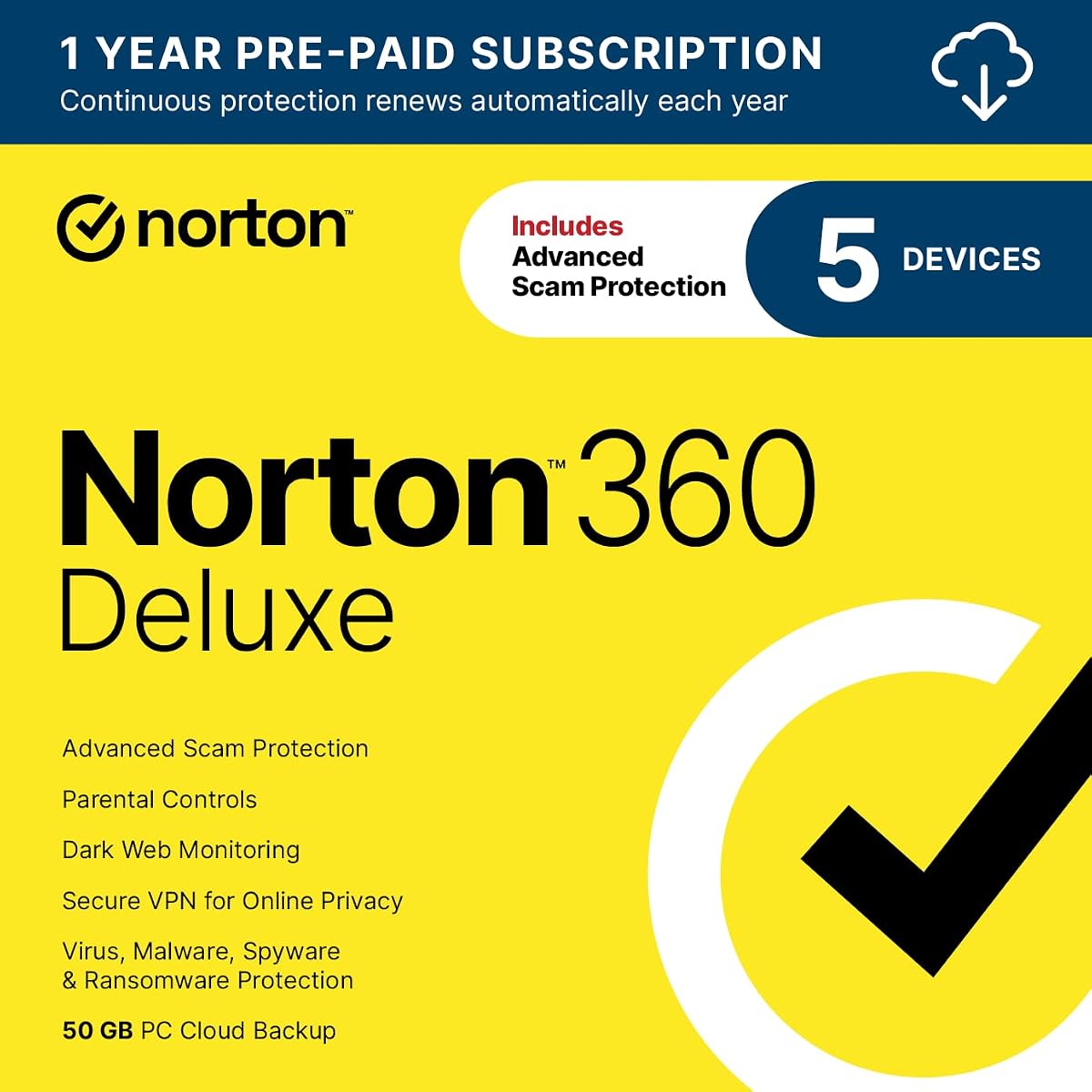
Norton 360 Deluxe stands out with generous cloud backup and an AI assistant that helps identify scams. It protects five devices against malware viruses and ransomware without slowing down system performance.
Pros
Large cloud storage
AI scam detection
Fast VPN performance
Protects against ransomware
Real-time threat shield
Cons
Introductory pricing ends
Requires payment storage
We may earn a commission when you buy through this link, at no additional cost to you.
The Genie AI assistant analyzes messages and emails to warn you about suspicious links before you click. Dark web monitoring scans forums and websites where stolen data might be traded for extra safety.
While the first year offers introductory pricing renewal rates can be higher so plan accordingly. Storage is included to save photos and files from hardware failures or ransomware encryption attacks.
If you need robust protection plus backup for your digital memories this suite is a strong choice. It balances privacy features with practical tools for families who want comprehensive security coverage.
AI Scam Protection
Helps spot hidden scams online using a built-in assistant that evaluates messages and emails for risks.
Cloud Backup
Prevents loss of photos and files by storing them securely online against ransomware or hard drive failures.
This premium plan removes device limits making it ideal for tech-heavy households with many gadgets. It adds unique tools like a social privacy manager that finds and fixes privacy settings across accounts.
Pros
Unlimited device coverage
Social privacy tools
Data removal guidance
Strong identity protection
All-in-one security
Cons
Higher monthly cost
Complex interface
We may earn a commission when you buy through this link, at no additional cost to you.
Personal data scans locate your information on sites selling it and guide you through removal steps. This goes beyond standard protection by actively trying to reduce your digital footprint online.
The extra cost reflects the unlimited access and advanced identity features tailored for privacy conscious users. It ensures every device from laptops to phones remains protected under one subscription without extra fees.
Choose this if you want the most comprehensive security and value privacy management tools highly. It offers unmatched flexibility for large families or power users managing extensive digital environments daily.
Social Privacy
Finds privacy settings buried in social accounts and fixes them to control what you share online easily.
Personal Data Removal
Scans for your info on selling sites and provides step by-step guidance to remove it from circulation.
K7 Total Security Antivirus Software 2026 for laptop/pc |1 User, 1 year |Antivirus,Internet security,Data security,Threat Protection| 2hr Email Delivery-No CD
1 user license
Webcam protection
Ransomware shield
Email delivery
K7 Total Security delivers essential antivirus and ransomware protection at an accessible price point. It includes webcam protection to prevent unauthorized spying and safeguards files from malicious encryption.
Pros
Very low price
Webcam block
Anti-ransomware
Simple interface
Instant code access
Cons
Limited support channels
Basic identity tools
We may earn a commission when you buy through this link, at no additional cost to you.
The software stops spyware phishing and other threats from affecting your laptop or PC without heavy system resource use. Activation codes are sent via email within hours so setup starts quickly after purchase.
While it lacks some advanced identity tools found in pricier suites it covers fundamental security needs well. The focus on ransomware and webcam safety makes it a smart pick for cost-conscious users.
Buyers wanting solid malware protection without high monthly fees should consider this option. It offers practical defenses for online identity and privacy while maintaining a straightforward user experience.
Webcam Security
Prevents unauthorized applications and hackers from spying on you by blocking access to your webcam.
Ransomware Protection
Protects photos and files from untrusted apps trying to change delete or encrypt your data without permission.
ASURION 2 Year Laptop Protection Plan ($350 – $399.99)
2 year term
Accidental damage
Parts and labor
Fast claim approval
This plan protects against physical damage like drops spills and cracked screens starting from day one. It covers parts labor and shipping after the manufacturer warranty expires so repairs stay affordable.
Pros
Covers drops and spills
Includes shipping costs
Expert troubleshooting help
Fast replacement process
No hidden repair fees
Cons
Hardware only not software
Must buy with device
We may earn a commission when you buy through this link, at no additional cost to you.
Experts are available around the clock for setup connectivity issues and troubleshooting support. Most claims are approved within minutes and replacements arrive quickly if repairs are not possible.
While this does not provide software security it complements antivirus software by guarding against physical mishaps. It ensures your laptop stays functional through accidents that standard warranties often exclude.
Choose this if you want peace of mind against accidental damage and want reliable repair services. It works alongside security software to give complete protection for both your device and your data.
Accidental Coverage
Drops spills and cracked screens due to normal use are covered from day one of your plan.
Repair Support
Real experts help with troubleshooting connectivity issues and set up to keep your device running.
McAfee Total Protection 2027 Antivirus Software for 3 Devices | Auto-Renews
3 devices protected
Identity monitoring
Public Wi-Fi secure
Guided alerts
This version offers the same core protections as the five device plan but at a lower price for three. It provides identity monitoring secure connections on public Wi-Fi and adaptive threat detection.
Pros
Low annual cost
Clear alert system
VPN included
Responsive support
Threat detection
Cons
Only 3 devices
Renewal changes
We may earn a commission when you buy through this link, at no additional cost to you.
Alerts are tuned to you with simple guidance to help you take action quickly. The VPN keeps data safe when you connect to unsecured networks while browsing or working remotely.
It suits small teams or families needing straightforward security without complex add-ons. Renewal rates apply after the first term but the base coverage remains consistent and reliable over time.
Buyers wanting solid protection for a few devices at an affordable rate will find this valuable. It keeps essential safety features intact while maintaining ease of use and support access.
Guided Alerts
Know what matters and what to do next with clear alerts and simple guidance making action easy.
Adaptive Protection
Detection keeps up as threats change and alerts are tuned to you for relevant and timely warnings.
Bitdefender Total Security 2026 – Complete Antivirus and Internet Security Suite – 5 Devices | 1 Year Subscription | PC/Mac | Activation Code by Mail
5 devices supported
Safe banking browser
Parental controls
Webcam protection
Bitdefender delivers world-class security across multiple platforms with a focus on speed optimization and cross-device support. Its safe banking browser secures transactions while the game mode reduces distractions during use.
Pros
Works on Windows Mac Android iOS
Dedicated banking browser
Game mode included
Anti tracker tools
Eco friendly packaging
Cons
Mail activation delay
Limited cloud backup
We may earn a commission when you buy through this link, at no additional cost to you.
Webcam protection and microphone monitors stop spying and the anti tracker helps prevent online surveillance. Parental controls allow guardians to manage content and time limits effectively for family devices.
The product ships with a card code rather than discs reducing waste. Activation arrives by mail which may take slightly longer than instant digital codes but the software remains the same.
Choose this if you need consistent protection across PCs Macs and mobile devices. It balances strong malware defense with privacy tools and parental features in one comprehensive suite.
Safe Banking
A unique dedicated browser secures your online transactions to keep financial data safe during shopping or banking.
Parental Controls
Helps manage content time limits and access settings to keep family devices safe and productive.
This entry-level version offers the same core tools as the five device plan but for fewer devices. It includes 25 GB cloud backup dark web monitoring and an AI assistant for scam detection.
Pros
Affordable entry price
AI scam detection
Cloud backup included
VPN access
Dark web monitoring
Cons
Less storage than deluxe 5
3 device limit
We may earn a commission when you buy through this link, at no additional cost to you.
Real-time protection guards against malware ransomware and viruses without slowing device performance. The VPN protects privacy across devices including Smart TVs while scanning dark web forums for exposed info.
Pricing starts low for new customers so renewals may cost more after the first year. It remains a solid starting point for those new to Norton and wanting privacy backup features.
Buyers needing basic antivirus backup and dark web tools will find this valuable for small setups. It delivers reliable security without overwhelming complexity for individuals and small families.
Scam Assistant
Built-in Genie AI assistant helps spot hidden scams online so you never wonder about suspicious messages.
Cloud Backup
25 GB secure PC cloud backup helps prevent loss of photos and files due to ransomware.
The premium tier supports ten devices making it ideal for large households with many gadgets. It offers 75 GB cloud backup and all standard privacy tools like dark web monitoring and AI scam detection.
Pros
10 device coverage
75 GB cloud storage
AI scam detection
Dark web scans
VPN included
Cons
Higher subscription fee
Renewal rate applies
We may earn a commission when you buy through this link, at no additional cost to you.
Performance remains smooth even with multiple devices protected under one subscription. Dark web scans notify you if your info is sold on forums so you can act before issues escalate.
The higher cost is offset by expanded storage and broader device coverage across Windows Mac iOS and Android. It delivers consistent protection without managing separate licenses for each family member.
Choose this if you need maximum storage and device support with reliable security features. It keeps everyone in the family safe with comprehensive tools that grow with your digital needs.
Large Storage
75 GB secure PC cloud backup prevents loss of photos and files due to ransomware or drive failures.
Dark Web Scans
Searches the dark web and notifies you should your information be found on sites selling it.
We may earn a commission when you buy through this link, at no additional cost to you.
Buying Guide – How to Choose the Best Laptop Protection Software
Selecting the right laptop protection software depends on your device count and needed features and budget constraints.
Device Coverage
Check how many devices the plan supports including PCs Macs and mobile devices since some plans cover only one or three while others allow unlimited. Matching coverage to your household ensures all gadgets stay protected without needing multiple subscriptions.
Choose a plan that supports your current devices plus extras for flexibility.
Identity Monitoring
Identity monitoring scans online sources for exposed personal info like email addresses or phone numbers and alerts you when breaches occur. This helps you react quickly to prevent fraud or unauthorized access to your accounts.
Look for services that notify you immediately and provide guidance on next steps.
VPN Included
A built-in VPN encrypts your connection when using public Wi-Fi which is crucial for safe banking or shopping. Some suites offer unlimited data while others cap usage so review limits before relying on privacy tools.
Ensure the VPN supports your favorite devices and provides adequate server locations.
Backup Storage
Cloud backup prevents loss of files during hardware failure or ransomware attacks by storing copies online. Plans vary from 25 to 75 GB so choose based on your storage needs for photos and documents.
Prioritize suites that include meaningful backup space if data is valuable to you.
Password Manager
A password manager stores and generates complex passwords reducing the risk of reused or weak credentials. It makes logging into sites easier and more secure across all your devices with syncing capabilities.
Check if the manager syncs across platforms and supports autofill features.
Parental Controls
Parental controls help manage content and screen time for younger users ensuring safer online experiences. They often include filters and reporting features so guardians can monitor activity without invading privacy.
Confirm controls fit your family needs and support device types you manage.
Customer Support
Access to 24/7 support via phone or chat helps resolve issues quickly when security or setup problems arise. Some companies provide help articles and tutorials for self service while others offer live assistance.
Choose a vendor with responsive channels if you need timely technical help.
Auto-Renewal Terms
Many plans auto-renew annually at higher rates so review renewal costs and cancellation policies before buying. Setting reminders or choosing plans with transparent pricing helps avoid unexpected charges later.
Plan ahead to cancel or switch before renewal dates to save money.
How to Use and Care for Your Laptop Protection Software
Install the software on all eligible devices using the provided activation code or download link and run an initial scan to detect existing threats before regular usage begins.
Keep updates enabled to ensure protection stays current against new malware variants and regularly review alerts to manage identity notifications or blocked sites effectively.
Use built-in tools like password managers and VPNs frequently to maintain security habits and check renewal settings to control costs and avoid unwanted auto-renewals.
Frequently Asked Questions
Do I need laptop protection software if I use a Mac?
Yes. Macs can also be targeted by malware and ransomware so dedicated software adds a strong layer of defense. It also helps secure your data during web browsing and protects against phishing or malicious downloads on macOS.
What is identity monitoring and why does it matter?
Identity monitoring watches for exposed personal info online and alerts you when your data is compromised. This helps you act quickly to prevent identity theft or unauthorized access by giving clear guidance on next steps to secure your accounts.
Can one plan protect multiple devices in my household?
Many plans support three five or unlimited devices including PCs Macs and mobile platforms. Check the product specs to confirm the number of covered devices and ensure it meets your total household needs before purchase.
Does this software slow down my laptop performance?
Most modern suites use optimized scanning that runs quietly without affecting speed. They include modes for gaming or work that reduce resource usage so your laptop stays responsive while still scanning for threats.
Is cloud backup included with all protection suites?
Not all suites include cloud backup. Some offer 25 to 75 GB of secure storage for photos and files while others do not. Review the features list to see if backup is part of the plan you are considering.
How do I renew or cancel my subscription?
Subscriptions usually auto-renew annually unless canceled. Log in to your account portal to manage renewals and set reminders before renewal dates. You can cancel any time via the provider website to avoid future charges.
Final Thoughts on Choosing the Best Laptop Protection Software
The top picks offer diverse coverage from unlimited device plans to budget friendly options with essential antivirus and identity tools. McAfee and Norton lead with comprehensive suites while K7 delivers strong basic protection for single users.
Prioritize coverage for your devices plus features like backup identity monitoring and VPNs that match your privacy and safety needs. Consider family size and tech habits when selecting a plan to ensure complete protection.
Prices and terms may change so verify current details before finalizing your purchase. Use the comparison and buying guide to align your needs with the right solution for lasting laptop security and peace of mind.