
Square Reader for magstripe (USB-C)
4.6Editor score
Accepts magstripe cards
Free POS app included
Next day payouts available
Compare the top credit card readers for phones in 2026. This guide reviews features, compatibility, and security for mobile payment solutions.
Finding the right credit card readers for phones can transform how you accept payments on the go. Whether you run a small business or sell at events, mobile payment tools offer flexibility and speed. Modern readers connect seamlessly to smartphones, enabling instant transactions without bulky hardware.
We evaluated ten top-rated devices based on compatibility, security features, and ease of use. Our analysis covers magstripe, chip, and contactless options from trusted brands like Square and Clover. Each product offers unique benefits tailored to different business needs and budgets.
Every pick highlights key specs, pros, and cons to help you decide quickly. Prices and availability change frequently, so check the latest details before purchasing. Use this guide to find a reliable reader that fits your workflow and payment processing requirements.
4.6Editor score

4.5Editor score

5.0Editor score
This side-by-side comparison highlights key differences across ten popular mobile payment readers. From basic magstripe swipers to advanced contactless terminals, each device serves specific business scenarios. Review the table to see connectivity, card support, and processing requirements at a glance.




The Square Reader for magstripe (USB-C) is a compact solution for small vendors needing basic payment acceptance. It holds a strong 4.6 rating thanks to its ease of use and low entry cost. Ideal for cash-heavy businesses adding card options, it requires no subscriptions.
We may earn a commission when you buy through this link, at no additional cost to you.
This reader connects directly via USB-C to compatible Apple devices. You can manage transactions, send digital receipts, and accept tips all through the free Square Point of Sale app. Payouts often arrive by the next business day, improving cash flow for active sellers.
While it lacks chip and contactless capabilities, the trade-off makes it highly accessible for startups. Users note that setup takes minutes without technical help. Its minimal design fits easily in pockets or bags for mobile service providers.
Buy this if you prioritize simplicity and low cost over advanced card reading features. It works best for pop-ups or service pros who mostly accept cash but need occasional card swiping. For higher security needs, consider upgrading to chip readers later.
Funds typically arrive the next business day to keep operations running smoothly.
Track sales and manage inventory in one free app without extra tools.
We may earn a commission when you buy through this link, at no additional cost to you.
The Square Reader for contactless and chip (2nd Generation) stands out for its modern payment support. With a 4.5 rating, it balances price and functionality for businesses needing speed and security. Tap and dip options cover most customer preferences today.
We may earn a commission when you buy through this link, at no additional cost to you.
This device pairs wirelessly via Bluetooth, offering flexibility in how you position transactions. Its offline mode allows payments to queue for up to 24 hours if internet access drops. Security measures include built-in fraud prevention at no extra charge.
The battery life extends beyond previous models to reduce charging interruptions during busy shifts. Users appreciate the single low rate per transaction and lack of hidden fees. Setup integrates smoothly with the free Square POS system.
Choose this reader if you want reliable contactless options without monthly commitments. It suits retail shops, food trucks, and service providers who face variable connectivity. While pricier than basic swipers, its versatility justifies the investment.
Continue accepting payments even without internet for up to 24 hours.
Data security and dispute management are included without additional costs.
We may earn a commission when you buy through this link, at no additional cost to you.
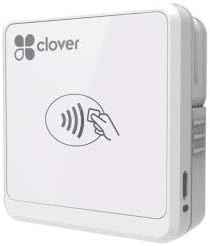
The Clover GO (3rd Generation) delivers a premium mobile POS experience with a perfect 5.0 rating. It transforms your smartphone into a powerful sales tool with a tactile interface. This model appeals to businesses needing detailed transaction control.
We may earn a commission when you buy through this link, at no additional cost to you.
Its Bluetooth connection works with most smartphones for seamless pairing. You can set custom tax rates and tip percentages directly on the device. Customers receive paperless receipts via email or text, reducing clutter and improving speed.
Security remains a priority with encrypted data handling throughout the transaction. Managing staff permissions is simple, allowing you to restrict access to sensitive data. While it requires SwyftPAY processing, the features offer robust business management.
Opt for this if you value a professional interface and flexible reporting tools. It fits growing teams that need more than basic payment acceptance. The investment pays off through improved efficiency and customer satisfaction.
Set custom tax rates and tip amounts for different products easily.
Create multiple employee permissions to protect business data securely.
We may earn a commission when you buy through this link, at no additional cost to you.
The 2-in-1 Smart Card Reader with NFC serves specialized users needing secure authentication. It holds a 4.3 rating for its broad compatibility with military and government access cards. This tool is essential for field verification tasks.
We may earn a commission when you buy through this link, at no additional cost to you.
It features integrated USB-A and USB-C heads, eliminating adapter needs. Supported standards include CAC, PIV, and various chip cards under ISO compliance. The reinforced cable and compact build make it ideal for travel and daily office use.
While mostly plug and play, some card functions require external software. The package does not include decoding tools, which users must source separately. LED and buzzer prompts provide clear feedback during scans.
Select this for secure identity checks in government or defense contexts. It also works for bank credit cards and NFC badges across multiple operating systems. Its versatility justifies the learning curve for specific use cases.
Certified for FCC and Microsoft standards ensuring reliable data reading.
Runs on Windows, Mac, Linux, and Android without drivers needed.
We may earn a commission when you buy through this link, at no additional cost to you.
The Square Terminal acts as a complete payment solution without needing a phone. With a 4.5 rating, it combines card acceptance, receipt printing, and sales tracking in one unit. This appeals to counter-based businesses wanting simplicity.
We may earn a commission when you buy through this link, at no additional cost to you.
Its built-in battery supports cordless operation throughout the day. Chip transactions complete in about two seconds for quick customer flow. You get funds the next business day and pay one low rate with no hidden fees.
Users appreciate the all-in-one design that reduces clutter at checkout. The device works well for retail stores and cafes needing a dedicated terminal. While costlier, its reliability and features justify the expense.
Choose this if you prefer a dedicated machine over phone-connected readers. It streamlines operations by handling payments and receipts in one spot. Ideal for high-volume spots requiring consistent uptime and speed.
Operates independently without needing a smartphone or tablet connection.
Processes chip cards in just two seconds for efficient checkout.
We may earn a commission when you buy through this link, at no additional cost to you.
The SumUp Plus Card Reader offers straightforward mobile payments via Bluetooth. It rates 3.8 based on user feedback and functional reliability. This device suits small sellers seeking a no-contract payment path.
We may earn a commission when you buy through this link, at no additional cost to you.
Its NFC and RFID support covers tap-to-pay options for modern cards. The free SumUp app manages transactions on smartphones or tablets. You pay a flat rate per in-person transaction with no monthly charges.
Portability is a key strength since the reader works with any mobile device. Setup is quick for those starting small or selling at markets. Some users note the fee structure can add up with high volume.
Consider this for flexible mobile payments without long-term commitments. It works well for occasional sellers or those testing new sales channels. Verify the current rate before committing to ensure it matches your volume.
Connects to any smartphone or tablet via Bluetooth for any location.
Pay only per transaction with no hidden charges or contracts.
We may earn a commission when you buy through this link, at no additional cost to you.
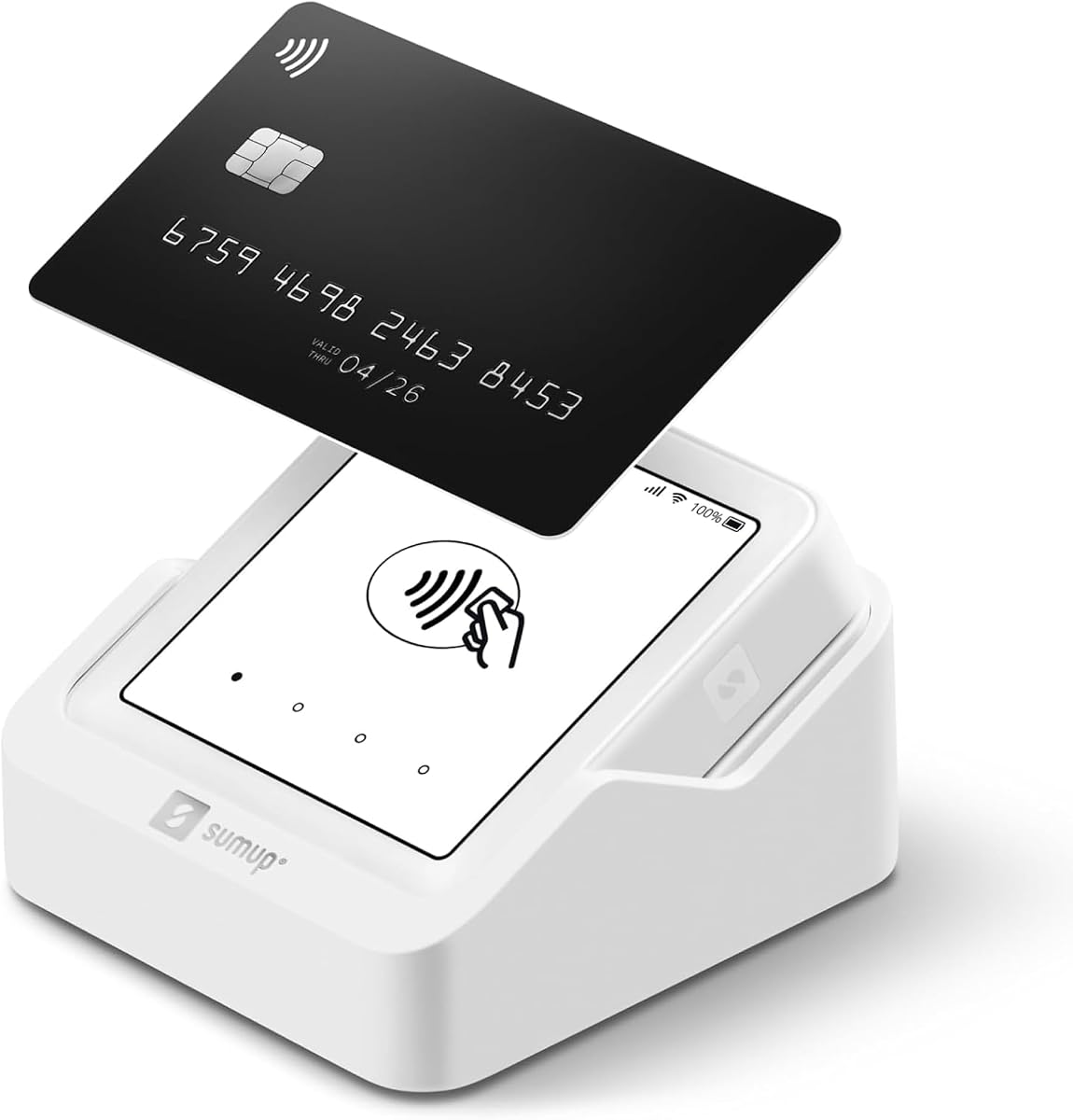
The SumUp Solo functions as a standalone terminal with built-in data via SIM. Rated 3.5, it targets users wanting a dedicated device without phone dependency. The touchscreen and charging station simplify daily operations.
We may earn a commission when you buy through this link, at no additional cost to you.
Registration on the SumUp website or app enables fast setup. US-based support is available via phone, email, or chat. The Wi-Fi connection ensures payments process smoothly wherever you operate.
Users benefit from portability and control over their business data. While reviews mention connectivity hiccups, the device remains functional for most sellers. The included SIM removes the need for separate data plans.
Pick this for mobile vending where phone pairing is inconvenient. It works best for consistent business locations with stable signal. Verify coverage details before purchase to ensure reliable transactions.
Free SIM card provides mobile data without using your personal phone plan.
Includes a charging station to extend usage during busy shifts.
We may earn a commission when you buy through this link, at no additional cost to you.
The Clover GO (Newest Model) offers a modern mobile POS interface for on-the-go selling. With a 3.6 rating, it provides solid features for businesses using Powering POS. It focuses on usability and control.
We may earn a commission when you buy through this link, at no additional cost to you.
Bluetooth pairing connects it quickly to any smartphone. You can adjust tax rates and tips for different items as needed. The system encrypts data end to end to protect customer information.
User reviews note occasional software learning curves but praise the flexibility. Managing staff access remains a key strength for multi-employee environments. Receipt delivery options help reduce paper use.
Choose this if you already use Powering POS or need robust tax rules. It fits service providers and retailers needing simple mobile tools. Check compatibility before buying to avoid processing conflicts.
Create multiple tax rates and custom tip amounts easily on device.
End to end encryption keeps customer data safe during transactions.
We may earn a commission when you buy through this link, at no additional cost to you.
The Clover Go Contactless Reader enables quick payments without a full merchant account. Rated 4.0, it suits vendors needing basic EMV and contactless support. Availability is limited as newer models replace it.
We may earn a commission when you buy through this link, at no additional cost to you.
You can accept chip and tap payments directly via the app. Setup avoids complex account steps, making it accessible for casual sellers. It supports both iOS and Android platforms broadly.
Users value the simplicity but note potential supply constraints for replacements. If you need a simple reader for occasional use, this works well. For high-volume needs, consider current models instead.
Buy this if stock is available and you want a no-hassle setup. It fits market vendors or small shops testing mobile payments. Check current inventory before ordering to ensure support.
No separate merchant account required for basic card acceptance.
Fully EMV ready for secure chip card transactions today.
We may earn a commission when you buy through this link, at no additional cost to you.
The Clover Go Bluetooth Reader (3rd Gen) provides basic mobile payment functionality without a merchant account. It rates 3.6 among users seeking entry-level Clover options. This model pairs via Bluetooth to your phone.
We may earn a commission when you buy through this link, at no additional cost to you.
You can set custom tax rates and tip percentages during sales. The system encrypts data to protect customer information throughout processing. Email or text receipts help reduce paper waste.
It works with any existing Clover Go account for flexibility. Users find setup quick but note connectivity depends on stable Bluetooth. For those needing a basic reader, this remains a solid pick.
Select this if you want a simple reader within the Clover system. It suits freelancers and small teams needing occasional payments. Review current compatibility before purchasing to ensure account support.
Works with any Clover Go account without requiring new processing.
End to end encryption protects data from card acceptance to payment.
We may earn a commission when you buy through this link, at no additional cost to you.
Choosing the right mobile payment reader depends on your business size, transaction types, and budget. This guide outlines key factors to evaluate before buying.
Ensure the reader supports the card types you encounter most often. Magstripe readers accept only magnetic strips, while contactless and chip readers handle EMV and tap-to-pay. Modern standards demand NFC and chip support for security and speed.
Prioritize contactless and chip readers to meet customer expectations and reduce fraud risks.
Decide between Bluetooth and wired connections based on your setup. Bluetooth offers mobility and works across devices but needs pairing and charging. Wired readers plug directly into phone ports, ensuring stable power and connection.
Select Bluetooth for mobile sales and wired for fixed counters needing consistent power.
Compare transaction rates and any monthly fees or contracts. Some brands charge a flat percentage plus cents, while others have tiered pricing. Hidden fees can add up quickly if you process high volumes.
Choose transparent pricing with no hidden charges to keep costs predictable over time.
Check if the reader integrates with your existing POS or accounting tools. Many come with free apps for sales tracking, inventory, and receipt management. Compatibility with third-party platforms expands functionality.
Verify software features match your reporting and receipt needs before buying.
If you sell in areas with spotty internet, offline mode is crucial. Some readers queue transactions to process when connectivity returns. This prevents lost sales during service outages.
Look for offline support that allows up to 24 hours of uninterrupted sales.
Ensure the device meets current encryption and compliance standards like PCI DSS. End-to-end encryption protects card data throughout the transaction. Built-in fraud prevention tools add extra safety layers.
Always select readers with certified security features to protect customer data.
Consider weight, size, and battery life for on-the-go use. Lightweight readers fit easily in bags or pockets. Long-lasting batteries reduce downtime during busy periods.
Pick a durable, compact model with all-day battery for mobile operations.
Evaluate access to help via phone, chat, or email when issues arise. Fast support minimizes disruption to your sales flow. Look for US-based teams for quicker resolution times.
Choose brands with responsive support channels to handle problems promptly.
Begin by downloading the required POS app and creating a merchant account. Follow the setup prompts to pair your reader via Bluetooth or USB cable. Test a small transaction to confirm connectivity and payment flow.
Keep the device clean and store it in a dry case when not in use. Avoid exposing the reader to moisture, extreme heat, or rough handling that may damage connectors. Regularly charge battery-powered models to prevent unexpected shutdowns.
Update the app and reader firmware periodically to access new features and security patches. If issues occur, restart the reader and phone, then re-pair the connection. Contact support if the device fails to respond to card swipes or taps.
Most readers require a smartphone or tablet with the specific app installed. Standalone terminals like Square Terminal function independently but are not phone-connected readers. Always check device requirements before purchasing to ensure compatibility with your setup.
Reputable readers use end-to-end encryption to protect card data during transactions. They comply with PCI standards and often include built-in fraud prevention. Avoid cheaper non-certified models that lack proper encryption layers.
Most charge between 2.5% to 2.9% per transaction plus a small fixed fee. Some offer flat rates regardless of card type. Always review the pricing sheet carefully to avoid unexpected costs.
Many readers support both platforms, but compatibility varies by model and app. Always check the product specs to confirm your operating system is supported before buying to ensure seamless pairing.
Some advanced models offer offline modes that queue transactions until internet returns. Basic readers usually require a live connection to authorize payments. Confirm offline capabilities if you operate in remote areas.
Battery life typically ranges from 8 to 24 hours depending on usage frequency. Some include sleep modes to extend power. Always carry a charging cable or spare battery for long shifts.
Most modern apps allow custom tip percentages and split transaction features. You can configure these settings directly in the POS software. Check app documentation to enable these options before sales.
First restart the device and phone, then try re-pairing the connection. If issues persist, use a backup payment method like cash or another card processor. Contact customer support for troubleshooting or replacement.
This guide compared ten reliable credit card readers for phones suitable for different business needs. Top picks like the Square Reader for contactless and chip offer great value and features. The Clover GO (3rd Generation) delivers premium control for growing teams.
Prioritize security, connectivity, and fee transparency when making your final choice. Consider offline capabilities and battery life if you sell outside traditional venues. Choose a solution that grows with your transaction volume.
Prices and availability change frequently, so review current listings before ordering. Verify processing requirements and compatibility to avoid surprises. A reliable mobile reader can streamline sales and improve customer experience significantly.