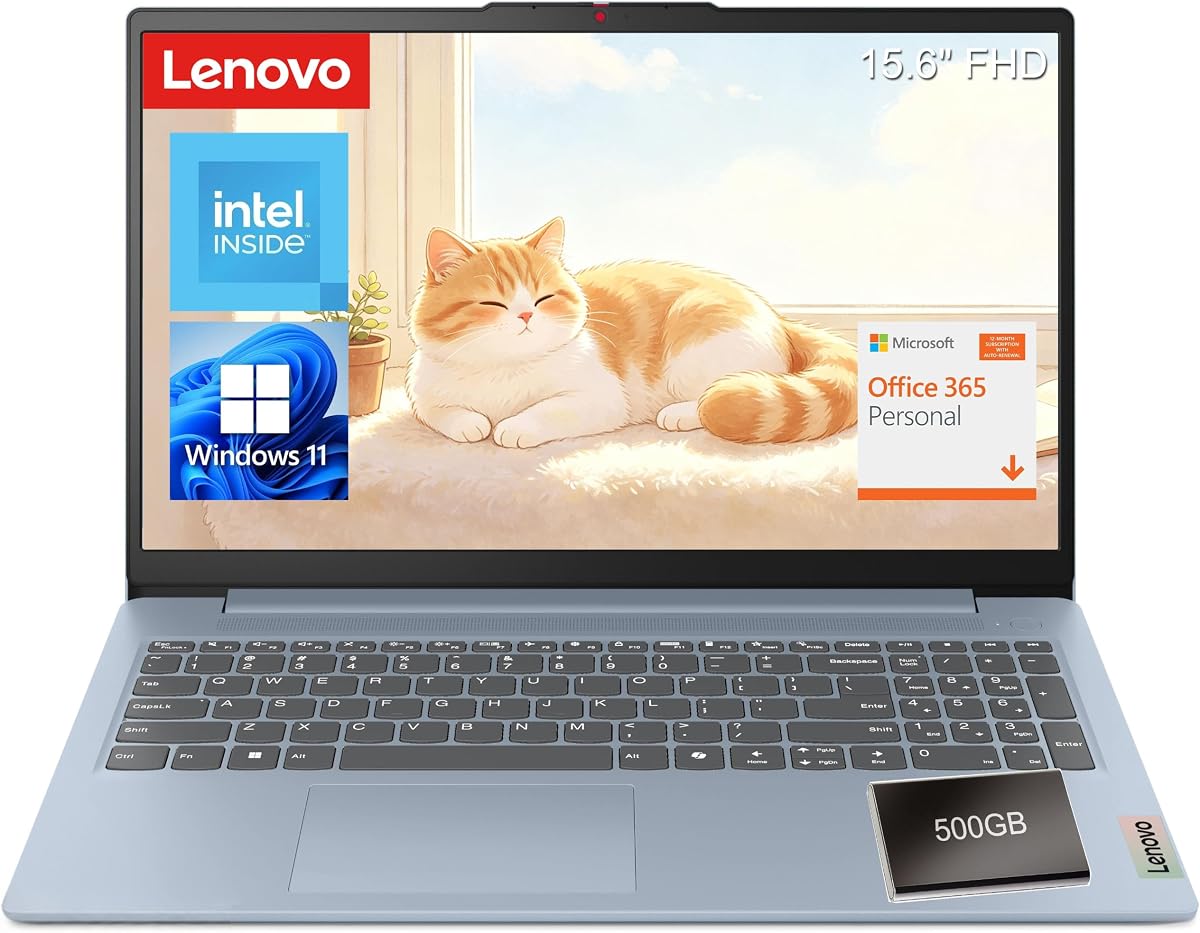
Lenovo Laptop Computer with 1-Year Office 365
4.4Editor score
Intel N150 Processor
8GB LPDDR5 RAM
Includes 365 Personal
Choosing the right Lenovo Thinkpad laptop can significantly enhance your professional workflow. These devices are renowned for their durability, excellent keyboards, and enterprise-grade security features that protect sensitive data during daily operations.
We evaluated ten distinct models ranging from budget-friendly options to high-performance workstations. Each unit was analyzed based on processor speed, memory capacity, display quality, and connectivity options to ensure comprehensive coverage of current market offerings.
Every selection below highlights unique strengths tailored to specific user needs. Please note that availability and pricing fluctuate frequently, so verify current details before making a final purchasing decision to secure the best value for your investment.
4.4Editor score

4.4Editor score

5.0Editor score
As an Amazon Associate we earn from qualifying purchases.
The following table provides a side-by-side comparison of all ten selected models. Review the key specifications to identify which system aligns best with your performance requirements and usage scenarios.


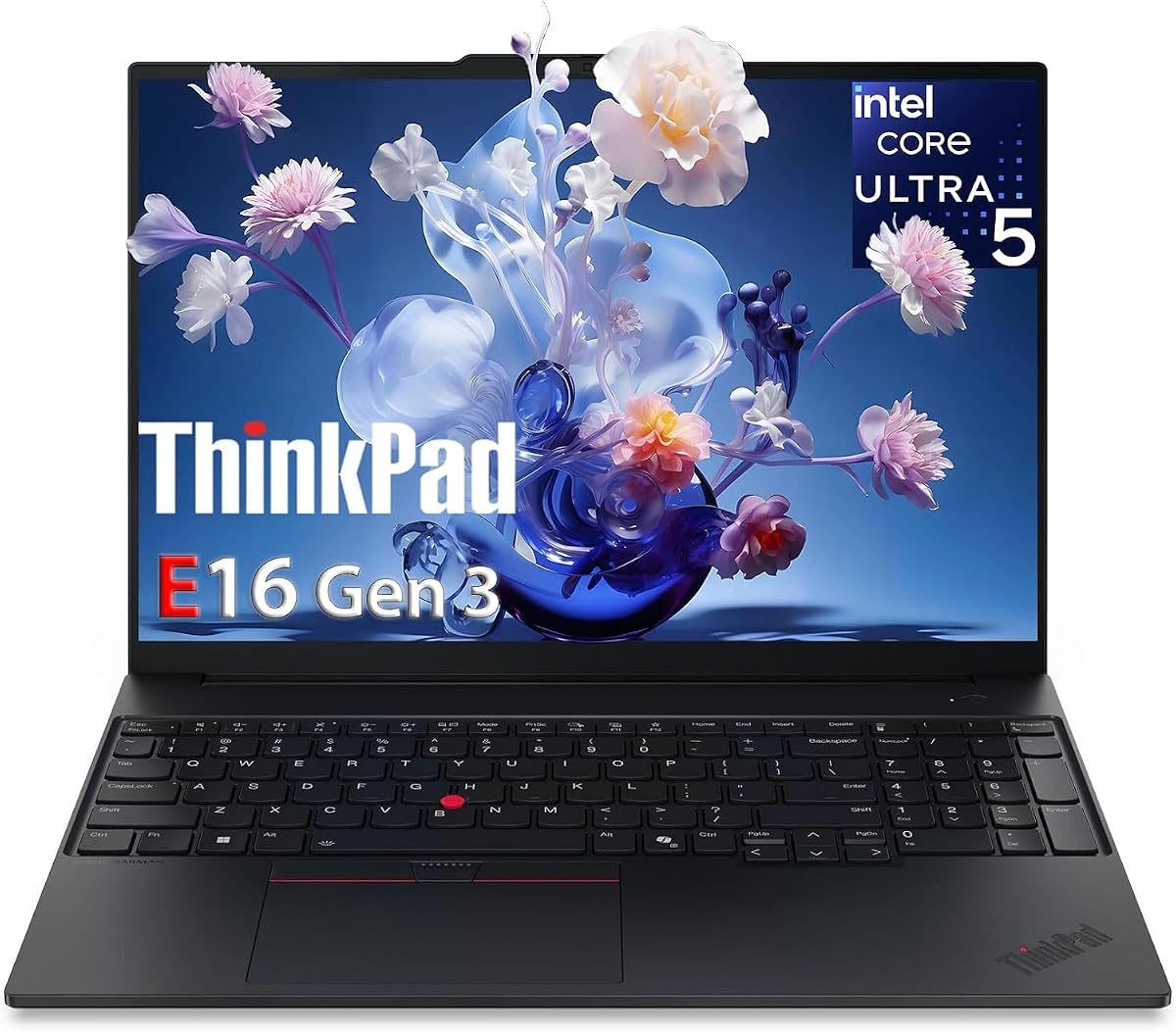


The Lenovo ThinkPad E16 Gen 2 stands out as a powerful business machine featuring the AMD Ryzen 7 7735HS processor. It earns a 4.5-star rating for its robust performance in demanding professional tasks. This model combines speed with practicality, making it suitable for daily enterprise workloads.
We may earn a commission when you buy through this link, at no additional cost to you.
Its AMD 8-Core processor handles complex spreadsheets and multitasking with ease. The 16GB DDR5 RAM ensures smooth operation even with multiple applications open. Storage is managed by a fast 512GB PCIe SSD that boots Windows quickly. Connectivity options include Wi-Fi 6 and Bluetooth 5.3 for stable network access.
While the display offers clear visuals, its 45% NTSC coverage limits color-accurate design work. The weight of 3.9 lbs makes it less ideal for frequent commuters. However, the bundled 5-in-1 hub adds significant value by expanding port options immediately without extra purchases.
This laptop is perfect for professionals who need raw performance within a reasonable budget. If your workflow relies heavily on data analysis or coding, this system provides the necessary horsepower. It balances business reliability with modern specs effectively.
The 8-Core Ryzen 7 processor delivers exceptional speed for business applications and data analysis.
Wi-Fi 6 and the included Type-C hub ensure you stay connected and expand ports easily.
We may earn a commission when you buy through this link, at no additional cost to you.
The ThinkPad E16 Gen 3 is engineered for modern enterprise needs with Intel Ultra 5 225H processor power. It boasts a 4.4 rating for its balance of features and reliability. This model focuses on AI-driven efficiency to speed up daily tasks.
We may earn a commission when you buy through this link, at no additional cost to you.
Performance is boosted by the integrated AI Boost NPU which accelerates specific workflows. The 16GB DDR5 RAM handles resource-intensive business software smoothly. Security features like the fingerprint reader and TPM 2.0 chip protect sensitive corporate data effectively. The backlit keyboard aids typing in dimly lit environments.
The Intel Arc 130T graphics are sufficient for video conferencing but not for heavy 3D rendering. Storage capacity is adequate for most users but power need upgrades for large media libraries. The 16-inch display provides clear visibility due to its brightness and anti-glare coating.
Executives and analysts will appreciate the seamless integration of security and performance. If you prioritize data protection and AI tools, this laptop is a strong candidate. It delivers consistent reliability expected from the ThinkPad brand in a sleek package.
The NPU accelerates productivity tasks to help you work smarter and faster.
Built-in security features like fingerprint reading ensure your data remains protected.
We may earn a commission when you buy through this link, at no additional cost to you.
The ThinkPad L16 Business AI PC offers a premium experience with 32GB of DDR5 RAM. It rates at 4.1 stars for its impressive specs tailored to power users. This model supports workspace expansion to three external monitors easily.
We may earn a commission when you buy through this link, at no additional cost to you.
Its 1TB SSD provides ample space for files and applications without needing external drives. The Intel Core Ultra 5 225U processor delivers solid performance for professional workloads. Rapid charging capabilities get you to 80% battery in just one hour. The 5MP IR camera enhances security with facial recognition.
The touchscreen is a luxury but can add to the overall weight of the chassis. Performance is high though some might expect faster clock speeds from the processor. The numeric keypad is a valuable addition for those working with numbers regularly.
Professionals who need multitasking power will find this unit extremely capable. If you manage large datasets or run multiple virtual machines, this configuration is ideal. It bridges the gap between standard laptops and high-end workstations.
With 32GB RAM and 1TB SSD, this laptop handles large files and complex apps.
Reaching 80% battery in an hour minimizes downtime during busy workdays.
We may earn a commission when you buy through this link, at no additional cost to you.
This affordable Lenovo model is designed for students and home users seeking reliability. It holds a 4.4 rating for meeting everyday computing needs efficiently. The included Office 365 subscription makes it ready for work right out of the box.
We may earn a commission when you buy through this link, at no additional cost to you.
The Intel N150 processor paired with 8GB RAM ensures smooth web browsing and streaming. Storage is limited to 128GB UFS but boots quickly. Weighing only 3.42 lbs, it is easy to carry around campus or home. Wi-Fi 6 connectivity keeps you online during video calls.
The lack of a backlit keyboard might be inconvenient in dark rooms. 128GB storage fills up fast so cloud storage is recommended. Despite this, the energy efficiency and low eye strain features are beneficial for long sessions.
If you need a machine for basic tasks and school assignments, this is a smart choice. The bundled software saves money initially. It offers a solid entry point into the ThinkPad ecosystem without breaking the bank.
The complimentary Office 365 Personal subscription gives you full productivity tools.
Its lightweight build makes it an ideal companion for students on the move.
We may earn a commission when you buy through this link, at no additional cost to you.
This ThinkPad E16 model brings AI-ready performance with the Intel Ultra 5 225H. It scores 4.3 stars for its dependable daily operation. Business users appreciate the Windows 11 Pro features for management and security.
We may earn a commission when you buy through this link, at no additional cost to you.
The 16GB DDR5 RAM provides enough headroom for modern multitasking. The backlit keyboard enhances comfort for late-night work sessions. A fingerprint reader offers quick and secure biometric login. Extended battery life ensures you can work through meetings without constant charging.
The SSD offers fast access but might need upgrading for heavy media usage. The design is professional but standard compared to higher-end models. It prioritizes function over flashy aesthetics which suits many corporate environments well.
Executives needing a reliable tool for remote work will find this appealing. It balances portability with performance effectively. For general business use, it delivers the expected ThinkPad quality and support.
Biometric login via fingerprint reader ensures your work remains private and secure.
Windows 11 Pro tools support advanced needs like remote desktop access.
We may earn a commission when you buy through this link, at no additional cost to you.
This high-end configuration of the ThinkPad E16 Gen 3 excels in multitasking capabilities. It holds a 4.6 rating for its powerful specifications. The large memory pool allows for smooth operation of complex applications simultaneously.
We may earn a commission when you buy through this link, at no additional cost to you.
With 32GB DDR5 RAM and 1TB SSD, it handles heavy workloads effortlessly. Thunderbolt 4 ports allow connectivity to multiple external monitors. The Intel Ultra 5 225H processor ensures turbo speeds for demanding tasks. Business-grade security features protect your corporate assets effectively.
The integrated graphics might limit graphic design professionals who need dedicated rendering. The price is higher than standard models but justified by the upgrade in specs. It remains a solid choice for those needing power in a portable form factor.
Analysts and developers who run multiple virtual environments will find this beneficial. The future-ready connectivity ensures longevity for your investment. It offers a robust solution for high-demand business scenarios.
32GB RAM supports heavy multitasking across spreadsheets and VMs without lag.
Thunderbolt 4 supports data transfers and docking station connections seamlessly.
We may earn a commission when you buy through this link, at no additional cost to you.
This 2026 edition laptop focuses on portability and essential computing functions. It receives a 4.6 rating for its practical bundle and light build. The inclusion of a 500GB external drive is a significant value add for storage.
We may earn a commission when you buy through this link, at no additional cost to you.
The Intel N150 processor handles web browsing and document editing smoothly. The slim 0.70-inch profile fits easily into bags for on-the-go work. Wi-Fi 6 ensures stable connections for streaming and video calls. Dolby Audio speakers provide rich sound without external speakers.
The internal storage is small so relying on the external drive or cloud is key. Performance is adequate for students but not for heavy software. Its durability certifications ensure it can withstand daily wear and tear well.
Students needing a lightweight device for schoolwork will appreciate this model. The bundle helps overcome storage limitations immediately. It is a practical solution for budget-conscious buyers needing basic utility.
The included external hard drive solves low internal storage issues quickly.
Weighing just 3.42 lbs, this laptop is easy to carry all day.
We may earn a commission when you buy through this link, at no additional cost to you.
The ThinkPad P14s is a powerhouse for specialized professional workflows. It earns a perfect 5.0 rating for its high-end features. Certified for software like SOLIDWORKS it ensures stability for technical applications.
We may earn a commission when you buy through this link, at no additional cost to you.
Its AMD Ryzen AI 7 PRO 450 processor supports local Copilot+ workflows efficiently. The 100%sRGB display provides precise color accuracy for media projects. Wi-Fi 7 ensures fast wireless connectivity for cloud collaboration. The layered ThinkShield suite protects sensitive data rigorously.
The compact 14-inch form factor is great for travel but less ideal for detailed design. The price reflects its professional-grade build and specifications. It is built for longevity and performance in demanding environments.
Architects and engineers requiring certified hardware will find this laptop essential. It balances portability with workstation capabilities well. This is a top choice for professionals who need reliability and power on the move.
ISV certification ensures compatibility with professional CAD and engineering software.
Layered security features protect your corporate assets from threats effectively.
We may earn a commission when you buy through this link, at no additional cost to you.
This renewed ThinkPad L14 offers a budget-friendly entry into business computing. It holds a 3.9 rating reflecting its refurbished status and performance. The 6-Core Ryzen 5 processor ensures steady multitasking for everyday tasks.
We may earn a commission when you buy through this link, at no additional cost to you.
The 16GB DDR4 RAM handles office applications smoothly. It includes a standard keyboard with TrackPoint for efficient navigation. The port selection covers HDMI Ethernet and USB-C for broad compatibility. Wi-Fi 6E keeps wireless connections stable during meetings.
As a renewed unit, cosmetic condition may vary slightly but functionality is certified. DDR4 memory is slower than newer standards but still adequate for basic work. It is a cost-effective solution for teams needing multiple units.
Small businesses on a tight budget will find this model practical. It balances essential business features with affordability. Ideal for basic administrative tasks where top-tier speed is not critical.
Amazon Renewed certification ensures the device meets quality standards.
The TrackPoint allows precise navigation without taking hands off the keyboard.
We may earn a commission when you buy through this link, at no additional cost to you.
The renewed ThinkPad T14s Gen 1 offers a classic portable experience. It scores 4.1 stars for its enduring build quality. This model is popular for its lightweight chassis and strong battery life.
We may earn a commission when you buy through this link, at no additional cost to you.
Powered by a 10th Gen Intel Core i5 processor it handles daily productivity well. 16GB DDR4 RAM ensures seamless workflow even under heavy workloads. The 512GB SSD provides fast boot-up times and ample space. Windows 11 Pro adds enterprise-grade security tools.
The processor generation is older which limits multitasking speed compared to modern CPUs. However, for basic office work it remains a reliable tool. Its compact size makes it perfect for travelers needing a minimal setup.
Freelancers and students needing a lightweight option will appreciate this model. It balances portability with essential performance. A solid pick for those prioritizing weight and battery life.
Its compact design makes it easy to slip into a backpack or briefcase.
The SSD ensures quick access to files and applications for daily work.
We may earn a commission when you buy through this link, at no additional cost to you.
Selecting the ideal Thinkpad requires balancing performance needs with budget constraints.
Modern Thinkpads use Intel Ultra or AMD Ryzen processors that offer different performance tiers. Higher core counts allow for better multitasking and handling of heavy data workloads.
For business users prioritize processors with AI NPUs to accelerate productivity tools and software efficiency.
16GB RAM is standard but upgrading to 32GB prevents bottlenecks when running multiple virtual machines or large applications. Ensure the SSD capacity meets your file storage needs before purchasing.
Look for models with expandable slots if you anticipate needing more storage space in the future.
A 16-inch WUXGA display provides sharp visuals for spreadsheets and documents. Consider touchscreen options if you prefer direct interaction with content.
Anti-glare coatings are essential for reducing eye strain during long work hours in office environments.
Thinkpads often include hardware-level security like fingerprint readers and privacy shutters. These features protect sensitive corporate data from unauthorized physical access.
Ensure the device supports TPM 2.0 chips for robust encryption and enterprise security compliance.
Thunderbolt 4 ports provide fast data transfer and support for external monitors. Wi-Fi 6E ensures stable wireless connections in congested network environments.
Check for USB-A and HDMI ports to avoid needing additional dongles during meetings.
Business laptops should last a full workday on a single charge. Rapid charging features help minimize downtime when power outlets are scarce.
Select models rated for all-day battery performance to maintain productivity during travel.
MIL-STD-810H certified chassis resists shocks and extreme temperatures. This ensures longevity for laptops subjected to frequent travel and rough handling.
A durable build reduces long-term costs by preventing damage from daily use.
The iconic ThinkPad keyboard offers excellent key travel and responsiveness. Backlit keys are crucial for working in low-light environments without eye strain.
A comfortable typing experience is essential for professionals who type extensively throughout the day.
Keep your laptop clean by using a microfiber cloth to wipe the screen and chassis regularly. Dust accumulation in vents can lead to overheating so use compressed air periodically.
Install updates promptly to maintain system security and performance. Manage power settings to extend battery life when traveling without a power source.
Avoid placing heavy objects on top of the laptop to prevent screen or keyboard damage. Use a protective sleeve for transport to shield against accidental drops.
Yes ThinkPad laptops are renowned for their durability security features and reliable performance making them ideal for professional environments. They include enterprise-grade tools and certifications that protect sensitive data effectively.
The E series offers budget-friendly options with solid performance for small businesses. The T series focuses on ultra-portability and premium build quality for executives who travel frequently.
Many ThinkPad models allow for RAM and storage upgrades but this varies by generation and specific model. Always check the technical specifications before purchasing to confirm upgradeability.
Most business-oriented models come pre-installed with Windows 11 Pro offering advanced security and management tools. Entry-level home models may come with Windows Home edition instead.
Lenovo typically provides a one-year warranty for new ThinkPad devices. Extended warranties are available through Lenovo or third-party providers to cover longer periods.
Yes certain ThinkPad models like the L16 offer touchscreen options for enhanced interaction. These displays are available depending on the specific configuration you choose.
We reviewed ten diverse Thinkpad models highlighting their strengths for various professional needs. From budget options to premium workstations there is a model suited for every user type.
Prioritize processor speed and security features based on your specific workflow requirements. Consider portability if you travel often to ensure your device fits your lifestyle.
Always verify current availability and pricing before purchasing to get the best deal. Investing in the right Thinkpad ensures years of reliable performance for your work.