
havit HV-F2056 Laptop Cooling Pad
4.4Editor score
Ultra-portable slim design
Three ultra-quiet fans
Two adjustable height settings
Keeping your MSI gaming laptop cool is essential for peak performance during intense gaming sessions or heavy creative workloads. A quality cooling fan helps prevent thermal throttling and extends the lifespan of your valuable hardware investment.
We have carefully compared ten top-rated cooling solutions specifically designed to work with MSI gaming laptops. Our analysis focuses on cooling efficiency, noise levels, ergonomic design, and overall build quality to help you make an informed decision.
Each product in this guide showcases unique features tailored to different user needs and laptop sizes. Please note that availability and current pricing may change frequently so you should verify details before purchasing.
4.4Editor score

4.4Editor score

5.0Editor score
As an Amazon Associate we earn from qualifying purchases.
The following comparison table provides a side by side overview of all ten cooling fans evaluated in this guide so you can quickly identify key specifications and choose the right match for your MSI gaming setup.


This Razer cooling pad stands out as a top choice for MSI gaming laptops with its intelligent adaptive cooling technology. It holds a strong 4.4 rating from verified users who appreciate its automated fan control system.
We may earn a commission when you buy through this link, at no additional cost to you.
The airtight pressure chamber ensures that cool air is directed efficiently into the laptop intake reducing surface temperatures significantly. You can customize fan curves via Razer Synapse to balance performance and noise levels during gaming sessions.
While the software dependency might be a minor drawback for some users the ability to fine-tune cooling behavior offers substantial benefits. The included magnetic frames accommodate various laptop sizes making it versatile for different MSI models.
If you prioritize advanced features and reliable thermal management this cooling pad is an excellent investment. It delivers consistent performance and helps maintain peak hardware efficiency during demanding tasks.
The intelligent fan control automatically adjusts speeds based on system load ensuring optimal cooling without unnecessary noise.
Three magnetic frames allow you to optimize airflow for 14 inch to 18 inch laptops maximizing cooling effectiveness.
We may earn a commission when you buy through this link, at no additional cost to you.
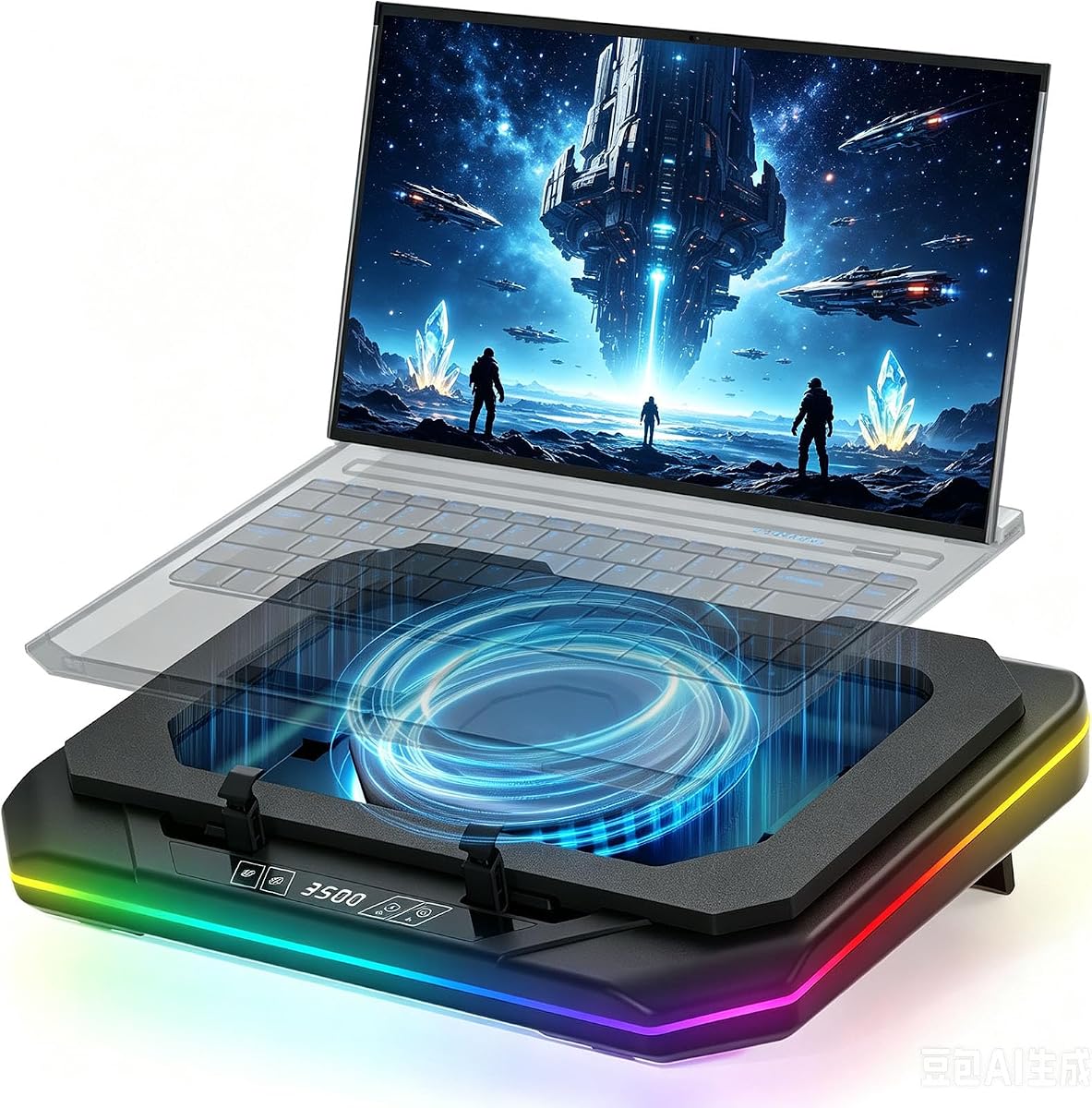
The havit HV-F2056 offers excellent value for MSI gaming laptop users seeking reliable cooling without breaking the budget. It has earned a 4.4 rating for its balance of performance and portability.
We may earn a commission when you buy through this link, at no additional cost to you.
With three ultra-quiet fans it creates a noise-free environment ideal for focused work or gaming. The dual height adjustment allows you to find a comfortable typing angle reducing neck strain during extended use.
While it lacks advanced customization features the simplicity makes it easy to set up and use immediately. The metal mesh surface provides stability for laptops ranging from 15.6 to 17 inches.
For those looking for a straightforward and affordable cooling solution this pad is a smart choice. It effectively dissipates heat and keeps your MSI laptop running smoothly.
Three ultra-quiet fans ensure minimal noise disturbance so you can focus on gaming or work without distractions.
The dual height settings allow you to adjust the screen angle for better posture and reduced physical strain.
We may earn a commission when you buy through this link, at no additional cost to you.
This cooling pad is engineered specifically for high-performance MSI gaming laptops including the Raider series. With a perfect 5.0 rating it delivers powerful heat dissipation that meets the demands of intense gaming.
We may earn a commission when you buy through this link, at no additional cost to you.
The super powerful turbofan with sealed wind pressure reduces CPU and GPU temperatures by up to 40 degrees in under two minutes. This rapid cooling ensures your system maintains performance without thermal throttling.
Noise levels can be higher at maximum speed but the performance gains justify this trade-off for serious gamers. The RGB lighting and USB hub add aesthetic and functional value to your setup.
If you need maximum cooling power for your MSI gaming machine this pad is the top recommendation. It combines robust cooling with stylish design to enhance your gaming experience.
Turbofan technology with sealed pressure channels cools your laptop quickly preventing performance drops during peak usage.
Six adjustable lighting modes let you create a cool gaming atmosphere that matches your setup style.
We may earn a commission when you buy through this link, at no additional cost to you.
This cooling pad is tailored for MSI Vector and Creator laptops delivering exceptional thermal performance for demanding workloads. It shares the same powerful turbofan tech as the Raider variant with a perfect 5.0 user rating.
We may earn a commission when you buy through this link, at no additional cost to you.
The sealed wind pressure system ensures that air is directed effectively into the laptop intake reducing internal heat quickly. This helps prevent thermal throttling and keeps your MSI system running at optimal speeds.
Noise sensitivity is a consideration as higher speeds generate more sound but the cooling results are significant. The dust filtration mesh helps keep your laptop clean and extends its operational lifespan.
Users seeking a dedicated cooling solution for Vector models will find this pad highly effective. It combines industrial-grade cooling with thoughtful features like RGB lighting and dust protection.
Designed specifically for Vector laptops this pad ensures precise airflow matching your MSI device thermal design.
A dense filtration mesh seals out dust reducing maintenance needs and protecting internal components over time.
We may earn a commission when you buy through this link, at no additional cost to you.
The Kootek cooling pad offers a practical and reliable solution for MSI gaming laptops with its five quiet fans. It has achieved a 4.4 rating for its effective cooling and ergonomic design features.
We may earn a commission when you buy through this link, at no additional cost to you.
With six adjustable height settings you can customize the viewing angle to reduce neck and shoulder strain. The whisper-quiet fans ensure that your work environment remains distraction-free even during extended use.
The dual USB hub provides extra connectivity options for your peripherals making it a functional desk accessory. Stopers on the front surface prevent laptop slippage ensuring stability during use.
This cooling pad is a solid choice for users seeking versatility and quiet performance. It supports a wide range of laptop sizes and delivers consistent cooling results.
Super quiet fans allow you to focus on tasks without the distraction of loud fan noise during operation.
Six height adjustments let you find the perfect typing angle improving comfort during long gaming or work sessions.
We may earn a commission when you buy through this link, at no additional cost to you.
This ChillCore cooling pad features nine powerful fans and extensive RGB customization making it a feature-rich option for MSI gaming laptops. It holds a 4.2 rating from users who value visual appeal and cooling power.
We may earn a commission when you buy through this link, at no additional cost to you.
The LCD display shows real-time fan speeds giving you clear visibility into cooling performance. Eight height adjustment options allow you to tailor the ergonomic setup to your personal preference and desk height.
Ten RGB light modes create a customizable gaming atmosphere that complements your MSI system aesthetics. Despite the high fan count the unit remains surprisingly quiet during normal operation.
If you want a visually striking cooling solution with extensive customization this pad is a strong contender. It balances cooling performance with aesthetic flexibility effectively.
An LCD readout displays current fan speeds so you can monitor cooling performance easily at a glance.
Ten lighting modes let you set the mood for your gaming space with vibrant and dynamic color options.
We may earn a commission when you buy through this link, at no additional cost to you.
The llano V12 Ultra integrates smart software control to automatically adjust fan speeds based on your MSI laptop workload. It has a strong 4.5 rating for its intelligent design and effective thermal performance.
We may earn a commission when you buy through this link, at no additional cost to you.
Labor-tested results show it can reduce CPU and GPU temperatures by up to 22 degrees within 90 seconds. This rapid cooling prevents overheating during intense gaming or rendering tasks ensuring sustained performance.
The removable dust filter makes maintenance simple and helps keep airflow consistent over time. Three adjustable tilt angles provide ergonomic benefits to reduce neck strain during extended work or play.
Users looking for intelligent cooling management with robust build quality will find this pad appealing. It balances automated convenience with manual control options.
Smart software automatically adjusts fan speeds to match your workload ensuring efficient cooling without manual input.
A removable dust filter allows you to clean the system easily keeping airflow strong and performance high.
We may earn a commission when you buy through this link, at no additional cost to you.
This llano V12 gaming pad delivers exceptional thermal performance with its upgraded 5.5-inch turbo booster fan. It holds a 4.4 rating from users who appreciate its robust cooling and precise control features.
We may earn a commission when you buy through this link, at no additional cost to you.
The high power 36W adapter ensures the fan runs at full capacity without drawing power from your laptop. This dedicated power source helps maintain consistent cooling performance during heavy workloads.
A precise scroll wheel allows instant adjustments to airflow letting you balance cooling and noise as needed. The soothing RGB lighting provides a pleasant visual effect that enhances your gaming environment.
For MSI gamers who need maximum cooling power this pad offers significant temperature reduction. It combines performance with thoughtful design elements to improve the overall experience.
A 36W power adapter runs the turbo fan independently so your laptop battery stays conserved during cooling.
A scroll wheel allows instantaneous adjustments to fan speed giving you total control over cooling intensity.
We may earn a commission when you buy through this link, at no additional cost to you.
This cooling pad uses a patented airflow design to direct air efficiently into your MSI laptop reducing temperatures by up to 20 degrees. It has earned a 4.5 rating for its quiet performance and ergonomic design.
We may earn a commission when you buy through this link, at no additional cost to you.
The sealed memory foam ensures that cool air is pushed into bottom intakes maximizing cooling effectiveness. For ultrabooks you can remove the foam to use the pad as an active heat sink.
Six RGB modes with memory settings create a customizable visual experience that matches your gaming setup. A spring-loaded bracket auto-grips your laptop keeping it secure during use.
Users seeking a lightweight and effective cooling solution will find this pad highly practical. It balances cooling efficiency with quiet operation well.
Sealed foam ensures cool air enters the laptop intake rather than escaping to the sides.
A spring-loaded bracket automatically grips your laptop keeping it stable on any surface.
We may earn a commission when you buy through this link, at no additional cost to you.
The llano gaming cooler V12 delivers rapid cooling with a robust turbo external fan capable of a 44-degree temperature drop. It has a 4.4 rating for its fast performance and universal compatibility with various laptop sizes.
We may earn a commission when you buy through this link, at no additional cost to you.
A real-time LED display shows fan speed giving you instant feedback on cooling intensity. Touch-sensitive buttons allow you to find the perfect balance between efficiency and noise levels quickly.
Double non-slip baffles securely hold your MSI laptop in place preventing accidental movement during gaming. The sturdy design ensures stability even during intense use or transport.
If you need fast and reliable cooling for your gaming laptop this pad is a strong option. It combines performance with easy controls for a user-friendly experience.
An LED display accurately shows fan speed so you can monitor performance at any time.
Double non-slip baffles hold your laptop firmly ensuring safety and stability during use.
We may earn a commission when you buy through this link, at no additional cost to you.
Choosing the right cooling fan for your MSI gaming laptop involves evaluating several key factors to ensure compatibility performance and comfort.
Ensure the cooling fan supports your specific MSI laptop model and size range. Most pads accommodate 15 to 18 inch laptops but some are designed for larger models.
Check for adjustable frames or retractable side panels to guarantee a secure fit.
Look for turbofan technology or high-RPM fans that actively reduce CPU and GPU temperatures during heavy loads. Effective pads should show measurable temperature drops.
Sealed air pressure designs improve airflow direction into laptop intakes for better results.
Balance cooling power with noise tolerance. Higher fan speeds produce more sound so check decibel ratings for comfort.
Consider models with adjustable speed settings to manage noise during different tasks.
Adjustable height and tilt options help improve typing posture and reduce neck strain during long sessions.
Sturdy stands with anti-slip features keep your laptop stable on various surfaces.
USB hubs allow you to connect peripherals directly to the pad reducing reliance on laptop ports.
RGB lighting adds aesthetic appeal and customizable modes enhance your gaming atmosphere.
Choose cooling fans made from durable materials with protective dust filtration to extend the lifespan of your equipment.
Check for warranties to ensure long-term reliability and support for your purchase.
Verify if the pad requires an external adapter or draws power from USB ports to match your setup needs.
External adapters often provide more consistent cooling power without draining the laptop battery.
Set a realistic budget that reflects the features you need. Premium models offer smart controls while budget options provide reliable basic cooling.
Compare reviews and specifications to ensure you get the best value for your investment.
Position the cooling fan on a flat stable surface and place your MSI laptop securely on top ensuring the vents align with the fan intake for maximum airflow efficiency.
Adjust the height and tilt settings to a comfortable viewing angle that reduces neck strain during extended gaming or work sessions.
Regularly clean the dust filters using a soft cloth or vacuum to maintain optimal airflow and extend the lifespan of the cooling fan.
Yes cooling fans help prevent thermal throttling by removing excess heat from the laptop chassis. This ensures your CPU and GPU can maintain higher clock speeds during gaming or demanding tasks.
Most cooling fans are universal but check the product specifications for supported laptop sizes. Some models include adjustable frames to accommodate a range from 14 to 18 inches.
Quality cooling fans can reduce CPU and GPU temperatures by 20 to 40 degrees depending on airflow design and fan speed. Actual results vary by laptop model and workload.
Cooling fans produce varying noise levels depending on fan speed. Many models offer adjustable settings so you can balance cooling performance with quiet operation.
Cooling fans with larger fans such as 140mm turbofans provide more effective airflow. Choose a pad sized to match your laptop dimensions for optimal coverage.
High-performance cooling fans often require an external power adapter for optimal cooling power. USB-powered fans are available but may offer lower performance compared to dedicated adapters.
It is recommended to clean the dust filter every few weeks depending on your environment. Regular cleaning ensures consistent airflow and prevents overheating issues.
Yes consistent cooling helps prevent overheating which can degrade internal components over time. Using a cooling fan reduces wear on the hardware and extends its functional life.
The top picks in this guide highlight the best cooling solutions for MSI gaming laptops based on performance features and user feedback.
Prioritize cooling efficiency and ergonomic design to ensure your system stays cool and comfortable during extended gaming sessions.
Check current availability and pricing before purchasing to ensure you get the best deal for your chosen cooling fan model.