
HP 15.6 Portable Laptop
4.1Editor score
Affordable price point
Numeric keypad for data entry
Includes Microsoft 365 for 1 year
Finding a laptop with a dedicated numeric keypad is essential for professionals who handle data entry accounting or spreadsheets daily. Without this feature your typing workflow can become significantly slower and more error prone during long work sessions.
We have reviewed the top ten models available today focusing on performance display quality and keyboard layout. Our analysis includes business class devices and affordable options that still include the crucial number pad for efficiency.
Each pick highlights key specs and real world performance notes to help you decide quickly. Prices and availability change often so verify the current deal before finalizing your purchase for the best value.
4.1Editor score

4.5Editor score

4.6Editor score
As an Amazon Associate we earn from qualifying purchases.
The following table provides a side-by-side look at the core specifications of each selected laptop to help you compare performance storage and display sizes at a glance.




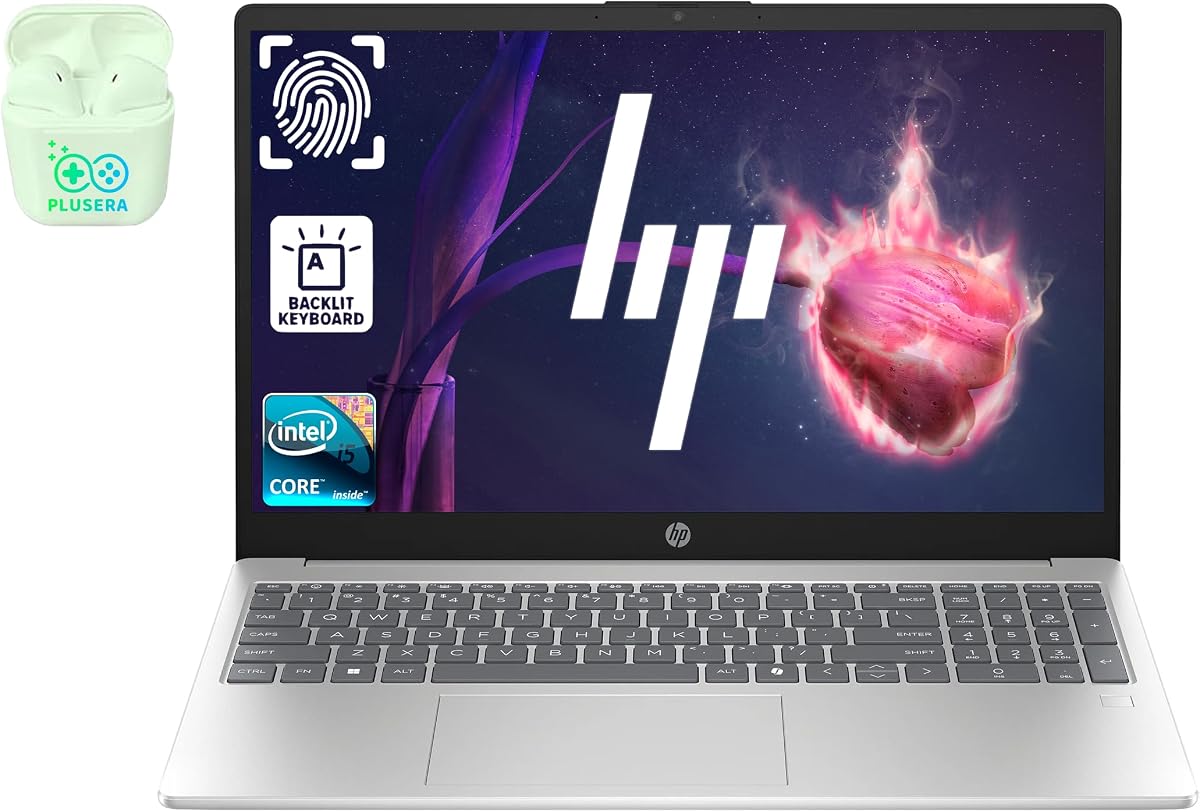

This HP laptop offers a compelling balance of features for students and home users. It includes a full-size keyboard with a dedicated numeric keypad which is rare in budget machines. The 16GB RAM ensures smooth multitasking even when running multiple browser tabs and applications simultaneously.
We may earn a commission when you buy through this link, at no additional cost to you.
The 600GB storage combination provides ample space for files while the Intel processor handles everyday tasks efficiently. Its thin design and up to 10 hours of battery life make it ideal for commuting or studying in the library. The Windows 11 interface is modern and intuitive for daily use.
While the screen resolution is standard and the processor is entry level this machine excels in reliability and comfort. The keyboard layout is comfortable for long typing sessions and the numeric keypad aids quick data entry. These trade-offs are acceptable for the price point and intended use case.
If you need a dependable machine for school work general computing or light office tasks this model is an excellent choice. It covers all the basics including a number pad without breaking the bank. We recommend this for anyone seeking a practical daily driver.
The 16GB of RAM allows you to keep many programs open without slowing down the system significantly.
With up to 10 hours of battery life you can work through the day without needing to search for an outlet.
We may earn a commission when you buy through this link, at no additional cost to you.
Designed specifically for business and accounting tasks this laptop features a massive 17.3 inch display for ample workspace. The Intel Core 5 10-Core processor ensures smooth performance even with complex spreadsheets and multiple applications running. It stands out for professionals who need to see large data sets clearly.
We may earn a commission when you buy through this link, at no additional cost to you.
The full-size keyboard with a numeric keypad makes data entry intuitive and fast. Connectivity options are modern including Wi-Fi 6 for stable internet connections. The Windows 11 system supports efficient workflow management which boosts daily productivity significantly.
While the larger screen adds to the weight it provides a desktop replacement feel for home offices. The cost is higher than basic models but the performance and screen real estate justify the investment for serious work. It avoids performance bottlenecks during heavy multitasking.
This machine is perfect for accountants data entry professionals or anyone working extensively with Excel. The combination of power screen size and keyboard layout delivers a premium experience. We suggest this for those prioritizing productivity over extreme portability.
The 17.3 inch display allows you to view entire spreadsheets without needing to scroll constantly.
The 10-Core processor handles demanding office apps and video meetings without lag or freezing.
We may earn a commission when you buy through this link, at no additional cost to you.
This model is one of the most affordable options available that still includes a numeric keypad. It comes with a one-year Microsoft 365 subscription which adds significant value for students and home users needing Office apps. The Intel Quad-Core N200 processor handles basic web and document tasks well.
We may earn a commission when you buy through this link, at no additional cost to you.
The 128GB SSD is on the smaller side but fast for booting up and launching apps. It is lightweight and easy to carry for daily commutes. The Windows 11 Home interface is clean and easy to navigate for everyday users of all ages.
While storage is limited it works well if you keep files in the cloud. The display is standard HD so it is fine for documents but not for detailed media editing. These limitations are expected at this price point and do not hinder core functionality.
If you need a basic laptop for school or light work without spending much this is a strong candidate. The included software and numeric keypad make it a practical start. We recommend this for entry-level users on a tight budget.
Getting Microsoft 365 for a year included saves you money on software for your studies or work.
Its lightweight build makes it easy to carry between classes or meetings throughout the day.
We may earn a commission when you buy through this link, at no additional cost to you.
This business class laptop is powered by a strong AMD Ryzen 7 processor that delivers fast performance for professional tasks. It includes Windows 11 Pro which adds features like BitLocker and remote desktop for secure business use. The 16GB RAM supports heavy multitasking without slowdowns.
We may earn a commission when you buy through this link, at no additional cost to you.
The 512GB SSD provides plenty of room for large files and quick access. The numeric keypad is full-sized and comfortable for long typing sessions. Connectivity is robust with Wi-Fi 6 and HDMI for easy connection to external monitors or projectors.
While it may be priced higher than consumer models the performance and Pro features justify the cost. The design is functional and durable for daily use in an office environment. It avoids the lag often seen in lower-end business laptops.
This laptop is ideal for business users who need reliability and speed for data analysis or engineering work. The Pro operating system and high-speed CPU make it a versatile tool. We recommend this for professionals needing robust computing power.
Windows 11 Pro offers security and management tools essential for corporate and enterprise environments.
The PCIe SSD ensures that applications launch instantly and files save without any noticeable delay.
We may earn a commission when you buy through this link, at no additional cost to you.
The HP Pavilion series is known for reliability and this model continues that trend with a clear Full HD display. The anti-glare screen reduces eye strain during long study sessions which is great for reading documents. It includes a numeric keypad for quick calculations in math or business courses.
We may earn a commission when you buy through this link, at no additional cost to you.
With 256GB of storage you have enough space for coursework and personal files without relying solely on cloud storage. The Intel N100 processor is sufficient for web browsing and document editing. It weighs only 3.64 lbs making it easy to slip into a backpack.
While 8GB RAM is standard for this price it may slow down with many tabs open. However for typical student use it performs well and boots up quickly. The battery life supports a full day of classes without needing a charger.
For students seeking a reliable machine for online learning and basic productivity this laptop is a smart pick. The combination of screen quality and weight is well balanced. We suggest this for high school or college students on a budget.
The 1920×1080 anti-glare screen makes reading text and spreadsheets easy even in bright light.
Its lightweight design and long battery life mean you can carry it anywhere without worry.
We may earn a commission when you buy through this link, at no additional cost to you.
This laptop stands out with a high user rating and features tailored for home office use. It includes a wide dynamic range HD camera that ensures you look clear during video calls even in low light. The AMD Ryzen 3 processor handles video conferencing and document work smoothly.
We may earn a commission when you buy through this link, at no additional cost to you.
The 16GB RAM supports keeping multiple virtual meetings and documents open at once. Windows 11 Pro offers better management tools for remote workers. The numeric keypad is handy for entering data during calls or spreadsheets without looking away.
It may lack some premium finishes but the performance and reliability are strong. The 512GB SSD gives enough space for project files and backups. It avoids the overheating issues common in cheaper consumer models during heavy use.
For remote workers needing a stable connection and good camera quality this is a practical choice. The features are well aligned with daily professional tasks. We recommend this for home office setups needing consistent performance.
The integrated AI noise reduction helps your voice come through clearly even in noisy environments.
With 16GB RAM you can switch between apps and video streams without experiencing lag.
We may earn a commission when you buy through this link, at no additional cost to you.
The Lenovo V15 features a high performance Intel Core i5 processor that beats many standard 13th gen chips. It is designed for business users who need speed for data processing and heavy applications. The numeric keypad is full size and well placed for easy access.
We may earn a commission when you buy through this link, at no additional cost to you.
It includes Windows 11 Pro and 16GB of RAM for robust multitasking. Connectivity is excellent with both HDMI and RJ45 Ethernet ports which is rare on modern laptops. This ensures stable connections in office environments where Wi-Fi might be unreliable.
The build is sturdy and professional though slightly heavier than ultrabooks. It offers a solid experience for desktop replacement use without needing a separate dock for every connection. The performance is consistent under load.
If you need a reliable machine for demanding office work this laptop is a great option. The extra speed and ports add significant value for professional users. We recommend this for those prioritizing power over portability.
The i5 processor provides extra power for compiling code or rendering simple graphics easily.
The included Ethernet port ensures you can connect directly to a network for stability.
We may earn a commission when you buy through this link, at no additional cost to you.
This Dell Inspiron combines a touch-enabled display with a powerful 10-Core processor for versatile interaction. The touchscreen allows you to scroll and select items easily which can speed up workflow. It includes a numeric keypad for quick input alongside the touch features.
We may earn a commission when you buy through this link, at no additional cost to you.
The Intel Core i5 delivers enough power for multitasking and AI Copilot features assist with organizing tasks. The design is sleek and professional suitable for business meetings. It supports up to 64GB RAM theoretically though this unit comes with 8GB.
The touchscreen is responsive and adds a modern touch to the user experience. While it may drain battery faster it enhances navigation on the go. The 256GB SSD is adequate for most daily users and boots quickly.
For users who enjoy touching the screen to navigate menus this model offers a great balance. The processing power supports modern features without lag. We recommend this for those wanting a versatile modern interface.
Touchscreen capability lets you scroll through pages or maps with a simple finger tap.
Built-in Copilot features help organize your work and summarize documents for faster results.
We may earn a commission when you buy through this link, at no additional cost to you.
This renewed business laptop offers premium features like a backlit keyboard and fingerprint reader at a lower cost. The Intel i5 processor is fast and handles everyday tasks efficiently. It includes a numeric keypad and a privacy shutter on the camera for added security.
We may earn a commission when you buy through this link, at no additional cost to you.
The 256GB SSD ensures fast boot times and file access. Backlit keys are essential for working in dimly lit environments like trains or cafes. The inclusion of earphones adds extra value for calls without needing extra purchases.
While it is renewed and condition may vary the build quality remains solid. The fingerprint reader allows for quick secure login. These features are typically found on much more expensive machines.
If you want business class features without the high price tag this renewed unit is a great option. The security and typing enhancements make it a smart buy. We recommend this for budget conscious professionals.
The fingerprint reader provides a quick and secure way to access your device without a password.
Backlit keys ensure you can type accurately even when the lights are turned down.
We may earn a commission when you buy through this link, at no additional cost to you.
This model brings the power of a large desktop display to a laptop form factor. The 17.3 inch screen offers ample space for multitasking and viewing content. It includes a numeric keypad and long battery life for extended use away from home.
We may earn a commission when you buy through this link, at no additional cost to you.
The Ryzen 5 CPU provides smooth performance for daily tasks while Windows 11 with Office 365 for Web keeps productivity high. The sleek design makes it easier to carry than typical 17 inch laptops. It supports long sessions without constant charging.
While it is heavier than 13 inch models it remains manageable for office use. The screen size reduces the need for external monitors during travel. It avoids the bulk of older large laptops while keeping the utility.
If you need a portable workstation for presentations or detailed work this is a solid choice. The battery life and screen size are standout features. We recommend this for users needing extra screen space.
This laptop offers the screen real estate of a desktop in a chassis that is relatively thin.
Access to Office 365 on the web ensures you can edit documents anywhere with internet access.
We may earn a commission when you buy through this link, at no additional cost to you.
Selecting a laptop with a numeric keypad requires balancing screen size processor power and portability to fit your specific needs.
Ensure the laptop has a full-size numeric keypad rather than a function key layout. This is vital for quick data entry in accounting or coding. A keyboard with good travel and backlighting improves comfort during long sessions.
Look for a dedicated number pad on the right side of the keyboard to maximize efficiency.
Laptops with numeric keypads often come in 15 inch or 17 inch sizes to accommodate the extra keys. A larger screen helps view spreadsheets more easily without scrolling. Aim for at least Full HD 1080p resolution for clear text.
Choose a 17 inch model if you need maximum viewing space or a 15 inch one for better portability.
For heavy spreadsheets and data analysis look for modern processors like Intel Core i5 or AMD Ryzen 5 and above. These handle multitasking and complex calculations smoothly. Entry level chips may struggle with many tabs open simultaneously.
Prioritize at least a 10-core or strong quad-core processor for future proofing your performance.
16GB of RAM is recommended for smooth multitasking and handling large files without lag. For storage a 512GB SSD provides fast access to your documents and applications. Avoid hard drives as they are slower and less durable.
Ensure the system has at least 16GB RAM and a 512GB solid state drive for best results.
Check for USB ports HDMI and Wi-Fi 6 for modern connectivity. Business users should look for Ethernet ports if available to ensure stable internet connections. These options make it easier to connect to external devices and monitors.
Select a model with multiple USB and HDMI ports to suit your accessory needs easily.
For mobile work aim for a laptop offering at least 8 hours of battery life. This ensures you can work through the day without searching for a power outlet. Larger screens may drain battery faster so check reviews for real world performance.
Opt for a device with 8 to 10 hours of battery to support all day mobile use.
Windows 11 is standard for business and productivity. Pro versions offer extra security and management tools for corporate environments. Home versions are sufficient for basic tasks and school work.
Choose Windows 11 Pro for security features or Home for general everyday productivity needs.
Always keep your laptop on a hard flat surface to ensure proper cooling and keyboard function. Avoid using it on soft fabrics like blankets which can block vents and cause overheating during long use.
Use a soft microfiber cloth to clean the screen and keyboard gently. Avoid harsh chemicals that might damage the numeric keypad coating or the display finish over time.
Update your Windows drivers regularly to maintain performance and fix bugs. This keeps the system secure and ensures the numeric keypad responds correctly to your input.
Not all 15 inch laptops include a numeric keypad as some prioritize a compact design. You must check the product specs to confirm the presence of a dedicated number pad before purchasing for data entry tasks.
For general users browsing the web it is not strictly necessary. However for professionals entering data accounting students or anyone using spreadsheets it is highly recommended for efficiency and speed.
Yes you can connect a USB numeric keypad to any laptop with a USB port. This allows you to keep a smaller laptop while still having the ability to enter numbers quickly when needed.
A modern Intel Core i5 or AMD Ryzen 5 processor is ideal for Excel and accounting tasks. These provide enough power for large spreadsheets without slowing down during complex calculations.
8GB is the minimum for basic use but 16GB is recommended for smooth multitasking. This ensures you can have many browser tabs and applications open without your system slowing down.
Most laptops with numeric keypads are around 3.5 to 4 lbs. Some newer models try to reduce weight but the physical keys add bulk compared to ultrabooks without a number pad.
Yes business laptops often have larger and more durable keypads with better feedback. They are designed for frequent typing which makes them more comfortable for long data entry sessions.
Windows 11 Home is usually sufficient for students. Pro adds security features like BitLocker which are useful for business users but often unnecessary for typical school tasks.
We have explored ten top models that balance performance and layout for users needing a numeric keypad. From the versatile HP 15.6 to the large screen HP 17.3 there are options for every budget and task.
Prioritize RAM and processor speed if you work with large data sets daily. A full-size keypad and comfortable typing experience will significantly improve your workflow efficiency over time.
Prices and availability fluctuate frequently so check the current deals before buying. Ensure the model you choose matches your portability needs and performance requirements for the best investment.