
Arsvita CD Laser Lens
4.2Editor score
Two brush process
Includes glasses cloth
Improves sound quality
This guide compares the top ten CD and DVD player cleaner kits to help you choose the best lens cleaning solution for your media devices.
Keeping your media players in top condition ensures smooth playback and extends device life. A quality CD and DVD player cleaner removes dust that causes skipping or freezing during use. Choosing the right tool protects your investment and maintains optimal sound quality.
We evaluated ten highly rated cleaning solutions based on user feedback and technical specifications. Each product was reviewed for ease of use and effectiveness in restoring playback performance. Our list covers budget options and premium kits with advanced cleaning features.
Every pick includes detailed pros and cons along with key technical specifications for comparison. Note that prices may vary over time so check current listings before purchasing. This guide helps you find the best cleaner for your specific player needs.
4.2Editor score

4.3Editor score
4.2Editor score
The following table presents a side by side comparison of all ten selected cleaning products. You can quickly review their key specifications and features to find the best match for your needs.





The Endust for Electronics CD DVD Blu-Ray Lens Cleaner is a trusted solution for maintaining optical drive performance. It holds a solid rating and is widely used in both home and office environments. Its primary goal is to safely clean lenses without causing damage to delicate components.
We may earn a commission when you buy through this link, at no additional cost to you.
This product is designed to remove dust and dirt that accumulate on laser lenses over time. Users report that it helps resolve issues like skipping or slow loading. The formula is safe for various CD and DVD compatible devices making it versatile for many setups.
While effective it requires the user to turn device audio on for use instructions. This step is necessary for proper operation but might be slightly inconvenient for some. The price is higher than basic alternatives but the reliability often justifies the cost.
Ideal for office desktops and home users who value consistent performance. If you need a dependable cleaner that works across multiple device types this is a strong choice. It ensures your media plays smoothly and extends the life of your player.
The cleaner safely removes dirt without harming sensitive laser lenses ensuring long device life.
Works well with any device that is CD or DVD compatible offering broad utility.
We may earn a commission when you buy through this link, at no additional cost to you.
The Arsvita CD Laser Lens Cleaner Disc offers an affordable way to restore playback quality. It features a specialized two brush process that targets dirt and dust deposits effectively. This set includes a cleaning disc and a glasses cloth for additional utility.
We may earn a commission when you buy through this link, at no additional cost to you.
Users note that it helps extend the service life of players by keeping lenses clean. The improvement in sound and image quality is often noticeable after use. It is compatible with standard CD VCD and DVD players but not gaming consoles.
The main limitation is that it does not work with PS or Xbox systems. For those focused on home entertainment players this is a budget friendly option. The included accessories add value and make the package complete for basic needs.
Recommended for users looking for a low cost solution to fix skipping or freezing. The simple process makes it accessible for anyone needing quick maintenance. It delivers reliable results without breaking the bank for standard media players.
The two brush clean process effectively removes deposits that cause audio dropouts.
Set comes with a disc cloth and manual providing everything needed for cleaning.
We may earn a commission when you buy through this link, at no additional cost to you.
This version of the Arsvita Laser Lens Cleaner includes disc cleaning fluid and an after sales card. It is designed to address slow loading or freezing during playback on VCD and DVD players. The set aims to extend service life and enhance sound quality.
We may earn a commission when you buy through this link, at no additional cost to you.
Users appreciate the inclusion of cleaning fluid which adds an extra layer of cleaning power. The product promises 24 hour standby support for any issues that might arise. It follows the same two brush process as other models in the line.
It is not compatible with PS or Xbox systems which limits its use for gamers. However for dedicated media players it provides a thorough cleaning solution. The after sales card ensures help is accessible if problems occur during use.
Great for those who want a kit with added accessories beyond just the disc. The fluid and cloth help maintain the player and the discs themselves. Reliable performance and support make it a solid choice for everyday cleaning needs.
Includes fluid and cloth for a more comprehensive cleaning experience.
24-hour standby support ensures help is available if issues arise.
We may earn a commission when you buy through this link, at no additional cost to you.
The Arsvita Laser Lens Cleaner ARCD-02 provides a straightforward approach to lens maintenance. It uses the same two brush process to remove deposits that cause audio and video dropouts. The kit includes fluid and a card for after sales assistance.
We may earn a commission when you buy through this link, at no additional cost to you.
Reviewers note it extends service life and improves sound image quality when used regularly. It works with standard CD VCD and DVD players but excludes gaming consoles. The process is simple and takes minimal time to complete.
While basic it does the job for users focused on home media systems. The lack of console support is a trade-off for its specific design. It remains a cost effective way to keep optical drives functioning properly over time.
Ideal for budget conscious buyers who need reliable cleaning for CD DVD players. The inclusion of fluid adds a small benefit over disc only options. It maintains performance quality without needing frequent replacements or advanced features.
Quick operation helps users clean lenses without complex steps or tools.
Improves image quality while extending the life of your optical player.
We may earn a commission when you buy through this link, at no additional cost to you.
Maxell recommends cleaning the lens after every ten hours of use to maintain quality. This DVD Lens Cleaner features ultra fine synthetic fibers impregnated with copper for maximum cleaning. It helps fix issues like slow loading and freezing during playback.
We may earn a commission when you buy through this link, at no additional cost to you.
Users can see improved sound and image quality after using this product. The Thunder on brush system is designed to remove dirt and also demagnetize components. It is safe for use with Blu-Ray players all DVD players and computers.
The product needs replacement when brushes show wear or after twenty usages. This ensures consistent performance and prevents wear from reducing cleaning effectiveness. It is not suitable for PS3 PS4 or WiiU systems as noted.
Recommended for users who follow regular maintenance schedules for their players. The copper impregnated design adds a unique benefit over standard brushes. It delivers on its promise to enhance quality and durability with proper use.
Synthetic fibers impregnated with copper offer maximum cleaning and demagnetization.
Maxell advises cleaning every ten hours to prevent skipping and freezing.
We may earn a commission when you buy through this link, at no additional cost to you.
The Nicer CD VCD DVD Player Cleaner Kit offers simple operation with voice guidance. It helps bring better playback effects by cleaning dirty laser lenses. The whole process takes only three minutes and includes a microfiber cloth.
We may earn a commission when you buy through this link, at no additional cost to you.
Users with stuck playback or unclear pictures may find this kit useful. It solves problems by cleaning up the lens on the device. The kit includes cleaning liquid and a cloth to extend maintenance options for users.
It is not supported for PS or Xbox systems which limits console users. However for standard players it provides a comprehensive cleaning solution. The six-month after-sales service period adds value for those needing help.
Best for users who want a guided cleaning experience with extra tools. The voice guidance ensures correct steps are followed every time. Reliable cleaning and good support make it a practical choice for regular upkeep.
Voice guidance ensures simple operation for users of all experience levels.
Includes cleaning liquid and cloth for more thorough maintenance tasks.
We may earn a commission when you buy through this link, at no additional cost to you.
This version of the Nicer kit is designed for speed and simplicity. The whole procession takes just one and a half minutes with voice guidance. It includes a microfiber cloth and instruction manual for easy setup.
We may earn a commission when you buy through this link, at no additional cost to you.
Users looking for a quick fix for dirty lenses will appreciate the time savings. It helps extend the life of the machine by removing dirt effectively. The six-month after-sales service period ensures assistance if needed.
Like other kits it does not support gaming systems like PS or Xbox. It remains a great option for dedicated CD VCD and DVD players. The cloth allows for additional cleaning of discs themselves after lens treatment.
Ideal for busy users who need fast maintenance without losing quality. The guidance ensures the steps are easy to follow every time. Quick processing and good service make this a reliable routine cleaning tool.
Full cleaning process takes only one and a half minutes to complete.
Includes cloth for discs while guiding lens cleaning steps.
We may earn a commission when you buy through this link, at no additional cost to you.
Maxell CD and DVD Quick Wipes help restore discs to peak performance quickly. They remove dirt dust smudges and fingerprints that impact playback quality. The pack contains twenty individual soft wipes for routine maintenance.
We may earn a commission when you buy through this link, at no additional cost to you.
These wipes help prevent skipping ensuring a smooth and uninterrupted experience. They are non abrasive and safe to use without causing damage to discs. Maintaining disc condition helps ensure optimal function over time.
They are ideal for routine care but do not clean the player lens itself. Maxell offers a separate lens cleaner for that purpose. The wipes are a cost effective way to keep media playable and clean.
Best for users who want to keep their discs in top shape. They are easy to store and use whenever a disc looks smudged. Combined with lens cleaning they ensure a smooth playback experience.
Non abrasive wipes restore discs without causing scratches or damage.
Removing smudges helps prevent skipping during media playback sessions.
We may earn a commission when you buy through this link, at no additional cost to you.
Allsop Ultra ProLens Cleaner is designed for DVD and CD drives as well as game players. It uses an eight brush carbon system to remove static build up. This helps prevent skipping and keeps performance smooth.
We may earn a commission when you buy through this link, at no additional cost to you.
The cleaner is effective for maintaining optical drives in various devices. Users find it helps reduce issues caused by static or dirt accumulation. It is a simple product that focuses on the core needs of optical drives.
The packaging may vary and it is identified by model number 23321. While not heavily marketed it remains a viable option for basic cleaning tasks. It works well for those needing to clear static and debris.
Recommended for users seeking a straightforward solution for drive maintenance. The eight brush system offers more coverage than single brush units. It is a reliable choice for standard CD and DVD drive cleaning.
The carbon system removes static build up that can cause drive issues.
Eight brushes cover the lens area for effective cleaning.
We may earn a commission when you buy through this link, at no additional cost to you.
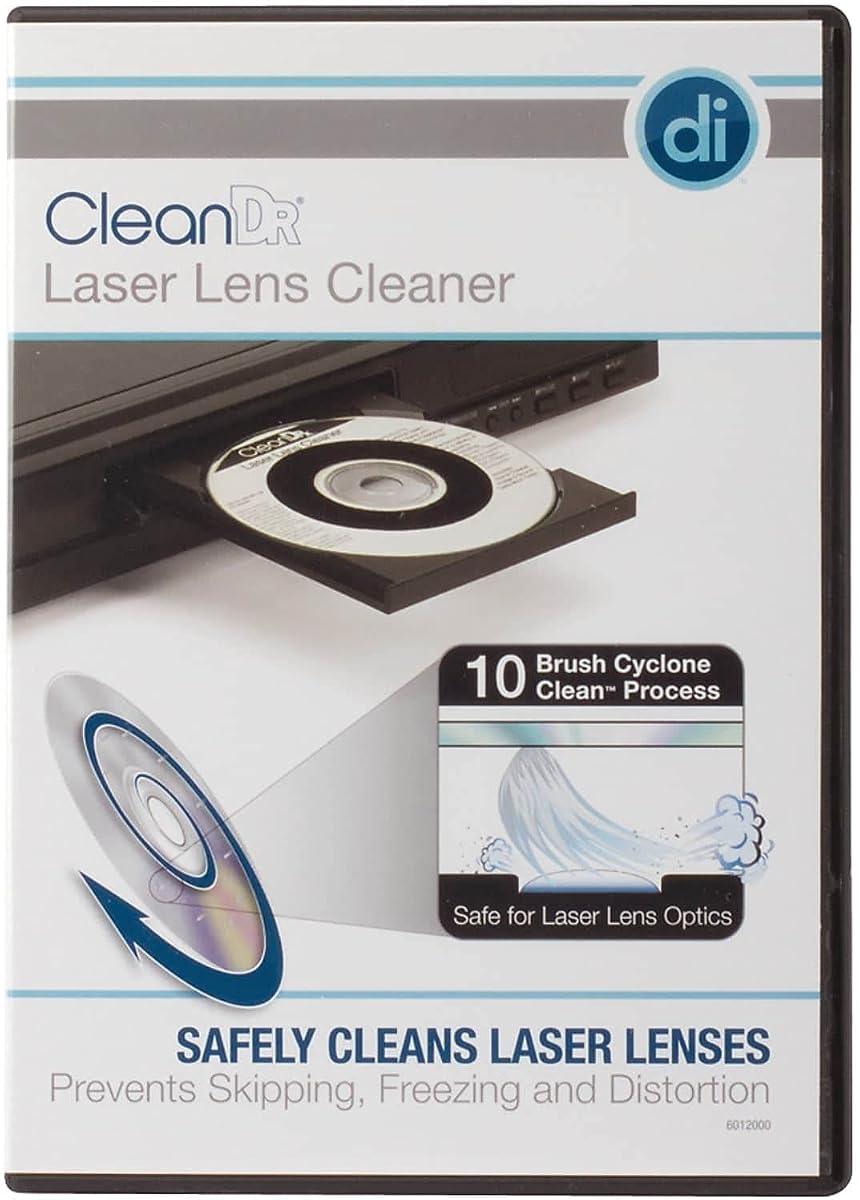
The Digital Innovations CleanDr features a unique ten brush Cyclone Clean Process. This exclusive method removes dust dirt and debris from the laser lens. It optimizes CDs DVDs and game system performance effectively.
We may earn a commission when you buy through this link, at no additional cost to you.
Users report improved sound and image quality after using this cleaner. It safely extends the life of CD and DVD players and computers. The process includes demagnetization for better overall performance.
It is not intended for use with Blu-Ray players or specific gaming systems. This limitation is important to consider before purchase. For supported devices it delivers advanced cleaning capabilities over standard options.
Best for users who need more than basic cleaning to fix issues. The Cyclone process ensures thorough cleaning and demagnetization. Reliable performance makes it a top choice for advanced media care.
Ten brush Cyclone Clean Process removes debris and demagnetizes effectively.
Cleaning the lens extends the life of your optical drive.
We may earn a commission when you buy through this link, at no additional cost to you.
Choosing the right cleaner depends on your specific player type and maintenance needs. Consider the following factors to find a product that fits your requirements.
Check that the cleaner is compatible with your specific player type. Many products work with CD VCD and DVD players but may not support gaming consoles like PS or Xbox. Ensure the product description matches your device to avoid wasted purchases.
Always verify device compatibility before buying to ensure the cleaner will work on your setup.
Different products use different cleaning technologies such as brushes or fluid. Some kits include a cleaning fluid or a cloth for added utility. Consider how much effort you want to spend on maintenance when choosing a process.
Select a process that balances effectiveness with ease of use for your routine.
Look for products with clear instructions and voice guidance if available. A simple insertion and playback process saves time and reduces errors. Kits with guidance often lead to better cleaning outcomes for all users.
Prioritize kits with clear steps or voice guidance for a hassle-free experience.
Check how long the cleaning disc or brushes last before needing replacement. Some products recommend replacement after a certain number of uses. Durable brushes save money over time compared to disposable options.
Choose durable brushes to ensure consistent cleaning without frequent replacements.
Prices vary from budget friendly to premium based on features and accessories. Higher prices may include fluid or cloths for better maintenance. Balance the cost against the benefits and how often you plan to clean.
Compare features to price to find the best value for your budget.
Products from known brands often offer reliable performance and support. Established brands may provide better customer service or longer warranties. Research reviews to see if others have had positive experiences with the brand.
Choose reputable brands to ensure quality and reliable customer support.
Some kits include cloths or fluids that add value to the purchase. Extra accessories help you clean discs or the player itself. Check what is included to ensure the kit meets your needs.
Look for kits with extra accessories like cloths for more complete cleaning.
Reading user reviews helps understand real world performance and issues. Look for comments on effectiveness and ease of use. Feedback from other buyers can highlight pros and cons not listed in the product description.
Read user reviews to understand real performance and potential issues before buying.
Start by inserting the cleaning disc into your player with the graphics facing up as instructed. Ensure the disc is seated properly before starting playback to avoid jamming.
Play the cleaning disc as directed by the product instructions. Some models require device audio to be on while others have voice guidance. Follow the steps carefully to ensure the brushes or fluid contact the lens.
Remove the disc carefully after cleaning and store it in its case. Regular maintenance helps keep your player running smoothly and extends its lifespan.
It is recommended to clean the lens every ten hours of use or if you notice skipping or freezing. Regular maintenance ensures smooth playback and prevents long term damage to the laser lens.
Many CD DVD players do not support gaming consoles like PS or Xbox. Always check the product description for compatibility before using a cleaner on a console.
Lens cleaners are designed to clean the player's internal laser lens while disc wipes clean the media itself. Using both helps maintain overall playback quality and prevent skipping.
When used as instructed most cleaners are safe for optical drives. Avoid using excessive force or incorrect products that could scratch or harm the lens components.
Some products are safe for use with Blu-Ray players while others are not. Check the compatibility notes carefully before purchasing to ensure it supports your device.
Durability varies by product. Some recommend replacement after twenty uses while others last longer. Check the product details for expected lifespan and replacement guidelines.
We have reviewed ten top rated cleaners that vary by price and features. The Endust and Arsvita options offer solid performance for different needs.
Prioritize compatibility and ease of use when selecting a cleaner for your setup. A reliable cleaner extends device life and maintains sound image quality effectively.
Check current prices and reviews before purchasing as they may change over time. The right choice ensures your media players function smoothly for years.