
Dell Latitude 3450 Laptop
4.5Editor score
Intel i3-1315U Processor
16GB DDR5 Memory
14 inch FHD Display
Finding the right business laptop requires balancing performance, portability, and durability. The Dell Latitude line offers robust options for professionals who need reliable machines for daily workloads and remote collaboration.
We evaluated ten current Dell Latitude models based on processor power, memory capacity, display quality, and connectivity options. This list covers the full spectrum from entry-level to high-performance units.
Each pick highlights key strengths and potential trade-offs to guide your decision. Keep in mind that availability and offers can change frequently, so verify current details before purchasing.
4.5Editor score

4.6Editor score

5.0Editor score
As an Amazon Associate we earn from qualifying purchases.
This side-by-side comparison highlights the key specifications and unique attributes of each model to simplify your selection process.




The Dell Latitude 5450 stands out as a top-tier business laptop offering powerful performance and reliability. It boasts an impressive 4.6 rating and is designed for professionals needing robust workflows.
We may earn a commission when you buy through this link, at no additional cost to you.
Its Intel Ultra 7 processor ensures smooth multitasking and rapid application launch. The generous 32GB of DDR5 memory handles demanding business tasks without slowdowns.
While the price is higher than basic models, the performance and durability justify the investment. The battery life is sufficient for typical office days but may drain faster under heavy use.
This laptop is ideal for executives and power users who need consistent speed and reliability. It is a strong recommendation for businesses investing in high-performance tools.
The Intel Ultra 7 processor delivers exceptional speed for complex calculations and data processing tasks.
Constructed to meet high standards, this laptop ensures durability for daily professional use and travel.
We may earn a commission when you buy through this link, at no additional cost to you.
The Dell Latitude 3450 offers excellent value for users seeking a reliable and affordable business laptop. With a strong 4.5 rating, it meets essential productivity needs efficiently.
We may earn a commission when you buy through this link, at no additional cost to you.
Its Intel i3 processor provides adequate performance for everyday tasks like browsing and document editing. The 16GB of DDR5 RAM ensures smooth operation for typical office applications.
The main trade-off is the lower-end processor which limits heavy multitasking or creative work. However, this keeps the price low and makes it accessible for many users.
This model is perfect for students or small business owners needing a dependable machine on a budget. It is highly recommended for those prioritizing portability and cost.
Despite its budget price, this laptop delivers solid performance for standard business applications and web browsing.
The MIL-STD-810H testing ensures it can withstand the rigors of daily commuting and frequent handling.
We may earn a commission when you buy through this link, at no additional cost to you.
The Dell Latitude 5350 Touchscreen receives a perfect 5.0 rating for its premium features and exceptional user experience. It combines powerful specs with interactive display technology.
We may earn a commission when you buy through this link, at no additional cost to you.
Powered by the Intel Ultra 7 processor and 32GB of DDR5 RAM, this model handles demanding tasks with ease. The touchscreen adds versatility for navigation and creative input.
The main drawbacks are the smaller screen size and higher price compared to non-touch models. However, the enhanced usability and performance make it a worthwhile upgrade for many.
This laptop is ideal for professionals who value mobility and touch interaction in their daily workflow. It stands out as a top choice for high-end portable computing.
The FHD touchscreen allows for intuitive navigation and enhances productivity during presentations and design work.
Built-in biometric features and Windows 11 Pro ensure your sensitive business data remains secure.
We may earn a commission when you buy through this link, at no additional cost to you.
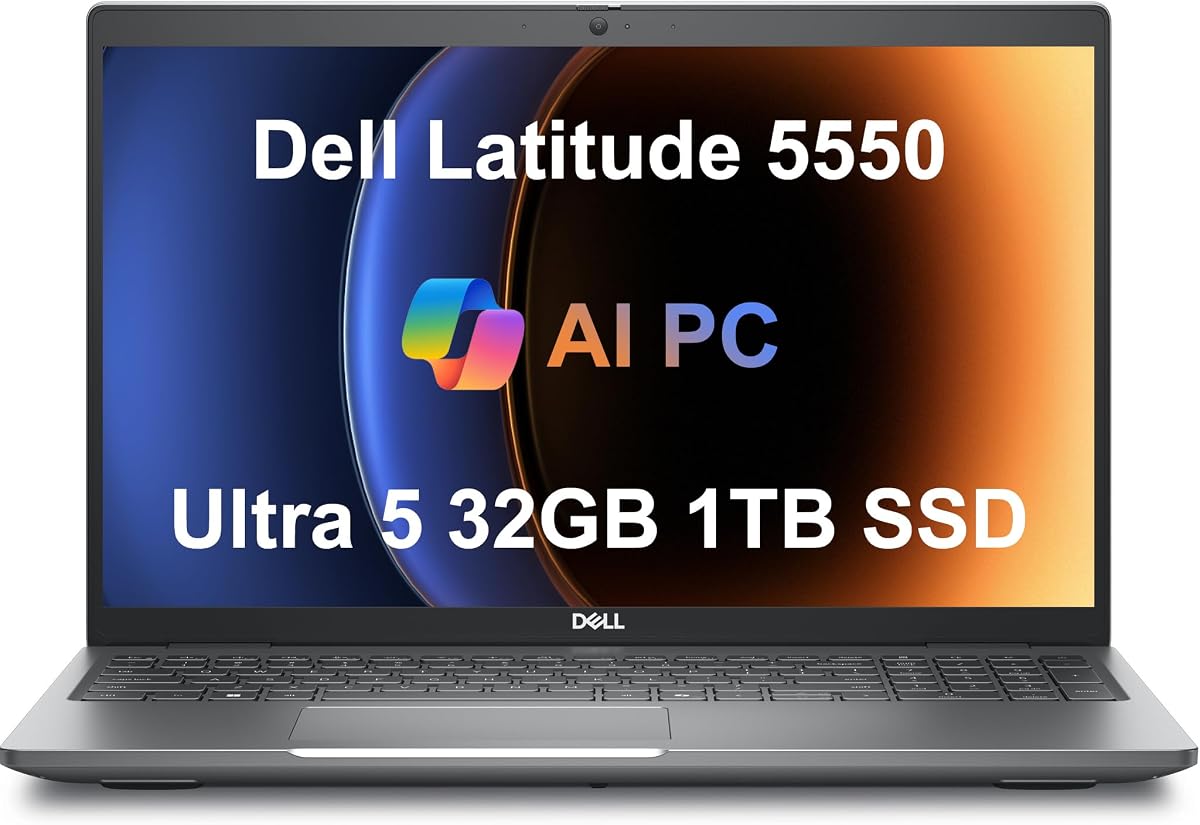
The Dell Latitude 5550 offers a balanced mix of performance and usability at a competitive price point. With a solid 4.3 rating, it is a reliable choice for standard business needs.
We may earn a commission when you buy through this link, at no additional cost to you.
It features an Intel Ultra 5 processor and generous 32GB of DDR5 RAM which supports efficient multitasking. The 1TB SSD ensures quick access to files and applications.
The design is somewhat heavier than ultra-portable models and the display brightness is average for bright environments. These factors are acceptable trade-offs for the screen real estate provided.
This laptop is suited for users who need a larger screen and plenty of storage for documents and media. It is a recommended option for office setups requiring stability.
The 15.6 inch display offers ample room for spreadsheets and multi-window workflows.
With 1TB of storage, you can store large files without needing external drives.
We may earn a commission when you buy through this link, at no additional cost to you.
The Dell Pro 16 PC16250 earns a perfect 5.0 rating for its impressive display and robust feature set. It is designed for professionals who prioritize screen real estate.
We may earn a commission when you buy through this link, at no additional cost to you.
Featuring a 16-inch WUXGA display, it provides crisp visuals and extra space for productivity tasks. The Intel Core 5 processor ensures smooth performance for common applications.
The larger chassis adds weight and may reduce portability compared to smaller models. Additionally, the larger screen consumes more battery power during extended sessions.
This laptop is ideal for desk-based professionals or those who need a wide view for complex projects. It is highly recommended for users who value display quality above all.
The 16-inch display with narrow borders maximizes screen space for efficient workflow management.
Multiple ports including Thunderbolt 4 allow for easy connection to various peripherals and docks.
We may earn a commission when you buy through this link, at no additional cost to you.
The Dell Pro 16 Next Gen is a strong contender for those needing a high-resolution screen for detailed work. It holds a 4.1 rating and features modern connectivity options.
We may earn a commission when you buy through this link, at no additional cost to you.
The 16-inch FHD+ display offers clarity and color accuracy which is beneficial for visual tasks. The Intel i5 processor supports standard office productivity without issues.
Users may notice average battery life under heavy loads and the rating is slightly lower than top models. However, the display quality compensates for these minor drawbacks in many cases.
This model is well-suited for creative professionals or analysts who require screen detail and reliability. It is a good choice for users prioritizing visual fidelity in their work.
The FHD+ resolution provides sharp text and vibrant colors for engaging presentations and documents.
Wi-Fi 6E ensures fast and stable wireless connections for cloud collaboration and remote work.
We may earn a commission when you buy through this link, at no additional cost to you.
The Dell Latitude 5550 AI is designed for forward-thinking professionals who want AI-driven productivity enhancements. It comes with a powerful Ultra 7 processor and modern features.
We may earn a commission when you buy through this link, at no additional cost to you.
The Ultra 7 processor delivers exceptional speed for multitasking and complex calculations. The AI integration supports various workflow improvements and optimization tasks.
It lacks a public rating score which makes validation harder for new buyers. The storage space is limited compared to models with 1TB drives but may suffice for many.
This laptop is best for early adopters looking to leverage AI tools in daily business operations. It is recommended for users who value cutting-edge processor technology.
Built-in AI features help automate routine tasks and improve overall system responsiveness efficiently.
The Intel Ultra 7 chip ensures that demanding applications run smoothly without performance lag.
We may earn a commission when you buy through this link, at no additional cost to you.
The Dell Latitude 5350 is a standout choice for travelers who need a lightweight and efficient machine. It earns an impressive 4.9 rating for its mobility and performance balance.
We may earn a commission when you buy through this link, at no additional cost to you.
Its 13.3-inch frame is easy to carry and the battery life supports long workdays. The Intel Ultra 5 processor ensures quick response times for daily applications.
The main compromise is the smaller screen which can be tight for extended multi-window usage. Port selection is also standard and may require adapters for some peripherals.
This model is ideal for frequent flyers and remote workers who prioritize weight and battery life. It is highly recommended for those who value a truly portable laptop experience.
Weighing in at just under three pounds, this laptop fits easily in small bags for travel.
Optimized battery management ensures you stay productive throughout the day without frequent charging.
We may earn a commission when you buy through this link, at no additional cost to you.
The Dell Latitude 3550 offers a robust feature set with high-end specs at a competitive value. It lacks a public rating but delivers strong core capabilities for users.
We may earn a commission when you buy through this link, at no additional cost to you.
The Intel Ultra 7 processor ensures rapid performance for complex tasks and data processing. With 1TB of storage and 16GB of DDR5 memory, it handles large files effortlessly.
It is slightly heavier than the ultra-portable options and may not suit users prioritizing minimal weight. The rating absence makes it a riskier purchase compared to rated models.
This laptop is a smart choice for power users on a budget who need high specs. It is recommended for office deployments requiring strong processing and storage.
The 12-core processor provides exceptional speed for multitasking and demanding professional applications.
The 1TB SSD offers extensive space for documents, media, and software installations.
We may earn a commission when you buy through this link, at no additional cost to you.
The Dell Latitude 5520 provides a cost-effective solution with high specs through its renewed status. It holds a 4.1 rating and is ideal for budget-conscious professionals.
We may earn a commission when you buy through this link, at no additional cost to you.
Its 32GB of RAM and 1TB of NVMe SSD offer plenty of resources for multitasking and storage. The i7 processor remains capable of handling standard business workflows smoothly.
The display is lower resolution and the CPU is from an older generation which limits peak performance. However, these are acceptable trade-offs for the significant cost savings offered.
This laptop is perfect for users who need high memory and storage without paying premium prices. It is recommended for small teams or students seeking value.
As a renewed product, this model offers substantial savings while maintaining strong core performance.
With 32GB of RAM and 1TB of storage, you can run multiple heavy applications simultaneously.
We may earn a commission when you buy through this link, at no additional cost to you.
Selecting the right Dell Latitude laptop involves assessing your specific workflow needs and budget constraints.
The processor is the engine of your laptop and determines how fast tasks are completed. For modern business needs, Intel Core Ultra or i5/i7 processors are recommended for smooth operation.
Prioritize models with higher core counts and modern architectures for better multitasking capabilities.
RAM affects how many programs you can run simultaneously without slowing down. For professional work, 16GB is a minimum standard while 32GB offers more headroom for heavy loads.
Choose laptops with DDR5 RAM for faster speeds and better energy efficiency in modern devices.
Solid state drives are essential for quick boot times and file access. Look for PCIe NVMe SSDs rather than older SATA types for improved responsiveness and performance.
Ensure you select a capacity that meets your data needs without requiring external drives constantly.
A good display reduces eye strain and improves clarity for documents and media. Aim for at least 1080p resolution and anti-glare coatings for comfortable indoor viewing.
Consider screen size based on your mobility needs; 13 inches for travel and 15 or 16 for stationary work.
Battery endurance is crucial for remote work or long commutes. Look for models rated for at least 8 hours of typical use to ensure uninterrupted productivity.
Check for fast charging features to minimize downtime when access to power is limited.
Modern peripherals require versatile ports such as USB-C Thunderbolt, HDMI, and Ethernet. Ensure the laptop has the specific connectors you need for your setup.
Wireless standards like Wi-Fi 6E and Bluetooth 5.3 offer faster and more stable connections.
A sturdy chassis is important for protecting your investment during travel and daily use. Many Latitude models are tested against MIL-STD standards for resistance to drops and dust.
Look for reinforced hinges and spill-resistant keyboards to extend the device lifespan.
Windows 11 Pro provides enhanced security and management tools for business environments. It includes features like BitLocker encryption and remote desktop support.
Ensure the OS version matches your company policies or personal security requirements.
Proper handling ensures your laptop lasts longer and performs consistently. Always use a clean flat surface when typing and avoid placing heavy objects on the closed lid.
Keep the device away from liquids and direct sunlight to prevent damage to the screen or internal components. Regularly update your drivers and BIOS for optimal security and performance.
Use a protective case when traveling to shield it from bumps. Clean the screen with a soft microfiber cloth to maintain visibility without scratching the surface.
Dell Latitude laptops are designed for business with enhanced security features and durability. Inspiron models are geared towards consumer use and typically have fewer enterprise-grade tools.
Yes, most Dell Latitude models support docking stations via Thunderbolt or USB-C ports. This allows you to connect multiple monitors and peripherals with a single cable.
Absolutely, they are built for hybrid work with strong battery life and reliable connectivity. Features like IR webcams enhance video call quality and security.
Many Dell Latitude models allow user upgrades to RAM and storage. However some newer ultrabooks may have soldered components so check specifications before purchasing.
Standard warranty terms vary by model but typically include one year of hardware support. You can often purchase extended service plans for additional coverage and onsite repairs.
Refurbished units offer cost savings while providing reliable performance. They are inspected and tested to meet quality standards for business use.
We have reviewed ten top Dell Latitude models highlighting their unique strengths for different business needs. The Latitude 5450 stands out as the top pick for overall power and reliability.
When choosing consider what matters most for your work whether it is portability display quality or raw processing power. Ensure the model fits your specific daily workflow requirements.
Always check the current availability and offers before making your purchase to get the best value. Our guide helps you narrow down the options to find the perfect professional tool.