
NetumScan USB 1D Barcode Scanner
4.4Editor score
Wired USB plug and play
Sturdy anti-shock design
Supports ISBN and 1D codes
Find the best barcode scanner for library use with our expert guide comparing wireless, wired, and portable models for efficient inventory and checkout
Libraries rely on efficient tools to manage vast collections of books and resources. A reliable barcode scanner is essential for streamlining checkouts, returns, and inventory tasks without causing delays or errors for patrons.
We evaluated ten top-rated scanners based on connectivity, battery life, durability, and compatibility with library systems. Our analysis highlights models that handle worn ISBN codes and quiet environments effectively.
Each pick includes key specs, pros, cons, and use cases to help you choose. Note that product availability and pricing may vary, so verify details before purchasing to ensure the best fit for your needs.
4.4Editor score

4.4Editor score

4.3Editor score
This side-by-side comparison highlights the key differences between the top ten scanners, focusing on connection types, battery capacity, and specific features relevant to library environments.




The NETUM Bluetooth Barcode Scanner stands out as a top choice for library workflows due to its versatile connectivity and robust battery life. It supports Bluetooth, 2.4G wireless, and wired modes, ensuring compatibility with various library management systems. Its 2600mAh battery allows for continuous scanning over long shifts without interruption.
We may earn a commission when you buy through this link, at no additional cost to you.
A key strength is its high-resolution CCD sensor, which excels at reading worn, damaged, or tightly spaced ISBN codes often found on library books. The scanner also offers a mute option for the buzzer, maintaining a quiet environment for patrons. Additionally, its offline storage mode lets you save up to 100,000 barcodes when out of range.
While powerful, it requires scanning a specific setting barcode from the manual for initial configuration, which might be confusing at first. It also explicitly does not work with certain POS systems like Square, so verify your library's software. However, these are minor trade-offs given its performance and reliability for inventory tasks.
This scanner is ideal for libraries needing a dependable, long-lasting tool that handles diverse barcode conditions. Its blend of wireless freedom and stable wired options makes it a versatile pick. For most library settings, the NETUM offers the best balance of features and endurance.
The configurable buzzer allows staff to mute sounds, ensuring scans do not disturb readers in quiet study areas.
Storage mode saves up to 100,000 scans, useful for inventory in areas with weak wireless signals.
We may earn a commission when you buy through this link, at no additional cost to you.
The NetumScan USB 1D Barcode Scanner offers an excellent entry point for libraries on a tight budget. Its wired USB connection ensures a stable link without battery concerns, making it perfect for fixed checkout desks. The CCD sensor quickly captures 1D codes from paper or screens, handling even fuzzy or damaged barcodes with accuracy.
We may earn a commission when you buy through this link, at no additional cost to you.
Durability is a highlight, with an ergonomic design built to withstand drops from up to 2 meters. This resilience makes it suitable for busy library environments where equipment might be handled frequently. The plug-and-play setup means you can connect it to a computer and start scanning immediately without drivers.
Since it is wired, mobility is restricted to the length of the cable, which may limit use in large shelving areas. Users have reported that the auto-sensing mode sometimes requires a reset to activate properly. Despite these minor issues, its reliability and cost-effectiveness make it a smart choice for stationary scanning.
Libraries seeking a no-fuss, economical solution for daily checkouts should consider this model. It balances performance with affordability, delivering consistent results for ISBN and standard retail codes. For fixed stations, it eliminates the need for battery management or wireless pairing.
No drivers or software are needed, allowing quick setup for temporary or backup workstations.
The ABS construction supports repeated drops, reducing replacement costs in high-traffic areas.
We may earn a commission when you buy through this link, at no additional cost to you.
The Tera HW0009 brings a premium touch with its built-in screen, allowing staff to customize settings like language, volume, and connection types directly on the device. This visual feedback simplifies configuration compared to scanning manual barcodes. It also supports both 1D and 2D QR codes, expanding its utility for digital library resources.
We may earn a commission when you buy through this link, at no additional cost to you.
Included with the scanner is a charging cradle that houses the 2.4G receiver, removing the need for a separate dongle. This streamlined design reduces clutter and potential loss of components. The 2500mAh battery ensures all-day operation, ideal for libraries with extended hours or multiple shift changes.
While the screen adds convenience, it also adds weight and cost, which might be excessive for basic checkout tasks. The advanced features shine when managing complex codes or needing quick adjustments without a manual. It is a step up in sophistication for libraries ready to invest in better tools.
For modern libraries handling diverse materials, this scanner offers the flexibility and control needed. The cradle and screen make it user-friendly for staff training and daily use. It represents the best premium choice for those prioritizing usability and advanced capabilities.
The screen lets you adjust settings without referencing external manuals, saving time during setup.
The cradle stores the wireless receiver, keeping your desk organized and reducing hardware losses.
We may earn a commission when you buy through this link, at no additional cost to you.
Weighing just 35 grams, the Eyoyo Mini is designed for portability, making it easy for library staff to carry during shelf scanning or inventory audits. Its vibration mode provides silent feedback, which is crucial in quiet zones where audio beeps would be disruptive. The device supports Bluetooth, 2.4G wireless, and USB connections for flexibility.
We may earn a commission when you buy through this link, at no additional cost to you.
The compact size means it fits comfortably in a pocket or small bag, reducing hand fatigue during long sessions. While the battery life is shorter than larger models, its auto-off feature extends standby time up to 10 days. This is sufficient for daily tasks without constant charging.
Its limitation to 1D codes means it cannot scan QR codes, which might be a downside if libraries use them for digital links. The battery also requires more frequent charging compared to high-capacity units. However, for mobility-focused tasks, its lightweight design is unmatched.
Libraries needing a handheld tool for frequent movement should consider this mini scanner. It excels in situations where convenience and silence are prioritized over heavy-duty features. For quick checks, it offers a simple, effective solution.
Vibration feedback ensures scans are confirmed without sound, perfect for study halls.
At 35 grams, it minimizes strain on hands during extended inventory rounds.
We may earn a commission when you buy through this link, at no additional cost to you.
The Tera 5100 Purple stands out with its unique battery indicator light, which prevents unexpected shutdowns by showing remaining power clearly. This feature is particularly useful during long inventory sessions where battery anxiety can disrupt workflow. The IP54 dust protection ensures durability in dusty library environments, while the curved handle offers a comfortable grip.
We may earn a commission when you buy through this link, at no additional cost to you.
Its wireless transmission reaches up to 328 feet in open areas, allowing staff to move freely throughout large collections without signal loss. The scanner handles various 1D formats, including ISBN, and can read damaged or smudged barcodes reliably. The anti-shock silicone cover adds an extra layer of protection against drops.
While the battery indicator is a major plus, it lacks an offline storage mode for data collection away from the receiver. Also, it is restricted to 1D codes, which may limit use for QR-based resources. Nevertheless, its reliability and user-friendly design make it a strong contender.
For libraries that value consistent performance and clear status updates, this model is an excellent choice. It reduces the risk of downtime due to low battery and offers comfort during extended use. It is a practical tool for daily operations.
The indicator light shows power levels, helping staff avoid unexpected interruptions during shifts.
The extended curved handle reduces hand strain, making it suitable for prolonged scanning tasks.
We may earn a commission when you buy through this link, at no additional cost to you.
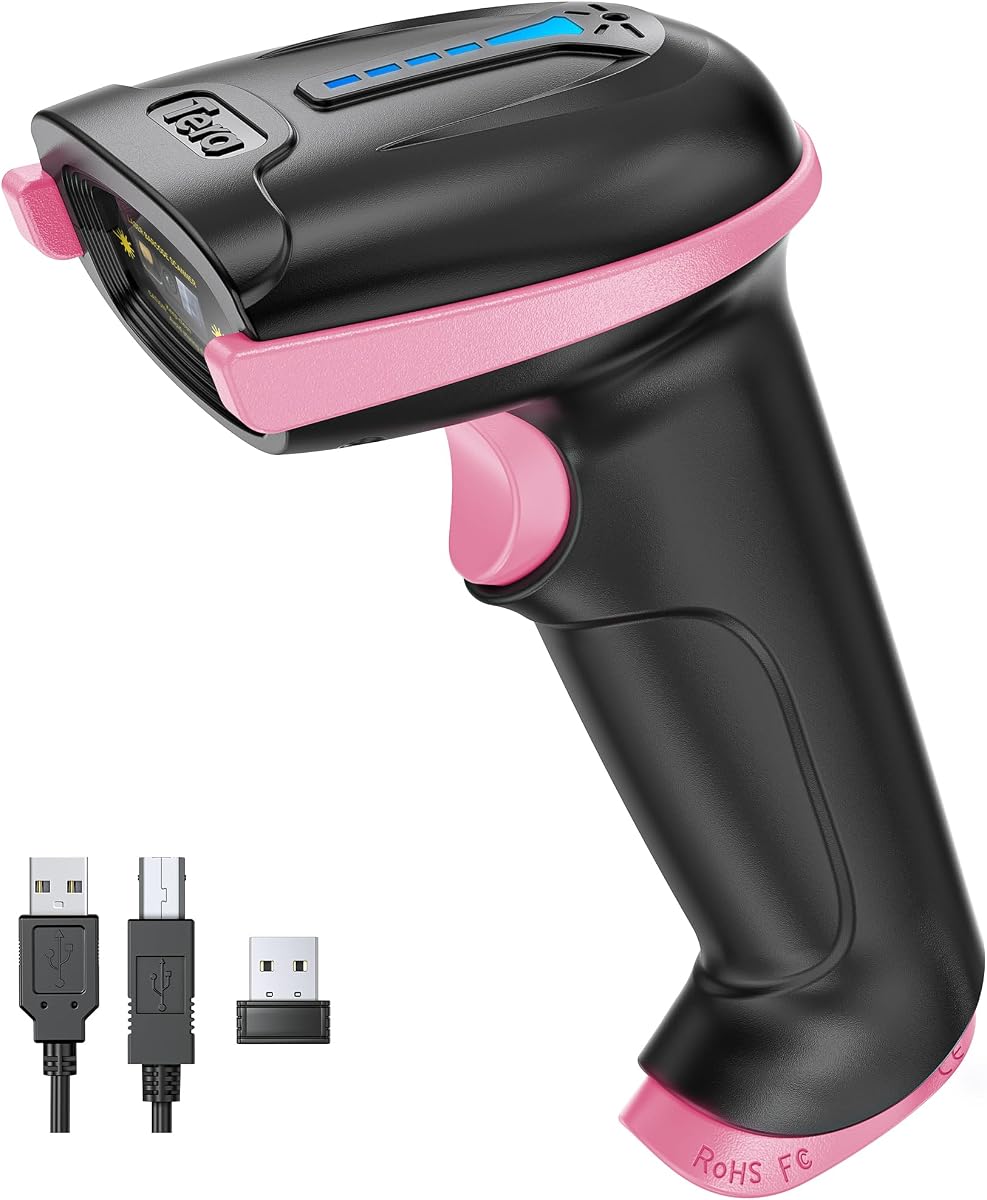
The Tera 5100 Pink offers the same reliable features as its purple counterpart but in a distinctive color that can help differentiate it in shared workspaces. Like other models in this line, it includes a battery indicator light to manage power effectively. Its IP54 rating and anti-shock cover ensure it withstands the rigors of daily use.
We may earn a commission when you buy through this link, at no additional cost to you.
Staff may appreciate the unique aesthetic, which can make equipment easier to spot in crowded rooms. The wireless range and ergonomic design remain consistent, providing freedom of movement and comfort. It reads standard 1D codes well, making it suitable for typical library book tracking.
The primary difference is the color, which does not affect functionality but may appeal to organizational preferences. As with the purple version, it lacks offline storage for disconnected data collection. However, for visual identification, it offers a practical benefit.
Libraries looking for easy equipment identification will find this model helpful. It combines style with utility, ensuring that key tools are not easily misplaced. For teams wanting to streamline equipment tracking, the color coding is a smart touch.
The unique color helps staff quickly locate the scanner in shared workspaces or drawers.
It maintains the same features as the purple version, ensuring reliable operation without compromise.
We may earn a commission when you buy through this link, at no additional cost to you.
The WoneNice USB Laser Scanner uses traditional laser technology, which is highly effective for reading clean, printed 1D codes quickly. Its speed of 200 scans per second makes it ideal for high-volume checkout stations where efficiency is critical. The 6-foot cable provides ample reach for staff seated at a desk.
We may earn a commission when you buy through this link, at no additional cost to you.
Laser scanners are known for their precision on paper labels, though they may struggle with reflective or screen-based codes. It supports a wide range of formats, including ISBN, and allows for beeper on/off customization. The compact size ensures it does not take up much space on a crowded desk.
Its wired nature means it cannot be used for roaming inventory, but for fixed stations, it offers consistent performance. Libraries that primarily check out physical books will find it reliable and straightforward. The lack of wireless limits flexibility but adds stability.
For dedicated checkout counters, this scanner delivers fast, accurate results without battery concerns. Its simple setup and speed make it a good choice for libraries focusing on throughput. It remains a solid option for traditional scanning tasks.
The laser technology supports rapid scanning, reducing wait times for patrons during busy periods.
The compact form factor fits easily on desks, preserving valuable workspace for other items.
We may earn a commission when you buy through this link, at no additional cost to you.
The Symcode Wireless Scanner features a network mode allowing multiple scanners to connect to a single receiver, which is useful for teams working simultaneously. It offers a large 2000mAh battery with long standby time, ensuring readiness for extended use. The offline storage can hold up to 100,000 barcodes for later upload.
We may earn a commission when you buy through this link, at no additional cost to you.
With both wireless and wired options, it adapts to different needs. Whether staff are roaming or stationary, the scanner provides flexibility. Its automatic pairing simplifies setup, avoiding the need for software installation. This is beneficial for IT teams looking for plug-and-play solutions.
While excellent for networked setups, it does not support certain POS systems, so compatibility checks are necessary. The laser technology works best on paper and may not handle screens. However, its multi-device support makes it unique for collaborative scanning.
Libraries with multiple staff members handling inventory can leverage its network mode to streamline tasks. It balances connectivity and storage effectively. For larger operations, it offers a scalable solution.
Multiple scanners can transmit to one receiver, enhancing productivity in large-scale inventory checks.
Store up to 100,000 codes locally when out of range, syncing later when back in connection.
We may earn a commission when you buy through this link, at no additional cost to you.
The Eyoyo Mini in Pink is marketed as a thoughtful gift option but works equally well for library staff who prefer stylish tools. It shares the lightweight, portable design of the standard mini, making it easy to carry during rounds. The 650mAh battery ensures several hours of use, and auto-off helps conserve power.
We may earn a commission when you buy through this link, at no additional cost to you.
Its versatility comes from supporting Bluetooth, 2.4G wireless, and USB connections. This allows flexibility across different devices, from laptops to tablets. The scanner handles common 1D codes well, including ISBN, though it does not support QR codes. The design makes it stand out in a drawer.
While it lacks the heavy-duty battery of larger models, its compactness is a trade-off for convenience. It is a good fit for part-time staff or auxiliary tasks. The aesthetic adds a touch of personalization to a typically utilitarian tool.
For libraries wanting a functional yet appealing device, this model is a strong candidate. It balances practicality with design, making it a welcome addition to a team. It is particularly useful for quick scans or mobile duties.
The pink color provides a unique look, which can be motivating for staff or suitable for gifts.
Supporting three connection types ensures compatibility with most library hardware setups.
We may earn a commission when you buy through this link, at no additional cost to you.
The Anyeast USB Scanner includes an adjustable stand, enabling hands-free auto-sensing scanning. This feature is valuable for staff who need to handle books or documents while scanning. It also supports both 1D and 2D codes, expanding its use beyond traditional barcodes to QR formats.
We may earn a commission when you buy through this link, at no additional cost to you.
The CMOS sensor ensures accurate reading on various surfaces, including paper and screens. With three scanning modes, users can switch between manual, auto-sensing, and continuous. The stand adds versatility for fixed stations where staff can place items rather than holding them.
Being wired limits mobility, but the hands-free aspect compensates for checkout scenarios. It requires a clear area for the stand, which might not fit all desks. However, the added functionality makes it a practical choice for libraries embracing modern codes.
For operations needing both manual and hands-free scanning, this model is a solid pick. It simplifies tasks by removing the need to trigger scans constantly. Its dual-code support future-proofs it for digital resources.
The stand allows scanning while hands are occupied, improving efficiency in multitasking environments.
Beyond 1D, it reads QR codes, enabling access to digital links or enhanced metadata.
We may earn a commission when you buy through this link, at no additional cost to you.
Selecting the right barcode scanner for a library involves considering connectivity, durability, battery life, and software compatibility to ensure efficient operations.
Library environments often require flexibility between wireless and wired connections. Bluetooth and 2.4G wireless offer mobility for staff moving between shelves, while wired USB ensures stable, uninterrupted operation for fixed checkout desks. Evaluate whether your workflow prioritizes movement or stability to choose the right mix.
For libraries with frequent inventory rounds, wireless is essential. For high-volume checkouts, wired models reduce battery concerns. Some devices offer both, providing the best of both worlds.
Continuous scanning demands a robust battery capacity. Models with 2000mAh or higher allow full shifts without charging, whereas smaller units like 650mAh require more frequent top-ups. Consider how often your staff will be away from charging stations and if the device has an auto-off feature to preserve power.
Look for battery indicators to prevent unexpected shutdowns. Devices with charging cradles simplify daily charging routines and ensure readiness for the next shift.
CCD, laser, and CMOS sensors differ in how they read codes. CCD scanners are excellent for damaged or reflective codes common on older library books. Laser scanners offer speed on clear paper labels but struggle with screens. CMOS supports both 1D and 2D codes, useful if your library uses QR codes for digital links.
Assess the condition of your materials. If many books have worn ISBN barcodes, a CCD or CMOS sensor will provide more reliable reads than a standard laser.
Ensure the scanner works with your library management system. Many models are designed to mimic keyboard input, working with most Windows or Mac systems. However, some specific POS software may not be supported, so check compatibility lists before buying.
Most devices are plug-and-play, requiring no driver installation. This reduces IT workload and speeds up deployment for staff who may not be tech-savvy.
Library equipment can be subject to drops or spills. Look for scanners with anti-shock protection, rubberized covers, or IP ratings for dust and moisture. Ergonomic designs reduce hand fatigue during long periods of scanning.
A sturdy build ensures longevity, saving money on replacements. Consider models with extended handles or comfortable grips if your staff scans for hours at a time.
Quiet operation is vital in libraries where patrons study or read. Scanners with muteable buzzers or vibration modes allow staff to confirm scans without disturbing the room. Some models even allow customizing the sound or turning it off entirely.
If your library prioritizes a silent environment, prioritize models with audio customization features. Vibration feedback is often the best option for noise-sensitive areas.
For inventory tasks where staff might go out of wireless range, offline storage is useful. Devices that can hold up to 100,000 barcodes locally ensure no data is lost during disconnected periods. This feature is critical for large buildings with dead zones.
Once back in range, the data uploads automatically. This capability minimizes the risk of incomplete records and ensures accurate inventory tracking.
Some scanners require scanning specific setup barcodes to enable features like prefixes or connection modes. Others offer visual screens for direct configuration. Simpler setups reduce training time and errors.
Look for models with clear manuals or digital screens to adjust settings. The less time spent on configuration, the more time staff can spend serving patrons effectively.
To begin, connect your scanner to the library computer via USB, Bluetooth, or the 2.4G receiver. Follow the pairing instructions in the manual, which often involve scanning a specific configuration barcode. Ensure your system recognizes the device as an input source like a keyboard.
During use, hold the scanner at the recommended distance from the barcode and trigger the scan. For continuous scanning tasks, enable auto-sensing mode if available to reduce trigger fatigue. Keep the scanning window clean by wiping it regularly with a soft, lint-free cloth to maintain accuracy.
After shifts, store the device in a dry, safe place. If using a wireless model, charge it fully before storing, or place it in a charging cradle. Avoid exposing the scanner to extreme temperatures or liquids, and check the battery indicator periodically to prevent unexpected power loss during work.
Most models listed support 1D codes like ISBN and UPC. However, some advanced options like the Tera HW0009 and Anyeast Scanner support 2D QR codes. Check the specs before purchasing if your library uses QR codes for digital resources.
Yes, most scanners work with Mac OS as they mimic keyboard input. Ensure you connect via USB or Bluetooth and follow pairing steps. Some may require settings adjustments to function correctly on macOS.
Models with muteable buzzers or vibration modes, like the NETUM or Eyoyo Mini, are best. You can disable the audio beep entirely to maintain a quiet study environment for patrons.
Battery life varies. Larger units with 2500mAh+ last up to 200,000 scans or a month of standby. Smaller portable ones last around 8 hours per charge. Always check the capacity before buying.
Yes, scanners can read barcodes from screens as well as paper, depending on the sensor type. CCD and CMOS models are better for screen scanning than laser ones, so verify this if needed.
No, most are plug-and-play and work with standard applications without drivers. They function as keyboard inputs, making setup quick and easy for any computer system.
Check if you are within wireless range. If out of range, some models store data offline until you reconnect. Re-pair Bluetooth devices or replace batteries if connection issues persist.
CCD sensors, found in models like NETUM or NetumScan, are superior for reading worn or smudged codes. They capture images rather than relying on a laser beam, handling poor conditions better.
The NETUM Bluetooth Scanner leads as the top pick with its balance of connectivity, battery life, and quiet operation. It suits most library environments, offering reliability for both checkouts and inventory. Its offline storage and versatile modes make it a dependable daily tool.
For those on a budget, the NetumScan USB model provides essential features at a lower cost. If you need advanced 2D support and visual settings, the Tera HW0009 is the premium choice. Consider your specific needs, such as mobility or speed, when making the final decision.
Remember that prices and availability can change frequently, so review the latest product details before purchasing. Verifying compatibility with your current systems will ensure smooth integration into your existing library workflows. Choose the model that aligns best with your staff's workflow and patrons' needs.