
LONELY BINARY Logic Analyzer Kit
4.2Editor score
8 Channel 24MHz Sampling
Includes Breakout Boards
USB-A and Type-C Support
This guide compares the top 10 logic analyzers for electronics projects, evaluating channel count, sampling rate, and software compatibility to help you choose
Finding the right logic analyzer for electronics projects can be daunting with so many options available. You need a tool that captures digital signals accurately while supporting the protocols you use most often in your designs.
We compared ten top-rated analyzers based on channel count, sampling speed, and software features. Our list includes budget-friendly kits and professional-grade units suitable for hobbyists and engineers alike.
Each pick highlights key specifications and real-world usability. Prices and availability change frequently so check the latest offers before buying. This guide ensures you invest in a device that meets your specific debugging needs.
4.2Editor score

4.5Editor score
4.8Editor score
The following table provides a side-by-side comparison of all ten analyzers. It highlights essential specifications like channel count, sampling speed, and memory depth to help you decide quickly.


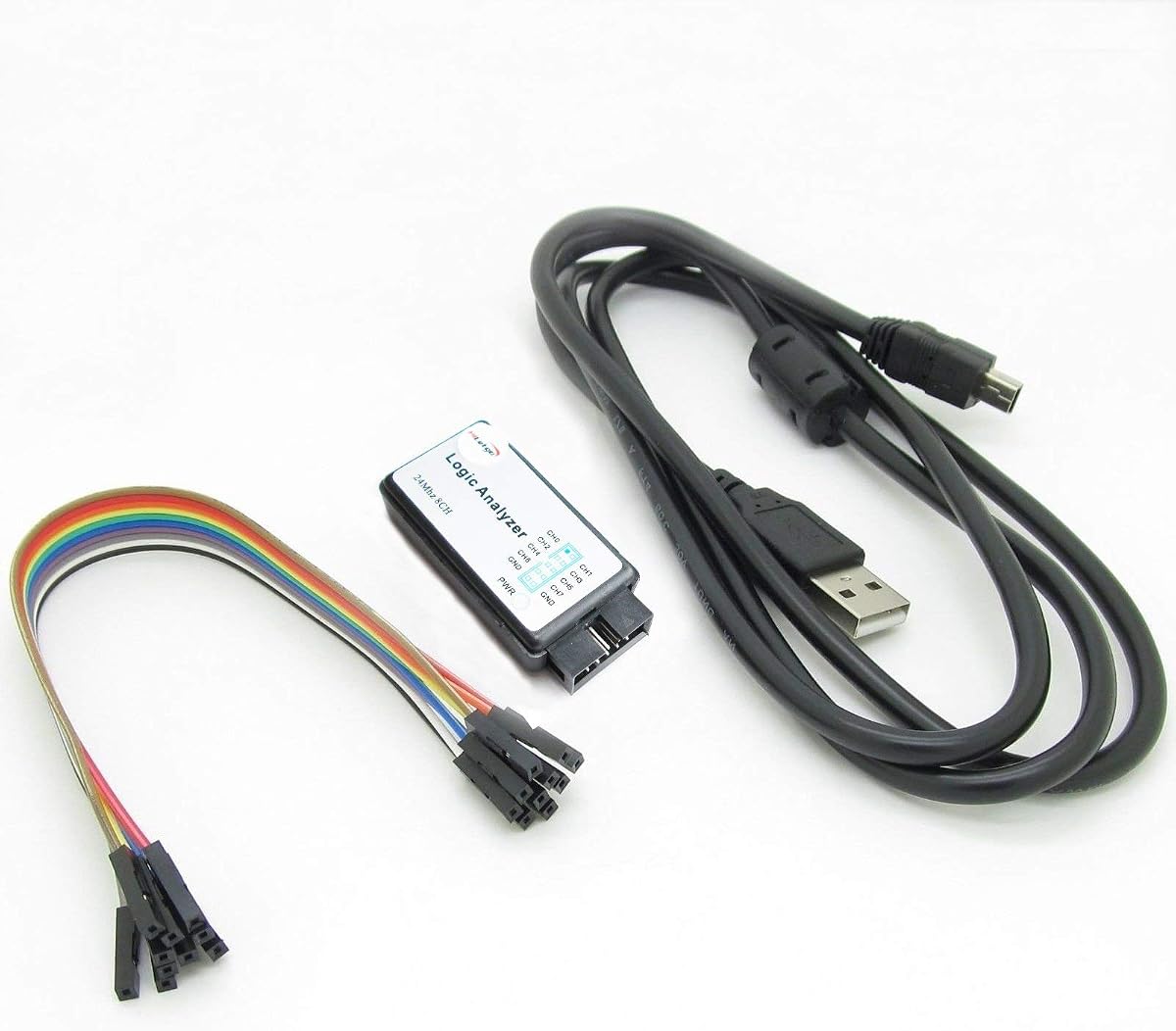


The LONELY BINARY Logic Analyzer Kit offers an accessible entry point for hobbyists needing reliable digital signal analysis. With a rating of 4.2 stars it stands out for its completeness and ease of setup.
We may earn a commission when you buy through this link, at no additional cost to you.
Its 8-channel design supports up to 24MHz sampling which handles common protocols like I2C and SPI effectively. The included breakout boards and breadboard adapters simplify connections significantly reducing wiring time.
While the sampling rate is lower than professional units it suffices for most student and hobby projects. The dual USB connectivity ensures compatibility with both legacy and modern computers.
Buy this if you need a ready-to-use kit without extra costs. It balances functionality and affordability making it ideal for those starting their electronics debugging journey.
The kit includes test clips alligator clips and jumper wires so you start debugging immediately without buying extra parts.
Support for both USB-A and Type-C ensures the device works with older PCs and newer laptops seamlessly.
We may earn a commission when you buy through this link, at no additional cost to you.
The LA1010 USB Logic Analyzer delivers professional-grade performance at a mid-range price. Its 4.5-star rating reflects strong reliability and feature depth for embedded system developers.
We may earn a commission when you buy through this link, at no additional cost to you.
With 16 channels and 100MHz sampling it captures complex digital waveforms with precision. The KingstVIS software decodes over 30 protocols making it easy to extract human-readable data from signals.
Some users may find the interface less polished than premium options but functionality remains robust. It supports Windows macOS and Linux automatically installing drivers to streamline setup.
Choose this unit if you need more channels and speed than budget models offer. It excels in embedded development and long-term signal monitoring tasks.
Decodes standards like I2C SPI UART and CAN to simplify troubleshooting communication issues across various hardware.
Simultaneously captures 16 digital signals and displays clear waveforms instantly on your PC screen for analysis.
We may earn a commission when you buy through this link, at no additional cost to you.
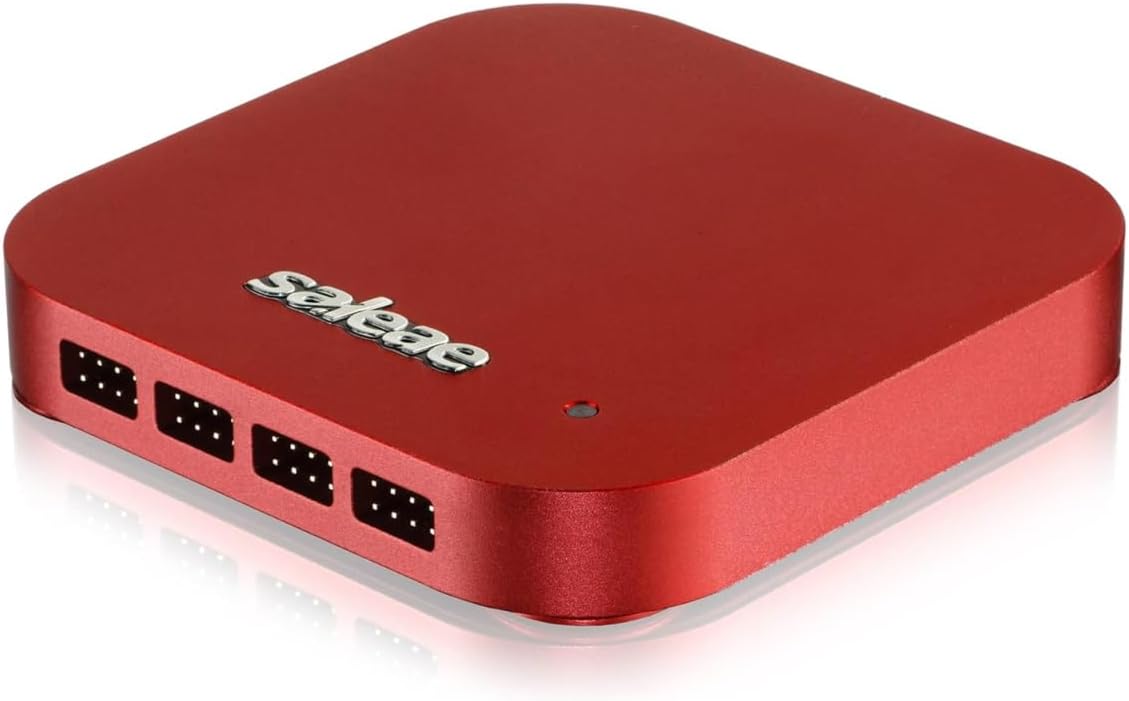
The Saleae Logic Pro 16 represents the pinnacle of logic analysis for serious engineers. With a 4.8-star rating it sets the standard for software quality and signal fidelity.
We may earn a commission when you buy through this link, at no additional cost to you.
Its 500 MS/s digital sample rate and 10 billion sample depth capture high-speed protocols flawlessly. The hybrid analog and digital inputs add versatility for mixed-signal debugging tasks.
The price is substantial but justified by time saved and reliability. The software runs smoothly across Mac Windows and Linux with intuitive controls and extensive documentation.
Buy this for professional projects where accuracy and speed are critical. It is an investment that pays off through reduced debugging time and superior results.
The software decodes 23+ protocols and uses PC memory to store billions of samples for detailed analysis.
Combined digital and analog inputs allow simultaneous observation of logic levels and analog waveforms.
We may earn a commission when you buy through this link, at no additional cost to you.
The Saleae Logic Pro 8 condenses premium features into a smaller footprint. Its 4.8 rating confirms consistent quality and user satisfaction among field engineers.
We may earn a commission when you buy through this link, at no additional cost to you.
Like its 16-channel sibling it offers 500 MS/s sampling and massive buffer depths. The 8-channel configuration suffices for most embedded systems while maintaining ultra-portability.
The software experience remains top-tier with easy protocol decoding and visualization. It works seamlessly on all major operating systems without complex configuration steps.
This unit suits professionals needing high performance in a pocket-friendly device. Choose it when you prioritize speed and software quality over maximum channel count.
Compact design saves desk space and fits easily into toolkits for on-site debugging sessions.
Analyzes complex timing and signal integrity issues with precision comparable to much larger bench equipment.
We may earn a commission when you buy through this link, at no additional cost to you.
This 24MHz logic analyzer offers compatibility with popular software at a minimal cost. With a 4.5-star rating users appreciate its straightforward approach to digital signal viewing.
We may earn a commission when you buy through this link, at no additional cost to you.
It features 8 channels and supports Saleae Logic and PulseView software. This compatibility means you get powerful protocol decoding without needing proprietary drivers or tools.
Build quality is basic compared to branded units but sufficient for hobby projects. The voltage threshold settings are clear helping you distinguish high and low states effectively.
Buy this if you already use open-source tools and need a budget backup. It provides excellent value for entry-level debugging tasks without financial risk.
Designed to work with Saleae Logic and PulseView so existing users avoid learning new software.
Accepts inputs from 0V to 5.5V making it compatible with 3.3V and 5V logic systems.
We may earn a commission when you buy through this link, at no additional cost to you.
The DSLogic Plus provides high-speed capture capabilities typically found in expensive analyzers. Its 4.6-star rating highlights strong performance in professional and advanced hobbyist settings.
We may earn a commission when you buy through this link, at no additional cost to you.
It offers 16 channels and up to 400MHz sampling in buffer mode. The dual-mode design allows long stream captures or deep buffer analysis depending on your needs.
The DSView software is open source and supports nearly 100 protocol decoders. While setup can be slightly complex the flexibility and features are compelling.
Choose this when you need high sample rates without breaking the bank. It bridges the gap between entry-level tools and premium analyzers effectively.
Switch between stream mode for long captures and buffer mode for high-speed analysis easily.
Software is available on GitHub allowing custom modifications and community contributions.
We may earn a commission when you buy through this link, at no additional cost to you.
The HiLetgo USB Logic is one of the most affordable options available. With a 4.5 rating it remains popular for quick checks and educational use.
We may earn a commission when you buy through this link, at no additional cost to you.
It features 8 channels with 24MHz sampling and includes an EMI ferrite ring on the cable. This helps reduce noise interference during signal capture on crowded breadboards.
While limited to basic protocols it works well for UART SPI and I2C debugging. It is a practical spare tool for labs where multiple units are needed.
Buy this as a secondary analyzer or for simple tasks. Its low cost and small size make it easy to integrate into any workbench.
The EMI ferrite ring on the cable minimizes external interference during signal capture.
Small form factor saves desk space and fits easily in any project drawer.
We may earn a commission when you buy through this link, at no additional cost to you.
The Saleae Logic 8 brings professional software to a lower price tier. It holds a 4.5 rating for delivering a polished user experience and solid hardware performance.
We may earn a commission when you buy through this link, at no additional cost to you.
It captures 10 billion samples using PC memory and supports 23+ protocols. While the sample rate is lower than the Pro version it is still robust for many digital designs.
The USB 2.0 connection ensures compatibility with older systems. It is a reliable choice for engineers transitioning from hobby gear to professional tools.
Choose this if you value software quality over raw speed. It is perfect for teams needing consistent results across multiple machines.
Uses your computer's RAM to store samples allowing for longer capture times.
Built-in decoders for SPI I2C and other common standards simplify analysis.
We may earn a commission when you buy through this link, at no additional cost to you.
This DSLogic Plus variant offers impressive depth for troubleshooting intermittent glitches. With a 4.7 rating it stands out for long-duration monitoring and high-resolution captures.
We may earn a commission when you buy through this link, at no additional cost to you.
It supports up to 16G sample depth in stream mode and 400MHz in buffer mode. This allows capturing brief anomalies that standard units might miss entirely.
The software is open-source and supports nearly 100 decoders. While it requires some setup the flexibility and performance justify the effort for advanced users.
Buy this if you need to catch rare signal glitches. Its combination of speed and depth makes it a powerful tool for complex electronics.
Stream mode captures data for hours allowing extended monitoring of infrequent events.
Adjust thresholds in 0.1 steps to fine-tune signal detection accuracy.
We may earn a commission when you buy through this link, at no additional cost to you.
The Analog Discovery 3 is more than a logic analyzer. With a 4.5 rating it is celebrated as a complete portable bench instrument for mixed-signal work.
We may earn a commission when you buy through this link, at no additional cost to you.
It includes an oscilloscope waveform generator logic analyzer and power supplies. The logic analyzer captures 16 channels at 125 MS/s supporting standard protocol decoding.
Its software suite offers spectrum analysis impedance testing and scripting. This versatility reduces the need for multiple separate instruments on your workbench.
Buy this for comprehensive lab capabilities in a USB-sized device. It is ideal for prototyping and testing complex systems needing multiple measurements.
Includes scope generator and power supply to replace multiple bench tools.
Provides spectrum network and impedance analysis for deep circuit characterization.
We may earn a commission when you buy through this link, at no additional cost to you.
Selecting the right analyzer requires matching specs to your project needs. This section outlines the key factors to consider before purchasing.
Most projects need at least 8 channels for standard microcontrollers but complex systems may require 16 or more. Ensure the device has enough inputs for all signals you need to monitor simultaneously without multiplexing.
Choose 8 channels for simple tasks but opt for 16 to future-proof your setup.
Higher sampling rates capture faster digital signals accurately. Budget models often offer 24MHz which is enough for UART and SPI but high-speed buses need 100MHz or higher.
Prioritize higher MHz ratings for high-frequency signals to avoid missed edges.
Memory depth determines how much data the analyzer can capture at full speed. Larger buffers allow longer captures at high sample rates which is crucial for spotting intermittent glitches.
Look for devices with deep memory buffers to ensure continuous data capture.
Software quality can make or break the user experience. Check if the analyzer supports your operating system and offers built-in protocol decoders to automate data analysis.
Select units with intuitive software and cross-platform support for efficiency.
Protocol decoding transforms raw signals into readable text. Ensure the device supports the protocols you use like I2C SPI UART or CAN to speed up your debugging workflow.
Verify support for your specific protocols to save time during development.
USB connectivity varies between versions like 2.0 and 3.0. Faster USB versions allow quicker data transfer and longer buffer capabilities without overloading the bus.
Ensure the USB interface matches your computer's ports for stable data transfer.
Portability matters if you work at multiple sites or need to carry the unit. Compact designs with sturdy cases protect the device during transport and save desk space.
Consider a compact form factor if you move your tools frequently.
Balance your financial constraints with performance requirements. Entry-level models are affordable but may lack features like analog inputs or deep memory that pros need.
Set a budget that covers essential features without overpaying for unused capabilities.
Start by connecting the analyzer to your computer and installing the provided drivers. Ensure the device is recognized by the software before proceeding to setup your connections.
Attach test clips to the target circuit ensuring correct voltage levels to avoid damage. Ground the device properly to prevent signal noise and ensure accurate measurements.
Store the analyzer in a cool dry place and wrap cables neatly to prevent damage. Regularly update software to access new features and decoders for better performance.
A logic analyzer captures and displays digital signals over time allowing engineers to debug timing and protocol issues. It helps visualize how different parts of a digital circuit communicate with each other.
An oscilloscope measures analog signals whereas a logic analyzer focuses on digital data. If your projects involve microcontrollers or digital protocols a logic analyzer is essential for clear signal analysis.
Most hobbyist projects require 8 channels to monitor common buses like SPI or I2C. Professionals working on complex systems often prefer 16 channels for simultaneous multi-signal monitoring.
Basic analyzers handle only digital signals but advanced models offer hybrid inputs. Check the specs if you need to measure mixed-signal systems with both logic and analog components.
Many modern analyzers support macOS alongside Windows and Linux. Always verify software compatibility before buying to ensure the device runs smoothly on your computer.
Most come with proprietary software but some support open-source options like PulseView. Quality software includes protocol decoders to convert signals into readable text easily.
Ensure the voltage ratings of the analyzer match your circuit to prevent damage. Use ground clips and avoid connecting live power rails directly to the input channels.
The top picks range from budget-friendly kits to premium professional units. Each offers unique strengths depending on whether you prioritize cost or raw performance.
For most hobbyists the 16-channel options provide the best balance of features and usability. Professionals should consider units with high sample rates and deep memory for complex tasks.
Always check current availability and pricing before finalizing your purchase. Prices change regularly so staying flexible ensures you get the best value at the time of buying.