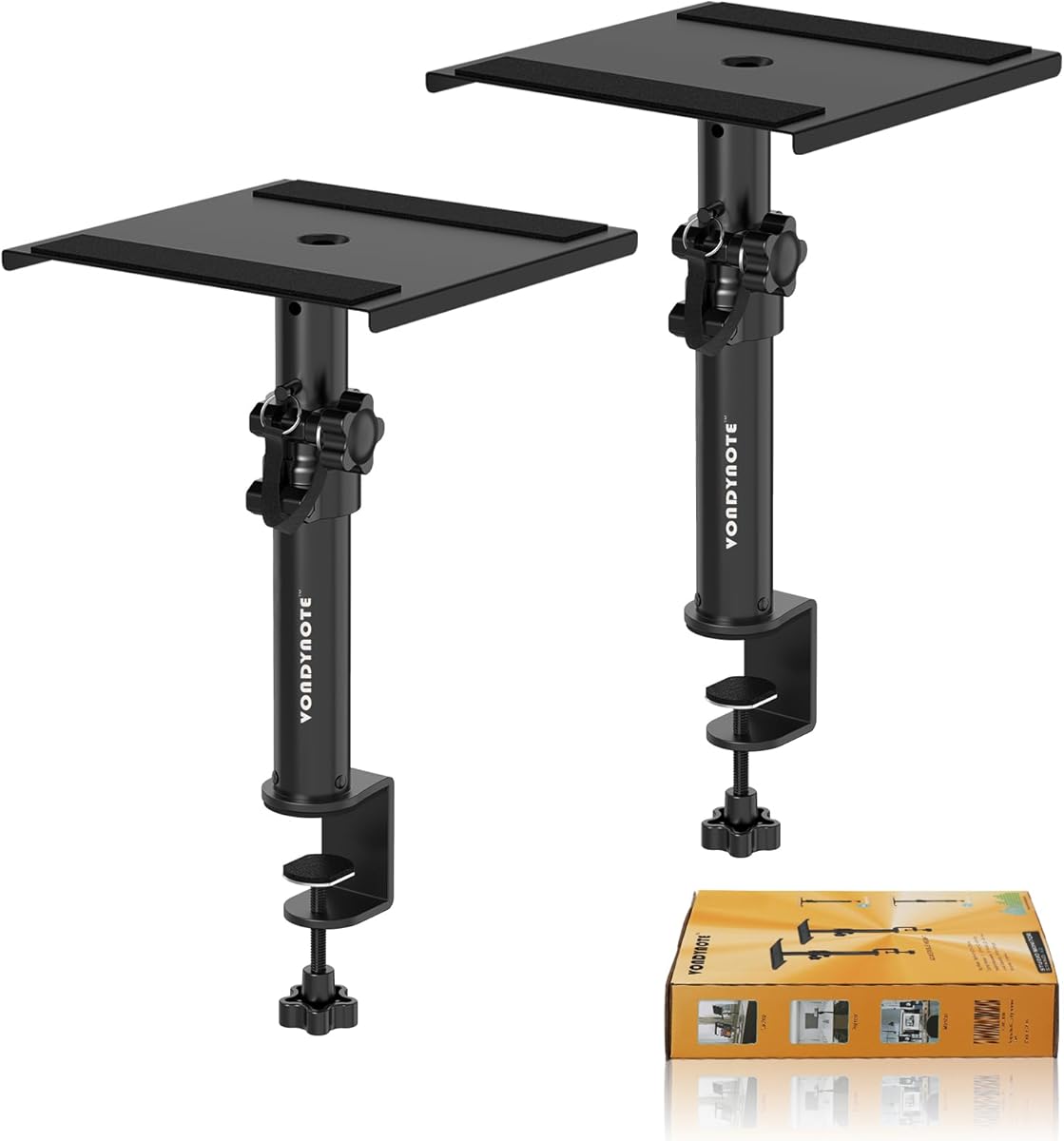
Vondynote Set of 2 Desktop Clamp Speaker Stands
4.6Editor score
Fits monitors up to fifty pounds
Four height adjustment positions available
Minimal desk surface area required
Finding the right desk speaker stands can transform your audio setup by elevating monitors to ear level. Proper positioning reduces resonance and improves stereo imaging significantly. We reviewed ten top models to help you choose the perfect fit for your workspace and speakers.
We compared builds based on stability, adjustability, and desktop space efficiency. Each model was evaluated for clamp strength, tilt range, and material quality. Our list covers everything from budget clamps to premium adjustable stands with advanced features.
Each pick highlights key strengths, ideal use cases, and real-world performance. We include detailed specs and pros to guide your decision. Remember that availability and pricing can change quickly, so check current listings before purchasing.
4.6Editor score

4.8Editor score

4.7Editor score
As an Amazon Associate we earn from qualifying purchases.
The following table provides a side-by-side overview of key specifications for all ten models reviewed. Use this to quickly compare weight capacity, dimensions, and unique features like tilt or swivel options.


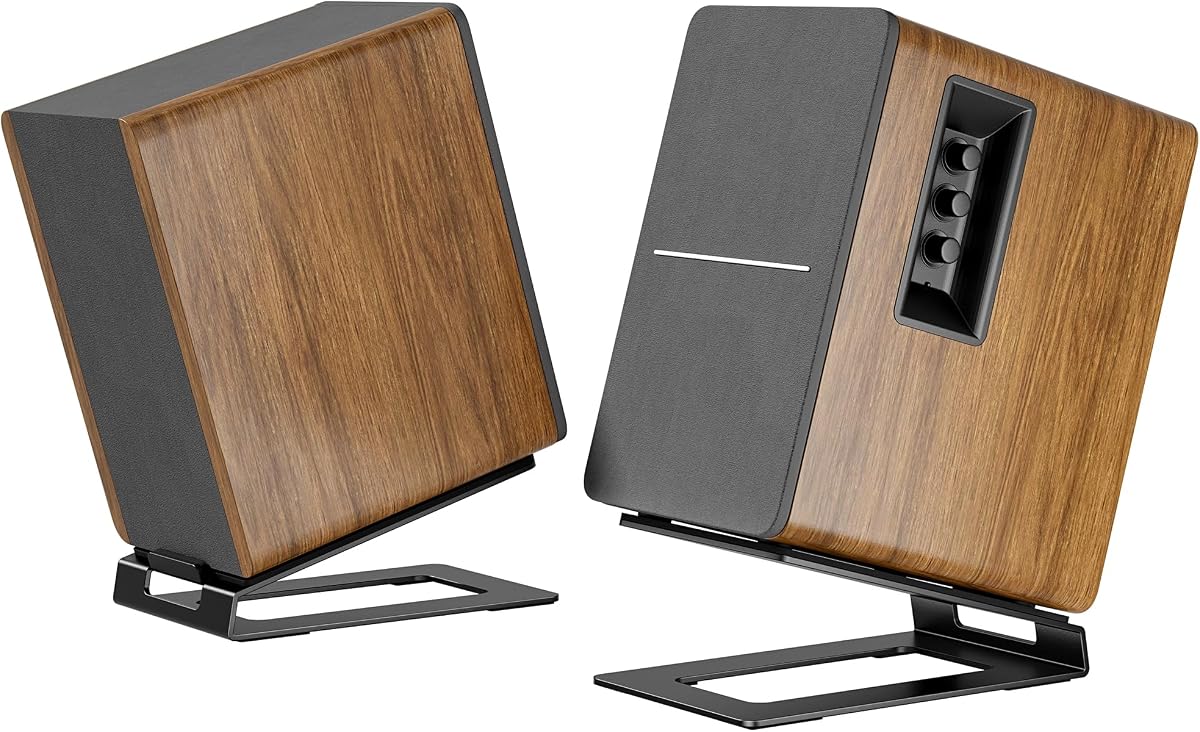


The Vondynote Set of 2 Desktop Clamp Speaker Stands offers exceptional value for budget-conscious audio enthusiasts. With a 4.6 rating, these stands provide solid support for monitors up to 50 lbs. Their simple design focuses on durability and space efficiency without extra frills.
We may earn a commission when you buy through this link, at no additional cost to you.
These stands excel in build quality. The 5mm thickened clamps use grade 8.8 reinforced steel screws to prevent loosening. A 3mm EVA pad protects your desktop from scratches during installation. The top plate measures 9×9 inches with an anti-skid pad to prevent vibration.
While they lack tilt adjustment, the four fixed height positions offer practical options for most desks. The compact 32.5 cm² footprint leaves plenty of room for keyboards or mice. However, if you need angles greater than 14 inches or angled speakers, look elsewhere.
Ideal for home studios with limited budgets or tight desks, these stands deliver reliable performance. They work well for standard monitors up to 50 lbs. The included hardware ensures a quick setup. For pure stability and cost savings, this is a top contender.
The small clamp footprint preserves desk real estate for other tools.
Heavy duty steel screws ensure long term stability without flex.
We may earn a commission when you buy through this link, at no additional cost to you.
This Vondynote model builds on the budget-friendly foundation with added tilt flexibility. Rated 4.6, it supports up to 60 lbs and allows up to 12° adjustment. This makes it suitable for angled listening positions without buying premium gear.
We may earn a commission when you buy through this link, at no additional cost to you.
The 9×12 inch top plate accommodates larger monitors securely. A locking knob and security pin ensure your speakers stay at the chosen height. The 3mm EVA clamp pad protects surfaces while providing stability. Four drill holes on the telescopic tube lock height at specific points.
The tilt mechanism adds versatility for precise audio alignment. However, the 12° limit may not suit extreme angles. The clamp range fits desks up to 2.6 inches thick. Installation is straightforward but requires the included Allen key.
For users needing slight angle control on a budget, these stands are a smart upgrade. They balance cost with functionality effectively. The robust clamp ensures safety for heavier monitors. Consider this if you need more than just static height.
Tilt adjustability helps direct sound accurately to ear level.
Security pins and knobs prevent accidental height shifts.
We may earn a commission when you buy through this link, at no additional cost to you.
Liquid Stands lead the category with exceptional adjustability and build quality. Rated 4.8, these stands offer up to 20° tilt and vertical orientation options. They are designed for professionals who demand precision and durability in their monitoring setup.
We may earn a commission when you buy through this link, at no additional cost to you.
The heavy duty stainless steel construction ensures long term use without rust or bending. The 4 inch wide base holds up to 65 lbs safely. Anti-slip isolation padding reduces resonance for clearer audio. You can adjust plates horizontally or vertically by adding or removing lips.
The ten year warranty reflects confidence in the product's reliability. Over 250,000 units sold without issues support this claim. The platform measures 9×12.5 inches and fits desks 0.5 to 2 inches thick. Height adjusts from 9.5 to 13.5 inches for versatile setups.
Ideal for serious producers needing maximum tilt and stability, these stands justify the cost. They offer unmatched versatility among desktop options. The robust materials ensure they withstand daily use. If budget allows, this is the top professional choice for monitors.
Stainless steel construction resists corrosion and bending over time.
Adjustable plates allow vertical or horizontal orientation flexibility.
We may earn a commission when you buy through this link, at no additional cost to you.
These cantilevered stands free up significant desk space by elevating speakers above a 5.9 inch gap. With a 4.5 rating, they are tailored for small to medium bookshelf speakers. The C-shaped design keeps your workspace clean and accessible underneath.
We may earn a commission when you buy through this link, at no additional cost to you.
The tilting design aligns speakers at 6° for improved ear-level listening. An extendable ledge stopper ensures safe depth adjustment from 5.5 to 7.5 inches. Soft anti-slip EVA pads protect speakers and reduce resonance for better sound quality. The weight capacity is limited to 12 lbs each.
While not suitable for heavy studio monitors, they excel for desktop speakers or soundbars. The preset slot design accommodates speakers with bottom mounting holes easily. Installation is minimal and hardware is provided. The vibration absorption pad minimizes unwanted resonance effectively.
Perfect for gamers or casual listeners with lighter speakers, these stands prioritize space efficiency. They allow storage under the speakers while maintaining audio quality. If your setup values cleanliness over maximum load, this design offers a smart solution for tidy desks.
Cantilevered design leaves room for devices or storage below.
Tilt and vibration pads enhance clarity and reduce resonance.
We may earn a commission when you buy through this link, at no additional cost to you.
The Suptek Free-Standing Speaker Stand Desktop Set offers flexibility without attaching to your desk. Rated 4.3, these stands feature 9.6×8.8 inch trays and 4-level height locking. They are perfect for desks where clamping isn't possible or desired.
We may earn a commission when you buy through this link, at no additional cost to you.
High-grade steel construction securely holds monitors up to 33 lbs each. The stable free-standing base can move anywhere on your desk. Height is adjustable from 8.7 to 14.2 inches with a locking pole. You can tilt the tray plus or minus 12 degrees for projection.
The wider footprint ensures stability but reduces available desk space. This trade-off is acceptable if your desk edge is uneven or thin. Installation is minimal since no clamping is involved. The tray design also supports laptops or projectors.
Ideal for shared workspaces or rental setups where permanent changes aren't allowed. The portability makes them versatile for different locations. If you prioritize flexibility over minimal footprint, these stands offer a solid alternative to clamp models.
No-clamp design allows positioning anywhere on the desktop surface.
Trays support speakers, laptops, and projectors equally well.
We may earn a commission when you buy through this link, at no additional cost to you.
With a 4.9 rating, these stands are a top choice for reliability and ease of use. They support up to 22 lbs with a 16° upward tilt for direct sound projection. The dual installation method allows freestanding or screwed mounting for extra stability.
We may earn a commission when you buy through this link, at no additional cost to you.
The sturdy metal base measures 7.1×4.8 inches and fits most bookshelf speakers. A protective pad prevents scratches on your desk. Anti-vibration pads on the support surface reduce resonance for accurate sound. The elevated design minimizes unwanted vibrations from the desktop.
Installation is flexible depending on your desk material. If screwing isn't an option, freestanding works perfectly. The tilt optimizes audio for gaming or creative work. While weight capacity is moderate, it suits most common bookshelf speakers.
Recommended for users seeking a hassle-free solution with high approval ratings. They balance stability, sound quality, and simplicity. If you need versatile mounting without complex assembly, these stands provide excellent value and performance.
High ratings reflect reliable build and ease of setup.
Freestanding or screw mount adapts to different desk types.
We may earn a commission when you buy through this link, at no additional cost to you.
These stands focus on essential height adjustment at an affordable cost. Rated 4.5, they support monitors up to 50 lbs with four locking heights from 9 to 14 inches. The 5mm thick C-clamp provides solid stability without bending easily.
We may earn a commission when you buy through this link, at no additional cost to you.
Installation tips recommend leaving 120mm clearance for the clamp near walls. The 3mm EVA pad protects your desk from scratches. The 9×9 top plate ensures stability for most speakers. This model is ideal for standard height setups without needing angles.
The compact design saves space, freeing up your desktop for other tasks. While tilt is not available, the fixed heights are sufficient for many users. Ensure your desk thickness fits the clamp range before purchasing to avoid issues.
A practical choice for office work or home entertainment where budget matters. They deliver reliability and ease of use. If you need basic elevation without extra features, these stands are a straightforward and effective option.
Thick C-clamp ensures secure attachment without bending.
Simple features keep costs low for basic needs.
We may earn a commission when you buy through this link, at no additional cost to you.
The Kanto SP9 stands deliver premium quality for improved clarity and aesthetic appeal. With a 4.7 rating, they utilize heavy steel and closed cell foam padding to absorb resonance. The hollow support column helps route cables for a cleaner desk look.
We may earn a commission when you buy through this link, at no additional cost to you.
Each stand measures 9 inches tall, ideal for 3 to 4-inch monitors. Two top plate sizes are included to fit your speakers comfortably. You can rotate plates up to 15° left or right for optimal positioning. This level of detail ensures precise sound direction.
The premium materials justify the cost for those who value design and sound. Cables remain hidden within the column to reduce clutter. The foam padding minimizes muddy sound caused by surface vibrations. Installation is straightforward with included hardware.
Best for audiophiles needing a clean look and high-end isolation. They work well with compact monitors and bookshelf speakers. If you prioritize sound quality and aesthetics over adjustable height, these stands are a worthy investment.
Foam padding absorbs resonance to prevent muddy sound.
Hollow column keeps cords hidden and organized.
We may earn a commission when you buy through this link, at no additional cost to you.
VIVO Black Clamp-on Stands offer heavy-duty support for surround setups. Rated 4.6, they support up to 33 lbs each with four height positions and +/- 10° tilt. The low profile clamps save workspace while fitting desks up to 2.5 inches thick.
We may earn a commission when you buy through this link, at no additional cost to you.
Platforms measure 9.5×8.8 inches with EVA foam padding for scratch protection. Adjusting the tray angle optimizes sound projection. Installation is simple with provided hardware in four steps. The clamp padding ensures your table surface remains unscuffed.
The solid build ensures safety for larger or heavier speakers. While slightly heavier, the stability is worth it. Height settings allow you to elevate speakers to ear level easily. This model suits users needing a balance of strength and flexibility.
Ideal for home theater or office setups requiring reliable support. They provide excellent adjustability within a reasonable footprint. If you need durability and tilt without going premium, these stands are a solid middle ground choice.
Heavy-duty clamps hold larger monitors without wobbling.
Tilt mechanism directs sound efficiently to listeners.
We may earn a commission when you buy through this link, at no additional cost to you.
The Suptek Clamp-On Set combines tilt, height, and swivel for full positioning control. Rated 4.6, it supports 33 lbs with a clamp range up to 3.93 inches thick. The 9.6×8.8 inch trays offer universal compatibility for computers and speakers.
We may earn a commission when you buy through this link, at no additional cost to you.
Four-level locking poles let you raise speakers to eye level. Tray tilt adjusts plus or minus 12 degrees for optimal projection. High-grade steel construction ensures stability during use. The package includes all mounting hardware and a user manual.
Swivel adds flexibility for reorienting speakers without unclamping. However, verify tightness periodically to maintain stability. The clamp design fits most desks securely. If you need multiple adjustment types, this model covers most needs comprehensively.
Perfect for users wanting versatile controls at a mid-range price. They offer broad compatibility and adjustable features. Consider this if your desk thickness varies or you need dynamic speaker positioning.
Tilt height and swivel allow complete positioning freedom.
Clamp range accommodates up to 3.93 inch thick desks.
We may earn a commission when you buy through this link, at no additional cost to you.
Selecting the right stands depends on your monitors weight, desk type, and desired features. This section outlines key factors to ensure you make an informed choice.
Always check that the stand supports your speakers weight. Exceeding limits can cause tipping or damage. Look for capacity ranges that exceed your monitor specs for safety.
Ensure the rated capacity is higher than your actual load.
Adjustable height ensures speakers are at ear level. Fixed heights may be too low or high for your setup. Multiple locking positions provide better ergonomics.
Select height ranges that match your desk and seating.
Tilt allows sound to direct towards ears. Swivel lets you rotate speakers without moving the base. Not all models include these features, so verify if needed.
Prioritize stands with tilt if angle matters.
Clamps save space but require desk edges. Freestanding offers placement freedom but uses more area. Choose based on desk material and your preference.
Match the mounting type to your workspace.
Steel and stainless steel offer better durability. Plastic may bend under heavy loads. Look for reinforced screws and protective padding.
Opt for metal construction to long-term use.
EVA or foam pads reduce resonance. This improves sound quality by minimizing unwanted noise. Look for anti-slip features.
Ensure stands include padding for better audio.
Check clamp size and top plate dimensions. Large platforms may limit keyboard space. Small clamps save desk area.
Measure your desk before buying.
Simple setups save time and effort. Look for included hardware and clear instructions. Swivel features may need extra tightening.
Choose models with minimal assembly needs.
Always check that the stand supports before attaching speakers. Adjust the height and tilt to match your ear level. Tighten screws securely to prevent shifting.
Regularly inspect clamps for signs of wear. Clean metal parts with a damp cloth to prevent corrosion. Ensure padding remains intact to protect surfaces.
Reposition stands only when the desk is empty. If moving, lift the base carefully. Verify stability after any adjustment.
Compatibility depends on weight and dimensions. Most stands fit standard monitors up to 50 lbs. Check the top plate size and clamp range. Specific mounting holes may require adapters.
Yes, they reduce vibration resonance from the desk. Proper elevation aligns sound with ear level. This leads to clearer audio and better imaging. Isolation pads enhance this effect further.
Weigh your speakers including cables. Compare this to the stand's load rating. Leave a margin of safety for dynamic movement. Check the product specs carefully.
Yes, but ensure the clamp is designed for glass. Look for wide padding to prevent cracks. Avoid overtightening screws on fragile surfaces. Use a soft cloth for protection.
Look for stands with larger clamp ranges. Some models support up to 4 inches. Freestanding options work if clamps won't fit. Measure your desk thickness first.
Clean pads regularly to remove dust and oil. Check for wear that reduces grip. Replace if they become hard or cracked. This keeps your desk safe.
The top picks offer distinct advantages for different needs. Budget options like Vondynote save money while premium models provide precision. Choose based on your priorities.
Prioritize stability and correct height for best sound. Consider tilt if angle matters. Ensure weight capacity exceeds your speakers.
Check current availability and prices before buying. Small changes in stock can affect options. Review the table for final comparisons.