
Ordilend Keyboard Cleaner
4.6Editor score
Comprehensive accessory set included
Retractable brush design
Multiple cleaning cloths provided
This guide compares the top ten laptop fan cleaning kits available in October 2026 to help you choose the best tools for effective dust removal and device
Keeping your laptop fans clean is essential for maintaining optimal performance and preventing overheating issues. Dust buildup can block airflow and cause your system to slow down. Choosing the right cleaning kit ensures you have the proper tools to tackle this maintenance task effectively.
We have evaluated ten top-rated products designed specifically for cleaning laptop fans and related components. Our comparison focuses on airflow power, versatility, durability, and ease of use. Each product was assessed based on customer feedback and technical specifications to provide reliable recommendations.
Each pick in this guide highlights unique features that cater to different cleaning needs and budgets. You will find detailed reviews explaining why these kits stand out in the market. Please note that product availability and specific details may change over time.
4.6Editor score
4.4Editor score

4.6Editor score
The following table provides a side-by-side comparison of all ten products evaluated in this guide. It highlights key specifications and features to help you quickly identify the best option for your specific cleaning needs.




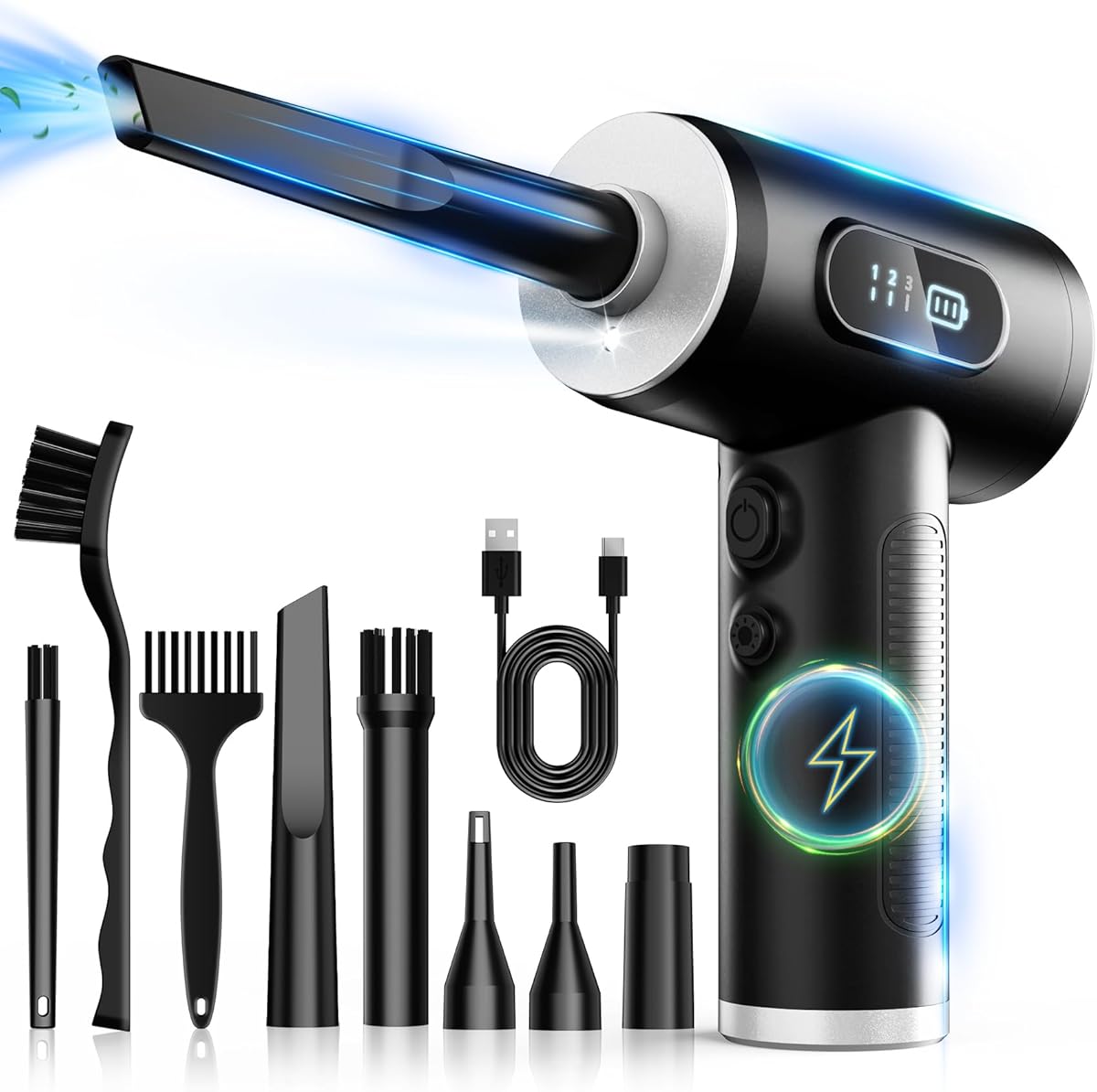
The FRESMOL Compressed Air Duster stands out as a top choice for maintaining clean laptop fans and electronic devices. With a rating of 4.4 stars it offers reliable performance for daily cleaning tasks. Its rechargeable design eliminates the need for disposable cans.
We may earn a commission when you buy through this link, at no additional cost to you.
This device features a powerful 100000 RPM motor that delivers strong airflow to remove stubborn dust from tight spaces. The smart LED display helps users monitor battery levels and speed modes easily. Five different nozzles ensure versatility for various cleaning scenarios.
While the battery life is generally good users might find it drains faster on higher speed settings. The small nozzles are effective for precision work but require steady hands. These trade-offs are acceptable given the overall performance and convenience.
Anyone looking for a dependable tool to clean laptop fans without cords will appreciate this kit. It is particularly suitable for tech enthusiasts who value portability and power. We recommend it as a primary solution for regular device maintenance.
The rechargeable battery allows for untethered cleaning anywhere you need it.
Multiple nozzles and speeds let you target specific areas effectively.
We may earn a commission when you buy through this link, at no additional cost to you.
The Ordilend Keyboard Cleaner offers a budget-friendly solution for general laptop and keyboard maintenance. With a high rating of 4.6 stars it provides a wide array of tools for various cleaning needs. It is ideal for those who prefer manual cleaning methods.
We may earn a commission when you buy through this link, at no additional cost to you.
This kit includes a retractable brush for deep cleaning between keys along with multiple microfiber cloths. The keycap puller allows for thorough cleaning of mechanical keyboards. The portable design makes it easy to carry for cleaning on the go.
Users should note that this kit does not include an electric blower for airflow cleaning. Manual brushing requires more time than using an air duster. However the included accessories cover most surface cleaning tasks effectively.
Students and office workers looking for an affordable maintenance kit will find this valuable. It is best suited for routine dusting and screen cleaning. We recommend it as a complement to air dusters for a complete cleaning routine.
Includes keycap pullers and various brushes for different surfaces.
Provides many tools at a very accessible price point.
We may earn a commission when you buy through this link, at no additional cost to you.
The WOLFBOX MegaFlow 50 delivers premium performance with its high-speed turbo fan technology. Rated at 4.6 stars it is designed for efficient dust removal from laptops and other electronics. Its lightweight build ensures comfort during extended use.
We may earn a commission when you buy through this link, at no additional cost to you.
Features include a 110000 RPM motor that generates strong airflow to clear debris quickly. The three adjustable speed settings allow for precise control depending on the task. The fast charging feature reduces downtime between cleaning sessions.
While it is slightly heavier than ultra-compact models the weight is balanced by its durability. The charging time is reasonable but may vary based on usage patterns. These factors do not significantly impact the overall positive experience.
Professionals and gamers who need reliable power will appreciate this device. It serves well as a primary cleaning tool for frequent maintenance. We recommend it for users seeking a high-quality reusable alternative to canned air.
The turbo fan ensures quick and effective dust removal.
Adjustable gears and lightweight build enhance user experience.
We may earn a commission when you buy through this link, at no additional cost to you.
The iFixit Laptop Cleaning Kit provides a well-rounded approach to device maintenance with a focus on safety and organization. It holds an impressive 4.9-star rating reflecting high user satisfaction. The kit covers both screen cleaning and dust removal tasks.
We may earn a commission when you buy through this link, at no additional cost to you.
Key components include microfiber cloths for smudge-free screen cleaning and a dust blower for vents. An anti-static brush ensures safe handling of sensitive components. All items are stored in a compact pouch for easy transport.
The manual blower may not match the power of electric dusters for deep cleaning. However it is sufficient for light debris removal. The anti-static protection is a significant benefit for protecting electronic internals.
Ideal for users who prioritize organization and safety this kit is a solid choice. It works well for regular upkeep between more intensive cleaning sessions. We recommend it for those who value quality tools over raw power.
Safe brushes prevent static damage to sensitive parts.
A dedicated pouch keeps all tools neatly together.
We may earn a commission when you buy through this link, at no additional cost to you.
This electric air duster boasts an impressive 280000 RPM motor for superior cleaning power. With a 4.5 rating it stands out for its ability to handle heavy-duty debris removal. The smart LCD screen adds a modern touch to usability.
We may earn a commission when you buy through this link, at no additional cost to you.
It offers long battery life ranging from 90 to 150 minutes on a single charge. The Type-C fast charging ensures minimal downtime for frequent users. Multiple nozzles allow it to be used on PCs cars and even inflatables.
The high speed can generate significant noise which might be distracting in quiet environments. The price is higher than basic models but reflects the advanced features. These factors are minor given the exceptional performance.
Tech enthusiasts who want top-tier power will find this device compelling. It is best for deep cleaning tasks where maximum airflow is needed. We recommend it for users who need a robust tool for various applications.
Ultra-high RPM ensures even stubborn dust is removed quickly.
The LCD screen keeps you informed of battery and speed status.
We may earn a commission when you buy through this link, at no additional cost to you.
This model delivers a strong cleaning performance with its 130000 RPM motor and storm mode. The 4.6 rating indicates consistent effectiveness across different cleaning tasks. It is designed to replace hundreds of disposable cans.
We may earn a commission when you buy through this link, at no additional cost to you.
The kit includes 6 nozzles and 10 brushes offering extensive versatility. A 2.5-hour fast charge provides a full 120 minutes of runtime on speed 1. The lightweight design makes it easy to handle during use.
The sheer number of accessories might be overwhelming for users needing simple tools. It can also feel bulky when compared to more streamlined options. However the flexibility it offers is unmatched in the category.
Users who need one tool for many different cleaning scenarios will appreciate this. It is perfect for home and office use where variety is essential. We recommend it for comprehensive maintenance needs.
Long-pressing activates maximum airflow for tough dust.
Replaces over a thousand disposable cans reducing waste.
We may earn a commission when you buy through this link, at no additional cost to you.
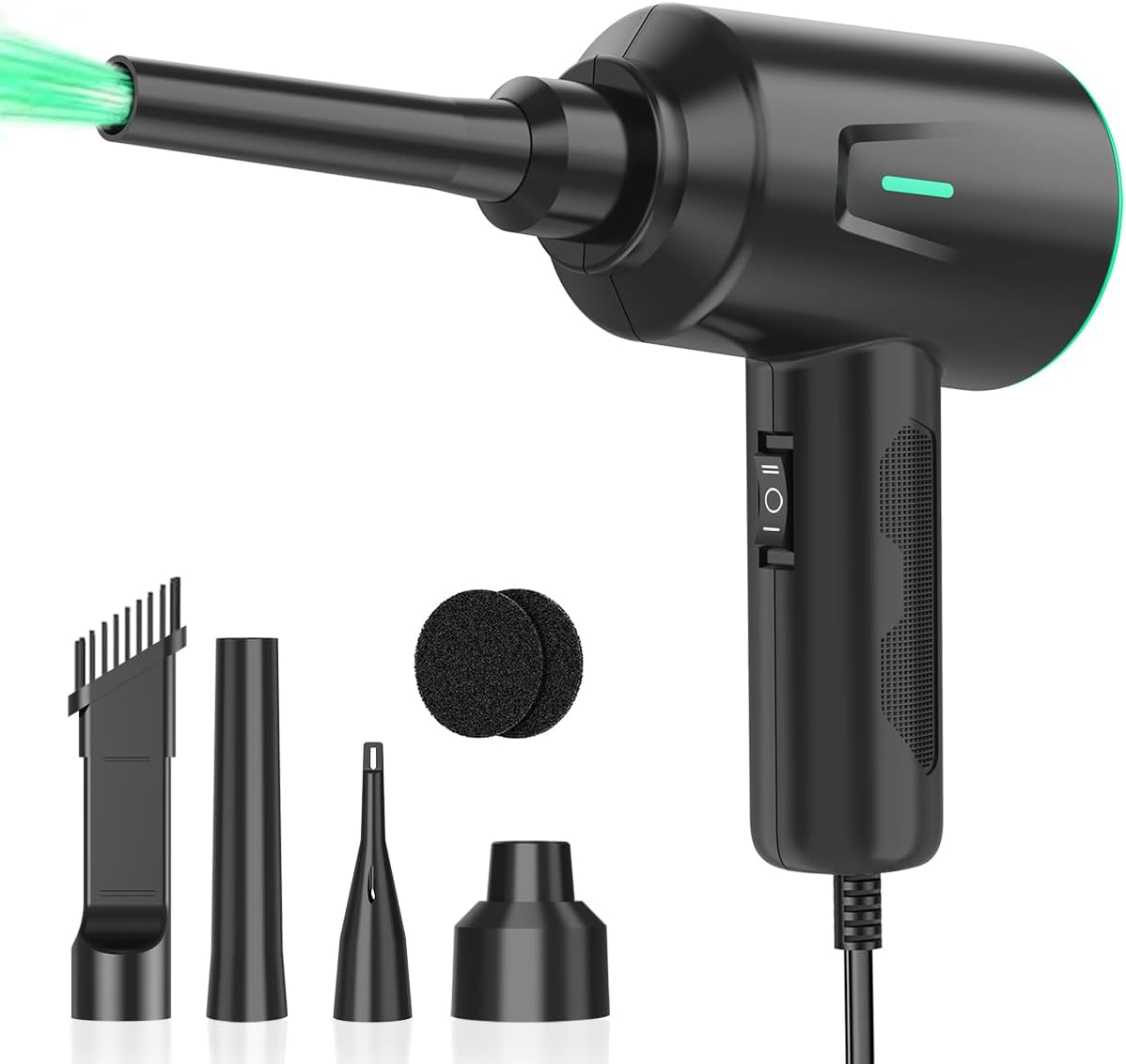
The Meudeen Air Duster offers a reliable solution for cleaning without worrying about battery life. Its 500W motor ensures consistent airflow as long as it is plugged in. The 4.5 rating shows it is a trusted choice for many users.
We may earn a commission when you buy through this link, at no additional cost to you.
It features two speed settings and multiple brushes for various surface types. The extra-long cord allows for reach across a room without changing outlets. This makes it convenient for stationary cleaning tasks like desk maintenance.
The reliance on a power outlet limits its portability compared to cordless models. The cord length helps but can still get in the way during complex moves. For home use these limitations are often acceptable.
This model is ideal for users who prefer a straightforward tool without charging cycles. It is best for cleaning laptops and PCs at a fixed workstation. We recommend it for steady and uninterrupted cleaning sessions.
No batteries mean no performance drop as it drains.
The long cord provides flexibility for larger cleaning areas.
We may earn a commission when you buy through this link, at no additional cost to you.
This precision kit is designed for detailed maintenance rather than bulk dust removal. With a 4.3 rating it excels in tasks requiring fine control and care. The tools are suited for ports and small openings.
We may earn a commission when you buy through this link, at no additional cost to you.
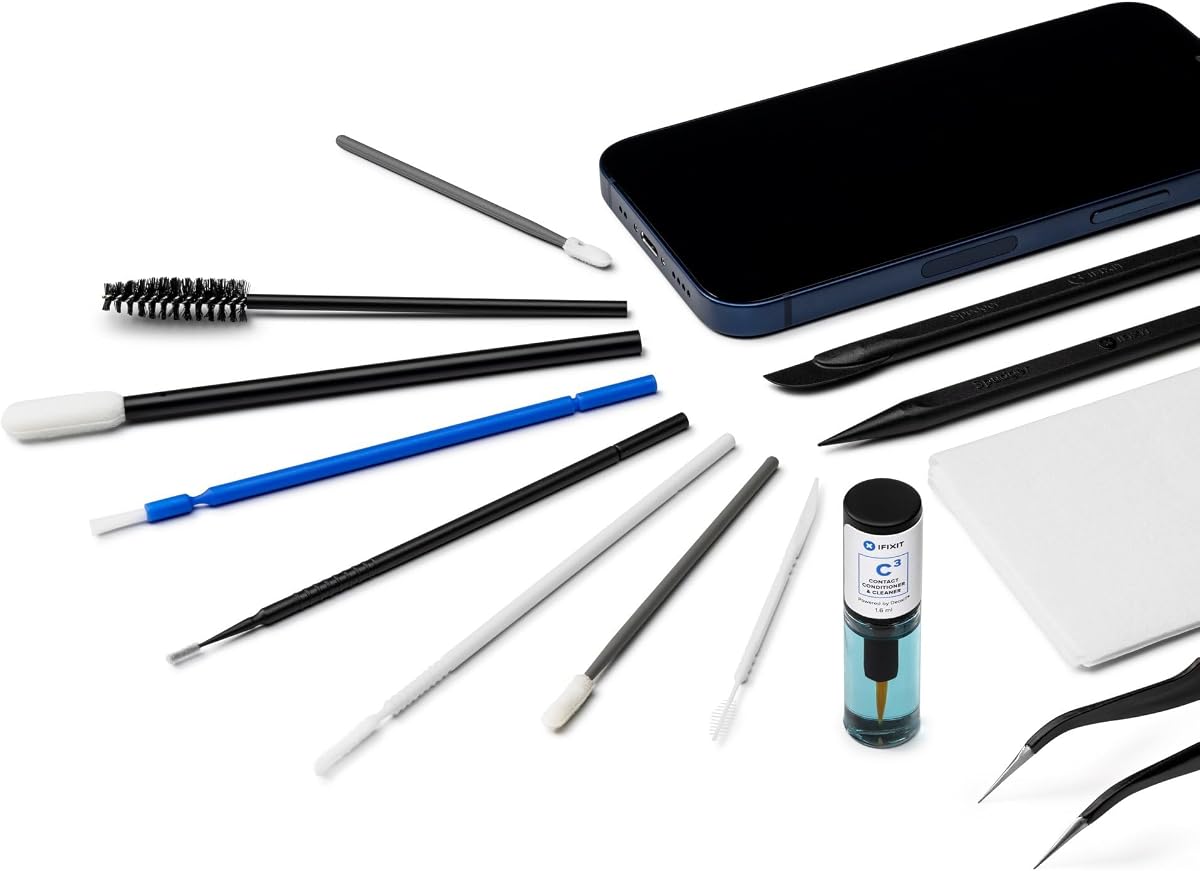
It includes spudgers and tweezers for manipulating small parts safely. Lint-free wipes ensure no residue is left on sensitive surfaces. The foam swabs reach into tight corners where larger tools cannot go.
It does not replace an air duster for general fan cleaning as it lacks airflow. The tools require more time and care to use effectively. However they are invaluable for deep internal or edge cleaning.
Ideal for tech repair enthusiasts or those dealing with specific grime issues. It is a great addition to a basic cleaning kit for precision work. We recommend it for specialized tasks beyond surface dusting.
Tools meet professional standards for repair and cleaning.
Wipes ensure no fibers remain on lenses or screens.
We may earn a commission when you buy through this link, at no additional cost to you.
This kit provides a wide variety of brush sizes for targeted cleaning across different devices. With a 4.4 rating it offers excellent value for users who need precision tools. The anti-static design protects sensitive components from damage.
We may earn a commission when you buy through this link, at no additional cost to you.
It includes both hard and soft bristle brushes for different surface needs. The soft ones are suitable for monitors and cameras while hard ones reach deep into keys. The nylon material ensures durability and repeated use.
There is no storage case so users may need to keep them in a drawer. Manual brushing can be time-consuming for large areas like laptop fans. These trade-offs are minor given the low cost and utility.
Perfect for complementing an air duster or for occasional detailed cleaning. It is ideal for keeping spare brushes around the house or office. We recommend it as a versatile and affordable addition to your toolkit.
Ten different sizes cover all common cleaning gaps.
Nylon construction is durable and safe for electronics.
We may earn a commission when you buy through this link, at no additional cost to you.
This electric blower is a versatile tool suitable for laptops cars and inflatables. With a 4.4 rating it balances performance and convenience for everyday tasks. The ergonomic design ensures comfortable handling during extended use.
We may earn a commission when you buy through this link, at no additional cost to you.
It features an LED light to illuminate dark areas like laptop vents. The 110000 RPM airflow is sufficient for removing most dust quickly. It charges via Type-C ensuring compatibility with modern charging setups.
The battery life may vary depending on the intensity of use. Over time nozzles might show signs of wear if used roughly. These are typical issues for portable devices and do not detract significantly from value.
Users needing a single tool for multiple household cleaning tasks will find this useful. It works well for travel and general maintenance around the home. We recommend it as a practical all-in-one solution.
LED light helps see dust in dark corners.
Type-C fast charging reduces wait times between uses.
We may earn a commission when you buy through this link, at no additional cost to you.
Choosing the right laptop fan cleaning kit involves considering several factors that impact performance and convenience. This section outlines key elements to help you make an informed decision.
The strength of the airflow determines how effectively a tool can remove dust from tight vents. Higher RPM models generally provide better cleaning for deep debris but may be louder.
Look for a model with adjustable speeds to balance power and control.
Devices can be cordless with rechargeable batteries or corded with continuous power. Cordless offers portability while corded ensures consistent performance without charging.
Choose based on whether you need mobility or constant power for long sessions.
Kits often include nozzles, brushes, and cloths for different cleaning tasks. More accessories allow you to clean various surfaces like keyboards and screens.
Ensure the kit includes specific tools for the components you clean most.
For cordless models, battery runtime is critical for uninterrupted cleaning. Longer life means you can clean multiple devices without recharging.
Check the rated runtime on lower speeds to estimate real-world usage.
Materials used in construction affect how long a tool lasts under regular use. Metal components and quality plastics ensure resilience against drops and wear.
Invest in a well-built model to avoid frequent replacements over time.
High-speed fans can generate significant noise which may be disruptive in quiet environments. Some models are designed with noise reduction features.
Consider the noise level if you work in a shared or quiet space.
Weight and size matter if you plan to carry the kit in a bag or case. Lightweight designs make travel and on-the-go cleaning easier.
Look for compact shapes that fit easily into luggage or drawers.
Safety features like overheat protection and anti-static components protect your devices. Ensure the tool is designed for electronics to avoid damage.
Prioritize models that mention safety mechanisms for sensitive hardware.
Always power off and unplug your laptop before starting any cleaning process. This prevents electrical damage and ensures your safety during the maintenance task.
Use short bursts of air to blow dust out of the fans rather than holding the nozzle too close. This prevents moisture from condensing on internal components due to rapid cooling.
Store your kit in a dry and cool place to prolong the life of batteries and materials. Regularly clean the nozzles and brushes to keep them free of debris.
Yes it is safe as long as you use the nozzle correctly. Hold the fan blades in place to prevent them from spinning too fast and use short bursts.
Ideally every three to six months depending on your environment. Dusty areas or heavy usage may require more frequent cleaning to maintain performance.
It is generally not recommended as vacuums can generate static electricity. Stick to air dusters or brushes designed specifically for electronics.
Modern rechargeable dusters often match or exceed canned air performance. They provide consistent airflow without the risk of condensation from cold cans.
Look for a combination of blower power, brush variety, and safety features. Ensure the kit is durable and includes necessary accessories for your needs.
Many kits are designed to be lightweight and compact. Look for models with carry cases or small footprints for easy transport.
For basic dust removal external cleaning is sufficient. Opening the case is only necessary for deep maintenance which requires more advanced tools.
Yes most kits include brushes or nozzles designed for keyboards. They are effective for removing crumbs and dust from between keys.
We have reviewed ten top-rated kits that offer excellent solutions for keeping your laptop fans clean. Each product brings unique strengths whether you need power, convenience, or a complete set of tools.
Prioritize factors like power source, accessory variety, and portability based on your personal usage needs. A tool that fits your specific routine will yield the best results over time.
Please note that product details and availability may change. Check current listings for the most up-to-date information before making your final purchase.