
32GB FAT32 USB 3.0 Flash Drive with a USB3.0 C Adapter and Keychain (Grey)
4.5Editor score
USB 3.0 Transfer Speeds
Includes USB-C Adapter
Metal Design Build
This expert guide compares the top FAT32 USB Flash Drive options for reliable storage across devices, focusing on speed, compatibility, and durability for all
Finding the right storage solution is essential for modern digital workflows. A FAT32 USB Flash Drive offers universal compatibility with nearly every device, from older cars to newer laptops. Choosing the right one ensures your data transfers smoothly without formatting hassles.
We evaluated ten top-rated models based on speed, build quality, and real-world performance. Our analysis covers everything from budget-friendly options to premium drives with advanced features. Each product was selected for its ability to handle everyday data storage needs efficiently.
Each pick highlights specific strengths like speed, design, or unique accessories included. Note that prices and availability can change frequently due to market conditions. Always check the latest details before purchasing to ensure you get the best value for your needs.
4.5Editor score

4.5Editor score

4.6Editor score
This side-by-side comparison highlights the key differences between each model to help you make an informed decision quickly. We focus on capacity, speed, connectivity options, and unique features like adapters or swivel designs to distinguish each option.
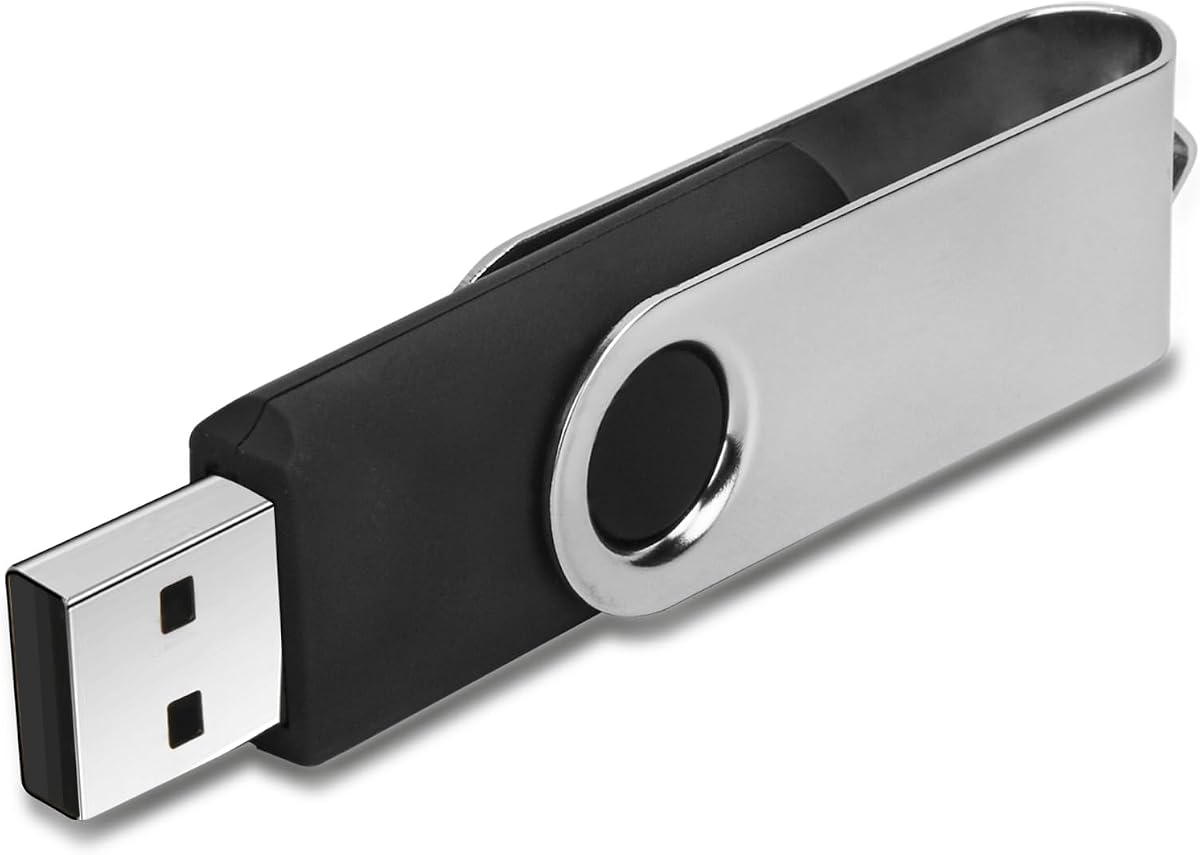


This drive stands out as a top choice due to its dual interface capability and robust performance. It comes pre-formatted for FAT32 making it ready for immediate use across most platforms without complex setup steps.
We may earn a commission when you buy through this link, at no additional cost to you.
The read speeds reaching up to 105MB/s ensure quick file transfers for large media files or backups. The included USB C adapter allows seamless connection to modern laptops and tablets ensuring versatility.
While the adapter is tiny it could be easily misplaced if not kept attached to the drive. Users might need to reformat the drive depending on their specific device requirements before use.
This model is ideal for users needing a reliable high-speed drive that works with both old and new devices. Its strong build quality makes it suitable for daily professional use and travel.
The inclusion of a USB C adapter bridges the gap between legacy USB ports and modern devices seamlessly.
The textured metal design not only looks premium but also aids in heat dissipation during heavy data transfers.
We may earn a commission when you buy through this link, at no additional cost to you.
This budget friendly option offers essential functionality without unnecessary complexity making it perfect for casual users. The clear LED indicator provides instant feedback on data transfer status reducing user uncertainty during operations.
We may earn a commission when you buy through this link, at no additional cost to you.
Its compatibility with a wide range of operating systems ensures it works seamlessly on almost any computer or device. The simple design focuses on reliability for storing documents music and photos efficiently.
Users should expect slower speeds compared to USB 3 models which might be noticeable with large files. The plastic body is lightweight but less durable than metal options over long term use.
Best suited for students or home users needing a simple reliable drive for basic file storage and sharing tasks. It is a great pick for those prioritizing simplicity and affordability over raw speed.
The red LED light flashes during transfers letting you know exactly when data is moving safely.
The top cap protects the interface from dust and oxidation helping extend the drive life.
We may earn a commission when you buy through this link, at no additional cost to you.
This drive features a clever swivel mechanism that protects the connector without requiring a separate cap. It is a practical choice for keeping data accessible while minimizing the risk of losing parts.
We may earn a commission when you buy through this link, at no additional cost to you.
The metal construction adds durability and a premium feel despite its small size making it easy to carry on keychains. Its plug and play functionality ensures it works immediately with most devices.
The 16GB capacity is suitable for documents and media but might limit large file storage needs. Users should be aware that USB 2 speeds may feel slow for very large data transfers.
Ideal for users who need a reliable everyday drive for school or office documents that stays with them on a keyring. It is a great pick for portability and protection.
The swivel cover rotates to shield the connector ensuring it remains safe from physical damage.
A built in keychain loop makes it easy to attach the drive to bags or keys for on the go access.
We may earn a commission when you buy through this link, at no additional cost to you.
This model offers a straightforward user experience with clear visual indicators to track data transfer progress. The design prioritizes ease of use ensuring even tech shy users can manage their files effortlessly.
We may earn a commission when you buy through this link, at no additional cost to you.
Its broad compatibility means it works well with various devices including car systems and media players. The hang rope feature adds a practical touch for securing the drive during transport.
While functional the plastic body may not withstand rough handling as well as metal alternatives over time. Speeds are standard for USB 2 which is sufficient for most document tasks.
Best for home users who need a reliable drive for storing photos and documents without paying for premium features. It is a solid choice for general everyday data needs.
The LED light illuminates during writes providing a clear signal that data is being saved safely.
The integrated hang rope allows you to attach the drive to lanyards or keys to prevent loss.
We may earn a commission when you buy through this link, at no additional cost to you.
This two pack provides excellent value for users who need multiple drives for different purposes or sharing. The color difference helps distinguish content types such as work files versus personal media easily.
We may earn a commission when you buy through this link, at no additional cost to you.
The rotating metal clip secures the drive to bags or belts ensuring it stays close and ready for use. LED indicators offer immediate feedback on transfer status adding a layer of convenience.
Individual drives are standard USB 2 models which means transfer speeds will be slower than USB 3 options. The capless design protects the interface but may feel less robust than a traditional cap.
Ideal for small offices or families needing separate drives for different tasks without paying for individual units. It is a smart pick for bulk storage solutions.
The available black and blue colors allow you to visually separate files by category or user.
The clip rotates 360 degrees allowing flexible positioning while securing the drive to gear.
We may earn a commission when you buy through this link, at no additional cost to you.
This drive is designed to be nearly invisible when connected to a laptop thanks to its compact profile. The metal body offers surprising durability for such a small device and feels premium to the touch.
We may earn a commission when you buy through this link, at no additional cost to you.
It delivers USB 3 speeds which are significantly faster than standard USB 2 models improving workflow efficiency. The included adapter ensures compatibility with modern devices without requiring additional purchases.
Its tiny size means it can be easily misplaced if not kept secured to a bag or lanyard. The adapter is tethered which helps but can sometimes interfere with port access on tight enclosures.
Perfect for digital nomads or students who need a fast reliable drive that does not add bulk to their setup. It is a strong choice for modern laptop users.
The thin profile allows the drive to stay plugged in without obstructing adjacent ports or cables.
USB 3 speeds ensure that large files are transferred in a fraction of the time of older models.
We may earn a commission when you buy through this link, at no additional cost to you.
The standout feature here is the sturdy clip design that secures the drive to bags or pockets reliably. It combines convenience with speed offering a practical solution for daily data transfer needs.
We may earn a commission when you buy through this link, at no additional cost to you.
Read speeds of 85MB/s ensure quick access to stored files making it efficient for retrieving documents or media. The inclusion of a USB C adapter broadens its usability across different device types.
While read speeds are strong write performance is average compared to some competitors in this price range. The clip design is robust but adds a bit of bulk to the overall package size.
This model is well suited for professionals who need a secure way to carry their drive and access files quickly. It is a great pick for on the go efficiency.
The exclusive clip allows you to attach the drive directly to backpacks or laptop cases securely.
Optimized read speeds make this drive excellent for accessing and streaming files quickly.
We may earn a commission when you buy through this link, at no additional cost to you.
This is a premium choice for users requiring maximum speed and storage capacity in a single device. The metal casing provides durability while offering a sleek look that matches modern laptops and desktops.
We may earn a commission when you buy through this link, at no additional cost to you.
The password protection software adds a layer of security for private files ensuring your data remains safe. Read speeds of 150MB/s make it one of the fastest options available for quick transfers.
The price is higher than budget options but justified by the performance and build quality for professional needs. Mac users must download software to enable password protection which adds a setup step.
Best for power users who need reliable high capacity storage for video editing or large datasets. It is the ideal pick for performance and security.
Password protection with 128 bit AES encryption keeps sensitive documents secure from unauthorized access.
The high speed performance allows transferring full length movies in under 30 seconds efficiently.
We may earn a commission when you buy through this link, at no additional cost to you.
This three pack provides excellent value for teams or families needing multiple drives with reliable security features. The data protection software adds value by offering password protection for important files automatically.
We may earn a commission when you buy through this link, at no additional cost to you.
The retractable design protects the connector without a loose cap ensuring the drive stays clean and functional. Transfer speeds are fast enough for most professional tasks making it efficient for daily use.
The price is higher than single drives but the added security software and unit count justify the cost. Retractable designs are convenient but may feel less robust than a hard metal shell.
Ideal for professionals or families needing secure backup solutions with high performance across multiple devices. It is a great pick for secure bulk storage.
DataShield creates password protected areas for files ensuring sensitive data stays private and secure.
The push button mechanism retracts the connector protecting it from damage and keeping the drive compact.
We may earn a commission when you buy through this link, at no additional cost to you.
This model is known for its consistent performance and reliability making it a trusted choice for many users. The secure software ensures your private data remains protected from prying eyes during transfers.
We may earn a commission when you buy through this link, at no additional cost to you.
With 100MB/s speeds it delivers fast performance for USB 3.0 ensuring quick access to files and backups. The brand reputation supports a solid five year warranty giving users long term peace of mind.
The design is utilitarian which suits professional environments but lacks the stylish looks of newer models. It lacks a USB C port so adapters may be needed for modern devices.
Best for users prioritizing trust and warranty coverage over premium features or aesthetics. It is a great pick for dependable everyday storage.
The five year limited warranty provides extensive support for users concerned about long term reliability.
SecureAccess software enables password protection to keep sensitive files private and encrypted securely.
We may earn a commission when you buy through this link, at no additional cost to you.
Selecting the right USB flash drive involves balancing capacity, speed, and compatibility with your existing devices. This guide breaks down the key factors to consider so you can make an informed purchase decision.
Determine how much data you need to store regularly to choose between 16GB 32GB or 128GB options. For basic documents and photos 32GB is often sufficient while larger videos require more space.
Choose capacity based on your largest typical file sizes to avoid constant file management or swapping drives frequently.
USB 3.0 or higher offers much faster data transfer rates compared to older USB 2.0 models for saving time. Look for read speeds over 80MB/s to ensure smooth performance with large media files.
Prioritize USB 3 compatibility for modern systems to benefit from quicker backups and file transfers.
Consider drives with USB-C adapters if you use newer laptops or tablets that lack traditional USB-A ports. Dual interface drives provide flexibility for connecting to multiple device types without separate accessories.
Check your device ports before buying to avoid needing additional dongles or adapters for access.
Metal casing provides better heat dissipation and physical protection than plastic models for heavy use. Swivel or retractable designs protect the connector effectively reducing the risk of physical damage during transport.
Invest in durable materials if you plan to carry the drive daily in a bag or pocket.
Ensure the drive supports FAT32 format which is universally compatible with Windows Mac and Linux systems out of the box. Pre formatted drives save time and hassle for users who do not want to manage formatting.
Verify operating system support in product descriptions to ensure seamless integration with your workflow.
Advanced drives offer password protection or encryption software to safeguard sensitive documents from unauthorized access. This is critical for business users or anyone storing personal data that must remain private.
Look for models with dedicated security software if privacy is a priority for your data.
Reliable brands offer limited warranties ranging from one to five years covering defects and performance issues. Longer warranties indicate manufacturer confidence in product quality and longevity.
Check warranty terms before purchasing to understand what protection you have in case of failure.
Look for drives with built in clips keychains or lanyards to make carrying and attaching them to gear easier. Small compact drives reduce bulk and increase convenience for travel or daily commuting.
Choose a shape that fits easily in your pocket or bag to avoid losing it or damaging it.
To begin using your drive simply plug it into an available USB port on your computer or compatible device. The operating system will recognize it automatically and assign it a drive letter for access.
When removing the drive use the Safely Remove Hardware icon in your system tray to prevent data corruption. Never yank the drive out while a file transfer is in progress to ensure data integrity.
Store the drive in a cool dry place away from direct sunlight to maintain its lifespan. Keep it away from magnetic fields and extreme temperatures which can damage internal components over time.
FAT32 is the most universally compatible file system supporting Windows Mac Linux and various car entertainment systems. It ensures your drive works immediately across devices without requiring specific formatting or additional software.
Yes USB 3 drives are backward compatible with USB 2 ports but they will operate at USB 2 speeds. You will not get the faster transfer rates unless you connect to a USB 3 port.
Most quality drives last several years of normal use but lifespan depends on usage frequency and environmental conditions. Higher quality cells and proper care can extend their usable life significantly over time.
Read speed determines how fast you can access files while write speed controls how quickly data can be saved. High read speeds are ideal for streaming files but high write speeds help save data quickly.
Flash drives are convenient but not ideal for sole storage of critical data due to potential hardware failure. Always keep backups on a cloud service or external hard drive to prevent permanent data loss.
Only specific models include USB-C adapters so check the product details carefully before purchasing. If you need it for a Mac or modern laptop ensure the drive supports both interfaces directly.
We have reviewed ten excellent options covering a range of needs from budget convenience to high speed performance. Whether you need a simple drive for photos or a secure unit for sensitive files there is a match here.
Prioritize speed and durability if you use the drive daily for work or travel to ensure longevity and efficiency. Budget options remain great for occasional storage needs where advanced features are not critical for success.
Please remember that product availability and prices can change so verify current details on the retailer site. Always double check compatibility with your devices before finalizing your purchase decision for peace of mind.