
5X Magnifying Glass with Clip for Reading
3.6Editor score
Five times optical magnification
Flexible gooseneck design
Large ten by six inch viewing area
Finding the right magnifying glasses for computer monitors can transform your daily digital experience. Whether you struggle with small text or want clearer visuals for detailed work, the right tool reduces eye strain significantly.
We compared ten highly rated products based on optical quality, ease of use, and versatility. Each item offers unique features like adjustable angles, built-in lighting, or hands-free designs to suit different needs.
Each pick below highlights key specifications and real-world benefits. Prices and availability change frequently, so please verify current details before purchasing to ensure you get the best value for your setup.
3.6Editor score

4.5Editor score

3.4Editor score
As an Amazon Associate we earn from qualifying purchases.
The following table provides a side-by-side overview of all ten products. It highlights key specifications to help you quickly compare features like lens type, magnification power, and intended use cases.


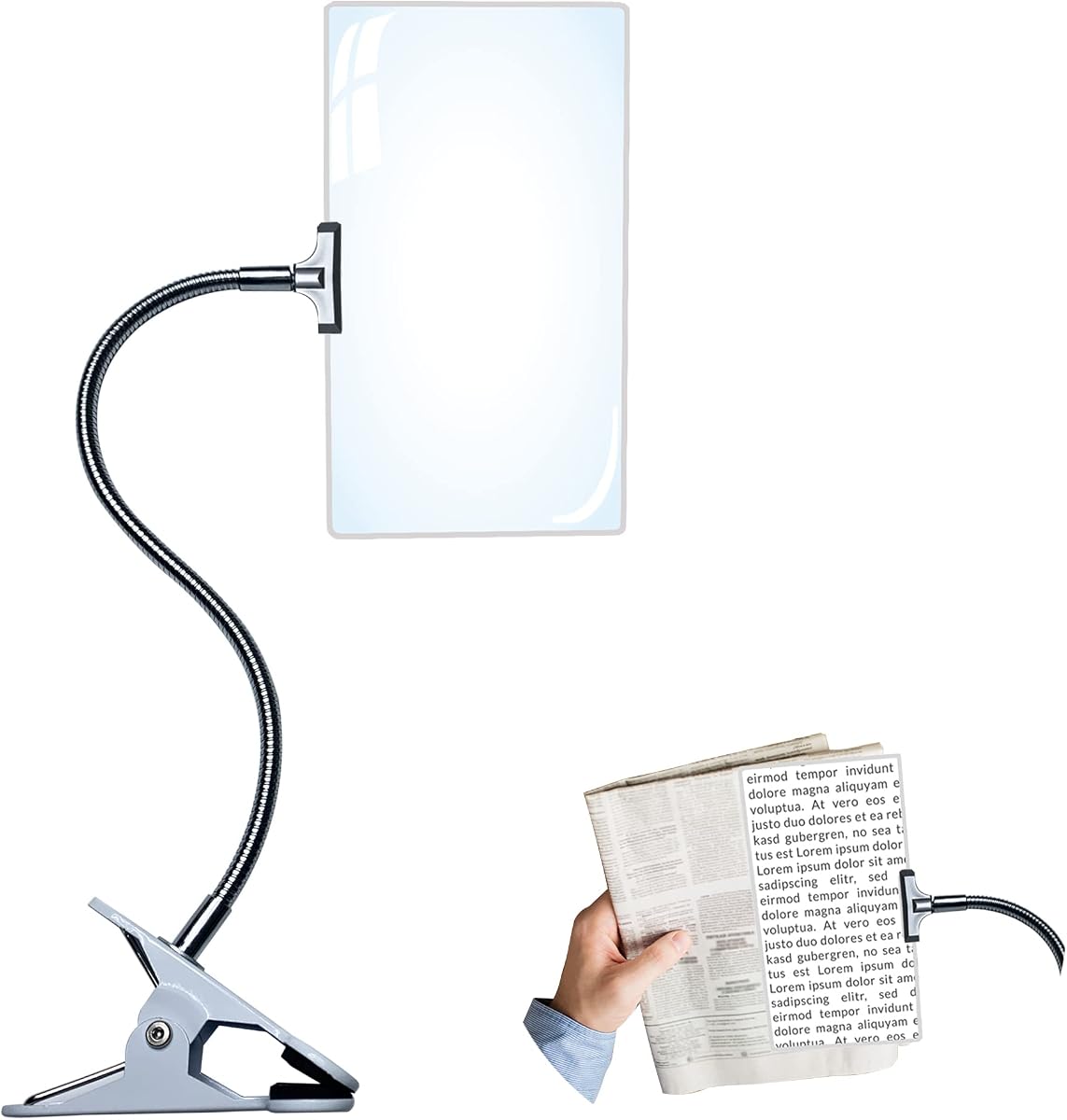
This clip-on magnifier offers a generous ten by six inch viewing area ideal for reading full pages. It features a five times optical lens made from optical grade PVC for clear imaging with minimal distortion.
We may earn a commission when you buy through this link, at no additional cost to you.
The flexible gooseneck allows you to adjust the lens to any angle without constant readjustment. Weighing only three and a half ounces, it is easy to use for extended periods without wrist strain.
While the lens material is not glass, it provides sufficient clarity for daily hobbies and crafts. Some users may find the clip mechanism less robust than heavier-duty alternatives for permanent desktop setups.
This is a practical choice for seniors or anyone needing occasional magnification for reading or detailed work on a monitor or desk surface.
The ten by six inch lens covers a significant portion of a standard document or screen section, reducing the need to move the device frequently.
The fourteen inch gooseneck bends easily to direct light and magnification exactly where you need it, adapting to different desk heights and angles.
We may earn a commission when you buy through this link, at no additional cost to you.
This twenty one inch amplifier is designed to fit laptop screens and magnify content three to five times. It uses HD acrylic Fresnel lens material with a spiral pattern for clear vision.
We may earn a commission when you buy through this link, at no additional cost to you.
The adjustable angle design allows for comfortable viewing whether sitting or lying down. It helps reduce visual fatigue caused by focusing on small screens for long periods.
Performance is best in low light environments where the 3D effect is more obvious. Direct sunlight or reflective surfaces can cause glare and reduce the magnification effectiveness.
Ideal for seniors or travelers who need a portable screen enlarger for reading small fonts or watching media on a laptop without permanent installation.
The curvature of the lens fits the human eye naturally, reducing strain and making long viewing sessions more comfortable.
Lightweight and collapsible, it packs easily into a bag for use at home, office, or while traveling.
We may earn a commission when you buy through this link, at no additional cost to you.
This magnifier features high-definition optical lens material within an environmentally friendly wooden frame. It offers a stylish look compared to standard plastic options.
We may earn a commission when you buy through this link, at no additional cost to you.
The bracket includes four pivot points that rotate over one hundred eighty degrees allowing flexible positioning for reading or viewing. It works with laptops tablets and mobile phones.
The optical technology provides high-definition zoom for clear image enlargement. However user ratings are not currently available to confirm long-term satisfaction levels.
Choose this if you prefer a more natural material aesthetic for your desk setup while maintaining functional magnification capabilities.
The wooden frame adds a touch of elegance to your workspace, distinguishing it from typical office accessories.
Six branch points and multiple pivot points allow you to angle the magnifier precisely for any task.
We may earn a commission when you buy through this link, at no additional cost to you.
This headset offers five interchangeable lenses ranging from zero point seven five times to four times magnification. Users appreciate the high rating for comfort and clarity.
We may earn a commission when you buy through this link, at no additional cost to you.
Three LED lights with adjustable brightness levels ensure detailed surfaces are well illuminated. The rechargeable lithium battery saves money and energy compared to disposable alternatives.
The ergonomic frame with rubber nose bridge distributes weight evenly preventing pressure on the nose. A flexible headband keeps the unit secure during extended use.
Perfect for precision tasks like craft work or repair where hands-free operation and adjustable light are essential for success.
Switch between five different optical lenses to match the task at hand from broad viewing to fine detail inspection.
Adjustable LED lights on the sides provide shadow-free lighting to enhance visibility in dim environments.
We may earn a commission when you buy through this link, at no additional cost to you.
This headset includes four lenses with magnifications from one point five times to five times. The lenses are made of durable acrylic resin with a high hardness rating.
We may earn a commission when you buy through this link, at no additional cost to you.
An adjustable LED light allows you to change the illumination angle for precise tasks. The battery can be fully charged in just one and a half hours using a Type-C cable.
Comfort is prioritized with a silicone-coated nose bracket and elastic headband that fits various head sizes. The lens slot system makes swapping lenses quick and secure.
This is an excellent tool for hobbyists who need different magnification levels for tasks like beading or jewelry making without multiple devices.
The lenses have a five H surface hardness making them resistant to scratches and wear over long periods of use.
Short charging time ensures the device is ready to use quickly and the battery lasts for several hours of continuous LED lighting.
We may earn a commission when you buy through this link, at no additional cost to you.
These glasses provide two hundred percent magnification with built-in LED lighting on both sides of the frame. They include blue light blocking technology to reduce eye strain from screens.
We may earn a commission when you buy through this link, at no additional cost to you.
The ergonomic design is lightweight and comfortable for extended periods. The USB rechargeable battery charges fully in one and a half hours.
While the magnification is fixed it suits general close work like sewing or reading without needing adjustments. The blue light feature is a distinct advantage for screen users.
A solid choice for anyone needing basic magnification with extra eye protection against artificial light and digital displays.
Built-in blue light blocking helps protect your eyes from harmful emissions common in electronic devices and artificial lighting.
The high-efficiency battery ensures quick charging and reliable power for daily tasks without frequent recharging.
We may earn a commission when you buy through this link, at no additional cost to you.
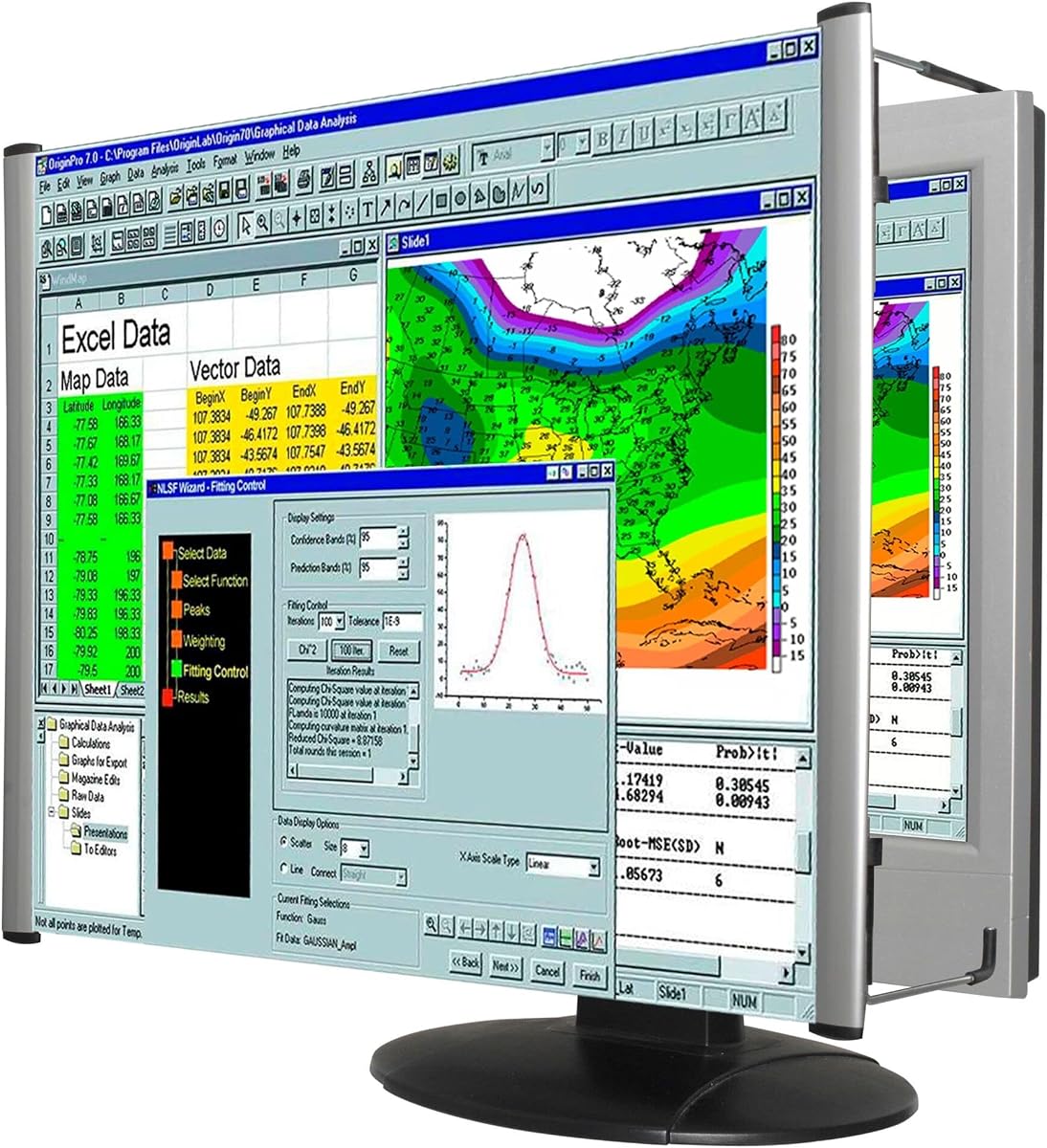
This filter is designed specifically for twenty two inch widescreen monitors. It features a Fresnel lens with an antiglare coating to improve readability.
We may earn a commission when you buy through this link, at no additional cost to you.
Adjustable magnification allows you to tailor the view to your specific needs. The lightweight design makes it easy to install without obstructing keyboard use.
Though priced higher than basic options it offers a durable solution for office environments. The antiglare coating helps reduce reflections from overhead lighting.
Ideal for professionals who need a reliable monitor magnifier for daily desktop use in a standard office setting.
Engineered to fit the curvature and aspect ratio of widescreen monitors for a seamless integration with your display.
The special coating minimizes reflections and glare improving comfort during long working hours.
We may earn a commission when you buy through this link, at no additional cost to you.
This magnifier features a high-definition lens providing up to five times magnification. The alloy spring clamp offers stable attachment to desks or monitor bezels.
We may earn a commission when you buy through this link, at no additional cost to you.
The bendable hose design lets you adjust the lens angle and height easily. It is highly rated for reading and repair work due to its clear view.
Users appreciate the hands-free capability and compact footprint on a desk. The sturdy construction ensures it stays in place during detailed tasks.
A top pick for seniors or technicians needing reliable magnification for close work with minimal effort to maintain position.
The desktop stable structure and alloy spring clamp keep the magnifier secure even when adjusting the viewing angle.
Suitable for a wide range of tasks from reading labels to performing fine mechanical repairs on small components.
We may earn a commission when you buy through this link, at no additional cost to you.
This large magnifier covers a ten by six inch area suitable for full page viewing. It uses a plastic Fresnel lens that is lightweight and resistant to breaking.
We may earn a commission when you buy through this link, at no additional cost to you.
The flexible gooseneck adapts to complex scenarios allowing you to position the lens as needed. It can be used detached for handheld reading if preferred.
Users find it helpful for visually impaired individuals needing to read books or newspapers for extended periods. The clip ensures stability during use.
A functional tool for seniors needing a large viewing area without the weight of glass lenses.
The ten by six inch lens can enlarge the full page of a book clearly making it ideal for reading tasks.
The plastic Fresnel lens does not break easily and is lightweight reducing fatigue during long use sessions.
We may earn a commission when you buy through this link, at no additional cost to you.
This magnifier is designed for twenty one point five to twenty two inch monitors. It uses an optical grade acrylic Fresnel lens with a light tint to enhance contrast.
We may earn a commission when you buy through this link, at no additional cost to you.
The patented design allows you to adjust the magnification level by moving the device closer or farther from the display. It measures twenty one and a half inches wide.
It is not designed for visually impaired users as the magnification is not sufficient for low vision needs. It works best in normal ambient light.
Choose this for standard office setups needing a clear view of larger screens without complex electronics or power needs.
By changing the distance between the lens and the screen you can control how large the image appears.
The light tint on the lens increases readability by enhancing contrast between text and background.
We may earn a commission when you buy through this link, at no additional cost to you.
Selecting the right magnification tool involves considering lens type, magnification power, and ergonomic features that match your daily tasks.
Magnification levels range from 1.5x to 5x depending on the product. Higher magnification helps with fine details but may require more precise positioning.
Choose a level that matches your specific needs for reading small fonts or inspecting tiny components without excessive distortion.
Lens materials vary from glass to acrylic and PVC. Optical grade materials provide clearer images with minimal distortion.
Higher quality lenses reduce eye strain and provide a more comfortable viewing experience over long periods.
Options include clip-on, desktop stand, or headset designs. Clip-ons are portable while stands offer stability.
Select a mounting style that fits your workspace and allows you to work hands-free if necessary.
Flexible goosenecks or adjustable angles help position the lens for optimal viewing. Look for multi-point adjustments for maximum flexibility.
Adjustable features ensure the device adapts to different tasks and user heights effectively.
Some models include LED lights to illuminate the viewing area. This is helpful in dim environments or for detailed work.
Check battery life and charging methods to ensure the light remains usable throughout your tasks.
Ergonomic designs distribute weight evenly to prevent fatigue. Lightweight materials are preferable for prolonged use.
Comfortable nose bridges and headbands are essential for wearables used during extended work sessions.
Ensure the product fits your specific monitor size or device. Some are designed for laptops while others for desktop screens.
Verify the visual area dimensions against your screen to avoid obstructions during use.
Materials like acrylic resin or reinforced clamps offer better durability. Look for warranties that cover defects in lens or structure.
A durable build ensures the tool lasts through regular use without frequent replacements.
Start by positioning the magnifier or headset at a comfortable height relative to your screen or workspace. Ensure the lens is clean and free from smudges.
Adjust the angle or distance to the object you want to magnify until the image appears sharp. Take your time to find the optimal focal point.
Clean lenses with a soft microfiber cloth to prevent scratches. Store the device in a protective case when not in use to avoid damage.
Yes, many models are designed specifically for seniors with larger viewing areas and adjustable lighting. Clip-on or stand options provide stability without requiring steady hands.
Yes, by enlarging text and images they reduce the need to squint or focus too closely. Models with blue light protection and glare reduction further help alleviate fatigue.
Some products are designed for laptops while others are for desktop monitors. Check the product specifications to ensure compatibility with your screen size and curvature.
Use a soft, lint-free microfiber cloth to gently wipe the lens surface. Avoid using harsh chemicals that may damage the coating or lens material.
Stand-alone magnifiers do not require power. Models with LED lights usually have rechargeable batteries that charge via USB cable.
For general reading 2x to 3x magnification is often sufficient. Higher power may be needed for very small print or detailed work.
Some models are designed for screens up to 22 inches. Check the visual area dimensions to ensure they match your monitor size.
Some models include blue light blocking technology to reduce strain from electronic screens. Check the product features list for this specification.
The top picks offer a range of options from budget-friendly clip-ons to premium adjustable headset systems. Each serves different needs from hobbyist crafts to professional office work.
Prioritize comfort and adjustability to ensure the device supports your workflow without causing strain. Features like built-in lighting and ergonomic design can make a significant difference.
Prices and availability change frequently. Please verify the current details before purchasing to ensure you get the best value for your specific setup.