
Amicool External DVD Drive USB 3.0 USB C CD Burner
4.2Editor score
USB 3.0 and Type-C ports
Slim portable design with cable
Compatible with Windows and macOS
Find the best External DVD Drive for Windows 11 with our expert guide comparing top models for performance, compatibility, and portability in 2026.
Modern laptops often lack internal optical drives, making an External DVD Drive for Windows 11 essential for media playback and software installation. Choosing the right one ensures seamless connectivity and reliable performance across your devices.
We compared ten top-rated models based on speed, compatibility, build quality, and user feedback. Our analysis focuses on USB 3.0 and Type-C connectivity, error correction, and support for various disc formats to help you decide.
Each pick highlights specific strengths like portability or multifunctionality. Prices change frequently, so check current listings before purchasing to ensure you get the best value for your specific computing needs today.
4.2Editor score

4.4Editor score

4.5Editor score
The following table provides a side-by-side comparison of all ten selected external DVD drives to help you quickly identify key specifications and features for your specific needs.






The Amicool External DVD Drive stands out as an affordable solution for users needing optical media access on modern laptops. With a 4.2 rating from thousands of users, it delivers reliable performance for basic CD and DVD tasks.
We may earn a commission when you buy through this link, at no additional cost to you.
Its dual USB 3.0 and Type-C ports ensure compatibility with both older and newer computers. The integrated cable design prevents loss and keeps your workspace tidy while maintaining data transfer speeds up to 5Gbps.
While it lacks Blu-ray support, it handles standard DVD and CD formats effectively. The anti-shock technology ensures smooth operation even when used on the go, though power stability is crucial for consistent performance.
This drive is ideal for students or professionals who need occasional access to physical media without breaking the bank. It is a practical choice for anyone prioritizing value and portability over advanced features.
With both USB-A and USB-C ports, this drive connects seamlessly to a wide range of devices without needing extra adapters.
The slim profile and built-in cable make it easy to slip into a laptop bag for travel or office use.
We may earn a commission when you buy through this link, at no additional cost to you.
ROOFULL has earned its spot with over 1.65 million units sold, proving its reliability in the market. This drive combines high-speed data transfer with a robust build, making it a top contender for both home and office use.
We may earn a commission when you buy through this link, at no additional cost to you.
The included protective case is a significant bonus that ensures your drive remains scratch-free during transport. With a two-year warranty, you get peace of mind knowing that support is available if you encounter any hardware issues.
The drive supports both USB 3.0 and Type-C connectors, offering versatile connection options. While it lacks Blu-ray capabilities, it excels at reading and burning standard DVDs and CDs with minimal errors due to its error correction tech.
Best for users who need a dependable drive with long-term support, this model balances performance and durability. Its plug-and-play functionality ensures you can start using it immediately without complicated setup steps.
The extra-thick protective sleeve included in the package ensures your drive withstands bumps and scratches during daily travel.
Plug-and-play support means you can connect the drive and start reading discs without installing any additional software or drivers.
We may earn a commission when you buy through this link, at no additional cost to you.
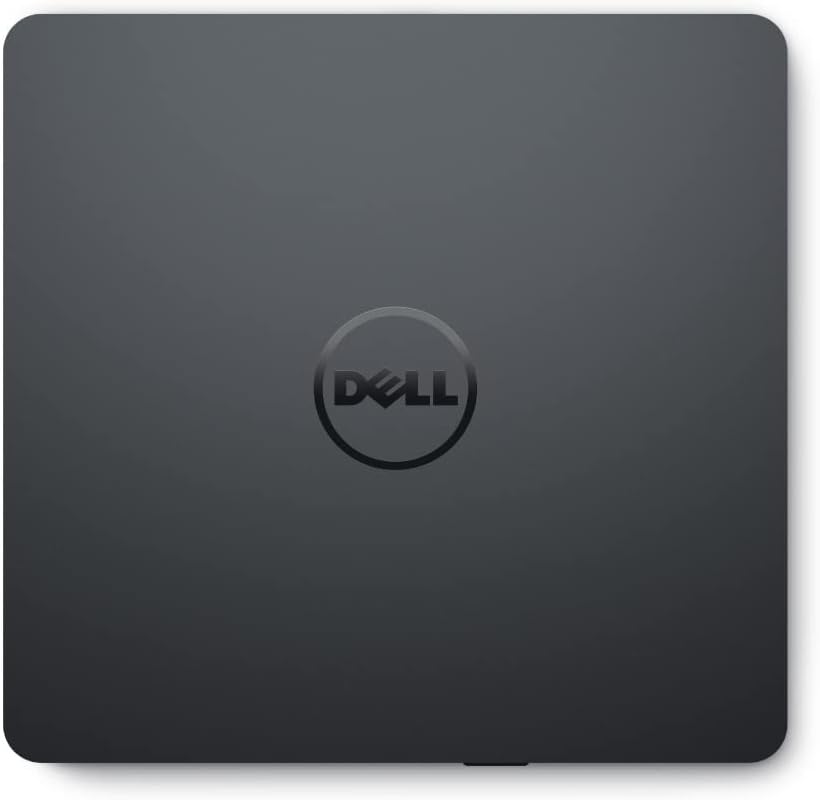
The Dell External USB Slim DVD RW Drive offers a premium experience with its sleek design and included software suite. Its 4.5 rating reflects user satisfaction with its stability and integration with Windows systems.
We may earn a commission when you buy through this link, at no additional cost to you.
Featuring the CyberLink Media Suite preloaded, you can immediately burn or play media without searching for third-party tools. The low profile design fits discreetly under your laptop or in a small workspace without taking up much room.
While it may not have the latest USB 3.0 speed of other models, its performance is consistent and stable. The inclusion of a one-year limited hardware warranty adds value, ensuring you are covered against manufacturing defects.
This drive is perfect for business users or Dell laptop owners who want a branded solution with professional support. Its elegant design blends well with modern workspaces, making it both functional and visually appealing.
The preloaded CyberLink Media Suite allows you to play and burn discs right out of the box without extra installation.
Its streamlined black design complements contemporary notebooks and blends well with home or office workspaces.
We may earn a commission when you buy through this link, at no additional cost to you.
HP Inc. brings its reputation for reliability to the external drive market with this DVDRW drive. With a 4.5 rating, it is known for straightforward functionality that works consistently across various Windows setups.
We may earn a commission when you buy through this link, at no additional cost to you.
Designed to be slim and efficient, this drive takes up minimal space while providing necessary optical access. Its USB-powered design eliminates the need for external power adapters, keeping your desk clutter-free during use.
The drive supports standard read and write operations for DVDs and CDs. While specific speed details are not highlighted in general descriptions, users report stable performance for media playback and software installation tasks.
Ideal for HP laptop users or those who prefer branded accessories, this drive offers a solid balance of simplicity and performance. It is a no-fuss option for users who want a dependable tool without extra bells and whistles.
HP is known for manufacturing durable hardware, making this drive a trustworthy choice for long-term use in various environments.
The compact form factor allows you to store the drive easily in a bag when not in use for travel or work.
We may earn a commission when you buy through this link, at no additional cost to you.
Rioddas offers a practical solution with strong fault tolerance designed to minimize errors during data transmission. With a 4.3 rating, users appreciate its reliability and ease of use for common optical drive tasks.
We may earn a commission when you buy through this link, at no additional cost to you.
The copper mesh technology ensures stable connections, reducing the risk of data corruption during file transfers. A physical eject button adds a layer of safety if software fails to recognize the drive, preventing stuck discs.
Its embedded cable design keeps everything organized in one unit, preventing lost cables during travel. USB 3.0 support provides high-speed data transfer up to 5Gbps, meeting most modern speed requirements effectively.
This drive is suitable for general users seeking a balance of performance and convenience. Its compatibility with a wide range of systems makes it a versatile tool for both home and office environments.
Copper mesh technology ensures consistently stable data transmission during all your reading and writing tasks.
The physical eject button safely releases discs even when your computer fails to recognize the drive, reducing frustration.
We may earn a commission when you buy through this link, at no additional cost to you.
This 5-in-1 drive offers multifunctionality by combining optical drive capabilities with card readers and USB hubs. With a 4.2 rating, it appeals to users looking to save ports and reduce peripheral clutter on their desktops.
We may earn a commission when you buy through this link, at no additional cost to you.
In addition to burning CDs and DVDs, it includes SD and TF card slots for easy photo transfers. The two USB 2.0 ports allow you to connect keyboards or mice, making it a compact expansion station for laptops.
The drive supports both USB-A and USB-C connections, ensuring compatibility with various devices. While it may require extra power for some devices, the included power cable addresses this potential issue for desktop users.
Perfect for travelers or small workspace owners, this drive replaces multiple gadgets with a single solution. Its long warranty period reflects confidence in its durability and performance across different operating systems.
This external optical drive also functions as a hub with 2 USB 2.0 ports and card slots for versatile peripheral support.
Card slots enable convenient transfer of data, photos, and videos from camera memory cards directly to your computer.
We may earn a commission when you buy through this link, at no additional cost to you.
ORIGBELIE focuses on portability with a 13mm thickness design that takes up minimal space in travel bags. With a 4.2 rating, it is a popular choice for users prioritizing lightweight and compact form factors.
We may earn a commission when you buy through this link, at no additional cost to you.
The anti-skid bottom ensures stable operation on various surfaces, preventing accidental movement during use. The included storage bag adds extra value by protecting the drive from scratches when packed inside luggage.
It supports USB 3.0 and 2.0 standards for broad compatibility with different port types. While power can be an issue for some systems, the included charging cable helps resolve power shortage problems effectively.
This drive is ideal for students and travelers who need occasional access to media without bulk. Its simple plug-and-play nature ensures you can start using it immediately upon unboxing.
Measuring just 13mm in thickness and weighing only 0.2 kg, the drive is extremely slim and portable for travel.
The kit includes a storage bag and charging cable, providing all necessary accessories to get started quickly.
We may earn a commission when you buy through this link, at no additional cost to you.
ASUS provides a feature-rich experience with M-Disc support for long-term data archiving. With a 4.3 rating, it attracts users looking for robust data security and compatibility across both Mac and Windows platforms.
We may earn a commission when you buy through this link, at no additional cost to you.
The included Nero BackItUp software helps manage backups and file transfers easily. Password control and hidden-file functionality add layers of security to your stored data, making it useful for sensitive information handling.
Its slim 13mm profile makes it easy to carry, while the inclusion of both USB-A and USB-C cables ensures connectivity options. This drive bridges the gap between standard use and professional archiving needs effectively.
Best for professionals needing secure data storage, this drive combines hardware durability with software tools. It is a strong choice for anyone who values data protection and archiving capabilities.
M-Disc support allows you to write data to discs that are designed to last for decades without degradation.
DISC Encryption II offers password controls and hidden-file functionality to keep your personal data secure.
We may earn a commission when you buy through this link, at no additional cost to you.
This drive stands out for its pure-copper-knitted-net tech that ensures stronger shielding and stable data transmission. With a 4.4 rating, users appreciate its speed and reliability for burning files and installing software efficiently.
We may earn a commission when you buy through this link, at no additional cost to you.
Adopting unique intelligent burning technology, it supports various disc formats with high write speeds. The fashionable design and embedded cable make it an aesthetically pleasing addition to any desktop or laptop setup.
Its compatibility with a wide range of systems ensures it works seamlessly with different hardware brands. While the price point may be higher than budget options, the performance justifies the investment for power users.
Ideal for professionals needing consistent performance, this drive delivers fast burning and stable reads. Its combination of style and substance makes it a strong contender for those prioritizing build quality.
Pure-copper-knitted-net tech leads to smaller resistance and stronger shielding capability for more stable data transmission.
Unique intelligent burning technology supports various formats with high speeds for efficient file writing and backup.
We may earn a commission when you buy through this link, at no additional cost to you.
The Dell Slim DW316 is a highly rated unit with 4.7 stars, reflecting strong satisfaction from users replacing older internal drives. It supports DVD-RAM formats which are less common in modern drives, adding versatility.
We may earn a commission when you buy through this link, at no additional cost to you.
Its USB 2.0 interface may be slower than newer standards but ensures compatibility with older Dell laptops like XPS and Inspiron series. The slim design matches the aesthetic of Dell business laptops seamlessly for a unified look.
Users report stable performance when connected to compatible devices. The drive is designed specifically for certain models, ensuring fit and function without compatibility issues common with generic external drives.
Best for Dell laptop owners upgrading their systems, this drive offers a native solution. Its high rating indicates reliability, making it a safe choice for those needing DVD-RAM support.
With a 4.7 rating, this drive is highly trusted by users for its stable performance and compatibility with Dell systems.
Support for DVD-RAM formats offers greater flexibility for archiving and writing data to optical media.
We may earn a commission when you buy through this link, at no additional cost to you.
Choosing the right external DVD drive requires considering several technical aspects to ensure it meets your specific computing needs.
Most modern drives offer USB 3.0 for fast data transfer, while some include Type-C for new laptops. Ensure the ports match your computer to avoid needing adapters.
Look for dual USB-A and Type-C connectors to maximize compatibility across different devices.
Standard drives offer read speeds of 8x for DVDs and 24x for CDs which are sufficient for most media tasks. Faster speeds reduce wait times when burning large files.
Check the product details for maximum read/write speeds to ensure they match your workflow requirements.
Slim and lightweight designs are crucial if you plan to carry the drive frequently. Look for integrated cables to prevent loss and ensure durability.
Portable drives should be shock-resistant and have anti-slip features to protect your data during travel.
Ensure the drive supports Windows 11, macOS, and Linux if you use multiple operating systems. Some drives may require specific setup for Mac to recognize discs properly.
Verify system requirements to avoid issues where the drive is detected but not functional on your OS.
Some drives come with software for burning or media playback that can save installation time. Others may include extra USB ports or card readers for expanded utility.
Consider if you need specific features like M-Disc support for archiving or encryption tools for sensitive data.
Most drives are powered solely by the USB port, but some may need external power for stable operation on low-power devices. Check if an external power cable is included.
Desktops often benefit from connecting to rear USB ports for consistent power delivery without interruptions.
A longer warranty period indicates the manufacturer's confidence in the product's durability. Look for brands offering at least one to two years of coverage.
Customer support responsiveness is also key if you encounter technical issues with recognition or software.
Budget options provide basic functionality, while premium models offer better build quality and extra features. Evaluate what features are essential for your daily use.
Read reviews to ensure the price matches the performance and reliability you expect from the drive.
To start using your drive, connect it directly to a USB port on your computer without using a hub. Most systems will recognize it automatically within seconds without needing drivers.
Keep your discs clean and free of scratches to prevent read errors. Avoid bending the drive cable and store it in a protective case when not in use to extend its lifespan.
If the drive is not recognized, try restarting your computer or connecting to a different USB port. For Mac users, ensure the external disk icon is set to display in Finder preferences.
Most modern external DVD drives are plug-and-play and do not need drivers for Windows 11. The operating system automatically detects them through generic USB drivers upon connection.
Yes, most external DVD drives are compatible with Macs if you use the correct USB-C or USB-A cable. Note that you may need to eject discs manually from the Finder menu.
Most external DVD drives do not support ChromeOS directly because of driver limitations. You may need a specialized driver or a USB hub with external power to get it to work.
Check the USB connection and try a different port. Ensure the drive is powered sufficiently by connecting to a rear motherboard port or using the included power cable if available.
USB 3.0 offers faster data transfer rates which helps with file copying. However, DVD read speeds are often limited by the drive mechanics rather than the USB interface.
No, standard external DVD drives do not read or write Blu-ray discs. You need a specific Blu-ray external drive if you need access to that media format.
Insufficient power from the USB port is a common cause. Try connecting the drive directly to the computer or use a powered USB hub for more stable operation.
Store the drive in a cool dry place and use the protective case. Handle discs gently and avoid bending the cable excessively to prevent internal damage.
We reviewed ten top-rated external DVD drives ranging from budget to premium options to suit different needs. The ROOFULL and Amicool models stood out for their value and versatility among users.
Consider your primary use case whether it is for travel, data archiving, or general media playback before choosing. Portability and connectivity options should guide your final decision to avoid compatibility issues.
Prices and availability change frequently so verify current listings before purchasing to ensure you get the best deal. Always check the latest compatibility notes to ensure seamless operation with your system.