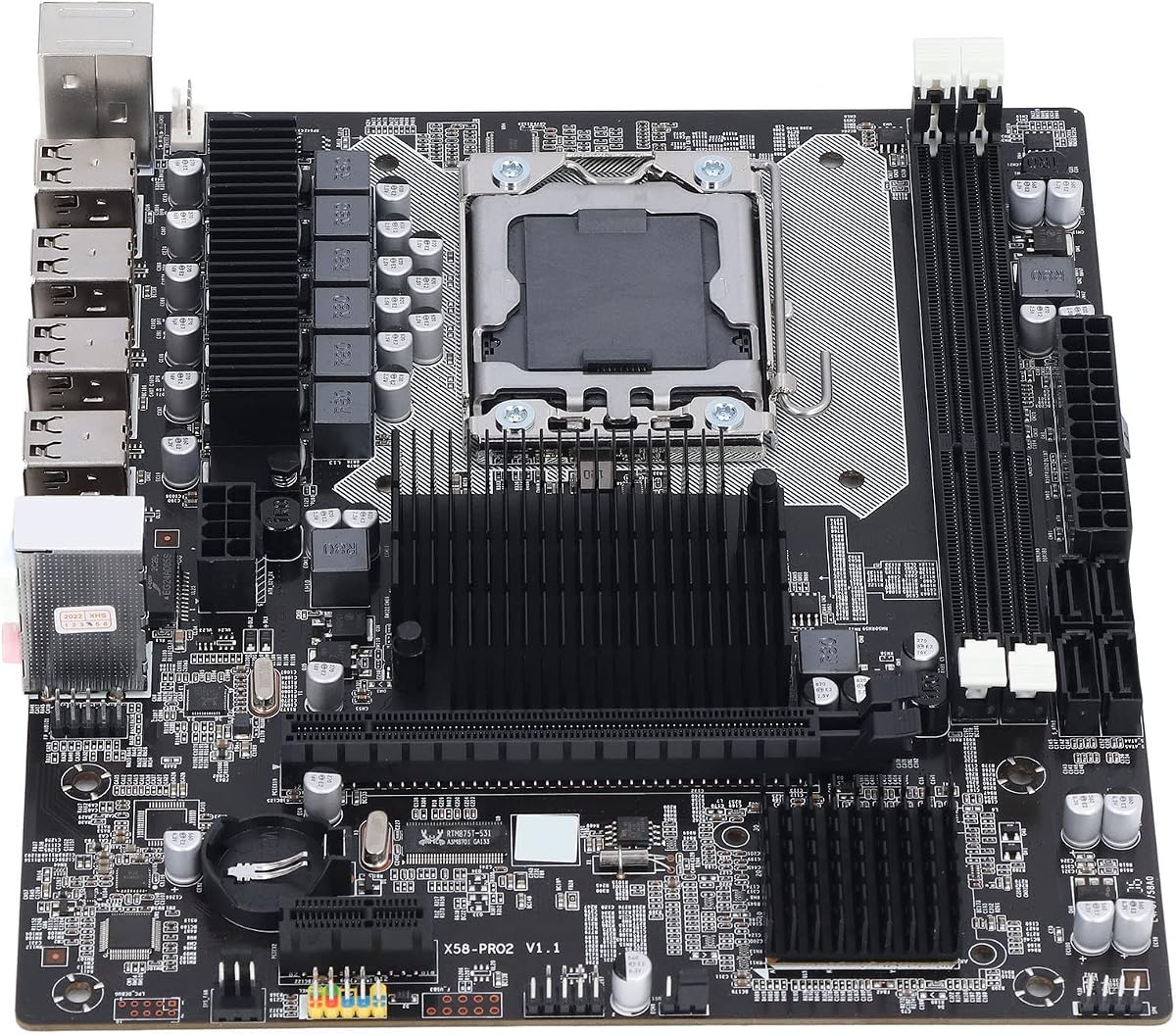
X58 Gaming Motherboard
Affordable price point
Solid capacitors included
Supports ECC memory
Explore our expert guide comparing the top Lga 1366 Motherboard options for enthusiasts, featuring detailed specs, performance insights, and reliability data
Finding the right Lga 1366 Motherboard can be challenging given the age of the platform. These boards support powerful Intel Core i7 processors and offer triple channel memory support for high performance computing tasks.
We have analyzed ten distinct models ranging from workstation grade server boards to enthusiast desktop solutions. Each entry was evaluated based on connectivity, power delivery quality, and expansion slot availability for modern needs.
This guide highlights key features and potential trade-offs for every product listed. Please note that availability and pricing for these legacy components fluctuate frequently so always verify current stock before purchasing.

5.0Editor score

The following table provides a side-by-side comparison of all ten Lga 1366 Motherboard options. Review the specifications carefully to determine which model aligns best with your specific workstation or gaming requirements.



This motherboard stands out as a top tier option for users needing maximum expansion capabilities. It supports triple way SLI and CrossFireX configurations which is rare for this generation of hardware.
We may earn a commission when you buy through this link, at no additional cost to you.
The board features dual gigabit LAN controllers and a massive array of USB ports making it ideal for data transfer and networking heavy tasks. The power design ensures stability under heavy loads.
While it lacks USB 3.0 native support on the rear panel the sheer number of headers allows for internal expansion. The CEB form factor means you need a large case but it accommodates many GPUs.
Enthusiasts building a legacy high performance system should consider this model for its unmatched slot density and workstation class features that still hold value today.
With multiple PCIe slots dedicated to graphics and expansion cards this board allows for complex configurations that modern consumer boards no longer support.
The inclusion of two independent gigabit ethernet controllers enables load balancing and teaming which is crucial for servers and high throughput workstations.
We may earn a commission when you buy through this link, at no additional cost to you.
This board offers a low cost entry point for those looking to utilize the LGA 1366 platform without spending a fortune. It focuses on essential features needed for basic workstation or gaming tasks.
We may earn a commission when you buy through this link, at no additional cost to you.
The support for ECC memory is a significant advantage for users needing data integrity on a budget. Solid capacitors help ensure longevity even at lower price points which is commendable.
You will notice the limited expansion options with only two memory slots and older USB standards. However for a simple rebuild this provides the necessary foundation without extra cost.
If your primary goal is affordability and basic reliability this model serves as a practical choice for getting an older CPU running in a new or refurbished system.
Despite the lower cost the board maintains stability through solid capacitors and standard ATX power connections that are easy to manage during installation.
The ability to use ECC memory makes this board suitable for light server duties or error sensitive applications where data correctness is paramount.
We may earn a commission when you buy through this link, at no additional cost to you.
This is a serious piece of hardware designed for dual socket workstation or server environments. It allows for two Xeon processors to work in tandem doubling the compute power available.
We may earn a commission when you buy through this link, at no additional cost to you.
With support for up to 288GB of RAM this board handles massive datasets and virtualization tasks that single socket boards cannot manage. The dual port gigabit ethernet ensures reliable network access.
Users must be aware that this requires an EATX case and proper cooling infrastructure. It is not a standard consumer board but a tool for heavy industrial or scientific computing needs.
For those building a powerful rendering farm or virtualization host this motherboard provides the raw power and stability required to keep critical operations running smoothly.
By supporting two CPU sockets this board effectively doubles the processing cores available for multithreaded applications and virtual machine hosting.
The extensive memory support allows for large in-memory databases and complex simulations without the need for constant swapping to storage.
We may earn a commission when you buy through this link, at no additional cost to you.
This model bridges the gap between legacy performance and modern connectivity by including USB 3.0 and SATA 6Gb/s support natively. These features make data transfer significantly faster than older X58 boards.
We may earn a commission when you buy through this link, at no additional cost to you.
The 16+2 phase power design provides stable voltage regulation for overclocking enthusiasts. The passive cooling solution for the chipset helps reduce noise levels which is a nice touch.
ASUS TurboV software allows for precise tuning of the system. However depending on the listing the price might vary significantly so checking current value is important.
For users wanting the best blend of legacy CPU power with faster storage and peripheral speeds this board offers a compelling package that still feels relevant today.
Having native USB 3.0 support means you can use modern external drives without needing extra adapter cards improving overall system convenience.
The Stack Cool 3+ technology uses heat pipes to dissipate heat silently which helps maintain lower internal temperatures in your chassis.
We may earn a commission when you buy through this link, at no additional cost to you.
The P6X58D-E offers a balanced approach to storage and connectivity with a mix of SATA II and SATA III ports. This allows for flexibility in choosing between speed and capacity for your drives.
We may earn a commission when you buy through this link, at no additional cost to you.
Marvell Gigabit LAN ensures reliable network performance while the Realtek ALC889 audio provides decent sound quality. The USB 3.0 ports are a key upgrade over standard X58 designs.
While the total USB count on the rear is not as high as some workstation boards the inclusion of 3.0 is significant. The triple channel memory support maximizes RAM throughput.
This board is a strong choice for users needing fast storage interfaces without moving to a completely different platform. It balances modern needs with the power of the 1366 socket.
The mix of SATA speeds allows you to prioritize your boot drive on the faster ports while keeping bulk storage on standard connections.
Support for triple channel DDR3 memory helps unlock the full bandwidth potential of the Core i7 processors supported by this board.
We may earn a commission when you buy through this link, at no additional cost to you.
This board is designed for reliable single socket server or workstation use. It includes onboard graphics which is rare for many server boards making it easier to set up without a discrete GPU.
We may earn a commission when you buy through this link, at no additional cost to you.
The Intel 82574L LAN controller is known for stability and performance ensuring your network connection remains consistent. The support for ECC memory adds a layer of data protection.
You will find plenty of SATA ports for storage arrays and standard expansion slots for add-on cards. The build quality reflects Supermicro's reputation for industrial grade components.
If you need a dependable system for file serving or light virtualization this board provides the necessary tools to run 24/7 without constant intervention or rebooting.
The Matrox controller allows for basic display output without requiring a dedicated graphics card which saves space and power in a small case.
Supporting ECC memory helps prevent data corruption which is critical for servers handling important files or running persistent services.
We may earn a commission when you buy through this link, at no additional cost to you.
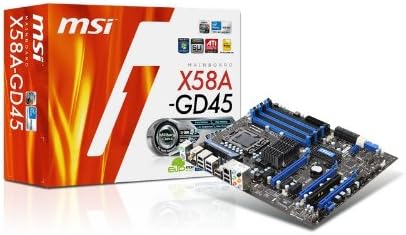
MSI brings its reputation for stability to this X58 board with active phase switching to manage power efficiently. It includes USB 3.0 and SATA 6Gb/s to keep up with modern peripheral speeds.
We may earn a commission when you buy through this link, at no additional cost to you.
The three PCIe x16 slots allow for multi GPU setups which was a popular feature for this generation of enthusiast boards. The design aims for noiseless operation to keep your system quiet.
You may find the rear connectivity somewhat basic compared to workstation boards but the internal headers offer some flexibility. It is a solid choice for gamers using older hardware.
For those looking for a reliable MSI board with the latest interfaces available for the 1366 socket this model balances performance and functionality effectively for most users.
Active Phase Switching dynamically adjusts the number of active phases to match system load reducing heat and improving overall power efficiency.
Three full speed x16 slots allow for SLI or CrossFireX configurations giving you the graphics power needed for demanding legacy games.
We may earn a commission when you buy through this link, at no additional cost to you.
This board is a classic choice for enthusiasts who want a reliable ATX solution for the 1366 socket. It supports up to 24GB of RAM which is sufficient for most high end tasks.
We may earn a commission when you buy through this link, at no additional cost to you.
The triple channel memory architecture ensures that your system can handle heavy multitasking and memory bandwidth hungry applications. It fits standard cases making installation straightforward.
User ratings suggest some variability in quality control or BIOS issues which is a consideration for potential buyers. However the core features remain solid for the price.
If you need a standard board for a custom PC build without needing the latest USB standards this model offers a dependable foundation for your Core i7 processor.
This board provides the essential features needed for a high end gaming or workstation PC without unnecessary complexity or proprietary connectors.
Triple channel support means data flows faster between the CPU and RAM which helps improve overall system responsiveness and frame rates.
We may earn a commission when you buy through this link, at no additional cost to you.
As an Intel branded board this model comes with the expectation of compatibility and quality assurance from the CPU manufacturer. It supports SLI and CrossFireX for graphics performance.
We may earn a commission when you buy through this link, at no additional cost to you.
The board offers 12 USB ports in total which helps with peripheral connectivity. It also includes a 7.1 audio codec for better sound output than basic motherboard solutions.
The memory support is capped at 16GB which is lower than some competitors but still functional for many applications. It is a straightforward choice for those who prefer original Intel gear.
If you want a simple reliable board that matches the Intel ecosystem this model provides a safe option for building a classic X58 based computer system.
Using an Intel motherboard ensures that you are using a design officially validated for the specific processor features and instruction sets.
Support for SLI and CrossFireX allows you to combine multiple graphics cards to boost performance in graphics intensive applications.
We may earn a commission when you buy through this link, at no additional cost to you.
This board provides the fundamental capabilities required for an LGA 1366 build. It focuses on getting the CPU running with a standard X58 chipset design.
We may earn a commission when you buy through this link, at no additional cost to you.
The specs are basic making it suitable for users who do not need advanced features like USB 3.0 or extensive SATA options. It serves as a simple foundation for a system.
Data availability is limited which suggests it may be an older or less marketed product. However it fulfills the core role of a motherboard for this processor socket.
If you need a no-frills board for a project and can manage the basics this option provides the necessary connection for your legacy CPU and memory components.
This board focuses on the essential tasks of power delivery and data routing for the CPU and memory without extra consumer features.
Designed specifically for the LGA 1366 socket it ensures physical and electrical compatibility with the supported Intel processor range.
We may earn a commission when you buy through this link, at no additional cost to you.
Selecting a motherboard for this platform requires understanding the specific needs of your build and the capabilities of the X58 chipset.
The Intel X58 chipset is known for supporting triple channel DDR3 memory. This architecture provides higher bandwidth compared to dual channel setups which is crucial for performance.
Ensure the board supports the memory speed you plan to use. Some boards support higher speeds with overclocking while others are limited to standard speeds.
High quality power delivery is essential for stable performance especially if you plan to overclock your Core i7 processor. Look for boards with more power phases.
Robust VRMs help maintain stable voltages under load preventing throttling or shutdowns during intense computing tasks.
Check the number of PCIe slots available on the board. If you intend to use multiple graphics cards you will need a board that supports SLI or CrossFireX.
Ensure the slots are spaced correctly to avoid conflicts when installing large graphics cards with bulky heatsinks.
Look for SATA ports that match your storage needs. While older boards have SATA II some newer releases added SATA III for faster SSD speeds.
Consider how many drives you need to connect. Having enough ports avoids the need for extra controller cards.
Gigabit Ethernet is standard but some boards offer dual LAN ports for better network flexibility or redundancy.
USB 3.0 support is a significant upgrade for data transfer speeds. If your model lacks it you may need a PCIe card to add this feature.
Most boards are ATX but some workstation models use EATX or CEB sizes. Always check your case compatibility before buying.
Ensure your power supply has the necessary connectors such as the 8-pin CPU power cable required for these boards.
High quality capacitors and heat sinks indicate a better build. These components help with longevity and thermal management.
Workstation grade boards often use better components than standard consumer boards making them more reliable for 24/7 operation.
A user friendly BIOS makes overclocking and adjusting settings easier. Look for boards that offer useful tuning tools.
Some boards include proprietary software for fan control and system monitoring which can simplify system management.
Start by ensuring your power supply is disconnected before installing the board. Ground yourself to prevent static discharge that could damage sensitive components.
Install the CPU and memory first following the manual. Ensure the RAM is seated in the correct slots to enable triple channel mode.
Keep the system clean and dust free. Use compressed air to clear fans and heatsinks regularly to prevent overheating during long sessions.
These boards support Intel Core i7 Extreme Edition and Core i7 processors from the Nehalem and Westmere families. They also work with select Intel Xeon workstation processors.
The original X58 does not support SATA 3 natively. Some later boards added this feature via third party controllers so check the specific model details carefully.
Yes but you may need to enable the memory profile in the BIOS. Some boards support this speed while others require manual tuning for stability.
It is not standard on all models. Many older boards rely on internal headers or PCIe cards to add USB 3.0 support if they lack native ports.
Yes CEB boards are larger than standard ATX. Ensure your case explicitly lists support for this form factor to avoid fit issues during installation.
Not all consumer boards support ECC. It is typically found on workstation and server boards like the Supermicro models listed in this guide.
You will need a standard 24-pin ATX connector and an 8-pin CPU power connector. Ensure your power supply has these cables before building.
We have reviewed ten top options ranging from budget friendly boards to robust workstation solutions. The choice depends heavily on your specific needs for memory and graphics.
Prioritize power delivery and connectivity when selecting a model. A board with stable power ensures longevity while better connectivity future proofs your legacy build.
Always check current availability and pricing before purchasing. These components are no longer new so verifying stock ensures a smooth building experience for your system.