
Lenovo IdeaPad Slim 3 Touchscreen Laptop
4.4Editor score
Up to 10-hour battery life
Ryzen 7 5825U processor
16GB RAM 512GB SSD
Finding a laptop with the longest battery life is essential for travelers and professionals who need power throughout the day. Modern devices now deliver 20 to 40 hours on a single charge, transforming how we work remotely. We evaluated top models to help you choose the right endurance for your workflow.
We compared these laptops based on battery capacity, processor efficiency, display technology, and real-world usage scenarios. Our analysis includes detailed breakdowns of Snapdragon X processors, Intel Core Ultra chips, and OLED versus IPS panels. Each entry highlights strengths, weaknesses, and ideal use cases for different user needs.
Each pick shows key specs, pricing, and unique features like fast charging or AI capabilities. Prices and stock change frequently, so verify current deals before purchasing. This guide ensures you invest in a machine that keeps up with your demands without constant recharging interruptions.
4.4Editor score
4.6Editor score

4.8Editor score
As an Amazon Associate we earn from qualifying purchases.
This side-by-side comparison helps you evaluate key specifications across all ten selected laptops. We focus on battery endurance, processor type, screen quality, and port selection to highlight differences that impact daily usage and mobility.




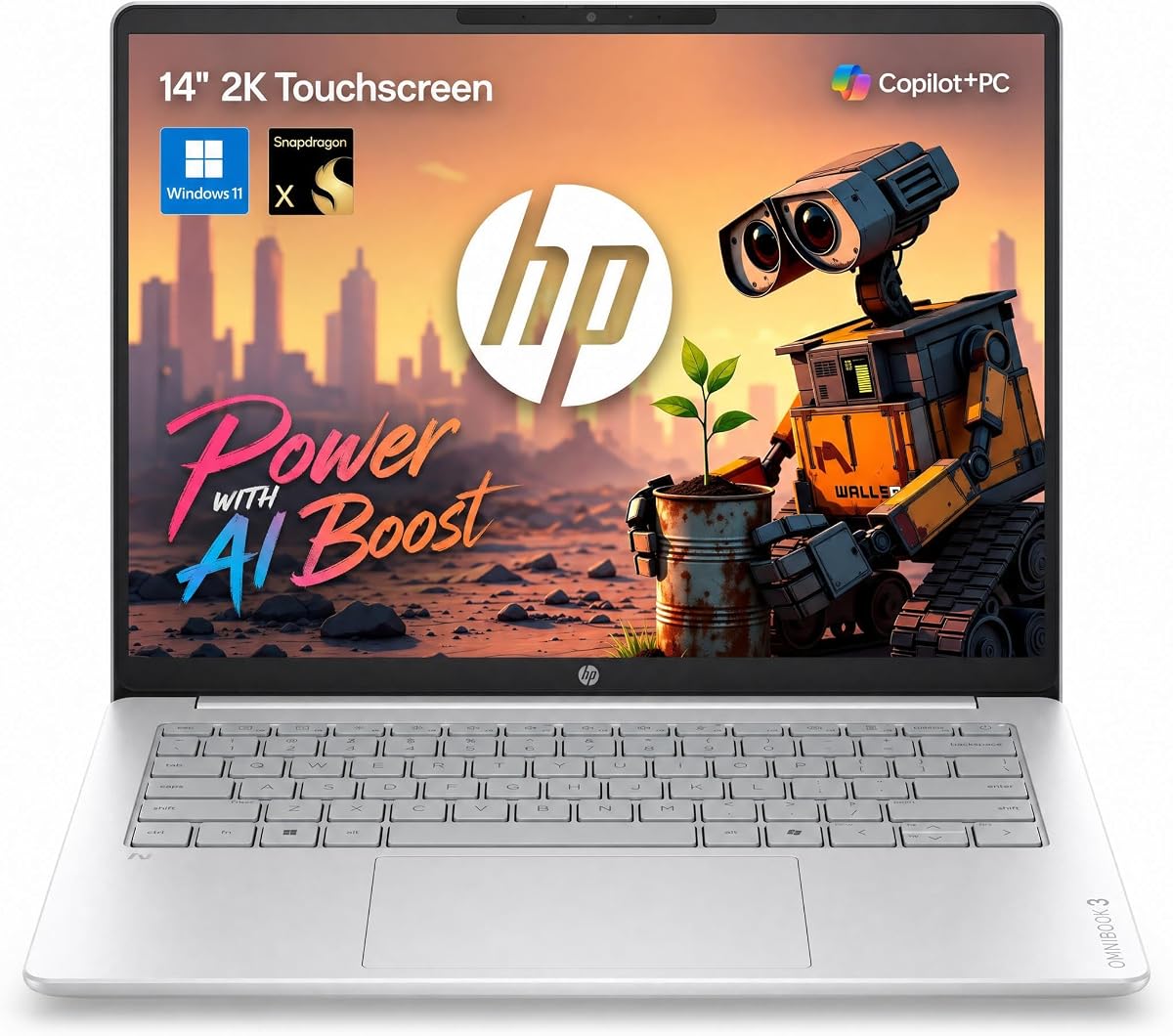
The HP OmniBook 3 14 stands out with its remarkable 30-hour battery life, making it ideal for travelers. It features a Snapdragon X processor optimized for efficiency, ensuring minimal power drain during daily tasks. Its 2K touchscreen offers vibrant visuals without compromising energy consumption significantly.
We may earn a commission when you buy through this link, at no additional cost to you.
This laptop shines in real-world usage with fast charging that reaches 50 percent in 45 minutes. The 3.13-pound weight makes it easy to carry everywhere. Connectivity includes USB-C with Power Delivery and DisplayPort for modern peripherals and monitors.
While it lacks legacy USB-A ports, the included adapters can solve this. Windows 11 runs smoothly but some legacy apps may need updates for Snapdragon architecture. These trade-offs are minor compared to the freedom from power outlets.
Buy this if you need all-day or multi-day battery life without compromises. It is perfect for students, remote workers, and frequent travelers. This choice balances portability, performance, and endurance better than most competitors in 2026.
With up to 30 hours of video playback, you can work through long flights or study sessions without searching for outlets.
The 65W USB-C GaN adapter recharges quickly, ensuring you get back to full power in under an hour for extended use.
We may earn a commission when you buy through this link, at no additional cost to you.
This budget-friendly laptop offers up to 10 hours of battery life, suitable for students and casual users. The AMD Ryzen 7 processor handles multitasking well for everyday tasks. Its touchscreen and HDMI support make presentations and home office work easy.
We may earn a commission when you buy through this link, at no additional cost to you.
Despite the lower price, it includes USB-A and USB-C ports alongside an SD card reader. The MIL-STD tested chassis survives daily wear and tear effectively. It weighs enough for portability without feeling too light or fragile in hands.
Battery life is good but not class-leading. The display brightness of 300 nits may struggle in direct sunlight. These are acceptable limits for the cost, keeping it a practical choice for tight budgets and moderate usage.
Choose this for a reliable workhorse under a thousand dollars. It fits families, home users, and learners needing stability. Its balance of features, durability, and affordability makes it a standout budget option.
The MIL-STD 810H tested design ensures it can withstand drops and bumps, extending its lifespan in active environments.
With 16GB RAM and a 512GB SSD, it launches apps quickly and stores plenty of files for school or office work.
We may earn a commission when you buy through this link, at no additional cost to you.
The Dell XPS 13 9345 delivers up to 27 hours of battery life, setting a new standard for premium laptops. Its Snapdragon X Elite processor provides desktop-class power without constant charging needs. The ultra-thin chassis is the lightest XPS yet, perfect for executives and creatives.
We may earn a commission when you buy through this link, at no additional cost to you.
Features include 500-nit brightness for outdoor visibility and support for two 4K external monitors. Windows 11 Pro offers BitLocker encryption and Hyper-V virtualization for advanced workflows. It is a powerful AI PC with offline capabilities for secure environments.
High cost is a barrier, but the value justifies it for power users. The reduced ports may require dongles for legacy devices. However, the overall experience remains unmatched for those prioritizing battery life and portability over maximum expandability.
Ideal for professionals who demand excellence and mobility. It suits software engineers, analysts, and content creators needing reliable AI tools. This laptop represents the pinnacle of battery efficiency combined with premium craftsmanship in 2026.
The Snapdragon X Elite processor ensures smooth multitasking and video conferencing without throttling or battery drain.
Windows 11 Pro with BitLocker encryption keeps sensitive data safe, essential for business and confidential work scenarios.
We may earn a commission when you buy through this link, at no additional cost to you.
HP OmniBook 5 14 claims up to 34 hours of battery life, the highest in our list. Its 2K OLED display offers deep blacks and rich colors for media consumption. The Snapdragon X Plus processor balances efficiency and performance for daily AI tasks.
We may earn a commission when you buy through this link, at no additional cost to you.
With 16GB RAM and 1TB SSD, it handles large projects and extensive file storage smoothly. The HP AI Companion app and Paint Cocreator feature boost creativity and productivity. Fast charge restores 50 percent in 30 minutes effectively.
Lower user ratings suggest potential firmware or software optimization issues. OLED screens may degrade faster with static elements. These points are trade-offs for visual fidelity and battery range that tech-savvy users may accept.
Choose this for vivid visuals and exceptional battery potential. It fits creators and media enthusiasts. If you value color accuracy and endurance above all, this is a strong contender despite mixed user feedback.
The 2K OLED panel delivers unmatched contrast and saturation, making it perfect for photo editing and streaming content.
Tools like Paint Cocreator and Otter.ai help streamline workflows, reducing manual effort in creative and meeting contexts.
We may earn a commission when you buy through this link, at no additional cost to you.
This XPS model reaches up to 26 hours with Intel Ultra 7, offering a robust alternative to Snapdragon. The 120Hz refresh rate ensures smooth scrolling and video playback. Its minimalist design with haptic touchpad enhances the user experience significantly.
We may earn a commission when you buy through this link, at no additional cost to you.
It includes Thunderbolt 4 for fast external storage and display connections. Windows 11 Pro supports enterprise needs like Remote Desktop. The 500-nit display reduces eye strain during long work sessions effectively.
The cost is higher than competitors, but build quality justifies it. Users needing legacy ports may require a hub. For those invested in Intel ecosystems, this provides reliable performance with solid battery endurance.
Best for professionals wanting Intel compatibility with long battery life. It suits engineers, writers, and business users. This choice offers peace of mind with proven performance and premium aesthetics.
A 120Hz refresh rate reduces motion blur, making navigation and content consumption feel significantly more fluid and responsive.
Thunderbolt 4 allows rapid data transfers and supports multiple 4K displays without docking, ideal for multitasking setups.
We may earn a commission when you buy through this link, at no additional cost to you.
Weighing 2.82 lbs, this slim laptop offers up to 17 hours of battery life. Its 32GB RAM ensures seamless multitasking even with heavy applications. The OLED touchscreen provides stunning visuals for design and content review.
We may earn a commission when you buy through this link, at no additional cost to you.
Support for three external monitors via HDMI and Thunderbolt 4 expands workspace flexibility. Windows 11 Home includes Copilot for productivity. The 5MP IR webcam ensures clear and secure video calls.
Battery life is less than other picks but acceptable given the specs. The cost reflects the high-end RAM and display quality. It is a solid option for creators needing memory and mobility together.
Ideal for creators and programmers needing RAM and portability. It handles complex workflows without lag. This model balances power and weight well for demanding mobile professionals.
With 32GB RAM, you can run virtual machines, compilers, and browsers simultaneously without performance degradation.
Connect up to three external screens to expand your digital desk, boosting productivity for data analysis and coding.
We may earn a commission when you buy through this link, at no additional cost to you.
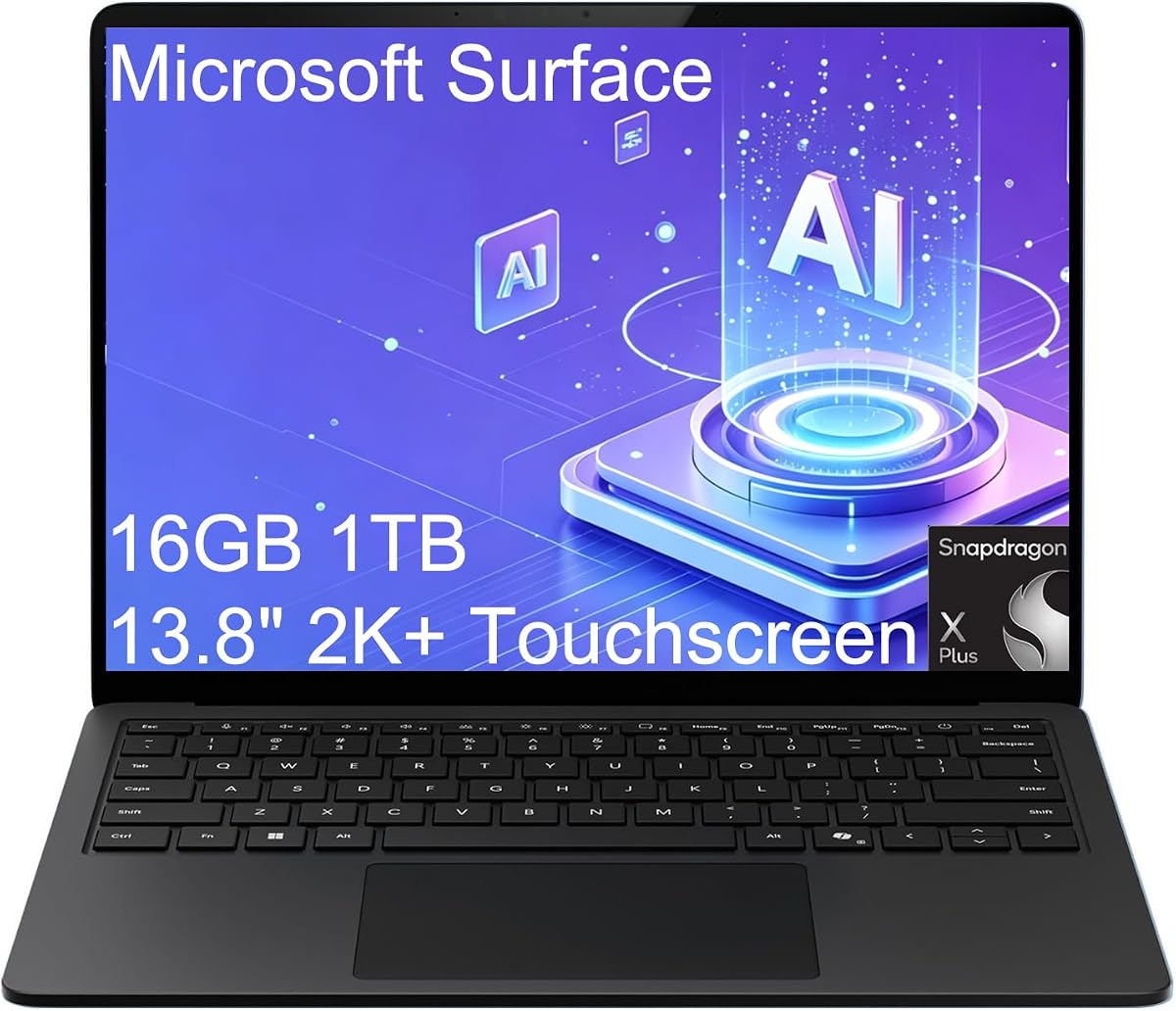
The Microsoft Surface Laptop 7 weighs only 2.96 lbs and offers up to 20 hours of battery life. Its 120Hz 2K+ touchscreen delivers crisp visuals. Dedicated Copilot key provides instant AI assistance for tasks like transcription.
We may earn a commission when you buy through this link, at no additional cost to you.
Surface Connect and USB4 ports enable versatile connectivity. Windows 11 Home is optimized for business workflows. The design is sleek and professional for consultants and remote workers.
Limited ports mean carrying dongles for legacy devices. The price is high but consistent with Surface brand quality. It remains a top choice for those valuing design and integration with Microsoft ecosystem.
Best for business professionals and consultants. It fits office, home, and travel environments. This choice prioritizes polish and reliability for daily mobile work.
The Copilot key launches AI tools directly, saving time for note-taking, summarization, and meeting follow-ups.
Built-in security features and intuitive management protect your data without sacrificing ease of use.
We may earn a commission when you buy through this link, at no additional cost to you.
With up to 41 hours and 45 minutes, this model leads battery specs. Its OLED display ensures vibrant visuals. The Snapdragon X processor delivers efficiency and AI features for everyday productivity.
We may earn a commission when you buy through this link, at no additional cost to you.
Storage is 256GB, which might require cloud reliance. However, fast charging and Otter.ai integration help manage time effectively. It is a cost-effective choice for budget-conscious buyers needing endurance.
Lower ratings hint at quality variance but specs are solid. The low price makes it attractive despite compromises. It fits students and light users prioritizing runtime over storage size.
Buy for maximum battery at a reasonable cost. It suits learners and travelers on a budget. This pick offers the longest runtime available in the lineup.
With over 41 hours, you can go days without plugging in, perfect for long trips or remote fieldwork.
Otter.ai helps record and summarize meetings automatically, saving time for organizing and follow-up tasks.
We may earn a commission when you buy through this link, at no additional cost to you.
This model prioritizes raw power with an i7-13620H and 24GB RAM. It handles content creation and heavy multitasking well. The MIL-STD tested chassis ensures durability for demanding use.
We may earn a commission when you buy through this link, at no additional cost to you.
1TB NVMe SSD provides lightning-fast file access. Gigabit Ethernet and HDMI support offer robust connectivity for hybrid workers. It is heavier but sturdy for desk or short travel use.
Battery life is average, needing daily recharging for some. It is better for stationary power needs than pure mobility. Still, the value for specs and durability is high.
Ideal for creators needing power and storage. It fits home offices and business users. Choose this when performance outweighs maximum battery life.
The i7-13620H supports demanding applications like video editing and data analysis without slowdowns.
MIL-STD-810H testing ensures reliability in tough conditions, reducing repair needs over time.
We may earn a commission when you buy through this link, at no additional cost to you.
The most affordable option in this list, it offers decent battery life for light users. With Microsoft 365 included, it supports immediate productivity. The lightweight design makes it easy to carry daily.
We may earn a commission when you buy through this link, at no additional cost to you.
Wi-Fi 6 and HDMI enable reliable connectivity. The FHD display provides clear visuals for streaming and documents. It is suitable for browsing and basic schoolwork without heavy costs.
Storage limits to 128GB restrict offline file storage. Performance is adequate for simple tasks but struggles with complex workloads. It fits those who need a primary device for low-cost entry.
Buy for budget basics and portability. It suits students and casual home users. This model ensures you stay productive without overspending on specs.
Microsoft 365 Personal included ensures you can start working immediately with Word, Excel, and Teams.
ENERGY STAR and EPEAT certification support sustainable computing with reduced power consumption.
We may earn a commission when you buy through this link, at no additional cost to you.
Choosing a laptop for extended battery life requires balancing battery capacity, processor efficiency, screen type, and intended usage scenarios.
Look for larger Wh batteries paired with energy-efficient chips like Snapdragon X or Intel Core Ultra. These processors use AI to manage power, extending runtime significantly.
Prioritize models with 60Wh or higher capacity combined with efficient CPUs to maximize hours per charge.
OLED screens consume more power than IPS when showing bright colors. If battery is your top priority, an IPS panel may offer longer life than OLED for text and coding work.
Choose IPS or low-refresh displays for endurance; OLED is best if visual quality outweighs battery limits.
ARM-based chips like Snapdragon X Elite and Plus deliver exceptional battery life compared to traditional x86 processors. They reduce thermal output and energy use for everyday tasks.
Select ARM processors for mobile productivity; x86 works if you need specific legacy software compatibility.
Lighter laptops often have smaller batteries but remain easier to carry all day. Consider weight alongside capacity if you move frequently between locations.
Balance portability with battery size; a 3-pound unit with 20 hours may suit you better than a heavier 30-hour model.
Laptops that charge to 50 percent in under an hour are ideal for short breaks. Fast GaN USB-C chargers reduce downtime during busy workdays.
Ensure your chosen model supports USB-C Power Delivery and fast charging protocols for maximum flexibility.
Windows 11 with Copilot+ PC features optimizes background tasks and battery usage. This reduces unnecessary drain from updates and apps.
Choose a device with the latest OS to benefit from power management tools and AI scheduling.
Higher RAM improves multitasking but may use more power during intensive use. Ensure sufficient RAM for your apps without excess capacity.
Match RAM to your workflow needs to avoid idle power consumption from unused memory.
Modern USB-C and Thunderbolt ports reduce the need for power-hungry dongles. Look for devices with multiple high-speed ports to maintain efficiency.
Choose laptops with versatile ports to avoid extra accessories that draw battery power during use.
Optimize battery life by adjusting screen brightness and using power-saving modes. Reduce background app activity in settings to prevent unnecessary drain.
Use fast charging sparingly to preserve long-term battery health. Regularly update firmware to ensure power management systems function efficiently.
Store your laptop in a cool, dry place when not in use. Avoid leaving it in extreme temperatures to prevent chemical degradation of the battery cells.
Most models with OLED displays and ample RAM can handle basic to moderate video editing. Snapdragon X processors are efficient for export tasks but may be slower than dedicated GPUs for 4K workflows.
Real-world usage varies by task. Web browsing and document editing can reach the rated hours. Gaming or rendering consumes more power and may reduce battery by half.
Many ultrabooks have non-removable batteries requiring professional service. Check the manufacturer's warranty and support policy before purchase for replacement costs.
Screen brightness, processor load, and Wi-Fi usage impact battery the most. Lowering brightness and limiting background processes extends runtime significantly.
Yes, several budget models offer enough battery for a full school day. They support note-taking, research, and light multitasking effectively.
Most provide HDMI or USB-C with DisplayPort for external monitors. Some support dual 4K displays, but this can increase power draw.
The HP OmniBook 3 14 leads in balanced endurance while Dell XPS 13 9345 offers premium power. These top choices fit most professionals and travelers seeking long-term reliability.
Prioritize processor efficiency and charging speed over raw battery numbers. A model with fast charging may suit better than one with slightly longer runtime.
Prices and stock fluctuate frequently. Always verify current deals and warranty terms before finalizing your purchase for peace of mind.